
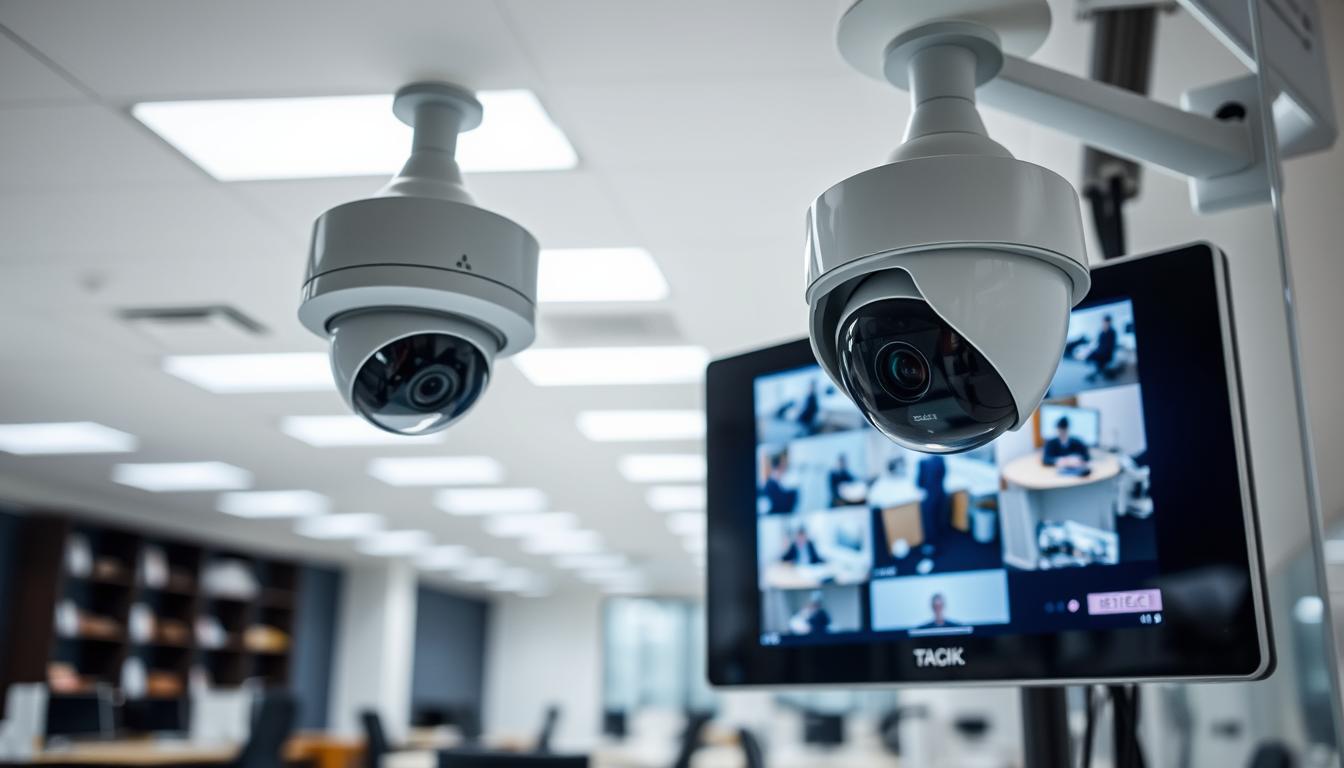
Is Your CCTV Functioning Properly?
In Singapore, over 84% of households consider surveillance systems essential for safety. Yet, simply installing a camera is not enough. You must verify it’s actively recording to protect your home or business.
Many people treat their CCTV setup as “set and forget.” This is a dangerous illusion. Regular checks are vital, especially in dense urban environments like HDB flats and condominiums.
A working security system acts as a deterrent, provides live monitoring, and supplies crucial evidence. If it fails, you face serious security gaps. Insurance claims can be denied without proper footage.
This guide empowers you with practical methods to confirm your cctv status. Learn to perform visual, technical, and software-based checks. Check your CCTV’s active status regularly to transform a static installation into a dynamic shield. It brings real peace of mind.
Key Takeaways
- Installing a camera does not guarantee it is recording; verification is critical.
- The “set and forget” mindset creates a false sense of security that can be dangerous.
- In Singapore’s urban landscape, reliable surveillance is non-negotiable for property safety.
- A functional CCTV system serves three key roles: deterrence, live viewing, and forensic evidence collection.
- Failure to maintain your system can lead to unprotected vulnerabilities and invalidated insurance claims.
- Regular, simple checks can ensure your system is ready when you need it most.
- Proactive maintenance turns your security investment into an active, reliable layer of protection.
Why Regular CCTV Checks Are Essential for Security in Singapore
Routine verification of your surveillance cameras is not a luxury but a critical necessity in Singapore’s high-rise environment. The unique layout of local housing estates creates specific security vulnerabilities.
High-density HDB flats and condominiums feature shared corridors, lifts, and common facilities. This physical design limits the possibility of constant physical patrols. Electronic monitoring via a CCTV system becomes the primary line of defense.
The stakes for having an operational system are incredibly high. Functional cameras do more than just record; they actively prevent crime.
Data from the Singapore Police Force shows that visible, functional security cameras can reduce crime rates by up to 27% in housing estates.
A non-functional unit creates a dangerous illusion of safety. Your property may appear protected while being completely exposed. This gap leaves you vulnerable to theft, vandalism, and other security issues.
The High Stakes of Urban Living and Dense Environments
Singapore’s urban landscape is a complex web of access points. Intruders can exploit blind spots in shared spaces easily. A single faulty camera in a network can compromise the entire security perimeter of a building.
Bustling commercial areas and multi-story car parks add to the challenge. These are zones where traditional watchfulness falls short. A reliable surveillance network fills this critical gap, providing constant electronic oversight.
Without regular checks, minor problems like a loose cable or a dead power supply can escalate. What seems like a small technical glitch can render your home or business unprotected at the worst possible time.
From Deterrence to Evidence: The Multi-Role of a Working System
A fully operational CCTV setup performs three vital functions simultaneously. First, it acts as a powerful visual deterrent. The mere presence of a well-maintained camera discourages potential intruders from targeting your property.
Second, it provides crucial forensic evidence. Clear, timestamped footage is invaluable for police reports. Insurance companies often require this proof to validate claims related to theft or damage. Without it, you risk financial loss.
Third, it enables real-time monitoring. Modern systems allow you to view live feeds remotely on a mobile device. This capability aligns with Singapore’s Smart Nation goals, offering peace of mind whether you’re at work or abroad.
Regular checks ensure this multi-layered tool is always ready. They bridge the gap between deterrence, live viewing, and evidence collection. Proactive verification transforms a static installation into a dynamic, reliable shield for your assets.
Start with the Basics: Understanding Your CCTV System Type
Before checking for signs of life, you must first identify what kind of surveillance technology you own. Different system types show different operational clues. This knowledge is the foundation for all effective troubleshooting.
Your specific setup determines how you verify its status. A wired security camera fails differently than a wireless one. Recognizing your equipment makes spotting problems simple.
Wired vs. Wireless: Connection and Power Fundamentals
The core split in CCTV technology is between wired and wireless cameras. Wired systems offer maximum stability. They use physical cables for both power and video signals.
This direct connection minimizes interference. It is ideal for permanent installations where reliability is paramount. The trade-off is a more complex installation process.
Wireless cameras provide superior flexibility. They transmit video over your Wi-Fi network. This makes them much easier to position and set up.
You must also distinguish between analog and IP devices. Modern IP cameras are digital. They deliver superior video quality and enable remote viewing via smartphone apps.
Key Camera Types: Dome, Bullet, PTZ, and Their Functions
Physical design dictates a camera’s role. Dome cameras are best for discreet indoor monitoring. Their compact, ceiling-mounted housings blend into offices or living rooms.
Bullet cameras are designed for prominent outdoor placement. Their long, cylindrical shape acts as a visual deterrent. They are built to withstand Singapore’s tropical rain and heat.
PTZ (Pan-Tilt-Zoom) security cameras are the most advanced. They offer remote motorized control to pan and tilt. This allows one unit to cover a large area like a driveway or gate.
Always match the camera to its environment. Use ruggedized outdoor models outside. Consider solar-powered units for wire-free operation and backup during outages.
Identifying your own setup is powerful. It helps you spot specific issues fast. You’ll know to check Wi-Fi for a wireless camera or inspect cables for a wired system.
How Do I Know If My CCTV Is Working? Initial Visual Inspection
Light, movement, and sound are the primary signs a CCTV unit is alive and recording. A visual check is your first line of defense. It requires no apps or technical tools.
This method gives you an instant status report. You can spot problems before they become critical. Start by simply looking at your equipment.
Decoding LED Indicator Lights and Their Meanings
Most security cameras have a small LED on the housing. This light is a direct communication channel. Understanding its color and pattern is key.
Common indicator lights follow a general code:
- Solid Green: Normal operation and power.
- Blinking Green/Amber: Network activity or data transmission.
- Red Light: Night vision infrared LEDs are active.
- Blue Light: Often signals motion detection is armed.
Always consult your product manual. Brand-specific signals can vary. The complete absence of any indicator light is a major red flag.
It suggests a total power loss or hardware failure. This issue needs immediate attention to restore your surveillance.
Spotting the Infrared Glow in Low-Light Conditions
Many modern cameras feature automatic infrared lights. These provide clear monitoring in darkness. You can verify this function visually.
Wait for evening or enter a dark room. Turn off all ambient lights. Look directly at the camera lens from a short distance.
You should see a faint red or amber glow. This ring confirms the IR lights are powered and functional. It means your cctv camera can see in the dark.
No glow could mean a failed IR array or a mode setting error. Checking both day and night modes ensures all devices work around the clock.
Observing Physical Movement in PTZ and Motorized Cameras
For advanced cameras with Pan-Tilt-Zoom (PTZ) functions, movement is the ultimate test. Use your system’s control app or software. Command a simple pan or tilt action.
Watch the unit closely. A functional PTZ security camera will rotate smoothly. You might also hear a soft whirring sound from the internal motors.
This confirms power, communication, and mechanical integrity. A stationary camera that should move indicates a problem. Potential causes include motor failure or a disconnected control cable.
Regularly testing this movement prevents surprises. It ensures your cameras can cover their designated areas on command.
These visual clues—LED indicator lights, infrared glow, and physical movement—form a reliable foundation. They provide a fast, actionable status report for any cctv camera system.
Using Your Mobile App for Instant Status Confirmation
A dedicated mobile app transforms your phone into a remote security command center. This software provides the most comprehensive method for confirming your system’s operational status. It offers real-time access and control from anywhere.
Brands like Hik-Connect or Reolink offer powerful applications. These tools give you a complete overview of your security camera network. Regular app checks are essential for reliable monitoring.
Accessing and Verifying the Live Video Feed
Start by opening your dedicated surveillance software. Log in with your credentials and navigate to the live view section. A functional cctv camera will display a clear, smooth stream.
Check for a current timestamp on the video feed. This proves the system is actively recording. Compare this timestamp with your phone’s clock for accuracy.
A frozen screen or heavy pixelation indicates a problem. An “offline” status message requires immediate investigation. These issues often relate to connectivity or power.
Testing Motion Detection Alerts and Push Notifications
Walk within your camera’s field of view to test this critical feature. A properly configured security camera should send a push notification within seconds. This confirms motion detection is active.
You must also review your app’s notification settings. Ensure alerts are enabled and sensitivity is adjusted correctly. This prevents false alerts from pets or moving foliage.
Timely alerts are the backbone of proactive monitoring. They provide instant access to potential security events. Testing them regularly guarantees they work when needed.
Checking Timestamps and Feed Responsiveness for Accuracy
Accurate time logging is non-negotiable for evidence. Verify timestamps on both live and recorded video. Drift of more than a few minutes suggests a system clock error.
Test feed responsiveness using interactive app features. Try two-way audio or PTZ controls if your cameras support them. Commands should execute with minimal delay.
This tests the strength of the signals between your devices. Lag or failed commands point to network issues. A responsive feed confirms a healthy connection.
Finally, visit your app’s device health page. This software section displays vital metrics. You can check Wi-Fi signal strength, storage capacity, and any active error codes.
Regular app-based checks provide a complete, real-time health report. They are the definitive way to ensure continuous, reliable surveillance for your property.
Conducting a Thorough Power Supply and Connection Audit
The majority of surveillance failures can be traced back to two fundamental sources: power and connectivity. A methodical audit of these physical layers is your most effective first response. It often resolves what seems like a complex technical glitch.
This process involves checking every link in the chain. You inspect from the wall outlet to the camera lens. A stable power supply and solid data pathway are non-negotiable for a reliable system.
Inspecting Power Adapters, Cables, and Outlets
Begin your audit at the source of electricity. Locate the power adapter for each camera. A functioning unit should feel slightly warm to the touch.
It should also have its own lit indicator light. If the adapter is cold and dark, the problem likely starts here. Test the wall outlet with another device, like a lamp, to rule out an electrical fault.
Next, inspect all cables. Check both the mains cord and the DC power cable running to the camera. Look for any visible damage.
Search for fraying, cuts, or chew marks from pests. Ensure each connection is fully and firmly seated at both the adapter and the camera housing. A loose plug is a common culprit for intermittent issues.
Verifying Wired Ethernet and Network Connections
For wired IP cameras, the network cable is its data lifeline. Physically trace the Ethernet cable from the camera back to your router or network switch.
Inspect the entire length for kinks or crushing. Ensure the RJ45 connectors click securely into the ports. A loose connection can kill the signal.
Look at the corresponding port on your router. A blinking activity LED confirms data is flowing. No light suggests a dead connection or port failure.
In multi-camera setups, labeling each cable saves immense time during future checks. For persistent problems, a simple network cable tester can diagnose invisible internal wire faults.
Troubleshooting Unstable Wi-Fi for Wireless IP Cameras
Wireless cameras depend entirely on a strong Wi-Fi signal. First, log into your router’s admin interface. Check the list of connected devices.
Your camera should be listed with an “online” status. If it’s absent or shown as offline, connectivity is the core issue.
Use a smartphone Wi-Fi analyzer app. Stand near your camera’s location and measure the signal strength. For stable video streaming, aim for a reading stronger than -67 dBm.
Singaporean HDB flats pose a unique challenge. Thick concrete walls severely weaken Wi-Fi signals. Common appliances like microwaves and cordless phones also cause interference.
Solutions include repositioning your router or camera to improve line of sight. If weak signals persist, adding a Wi-Fi extender or mesh system can bridge the gap. Place the new unit strategically to ensure stable data transmission.
A thorough audit of power, cables, and network links restores functionality in most cases. For persistent issues, refer to our guide on detailed troubleshooting steps for a non-working CCTV.
Ensuring Your Network Foundation is Solid and Stable
Many common CCTV issues, from laggy feeds to offline cameras, originate from suboptimal network conditions. Your home network is the invisible backbone of any IP-based system. It directly impacts video quality, reliability, and remote access.
A robust network foundation eliminates a major source of technical problems. Investing time here ensures a cohesive and responsive security system. Let’s explore how to optimize your setup.
Optimal Router Placement for Strong Camera Connectivity
Your router’s location dictates Wi-Fi signal strength throughout your property. For the best connectivity, centralize and elevate the unit within your home. Place it on a high shelf, away from large metal objects or appliances.
Keep the router within 10 meters of your key security cameras. This distance minimizes signal degradation. Concrete walls, common in HDB flats, heavily absorb Wi-Fi signals.
Avoid placing the router in a cramped cabinet or behind a TV. These obstructions create dead zones. Strategic placement guarantees a strong, stable link for continuous monitoring.
Wired vs. Wireless Setups: Weighing Reliability and Flexibility
Choosing between wired and wireless involves a trade-off. Ethernet cables offer superior reliability and speed. They provide a dedicated data pathway, crucial for fixed 4K cameras.
Wired connections experience almost zero interference. They deliver up to 30% faster speeds than typical Wi-Fi. This ensures crystal-clear video without lag or dropouts.
Wireless cameras provide unmatched installation flexibility. They connect via your Wi-Fi network, eliminating cable runs. For this setup, always verify signal strength at the mounting point during installation.
If your equipment supports it, connect to the less congested 5GHz band. This band offers faster speeds and reduces interference from neighbors’ networks. It’s a smart settings adjustment for better performance.
Managing Bandwidth for Multiple HD Camera Feeds
Every HD camera feed consumes network resources. A single stream can use 2 to 4 Mbps of bandwidth. Four cameras can easily consume over 15 Mbps.
This load can saturate a standard home network. The result is laggy, frozen, or disconnected video feeds. Proper bandwidth management prevents these issues.
Access your router’s admin settings to enable Quality of Service (QoS). This feature prioritizes data packets from your security system over other traffic. Downloads and streaming won’t interrupt your surveillance.
Perform periodic maintenance on your network hardware. Reboot your router and any switches every few months. This clears memory glitches and restores peak performance.
For larger homes with many dead zones, consider a mesh Wi-Fi system. It creates a seamless web of strong signals. This ensures every camera has excellent connectivity.
Optimizing your network foundation is a proactive step. It transforms potential problems into a reliable, high-performance security asset. Your system will remain responsive and ready.
Advanced Verification: Using Tools and Technical Checks
The most conclusive proof of a wireless camera’s activity comes from detecting its radio frequency emissions. This moves verification beyond software indicators to the physical layer of data transmission.
Specialized electronic tools provide this definitive, hardware-level confirmation. They are the ultimate step in a comprehensive check of your surveillance system.
How RF Signal Detectors Can Confirm Camera Transmission
Radio Frequency (RF) detectors, often sold as bug detectors, scan the airwaves. They are tuned to find the specific signals broadcast by wireless security cameras.
When a camera is actively streaming video, it emits these RF waves. The process for verification is straightforward.
Simply power on the handheld detector and sweep it slowly around the room. An audible beep or a visual spike on the device’s display confirms an active transmission.
This method offers irrefutable proof. It works independently of your network settings or mobile app access. The detector hears the camera “talking,” providing a clear operational status.
Using These Tools for Privacy Assurance and Hidden Camera Checks
These tools possess a powerful dual utility. First, they verify your own wireless devices are emitting expected signals. Second, they are critical for personal privacy assurance.
In unfamiliar environments, an RF detector becomes a vital security companion. It can scan for unauthorized hidden surveillance in sensitive locations.
This is crucial in temporary accommodations like hotel rooms or Airbnb rentals. It also applies to changing rooms, rental properties, or private offices.
“In the digital age, protecting your privacy means verifying your environment. A quality RF detector is an investment in personal security,” notes a security consultant.
While not an everyday tool for most homeowners, understanding this capability is key. It represents the pinnacle of technical verification knowledge.
Investing in a reliable detector offers significant peace of mind. It empowers you to conduct the most thorough check possible.
An important note: this method applies only to wireless devices. Purely wired CCTV systems do not broadcast RF signals and won’t trigger a detector.
Advanced tool-based verification perfectly complements visual and app checks. It delivers the ultimate assurance for specific technical and privacy concerns in your monitoring setup.
Identifying Common Problems and Quick Troubleshooting Steps
A sudden loss of video or a missed alert can instantly undermine the security your cameras are meant to provide. Recognizing frequent malfunctions empowers you to act fast. This guide offers a structured approach to diagnose and fix the most common cctv issues.

Methodical steps can restore your system’s function without professional help. Let’s explore practical solutions for critical problems.
Addressing No Video Feed or “Offline” Status
An offline camera is a major security gap. Follow this systematic checklist to find the root cause.
First, investigate the power supply. Check if the adapter’s indicators are lit and feel for warmth. Test the wall outlet with another device. Inspect all power cables for damage and ensure connections are tight.
Next, examine your network. For wired IP cameras, verify Ethernet cables are securely plugged into the camera and router. For wireless models, check your router’s connected devices list. A simple router reboot often resolves connectivity issues.
If power and network checks pass, restart the cctv device itself. Unplug it for 30 seconds, then reconnect. This clears temporary glitches and re-establishes signals.
Fixing Blurry Footage and Night Vision Issues
Clear video is essential for identification. If your footage is blurry, the lens is likely dirty. Use a soft, microfiber cloth to gently clean the glass. Avoid abrasive materials that can scratch the surface.
Also, check for a protective film left on during installation. On varifocal lenses, manually adjust the focus ring for a sharper image. A clean housing prevents dust from settling back on the lens.
Poor night vision quality has specific causes. First, ensure the area is dark enough to trigger infrared mode. Then, clean the plastic cover over the IR LEDs, as dirt blocks the light.
Finally, verify the night vision settings in your camera’s app. It should be set to “Auto” or “On” for low-light conditions. These steps usually restore clear after-dark footage.
Resolving Failed Motion Alerts and Recording Gaps
Missed motion alerts and recording gaps leave you unaware of events. Start by reviewing the motion detection zone and sensitivity settings in your surveillance software.
Ensure push notifications are enabled for the app on your phone. Walk in front of the camera to test the alert. Adjust sensitivity to avoid false alerts from pets or foliage.
For recording interruptions, check your storage. In an NVR system, verify the hard drive health and available space. For cloud storage, confirm your subscription is active.
Also, review your recording schedule. Ensure it’s set to “Continuous” or “Motion-Based” as needed. Incorrect schedules create unintended gaps in your video history.
Always check for firmware updates via your camera’s app or software. Outdated firmware is a common source of glitches and connection drops. Updates provide vital stability fixes.
Document any persistent problems and the steps you’ve taken. This log is invaluable if you eventually need professional support.
Working through these common issues with the provided solutions can resolve most malfunctions. You’ll save time and money while swiftly restoring your property’s security coverage.
Knowing the Difference: Real CCTV Cameras vs. Dummy Units
Not every camera mounted on a wall contributes to genuine security. Some are merely props designed for psychological effect. Distinguishing a functional security camera from a convincing dummy unit is a critical skill.
This knowledge protects your own investment. It also helps you assess the true security posture of neighboring properties. A street lined with fake cameras offers far less protection than one with active surveillance.
Examining Wires, Housing, and Brand Authenticity
Start with a hands-on inspection. Real devices have legitimate wiring for power and data. Trace the cables from the housing.
Authentic wires connect to a power adapter or network source. Dummy units often have decorative wires that end abruptly inside the wall. Some have no cables at all.
Next, assess the build quality. Genuine cctv camera housings use durable, weather-resistant plastic or metal. They feel substantial and well-made.
Imitation units often feel lightweight, hollow, and flimsy. Examine the lens carefully. A real camera lens is clear glass or high-quality polycarbonate.
A dummy may have a painted black dot or a simple plastic cover. These are clear signs of a non-functional unit.
Check for operational indicator lights. Most real cameras have an LED that illuminates during use. It might be a small status light.
Some advanced dummies mimic this with blinking lights for effect. They lack actual network connectivity or movement. This is a clever trick.
Brand authenticity is paramount. Reputable brands like Hikvision, Dahua, and Axis have official channels. Always purchase from authorized distributors in Singapore.
Counterfeit devices lack proper documentation and serial numbers. They also miss critical firmware updates. This compromises long-term reliability.
Why Functional Cameras Offer More Than Just Deterrence
A dummy camera provides only visual deterrence. This is its sole function. It creates a dangerous security gap.
These units offer zero actual monitoring, evidence collection, or remote access. An intruder who calls the bluff leaves no footage behind.
“A dummy camera is a one-trick pony. It might scare off an opportunistic thief, but it provides no intelligence or evidence. For real protection, you need a system that sees, records, and alerts,” notes a security consultant.
Investing in functional cameras delivers the full spectrum of benefits. You gain live surveillance from your smartphone. Motion detection sends instant alerts to your device.
High-quality recording provides clear evidence for identification. This footage is vital for police reports and insurance claims. It turns a reactive symbol into a proactive system.
Apply the verification methods from earlier sections to your own equipment. Perform visual checks and use your mobile app. Ensure you haven’t inadvertently installed or been sold non-functional units.
A real, working cctv system is a dynamic shield. It does much more than just look the part. It actively works to secure your property day and night.
The Non-Negotiable Routine: Regular System Maintenance
Your CCTV system’s longevity and performance hinge on a simple, yet non-negotiable routine of cleaning and software management. Treating your security cameras with a “set and forget” mindset invites failure. Proactive maintenance is a disciplined practice that extends equipment life and ensures optimal performance.
This routine prevents minor issues from escalating into total system failures. Dedicating a small amount of time to systematic upkeep guarantees high returns in security effectiveness. It transforms your investment into a reliable, long-term asset.
Cleaning Camera Lenses and Housings for Clear Footage
Dust, spider webs, and smudges are the enemies of clear video. They obscure details and render footage useless for identification. Regular cleaning is your first line of defense.
Use a soft, lint-free microfiber cloth for the lens and external housing. Gently wipe to remove dirt, water spots, and debris. Avoid abrasive chemicals or paper towels that can scratch the glass.
For cameras with night vision, pay special attention to the infrared LED cover. Built-up grime here severely diminishes the effectiveness of infrared illumination. A clean cover ensures your camera sees clearly after dark.
Incorporate checks of physical connections and cable integrity into this routine. Look for wear and tear on power adapters and data cables. Catching these problems early prevents sudden dropouts.
Scheduling Firmware Updates and Software Checks
Firmware is the brain of your security camera. Outdated software is a common source of glitches and security vulnerabilities. Regular updates are critical.
Check your camera manufacturer’s app or website for updates quarterly. These patches fix bugs, improve system stability, and often add new features. The update process is usually quick and straightforward.
Also, review your recording settings and motion detection alerts during these software checks. Ensure everything is configured correctly for your current needs. This proactive step resolves many unexplained performance issues.
Documenting Your Checks and Creating a Maintenance Log
A maintenance log turns sporadic checks into a reliable discipline. Create a simple digital spreadsheet or use a physical notebook. This log provides a clear history of your system’s care.
Record the date of each inspection and which cameras were serviced. Note actions taken, like “cleaned front door lens” or “updated NVR firmware.” Document any anomalies observed for future reference.
This record is invaluable. It helps you track patterns, plan future time, and provides crucial data if you need professional support. A well-maintained CCTV system is far less likely to suffer from blurry footage or failed recording.
Dedicate a small amount of time to this systematic upkeep. It is a low-cost investment that guarantees your security monitoring remains a dynamic, trustworthy shield.
When to Seek Professional CCTV Support and Expertise
Recognizing when to call a professional can save you time, money, and prevent critical security lapses. Every homeowner has a limit to DIY troubleshooting. Knowing that boundary protects your investment and ensures continuous protection.
Expert intervention becomes necessary when basic solutions fail. Complex technical faults require specialized tools and knowledge. Engaging a pro restores functionality fast and prevents further damage.
Signs Your System Needs Expert Diagnosis
Certain persistent problems clearly signal the need for a specialist. If your camera shows an “offline” status despite all basic checks, deeper issues exist. Recurring video corruption or strange artifacts often point to internal hardware failure.
A damaged image sensor or mainboard needs professional repair. Complex network configuration or extensive wiring problems also fall outside typical DIY skill. These scenarios demand expert diagnosis to avoid prolonged security gaps.
Benefits of Professional Installation, Calibration, and Maintenance Services
Professional installation delivers optimal strategic placement for your cameras. Experts eliminate blind spots and ensure proper cable management for safety and aesthetics. They configure complex multi-camera NVR systems correctly from the start.
Calibration is another key benefit. Technicians fine-tune motion detection zones and sensitivity to minimize false alarms. They optimize night vision settings for specific lighting conditions and set accurate PTZ presets.
“A professionally calibrated system performs consistently. It reduces nuisance alerts and captures usable evidence every time,” notes a Singapore-based security consultant.
Scheduled maintenance services provide comprehensive health checks. Professionals perform deep cleaning, proactive firmware updates, and performance optimization. These tasks are often overlooked but are vital for longevity.
Experts also assist with system integration. They can connect your CCTV with alarm systems or smart home platforms. They provide informed recommendations for upgrades or expansions as your needs change.
In Singapore’s regulated environment, professionals ensure compliance. They help align your setup with PDPA guidelines regarding surveillance and data protection. This avoids legal issues.
Always research and engage licensed, reputable CCTV service providers. Look for companies with proven track records and positive customer reviews in Singapore.
Investing in professional support enhances overall system reliability. It maximizes your security ROI and provides long-term confidence in your property’s protection. Your monitoring becomes a trusted, resilient shield.
Empowering Your Peace of Mind with a Verified System
The ultimate value of any security investment is realized only when its functionality is confirmed. This guide has equipped you with a clear pathway—from visual checks to app verification and network audits.
Following these steps transforms your surveillance system from a passive device into an active, trusted asset. You gain confidence that your property is monitored effectively.
For Singapore residents, this proactive approach is key. It enhances security in dense urban environments and aligns with a security-conscious culture. A working system deters, provides live access, and secures vital footage.
Make these checks a regular habit. Bookmark this guide for future reference. Share it to promote community security awareness.
True peace of mind comes from knowing your CCTV status. Your investment actively protects your home and assets around the clock. Stay informed as technology evolves to keep your solutions sharp.
FAQ
Why is it so important to regularly check my security cameras?
Regular verification ensures your surveillance system is actively protecting your property. In dense urban environments, a malfunctioning unit can miss critical events, leaving you without vital evidence. Consistent checks confirm that deterrence, monitoring, and recording functions all operate correctly.
What’s the first thing I should look at during a visual inspection?
Begin by checking the camera’s LED indicator lights. A solid or blinking light typically signifies power and network activity. At night, look for a faint red glow from the infrared LEDs, confirming night vision is active. For PTZ cameras, use your app to test the pan, tilt, and zoom functions.
How can my mobile app confirm the system is operational?
Your app provides instant status confirmation. Log in to view the live video feed in real-time. Test motion detection by walking in front of a lens to trigger an alert. Verify that timestamps on the footage are accurate and that the feed updates without significant lag, indicating proper connectivity.
What are common power and connection issues I should inspect?
Physically check all power supply adapters, cables, and outlets for damage. For wired systems, ensure Ethernet cables are securely plugged into the router and camera. For wireless cameras, verify the Wi-Fi signal strength on your router’s admin page and consider a mesh network for better coverage.
How does my home network affect camera performance?
A stable network is the backbone of modern security cameras. Ensure your router is centrally located. For ultimate reliability, use a wired Ethernet connection. If using Wi-Fi, manage bandwidth by ensuring your internet plan can handle multiple HD video streams without congestion.
What is a quick way to troubleshoot a camera showing no video?
First, reboot the camera and your router. Check all physical connections and power sources. Log into the camera’s software or app to see if it shows an “offline” status. For persistent problems, a factory reset of the device may be necessary, but this will erase your settings.
How can I tell if a camera is real or a dummy unit?
Examine the device closely. Functional CCTV cameras have authentic brand markings, visible wiring for power and data, and a lens. Dummy cameras often feel lightweight, lack internal electronics or cabling, and have a simplistic design. Only real systems provide actual recording and monitoring.
What routine maintenance keeps my surveillance system healthy?
Regularly clean camera lenses and housings with a soft cloth to prevent blurry footage. Schedule periodic firmware updates from the manufacturer to patch security flaws and add features. Keep a simple log of your checks and any issues to track system health over time.
When should I call a professional for my security system?
Seek expert support for complex wiring, recurring network dropouts, or hardware failure. Professionals from companies like Axis Communications or Hanwha Vision offer precise installation, optimal camera calibration, and comprehensive maintenance plans, ensuring maximum system reliability and coverage.


