
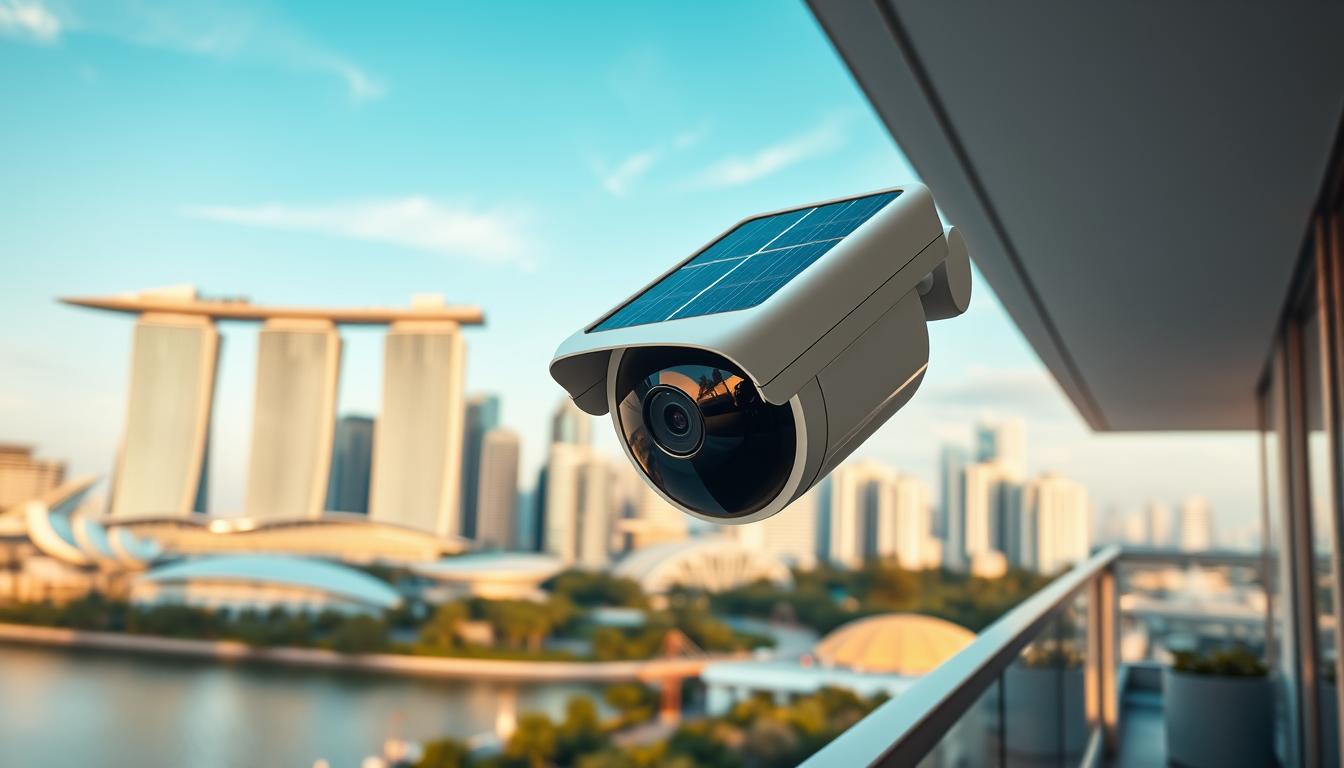
Solar Powered Security Cameras: A Buyer’s Guide for Singapore
Keeping your property safe is a major concern for residents across Singapore. Modern solutions now blend robust protection with environmental responsibility.
This trend perfectly supports Singapore’s Green Plan 2030, a national push for a sustainable future. Choosing eco-conscious tech for your home is a smart way to contribute.
Local adoption is strong. These devices have earned an impressive average rating of 4.5 out of 5 stars from over 640 reviews in Singapore. This shows high trust and satisfaction among users.
You can find options for every budget. Entry-level setups start around $59.99, while full-featured professional systems can reach $799.99.
The core appeal is clear. You get continuous, reliable surveillance while lowering your carbon footprint and saving on electricity costs over time. It’s a win for your safety and the planet.
This guide will help you navigate the market. We’ll cover essential features, brands, and considerations specific to Singapore’s urban environment and tropical climate.
Key Takeaways
- Eco-friendly surveillance is growing rapidly in popularity for Singaporean homes and businesses.
- This technology aligns with national sustainability initiatives like the Green Plan 2030.
- Local user reviews indicate very high satisfaction and reliability.
- A wide price spectrum exists, from budget-friendly to premium professional setups.
- These systems provide dependable monitoring while reducing environmental impact and energy expenses.
- Key benefits include wireless installation and greater energy independence.
- This buyer’s guide is designed to help you make a confident, informed purchase decision.
Why Solar Power is a Smart Security Choice for Singapore
Singapore’s year-round tropical climate offers a natural advantage for modern, eco-conscious home solutions. This section explores why harnessing the sun for your monitoring needs is a particularly astute decision here.
We’ll look at three compelling reasons: the excellent local weather for photovoltaic tech, strong alignment with national sustainability goals, and significant long-term financial benefits.
Harnessing Singapore’s Abundant Sunlight
The island nation receives over 2,500 hours of bright sunlight each year. This creates an ideal environment for sun-powered devices.
Technically, the average solar irradiance is about 1,582 kWh/m² annually. This high level of available solar energy makes such setups highly effective and reliable.
A common concern is the rainy monsoon season. Modern units are engineered for resilience. They maintain an impressive 85% efficiency rate even during prolonged cloudy or wet periods.
This ensures your surveillance remains operational regardless of short-term weather changes.
Aligning with Sustainability: The Green Plan 2030
Adopting this technology directly supports Singapore’s Green Plan 2030. This national blueprint aims for a sustainable future.
A key target is deploying 2GW of solar capacity across the island by 2030. Choosing an eco-friendly monitoring system contributes to this collective goal.
There are also direct incentives for homeowners. Subsidies of up to 30% are available for ECO-certified security systems.
This makes upgrading your property’s protection both an environmentally and financially smart move.
Cost Savings on Energy and Installation
The financial case is strong. By eliminating grid electricity use for surveillance, you slash ongoing costs.
Reports from the SP Group show a 75% reduction in energy bills for condo complexes using this tech. For individual homes, savings accumulate significantly over time.
Compared to traditional wired setups, users can save between $1,500 and $2,000 over a typical 10-year period.
Installation expenses are also lower. Wireless, sun-powered setups require no extensive wiring. This reduces labor and material costs from day one.
Perhaps the most critical benefit is energy independence. Your monitoring system stays online during a grid outage.
This guarantees uninterrupted property protection when you might need it most, enhancing overall safety and peace of mind.
Understanding Solar Powered Security Camera Systems
At the heart of every modern, self-sufficient surveillance setup is a clever trio of components working in perfect harmony. Knowing how they interact is key to choosing a reliable unit for your home.
This synergy creates a closed-loop energy ecosystem. It harvests sunlight, stores the power, and delivers uninterrupted monitoring.
How Solar Panels, Batteries, and Cameras Work Together
The process starts with the photovoltaic panel. Its cells convert local sunlight into electrical energy with an efficiency rate of 15-22%.
Under good conditions, a full recharge takes just 6-8 hours. This harvested power is then sent to a rechargeable battery.
Not all panels are equal. Monocrystalline types offer higher efficiency, up to 22%. Polycrystalline versions are a more cost-effective choice.
For Singapore’s climate, the higher efficiency of monocrystalline can be beneficial during overcast days.
The battery is the heart of the system. Modern units use lithium chemistry. You’ll find two main types.
LiFePO4 batteries prioritize safety and longevity. NMC batteries offer higher energy density in a smaller size. Both provide over 3,000 charge cycles.
A smart charge controller manages the flow. It prevents overcharging and ensures the stored power can provide up to 7 days of backup without sun.
This entire system feeds the monitoring unit, enabling true cord-free operation.
Wi-Fi Connectivity and Remote Monitoring
Reliable network access turns a local device into a smart guardian. For clear video streaming, your home internet needs a minimum upload speed of 5Mbps.
Singaporean homes, especially larger landed properties, may face signal issues. Advanced solutions like mesh WiFi networks can eliminate dead zones.
For critical reliability, some models offer 4G LTE fallback. If your home Wi-Fi drops, the unit automatically switches to a cellular data connection.
Protecting your data is paramount. Look for AES-256 encryption. This standard scrambles the feed, keeping it private from hackers.
Accessibility is also designed for modern households. Multi-user access controls let family members or condo management teams view feeds securely.
Seamless integration is no longer a luxury. It’s a core feature for a connected home.
This includes compatibility with popular ecosystems like Samsung SmartThings or Apple HomeKit. You can use voice commands or create automations with other smart devices.
Strong connectivity ensures you get instant alerts and can check on your property from anywhere.
Key Features to Evaluate in Your Solar Security Camera
To ensure your investment delivers reliable protection, focus on these essential performance features. The right specifications turn a simple device into a powerful guardian for your premises.
This checklist covers the technical details that matter most. It helps you compare models and find the perfect fit for your needs.
Video Resolution and Image Clarity
Image quality is paramount for effective monitoring. Modern units offer resolution options from 1080p Full HD to 4K Ultra HD.
The difference is critical in urban settings. A 4K feed provides forensic-level detail. It allows you to clearly identify faces or license plates from a distance.
For general property oversight, 1080p is often sufficient. If you need to capture fine details, investing in higher resolution is wise.
Night Vision Capabilities for 24/7 Surveillance
Round-the-clock vigilance depends on strong low-light performance. Effective night vision can extend up to 33 feet.
Traditional infrared modes produce black-and-white footage. Newer color vision technology uses ambient light to deliver clearer, more detailed images after dark.
Advanced models feature starlight sensors. These excel in very dim conditions, ensuring your protection doesn’t fade when the sun goes down.
Motion Detection and Smart Alerts
Intelligent motion sensing separates important events from everyday activity. AI-powered analytics can reduce false alarms by up to 90%.
This smart filtering ignores common triggers like pets or swaying foliage. You only get notifications for relevant movement, such as a person approaching a gate.
Precision alerts save time and increase trust in your system’s notifications.
Look for customizable sensitivity zones. You can draw areas in the video feed where you want alerts to be active. This focuses monitoring on key entry points.
Field of View and Camera Placement
The field of view determines how much area a single unit can cover. Angles typically range from 122° to a full 180° panorama.
Dual-lens models offer especially wide coverage. This is ideal for monitoring large driveways or garden areas with fewer devices.
Smart placement eliminates blind spots. For a Singaporean HDB corridor, a 140° angle might cover the entire length. For a landed home driveway, a 122° view can focus on the entrance without catching passing traffic.
Discreet design is also available. URA-approved camouflage styles blend into heritage or conservation zone exteriors. They provide monitoring without a prominent visual presence.
When evaluating options, prioritize the features that match your specific scenario. A well-chosen unit becomes a seamless part of your property‘s defense.
- Clarity: Higher resolution (4K) is best for identification details.
- All-Night Watch: Seek color night vision or starlight sensors for superior low-light footage.
- Smart Alerts: AI-powered motion detection drastically cuts down false notifications.
- Coverage: Match the field of view to your space—wider for open areas, narrower for focused points.
- Discretion: Consider camouflaged designs for sensitive or aesthetically strict locations.
Battery Life and Solar Charging Performance
Understanding the interplay between battery capacity and daily sun exposure is key to achieving uninterrupted surveillance. This section breaks down the technical specs that determine how long your guardian operates and how quickly it recharges.
We’ll translate numbers into practical guidance. You’ll learn how to ensure your setup thrives in Singapore’s unique environment.
Understanding Battery Capacity and Backup
Battery capacity is measured in milliampere-hours (mAh). Think of it as the fuel tank for your device. A larger capacity means more days of operation between charges.
Most modern units use lithium-ion technology. They offer over 3,000 charge cycles. This translates to years of reliable service.
Two common chemistries exist. LiFePO4 batteries are safer and more durable. They excel in Singapore’s hot, humid climate.
NMC batteries pack higher energy density into a smaller size. Your choice depends on prioritizing longevity or a compact design.
A smart charge controller manages the flow. It ensures a full charge can provide up to 7 days of backup without any sunlight.
This resilience is crucial during monsoon season. Your monitoring remains active through prolonged cloudy weather.
How Many Hours of Sunlight Are Needed?
Your solar panel is the perpetual refueling station. Most need just a few hours of direct sunlight daily to keep the battery full.
Requirements vary by panel efficiency. Typically, you need between 1 to 4 hours of good sun.
Brand examples illustrate this. Ring’s standard panel needs 3-4 hours of full sun. Their Super Solar Panel requires only 1-2 hours of partial light.
Local conditions impact this harvest. Seasonal monsoon clouds or haze from regional fires can reduce panel efficiency by up to 15%.
Consistent performance isn’t just about the hardware; it’s about smart placement and simple upkeep.
Orientation matters. Aim your panels for maximum southern exposure. Even a small tilt can improve energy capture.
Regular maintenance is a powerful boost. Cleaning dust and grime from panels can increase efficiency by 25%. A quick wipe every few months makes a big difference.
To use your system effectively, calculate your needs. Consider your location’s specific sunlight patterns and how often the camera activates.
A well-planned solar-powered setup ensures continuous operation. For more detailed tips on maximizing your investment, learn how to optimize your solar battery setup.
- Capacity is King: Higher mAh equals longer battery life between charges.
- Chemistry Choice: LiFePO4 for heat resilience; NMC for compact, high-power needs.
- Sunlight Hours: Most panels need 1-4 hours of direct light for a full daily recharge.
- Local Factors: Account for monsoon seasons and haze, which can reduce solar power harvest.
- Simple Maintenance: Clean your panels regularly to maintain peak energy production.
Video Storage Options: Local vs. Cloud
Storage isn’t just about capacity; it’s a fundamental decision between one-time investment and ongoing service. Your choice defines data privacy, long-term costs, and how easily you can access your video history.
Two primary options exist: local, on-device storage and subscription-based cloud storage. Understanding their differences is key to building a system that fits your lifestyle and budget.
Built-in SD Card Storage
Local storage typically uses a microSD card inserted directly into the device. This is a highly cost-effective solution. You pay once for the card and own your data outright.
Privacy is a major advantage. Your footage never leaves your premises. This can simplify compliance with Singapore’s Personal Data Protection Act (PDPA).
Brands like Eufy cater to this preference. Some models include generous built-in storage, like 16GB, eliminating the need for any monthly fees.
There are clear limitations, however. Capacity is finite. A high-traffic area might fill a 128GB card in just weeks.
The physical card is also vulnerable. It can be damaged by extreme humidity or, in a worst-case scenario, stolen along with the device itself. This means your evidence could be lost.
Subscription-Based Cloud Storage Plans
Cloud storage services upload your recordings to secure off-site servers. This provides a robust backup. Even if the device is tampered with, your video remains safe online.
Access is seamless. You can review footage from any device, anywhere. This is crucial for true remote monitoring of your home.
Most plans, like those from Ring or Google Nest, offer rolling retention. This means you typically have access to the last 30 to 60 days of recordings, creating an unlimited loop.
Your data’s location determines who controls it. Local keeps it in your hands; cloud entrusts it to a service, often with stronger encryption.
The financial model is different. You trade a higher upfront cost for a predictable monthly or annual fee. For multi-camera systems, these subscriptions can add up.
Functionality is often enhanced. Sharing a specific clip with authorities or family is usually simpler through a cloud app. Reviewing historical timelines is also more intuitive.
Reputable brands use AES-256 encryption to protect your data in transit and at rest. This meets high standards for security.
So, which option is right for you? For a single device in a small apartment, local storage offers simplicity and privacy. For a large property with multiple units, a cloud plan ensures organized, fail-safe backup and easier management.
Your decision balances control, convenience, and recurring cost. Choose the path that best secures your peace of mind.
Top Solar-Powered Security Camera Brands and Models
Choosing the right guardian for your premises involves comparing leading manufacturers and their flagship products. The Singapore market offers several excellent options, each with unique strengths.
This overview highlights the most popular and reliable systems. We’ll focus on key features, pricing, and what makes each brand stand out.
Reolink: Feature-Rich and Cost-Effective Options
Reolink is renowned for packing high-end specs into affordable packages. Their models, like the Argus 3 Pro, deliver exceptional value.
This unit records in crisp 2K resolution. It has a 122° field of view for solid coverage. You can often find it priced around $199.
A major plus is its flexible charging. It works well with many third-party solar panel accessories. This keeps your setup running without wires.
The brand is a top pick for tech-savvy users. You get features like color night vision without a hefty price tag. It’s a cost-effective choice for robust protection.
Eufy: Local Storage and Strong Privacy Focus
Eufy champions data privacy by keeping everything on your property. Their system is designed to avoid monthly fees.
The EufyCam 3 is a standout model. It records in 1080p and includes 16GB of built-in local storage. This unit typically costs about $179.
Your footage never uploads to the cloud unless you choose to. This approach aligns with strong data sovereignty principles. It’s ideal for privacy-conscious households.
For those wary of subscriptions, Eufy offers a compelling, all-in-one solution that puts you in full control.
Their solar-powered cameras are efficient and discreet. They integrate seamlessly into the brand’s wider home security ecosystem.
Ring: Seamless Ecosystem and Smart Home Integration
Ring excels at creating a unified and user-friendly experience. Its strength lies in deep smart home integration.
The Ring Spotlight Cam is a popular choice. It pairs perfectly with Ring’s own solar panels, which cost between $49.99 and $99.99.
Setup is straightforward. The device connects effortlessly to Amazon Alexa for voice control. You can view live feeds on Echo Show displays.
Storage is handled via optional cloud plans. This provides easy remote access to video history. The ecosystem is a major draw for those already using Amazon services.
Its compatibility and alert system make monitoring simple for the whole family. It’s the go-to for convenience and connectivity.
Other Notable Brands to Consider
Beyond these three, other reputable brands serve specific needs. Lorex offers professional-grade cameras with robust 4K imaging.
Arlo is famous for its user-friendly, DIY-friendly systems. Their setups are known for easy installation and reliable performance.
Google Nest provides advanced AI features within a smart home framework. Their units offer sophisticated person and package detection.
Each brand caters to different priorities. Lorex suits those needing top-tier image clarity. Arlo is perfect for the first-time installer.
Making the Right Choice for Singapore
Your decision should balance features, budget, and ecosystem preference. Reolink offers the most features per dollar for your property.
Eufy is best if avoiding ongoing fees is your top concern. Ring is ideal if you value seamless smart home connections.
Always purchase from authorized Singaporean dealers. Grey market imports may lack local warranty support. This is crucial for long-term peace of mind.
Authorized retailers ensure you get the correct power adapters and local customer service. Protect your investment by buying from trusted sources.
With these options, you can find a system that perfectly guards your home.
Installation and Setup: DIY vs. Professional
The success of your new monitoring system hinges on two critical factors: where you place it and how you set it up. This phase transforms hardware into an active guardian for your property.
Getting it right ensures maximum energy harvest and optimal surveillance coverage. A poor setup can lead to weak connectivity or drained battery life.
Your approach depends on your comfort level, housing type, and the complexity of your system. We’ll guide you through both do-it-yourself and professional paths.
Choosing the Optimal Location for Sun and Security
Site selection is a balancing act. You need direct sunlight for the solar panel and a clear view of key areas for the device.
For energy, aim for a south-facing spot. This provides the most sun hours in Singapore. A tilt of roughly 30 degrees is ideal for our latitude.
For protection, cover entry points like gates, doors, and first-floor windows. Avoid pointing directly at reflective surfaces or busy public areas to reduce false alerts.
HDB Flats: Corridor placements must comply with town council rules. Optimize for morning sunlight and ensure you don’t obstruct common walkways.
Condominiums: Check with building management for height and facade regulations. Strata title rules often dictate where you can mount external equipment.
Landed Homes: Consider lightning protection for units mounted on high gables. Also, think about the aesthetic impact on your home‘s facade.
Step-by-Step Guide for DIY Mounting
If you’re handy, DIY can save money and offer flexibility. Gather your tools: a drill, screwdriver, spirit level, and the provided mounting kit.
Follow these steps for a solid, weatherproof setup:
- Mark and Drill: Hold the mounting bracket against the chosen wall. Use a level to ensure it’s straight. Mark the screw holes and drill pilot holes.
- Secure the Bracket: Attach the bracket using the provided screws and wall plugs. For brick or concrete, you may need a hammer drill.
- Mount the Unit: Attach your monitoring device to the bracket. Tighten the security screw to deter theft.
- Position the Solar Panel: Mount the panel bracket nearby, ensuring no shade falls on it. Angle it for southern exposure.
- Connect the Cable: Run the weatherproof cable from the panel to the device. Secure it along the wall with clips for a tidy look.
- Power On and Test: Turn on the system. Verify the battery is charging and the live feed is clear.
For advanced DIY, a laser level helps align multiple units for uniform coverage. Neat cable management maintains your property‘s curb appeal.
A perfectly angled solar panel is worth more than a perfectly centered view. Energy independence is the foundation of continuous operation.
Anti-theft mounting brackets are a wise add-on. They require a special key to remove, adding a physical layer of security.
When to Consider Professional Installation
Some scenarios call for an expert’s touch. Professional installation guarantees optimal performance and regulatory compliance.
Consider hiring a pro for multi-story buildings where ladders or scaffolding are needed. They have the equipment and insurance for high-risk work.
Complex setups integrating with existing wired systems also benefit from expert knowledge. They ensure compatibility and clean integration.
If your condo management or URA approval is required, professionals often handle the paperwork. They know the local codes for HDB and private estates.
The primary benefit is peace of mind. Experts verify signal connectivity, optimize network settings, and conceal all wiring impeccably.
On cost, DIY can save you up to $150 per camera. However, a botched job might void warranties or damage your device. Weigh the risks against your skills.
Regardless of your choice, post-setup testing is non-negotiable. Check all motion detection zones and confirm the solar panel is delivering a charge.
Verify the battery icon shows “charging” during peak sun hours. Test the live feed from your phone to ensure remote connectivity is strong.
This final step activates your property‘s new sentinel. It ensures you use your investment to its full potential from day one.
Budgeting for Your Solar Security System
Before you click “buy,” understanding the full price picture—both immediate and long-term—is essential for a wise investment. A transparent budget ensures your new setup delivers value without surprise expenses.
This breakdown covers every dollar, from the box to years of reliable service. It helps you plan for a system that fits your finances.
Upfront Costs: Camera, Solar Panel, and Accessories
Your initial outlay has several parts. The monitoring unit itself is the biggest ticket item.
Entry-level models start around $59.99. Premium units with 4K resolution and advanced AI can cost between $250 and $800.
The dedicated photovoltaic panel is next. These typically add $50 to $100. Some high-end bundles include it, while budget options may require a separate purchase.
Don’t forget the extras. A sturdy mount, a high-endurance microSD card for local storage, and anti-theft screws add to the cost. These small items ensure a professional, lasting installation.
- Budget Setup: A single unit with a basic panel can be under $100.
- Mid-Range System: A feature-rich device with a good panel might be $200-$350.
- Premium Multi-Unit Protection: Comprehensive setups with several guardians can exceed $800.
Ongoing Costs: Subscriptions and Maintenance
After purchase, monthly or annual fees are the main recurring costs. Cloud storage plans from brands like Ring or Arlo range from $3 to $10 per month, per device.
This service provides off-site backup and easy video review. Choosing a unit with free local storage can eliminate this fee entirely.
Maintenance is minimal but real. The internal battery may need replacement every 2-3 years. Keeping the panels clean from dust and grime ensures they capture maximum energy.
This is where the concept of Total Cost of Ownership (TCO) becomes vital. It contrasts higher upfront costs with long-term operational savings.
TCO reveals the true value. A sun-powered setup avoids wiring labor fees and slashes electricity bills from day one.
The data proves the benefit. Over a typical 10-year period, these systems can save you $1,500 to $2,000 compared to traditional wired options. The absence of grid power use is a consistent financial advantage.
To budget effectively, consider a few smart models. Opt for devices with built-in local storage to avoid cloud fees.
Look for retailer package deals that bundle the unit and panel. Also, consider refurbished units sold with a warranty for significant savings.
Planning for both upfront and ongoing costs lets you use your budget wisely. You invest in robust security that pays for itself over time.
Overcoming Common Challenges in Singapore
While the benefits are clear, local adopters often face a few predictable obstacles. These can be easily managed with the right knowledge.
Singapore’s urban environment and tropical weather present unique tests. Proactive planning ensures your monitoring system remains reliable year-round.
We address the top three concerns: weather resilience, wireless connectivity, and regulatory compliance. Solving these guarantees peace of mind.
Performance During Monsoon Season and Haze
Annual haze and heavy rains can impact energy harvest. Understanding these effects helps you prepare.
Haze particles reduce sunlight reaching the panel. This can lower charging efficiency by up to 15%.
During monsoon downpours, modern units maintain about 85% efficiency. They are built to handle sustained wet weather.
The key is a robust battery buffer. A system with several days of backup power bridges low-sunlight gaps seamlessly.

Smart placement minimizes issues. Install panels where they get maximum morning sun. Avoid spots shaded by buildings or trees.
Keep the surface clean. Dust and grime accumulation worsens during haze. A simple wipe every few months restores full performance.
Your surveillance will continue uninterrupted. These steps ensure consistent protection regardless of the forecast.
Ensuring Strong Wi-Fi Signal in Outdoor Areas
Weak wireless connectivity is a frequent headache. Gardens, car parks, and gateways are common trouble spots.
Your home network must reach these areas. A weak signal causes video lag or disconnections.
For larger landed properties, a standard router may not suffice. Extended range is often necessary.
A robust wireless setup is as crucial as the device itself. It ensures real-time alerts and smooth remote viewing.
Consider upgrading your network hardware. A mesh Wi-Fi system blankets your entire property with strong signal.
Popular options like Google Nest Wifi are effective. They eliminate dead zones with multiple access points.
For very distant areas, a point-to-point wireless bridge is a professional solution. It creates a dedicated link to your main router.
Always test signal strength at the installation point before mounting. Use your phone’s Wi-Fi analyzer app for a quick check.
Strong connectivity means your security feeds are always accessible. You won’t miss a critical alert.
Compliance with HDB and Condominium Regulations
Following local rules is non-negotiable. Each housing type has specific guidelines for external installations.
Ignoring these can lead to removal orders or fines. A compliant setup is a permanent one.
For HDB Flats: You must check with your Town Council. They have strict rules on corridor use and facade modifications.
Mounting devices must not obstruct common walkways. Discreet, low-profile designs are often preferred.
For Private Condominiums: Submit your plans to the Management Corporation (MCST). They review proposals for aesthetic and safety consistency.
Many MCSTs have pre-approved lists of models or installers. Getting permission beforehand avoids conflicts.
For Landed Properties in Conservation Zones: The Urban Redevelopment Authority (URA) may require approval. This ensures exterior changes preserve the area’s character.
Choose units with camouflaged or neutral designs. They blend in and are more likely to get the green light.
Working with a professional installer familiar with local processes is wise. They handle submissions and ensure code compliance.
Your property‘s security should never come at the cost of violating community standards. A little research upfront saves major hassle later.
By tackling these challenges head-on, you build a resilient and lawful monitoring system. It will serve your home reliably for years to come.
Making Your Final Decision and Next Steps
The final step is to translate your research into a purchase that fits your lifestyle and property. Your choice should balance your specific needs, essential features, and budget.
Always apply a final filter for Singapore’s unique context. Consider local climate patterns and building regulations for a compliant setup.
Next, compare the top systems from brands like Reolink, Eufy, and Ring. Read user reviews on local platforms and check authorized dealers for current promotions.
This informed approach leads to a smart decision. You will achieve enhanced security, contribute to sustainability, and gain lasting peace of mind for your home.
FAQ
Are these devices a good fit for Singapore’s climate?
Yes, they are an excellent choice. Singapore’s consistent sunshine provides ample solar energy to keep the battery charged. This aligns perfectly with national sustainability goals, making it a green and practical option for home protection.
How does the whole system function?
The panel converts sunlight into electricity to charge an integrated battery. This power runs the device continuously. It connects to your home Wi-Fi, allowing you to view live footage and receive alerts directly on your smartphone from anywhere.
What should I look for in video quality?
Prioritize high resolution, like 2K or 4K, for clear details. Also, look for strong night vision capabilities, such as infrared or color night vision, to ensure your property is monitored 24/7, regardless of lighting conditions.
Will it work on cloudy days or during rain?
A> Most models are designed with this in mind. A high-capacity battery provides backup power for several days without direct sun. For consistent performance during monsoon season, ensure the panel is placed in a location that receives maximum daylight hours.
Where are the videos stored?
You typically have two options. Many systems offer local recording on a microSD card. Alternatively, brands like Ring offer cloud storage through subscription plans, which saves footage online and provides additional features.
Is professional setup required?
A> Most units are designed for DIY installation. The key is choosing an optimal location with good sun exposure and a strong Wi-Fi signal. However, for complex mounts or if you’re unsure about regulations, hiring a professional can ensure optimal placement and compliance.
What are the main expenses involved?
The primary costs are the upfront purchase of the camera and its solar panel. Ongoing expenses may include a cloud storage subscription if you choose that video option. There are minimal energy bills, leading to long-term savings.
Do I need permission to install one in an HDB?
Yes, compliance is important. For HDB flats and many condominiums, you must check your building’s specific regulations. Typically, you cannot drill into structural walls or point the device at a neighbor’s private areas. Always seek approval from the relevant management council first.


