
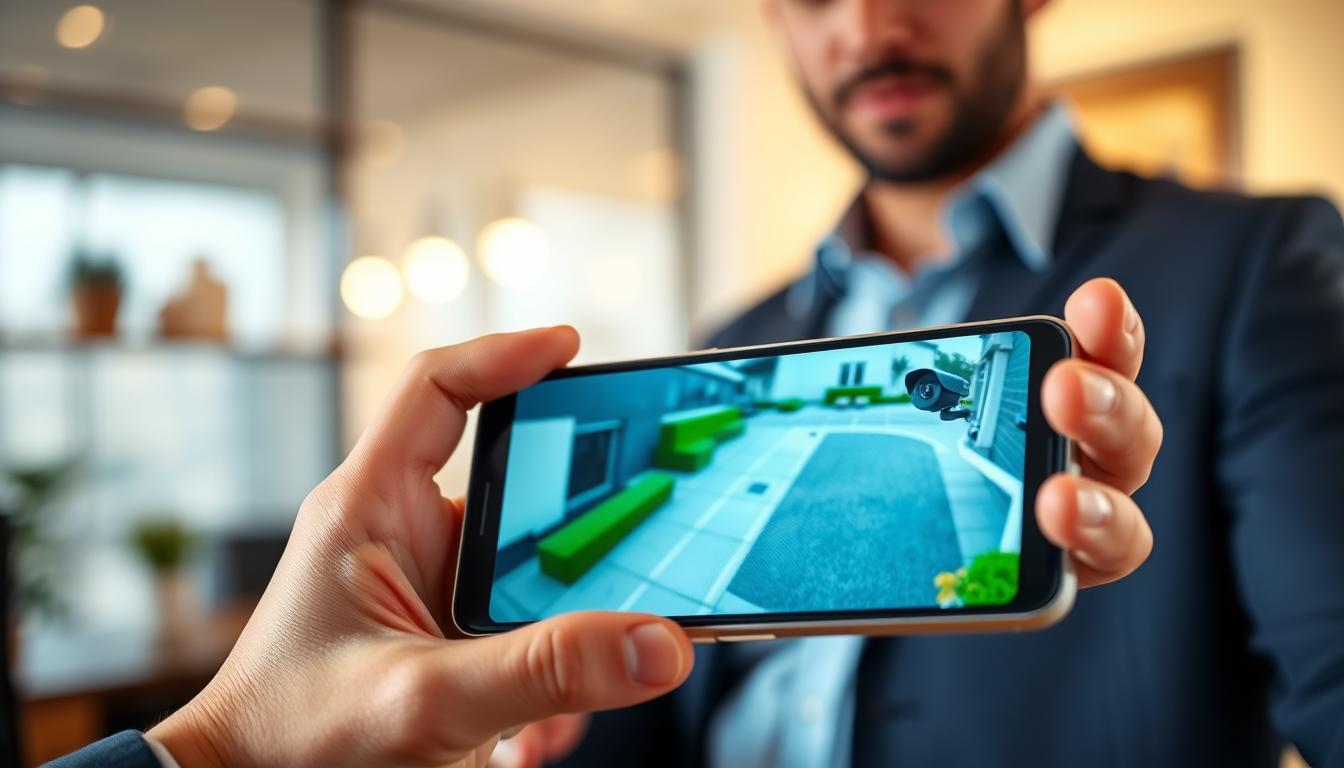
How can I watch my CCTV on my phone Complete How-To Guide
Modern technology has transformed the way people secure their homes and businesses. With advanced CCTV systems, users can now access live surveillance footage directly on their smartphones. This capability allows for real-time monitoring from virtually anywhere, providing peace of mind.
Many contemporary security cameras offer mobile connectivity through dedicated apps available on both iOS and Android platforms. This means users can keep an eye on their property, even when they are miles away.
In this guide, discover the essentials of mobile CCTV monitoring. Learn about the requirements for connecting your camera system to your smartphone, the core technologies involved, and the step-by-step methods to set it all up.
Understanding how to effectively use these tools can enhance your overall security strategy. By leveraging smartphone monitoring, immediate responses to potential threats become possible, ensuring a safer environment.
Key Takeaways
- Mobile CCTV monitoring offers live feeds for enhanced property protection.
- Connecting your CCTV system to a smartphone requires specific network compatibility.
- Real-time access to security footage is essential for modern homeowners and business owners.
- Core technologies like WiFi and mobile data make remote monitoring feasible.
- This guide covers WiFi setup, mobile data configuration, and offline viewing options.
- Smartphone monitoring improves your ability to respond to security threats quickly.
Introduction to Mobile CCTV Monitoring
Innovative mobile applications have changed the landscape of surveillance and security. Mobile CCTV monitoring allows users to view live and recorded footage directly on their smartphones, no matter where they are. This technology represents a significant leap from traditional closed-circuit systems, offering unprecedented access and flexibility.
In Singapore, the adoption of mobile surveillance is rapidly increasing. Busy professionals and business owners are seeking reliable solutions for remote monitoring. The integration of modern CCTV systems with mobile apps provides seamless, real-time video streaming to users’ phones.
Singapore’s high connectivity rates and widespread smartphone usage make it an ideal environment for mobile CCTV monitoring. With mobile access to security camera systems, individuals can enjoy peace of mind, whether they are at work, traveling, or simply away from home.
Choosing the right CCTV system that supports mobile connectivity is crucial for effective surveillance. Thankfully, user-friendly interfaces have made it possible for anyone to set up and manage their CCTV monitoring on a smartphone without needing technical expertise.
As technology continues to evolve, the benefits of mobile CCTV monitoring will only grow. The ability to access security footage at any time enhances overall safety and security.
Benefits of Watching CCTV on Your Phone
The integration of CCTV systems with mobile technology brings numerous advantages for users. These benefits enhance the overall security and surveillance experience.
Real-Time Monitoring
Real-time monitoring empowers users to watch live CCTV footage on their smartphones. This capability allows for immediate responses to suspicious activities or security breaches. Users can feel secure knowing they can act quickly when needed.
Remote Accessibility Anytime, Anywhere
Remote accessibility enables users to check their property from virtually anywhere. Whether at work, on vacation, or away from home, a smartphone and internet connection are all that’s needed. This flexibility provides peace of mind and ensures that security is always within reach.
Smart Notification Alerts
Smart notification alerts keep users informed of important events. Alerts for motion detection, intrusions, or unauthorized access attempts are sent directly to their phones. This feature ensures that users are always aware of what’s happening around their property.
User-Friendly Interfaces and High-Resolution Displays
Manufacturers provide user-friendly mobile applications with intuitive interfaces. Even first-time users can navigate their CCTV systems with ease. Additionally, high-end smartphones offer impressive display resolutions, ensuring quality viewing of security footage.
Integration with Cloud Services
Some CCTV systems offer cloud storage options. This allows users to store, access, and manage their surveillance video remotely. By utilizing cloud services, users enhance data accessibility and security without relying solely on local storage devices.
These combined benefits create a comprehensive security solution. They put control and peace of mind directly in the hands of users, transforming how they manage their surveillance systems.
How can I watch my CCTV on my phone? Understanding Compatibility and Setup
Mobile technology has revolutionized the way users interact with their security systems. To effectively connect your CCTV camera to your smartphone, understanding compatibility is crucial. Not all CCTV systems work seamlessly with every mobile device. Therefore, it’s essential to ensure that your camera and the corresponding app are compatible with your smartphone.
Checking Compatibility Between Your CCTV Camera and Smartphone
Begin by verifying that your existing CCTV camera supports mobile connectivity. Here are some key steps to follow:
- Ensure your CCTV camera is an IP camera, which typically supports remote viewing on mobile devices.
- Check if your security camera’s manufacturer provides a dedicated app for your specific smartphone model.
- Confirm that your camera’s app is compatible with your phone’s operating system, whether it’s Android or iOS.
- Consult the manufacturer’s documentation or scan the QR code provided with your device to find the correct app.
Choosing the Right CCTV Camera App for Your Device
Once you’ve confirmed compatibility, the next step is selecting the right app. Consider the following features when choosing:
- Look for live streaming capabilities to monitor your property in real-time.
- Evaluate motion detection alerts to stay informed about any unusual activity.
- Check for cloud storage integration, which allows for easy access to recorded footage.
- Choose apps with user-friendly interfaces for easy navigation and setup.
- Research popular CCTV apps that support a wide range of camera models and ensure they receive regular updates.
By following these guidelines, you can ensure a smooth setup process. This will enhance your ability to monitor your property effectively using your smartphone.
Step-by-Step Guide: How to Connect Your CCTV Camera to Your Phone via WiFi
The convenience of connecting CCTV cameras to smartphones via WiFi has simplified home security. This section will guide you through the process of setting up your CCTV camera for seamless access on your smartphone. Following these steps will ensure you can monitor your property effectively.
Ensure WiFi Capability and Stable Network
Start by confirming that your CCTV camera has built-in WiFi capability. Most modern security cameras come equipped with this essential feature for wireless connectivity. Next, ensure your home or business WiFi network is stable and provides sufficient bandwidth. This stability is crucial for uninterrupted video streaming from your camera to your phone.
Download and Install the Manufacturer’s Mobile App
Download the manufacturer’s official mobile app from the Apple App Store or Google Play Store. Make sure it is the correct application for your specific CCTV camera model. This app will be your primary tool for accessing and managing your camera.
Configure Camera Settings and Pairing Process
Open the app and follow the in-app setup wizard to configure your camera settings. This includes connecting the device to your local WiFi network by entering the correct network credentials. Complete the pairing process between your CCTV camera and smartphone by scanning the QR code displayed on the app or entering the unique secure code provided with your device.
Accessing Live CCTV Footage on Your Phone
After successful pairing, test the connection by accessing the live video feed on your phone. Verify that the camera is transmitting clear footage over your WiFi network. A strong WiFi connection enables you to monitor your property in real-time and receive security alerts directly on your smartphone from anywhere with internet access.
- Confirm your CCTV camera has WiFi capability.
- Ensure your WiFi network is stable for smooth streaming.
- Download the correct mobile app for your CCTV camera.
- Follow the app’s setup wizard for configuration.
- Pair your camera with your smartphone using a QR code or secure code.
- Test the live video feed for clarity and connectivity.
- Position your camera within range of your WiFi router to minimize interference.
Step-by-Step Guide: Connecting Your CCTV Camera to Your Phone Using Mobile Data
Connecting CCTV cameras to mobile data networks offers a flexible solution for remote monitoring. This method allows users to access live video feeds without relying on WiFi. Below are the essential steps to set up your CCTV camera for mobile data connectivity.
Preparing Your Camera for Mobile Data Connection
Before proceeding, ensure your CCTV camera supports mobile data connectivity. Check the specifications to confirm it can accommodate a SIM card and connect to cellular networks.
Installing a SIM Card and Configuring Mobile Data Settings
Insert a SIM card with an active data plan into your CCTV camera. Ensure the plan has enough data allowance for continuous video streaming. Next, adjust the mobile data settings, including the APN configuration, to establish a proper connection with your network provider.
Pairing Your CCTV Camera with Your Smartphone App
Download the manufacturer’s mobile app on your smartphone. Open the app and follow the instructions to pair your CCTV camera. This process may involve entering a device ID or scanning a QR code for secure pairing.
Benefits and Limitations of Mobile Data CCTV Monitoring
Mobile data monitoring offers significant advantages:
- Access Anywhere: View your security footage in areas where WiFi is unavailable.
- Real-Time Monitoring: Stay updated on security events in real-time.
However, consider the limitations:
- Data Costs: Continuous streaming may incur additional charges.
- Network Stability: A reliable cellular network is crucial for smooth viewing.
- Latency Issues: Video transmission may experience delays depending on the network.
Evaluate whether a mobile data connection suits your surveillance needs, especially for remote locations or temporary setups where WiFi is impractical.
How to Connect CCTV Camera to Mobile Phone without Internet
Establishing a connection between your CCTV camera and mobile phone without internet access is entirely feasible. This method relies on using a Local Area Network (LAN) to facilitate communication between the devices. Here’s how to set it up effectively.
Using Local Area Network (LAN) Connections
To connect your CCTV camera to your mobile phone without the need for an internet connection, follow these steps:
- Connect your camera to the router: Use an Ethernet cable or local WiFi signal to link your CCTV camera to your router.
- Ensure both devices are on the same network: Make sure your phone is connected to the same LAN as your CCTV camera.
- Establish a closed network: This setup creates a local network where your phone can communicate directly with the CCTV system for live surveillance.
Range and Usage Considerations for Offline Viewing
While this method is practical, there are some limitations to consider:
- Range limitations: Your phone must remain within the router’s coverage area to maintain access to the camera feed.
- Practical applications: Offline CCTV monitoring is ideal for home use, allowing you to view footage within your property without exposing your camera to the internet.
- Temporary solution: This option serves as a supplemental method when internet service is unavailable but local surveillance monitoring is still necessary.
- Security benefits: Keeping your CCTV system off the internet reduces the risk of unauthorized remote access to your camera devices.
- Not suitable for remote monitoring: This method lacks the remote accessibility features provided by internet-connected setups.
By understanding these options, you can effectively monitor your home or property without relying on an internet connection. This setup enhances your surveillance capabilities while ensuring a secure environment.
For more detailed guidance on connecting your CCTV to your phone without WiFi, visit this step-by-step guide.
Transferring CCTV Footage to Your Mobile Device
Accessing CCTV footage on mobile devices has never been easier thanks to modern technology. Users can now effortlessly transfer recorded video from their security cameras directly to their smartphones. This functionality not only enhances security oversight but also provides flexibility in how users manage their surveillance footage.
Mobile apps provided by CCTV manufacturers play a crucial role in this process. These apps typically include features that allow users to remotely access, view, and download recorded footage directly to their phones from anywhere.
Using Mobile Apps for Remote Footage Access
Discover how to use your CCTV camera’s dedicated mobile app:
- Access live feeds and recorded footage from your camera.
- Download and save video clips directly to your phone for offline viewing.
- Utilize built-in features for easy navigation and management of your footage.
Transferring Files via USB or Cloud Storage Options
In addition to mobile apps, users have other options for transferring CCTV footage:
- Connect your CCTV system to a computer and transfer files via USB cable for situations where network access is limited.
- Explore cloud storage integration, allowing for remote storage and access of surveillance video without consuming local storage space.
- Evaluate different cloud storage plans offered by CCTV manufacturers that provide secure and scalable options for storing and retrieving your camera footage.
Having multiple options for accessing your CCTV footage on mobile devices enhances your overall surveillance system’s flexibility and usefulness. Consider the convenience of having your security footage available on your phone for sharing with authorities or reviewing incidents while away from your property.
Ensure that any footage transfer method you use maintains the integrity and security of your video files through encryption and secure access protocols. This way, you can confidently manage your surveillance needs, knowing your data is protected.
Troubleshooting Common Issues When Viewing CCTV on Your Phone
Experiencing issues while trying to view CCTV footage on your smartphone can be frustrating. Fortunately, many common problems can be resolved with a few simple steps. Here’s a breakdown of typical issues users encounter and how to address them.
Network Connectivity Problems
Weak WiFi signals or poor mobile data connectivity can hinder streaming. Ensure both your CCTV camera and phone have stable internet connections with adequate signal strength. About 40% of issues stem from network problems, so checking this first is crucial.
App Compatibility and Update Issues
Outdated apps may not be compatible with your camera’s firmware. Always ensure your mobile app is updated to the latest version. According to user feedback, 72% of users report that updating their apps greatly improves their mobile CCTV monitoring experience.
Incorrect Camera Configuration
Configuration settings are vital for successful connection. Verify your camera settings, including IP addresses and port forwarding. Incorrect setup can block the link, preventing access to your surveillance footage.
Firewall and Security Software Interference
Sometimes, firewall or security software on smartphones may block the connection. Check your device settings to ensure that the app has permission to communicate with your CCTV system.
Device and Login Credential Issues
Incorrect login credentials can prevent the app from establishing a connection. Approximately 24% of network failures stem from password mistakes. Double-check your username and password to ensure accuracy.
Camera Offline and Multiple User Access Limitations
Cameras may be offline due to power outages or cable disconnections. Confirm that the device is powered on and properly connected to the network. Additionally, be aware that some CCTV systems limit the number of simultaneous users who can access the camera feed.
If persistent issues prevent you from accessing your surveillance footage on your phone, consider contacting your CCTV manufacturer’s customer support or your internet service provider for further assistance.
Ensuring Security When Streaming CCTV Feeds to Your Phone
As users embrace mobile access to CCTV systems, understanding security risks is crucial for safe monitoring. Streaming CCTV footage online can expose users to various threats, including unauthorized access that may lead to privacy breaches and data misuse. It is essential to recognize that hacking attempts are common, especially when using public WiFi networks.
To combat these risks, keeping your system’s software and firmware up to date is vital. Regular updates help protect against emerging threats. Additionally, using strong passwords and encryption plays a key role in securing your CCTV feeds. Here are some important practices to follow:
- Understand cybersecurity risks: Be aware of potential hacking attempts and unauthorized surveillance access.
- Recognize public WiFi dangers: Viewing security camera footage on public networks can expose your data to interception.
- Implement strong passwords: Use unique, complex passwords for your CCTV system and mobile app access. Avoid default credentials.
- Enable encryption: Utilize encryption features in your CCTV system to protect video data during transmission.
- Keep software updated: Regularly update your camera’s firmware and mobile app to address security vulnerabilities.
- Choose reputable brands: Opt for CCTV systems from trusted manufacturers that prioritize security in their designs.
- Review security settings: Periodically change passwords and monitor access logs for suspicious activity.
- Follow best practices: Disable remote access when not needed and use two-factor authentication where available.
By implementing these measures, users can significantly enhance the security of their CCTV systems. This proactive approach ensures that monitoring remains effective while safeguarding personal privacy and data integrity.
Improving User Experience with Smart Notifications and Features
Enhancing user experience in CCTV monitoring involves leveraging smart notifications and advanced features. Smart notifications are essential for better smartphone viewing. They send alerts for events like motion detection or unauthorized access, allowing homeowners to act quickly. To get the most from these alerts, users should adjust their settings in the CCTV app.
Most systems feature easy-to-use interfaces. This enables users to receive alerts tailored to their needs. Real-time monitoring lets users check on their home from their smartphone. This experience is even better when combined with smart home technology. Many CCTV systems can send alerts to other devices, making security more convenient and effective.
Configuring Motion Detection Alerts
Configure motion detection alerts on your CCTV system to receive instant notifications on your phone whenever movement is detected in designated areas of your property. Fine-tuning the sensitivity of your camera’s motion detection can reduce false alarms caused by pets, passing vehicles, or environmental factors like wind and shadows.
Customizing Notification Settings for Effective Monitoring
Customize your notification settings to filter alerts based on specific events, time schedules, and detection zones. This ensures you only receive relevant security notifications. Set up different alert profiles for various scenarios, such as home, away, or night modes, to optimize your monitoring experience based on your daily routines.
Leveraging High-Definition Video and Cloud Integration
Leverage high-definition video capabilities on your smartphone to view clear, detailed footage. This helps you accurately identify people, vehicles, and other important details. Additionally, integrating your CCTV system with cloud services allows you to store recorded video securely and access it from your phone at any time without relying on local storage devices.
Explore how smart notification features can be combined with other smart home devices to create a comprehensive, automated security ecosystem. Regularly review and adjust your notification preferences to maintain an effective balance between staying informed and avoiding notification fatigue as a user.
Choosing the Right Mobile App for Your CCTV System
Selecting the right mobile app for your CCTV system is essential for optimal security management. The app you choose can greatly influence how effectively you monitor your property. A well-designed app enhances user experience and ensures reliable access to your surveillance feeds.
Features to Look for in a CCTV Mobile App
When searching for a CCTV mobile app, consider the following essential features:
- Live Streaming Quality: Ensure the app supports high-definition video for clear monitoring.
- Motion Detection Alerts: Look for apps that send notifications when movement is detected.
- Cloud Storage Integration: This feature allows you to store footage securely and access it remotely.
Compatibility with Different Smartphone Operating Systems
It’s crucial to evaluate app compatibility with your smartphone. Make sure the application is optimized for either Android or iOS devices. This ensures seamless performance and prevents connectivity issues.
Popular CCTV Apps for Android and iOS
Several popular CCTV apps are available that cater to both Android and iOS users. For instance, AlfredCamera is a free option that offers robust features. Manufacturer-specific apps from brands like Reolink and Nest are also highly regarded for their reliability.
Reading user reviews and ratings can help gauge the reliability and satisfaction of different apps. Look for intuitive, user-friendly interfaces that make it easy for all users to navigate their camera feeds.
Finally, ensure the app you choose receives regular updates from its developer. This helps maintain compatibility with the latest smartphone operating systems and security standards.
Professional Assistance and Support for Mobile CCTV Setup
Enlisting professional help for CCTV installation ensures a robust surveillance system tailored to your needs. Getting expert assistance can greatly improve your security setup by helping you avoid mistakes that might weaken your system. Professionals understand how to install security components correctly, ensuring they work well.
Moreover, professional support is crucial for keeping your system running smoothly. As technology evolves, your system might need updates to maintain its effectiveness. Experts can help keep your CCTV system current and secure.
Benefits of Expert Installation and Configuration
- Optimal Setup: Hiring professional installers guarantees that your CCTV system is set up correctly for optimal mobile phone access and surveillance performance.
- Elimination of Common Mistakes: Expert configuration eliminates common setup mistakes that could compromise your security or prevent reliable remote monitoring on your smartphone.
Ongoing Maintenance and Troubleshooting Support
- Regular Updates: Ongoing maintenance services keep your CCTV system updated with the latest firmware and security patches to protect against evolving threats.
- Quick Resolution: Professional troubleshooting support can quickly resolve connectivity issues between your camera and phone, saving you time and frustration.
Where to Find Professional Help in Singapore
- Reputable Services: Find reputable CCTV installation and support services in Singapore that specialize in mobile monitoring setup for homes and businesses.
- Long-Term Value: Consider the long-term value of professional assistance in ensuring your surveillance system remains functional, secure, and accessible from your mobile devices.
- Contact Information: For expert advice on the latest CCTV solutions, exclusive deals, and professional installation services tailored to your needs, contact Wen Hong at +65 60135960.
Investing in professional help provides peace of mind, knowing your security system is properly configured and supported by experienced technicians.
Next Steps to Enhance Your CCTV Mobile Monitoring Experience
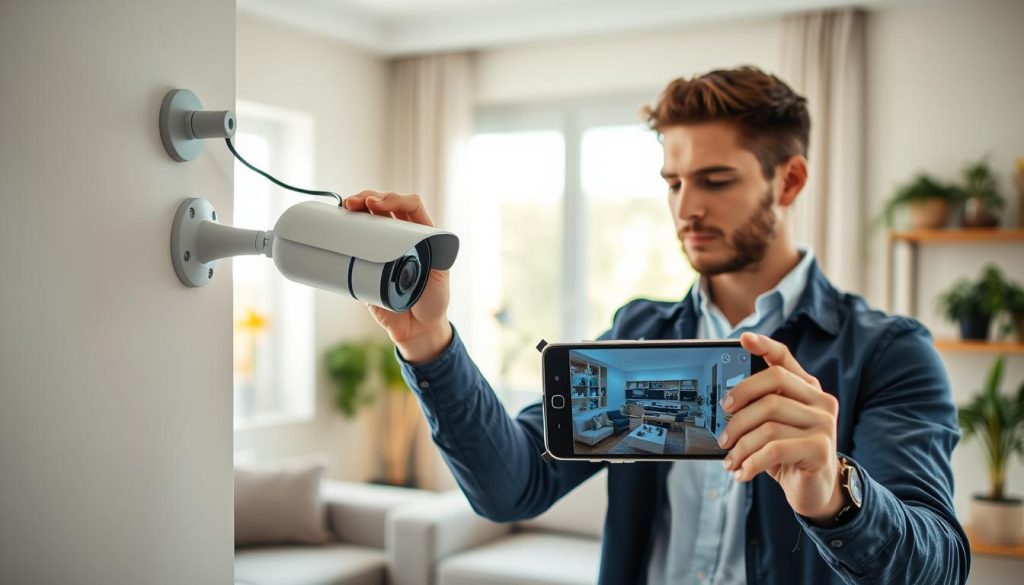
Integrating your CCTV system with mobile technology elevates your security experience. Connecting your CCTV camera to your cell phone not only enhances the security of your premises but also provides unparalleled convenience. Whether you choose to connect via WiFi or mobile data, following the simple steps outlined ensures a hassle-free experience.
- Review the key steps covered in this guide for connecting your CCTV camera to your phone. Choose the method that best fits your property’s network setup and security needs.
- Take action by downloading the appropriate mobile app for your CCTV system. Begin the setup process to enable remote surveillance access on your smartphone.
- Explore additional features such as cloud storage, smart notifications, and high-definition video to maximize the benefits of your mobile monitoring experience.
- Regularly update your camera firmware and mobile app. This ensures you have the latest security enhancements and performance improvements for reliable footage access.
- Consider upgrading your existing CCTV system if it lacks mobile connectivity. Invest in modern IP cameras that offer seamless smartphone integration.
- Contact Wen Hong at +65 60135960 to learn about the latest CCTV solutions, special offers, and professional installation services available in Singapore.
- Implement the security best practices discussed in this guide. Protect your surveillance footage and prevent unauthorized access to your camera feeds.
- Stay informed about new developments in mobile CCTV technology. Continuously enhance your property’s security and your overall monitoring experience over time.
FAQ
What is mobile CCTV monitoring?
Mobile CCTV monitoring allows users to access live video feeds from their security cameras through smartphones or tablets, providing real-time surveillance from anywhere.
Why should I monitor CCTV on my phone?
Monitoring CCTV on a mobile device offers convenience, flexibility, and peace of mind, enabling users to check their security systems remotely at any time.
What are the benefits of watching CCTV on a mobile device?
Benefits include real-time monitoring, remote accessibility, smart notification alerts, user-friendly interfaces, and integration with cloud services for easy access to footage.
How do I check compatibility between my CCTV camera and smartphone?
Review the specifications of your CCTV camera and smartphone, ensuring they support the same mobile app and connection type, such as WiFi or mobile data.
What should I consider when choosing a CCTV camera app?
Look for features like user-friendliness, compatibility with your device, motion detection capabilities, and the ability to receive alerts for any unusual activity.
How do I connect my CCTV camera to my phone via WiFi?
Ensure your camera is WiFi-capable, download the manufacturer’s app, configure the camera settings, and follow the pairing process to access live footage.
Can I connect my CCTV camera to my phone using mobile data?
Yes, prepare your camera for mobile data, install a SIM card, configure settings, and pair it with your smartphone app for remote monitoring.
Is it possible to view CCTV footage without an internet connection?
Yes, using a Local Area Network (LAN) connection allows offline viewing of your CCTV camera feeds directly on your mobile device.
How can I transfer CCTV footage to my mobile device?
Use mobile apps for remote access or transfer files via USB or cloud storage options to view recorded footage on your smartphone.
What common issues might I face when viewing CCTV on my phone?
Common issues include network connectivity problems, app compatibility, incorrect camera settings, firewall interference, and login credential errors.
How can I ensure security when streaming CCTV feeds?
Understand cybersecurity risks, use strong passwords, enable encryption, and follow best practices to prevent unauthorized access to your camera feeds.
How can I improve my experience with smart notifications?
Configure motion detection alerts, customize notification settings, and leverage high-definition video and cloud integration for effective monitoring.
What features should I look for in a CCTV mobile app?
Essential features include live viewing, playback options, motion detection alerts, and compatibility with various smartphone operating systems.
Why should I consider professional assistance for mobile CCTV setup?
Expert installation ensures proper configuration, ongoing maintenance, and troubleshooting support, enhancing the effectiveness of your CCTV system.
What are the next steps to enhance my CCTV mobile monitoring experience?
Explore advanced features, ensure regular updates for your apps, and consider additional security measures to improve your monitoring capabilities.


