

Can I install CCTV without WiFi Step-by-Step How-To Guide
Many property owners in Singapore face the common question: Can I install CCTV without WiFi? With the unpredictability of internet connections, the need for reliable security systems is paramount. Fortunately, modern technology provides several options for setting up effective surveillance without relying on WiFi.
This comprehensive guide will explore various methods to achieve robust security. From cellular-enabled cameras to traditional wired systems, there are multiple pathways to secure your property. Notable models like the Arlo Go and Reolink Go Plus are excellent choices for those looking to bypass internet dependency.
By the end of this guide, you will understand the different types of cameras, connection methods, and maintenance tips for long-term performance. Emphasizing the benefits of enhanced security, we will also discuss how opting for a non-WiFi system can reduce vulnerabilities to hacking and outages.
For personalized advice on the latest CCTV solutions, feel free to contact Wen Hong at +65 60135960.
Key Takeaways
- Explore options for CCTV installation without WiFi.
- Understand various camera types and connection methods.
- Learn about popular models suitable for non-WiFi setups.
- Discover the benefits of enhanced security without internet reliance.
- Get tips for maintaining your CCTV system for reliable performance.
Understanding CCTV Technology and Its Role in Security
Understanding the intricacies of CCTV technology is crucial for anyone considering a security upgrade. CCTV, or Closed-Circuit Television, refers to a system where video feeds are transmitted directly to specific monitors. This setup ensures that the footage is not publicly broadcasted, providing a secure method for surveillance.
The core components of any CCTV system include cameras, cables, and recorders. Cameras capture the video, while cables transmit the signal to recorders like DVRs or NVRs, which store the footage for later review. This fundamental knowledge is essential for making informed decisions about security options.
What is CCTV and How Does It Work?
CCTV systems operate by sending video feeds directly to designated monitors or recorders. This closed-circuit approach enhances security, as it limits access to the footage. Unlike traditional broadcasting, these systems ensure that only authorized users can view the video.
Types of CCTV Cameras: Analog, HD-over-Coax, and IP
There are various types of CCTV cameras available. Analog cameras are the traditional choice, sending standard-definition video over coaxial cables to a DVR. They are valued for their reliability and cost-effectiveness.
HD-over-Coax cameras represent an evolution in technology, delivering high-definition video up to 4K resolution while utilizing existing coaxial wiring. This feature makes them ideal for upgrading older systems without the need for extensive rewiring.
On the other hand, IP cameras connect to a network and offer advanced features such as remote access and analytics. While they typically require network infrastructure, they provide superior resolution and functionality.
Traditional DVR and NVR Systems Explained
DVRs, or Digital Video Recorders, are designed for analog cameras, while NVRs, or Network Video Recorders, cater to IP camera video. Both systems can operate entirely without internet access, making them suitable for secure environments.
Understanding these technology fundamentals helps readers make informed decisions when selecting a non-WiFi CCTV system tailored to their specific security needs. All camera types can be integrated into systems that function without WiFi, using local recording and direct connections.
Can I Install CCTV without WiFi? Exploring the Possibilities
In the quest for security, many individuals seek clarity on whether CCTV systems can operate without internet. The answer is a resounding yes. Various technologies allow effective surveillance without relying on WiFi connectivity.
Many modern CCTV systems are designed to function without internet. They utilize local recording methods, such as DVRs or NVRs, to store footage directly on hard drives. This setup ensures that security remains intact even when internet access is unavailable.
Why Some Installations Don’t Require Internet
Cellular security cameras provide a great alternative for those needing reliable monitoring. These cameras work without WiFi by using 4G LTE mobile networks. This feature makes them perfect for locations like construction sites, farms, or vacation homes where internet may not be stable.
Another advantage of non-WiFi systems is enhanced privacy. Since they are less exposed to hacking attempts, users can feel more secure knowing their footage is stored locally. Businesses in Singapore, especially those with sensitive operations, often prefer these systems to mitigate cybersecurity risks.
Limitations and Opportunities of Non-WiFi CCTV Systems
However, there are limitations to consider. Without internet connectivity, users cannot access live video feeds remotely or receive instant push notifications on their smartphones. This can be a drawback for those who prefer real-time monitoring.
Local storage solutions, such as microSD cards and DVR hard drives, ensure continuous recording even during network outages. For properties in remote or rural areas of Singapore, non-WiFi CCTV is not just an option but often the only viable solution.
Ultimately, the decision comes down to a trade-off between convenient remote access and enhanced security through reliable local recording. Understanding these options helps individuals choose the best security solution for their needs.
Types of CCTV Cameras That Work Without Internet Connectivity
Exploring the landscape of CCTV technology reveals a variety of camera options that function seamlessly without internet connectivity. These systems provide effective surveillance solutions for those who prioritize security over internet dependency.
Cellular Security Cameras: Arlo Go, Reolink Go, and More
Cellular security cameras, such as the Arlo Go 2 and Reolink Go Plus, are leading choices for WiFi-free surveillance. These models operate on 4G LTE networks, utilizing SIM cards for connectivity.
The Reolink Go Plus boasts impressive features, including:
- 2K resolution for crystal-clear video quality.
- Two-way audio, allowing for real-time communication.
- Excellent night vision capabilities.
- A microSD card slot for local storage, eliminating monthly cloud fees.
Similarly, the Arlo Go 2 offers:
- 1080p HD video quality.
- Color night vision for enhanced visibility.
- Activity zones to focus on specific areas.
- Weather-resistant design suitable for outdoor use.
- Compatibility with major cellular networks like Verizon and AT&T.
Wired Analog and HD-over-Coax Cameras with DVR
Wired analog cameras provide a reliable option for security systems. These cameras transmit video via coaxial cables to a DVR, ensuring consistent performance.
With 1080p resolution starting around $500 for a four-camera setup, these systems offer a cost-effective solution. For those looking to upgrade, HD-over-Coax cameras support up to 4K resolution while reusing existing wiring, making them a smart choice for system enhancements.
Battery-Powered Cameras for Remote Surveillance
Battery-powered cameras, like the Reolink Keen Ranger PT, are ideal for locations lacking power access, such as farms or construction sites. These cameras often come with solar charging capabilities, ensuring long-lasting operation.
These camera types utilize local storage through microSD cards or DVR hard drives. This feature eliminates the need for cloud subscriptions and internet connectivity, allowing for uninterrupted monitoring.
Wired systems with DVRs provide 24/7 continuous recording, making them perfect for businesses requiring constant surveillance. Importantly, all these camera types can be installed and operated completely independently of WiFi networks.
How to Connect Your CCTV Camera to Your Phone Without WiFi
Establishing a connection between a CCTV camera and a smartphone is straightforward and can be achieved through two primary methods. These methods include using cellular-based cameras and setting up peer-to-peer (P2P) connections for direct access.
Using Cellular-Based Cameras and Mobile Data
Cellular security cameras, like the Arlo Go and Reolink Go, utilize mobile data to transmit live footage directly to your smartphone. To get started, follow these steps:
- Insert a Nano SIM card with an active data plan into the camera.
- Download the manufacturer’s mobile app from your app store.
- Follow the app instructions to connect the camera, which will then transmit live feeds over 4G LTE networks.
This method allows for true remote monitoring from anywhere with mobile network coverage, making it ideal for properties while traveling.
Setting Up Peer-to-Peer (P2P) Connection for Direct Access
P2P connections offer another effective way to link your camera directly to your smartphone without relying on WiFi. Here’s how to set it up:
- Scan the QR code displayed on the camera or enter the unique device ID into the mobile app.
- Establish a direct link, eliminating the need for any router.
Keep in mind that P2P connections work best within a limited range and may experience interference. However, they completely remove the need for internet infrastructure.
To enhance security, use strong passwords and enable encryption features to protect your connection from unauthorized access. Mobile apps for cameras like Arlo Go and Reolink Go provide intuitive interfaces for viewing live feeds, playback, and configuring motion detection alerts.
After completing the setup, it’s crucial to test the connection thoroughly. This ensures stable video transmission and reliable alert delivery, providing peace of mind in your security monitoring.
Selecting the Right Mobile Data Plans for Non-WiFi CCTV Systems
Choosing the right mobile data plan is essential for optimizing your non-WiFi CCTV systems. Cellular data plans for security cameras typically range from $10 to $40 per month per camera, depending on usage and carrier. Understanding these costs and how they relate to your specific needs is vital for effective monitoring.
Understanding Data Costs and Usage Patterns
Continuous HD streaming from your cameras consumes approximately 1GB of data every two hours. Therefore, planning your data allowances based on expected recording duration is crucial. For instance, a 30GB data plan for the Arlo Go 2 costs around $10 to $15 per month.
To reduce unnecessary data consumption, consider these strategies:
- Adjust motion detection sensitivity settings to cut false alarms by up to 70 percent.
- Define specific activity zones to focus on key areas, minimizing data usage.
- Schedule cameras to record only during specific hours when the property is typically unoccupied.
Choosing Plans Based on Location, Battery Life, and Recording Needs
Evaluating network coverage in your specific location is essential. Carriers like T-Mobile offer extensive coverage, making them suitable for camera deployments in Singapore. Additionally, consider the trade-off between cloud storage subscriptions and local microSD card storage. Local storage eliminates recurring cloud fees, potentially saving you around $96 annually.
For those interested in cloud options, Arlo provides an unlimited camera plan for $24.99 per month, which includes 60 days of video history and advanced AI detection for various objects.
Ultimately, selecting the right mobile data plan requires balancing coverage, battery life considerations, and your recording needs to ensure optimal system performance.
Key Features to Consider When Setting Up a CCTV System Without WiFi
When selecting a non-WiFi CCTV system, understanding key features is essential for effective surveillance. Evaluating these elements ensures that the chosen equipment meets specific security requirements.
Video Quality and Resolution
Video quality is a top priority. Look for cameras offering at least 1080p resolution. For superior clarity, consider options like the Reolink Go Plus, which provides 2K resolution. High-resolution footage is crucial for identifying faces and license plates.
Night Vision and Motion Detection
Night vision capabilities are vital for 24/7 surveillance. Cameras equipped with infrared technology can capture clear footage in complete darkness. Additionally, advanced motion detection features can differentiate between people, vehicles, and animals. This functionality sends intelligent alerts, reducing false alarms and conserving data on cellular plans.
User Interface and Mobile App Integration
A user-friendly mobile app interface enhances the experience. It allows for easy live viewing, playback of recorded footage, and configuration of camera settings without technical expertise. The simplicity of the app can promote quick adoption and effective monitoring.
Durability and Weather Resistance for Outdoor Use
Durability and weather resistance are essential for outdoor cameras, especially in Singapore’s tropical climate. Look for IP-rated weatherproof casings that protect against rain, humidity, and dust. This ensures continuous operation in various environmental conditions.
Furthermore, consider features like two-way audio, which enables real-time communication with visitors or potential intruders directly through the mobile app. Local storage options via microSD cards or DVR hard drives should also be evaluated for capacity. For instance, a 2TB drive can hold roughly 40 days of continuous 1080p footage from a single camera.
Finally, for remote installations where battery replacement would be impractical, consider cameras compatible with solar panels. This feature ensures uninterrupted operation, enhancing the overall effectiveness of your surveillance system.
Security Considerations for Non-WiFi CCTV Cameras
Ensuring the safety of your footage is vital when using CCTV systems that operate independently of WiFi. While these systems are inherently more secure than internet-connected cameras, they still require proper measures to protect against both digital and physical threats.
Encryption Standards and Data Transmission Safety
When using cellular security cameras, strong encryption is essential during video transmission. This is especially important as these cameras send data over mobile networks, where interception is theoretically possible. To safeguard your footage:
- Choose cameras and recorders that support advanced encryption protocols. This ensures that even if data is intercepted, it remains unreadable to unauthorized parties.
- Always change default passwords immediately after installation. Use strong, unique passwords for both camera access and mobile app accounts.
- Regularly update firmware. Manufacturers release security patches that address newly discovered vulnerabilities in camera software.
Protecting Footage from Unauthorized Access
Physical security is just as important as digital security. Here are some best practices to consider:
- Keep DVRs and NVRs in locked, ventilated cabinets to prevent theft and ensure proper airflow for reliable operation.
- Back up critical footage to an external hard drive weekly. This protects against data loss from equipment failure or theft.
- Remember that non-WiFi systems eliminate the most common hacking vector—internet exposure. This makes them an excellent choice for security-conscious users in Singapore.
“Non-WiFi systems provide a robust layer of security by minimizing exposure to online threats.”
By implementing these security measures, users can significantly enhance the protection of their surveillance systems and footage, ensuring a reliable and secure monitoring experience.
Popular Non-WiFi CCTV Camera Models in Singapore
A variety of CCTV cameras are available in Singapore, designed specifically for users seeking non-WiFi solutions. This section highlights some of the top models, their features, and pricing to help you make informed decisions.
Features and Pricing of Reolink Go Plus, Arlo Go, and Others
The Reolink Go Plus stands out as a top recommendation, priced between $150-$180. It features:
- 2K resolution for exceptional video quality.
- Battery power for flexible placement.
- Two-way audio for real-time communication.
- A microSD card slot that eliminates monthly cloud storage fees.
Next, the Arlo Go is a premium option, priced at $250-$300. It offers:
- 1080p HD video quality.
- Customizable activity zones for focused monitoring.
- Weather-resistant construction for outdoor use.
- Compatibility with multiple cellular carriers.
For those looking for a more affordable option, the Reolink E1 Pro is available at $100-$130. This IP camera features:
- SD card recording for local storage.
- Motion detection alerts for enhanced security.
- A compact design suitable for indoor surveillance.
The HikVision DS-2CD3T23G1-I/4G is another rugged choice, designed for outdoor use. It provides:
- High-definition imaging.
- 4G connectivity for reliable performance.
- Durable weather-resistant casing built for Singapore’s climate.
For budget-conscious users, the Blink XT is a battery-operated camera priced at $90-$120. It offers:
- HD video quality.
- An impressive two-year battery life for low-maintenance operation.
Comparing Cellular vs. Wired Models
When comparing cellular models against wired DVR systems, consider that Lorex DVR systems start at $350 for basic setups with 1TB of storage. These systems support up to 4K resolution and provide more reliable 24/7 recording.
Cellular cameras offer easier installation and remote access, while wired DVR systems eliminate ongoing data plan costs. Understanding these differences helps you choose the best option for your security needs.
For current pricing and availability of these models in Singapore, feel free to contact Wen Hong at +65 60135960.
Step-by-Step Installation Guide for CCTV Without WiFi
Setting up a CCTV system without internet access is a straightforward process. This guide will walk you through the essential steps to ensure your surveillance system is effective and reliable.
Choosing and Placing Cameras
Begin with camera selection and placement:
- Identify key entry points around your property.
- Ensure clear sightlines free from obstructions.
- Position cameras at heights that prevent tampering while maintaining good viewing angles.
Powering Your Cameras: Wired or Battery Options
Next, consider your power options:
- Wired cameras require connection to electrical outlets or hardwiring.
- Battery-powered models like the Reolink Go Plus offer flexible placement with periodic recharging needs.
Downloading and Using the Mobile Application
For mobile access, download the manufacturer’s app from the App Store or Google Play. Create an account and follow the in-app setup wizard to get started.
Connecting Cameras to Your Phone and Configuring Settings
Now, connect your cameras:
- Scan the QR code on the camera or manually enter the device ID to pair it with the smartphone app.
- Configure essential settings: define motion detection zones, adjust sensitivity levels, set recording schedules, and enable push notifications for alerts.
Troubleshooting Common Installation Issues
Common issues may arise during installation. Here are some troubleshooting tips:
- Check cellular signal strength if the camera appears offline.
- Ensure firmware is updated to the latest version.
- Verify that the SIM card is properly seated and activated.
By following these steps, you can successfully set up a non-WiFi CCTV system, enhancing your security and monitoring capabilities.
Maintaining Your CCTV System for Reliable Performance
To ensure your CCTV system operates smoothly, regular maintenance is key. Keeping your system in top shape involves several ongoing tasks that enhance its performance and longevity. Here are the essential maintenance tasks to consider.
Regular Hardware Checks and Cleaning
Regular hardware inspections are crucial. Check that all cable connections remain secure, and camera mounts are tight. Lenses should be free from dust, spider webs, and debris that can degrade image quality.
It’s advisable to clean camera lenses monthly with a soft microfiber cloth. Additionally, ensure that outdoor camera housings remain sealed against moisture and insects to prevent damage.
Updating Firmware and Software
Firmware and software updates are critical for maintaining security. Manufacturers release these updates to patch vulnerabilities, fix bugs, and occasionally add new features to your system.
Set a recurring calendar reminder to check for updates quarterly. Outdated firmware is a common cause of performance issues and security weaknesses.
Storage Management and Data Backup
Storage management is essential for continuous recording. Regularly review available space on DVR hard drives or microSD cards. Configure the system to overwrite the oldest footage when storage fills up to ensure ongoing recording.
Backing up critical footage to an external hard drive weekly is also recommended. This practice is especially important for businesses that may need to retain evidence of incidents for extended periods.
Battery Maintenance and Mobile Data Monitoring
For battery-powered cameras, establish a routine battery check schedule. Keeping spare batteries on hand minimizes downtime during replacements. Regular checks help ensure that your cameras remain operational at all times.
Monitor mobile data usage through your carrier’s app or website. This helps avoid exceeding plan limits and incurring extra charges. Adjust recording settings if data consumption is higher than expected.
“Regular maintenance is essential for keeping your CCTV system running at peak performance.”
By implementing these maintenance tasks, you can ensure that your non-WiFi CCTV system operates effectively for years to come. For more information on maintaining your security system, visit this guide.
Alternatives to WiFi-Dependent CCTV Systems
There are several viable options for those looking to secure their properties without relying on WiFi. Understanding these alternatives can help you choose the best solution for your specific security needs.
Benefits of Wired CCTV Systems with DVR/NVR
Wired CCTV systems equipped with DVRs or NVRs are the gold standard for reliability. They offer continuous 24/7 recording, completely independent of internet connectivity or network conditions.
One significant advantage of DVR-based systems is their proven technology. These systems typically have lower entry costs, starting around $350, and they can utilize existing coaxial wiring in older properties.
NVR systems, on the other hand, are a higher-end option starting around $450. They support IP cameras with superior resolution and advanced features like facial recognition.
For example, Lorex systems offer built-in storage ranging from 1TB to 16TB, with expandability up to 32TB. This capacity allows for months of continuous footage from multiple cameras.
Battery-Powered Cameras and Their Applications
Battery-powered cameras, such as the Reolink Keen Ranger PT, are ideal for remote locations where neither WiFi nor power outlets are available. These cameras often come with solar charging capabilities, ensuring they remain operational in locations like farms, construction sites, and vacation homes.
This flexibility makes battery-powered cameras a practical choice for temporary or remote deployments, providing effective surveillance without the need for constant power access.
Hybrid Systems with Local and Cloud Storage Options
Hybrid systems from brands like Lorex and Swann combine local 24/7 recording with optional cloud connectivity. This setup allows for smart alerts and remote access when internet connectivity is available.
Hybrid systems offer the best of both worlds: reliable local recording that continues during internet outages, plus convenient remote access when connectivity is restored. This flexibility makes them suitable for homeowners who want a mix of local security and remote monitoring capabilities.
For businesses requiring uninterrupted surveillance, wired systems are recommended. Battery-powered cameras serve well for temporary setups, while hybrid systems cater to homeowners seeking flexibility.
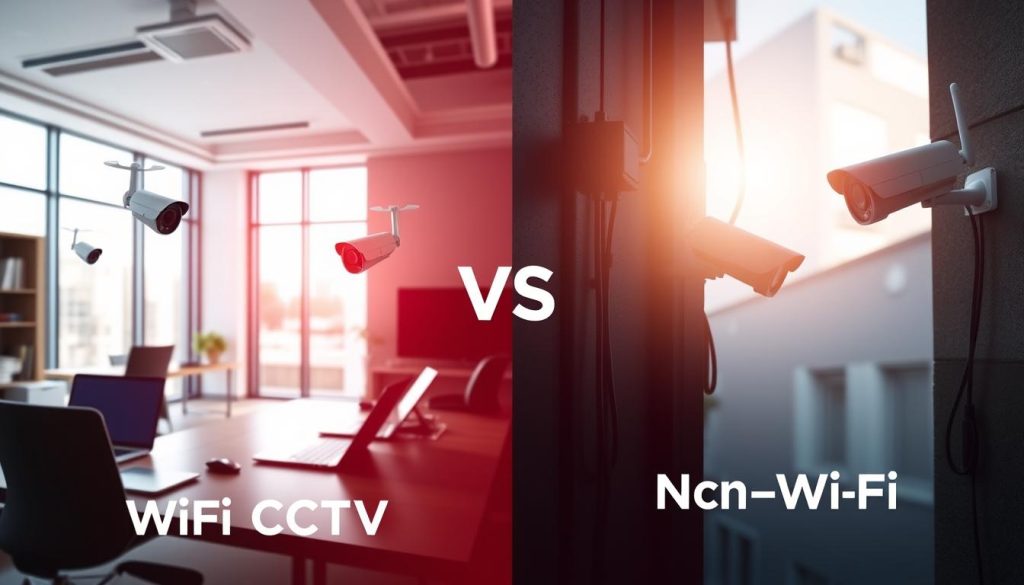
Pros and Cons of WiFi vs. Non-WiFi CCTV Systems
When considering security options, understanding the differences between WiFi and non-WiFi CCTV systems is essential. Each type has its own set of advantages and disadvantages that can significantly impact your security strategy.
Advantages of Internet-Connected Cameras
WiFi-connected cameras offer several benefits:
- Convenient remote access: Users can monitor their properties from anywhere via mobile apps.
- Real-time live streaming: Instant access to live feeds enhances situational awareness.
- Instant push notifications: Receive alerts for motion detection directly on your smartphone.
- Easier installation: Generally requires fewer cables, making setup simpler.
However, there are drawbacks to consider:
- Vulnerability to hacking: If not properly secured, these systems can be targeted by cybercriminals.
- Dependence on stable internet connections: Performance can falter during storms or outages.
- Bandwidth competition: Other household devices may slow down the network, affecting camera performance.
Advantages of Offline and Cellular Systems
Non-WiFi and cellular systems present their own unique benefits:
- Enhanced security: Reduced exposure to cyber threats since these systems do not rely on the internet.
- Reliable operation: They function effectively in areas without internet access, ensuring consistent monitoring.
- Consistent recording: Footage is stored locally, even during network outages.
Cellular cameras serve as a middle ground, providing remote access and alerts via mobile networks. However, they incur monthly data plan costs ranging from $10 to $40 per camera.
Considerations Based on Location and Security Needs
When deciding between these options, evaluate your specific circumstances:
- Urban homes with reliable internet may benefit from WiFi cameras for their convenience.
- Rural properties, construction sites, and vacation homes are often better served by cellular or wired non-WiFi systems.
Consider your security priorities as well. If hacking is a major concern, offline systems are preferable. Conversely, if convenience and remote access are more important, cellular options might be the way to go.
For those with existing WiFi networks, improving coverage with mesh systems like Nest Wi-Fi can enhance connectivity for cameras, ensuring better performance.
“Understanding the trade-offs between WiFi-connected and non-WiFi CCTV systems is crucial for making informed security choices.”
Enhancing Security and Privacy with Non-WiFi CCTV Solutions
Choosing a non-WiFi CCTV solution significantly enhances your security and privacy. These systems provide an unmatched level of protection, as video feeds never traverse the public internet. This eliminates the risk of remote interception or hacking.
Local storage on DVRs, NVRs, or microSD cards gives property owners complete physical control over their footage. For properties in areas with unreliable or nonexistent internet, non-WiFi options are essential for consistent surveillance.
We recommend Lorex systems for their proven reliability and professional-grade features that deter criminal activity. With 24/7 local recording, every moment is captured, ensuring footage is available for review when needed.
Assess your location’s internet reliability and evaluate your remote access needs honestly. Choose between cellular, wired DVR/NVR, or hybrid systems accordingly. Prioritize security and privacy by selecting systems with strong encryption and regular firmware updates.
For personalized advice on the latest non-WiFi CCTV solutions, contact Wen Hong at +65 60135960. With the right equipment and proper installation, a non-WiFi CCTV system can deliver robust, reliable security that meets or exceeds the performance of internet-dependent alternatives.
FAQ
Can I use CCTV cameras without an internet connection?
Yes, certain CCTV systems can operate without internet connectivity. These include wired analog cameras and cellular security cameras that utilize mobile data for remote access.
What types of CCTV cameras are available that do not require WiFi?
Options include wired analog cameras, HD-over-Coax systems, and cellular security cameras like Arlo Go and Reolink Go, which function independently of a WiFi network.
How can I access my CCTV footage without internet?
You can access footage using a DVR or NVR system that stores video locally. Additionally, cellular cameras allow access through mobile data or a direct peer-to-peer connection.
What are the limitations of non-WiFi CCTV systems?
Non-WiFi systems may have limited remote access features and may require physical access to retrieve recorded footage. Battery life and data storage capacity can also be constraints.
How do I set up a CCTV system without WiFi?
Begin by selecting appropriate cameras, positioning them strategically, and connecting them to a DVR or power source. Follow the manufacturer’s instructions for setup and configuration.
Are there any security concerns with non-WiFi CCTV systems?
Yes, it’s essential to ensure that data transmission is encrypted and that access to footage is secured to prevent unauthorized viewing or hacking attempts.
What features should I look for in a non-WiFi CCTV camera?
Key features include video quality, night vision capabilities, motion detection, durability for outdoor use, and user-friendly mobile app integration for monitoring.
Can I monitor my CCTV cameras on my smartphone without WiFi?
Yes, if you use cellular security cameras or set up a peer-to-peer connection, you can monitor your cameras directly through your mobile device using mobile data.
What are the advantages of using cellular security cameras?
Cellular cameras offer flexibility in installation, remote access without the need for WiFi, and can be particularly useful in remote locations where internet access is limited.
How do I maintain my non-WiFi CCTV system?
Regular maintenance includes checking hardware, cleaning lenses, updating firmware, managing storage, and monitoring battery life to ensure reliable performance.


