
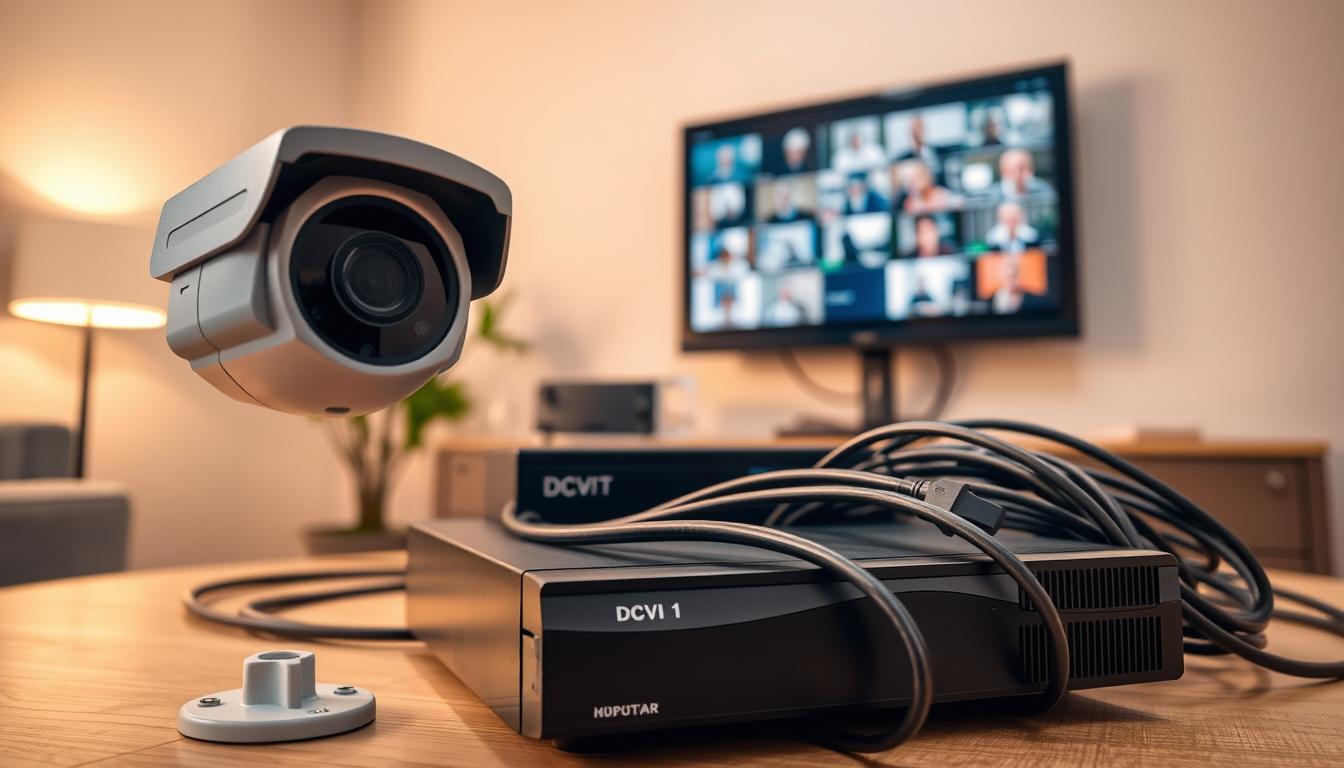
The 7 Essential Elements of a CCTV Setup
A well-configured CCTV system is a cornerstone of modern protection. In bustling urban centers like Singapore, a reliable surveillance setup is not a luxury—it’s a necessity for peace of mind.
The true effectiveness of any security camera network hinges on understanding its core parts. Knowing how each piece works together creates a robust monitoring solution.
This guide breaks down the fundamental building blocks. It provides a clear overview to help you make informed decisions for your property’s safety needs.
A properly installed setup acts as a powerful deterrent. It provides crucial evidence if an incident occurs and enhances overall safety for both homes and businesses.
Technological progress has made these systems more feature-rich and accessible. However, proper selection and configuration remain the keys to success.
We will explore each essential component, from cameras and lenses to recording and software. Practical advice will be tailored for Singapore’s unique environment and security concerns.
By the end, you will know exactly what constitutes a complete, high-performance video surveillance system and how to optimize it for your situation.
Key Takeaways
- A complete CCTV setup relies on several integrated parts working together.
- Proper configuration is critical for maximum security effectiveness.
- Modern systems offer advanced features but require careful planning.
- A good system deters crime and provides vital evidence.
- Local factors in Singapore, like weather and urban density, influence system choices.
- Understanding each component helps in selecting the right equipment.
- A well-planned system enhances safety for both residential and commercial properties.
Why CCTV Systems Are Crucial for Security in Singapore
In a city-state like Singapore, where public safety is paramount, CCTV systems form an indispensable layer of protection. The high population density and constant activity in both public and private spaces create a unique need for vigilant, round-the-clock oversight.
This reliance on electronic eyes goes beyond simple recording. It represents a proactive strategy for managing safety in a modern, bustling metropolis.
The Growing Importance of Surveillance in Urban Environments
Singapore’s urban landscape presents distinct security challenges. Narrow streets, crowded hawker centers, and extensive public transport networks require constant oversight.
A robust surveillance system helps authorities manage these complexities. It aids in crime prevention, crowd control, and efficient traffic management across the island.
There is a growing dependence on this technology for public safety. Video footage from networked cameras provides real-time situational awareness to first responders.
Modern setups do not operate in isolation. They integrate with access control, alarms, and lighting to create a comprehensive security net. This interconnected approach is vital for a coordinated response to any incident.
How CCTV Enhances Safety Across Different Settings
The application of security cameras is remarkably diverse. Residential condominiums use them to monitor common areas and deter unauthorized entry.
Commercial retail spaces rely on cameras to prevent shoplifting and protect inventory. The visible presence of a cctv unit alone can significantly reduce petty theft and vandalism.
Educational institutions deploy these systems to safeguard students and staff. Public transportation hubs, like MRT stations and bus interchanges, use them to ensure passenger safety and monitor flow.
Studies in urban areas globally show a clear link between camera implementation and reduced criminal activity. Beyond deterrence, the recorded video serves as crucial evidence for investigations.
For business owners in Singapore, protecting assets is a top priority. A well-planned system helps ensure employee safety and allows for remote monitoring of daily operations.
Today’s technology offers more than just reactionary playback. Advanced analytics enable proactive monitoring, sending alerts for unusual motion or loitering. This allows for real-time intervention.
Deploying a cctv system in Singapore comes with a responsibility to respect privacy. It is important to be aware of relevant guidelines regarding camera placement and data handling.
Proper storage solutions and a stable power supply ensure this vital tool operates reliably, day and night, contributing to the nation’s renowned safety record.
What Are the 7 Components of CCTV?
Understanding the individual pieces that make up a CCTV system is the first step toward effective security. A robust setup is more than just cameras on a wall.
It is an integrated network where each part has a specific job. All essential components must work in harmony for reliable protection.
Neglecting any single element can create a weak point. This overview details the seven core parts you need for a complete surveillance system.
Cameras: The Foundation of Video Capture
Cameras are the primary sensors. They capture visual video data from the environment.
Modern units offer high-definition clarity, night vision, and wide dynamic range. Choosing the right type is critical for your specific monitoring needs.
Monitoring Stations: Real-Time Observation Points
These stations are where live feeds are displayed. They allow for immediate observation and potential intervention.
A station can be a dedicated monitor in a security room or a smartphone app. It provides real-time access to what your cameras see.
Video Recording Systems: DVRs and NVRs
This hardware processes and saves the captured footage. A DVR works with traditional analog cameras.
An NVR is designed for modern IP cameras. Both are central to the recording and archival process.
Supporting Accessories: Cables and Connectors
Accessories form the physical backbone of the installation. Cables transmit power, video, and data signals.
Connectors, mounts, and housings ensure a secure and lasting setup. Quality here prevents signal loss and physical failures.
Data Storage Solutions: Hard Drives and Cloud Options
Recorded footage must be kept secure and accessible. Reliable storage is non-negotiable.
Surveillance-grade hard drives offer high capacity and durability. Cloud services provide off-site backup, adding a layer of data security.
Power Supply: Ensuring Uninterrupted Operation
A stable power source is the lifeblood of the entire system. Any interruption can blind your security network.
Solutions range from individual adapters to centralized Power over Ethernet (PoE) switches. They ensure all components operate continuously.
Video Management Software: System Control and Analytics
This software is the command center. It allows you to view live feeds, search recordings, and manage user access.
Advanced management platforms include smart analytics. They can detect motion, count people, or send alerts for unusual activity.
Each piece in this list depends on the others. Cameras need power and storage. Recording devices need software for control.
Investing in all seven essential components creates a cohesive and formidable security solution. It turns individual parts into a unified shield for your property.
Choosing the Right Cameras for Your Surveillance Needs
Your camera choice directly determines the clarity, coverage, and intelligence of your entire security setup. This decision impacts everything from evidence quality to daily monitoring ease.
Picking the wrong cameras for your security needs leads to blind spots and fuzzy footage. A strategic selection ensures your investment delivers maximum protective value.
IP Cameras vs. Analog Cameras: Key Differences Explained
The fundamental split in technology is between IP and analog cameras. Each uses a different method to capture and send the video signal.
IP, or Internet Protocol, models process video digitally inside the unit. They transmit data over a standard computer network, similar to other office devices.
This network video approach allows for superior resolution, often reaching 4K clarity. Remote viewing from any internet-connected device is a standard feature.
Traditional analog cameras send a continuous signal through coaxial cable to a DVR. This older technology is simpler and often more affordable upfront.
Installation complexity differs. IP cameras offer flexible placement using Ethernet cables that carry both data and power. Analog systems rely on dedicated video and power lines.
Your choice here dictates the recording device. IP models require a Network Video Recorder (NVR). Analog units must connect to a Digital Video Recorder (DVR).
Understanding Camera Styles: Dome, Bullet, and PTZ Configurations
Beyond technology, the physical design of your cameras matters. The three main types are dome, bullet, and PTZ.
Dome cctv cameras are named for their rounded, compact housing. They offer a discreet profile ideal for indoor retail or office surveillance.
Their design makes it hard to tell which way the lens is pointing. This uncertainty can act as a deterrent in itself.
Bullet cameras have a long, cylindrical shape. They are typically designed for outdoor use with robust, weatherproof casings.
This style is perfect for covering long driveways or HDB corridor monitoring. Their visible presence clearly marks a monitored zone.
PTZ cameras provide the most active control. The name stands for Pan, Tilt, and Zoom.
A security operator can remotely steer the lens to follow activity across a large area. They are excellent for parking lots or warehouse interiors.
Modern units include features like infrared night vision and Wide Dynamic Range. WDR balances extreme light and dark areas in a single shot.
Built-in motion detection can trigger recordings or alerts, saving storage space. Assessing your environment is key to choosing right.
Consider indoor lighting, outdoor weather exposure, and potential vandalism risk. For Singapore’s humid climate, ensure an IP66 or higher weatherproof rating for outdoor units.
Matching the camera’s performance specs to your actual needs prevents overspending. It also guarantees your system delivers usable video quality when it matters most.
Setting Up Effective Monitoring Stations
Effective security hinges on more than just capturing video; it requires a dedicated place to watch and act. A monitoring station is this central hub. It turns raw footage into real-time situational awareness.
This command center is where live feeds are displayed and managed. It enables immediate observation and decisive response to any event.
Essential Hardware for Live Feed Display
The physical setup of your station depends on the scale of your surveillance system. A basic home setup might use a single computer monitor.
Larger commercial or industrial operations require more robust solutions. The core hardware components typically include:
- High-Resolution Monitors: Screen size and clarity are critical. Full HD or 4K displays prevent eye strain and reveal crucial details.
- Multi-Screen Video Walls: For large-scale installations, these allow simultaneous viewing of dozens of cameras.
- Dedicated PC or Server: This machine runs the video management software, handling decoding and recording.
- Ergonomic Console: Proper desks and chairs reduce operator fatigue during long shifts.
Choosing the right monitor involves more than size. Consider display technology, like LED for better contrast, and a matte finish to reduce glare in control rooms.
Configuring for Remote Access and Multi-Screen Viewing
Modern cctv technology breaks the physical tether to the control room. Remote access is a game-changing feature.
It allows security personnel or homeowners to view live video from anywhere. A smartphone, tablet, or laptop becomes a portable monitoring station.
Configuring this access involves a few key steps. Your system must be connected to a local network with internet.
Secure mobile apps from your VMS or camera manufacturer provide the interface. Proper network setup, like configuring your router, ensures a stable connection.
For businesses with extensive camera networks, multi-screen viewing is essential. Software can split a single monitor or manage a vast video wall.
This setup lets operators watch multiple angles of an incident at once. It dramatically improves response time and overall awareness.
Best practices for station layout focus on the human operator. Position monitors to avoid neck strain and use adjustable lighting.
Organize the software interface to prioritize critical camera feeds. An effective station turns users from passive watchers into active security managers.
It enables quicker incident verification and more efficient review of recorded footage. This transforms your cctv system from a simple recorder into a powerful proactive tool.
Video Recording Systems: DVR vs. NVR Selection Guide
Selecting the correct recorder is a pivotal decision that shapes your system’s capabilities and future growth. This hardware is the central brain for video recording and storage.
It captures feeds, compresses data, and archives footage for review. Your choice directly impacts video quality, ease of use, and scalability.
Comparing DVR and NVR Technologies for Footage Storage
The two main types are Digital Video Recorders (DVR) and Network Video Recorders (NVR). They serve the same core function but use different technologies.
A DVR is designed for traditional analog cameras. It connects directly to each camera via coaxial cable.
The unit converts the incoming analog signal into a digital format. It then compresses and saves the files to an internal hard drive.
An NVR works with modern IP cameras. These cameras process video digitally inside their housing.
The NVR receives this ready-made digital stream over a standard network video connection, like Ethernet. It manages storage and playback without signal conversion.
Key differences between these solutions include:
- Maximum Resolution: NVRs typically support higher resolutions, including 4K and beyond. DVRs are often limited to Full HD.
- Installation & Cabling: DVR setups require separate coaxial and power cables per camera. NVRs can use a single Ethernet cable for data and power via PoE.
- Scalability: Adding cameras to an NVR system is often easier, as it connects to your existing network. Expanding a DVR setup may require more complex wiring.
- Typical Cost: DVR systems can be more budget-friendly upfront, especially for small setups. NVRs offer more advanced management and analytics features.
Storage capacity is a major consideration for both. Higher video resolution, frame rate, and the number of cameras all consume hard drive space faster.
Plan for at least two weeks of continuous recording. Use online calculators to estimate your specific storage needs based on camera settings.
How to Integrate Recording Systems with Your Cameras
Matching your recorder to your cameras is non-negotiable. Analog cameras must connect to a DVR. IP cameras require an NVR.
Integration involves both physical connections and network setup. For a DVR system, run coaxial cables from each camera directly to the recorder’s ports.
Each camera also needs a separate power supply. This creates a dedicated, standalone cctv network.
NVR integration is more flexible. Connect your IP cameras to a standard network switch using Ethernet cables.
The NVR, also connected to the same network, discovers and manages them. Using Power over Ethernet (PoE) switches simplifies installation by delivering power through the data cable.
Hybrid recorders offer a useful middle ground. These units can accept both analog and IP camera inputs.
They are an excellent choice for upgrading an existing cctv setup. You can keep old analog cameras while gradually adding new IP units.
Your final choice depends on your needs. Choose a DVR for a simple, cost-effective system using existing analog wiring.
Opt for an NVR if you prioritize high-resolution video, easier scalability, and advanced features. This decision ensures optimal performance and reliable recording for your security needs.
Essential Supporting Accessories for CCTV Installation
Cables and power sources form the critical infrastructure that brings a surveillance system to life. These hardware elements are far from mere add-ons.
They are fundamental to reliable performance and long-term durability. A weak link in this chain can compromise your entire security investment.
Choosing the right accessories ensures stable signal transmission and continuous operation. It protects your video quality and data integrity from environmental challenges.
Selecting the Right Cables: Coaxial, Ethernet, and Fiber Optic
Think of cables as the nervous system of your cctv network. They carry the video, data, and often the power to every component.
The type you need depends on your camera technology. For traditional analog setups, RG59 Siamese coaxial cable is standard.
This cable combines video and power conductors in one jacket. It simplifies runs from cameras to a DVR.
Modern IP systems use Ethernet cables, typically Cat5e or Cat6. These cables handle high-bandwidth network video signals.
Their twisted-pair design offers excellent resistance to interference. For very long distances or extreme environments, fiber optic cable is the superior choice.
Cable quality directly impacts your recording clarity. Always choose cables with proper shielding.
This prevents signal degradation from electrical noise. Secure, professional installation protects cables from physical damage and weather.

Power Solutions: PoE, Adapters, and Supply Boxes
A stable power supply is the lifeblood of any cctv system. Without it, even the best cameras are useless.
Traditional solutions include individual plug-in adapters for each unit. Centralized multi-camera power boxes offer a cleaner alternative.
For IP systems, Power over Ethernet (PoE) is a game-changer. This technology delivers both data and power through a single Ethernet cable.
It dramatically simplifies wiring and reduces clutter. A PoE switch acts as a centralized power manager for your entire network of cameras.
PoE advantages are significant. You get centralized power management and often built-in surge protection.
Selecting the right supply requires a simple calculation. Add up the total power consumption of all your cameras.
Choose a unit with a capacity 20-30% higher for safety. For critical setups, consider an Uninterruptible Power Supply (UPS) for backup during outages.
Other essential accessories complete a professional installation. Sturdy mounting brackets and junction boxes protect connections.
Surge protectors shield sensitive electronics from voltage spikes. Cable conduits organize and protect runs for a tidy, maintainable system.
Good cable management during installation saves time later. It makes troubleshooting easier and extends the life of all components.
Data Storage Solutions for Reliable Video Retention
Without a robust storage solution, even the most advanced CCTV cameras lose their purpose. Critical footage cannot be retained or reviewed when needed most.
Your choice of storage architecture dictates retention periods and access speed. It is the permanent memory of your entire surveillance system.
This component determines how much historical video you can keep. It also affects how quickly you can retrieve specific clips during an investigation.
Surveillance-Grade Hard Drives: Features and Benefits
Not all hard drives are created equal for security work. Standard desktop models fail under the constant strain of 24/7 video recording.
Surveillance-grade drives are engineered for this demanding environment. Brands like WD Purple and Seagate SkyHawk lead this specialized market.
They handle non-stop write cycles without overheating or degrading. This ensures consistent performance and longer operational life.
Key features and benefits include:
- Optimized for Write-Intensive Workloads: Prioritizes continuous data streaming over random access.
- Vibration Resistance: Built to withstand multiple drives spinning in a single recorder chassis.
- Enhanced Error Recovery Controls: Prevents the drive from dropping out of the array due to a minor stream error.
- Longer Warranties: Often come with 3-year or longer coverage, reflecting their higher reliability.
Calculating your storage needs is a crucial step. Consider the number of cameras, their resolution, frame rate, and compression format.
Modern H.265 compression saves significant space compared to older H.264. A higher megapixel count demands more capacity.
For a typical Singapore small business with eight 4MP cameras, a 4TB drive might store two weeks of footage. Online calculators from drive manufacturers provide precise estimates.
Storage architectures vary. Internal drives within the NVR or DVR are the most common solutions.
For larger systems, external Network Attached Storage (NAS) units offer scalable capacity. Cloud-based storage services provide off-site backup, adding a vital layer of security.
Implementing Data Backup and Security Strategies
Relying on a single hard drive is a major risk. Drive failure, theft, or physical damage to the recorder can result in total data loss.
A comprehensive backup strategy is non-negotiable for reliable video retention. It protects your evidentiary chain.
Redundancy is the first line of defense. Configuring a RAID array within your NVR is a powerful method.
RAID 1 mirrors data across two drives, while RAID 5 offers a balance of capacity and protection. If one drive fails, your system keeps running and recording.
Scheduled automatic backups to an external USB drive or network location provide another safety net. This creates a separate copy of critical event footage.
Encrypted cloud backup is increasingly popular. It stores footage securely off-site, safe from local disasters.
Data security is equally important. Encrypting stored footage prevents unauthorized viewing or tampering.
Implement strict user management and access controls on your cctv system. Ensure only authorized personnel can delete or export files.
For typical setups in Singaporean homes and small businesses, a balanced approach works best. Use a surveillance-grade internal drive with a RAID 1 configuration for core redundancy.
Supplement this with weekly backups to an external drive stored securely. This strategy balances cost with robust protection for your valuable video evidence.
Regularly test your backup process to ensure it works. Reliable storage solutions give you confidence that your security investment will deliver when it counts.
Power Supply Considerations for a Stable CCTV System
The reliability of your entire security network rests on a single, often overlooked element: its power source. A flickering or unstable electrical feed can cripple even the most advanced cctv system.
This vital component ensures every camera and recorder operates without interruption. Proper planning prevents frustrating blackouts and lost video evidence.
AC vs. DC Power: What You Need to Know
Understanding the basic flow of electricity is key. Mains power in Singapore is Alternating Current (AC), the standard from your wall outlet.
Most security cameras, however, require low-voltage Direct Current (DC) to function. A power adapter or transformer performs this essential conversion.
Common voltages include 12V DC for many standard models. Some professional units may use 24V AC. Modern IP cameras often get their power via Power over Ethernet.
PoE delivers a stable 48V DC over the data cable. This elegant solution merges power and network signals into one line.
Voltage regulation and surge protection are non-negotiable. They shield sensitive electronics from harmful spikes common during Singapore’s thunderstorms.
A clean, regulated power supply prevents image artifacts and random camera reboots. It is the bedrock of consistent system performance.
Organizing Power Distribution for Multiple Cameras
Managing electricity for several units requires a plan. Start by calculating your total power budget.
Add the wattage requirements listed for each camera and active component. Always add a 20-30% buffer to this total for safety and future expansion.
For traditional setups, a centralized multi-channel power box is efficient. This single unit provides individual, fused outputs for each camera.
It simplifies wiring and offers cleaner installation than a cluster of wall adapters. For IP-based surveillance, a PoE switch is the superior choice.
This switch injects power directly into the Ethernet network. It allows for centralized management and often includes built-in surge protection.
For critical installations, an Uninterruptible Power Supply (UPS) is highly recommended. A UPS provides backup battery power during short outages.
This ensures your recording continues and data is not corrupted if the mains fail. It is crucial for alarm-linked or high-security systems.
When running cables, always follow local electrical codes. In Singapore, use proper conduits to protect wires from humidity and physical damage.
Keep power and video cables separated to prevent interference. A well-organized power supply is the silent guardian of your security setup.
It guarantees all other components cctv rely on perform flawlessly, day and night.
Leveraging Video Management Software for Enhanced Control
Think of Video Management Software as the mission control center for your entire security operation. This software unifies all hardware components into a single, intelligent platform.
It transforms raw camera feeds into a powerful tool for protection and insight. A robust VMS is what separates a basic recording setup from a truly proactive surveillance system.
Benefits of Integrated VMS: Analytics and User Interface
The core functions of this management platform are straightforward yet vital. Operators can view live video, play back archived footage, and configure cameras with ease.
System health monitoring alerts you to issues before they cause failure. The real power, however, lies in advanced analytics.
Modern features like intelligent motion detection go beyond simple alerts. You can define specific tripwire zones or areas where loitering is suspicious.
The software can count people, detect unattended objects, or recognize vehicle license plates. These tools automate monitoring and send precise alerts, saving countless hours of manual review.
An intuitive user interface is critical for effective operation. During a high-pressure incident, security personnel need to find controls instantly.
A well-designed layout presents live feeds, playback controls, and alert logs logically. This ensures a fast and accurate response to any security event.
Compliance and Management Features for Optimal Oversight
Effective security often involves multiple team members. A professional VMS enables multi-user access with customizable permission levels.
A retail manager might only see shop floor cameras. A security head would have full access to all feeds and system settings.
This tailored control enhances both security and operational privacy. For businesses in regulated sectors, compliance is non-negotiable.
Key features include detailed audit trails of all user activity. Tamper-proof recording ensures footage cannot be altered or deleted without authorization.
Secure data handling protocols protect sensitive video information. These tools are essential for meeting industry-specific legal standards.
Long-term system health relies on robust management tools. Built-in diagnostics can pinpoint network or storage problems.
Automatic firmware updates keep your cctv system protected against new threats. Storage management tools help optimize disk space and retention policies.
A major advantage of modern VMS is its ability to integrate. It can connect with access control systems, intrusion alarms, and intercoms.
This creates a unified security platform where all devices work together. An alarm trigger can instantly bring up the relevant camera feed on the operator’s screen.
Many Network Video Recorders come with capable built-in software. For larger installations, like commercial buildings or campuses, dedicated VMS servers offer greater power and scalability.
Platforms from Milestone, Genetec, and Hanwha Vision are popular professional solutions. They provide the advanced control needed to manage complex security networks effectively.
Investing in capable Video Management software maximizes your hardware investment. It delivers the enhanced control, intelligent analytics, and reliable oversight that modern security demands.
Step-by-Step Guide to Configuring Your CCTV System
A successful CCTV deployment follows a logical sequence from planning to final optimization. Skipping steps can lead to coverage gaps and unreliable performance.
This guide provides a clear roadmap for setting up your surveillance system. It ensures all essential components work together seamlessly from day one.
Planning Camera Placement and Coverage Areas
Begin with a thorough site survey. Walk the property to identify critical zones like entry points, cash registers, and secluded areas.
Note potential blind spots and existing lighting conditions. This analysis directly informs your security needs and camera selection.
Effective placement principles are key to choosing right locations. Mount cctv cameras at a height of 8-10 feet for a balanced view.
Angle them to capture identifiable facial features, not just the tops of heads. Cover all vulnerable areas without violating privacy expectations.
Use different camera types appropriately. Fixed dome units are great for indoor corridors. Bullet cameras excel at covering long outdoor sightlines.
Consider a PTZ model for large, open spaces like parking lots. This strategic planning forms the blueprint for your entire setup.
Installing and Connecting All Components
The physical installation brings your plan to life. Securely mount each camera bracket using appropriate anchors for the surface material.
For outdoor units in Singapore’s climate, ensure all cable connections are waterproof. Use conduit to protect and conceal cable runs for a tidy, professional look.
Running cables is the next critical phase. For IP systems, use Cat6 Ethernet cables for future-proof performance. Keep power and data lines separated to prevent interference.
Connection involves linking each camera to its power supply and the recorder. For PoE systems, a single cable to a network switch handles both.
Connect your DVR or NVR to a monitor for local viewing. Finally, link the recorder to your local area network for remote access.
This stage integrates all physical components. Proper execution ensures stable signal transmission and video integrity.
Testing and Optimizing System Performance
Once everything is connected, begin comprehensive testing. Verify each camera feed for clarity, proper resolution, and adequate coverage.
Check that night vision activates in low light. Walk through each camera’s field of view to confirm there are no hidden spots.
Test the recording functionality. Ensure motion detection triggers clips as expected. This prevents filling storage with empty footage.
Crucially, test remote viewing on smartphones and tablets. Confirm that users can log in securely from outside the property.
Optimization fine-tunes the system. Adjust camera settings like exposure and contrast for your specific environment.
Calibrate motion sensitivity to reduce false alarms from leaves or shadows. Organize recorded footage with clear camera names and logical folder structures.
Create simple documentation for future reference. A map of camera locations and a list of software login details are invaluable for maintenance.
For businesses, this documentation aids in staff training and troubleshooting. A well-configured cctv system delivers peace of mind and reliable monitoring.
Ensuring Long-Term Performance of Your CCTV Setup
Peace of mind from your CCTV system depends on its ongoing reliability and clarity. A robust surveillance setup requires regular upkeep to function effectively for years.
Implement a simple maintenance schedule. Weekly, verify all cameras are recording clear footage. Monthly, clean lenses and housings to remove dust and webs.
Inspect cables and connectors for wear or damage. Update firmware and management tools quarterly to patch security vulnerabilities.
Annually, review camera angles for new obstructions. Test backup power supply units and surge protectors. Keep spare adapters on hand for quick replacements.
Consider a professional check-up for complex systems. This proactive care ensures your investment continues to protect property and people, delivering lasting performance and security.
FAQ
What is the main difference between a DVR and an NVR?
The core difference lies in the camera type they support. A Digital Video Recorder (DVR) processes video at the unit from analog cameras. A Network Video Recorder (NVR) records video streams from IP cameras over a network. NVR systems generally offer superior video quality and easier installation.
Can I access my CCTV footage remotely on my phone?
Yes, modern surveillance systems support remote access. Using a mobile app from providers like Hikvision or Dahua, you can view live feeds and recorded footage from anywhere with an internet connection. This feature is essential for real-time monitoring and management.
How much data storage do I need for my security cameras?
Storage needs depend on camera resolution, frame rate, the number of cameras, and your retention policy. High-resolution network video from multiple cameras requires significant space. Using surveillance-grade hard drives like Western Digital Purple or Seagate SkyHawk, and configuring motion detection, helps manage storage efficiently.
What is the benefit of using Power over Ethernet (PoE)?
Power over Ethernet simplifies installation for IP camera systems. A single Ethernet cable carries both data and power to the camera. This reduces cable clutter, eliminates the need for separate power adapters near each unit, and centralizes your power supply for easier management.
Are dome cameras better than bullet-style cameras?
Each style serves different security needs. Dome cameras are discreet and have vandal-resistant housings, ideal for indoor retail. Bullet cameras are more visible with longer ranges, acting as a deterrent for outdoor perimeters. The choice depends on your specific surveillance goals.
What features should I look for in video management software?
Look for software with an intuitive user interface, support for multiple camera feeds, and smart analytics. Key features include motion detection alerts, people counting, license plate recognition, and easy playback of archived footage. Robust VMS solutions provide powerful tools for system control.
Why is a dedicated power supply box important for my setup?
A centralized power supply box ensures stable, uninterrupted operation for all cameras. It protects against power surges and simplifies troubleshooting. For larger installations with analog cameras or PTZ models, this component is crucial for reliable performance and system uptime.


