
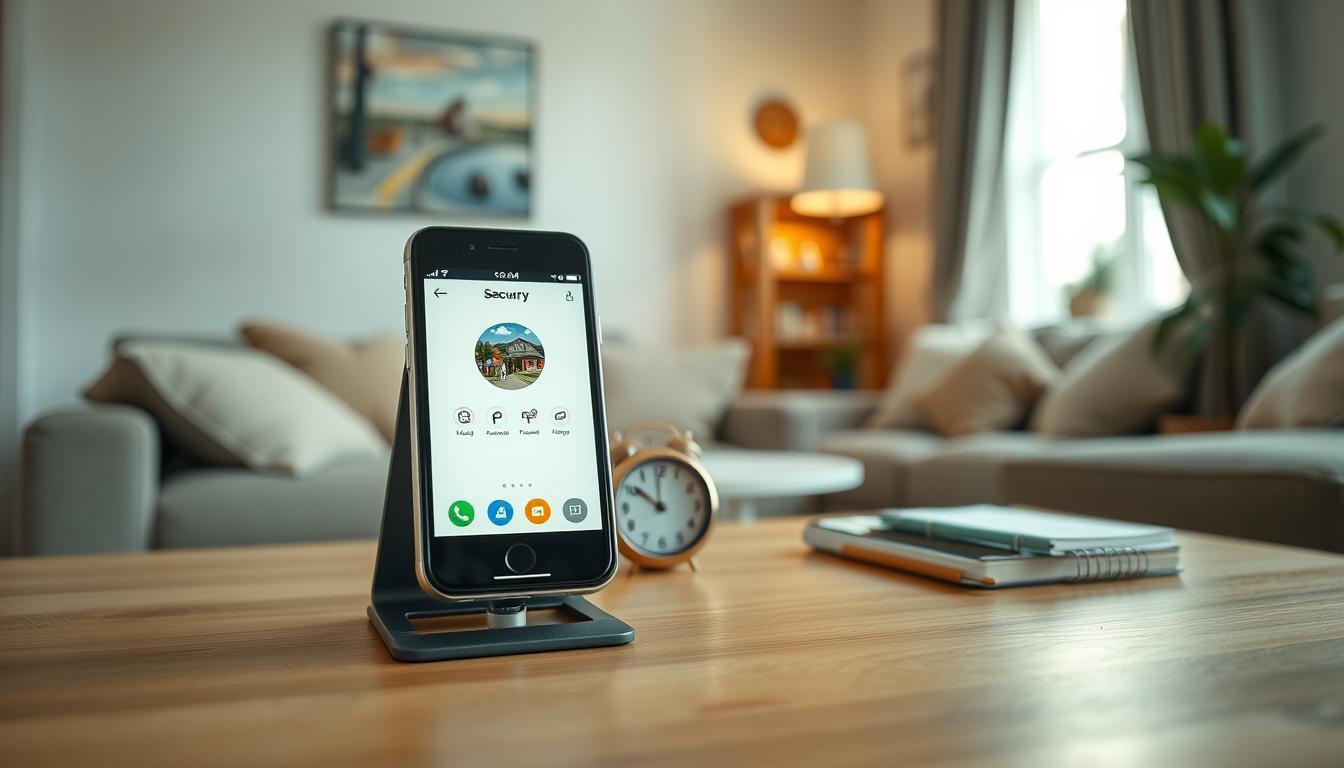
How-To Guide Can I use my old smartphone as a security camera
Many homeowners in Singapore are turning to budget-friendly DIY solutions for home security. One popular option is repurposing an unused device into a security camera. The question often arises: can an old phone serve this purpose? The answer is a resounding yes!
Transforming a retired smartphone into a phone security camera offers a practical way to enhance home security without the hefty price tag of traditional systems. This method is particularly appealing for those looking to save money while still keeping their homes safe.
Not only does this approach improve security, but it also helps reduce electronic waste. With millions of phones discarded each year, repurposing these devices extends their lifespan and supports sustainability efforts.
The setup process is simple and requires minimal technical skills. A stable Wi-Fi connection, a free camera app, and a few minutes of configuration are all that’s needed. This guide will walk you through everything from preparing your device to optimizing its placement for effective monitoring.
Why Repurpose Your Old Smartphone as a Security Camera?
Homeowners in Singapore are increasingly opting for creative and affordable ways to bolster their home security. Repurposing an unused device into a surveillance tool is a practical solution that brings numerous benefits.
Cost Savings are a significant advantage. Professional security cameras often cost $300 or more. In contrast, using a free camera app on an old phone incurs no upfront costs. This DIY approach can save homeowners between $200 and $500 compared to traditional systems.
This solution also democratizes home security. Anyone with a spare smartphone can set up effective surveillance without worrying about monthly fees or costly installations. It makes phone security accessible to renters and budget-conscious families alike.
Additionally, there are environmental benefits. Repurposing old phones keeps functional devices out of landfills. This directly addresses the staggering 151 million phones discarded annually in the U.S. and the 53 million metric tons of global e-waste generated in 2023. This aligns perfectly with Singapore’s sustainability goals.
Moreover, an old smartphone can serve multiple purposes. It can monitor front doors for package deliveries, keep an eye on pets, check in on elderly family members, or watch over children playing. All of this can be managed from a single device.
The convenience of multi-device monitoring is another plus. Free apps like Alfred Camera allow users to sync across tablets and current phones. This means multiple camera feeds can be viewed simultaneously, creating a comprehensive home surveillance network without extra costs.
In compact living spaces like Singapore’s HDB flats, a discreet old smartphone mounted on a shelf provides effective home security without the bulk of traditional cameras. This setup requires no technical expertise; the process takes just minutes.
Repurposing an old phone for phone security gives the device a meaningful second life. It maximizes the return on the original investment and reduces the guilt associated with upgrading to newer models.
A DIY security camera solution can also serve as an entry point into broader home security. Users can test placement, features, and monitoring habits before committing to a more expensive dedicated system.
For Singapore homeowners, the combination of zero cost, environmental responsibility, and practical home surveillance makes repurposing an old smartphone one of the smartest and most accessible home security decisions available today.
Understanding the Requirements and Preparing Your Old Smartphone
Preparing your retired smartphone for security monitoring involves several important steps. First, ensure that your device meets the necessary specifications. This will help guarantee smooth operation as a security camera.
Hardware and Software Minimum Specifications
For effective performance, select an old phone with at least 2GB of RAM and 32GB of storage. These specifications help in running security camera apps without lag. Devices operating on Android 8.0 or higher or iOS 12 or higher are typically compatible with modern security applications like Alfred and Faceter.
Wiping Personal Data and Ensuring Device Functionality
Before setup, it’s crucial to wipe all personal data from the old smartphone. This ensures the device is dedicated solely to monitoring. Back up any important files, then perform a factory reset to remove all accounts, photos, and apps.
Next, verify the camera functionality. Check for any lens scratches or autofocus issues. These can significantly degrade the quality of footage captured by your security camera.
Assessing Battery Health and Storage Capacity
Battery health is vital for continuous operation. Aim for a device with at least 80% battery capacity to ensure it can handle power outages. Test how long the smartphone can run the camera app on a full charge to manage power effectively.
Storage capacity is also important. Clear unnecessary files and apps to free up space for recorded footage. Determine if the device’s internal storage is adequate for local recording or if you will need to use cloud storage options through the camera app.
Lastly, ensure a stable Wi-Fi connection. The old smartphone should maintain a strong signal where it will be mounted. Testing connectivity speeds with analyzer apps can help ensure smooth live streaming without interruptions.
By thoroughly preparing your old smartphone, you lay the foundation for a reliable DIY security camera. Skipping these essential steps may lead to frustrating setup failures or compromised monitoring later on.
Choosing the Best Security Camera App for Your Old Smartphone
Transforming an unused smartphone into a functional surveillance tool can be an innovative and cost-effective approach to home security. Selecting the right camera app is crucial for maximizing your device’s potential. Several options stand out in the market, each offering unique features to enhance your monitoring experience.
Top App Options: Alfred, Faceter, AtHome Camera, and Others
Here are some of the best camera apps to consider:
- Alfred Camera: With over 45 million users, this app provides free cloud storage, live streaming, and motion detection alerts. Its WebViewer feature allows you to monitor from a PC or laptop.
- Faceter: This app employs AI-powered motion detection for precise alerts, minimizing false triggers. It also includes advanced features like facial recognition for intelligent home monitoring.
- AtHome Camera: Ideal for those who prefer local storage, this app allows footage to be saved directly to the device or a networked device. It supports remote access across both Android and iOS platforms.
Key Features to Look For: Motion Detection, Cloud Storage, Live Streaming
When selecting a camera app, prioritize these features:
- Motion Detection: Look for customizable activity zones to focus on specific areas and reduce false alerts.
- Cloud Storage: This feature ensures secure off-site backup of your footage.
- Live Streaming: Aim for at least 1080p resolution for clear monitoring.
- Night Vision: Essential for 24/7 surveillance capability.
Compatibility Considerations for Android and iOS Devices
Before downloading an app, check compatibility with your smartphone’s operating system. Most apps require Android 8.0 or higher or iOS 12 or higher. Additionally, read user reviews to identify any potential issues like crashes or battery drain on older devices.
Many apps offer both free and premium tiers. Starting with basic features like live streaming and motion alerts at no cost is a great way to test functionality. Users can later upgrade for advanced features such as continuous recording and extended cloud storage as their security needs evolve.
Consider additional features like two-way audio for communicating with visitors, siren alarms to deter intruders, and integration with smart home systems for automated responses to detected motion. These enhancements can significantly improve your old phone’s utility as a security camera.
Finally, it’s wise to test multiple apps on your smartphone before making a final choice. Performance can vary based on device specifications and network conditions. The right camera app can make all the difference in achieving reliable smartphone security.
Step-by-Step Guide to Installing and Configuring Your Security Camera App
Setting up your retired device for monitoring is straightforward and can be accomplished in just a few simple steps. This guide will help you install and configure your chosen camera app effectively.
Downloading and Setting Up the App on Your Old Phone and Viewer Device
Begin by downloading the selected camera app, such as Alfred, Faceter, or AtHome Camera. You can find these apps in the Google Play Store or Apple App Store. Install the app on both the old smartphone, which will serve as the camera, and your current phone, which will act as the viewer for remote monitoring.
Once installed, open the app on your viewer phone. Create a free account using your Google or email login. During this initial setup, grant the necessary permissions, including camera access, microphone access, location services, and file storage. These permissions are essential for the app to function as a complete home security solution.
Configuring Permissions and Security Settings
Next, configure your old smartphone as the camera. Log in with the same account credentials used on the viewer device. Select the option to use this phone as a camera. You can choose presets like home security, pet monitoring, or family monitoring to optimize default settings.
Now, enable critical permissions for effective operation. Activate camera access for video capture, microphone access for audio recording, location services for geotagging alerts, and file storage access for saving footage locally. Each permission is vital for comprehensive surveillance.
During setup, activate essential features such as 1080p streaming for clear video quality. Turn on motion detection with customizable sensitivity, enable night mode or low-light filters for around-the-clock monitoring, and activate power-saving mode to turn off the old phone’s display and conserve battery during continuous operation.
For security, set up a strong account password. If available, enable two-factor authentication. Configure privacy zones to mask areas like neighbor windows and review data encryption settings to ensure that all footage transmitted from the old smartphone remains protected from unauthorized access.
After configuration, testing the setup is crucial. Verify that the camera feed appears clearly on the viewer device. Test motion alerts by walking in front of the old phone, and confirm that audio recording captures sound clearly. This step ensures the project is working correctly before final placement.
For optimization, select the rear camera lens as the default for superior resolution. Adjust motion sensitivity to avoid false alerts from pets or passing cars. Set notification preferences to receive alerts only during specific hours when home security monitoring is most needed.
Lastly, address common setup pitfalls. Ensure both devices are connected to the same Wi-Fi network during initial pairing. Verify that the old smartphone has sufficient storage space for the app and any local recordings. Confirm that the operating system is updated to the latest compatible version for the chosen camera app.
This step-by-step setup process is designed to be completed in under five minutes. It is one of the easiest and most accessible ways to establish a functional phone security camera system without any technical expertise or additional hardware costs.
Pairing Devices: Connecting Your Old Smartphone as a Camera
Connecting your retired device to a viewer is essential for effective home monitoring. The process involves two primary methods: QR code scanning and account synchronization. Each method has its advantages, making it easy to establish a connection between your old phone and the viewer device.
Using QR Codes and Account Synchronization
The quickest way to link your devices is through QR code scanning. This method takes about 18 seconds. First, open the viewer app on your current phone. Navigate to the pairing section and generate a unique QR code. Then, use the old smartphone’s camera app within the security app to scan the code. Once scanned, the devices will connect instantly, and the live camera feed will appear on the viewer screen.
Alternatively, you can synchronize accounts. Download the same security app on both devices. Log in using identical credentials, and the app will automatically recognize both phones. This allows users to switch between camera and viewer roles easily, depending on their monitoring needs.
Troubleshooting Pairing Issues
Verifying successful pairing is crucial. Check that the live streaming feed from the old phone’s camera appears clearly on the viewer device. Test the two-way audio if available and confirm that motion alerts are being transmitted from the camera phone to the viewer phone in real time.
If you encounter issues, here are some solutions:
- If the QR code fails to scan, clean the camera lens and ensure there is adequate lighting.
- If devices won’t connect, clear the app cache on both phones, restart the app, and ensure both devices are on the same Wi-Fi network with a stable connection.
- For account synchronization problems, ensure the same login method is used on both devices. Check for pending app updates that may cause compatibility issues.
Additionally, many apps like Alfred offer a WebViewer feature. After pairing, you can access the security camera feed from any computer. Simply navigate to the app’s web portal, log in with the same account, and view the live stream. This includes options for rotation, screenshots, and siren activation—all from a desktop browser.
Managing multiple camera feeds is also possible. Users can pair several old phones as security cameras and view all feeds simultaneously from one viewer device. This creates a multi-camera home surveillance system without incurring additional hardware costs.
To maintain a stable connection between paired devices, position the old phone within a strong Wi-Fi range. Avoid placing it near microwave ovens or cordless phones that may cause interference. Scheduling automatic app reboots during off-peak hours can refresh the connection and prevent feed dropouts.
Rest assured, pairing devices is a one-time setup process. Once your old smartphone and viewer phone are linked, the connection persists automatically. You can access your security camera feed anytime without repeating the pairing steps.
Optimizing Camera Placement and Power Setup for Effective Monitoring
Finding the ideal spot for your phone security camera can significantly enhance its effectiveness. Proper placement ensures that your device captures critical areas while avoiding common pitfalls.
Indoor vs. Outdoor Placement Tips
For indoor setups, mount the smartphone at a height of 7-8 feet with a 30° downward tilt. This positioning maximizes the field of view, allowing the camera to face entry points like front and back doors or main hallways. Such placement is essential for comprehensive home surveillance coverage.
Be mindful to avoid reflective surfaces, such as mirrors and windows, which can cause glare and obscure footage. Additionally, steer clear of bright light sources that might wash out the image, rendering the security feed ineffective.
When considering outdoor placements, it’s vital to protect the device from Singapore’s tropical climate. Position the phone under eaves or shaded areas to shield it from direct sunlight and rain. Using DIY silicone sleeves or weatherproof cases can further safeguard against humidity, which may cause internal corrosion.
Using Phone Mounts and Long Charging Cables
Affordable mounting solutions are available, with flexible phone mounts costing under $15. These allow you to securely attach the old smartphone to shelves, walls, or furniture at precise angles, eliminating the instability of makeshift supports.
Long charging cables, such as 10-foot USB-C or Lightning cables, provide the flexibility to position the phone security camera optimally while keeping it connected to a power source. Consider using cable management clips to conceal wires along baseboards or furniture edges for a cleaner appearance.
Managing Battery Life and Power Sources
To ensure uninterrupted operation, use chargers rated at 10W or higher for consistent power delivery. Smart plugs can be beneficial, allowing you to schedule charging cycles, turning power on and off at set intervals to prevent overcharging and preserve battery health.
If continuous power isn’t feasible, enable power-saving mode in the camera app. This can turn off the display, reduce screen brightness to 30%, disable vibration alerts, and close background apps, extending battery life for several hours on a single charge.
Before finalizing placement, conduct trial recordings at different times of day. This will help evaluate lighting conditions, check for blind spots, and ensure that motion detection works reliably at the chosen distance and angle.
For those using multiple old phones as security cameras, overlap coverage areas by approximately 15% to eliminate blind spots. Position devices to provide redundant angles on critical zones like entryways and staircases for comprehensive smartphone security.
Ultimately, optimal placement and reliable power are the foundations of effective monitoring. Even the best camera app cannot compensate for a poorly positioned or unpowered device. Investing time in this step ensures that your phone security camera delivers consistent, high-quality surveillance for home protection.
Key Features to Enable for Reliable Security Monitoring
To ensure effective monitoring, it’s crucial to enable key functionalities on your device. By activating the right features, you can transform your phone into a powerful surveillance tool that provides peace of mind.
Setting Up Motion Detection and Alert Customization
Advanced motion detection is essential for reducing false alarms. For example, apps like Alfred can decrease false alerts by up to 70%. Here’s how to configure it:
- Activity Zones: Draw custom boundaries focusing on entryways and high-traffic areas. Exclude zones where pets under 25 pounds move.
- Trigger Thresholds: Set a minimum movement duration of 2 seconds to filter out brief disturbances, like curtains blowing.
- Scheduling Alerts: Activate alerts only during vulnerable hours, such as overnight from 9 PM to 6 AM, to avoid unnecessary notifications.
Utilizing Night Vision and Audio Recording Features
Most security apps automatically engage night vision when ambient light drops below 10 lux. Premium apps maintain clear footage without a visible red glow. To optimize audio recording:
- Enable Microphone: Capture sound alongside video for comprehensive monitoring.
- Noise Filters: Activate filters to isolate voices from background sounds, ensuring clarity.
- Privacy Compliance: Ensure audio recording complies with local regulations regarding consent.
Leveraging Cloud Storage and Remote Access Functions
Cloud storage offers several benefits for security monitoring:
- Data Security: Apps like Alfred provide free cloud storage, keeping recorded footage secure even if the device is lost.
- Remote Access: Review motion-triggered clips from any device, ensuring critical evidence is preserved.
- Storage Options: Compare cloud storage for remote access with local storage for immediate access, evaluating your security needs.
Once configured, users can view the live camera feed, review recorded footage, and receive motion alerts from anywhere with an internet connection. This capability transforms your device into a true surveillance tool, providing peace of mind whether at work, on vacation, or running errands around Singapore.
By enabling and fine-tuning these key features, you can enhance your basic setup into an intelligent monitoring system. Motion detection, night vision, cloud storage, and remote access work together to ensure your phone delivers professional-grade security camera performance without the associated costs.
Overcoming Common Challenges with Smartphone Security Cameras
Addressing the challenges of using smartphones for home security can enhance your monitoring experience. Several common issues can arise when repurposing a phone for surveillance. However, with the right strategies, these challenges can be effectively managed.
Extending Battery Life and Preventing Overheating
Continuous recording can drain power at approximately 20% per hour on older devices. To extend battery life, consider disabling background apps and enabling dark mode in the camera interface. Reducing screen brightness to 30% and turning off vibration alerts can also help.
Preventing overheating is crucial, especially in Singapore’s humid climate. Applying thermal pads to the back of the phone can reduce internal temperatures by up to 14°F. Affordable cooling solutions, such as $8 USB fans or aluminum heat sinks, can also help dissipate heat effectively.
Maintaining Stable Wi-Fi and Network Connectivity
Stable Wi-Fi connectivity is vital for uninterrupted monitoring. Configure your router’s Quality of Service (QoS) settings to prioritize the smartphone security camera’s traffic. This prevents bandwidth throttling during peak usage times, ensuring that the security feed remains stable.
Consider setting up automatic device reboots at 3 AM to refresh the Wi-Fi connection. For larger homes or multi-story HDB flats, a mesh network system can help extend signal range, ensuring the old phone remains connected.
Physical Security and Device Maintenance
Securing the old smartphone is essential to prevent theft or tampering. Use a locked mount or enclosure to position it out of easy reach. Additionally, cable locks or concealed wiring can protect the charging cable from being unplugged by intruders or curious children.
Regular maintenance is key to ensuring optimal performance. Clean the camera lens weekly with a microfiber cloth to prevent dust and smudges from degrading footage quality. Monthly storage checks are also important to ensure the device isn’t running out of space for recordings.
For unsupported phone models, manually installing APK updates for the camera app can keep the device secure. Using a dedicated Google account with limited permissions can also reduce the risk of unauthorized access.
Lastly, troubleshooting common issues is crucial. If the camera feed freezes, restart the app on both devices. If motion alerts stop working, check that notification permissions haven’t been reset by an OS update. By proactively managing these challenges, your smartphone security setup can remain reliable and effective.
Professional Security Systems vs. DIY Smartphone Cameras: When to Upgrade
The debate between DIY smartphone cameras and professional systems is becoming increasingly relevant. Homeowners often find themselves at a crossroads when deciding how to best secure their properties. While repurposing an old phone can be a cost-effective solution, dedicated security systems offer significant advantages that may warrant consideration.
Advantages of Dedicated Security Cameras
Professional security cameras, such as the eufyCam S340, provide features that far exceed those of typical phone setups. For instance, this system boasts:
- 4K resolution for crystal-clear images.
- 8x zoom capability, allowing detailed monitoring from a distance.
- IP67 weatherproofing, which is essential for withstanding Singapore’s heavy rains.
Unlike cloud-dependent apps, these systems process footage locally, ensuring privacy. Moreover, branded security cameras can reduce false alerts by up to 40% through advanced motion tracking. They also offer 24/7 continuous recording, which is a stark contrast to the motion-triggered clips provided by phone cameras.
Hybrid Approaches: Combining DIY and Professional Setups
A hybrid approach can provide the best of both worlds. Homeowners might consider using old smartphones as secondary cameras in low-risk areas, such as living rooms or hallways. Meanwhile, investing in professional security cameras for critical entry points and outdoor perimeters can enhance overall security. This strategy allows for flexibility while still ensuring robust surveillance where it matters most.
Assessing Your Security Needs in Singapore’s Context
In Singapore, security needs can vary significantly based on property type. For instance, HDB flats with limited entry points may find that a single old phone suffices for monitoring. However, landed properties with gardens and multiple access points will benefit from a combination of professional security cameras and supplementary phone-based monitoring.
Homeowners should consider upgrading to a dedicated security system in specific scenarios. If facing increased vandalism risks or if insurance policies require certified installations, investing in professional systems becomes crucial. Additionally, if an old phone consistently fails to deliver reliable footage during critical moments, it may be time to make the switch.
Ultimately, the choice between DIY and professional security systems isn’t binary. Singapore homeowners can create a layered, cost-effective home security strategy. By leveraging the strengths of both approaches, they can utilize old smartphones for flexible monitoring while investing in dedicated cameras for reliability and advanced features.

Final Tips to Maximize the Potential of Your Old Smartphone Security Camera
Maximizing the potential of a retired device for home security can be a rewarding experience. Many users integrate their phone security camera with smart home automation. Over 80% of DIY enthusiasts pair setups with automated lights or IFTTT recipes. This syncs motion alerts with porch lighting, creating an illusion of occupancy to deter intruders.
Regular maintenance is essential for long-term reliability. Clean the camera lens weekly to prevent blurry footage. Monthly storage checks ensure recordings aren’t lost. Joining online communities, like Alfred’s forum, offers valuable troubleshooting tips and optimization advice.
As security needs evolve, consider gradually migrating to ONVIF-compatible cameras. Retain your smartphone as a backup or secondary monitoring device. This approach creates a scalable surveillance system that adapts with your household.
Ultimately, the old phone represents untapped potential. With minimal effort, it can become a reliable surveillance tool that enhances home security and provides peace of mind.
FAQ
What apps can turn an old phone into a security camera?
Several apps can transform an unused device into a surveillance tool. Popular options include Alfred, Faceter, and AtHome Camera, which offer features like motion detection and cloud storage.
How do I ensure my old smartphone is ready for security use?
Before repurposing, check the hardware specifications, wipe personal data, and assess battery health and storage capacity to ensure optimal functionality.
Can I access the camera feed remotely?
Yes, many security camera apps provide remote access features, allowing users to view live feeds from any location via a smartphone or computer.
What are the best practices for placing my smartphone camera?
For effective monitoring, consider indoor versus outdoor placement, utilize phone mounts, and ensure a reliable power source to maintain continuous operation.
How can I enhance security features on my old smartphone?
Enable motion detection, customize alerts, and utilize night vision and audio recording features for comprehensive monitoring capabilities.
What challenges might I face when using an old phone as a security camera?
Common challenges include battery life management, maintaining stable Wi-Fi connectivity, and ensuring the physical security of the device.
When should I consider upgrading to a professional security system?
If your security needs exceed the capabilities of a DIY setup, or if you require advanced features, it may be time to invest in dedicated security cameras.


