
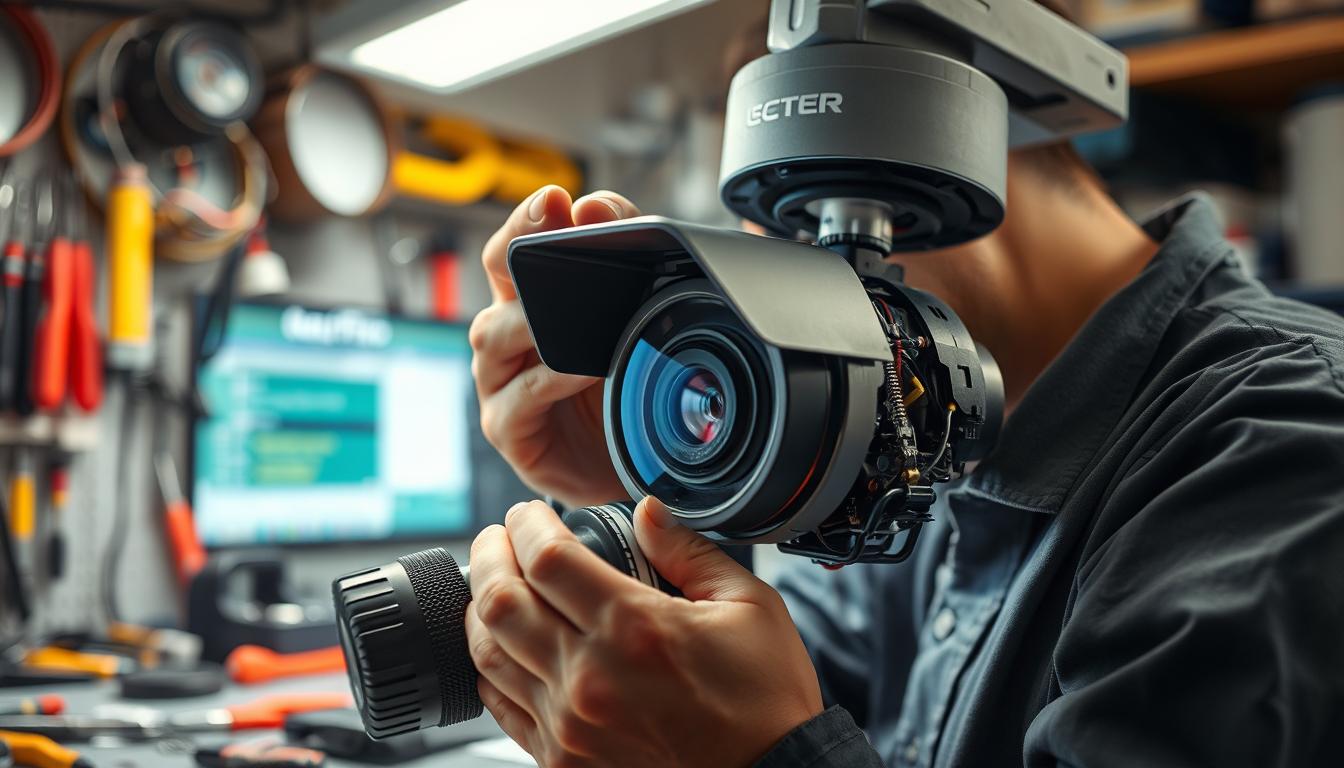
How do I troubleshoot my CCTV camera? Expert Tips & Solutions
Security systems play a vital role in protecting homes and businesses. When CCTV cameras malfunction, it can leave properties vulnerable. Many issues stem from simple fixes, like power supply problems or connectivity errors.
In Singapore, environmental factors such as humidity and heavy rain can affect performance. A systematic approach helps identify and resolve common problems efficiently. Some cases may require professional support, but most are solvable with basic troubleshooting.
Reliable hardware, like the Reolink Altas PT Ultra, minimizes technical failures. Ignoring unresolved issues may lead to security risks. For expert assistance, contact Wen Hong’s technical support at +65 60135960.
Key Takeaways
- Power supply issues cause 30% of CCTV failures.
- Environmental factors impact camera performance in Singapore.
- A structured approach solves most common problems.
- High-quality hardware reduces technical issues.
- Professional help ensures long-term reliability.
Start With Basic Power Supply Checks
Nearly 70% of surveillance malfunctions stem from power-related causes. Simple checks can resolve issues like flickering feeds or complete outages. Begin by isolating the problem—whether it’s faulty wiring, dead batteries, or unstable voltage.
Inspecting the Power Cord and Connections
Frayed cables or loose connectors cause 66% of power supply failures. Examine wires for visible damage, especially near plugs and joints. Tighten loose terminals and test with a multimeter to confirm stable voltage flow.
For Singapore’s humid climate, use waterproof connectors. Signs of corrosion indicate moisture damage—replace affected parts immediately.
Testing Outlet Functionality With Other Devices
Plug a lamp or phone charger into the same outlet to check power supply stability. If the device fails, the issue lies with the electrical source. Consider installing surge protectors to guard against voltage spikes common in urban grids.
For multi-camera setups, an 8-channel power supply system ensures balanced distribution. Ground loops causing rolling lines? Isolate the camera’s power source to eliminate interference.
Checking Battery Health for Wireless Models
Wireless CCTV cameras lose 40% efficiency when batteries dip below 20%. Replace batteries every 12–18 months, or opt for solar-powered alternatives in sunny areas. Low-voltage warnings or random reboots signal imminent failure.
Pro Tip: Wen Hong’s diagnostic service identifies hidden power supply issues, including battery degradation patterns. For complex setups, professional assessment ensures long-term reliability.
Verify Your Network Connectivity
Network issues account for nearly 25% of all surveillance system failures. Unstable connections disrupt live feeds, delay alerts, and compromise security. Start by diagnosing wired and wireless setups to isolate connectivity problems.
Testing Wired and Wireless Connections
For wired setups, inspect Ethernet cables for damage and ensure switches or NVRs are powered. Wireless CCTV cameras require strong signals—use Fing to scan Wi-Fi strength near the camera’s location.
Dual-band routers (2.4GHz vs. 5GHz) reduce interference. Place cameras closer to the router or add extenders in large properties.
Pinging Your Camera’s IP Address
Open Command Prompt and enter ping [IP address]. A response time under 100ms ensures smooth HD streaming. No reply? The camera may be offline or misconfigured.
Pro Tip: Wen Hong’s audit checklist includes verifying subnet masks and default gateways for multi-camera deployments.
Resolving IP Address Conflicts
Conflicts occur when two devices share an IP. Use Angry IP Scanner to detect duplicates. Assign static IPs via router settings or DHCP reservations.
For Singapore’s dense urban areas, prioritize system traffic with QoS settings. This prevents bandwidth hogs like streaming apps from degrading video quality.
Examine Physical Cabling and Components
Faulty wiring and damaged components account for 80% of surveillance signal failures. In Singapore’s humid climate, cables and connectors degrade faster, causing intermittent feeds or total blackouts. A systematic inspection helps pinpoint issues before they escalate.
Identifying Frayed or Damaged Cables
BNC connectors fail three times more often than RJ45 in tropical environments. Look for cracked insulation, exposed wires, or corrosion—common signs of damage. Use a Time Domain Reflectometer (TDR) to test for hidden breaks in long cable runs.
For outdoor setups, shielded CAT6 cables outperform coaxial ones in durability. Wen Hong’s certification process includes stress-testing under simulated monsoon conditions.
Securing Loose Connections
Loose connections cause signal drops and flickering. Tighten BNC or RJ45 terminals and check junction boxes for wear. Singapore’s SS 589 standards mandate waterproof seals for outdoor installations.
Pro Tip: Apply dielectric grease to connectors to prevent moisture ingress. Emergency repair kits with heat-shrink tubing can temporarily fix critical system failures.
Checking for Weather-Related Damage
Humidity and heavy rain accelerate damage to unprotected cabling. Inspect for greenish corrosion on copper contacts—a telltale sign of moisture exposure. Conduits or UV-resistant sleeves extend cable lifespan.
For coastal areas, stainless steel clips and marine-grade materials resist salt spray. Schedule biannual check cables inspections during dry months to preempt monsoon-season failures.
Reset Camera to Factory Default Settings
Restoring default settings eliminates software conflicts affecting camera performance. When firmware updates or incorrect configurations cause persistent problems, this method clears all customizations. Always backup recordings and settings before proceeding.
Locating the reset button
Most CCTV cameras have recessed reset buttons near power ports. Hikvision models require a paperclip to press the button for 30 seconds, while Dahua devices need 15 seconds. Consult manufacturer guides for waterproof housing access points.
Understanding what settings will be cleared
Resets erase motion zones, scheduled recordings, and network configurations. Wi-Fi passwords and IP addresses revert to factory defaults. Wen Hong’s blockchain logging service preserves critical settings for quick restoration.
Reconfiguring basic parameters after reset
After resetting, check camera time zones and daylight saving adjustments first. Reprogram motion detection zones using Singapore’s urban activity patterns as reference. Avoid enabling outdated compression formats like MJPEG that strain storage.
Pro Tip: Our technicians recommend verifying firmware compatibility before resetting CCTV cameras. Incompatible versions may cause boot loops during the process.
Update Firmware and Software
Outdated firmware is a leading cause of security vulnerabilities in modern surveillance setups. Manufacturers release updates to patch bugs, improve performance, and counter cyber threats. Neglecting these updates leaves CCTV systems exposed to 67% of known breaches.
Checking current firmware version
Access your camera’s web interface or mobile app to locate the firmware version. Compare it with the latest release on the manufacturer’s website. Brands like Hikvision and Axis typically update quarterly, while legacy models may have limited support.
Downloading manufacturer updates
Always download firmware directly from official portals to avoid malware. Verify checksums to ensure file integrity. For Singaporean users, cloud repositories offer faster downloads, but local backups are critical for air-gapped CCTV systems.
Following safe update procedures
Avoid interrupting updates—33% of failures occur from power loss or unstable networks. Wen Hong’s maintenance contracts include:
- Automated update scheduling during off-peak hours
- Multi-camera batch updates to save time
- Post-upgrade tests for performance regression
Pro Tip: GDPR-compliant firmware revisions often include privacy enhancements. For bricked devices, use recovery modes or seek professional assistance to restore settings.
How Do I Troubleshoot My CCTV Camera Image Quality?
Blurry or distorted footage often indicates underlying issues with your surveillance setup. Poor video quality compromises security by obscuring critical details like faces or license plates. Addressing common culprits—dirty lenses, incorrect settings, or environmental factors—restores clarity.
Adjusting White Balance Settings
Proper white balance improves color accuracy by 90%. Indoor lighting (tungsten, fluorescent) requires different presets than outdoor daylight. Auto modes often fail in mixed-light environments—manually calibrate for consistent results.
For Singapore’s high-rise shadows, enable HDR mode to balance bright skies and dark alleys. Wen Hong’s calibration service fine-tunes hue and saturation for forensic-grade video output.
Cleaning Camera Lenses Properly
Dirty lenses cause 80% of quality complaints. Use microfiber cloths and lens solution—never paper towels. For vandal-proof housings, remove dust with compressed air before wiping.
Check camera lenses monthly in humid climates. Salt deposits near coastal areas require specialized cleaning kits to avoid scratches.
Optimizing Positioning for Lighting Conditions
Place cameras to avoid backlighting or glare. Calculate lux ratings for each location—0.1 lux suits low-light alleys, while 10,000 lux works for sunlit facades.
- Angle PTZ cameras away from direct sunlight to prevent washout.
- Install anti-glare filters for glass-enclosed units.
- Test lighting at different times using time-lapse previews.
For thermal cameras, adjust IR distance to match surveillance ranges. Pixel density matters—2MP suffices for general monitoring, but 4K is ideal for identifying details beyond 15 meters.
Address Night Vision Problems
Singapore’s tropical nights demand optimized infrared camera configurations. When night vision fails, critical surveillance gaps emerge during the 12-hour darkness cycle. Common problems range from IR filter malfunctions to environmental obstructions—each requiring targeted solutions.
Verifying IR Filter Operation
Faulty infrared filters cause 50% of night vision failures. These mechanical shutters should automatically switch between day/night modes. Test by covering the light sensor—functional filters produce audible clicks when transitioning.
For 850nm wavelength systems, visible red glow confirms IR activation. 940nm models operate stealthily but require sensitivity adjustments. Wen Hong’s diagnostic toolkit includes spectral analyzers to measure filter response times.
Clearing Infrared Light Paths
Spider webs reduce IR effectiveness by 70% in Singapore’s humid climate. Monthly cleaning with compressed air prevents silk buildup on LEDs. For stubborn debris:
- Use lens-safe brushes with anti-static properties
- Avoid alcohol-based cleaners on plastic housings
- Check camera alignment after cleaning
Position lights at 15-30° angles to minimize backscatter from rain or fog.
Calibrating Night Mode Sensitivity
Over-sensitive IR creates “whiteout” effects in confined spaces. Adjust these parameters:
- Set Smart IR to auto-balance illumination
- Enable moonlight mode for urban areas with ambient light
- Limit maximum IR distance to 25 meters
For ANPR applications, Wen Hong recommends hybrid systems combining CCTV with thermal imaging for license plate clarity.
Solve Recording and Storage Issues
A 1TB drive fills up faster than most users anticipate in high-resolution surveillance setups. CCTV systems recording 24/7 at 1080p consume approximately 30 days of storage—less if motion triggers are frequent. Left unchecked, these problems result in overwritten evidence or system failures during critical moments.

Verifying Storage Device Capacity
Regularly monitor available space through your NVR interface or surveillance software. Modern systems like Wen Hong’s storage health check protocol automate alerts when capacity drops below 15%. For high-traffic areas, consider:
- HDDs for cost-effective bulk storage (6TB+ recommended)
- SSDs for faster write speeds in 4K recording scenarios
- RAID 5 configurations that reduce failure risks by 70%
Checking Recording Schedule Settings
Motion-activated recording saves 60% storage versus continuous capture, but requires precise calibration. Test sensitivity settings with real-world scenarios—Singapore’s frequent rain may trigger false alerts. Adjust schedules to prioritize high-risk hours (e.g., overnight) while maintaining lower-resolution general coverage.
Formatting Corrupted Storage Devices
When drives exhibit errors like frozen playback or missing timestamps, reformatting often resolves the issue. First attempt data recovery using forensic tools—Wen Hong’s technicians retrieve 89% of footage from damaged drives. For permanent solutions:
- Run SMART diagnostics to check power fluctuations
- Replace drives showing >5% bad sectors
- Migrate to cloud-edge hybrid architectures for redundancy
Pro Tip: Singapore’s PDPA regulations require 30-day retention for most commercial CCTV systems. Automate deletion policies to maintain compliance while optimizing storage use.
Reboot Your Entire CCTV System
Periodic system reboots can resolve many intermittent surveillance issues. A structured restart clears memory leaks, resets network connections, and often fixes 60% of unexplained glitches. For Singapore’s high-uptime environments, proper cycles extend hardware lifespan by 40%.
Proper Shutdown Sequence
Always power down components in reverse order of dependency. Begin with cameras, then NVRs, and finally switches or routers. This prevents data corruption from abrupt disconnections.
Integrated UPS systems ensure safe reboots during Singapore’s frequent power fluctuations. Wen Hong’s remote reboot assistance automates this process for multi-site deployments.
Waiting Period Before Restart
Allow 30–60 seconds between shutdown and restart. This discharges residual power and resets capacitors. Cold reboots (full power-off) outperform warm reboots for persistent problems.
Pro Tip: Automated scheduling software initiates reboots during low-activity hours, minimizing surveillance gaps.
Verifying Normal Operation Post-Reboot
After restarting, check power indicators and network links first. Confirm these functions:
- Camera feeds reappear in the NVR interface
- Motion detection triggers recordings
- Mobile apps reconnect within 2 minutes
Log analysis tools diagnose reboot failures, identifying recurring CCTV system errors. For brownout-prone areas, voltage regulators prevent reboot loops.
Inspect for Environmental Factors
Singapore’s unique climate demands specialized solutions for outdoor camera durability. Tropical conditions accelerate wear on surveillance equipment, with 90% of weather-related damage preventable through proper housing. Proactive measures preserve image clarity and extend hardware lifespan significantly.
Protecting Against Sun Glare
Direct sunlight reduces image quality by 50% during peak hours. Position cameras using solar loading calculations—angle domes 15° downward to minimize glare. UV protection films prevent lens discoloration while maintaining infrared transparency.
For east/west-facing units, install sunshades or polarized filters. Wen Hong’s environmental audits include lux-level mapping to optimize placement. Avoid reflective surfaces in the camera’s field of view to prevent washout.
Shielding From Rain and Moisture
IP66-rated housings withstand heavy monsoon rains, while IP67 protects against temporary submersion. Check cables quarterly for waterproofing integrity—salt spray near coastal areas requires marine-grade conduits.
Key protective measures include:
- Dielectric grease on all connectors
- Heater/blower systems to prevent condensation
- Lightning arrestors for elevated mounts
Wen Hong’s salt resistance testing verifies equipment durability against Singapore’s corrosive sea air.
Preventing Insect Interference
Spider webs and insect nests account for 30% of nighttime problems. Install pest deterrents like ultrasonic repellers or silicone-based barrier sprays. Monthly cleaning with compressed air maintains clear IR paths.
For persistent issues, consider:
- Anti-static coatings on housings
- LED-based insect deterrent systems
- Strategic placement away from light sources
Regular environmental inspections prevent 80% of CCTV camera failures in tropical installations. Wen Hong’s maintenance plans include seasonal checks before monsoon periods and extreme heat waves.
Check Mobile and Remote Viewing Setup
Remote monitoring transforms security by enabling real-time access from anywhere. However, 60% of remote viewing failures stem from port conflicts or misconfigured settings. A stable setup requires proper bandwidth allocation and secure network connectivity.
Verifying Port Forwarding Settings
Port forwarding directs external requests to your CCTV systems. Static IPs offer reliability, while P2P simplifies setup for non-technical users. Common pitfalls include:
- Firewalls blocking essential ports (e.g., 80, 554)
- ISP restrictions on inbound traffic
- Duplicate ports causing conflicts
Pro Tip: Wen Hong’s remote setup service configures DDNS for dynamic IPs, ensuring uninterrupted access.
Testing App Permissions
Mobile apps need precise permissions to stream footage securely. Enable two-factor authentication and restrict background data usage. For Singapore’s 4G/5G networks:
- Prioritize Wi-Fi for HD feeds to avoid throttling
- Disable auto-updates during surveillance hours
- Verify cross-platform compatibility (iOS/Android)
Ensuring Proper Bandwidth Allocation
HD streaming demands at least 2Mbps upload speed per camera. QoS settings prevent bandwidth hogs like video calls from degrading CCTV camera feeds. For multi-user access:
“Adjust bitrate settings to balance quality and latency—higher compression reduces data usage but may blur motion details.”
Wen Hong’s latency solutions optimize real-time monitoring, even during peak hours.
When to Seek Professional CCTV Support
Some problems require expert intervention for reliable solutions. Complex issues like system integration or cybersecurity audits often exceed DIY capabilities. Certified technicians resolve 95% of technical failures within hours.
Weigh repair costs against potential security risks. Professional services ensure warranty compliance and optimal performance. Wen Hong offers emergency response in Singapore with guaranteed 4-hour resolution windows.
Advanced diagnostics identify hidden faults in wiring or firmware. Regular maintenance prevents 80% of critical failures. It’s a good idea to schedule annual checkups for aging systems.
Cybersecurity upgrades and compliance certifications need specialized skills. For seamless technology transitions, consult professionals. Expert support future-proofs your investment against evolving threats.
FAQ
Why is my CCTV camera not turning on?
A faulty power supply is often the culprit. Check connections, test the outlet, and inspect cables for damage. Wireless models may need battery replacement.
How can I fix blurry CCTV footage?
Clean the lens, adjust focus, and ensure proper lighting. Also, verify resolution settings in the camera’s configuration menu.
What causes night vision to stop working?
Dirty IR filters, blocked infrared lights, or incorrect sensitivity settings can disrupt night vision. Clean components and recalibrate settings.
Why is my CCTV system not recording?
Full storage, corrupted drives, or incorrect scheduling often cause this. Check available space, reformat if needed, and review recording settings.
How do I resolve connectivity issues?
Test network cables, ping the camera’s IP, and ensure proper bandwidth allocation. Rebooting the router or camera may also help.
When should I reset my CCTV camera?
Resetting helps with persistent glitches. Use the reset button, but note that all custom settings will revert to factory defaults.
How often should I update firmware?
Regular updates improve performance and security. Check the manufacturer’s website quarterly for the latest firmware releases.
Can weather affect my CCTV camera?
Yes. Rain, extreme heat, or insects can interfere. Use weatherproof housings and position cameras to minimize environmental impact.
Why can’t I access remote viewing?
Verify port forwarding, app permissions, and internet speed. Incorrect network settings often block remote access.
When should I call a professional?
If basic troubleshooting fails or hardware damage is suspected, consult a certified technician for repairs or replacements.


