
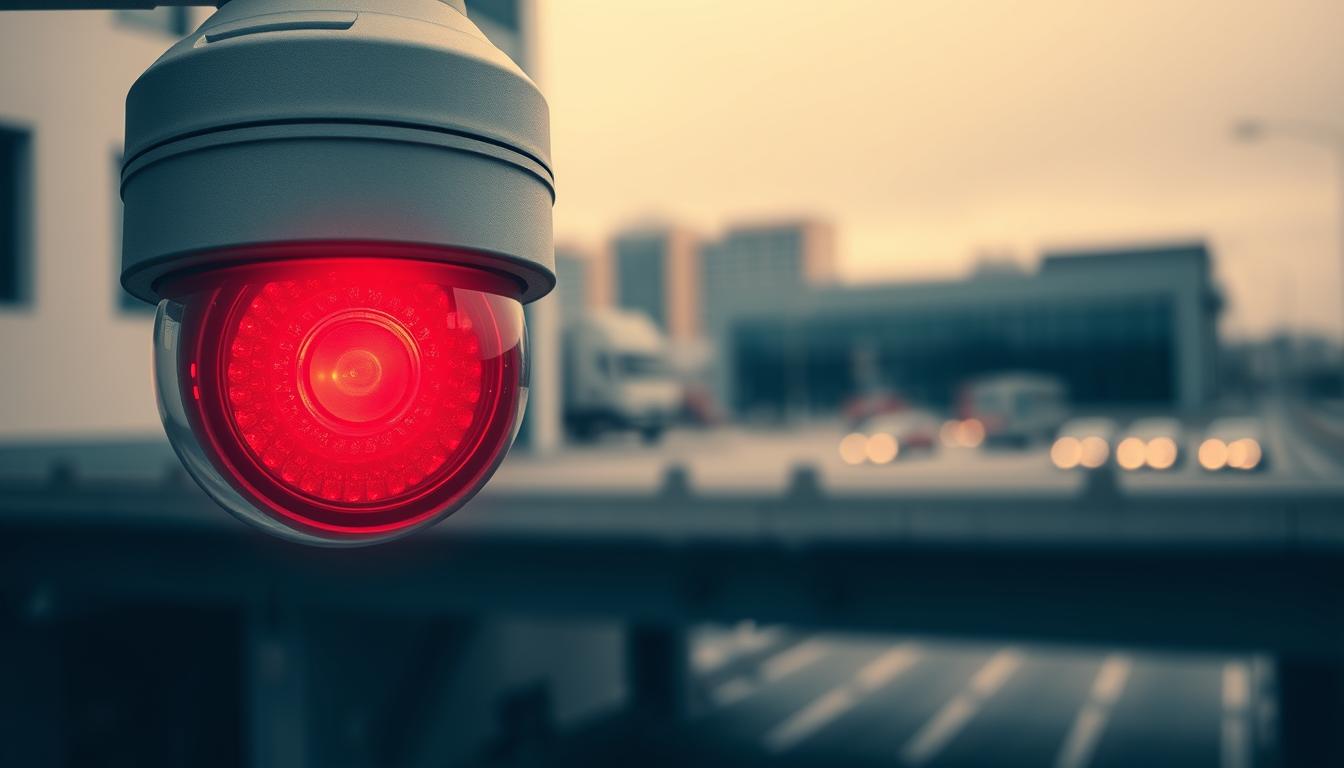
Red Light on Camera: Is it Recording?
You see a glowing red light on a device. Your first thought is likely that it’s actively capturing video. This common assumption links that small indicator directly to a camera recording. But in our tech-driven world, the truth is more nuanced.
From advanced home security camera systems to public CCTV networks, these devices are everywhere. Understanding their status signals is crucial for personal privacy and security awareness.
The meaning of that red light can vary wildly. It depends on the brand, model, and purpose of the camera. Modern technology has evolved beyond simple warnings.
For instance, some devices use it to show power, while others indicate active surveillance. Knowing how your gear works is more important than ever in today’s monitored environment.
This article will guide you through the complexities. We’ll explore device-specific meanings, the history behind these indicators, legal implications, and how to spot fake cameras. Whether you’re in Singapore or anywhere else, this knowledge is practical and empowering.
Key Takeaways
- A glowing red indicator on a camera does not always mean it is actively recording.
- Camera status lights vary significantly between different brands and models.
- Understanding these signals is essential for privacy and security in both homes and public spaces.
- Technology has evolved, so a red light can signify power, system errors, or network activity, not just recording.
- Being able to interpret device indicators helps you navigate a world filled with surveillance systems.
- Distinguishing between real and fake security cameras often involves looking at more than just a light.
- Practical knowledge of how cameras work is valuable for tech-savvy individuals everywhere.
The Short Answer: Does a Red Light Mean a Camera is Recording?
A persistent crimson glow on a lens often triggers a specific assumption about activity. The straightforward response is: frequently, but not always. A steady red light typically signifies active operation or a state of readiness. However, this rule has many exceptions depending on the gadget’s design and purpose.
Your interpretation must consider the device type and its context. Modern tech uses these visual cues in various ways.
Common Interpretations Across Devices
For many common security cameras and webcams, a solid red indicator is the default signal. It tells you the device is actively capturing video or is armed and ready to do so. This is a standard feature in consumer surveillance gear.
Infrared IP security camera models provide a classic example. In darkness, you may see small red lights around the lens. These are the infrared LEDs activating for night vision. Their glow confirms the unit is on and functionally monitoring.
As one source notes, “A solid red light on security camera in low-lit environments means that a real security camera is on.” This is a reliable clue that you are observing a functioning device, not a dummy unit.
When a Red Light Indicates Other Statuses
Not every glowing red dot points to an ongoing camera recording. Many devices use this color for different status messages. Understanding these exceptions prevents misinterpretation.
- Power On: The light may simply show the unit has electricity, even if it’s in standby mode.
- Network Activity: For IP cameras, a red LED can flash during data transfer, indicating connectivity.
- System Status: Some models use a red glow to signal an error, low battery, or a firmware update in progress.
A critical point of confusion is that not all CCTV systems consistently exhibit this indicator. Some professional setups have no visible light at all during operation for discretion.
Furthermore, a blinking red light often carries a different meaning than a steady one. It could indicate setup mode, a failed connection, or a system alert. For a deeper look at these patterns, consider what a blinking red light might signal on your specific system.
Always check the user manual for your specific model. The context—whether at home, in an office, or on public CCTV—is the ultimate key to decoding the signal correctly.
More Than a Warning: The Significance of Camera Indicators
Indicator lights serve as a silent language between technology and its user. These small visual cues convey vital information about a device’s operational state. They move far beyond a simple alert for active capture.
Understanding this language is crucial for anyone interacting with modern security and recording gear. As one source notes, “Red light indicators are key for showing if devices are working or not.” This statement highlights their fundamental role in system verification.
Primary Functions of Status Lights
These visual signals perform several core jobs. Each function provides a specific piece of information to the observer.
- Power Confirmation: A steady glow often means the unit is on and receiving electricity, even in standby mode.
- Active Recording: For many models, a solid red light confirms video or audio capture is happening.
- Network Activity: Flashing patterns can show data transfer, indicating Wi-Fi or internet connectivity.
- System Health: Certain colors or blink sequences signal errors, low battery, or firmware updates.
- Night Vision Activation: Infrared LEDs emit a faint red glow in darkness, showing the camera is in low-light mode.
This range of status messages turns a simple LED into a versatile communication tool. It offers instant feedback on the health and activity of your system.
How Indicators Enhance User Awareness and Security
Visible indicators promote transparency in surveillance environments. They inform people they are in a monitored area. This knowledge can deter unwanted behavior and enhance public safety.
There is also a legal and ethical dimension. Many jurisdictions have laws requiring visible recording signals. These rules ensure compliance with privacy standards. They make sure individuals are aware they are being recorded.
For device owners, these lights are essential for troubleshooting. A missing or unusual light pattern is often the first sign of a malfunction. Checking the indicator is a quick diagnostic step.
As another source confirms, “Camera indicators are key to knowing if security cameras are working right.” This applies to both the user and the public. Understanding these signals is a fundamental part of responsible ownership and security awareness.
A Brief History: From Studio “On Air” to Modern Surveillance
That small red dot on a modern device carries a legacy from the golden age of radio and television. Its journey from a professional studio command to a common security feature explains its powerful association with activity. Understanding this evolution helps clarify why we instinctively look for that glow.
The color red was chosen for its high visibility and universal warning connotations. This history shows how professional signals were adapted for mass consumer use.
The Traditional “Do Not Disturb” Signal
Inside broadcast studios, a illuminated red light above a door was a strict, universal command. It signaled that a live broadcast or sensitive recording was in progress. The message was clear: do not enter and remain silent.
“In studios, red lights meant ‘Do Not Disturb’ during important recording times.”
This established red as the authoritative color for an active, critical process. It protected the integrity of live audio and video productions. The convention trained a generation of technicians and performers.
That single, glowing indicator managed human behavior to protect technology. It created a powerful mental link between the color red and a sensitive, ongoing operation. This psychological association would later travel far beyond the studio walls.
Evolution into Consumer and Security Tech
As technology entered homes, these professional cues followed. Early consumer video recorders (VCRs) often featured a small red light when taping. This was a direct translation of the studio “on-air” signal for everyday people.
The rise of electronic security and surveillance provided the next major expansion. Manufacturers of security cameras and CCTV systems adopted the red indicator. It served a dual purpose: showing the device was active and providing a visual deterrent.
This was a logical progression. The camera was performing the critical function of recording, much like a studio broadcast. The light confirmed its operational state to users and warned subjects.
Miniaturization and networking changed the indicator’s role again. In modern IP cameras and smart devices, the same red lights can signal many statuses. These include network connectivity, motion detection, or data uploads.
For example, a blinking pattern might mean the camera is connecting to Wi-Fi, not necessarily capturing video. This evolution reflects broader tech trends where single-purpose signals become multi-functional.
This history creates the core confusion we see today. The strong associative meaning from its origins persists. Yet, the actual function in modern systems has diversified to meet new needs. Recognizing this difference is key to accurate interpretation.
How Red Lights Function in Different Camera Systems
To decode a camera’s light, you must first identify its system type. The underlying technology and design philosophy dictate how visual indicators behave. A red light on a vintage wired CCTV unit communicates something entirely different than on a modern wireless security camera.
This difference is crucial for accurate interpretation. We’ll break down the major systems to clarify what you’re actually seeing.
In Traditional Wired CCTV Systems
These classic surveillance setups often prioritize discretion. Many professional CCTV cameras have no external status lights at all. Their goal is unobtrusive monitoring.
When a red light is present, its meaning is typically basic. As one source notes, “Wired security cameras often have a solid red light to show they’re ready.” This usually indicates the system is powered and operational.
It does not guarantee active recording at that exact moment. The camera could be in a standby or idle state. The light confirms the hardware is online and part of a live security network.
In Modern IP and Wireless Security Cameras
These smart devices use LEDs as multi-purpose status panels. A single light can convey several messages. Understanding the pattern is key.
- Booting Up: A blinking red light may signal the camera is initializing.
- Network Connection: A specific flash pattern often means it’s linking to your Wi-Fi.
- Active Recording: A steady glow can mean video capture is happening.
- System Error: A different colored or rapid blink may indicate a problem.
Here’s a critical point: the color for recording isn’t always red. The same source clarifies, “…wireless cameras might use blue to mean recording.” This debunks a common assumption.
A steady crimson glow, as another source states, means “a camera is working and might be recording.” The word “might” is important. It could also signify other processes.
The Role of Infrared LEDs in Night Vision
This is a major source of confusion. The faint red glow seen around a lens in darkness is not a recording indicator. Those are infrared (IR) LEDs.
They provide invisible light that the camera’s sensor uses to see in the dark. Their faint red hue is a side effect. As noted, “If it’s an infrared IP security camera, you are able to see small red lights around the lens… when this security camera is on.”
These lights are always illuminated in night vision mode. Their presence confirms the camera is powered and its low-light function is active. It doesn’t directly confirm video capture, though the unit is functional.
A simple test exists. Briefly block the ambient light sensor with your hand. If you see those small red lights turn on, you’ve confirmed a working security camera with night vision capability.
By understanding these system differences, you can better identify the technology you’re observing and what its signals truly mean.
Device-Specific Meanings: Not All Red Lights Are Equal
A red indicator on a baby monitor communicates something entirely different than on a dash cam. Everyday gadgets use visual signals in unique ways. Understanding these differences is key to accurate interpretation.
Common devices with these indicators include security cameras, smart home products, and computers. Each has its own programmed language.
This guide breaks down what you’re likely seeing on three widespread camera types. Always check your manual for the final word.
Home Security and Baby Monitors
For modern home security cameras, a solid crimson glow often means live streaming or video capture is active. It confirms the unit is online and monitoring your space.
Baby monitors frequently use a similar light. It can show the camera is broadcasting a feed to the parent unit. Sometimes, it also indicates two-way audio is enabled.
This brings a crucial legal point. Consent laws for audio recording are often stricter than for video. As one source notes, “Please know that state laws would have strict legislation on audio recording.”
Always understand your local laws before enabling sound capture. This is vital for compliance and ethical use.
Webcams and Laptop Cameras
The small red light next to a laptop lens is a powerful privacy indicator. When lit, it means the camera sensor is active and in use by an application.
This is a strong visual cue that software is accessing the hardware. You should investigate which program is using it.
Not all models use red. Some employ a green light or provide no visible status signal at all. Knowing your specific device’s behavior is essential for digital security.
Automotive Dash Cams
In your car, a dash cam’s red light has a straightforward purpose. A steady glow typically means the unit is powered on and recording onto its memory card.
Pay attention to blinking patterns. A blinking red light often means recording is in progress during a drive. It can also signal a problem, like a full or faulty memory card.
This immediate visual feedback lets drivers know their journey is being documented. It provides peace of mind for safety and evidence.
As you can see, a single color conveys many messages. A blinking light could mean “arming” on one camera and “error” on another.
This section serves as a quick-reference guide. Use it to make an informed first assessment of the cameras you encounter daily.
Red Light Cameras: A Special Case for Traffic Enforcement
Automated traffic systems represent a special category. Here, the phrase “red light” refers to the trigger, not the device’s status. This creates a common point of confusion in discussions about surveillance.
These cameras use technology for public safety, not personal security. Their sole purpose is to catch vehicles that run red lights. As one source notes, “Red light cameras are key in keeping traffic safe. They snap photos of cars that run red lights.”
Another source confirms their role extends beyond just capture. “Red light cameras are for catching vehicles that run red lights. They also issue tickets and watch traffic behavior.” This makes them a core part of modern traffic law enforcement.
Understanding this distinction is crucial for drivers. It separates public infrastructure from private security cameras.
How Traffic Red Light Cameras Function
These systems are triggered by a vehicle’s action, not by a glowing light on the camera itself. Sensors are embedded in the road surface at an intersection.
They detect a car’s speed and position the moment the traffic signal turns red. If a vehicle enters the intersection after this point, the system activates.
The enforcement camera then captures clear photographic or video evidence. This evidence includes the license plate, date, and exact time of the violation.
A key technical point is the flash. These devices often use a bright white flash to illuminate the scene at night. This is not a constant red status indicator.
The flash ensures the evidence is usable for issuing a violation notice. This process is fully automated and designed for accuracy.
Legal Implications and Fines in Singapore
In Singapore, the laws surrounding these cameras are strict and well-enforced. Being caught by a red light camera results in significant penalties.
Drivers face a substantial fine. They also receive demerit points on their driving license. Accumulating too many points can lead to license suspension.
The local authorities are continuously upgrading this tech. As reported, “In Singapore, they’re planning to add speed cameras to red lights to make roads safer.”
This integration creates dual-function systems. They will detect both red-light running and speeding violations at intersections.
For the public, this evolution means increased enforcement. It highlights the importance of obeying all traffic signals. The legal and financial consequences are designed to deter dangerous driving behavior.
Knowing how these systems work provides clear options for people: obey the law and avoid penalties. This information is vital for anyone driving in the city-state.
Decoding the Flash: Blinking vs. Steady Red Lights
Interpreting a camera’s status goes beyond just seeing a red glow. The pattern of that glow is the critical detail. A steady beam and a flashing one send completely different signals.
Understanding this difference turns a simple indicator into a precise diagnostic tool. It helps you know if a security camera is actively working or if it needs your attention.
What a Steady Red Light Typically Signifies
A solid, unchanging crimson glow is the most direct visual cue. In most security systems, it strongly suggests continuous activity.
As noted in source data, “A steady red light means recording is happening.” This is the classic association for many models. It tells you the device is capturing video without interruption.
This steady state can also mean the unit is armed and ready. It sits in a stable, vigilant mode, prepared to begin camera recording upon detecting motion or another trigger.
For the user, a solid light provides confidence. It confirms the system is online and performing its primary function. There’s no ambiguity about its operational readiness.
Interpreting Different Blinking Patterns
A flashing light is not a single message. Its rhythm and speed convey specific information. You must learn this visual language.
A slow, rhythmic blink often indicates a transitional status. Common examples include the camera booting up, connecting to Wi-Fi, or standing by in motion detection mode.
It means the device is processing or waiting, not necessarily capturing footage. This aligns with the source note that a flashing red light “usually shows standby or processing.”
A rapid or irregular blink pattern is frequently a diagnostic alert. It signals an error that needs fixing.
- Network Failure: The camera cannot connect to your router or the internet.
- Storage Problems: The SD card is full, corrupted, or missing.
- Firmware Issues: A software update may have failed or is required.
Brands like Blink use specific blink codes for troubleshooting. Checking your manual for these patterns is essential for quick fixes.
Blinking Lights as a Sign of Fault or Setup
When you see a blinking red glow, consider two main possibilities. It could be a technical fault, or the device might be in a special mode.
First, treat it as a potential warning. The irregular flash asks you to investigate. Check connections, power, and storage before assuming normal function.
Second, understand that blinking can mean setup. Many devices enter a pairing or configuration mode signaled by a flashing indicator. Your user guide is the key here.
There is a crucial third point, especially for assessing surveillance. The source data reveals an important clue: “Older fake security cameras have a blinking red light, while real types don’t.”
Many older dummy units use a blinking red light to simulate activity. It’s a cheap trick to create the illusion of a working security camera.
In contrast, real, professional-grade security cameras often avoid blinking recording lights. They aim for discretion. A steady glow or no visible light at all is more common.
This distinction is vital for anyone evaluating cameras in a home or business. A constantly flashing indicator might be a sign of a fake, not a fault.
Always cross-reference the light’s behavior with the device’s manual. Knowing if a blink means “error,” “pairing,” or “fake” empowers you to respond correctly.
A Key Distinction: Spotting Real vs. Fake Security Cameras
A camera mounted on a wall isn’t always the vigilant sentry it appears to be. The market offers both genuine security cameras and convincing dummy units. Knowing how to tell them apart is a practical skill for any homeowner or business manager.
This knowledge helps you make smart purchases. It also lets you accurately assess the security level of any property you enter.
Indicator Light Clues: Steady vs. Blinking
Visual indicators provide the first major clue. A steady glow, often from infrared LEDs in low light, suggests a real, powered device. It shows the unit is functional and likely monitoring.
In contrast, a conspicuous, periodic blinking red light is a common trait of cheaper decoys. As noted, “Older fake security cameras have a blinking red light, while real types don’t.”
This blinking is designed to mimic activity. It’s a cheap trick to create the illusion of a working system. A constantly flashing light should raise your suspicion.
Remember, a solid red light can mean the unit is on and ready. For more on what an active indicator might mean, consider if the camera light is red.
Checking for Wires and Power Sources
Real devices need electricity. Physically inspect the housing for cables. Even “wireless” models require a power cord or battery connection.
Professional CCTV setups often use Power over Ethernet (PoE). Look for Cat 5 or Cat 6 cables running to a router or switch. The absence of any wires entering the housing is a strong sign of a fake.
Dummy units are typically hollow shells. They lack the internal components needed for actual operation. No power source means no surveillance.
The Importance of Brand and Build Quality
Examine the camera housing for a brand name or model number. Reputable manufacturers like Hikvision or Axis clearly mark their products. Perform a quick online search for the brand you find.
Authentic security cameras use durable materials. They feel solid and often have weatherproofing seals. The lens is usually made of clear, quality glass.
Fake cameras are often made of lighter, cheaper plastic. Details may look painted on. The build quality feels flimsy and not built to last outdoors.
By combining these checks—light behavior, wiring, and physical inspection—you can confidently identify a device’s true purpose. This empowers you to invest in real protection and see through simple deterrents.
Privacy and Awareness: Concerns About Recording Indicators
Visible camera lights do more than signal status. They trigger psychological responses about observation. This creates a complex space where security needs meet personal privacy concerns.
For many people, that small glow is a direct line to anxiety. It represents the potential for unseen monitoring in daily life.
The Feeling of Being Watched
A glowing indicator can create an immediate sense of exposure. This feeling is backed by data. Recent surveys show a significant public worry.
“85% are worried about devices showing they’re recording or live viewing.”
This statistic highlights a common modern tension. Users appreciate security cameras for protection. Yet, they fear the same tech could be used against them.
One specific fear involves unauthorized access. Hackers gaining control of a home system could activate devices remotely. A red light turning on unexpectedly would be a chilling signal of this breach.
This psychological impact is a key part of the discussion. Understanding it helps design more ethical surveillance practices.
Legal Requirements for Visible Indicators
Legal frameworks exist to balance monitoring with individual rights. In many places, including Singapore, laws govern surveillance activities.
Covert recording in private areas is typically illegal. Bathrooms, changing rooms, and hotel rooms are clear examples. Using hidden cameras there violates privacy and can lead to severe penalties.
For semi-public or workplace settings, regulations often mandate visible notices. A clear signal, like a red light or a posted sign, may be required. This informs people they are in a monitored zone.
Knowing the laws on surveillance is key for camera system users. This knowledge protects both operators and those being recorded. It helps avoid significant legal pitfalls and ensures CCTV use is compliant and respectful.
Best Practices for Protecting Your Privacy
Proactive steps can mitigate privacy risks in a connected world. These practices empower you to control your own environment.
- Use Physical Covers: Place a sliding cover or sticker over laptop and webcam lenses when not in use. This blocks the lens physically, regardless of any indicator light.
- Audit Smart Home Devices: Be aware of status lights on smart speakers, security cameras, and baby monitors. Know what each color and blink pattern means for your model.
- Consider Electronic Detectors: For high-concern situations, small RF or lens-finder devices can scan for hidden transmitters or camera lenses. This offers peace of mind in unfamiliar spaces.
- Secure Your Network: Regularly update device passwords and firmware. Strong, unique passwords prevent unauthorized remote access that could activate your cameras.
Balancing security with privacy is an ongoing process. These simple, actionable ways put you back in control. They let you benefit from recording tech while safeguarding your personal space.
Beyond Recording: Other Functions of a Red Light
Beyond its common association, a camera’s red indicator can communicate various system states. Modern devices use these visual cues for multiple operational purposes. Understanding these roles prevents misinterpretation and aids in troubleshooting.
As source data confirms, “Red lights are used for many things, like alerting us to problems or showing when batteries are low.” This expands our view of what that glow represents. It’s not a single-purpose signal.
This section details the non-recording functions of these indicators. You will learn to decode status messages for better security management.
Power and Connectivity Status
A steady crimson glow often simply means the unit is on. It confirms the device is receiving electricity. This is true even if the camera is in standby or idle mode.
For network-connected IP models, the light takes on another role. It can show successful linkage to your Wi-Fi or a local server.
One source states, “IP cameras have a red light to show if they’re working or connected to Wi-Fi.” This connectivity is a prerequisite for recording but is distinct from it. The light confirms the network pathway is active.
In many systems, a solid red light means the camera is powered and online. It’s ready to perform its duties when triggered. This is a basic yet vital function of the indicator.
Low Battery or System Alert Warnings
Specific blinking patterns or color changes act as diagnostic alerts. These signals warn users about technical issues that need attention.
A change from green or blue to a solid red can be a system alert. It often points to a specific problem that requires fixing.
- Low Battery: Wireless security cameras may use a red blink to signal a depleted battery.
- Storage Failure: A full, corrupted, or missing SD card can trigger a warning light.
- Network Loss: The indicator might flash red if the connection to the router drops.
- Overheating: Some advanced models use this signal when internal temperatures are too high.
These alerts are crucial for maintaining your security camera system. They provide early warnings before a complete failure occurs. Recognizing these patterns helps you take swift corrective action.
Infrared Illumination for Night Vision
The faint red glow seen around a lens in darkness is often misunderstood. It is not a communicative status light. Those are infrared (IR) LEDs activating.
As noted, “If it’s an infrared IP security camera, you are able to see small red lights around the lens.” These LEDs emit light invisible to humans. The faint red hue is a side effect our eyes can perceive.
This illumination allows the camera sensor to see in low-light conditions. Its presence confirms the night vision function is active and working.
For example, when you walk into a dark room, you might see those small red lights turn on. This means the device has switched to its low-light mode. It is using infrared to monitor the area.
Distinguishing this from a recording indicator is important. The IR glow means the camera is powered and its night vision is engaged. It does not directly confirm video capture, though the unit is functional.
Understanding these diverse functions helps people accurately assess their tech. It turns a simple glow into a useful diagnostic tool for any CCTV or surveillance setup.
Clearing Up Confusion: Common Misunderstandings
Common myths surround the small lights on surveillance devices, leading to frequent misinterpretations. Many people develop firm beliefs about what these visual signals mean. This can create unnecessary worry or a false sense of security.
Our goal is to tackle these widespread assumptions directly. By debunking them, you gain a clearer, more accurate understanding of your security gear. This knowledge is practical for anyone using CCTV or other monitoring systems.
“No Light Means It’s Off” – Not Always True
One of the most persistent myths is that a dark lens equals a disabled camera. This is a dangerous assumption. Many professional security cameras are designed with no external indicators at all.
Their purpose is discreet surveillance. A lack of a glowing light does not confirm the unit is powered down. It could be fully operational and capturing video silently.
Furthermore, infrared LEDs are a key factor. These components emit light invisible to the human eye in most conditions. You cannot see the IR illumination used for night vision.
A lens that appears dark might actually be actively monitoring a low-light area. This is a critical difference to understand for accurate assessment.
Comparing Red to Blue, Green, and Other Colors
Interpreting camera status often involves decoding a color palette. While red lights are common, other hues carry specific messages. These are general trends, not universal rules.
Manufacturers use colors in various ways. Here is a comparative guide based on industry patterns:
- Red Light: Often signifies active operation, recording, a system error, or power. A blinking red pattern usually indicates a fault or setup mode.
- Blue Light: As noted, “A blue light on cameras might indicate activity, while green often signifies standby mode or charging.” Another source adds, “Blue light indicators on cameras typically indicate that the camera is active or recording, but it’s not a universal standard.” It can also signal Bluetooth pairing.
- Green Light: Commonly means the unit is powered on, in standby mode, has adequate battery, or is charging successfully.
- Amber/Yellow Light: Might indicate the device is booting up, charging, or has a non-critical warning.
This variation means you cannot rely on color alone. A blue indicator on one model might mean recording, while on another it signifies network pairing. Always consider the context.
When to Consult the Manual or Seek Technical Support
The ultimate authority on your device’s signals is its user manual. This document provides the exact meanings for all light patterns and colors. Developing a habit of verification is smarter than making assumptions.
Consult the manual when you first set up your security camera or CCTV system. Keep it accessible for future reference. If the manual is lost, most manufacturers provide digital copies on their support websites.
Seek technical support when the light behavior is unexplained or suggests a fault. A constant rapid blinking, for example, often indicates a problem that needs fixing.
Persistent issues like a solid red light that won’t change, or no light when one is expected, are also signs to contact support. Professional help can diagnose network, storage, or hardware failures.
Clearing up these common misunderstandings empowers you. You move from guesswork to informed awareness about your devices. This is a fundamental step in managing modern security effectively.
The Evolving Signal: Red Lights in the Age of Smart Devices
In the era of smart technology, a red light has become a dynamic signal, its message subject to change. The meaning of these visual indicators is no longer static. It evolves directly with the devices they are attached to.
This forward-looking shift means users must stay informed. Understanding your gear requires knowing its current software state and ecosystem role.
How Software Updates Can Change Indicator Meanings
A firmware update can completely reprogram a camera’s LED behavior. This adds new status indications or alters existing ones. What a solid glow meant last month could be different today.
“Software updates are key in changing what red lights mean on devices.”
For example, an update might introduce a specific double-blink for “person detected.” Another could change a steady light from meaning “recording” to “streaming live.” Users must read update notes to keep track.
This ongoing evolution makes the user manual a living document. Your security camera’s language is being refined by its maker.
Integration with Smart Home Systems and Alerts
Modern devices rarely work in isolation. A camera’s red light is now part of a larger smart home ecosystem. Its glow can communicate system-wide status, not just lens activity.
The indicator might blink when a connected door sensor is triggered. It could glow steadily when the home is in “Away” mode. This turns the light into a central alert panel.
“As gadgets get smarter, these lights take on new roles.”
This integration offers powerful options. It also adds complexity. Interpreting the signal now requires knowledge of your entire security and automation setup.
Future Trends in Discreet and Ethical Surveillance
Industry trends pull in two directions. One move is towards more discreet surveillance with fewer visible indicators. This serves aesthetic needs or covert CCTV systems.
This is balanced by an ethical demand for transparency. People have a right to know when they are being recorded. Future tech must navigate this tension carefully.
Potential developments could include app-customizable LED colors. Users might set the light to pulse blue for a delivery notification. This further decouples the crimson glow from its traditional “recording” meaning.
Another idea uses the camera’s own light as a programmable alert. It could signal a smart lock activation or a weather warning. The indicator becomes a versatile tool.
As devices become more intelligent, interpreting their signals demands ongoing user education. Staying updated is no longer optional. It’s essential for managing modern security and privacy effectively.
Staying Informed in a Monitored World
Navigating today’s monitored spaces requires understanding the visual cues our devices provide. A steady red light on a camera often suggests active recording. Yet, it might also signal power, network connectivity, or a system error. Context is everything.
This knowledge serves two vital security purposes. It helps protect personal privacy and ensures surveillance systems are used responsibly. In regulated environments like Singapore, operating CCTV within legal bounds is crucial. Distinguishing real security cameras from fakes relies on observing light behavior and build quality.
As technology changes, it’s key to stay up-to-date on how devices work. Visual literacy with these indicators is a powerful skill. It allows people to move through public and private areas with greater awareness and confidence. Understanding tech signals empowers informed citizenship.
FAQ
Do traffic enforcement cameras have a red light that flashes when they take a picture?
Yes, most traffic enforcement systems use a bright flash, often red or white, to illuminate a vehicle’s license plate when it runs a red light. This flash is a clear indicator that a violation has been captured.
What does a steady versus a blinking red light mean on my home security device?
A steady glow often means the unit is actively recording video or is in a powered-on, ready state. A blinking pattern usually signals a different status, like a Wi-Fi connection problem, a firmware update in progress, or a low battery warning on wireless models.
Are there laws requiring cameras to have a visible recording indicator?
Regulations vary by region. In many places, especially for covert surveillance, laws mandate a clear notice. For personal devices like webcams from Logitech or Razer, having a physical light is a standard privacy feature to inform users when the lens is active.
Can a security camera record if there is no status light visible?
Absolutely. Many professional surveillance systems from brands like Axis or Hikvision are designed to operate discreetly without any visible indicators. Furthermore, a broken LED or a setting to disable the light does not stop the device from capturing footage.
Does the red light on a baby monitor always mean it’s transmitting video?
Not necessarily. On monitors from brands like Infant Optics or Motorola, a solid red light typically means the camera is on and the night vision infrared LEDs are active. The transmission of the video feed to the parent unit is a separate function.
How can I tell if a public security camera is real or a dummy?
Look for details. A fake unit often has a simplistic, non-blinking LED and no visible wiring. Authentic devices, like those from Dahua, have robust housing, visible cables, and sometimes a subtle flicker from genuine infrared illuminators at night.
Why does my dash cam have a red light that stays on when my car is off?
For dash cams from Thinkware or BlackVue, a constant red glow in parking mode usually indicates the system is powered and actively monitoring for impacts or motion, ready to save an event recording even when you’re away from the vehicle.
What should I do if my camera’s red light is blinking in an unusual way?
First, consult the user manual for your specific model, such as a Google Nest Cam or Ring device. The blink sequence is often a diagnostic code. If unresolved, contact the manufacturer’s technical support, as it could signal a hardware fault or connectivity issue.


