

Maintaining Your Camera: A Guide to Proper Care
Your photographic gear represents a significant investment. Regular upkeep is crucial to ensure it performs at its peak. Without proper preservation, your image quality can slowly degrade.
Many people wonder about necessary equipment care. The answer is a definitive yes. Consistent attention is non-negotiable for optimal performance and reliability.
This practice directly impacts your results. It extends your equipment’s lifespan and helps prevent expensive repairs. Think of it as an integral part of your creative workflow.
Proper camera care is a holistic routine. It includes sensor and lens cleaning, correct storage, firmware updates, and environmental protection. In Singapore’s tropical climate, high humidity and persistent dust pose unique challenges for your gear.
This guide offers practical, actionable steps. We will cover assembling a cleaning kit, best storage practices, and recognizing signs for professional service. Investing a little time now safeguards the future quality of your work.
Key Takeaways
- Regular upkeep is essential for all photographers to protect their investment.
- Consistent care ensures your equipment delivers peak performance.
- Proper maintenance directly preserves image quality and clarity.
- A holistic approach includes cleaning, storage, and software updates.
- Singapore’s humid, dusty climate requires extra vigilance with your gear.
- Preventive care helps avoid costly repairs in the future.
- Making maintenance a routine part of your workflow guarantees long-term reliability.
Why Regular Camera Maintenance is Non-Negotiable
Imagine your camera failing at the moment you need it most—this is the risk neglect invites. Consistent care is not a luxury; it’s a fundamental requirement for any serious photographer.
Routine maintenance acts as a powerful preventive measure. It stops minor issues from growing into major, costly damage. A small speck of dust today can become a permanent sensor stain tomorrow.
The direct link between a well-kept device and stellar image quality is undeniable. Dust on sensors or smudges on lenses introduce flaws that software cannot fully fix. Your gear’s physical condition directly shapes the clarity of every shot.
Financially, regular camera maintenance protects your investment. It helps preserve your equipment‘s resale value over its entire life. This proactive approach is far cheaper than emergency repairs.
Leading manufacturers underscore this professional standard. Brands like Nikon often recommend annual or bi-annual professional inspections. Following these guidelines ensures your gear meets its designed performance specifications.
In Singapore’s environment, a disciplined routine is especially critical. Relentless humidity encourages fungal growth inside lenses. Airborne dust and coastal salinity can corrode delicate electronic contacts.
This care guarantees operational reliability. Your camera becomes a tool you can trust, always ready to capture crucial moments. Think of it as sustaining your gear’s overall “health.”
Proactive preservation is the most effective strategy for long-term equipment reliability and creative confidence.
Ultimately, a commitment to maintenance is a commitment to your craft. It ensures your cameras remain capable partners, supporting your vision for years to come.
Do Cameras Need Maintenance? Debunking Common Myths
Believing common fallacies can put your valuable photographic tools at serious risk of failure. Many photographers cling to misconceptions that justify neglect.
This misinformation leads directly to avoidable damage and lost shooting opportunities. Let’s dismantle these myths with facts.
The first dangerous idea is, “if it’s not broken, don’t fix it.” Waiting for a malfunction is a costly strategy. Proactive care is essential to prevent sudden breakdowns.
Small, unnoticed issues like dust ingress or drying lubricants quietly worsen. By the time obvious signs appear, a major repair is often needed.
Another widespread belief is that modern devices are completely sealed against the elements. While weather-sealing is a great feature, the gaskets and seals themselves degrade.
They require regular checks, especially in challenging environments. Singapore’s humid, salty air accelerates this wear.
Some think infrequent use eliminates the need for upkeep. This is false. Time itself is an agent of wear.
Internal lubricants can dry out. Dust settles on sensors during storage. Fungal spores find a home in lens elements, harming image quality.
Industry data suggests a high percentage of image quality complaints stem from poor preservation routines, not inherent flaws.
Understanding what constitutes necessary service is key. Basic user-performed cleaning is different from professional camera servicing.
Both are vital. The former handles daily grime. The latter addresses internal mechanisms and complex calibrations.
The tangible consequence of these myths is equipment failure at the worst moment. Imagine a crucial shoot ruined by a seized shutter or a foggy lens.
This risk is entirely preventable with a scheduled care regimen.
The evidence is clear. All cameras, from DSLRs to mirrorless models, benefit from regular attention. Replacing myths with a disciplined plan guarantees long-term reliability.
Your gear’s performance depends on it.
Gathering Your Camera Cleaning Toolkit
A well-stocked cleaning kit is your frontline defense against wear and environmental damage. Having the right tools transforms a chore into a quick, effective routine.
This collection ensures every part of your gear receives proper attention. It prevents well-intentioned but harmful mistakes.
Your goal is to remove dust, fingerprints, and grime without introducing new dirt or scratches. Specialized equipment makes this process safe and reliable.
Essential Microfiber Cloths and Brushes
Start with the basics: high-quality, lint-free microfiber cloths. These are gentle on delicate lens coatings.
Always use microfiber for optical surfaces. Its fine fibers trap particles instead of grinding them into the glass.
Before any cloth wipe, use a rocket blower. This bulb-style tool dislodges loose dust with a puff of air.
It prevents you from rubbing abrasive grit across the surface. Soft brushes complement the blower for your camera body.
They sweep dust from buttons, dials, and crevices. Dedicated lens brushes have extra-soft bristles for the front element.
Select a separate, clean cloth for your sensor area. Cross-contamination is a major risk during a camera clean.
Choosing the Right Cleaning Solutions
Not all liquids are safe for photographic optics. You must select formulas designed for multi-coated glass.
Household window cleaner or alcohol can strip anti-reflective coatings. This permanently degrades image quality.
Opt for a dedicated lens cleaning fluid. Apply a tiny drop to your microfiber cloth, never directly onto the lens.
For sensor cleaning, use a kit with swabs matched to your model’s size. Dry swabs remove loose dust; wet swabs tackle stubborn spots.
Professional technicians consistently warn against generic compressed air cans. They can propel moisture or freezing coolant onto delicate internals.
Keep your entire toolkit in a sealed, clean pouch. Store it separately from your main gear bag.
In Singapore, you can find these specialized tools at camera stores in Funan or Sim Lim Square. Many reputable online retailers also ship here quickly.
Investing in the correct cleaning solutions is non-negotiable. It protects your gear’s value and ensures every shot is clear.
A proper clean camera routine starts with the right supplies. Gather them before you notice a problem.
Step-by-Step Guide to Cleaning Your Camera Lens
Clear, sharp photographs begin with a perfectly clean lens surface. Even the most advanced camera cannot compensate for fingerprints or dust on the glass. This process protects your image quality and is a core skill for every photographer.
Follow this two-phase method for safe, effective results. First, prepare the surface to avoid scratches. Then, use proper techniques to remove smudges without harm.
Preparing the Lens Surface
Always start by removing loose, abrasive particles. Use a rocket blower to gently dislodge dust or sand from the front and rear elements. A puff of air is safer than wiping grit across the glass.
Next, inspect the lens under a bright light. Look for fingerprints, water spots, or oily smudges. Identifying these areas ensures you target your cleaning efforts correctly.
This preparation step is non-negotiable. Rushing to wipe a dirty surface can permanently scratch the coatings. A moment of care prevents lasting damage to your optics.
Effective Wiping Techniques
For the actual cleaning, use a pristine, lint-free microfiber cloth. Fold it into quarters to create a fresh, soft pad for each wipe. This prevents redistributing grime.
Apply very light pressure. Move the cloth in a gentle, circular motion from the center of the lens outward. This technique safely lifts contaminants without streaking.
Avoid using tissues, shirt sleeves, or excessive force. These can degrade the anti-reflective coating. Your microfiber cloth wipe should be dedicated only to optical surfaces.
For stubborn marks, apply a tiny drop of lens cleaning fluid to the cloth—never directly onto the glass. The “less is more” rule prevents liquid from seeping into the barrel.
Remember to clean the rear element as well. Dust on this surface has a magnified impact on your final image. Use the same careful method with a clean section of your cloth.
Once finished, always replace the front and rear caps. Store your lenses upright in a dry, dust-free environment. This simple habit keeps them ready for your next shoot.
Mastering this routine ensures every lens in your kit delivers optimal performance. A clean camera system is fundamental to professional results.
Safely Cleaning Your Camera Sensor: A Detailed Approach
Among all upkeep tasks, sensor cleaning often causes the most anxiety for photographers, yet it’s a vital skill to master. The image sensor is the digital film of your camera. Any dust or debris on its surface will appear as dark spots in your photographs, directly harming image quality.
This process requires a methodical and careful approach. Rushing or using incorrect tools can cause permanent damage. With the right knowledge and supplies, you can confidently tackle this essential chore.
When to Clean the Sensor
You should perform a sensor cleaning when you notice consistent specks in your images. These spots are most visible in areas of uniform color, like a clear sky or a white wall.
To diagnose a dirty sensor, take a test shot. Set your camera to a narrow aperture like f/16 and photograph a plain, bright surface. Review the image at 100% magnification on your computer to spot any dark, shadowy spots.
Frequent lens changes accelerate dust accumulation, especially during outdoor shoots. In Singapore’s urban and coastal environments, airborne particles are a constant challenge. Recognizing this need early prevents a buildup that’s harder to remove.
Tools and Methods for Sensor Cleaning
Gather the correct specialized equipment before you begin. Using household items is a recipe for disaster. Your kit should include:
- A sensor loupe or magnifier for visual inspection.
- A rocket blower for dry cleaning.
- Wet and dry cleaning swabs specifically sized for your camera sensor.
- Sensor-safe cleaning solution.
Always start with the least invasive method. Activate your camera‘s manual cleaning mode to lock the mirror up and expose the sensor. Use the rocket blower to gently dislodge loose dust. Hold the camera facing downward so gravity helps the particles fall out.
If spots remain after dry cleaning, you may proceed with a wet swab. Apply a single drop of solution to the swab. In one smooth, straight pass, drag the swab across the sensor surface. Do not use a back-and-forth motion, as this can leave streaks.
Professional technicians warn that improper technique is the leading cause of sensor harm. If you feel unsure at any point, seeking professional help is the safest choice.
Safety is paramount. Perform this task in a clean, dust-free room with the camera battery fully charged. A sudden power loss during cleaning could be catastrophic.
Many modern devices feature an automatic sensor cleaning function. This ultrasonic vibration system is an excellent first line of defense against dust. Use it regularly, but understand it cannot remove all adhered particles.
Mastering this procedure ensures your camera sensor remains pristine. Your photographs will be free from distracting flaws, preserving their clarity and professional quality.
Proper Storage Solutions for Your Camera Gear
Creating a safe haven for your photography kit is a fundamental pillar of a comprehensive preservation plan. How you store camera equipment between shoots directly impacts its long-term health and performance.
This aspect of camera care is often overlooked. Proper storage acts as a shield, preventing damage from environmental threats before they occur.
Your gear’s resting environment is just as important as your cleaning routine. In Singapore’s tropical climate, this requires specific strategies to combat persistent challenges.
Selecting the Ideal Camera Bag
The right bag does more than carry your equipment; it protects it during transit. Look for a model with thick, plush padding around all interior surfaces.
Customizable dividers are essential. They let you create snug compartments for each lens and body, preventing items from knocking together. This maintains your gear’s pristine condition.
Weather resistance is non-negotiable for local use. A bag with a built-in rain cover or waterproof materials safeguards your kit during sudden downpours. This is crucial for urban or coastal photography.
Consider ergonomic design for your comfort. Padded shoulder straps and a supportive back panel make a difference during long walks through locations like Gardens by the Bay or Sentosa.
Different bag types suit various styles. A backpack offers balanced weight distribution for hiking. A shoulder bag allows quicker access for street photography.
A hard case provides maximum protection for air travel or rough environments. Choose based on your primary shooting activities in and around the city.
Controlling Moisture and Temperature
In Singapore, uncontrolled humidity is the single greatest threat to stored gear. High moisture levels encourage fungal growth on lens elements and corrode electronic contacts.
The gold standard for long-term storage is a dry cabinet. These units use a dehumidifying system to maintain a relative humidity (RH) of 40-50%. This range is ideal for photographic equipment.
Many quality dry cabinets include a visible hygrometer. This lets you monitor the environment easily. It’s a worthwhile investment for any serious photographer locally.
For a more budget-friendly solution, use an airtight plastic container with silica gel desiccants. Place the rechargeable packs inside with your gear and seal the lid tightly.
Check the silica gel’s color indicator regularly. When it changes from blue to pink, it’s saturated with moisture and needs reactivating in an oven.
Always avoid terrible storage spots. Never leave your bag in a hot car trunk, a dusty attic, or in direct sunlight. Extreme temperature swings and heat accelerate material degradation.
For extended periods of non-use, detach lenses from the body. Storing them attached can stress the lens mount mechanism over time. Also, remove batteries to prevent potential leakage.
Keep individual lenses upright with both caps on. Store filters and small accessories in dedicated pouches within your main bag or dry box. This organization keeps everything protected and ready for your next creative session.
Implementing these care practices ensures your investment remains safe. A proper sanctuary for your gear guarantees it’s always ready to perform.
Establishing a Practical Maintenance Schedule
Transforming sporadic cleaning into a scheduled regimen is the key to preventing unexpected failures and preserving image quality. A structured plan makes maintenance manageable and effective.
It tailors attention to your specific usage patterns. This systematic approach ensures no critical task is forgotten over time.
Daily and Weekly Checks
Incorporate quick, non-invasive tasks into your post-shoot ritual. This habit takes only minutes but offers significant protection.
After each use, wipe down the camera body with a dry microfiber cloth. Check that all lens and body caps are secure. Ensure no visible debris is on the lens mount or external contacts.
A simple blower-cleaning of the lens mount and front element before storage is highly effective. It removes loose dust that could scratch surfaces later. This daily discipline helps keep camera exteriors in top condition.
Set a weekly reminder for a slightly more detailed inspection. Verify battery charge levels and memory card status. Listen for any unusual sounds from shutters or autofocus motors.
These frequent checks form a strong foundation. They catch small issues before they escalate into major problems.
Monthly and Annual Servicing
Dedicate one session per month to a thorough review of all your gear. This is your opportunity for proactive maintenance beyond surface cleaning.
Inspect equipment for signs of wear on grips, straps, and dials. Test every button, switch, and command dial for proper response. Perform a sensor dust check using the method described earlier.
This monthly routine should also include cleaning battery contacts with a dry cotton swab. Format memory cards in the device to maintain optimal performance. A consistent regular cleaning schedule for your entire kit is crucial.
For comprehensive care, professional service is recommended annually or bi-annually. Technicians perform internal cleaning, calibrate autofocus systems, and replace worn weather seals.
Brands like Nikon often suggest this professional servicing camera every one to two years for heavily used equipment. This check-up addresses parts you cannot safely access yourself.
A scheduled professional inspection is like an annual physical for your gear. It ensures internal mechanisms are lubricated and calibrated, preventing degradation you might not see.
Adjust this schedule based on your actual use. Condition-based maintenance means if you shoot daily in dusty environments, increase the frequency of sensor checks.
If your gear is in storage for months, focus on humidity control and periodic power-ons. This flexible approach is both realistic and sustainable.
Consider creating a simple calendar checklist. Note tasks like quarterly firmware update checks and bi-annual deep cleans. This visual aid helps you stay committed without overthinking.
The economic benefit is clear. This planned service approach avoids costly emergency repairs. It prolongs your equipment’s functional life, protecting your financial investment.
Establishing this rhythm makes it easy to clean camera systems properly. A little regular cleaning camera every week saves a lot of trouble later.
Your photographic tools will reward this diligence with reliable performance. A practical schedule is the ultimate strategy for long-term gear health.
The Importance of Firmware Updates for Optimal Performance
Firmware updates are the unsung heroes of camera longevity, silently enhancing performance and fixing flaws. Think of firmware as the operating system for your photographic tool. It’s the software embedded in your hardware that controls everything from autofocus to image processing.
This digital component requires its own form of maintenance. Just as you clean lenses and sensors, updating firmware is essential camera care. It ensures your device operates with the latest improvements and bug fixes.
Manufacturers release these updates to address issues, boost capabilities, and ensure compatibility. Ignoring them can leave your gear underperforming. Staying current is a key tip for protecting your investment.
How to Check for Updates
Checking for new firmware is a straightforward process. Always start at the source: the official manufacturer website.
Navigate to the support or downloads section. Brands like Canon, Nikon, and Sony list firmware files by model. Locate your exact camera name and serial number.
The website will display the latest available version. Compare it with the version installed on your device. You can find your current firmware in the camera’s menu system.
Follow these steps for a safe update every time:
- Use a fully charged battery or an AC adapter.
- Format a memory card in the camera to ensure it’s clean.
- Download the firmware file directly to your computer.
- Transfer the file to the root directory of the memory card.
- Insert the card into your camera and follow the on-screen guide precisely.
Never interrupt the update process. A power failure during this service can cause serious damage. The entire procedure usually takes just a few minutes.
Benefits of Keeping Firmware Current
Regular updates deliver tangible improvements to your photographic experience. They often resolve glitches like random freezing or connectivity drops.
Autofocus performance frequently gets refined. Updates can make focusing faster, more accurate, and more reliable in low light. Some even add new subject detection modes.
For example, a recent update for many Sony models introduced improved animal-eye autofocus. This added a powerful feature without buying new gear.
Video recording capabilities often see major boosts. Updates might unlock higher frame rates or better compression options. Battery efficiency can also be optimized, extending your shooting time.
Firmware revisions ensure compatibility with newly released lenses and accessories. This protects your system’s future-proofing. It also prevents issues when connecting to newer computers or software.
Perhaps the biggest benefit is revitalizing older cameras. A significant update can add features that extend a model’s useful life. This maximizes the value of your existing equipment.
We’ve seen firmware updates transform user experience, effectively giving photographers a ‘new’ camera by unlocking hidden potential.
The risk of skipping updates is real. You might encounter bugs that have already been fixed. Your camera may become incompatible with essential modern accessories.
Incorporate a firmware check into your holistic care routine. Set a quarterly reminder on your calendar. This simple habit ensures your gear always delivers peak image quality and reliability.
Protecting Your Camera from Singapore’s Climate
Your camera’s greatest threat in Singapore isn’t a drop or a scratch, but the invisible forces of humidity, heat, and salt. This section provides targeted strategies to defend your gear against the local environment. Adapting your routine is a critical part of comprehensive camera care.
Managing Humidity and Heat
Singapore’s constant high humidity creates two major problems. First, moving from air-conditioned spaces to the outdoor heat causes condensation inside your lens. This moisture can fog optics and harm electronics.
Second, persistent dampness promotes fungal growth on lens elements. These tiny spores eat into the coatings, permanently degrading image quality. Once inside, they are extremely difficult and costly to remove.
For long-term storage, a dry cabinet is non-negotiable. It maintains a safe relative humidity of 40-50%, creating a stable environment. This one investment prevents immense damage.
You can find quality dry cabinets at local camera shops in Funan or Sim Lim Square. Many online retailers also offer fast delivery to Singapore.
When shooting in high humidity, carry silica gel packs in your bag. They absorb excess moisture. Also, use your camera bag’s rain cover even when it’s not raining. It acts as a simple humidity barrier.
To prevent condensation, let your gear acclimate slowly. When moving from a cold room to the hot outdoors, seal your equipment in a plastic bag first. Let it sit until the temperatures equalize inside the bag.
Shielding Against Dust and Salinity
Outdoor shoots at beaches or urban construction sites expose gear to abrasive dust and corrosive salt spray. These particles are relentless and can cause lasting damage.
Your first line of defense is a high-quality UV or clear filter. Keep it on each lens at all times. It acts as a sacrificial front element, protecting the expensive lens glass from scratches and salt.
After a seaside session, immediately wipe down your camera body. Use a cloth slightly dampened with fresh water to remove salt residue. This prevents corrosion on buttons, dials, and metal contacts.
Salt air corrosion is a slow but sure process. A quick wipe-down after exposure is the simplest way to preserve your gear’s operational condition.
Always perform a more thorough cleaning after exposure to these harsh conditions. Check lens mounts and crevices for gritty dust. This extra care stops small problems from becoming big ones.
Choose a camera bag with good dust seals for added protection on location. A bag with tight zippers and padded compartments keeps contaminants out during transport.
By understanding these local hazards, you can take proactive steps. Implementing these practices ensures your photographic tools withstand Singapore’s unique challenges for years.
Recognizing Signs That Your Camera Needs Repair
When basic cleaning fails to restore function, it’s a clear sign that internal components may need service. This section acts as a diagnostic guide. It helps photographers identify when a problem exceeds routine care and requires professional intervention.
Your equipment communicates through symptoms. Learning to interpret them accurately can save you significant time and money. It prevents minor issues from escalating into major failures.
Common Performance Issues
Several specific symptoms indicate underlying mechanical or electronic faults. Autofocus inaccuracy, like consistent back-focusing, is a frequent complaint. Your subject appears blurry even when the focus point is correctly placed.
Erratic exposure metering is another red flag. Images may be consistently over or underexposed across different lighting conditions. A slow or lagging shutter response also points to internal wear.
Listen for unusual sounds. Grinding or clicking noises during operation often signal trouble with moving parts. Sticky or completely unresponsive buttons and dials suggest contact or circuitry damage.
Visual cues are equally telling. Persistent spots on your sensor after cleaning might indicate oil from a failing shutter mechanism. Haze or fungus inside a lens element will degrade contrast and clarity.
Dead pixels on the image sensor appear as tiny, permanent bright or dark dots in your photos. Consistent blurry images, despite using proper technique and a sturdy tripod, often stem from alignment issues.
It’s crucial to differentiate the root cause. First, rule out user error. An accidental setting change can mimic a serious fault.
Next, consider if it’s a simple preservation matter. Dirty lens contacts can cause autofocus failure. A thorough clean might resolve it.
A genuine mechanical fault persists after these checks. It affects core functions like image capture reliably. This is when you should start thinking about repair.
When to Seek Professional Help
Establish clear boundaries for seeking expert assistance. If your device is still under manufacturer warranty, always contact an authorized service center first. Attempting your own fix could void the coverage.
Professional help is non-negotiable when internal components are involved. This includes the shutter mechanism, image sensor, or circuit boards. These parts require specialized tools and clean-room environments.
Any issue that critically affects your ability to capture images warrants a professional look. This includes complete autofocus failure, a stuck mirror, or persistent error codes that halt operation.
A common mistake is underestimating a problem until it’s too late. What starts as a slight focus hesitation can evolve into a full system failure, turning a simple adjustment into a major overhaul.
Finding a reputable servicing shop in Singapore requires some research. Start by checking for authorized service centers for your brand. Major manufacturers have official outlets in areas like Funan or Sim Lim Square.
Read online reviews and ask for recommendations from local photography communities. A trustworthy shop will offer a warranty on their repair work, often for several months.
When dealing with a repair shop, describe the problem accurately. Note when the sign first appeared and under what conditions. This helps the technician diagnose faster.
Always request a formal cost estimate and timeline before authorizing any work. Reputable shops provide this transparency. Be prepared that some camera repairs, especially for older models, may have a high cost relative to the device’s value.
Never attempt DIY fixes on complex internal problems. Opening your gear without proper training often causes further, irreversible harm. It also instantly voids any remaining warranty.
Investing in professional service when needed protects your larger investment. It restores your equipment’s performance and ensures it remains a reliable tool for your photography.
Essential Accessories to Enhance Camera Care
Beyond lenses and camera bodies, a collection of dedicated care accessories forms the unsung backbone of any reliable photography kit. These items are not for capturing images but for safeguarding your investment.
They proactively prevent damage rather than reacting to it. Integrating these tools into your routine is a smart strategy.
It helps keep your camera in good condition and extends its functional life. This approach is cost-effective, preventing expensive repairs.
Protective Filters and Caps
A high-quality UV or clear filter is a must-have for every lens. It acts as a permanent sacrificial front element.
This multi-coated glass protects against scratches, dust, and minor impacts. Always use lens caps when the lens is not mounted.
The front cap shields the filter or lens glass. The often-overlooked rear cap protects the sensitive rear element and electrical contacts.
Invest in durable caps from reputable brands. They ensure a snug fit and reliable protection during storage and transport.
Battery Maintenance Tools
Proper care for lithium-ion batteries is crucial for uninterrupted shooting. Use official chargers from your camera manufacturer.
Avoid completely draining the battery, as this can shorten its lifespan. For storage, keep batteries at around 40-60% charge in a cool, dry place.
Tools like battery checkers or multimeters help monitor health. They let you plan replacements before a failure occurs on location.
This helps you keep your camera at its top performance and avoid being caught without power. Monitoring these parts is a key aspect of camera care.
Other essential care accessories include sensor loupes for precise inspection. Padded lens pouches offer individual protection within a larger bag.
Cable organizers keep your kit tidy and prevent tangles and strain. These items create a supportive environment for your equipment.
Investing in these relatively low-cost accessories is a form of insurance. They protect your much more expensive camera bodies and lenses from avoidable harm.
For a comprehensive look at proper maintenance procedures, refer to our detailed guide on camera maintenance.
By equipping yourself with these essential items, you build a robust defense for your gear. This proactive approach ensures your equipment delivers peak performance for years.
Avoiding Common Camera Maintenance Mistakes
The path to damaged equipment is often paved with good intentions and incorrect habits. Many photographers unknowingly follow poor practices that slowly degrade their gear.
This section highlights frequent errors to steer clear of. Recognizing these pitfalls is a crucial part of proactive care.
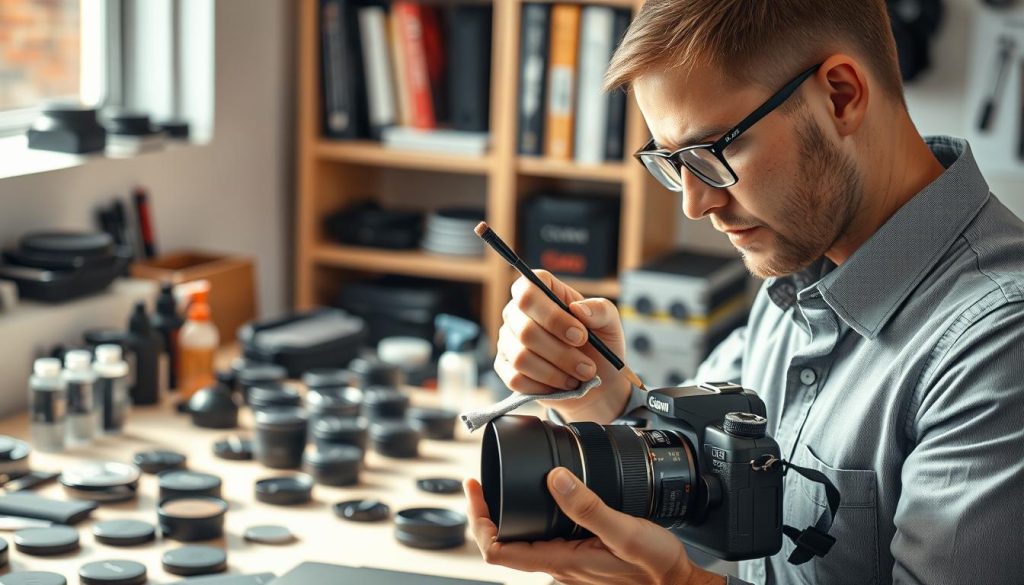
Incorrect Cleaning Practices
One major blunder is wiping a lens without first removing loose grit. This grinds abrasive particles into the glass, causing fine scratches.
Always use a rocket blower to dislodge dirt before any cloth touches the surface. This simple step prevents permanent harm.
Using a shirt sleeve or paper towel is another common mistake. These materials are too coarse for delicate coatings. Invest in a proper microfiber cloth instead.
Applying cleaning fluid directly onto the glass is risky. Liquid can seep into the lens barrel edges. Put a tiny drop on the cloth first, then wipe gently.
Avoid household glass cleaner or your own breath. These can leave residues or strip anti-reflective coatings. Dedicated lens fluid is formulated to be safe.
For sensors, never use generic canned air dusters. The propellant can freeze the surface or leave a chemical film. A manual rocket blower is the safe choice.
Using the wrong swab or solution for sensor cleaning leads to streaks. Always use kits specifically designed for your camera model. Follow the instructions precisely.
Neglecting Storage Conditions
How you store your gear between shoots is equally important. Poor storage creates a hostile environment for delicate electronics.
Tossing equipment into a regular backpack is a recipe for damage. Without proper padding, items knock together. Use a dedicated, padded camera bag with dividers.
Leaving your bag in a hot car trunk is disastrous. Extreme heat accelerates battery degradation and can warp plastics. Always take your gear with you.
Storing a camera with a heavy lens attached for long periods stresses the mount. This can lead to alignment issues over time. Detach lenses when not in use.
Using your camera bag as long-term storage traps moisture. In Singapore’s humidity, this invites fungal growth. Transfer gear to a dry cabinet for extended periods.
Ignoring the storage location is another error. A damp basement or a sun-exposed windowsill subjects gear to harmful conditions. Choose a cool, dry, and stable spot indoors.
Leaving batteries inside the camera during storage is risky. They can leak and corrode the battery compartment. Remove them for safe keeping.
The most expensive repair I see often starts with a simple, avoidable storage mistake. Protecting your gear from its environment is the cheapest insurance you can buy.
By avoiding these common errors, you protect your investment. Correct maintenance tips ensure your equipment stays reliable.
Integrate these best practices into your routine. Your photographic tools will thank you with years of peak performance.
Committing to Long-Term Camera Health and Performance
Sustained photographic excellence relies on a simple principle: proactive and regular equipment stewardship. This commitment is the ultimate strategy to keep your camera delivering peak performance year after year.
Think of this routine as part of your creative craft, not a separate chore. Consistent care directly safeguards your image quality and your gear’s functional life.
The long-term rewards are clear. You gain reliable equipment for important shoots. Your investment stays protected, and your device remains in good condition. This peace of mind is invaluable.
Use this guide as a starting point. Adapt its principles to your specific habits. For expert support, consider professional maintenance services available in Singapore.
View this care as a positive ritual. It deepens your connection with your tools. A well-preserved camera is a faithful partner, ready to capture every creative moment with top performance.
FAQ
How often should I clean my camera gear?
A quick wipe-down with a microfiber cloth after every shoot is ideal. A deeper clean of the lens and external parts should happen weekly or monthly, depending on use. Professional sensor cleaning might only be needed once or twice a year unless you change lenses frequently in dusty environments.
Can I use regular household cleaners on my lens?
No, you should never use window cleaner, alcohol, or saliva. These solutions can damage anti-reflective coatings. Always use a cleaner specifically formulated for camera optics, applied sparingly to a microfiber cloth, not directly onto the glass.
What is the best way to store my photography equipment?
Store your gear in a cool, dry place. Use a padded bag from brands like Think Tank or Peak Design. Include silica gel packets to control moisture and prevent fungus. Always use body and lens caps, and remove batteries for long-term storage.
How do I know if my camera sensor is dirty?
Signs of a dirty sensor appear in your image quality. Take a test shot of a plain, bright surface (like a clear sky) at a narrow aperture (e.g., f/16). View the image at 100% on your computer; small, blurry spots or specks that appear in the same spot across shots indicate dust on the sensor.
Are UV filters necessary for lens protection?
A high-quality UV or clear filter from B+W or Hoya acts as a sacrificial shield. It protects the front lens element from scratches, salt spray, and accidental impacts. While it can slightly affect image quality, many photographers find the trade-off for protection worthwhile for everyday use.
What basic tools do I need for a camera cleaning kit?
A complete kit includes a rocket blower, soft microfiber cloths, a lens brush, sensor swabs and fluid for your specific sensor size, and approved lens cleaning solution. Brands like LensPen offer convenient all-in-one tools for quick field care.
When should I send my camera for professional servicing?
Seek professional help for internal issues like error messages, autofocus inconsistencies, sticky shutters, or suspected moisture damage. For complex tasks like internal sensor cleaning or mechanical repair, a certified service center from Canon or Nikon is the safest choice.


