
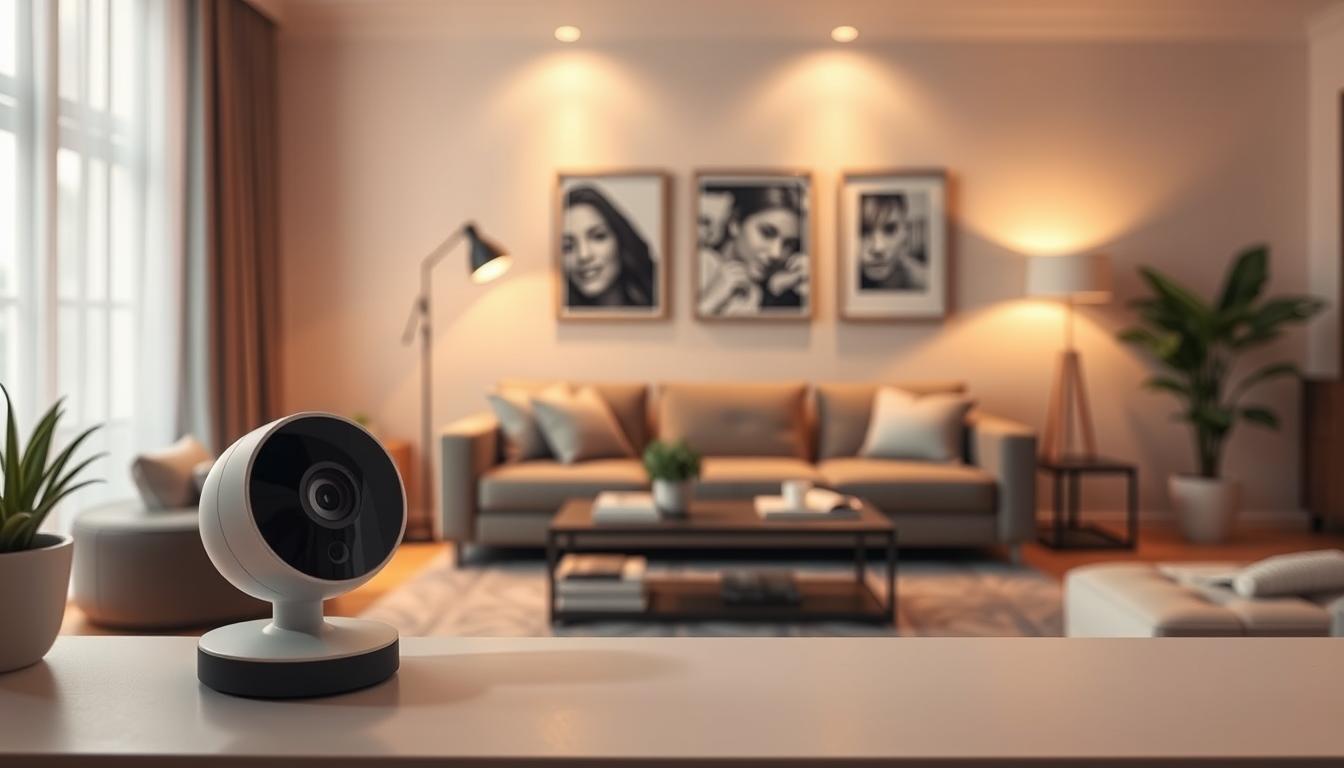
Is it safe to install CCTV inside house? Tips & Guide
Many Singaporean households consider adding indoor monitoring for family and property protection. This guide explores the core question about residential surveillance safety. We examine security benefits alongside important privacy considerations.
Modern home security involves more than just catching intruders. It requires balancing robust protection with respect for personal space. Every family member deserves comfort within their own residence.
Indoor camera use grows across Singapore, from HDB flats to landed properties. Families seek peace of mind through remote viewing capabilities. They want to check on children, elderly relatives, or domestic helpers.
Our comprehensive approach covers legal frameworks and smart technical choices. We provide clear steps for ethical implementation in your specific living situation. This ensures your monitoring solution respects both safety needs and personal boundaries.
Key Takeaways
- Indoor monitoring balances physical security with household privacy concerns.
- Singaporean laws provide specific guidelines for residential surveillance systems.
- Strategic camera placement maximizes coverage while minimizing intrusion.
- Modern devices offer features like motion zones and privacy masking.
- Data protection is crucial when footage contains personal or sensitive information.
- Solutions vary for different property types like HDB flats and landed homes.
- Professional installation often ensures optimal performance and compliance.
Understanding the Safety and Privacy Balance of Indoor CCTV
The decision to implement indoor monitoring involves weighing tangible security gains against intangible privacy costs. Every household must find its own equilibrium point where protection meets respect.
This balance defines modern residential safety in Singapore. Over sixty percent of local homes now use some form of visual monitoring.
The Core Question: Security Benefits vs. Personal Privacy
Safety in this context carries dual meanings. First, it means physical protection for people and property. Second, it refers to safeguarding personal information from misuse.
Visible security cameras serve as powerful deterrents. Studies indicate they can reduce burglary risks by up to fifty percent. Their presence alone often discourages unwanted activity.
Remote viewing capabilities provide significant advantages. Families can check on children after school or monitor elderly relatives. This technology offers genuine peace mind for concerned homeowners.
In incident situations, recorded footage becomes crucial evidence. It helps resolve disputes and supports legal proceedings when necessary.
Key Privacy Concerns Specific to Indoor Surveillance
Certain spaces within a residence demand absolute privacy. Bathrooms and changing rooms fall into this protected category.
Singaporean law treats recording in these private areas like bedrooms without consent as voyeurism. Penalties include imprisonment for up to three years.
Monitoring domestic helpers requires particular ethical consideration. Clear communication and informed consent form the foundation of respectful oversight.
Household policies should outline acceptable monitoring practices. All residents deserve understanding about camera locations and data usage.
Responsible surveillance considers family dynamics and trust relationships. A cctv system should enhance security without damaging interpersonal bonds.
Strategic placement focuses on common areas like living rooms and entryways. These zones balance visibility with personal boundaries effectively.
Compliance with the data protection act remains essential. The PDPA governs how personal data from cctv systems gets collected, used, and stored.
Understanding these regulations protects homeowners from legal complications. It ensures their security needs align with national personal data protection standards.
Is It Safe to Install CCTV Inside a House? Weighing the Risks
Achieving a secure home with indoor cameras requires navigating a landscape of technical, legal, and social risks. The direct answer to “Is it safe to install CCTV inside house?” is yes, but safety is not automatic. It depends entirely on proactive management of the system’s inherent vulnerabilities.
True security emerges when you address potential downsides head-on. A holistic view considers more than just camera hardware.
Homeowners must evaluate three primary risk categories:
- Technical Vulnerabilities: Unsecured Wi-Fi networks or weak camera passwords invite hacking. Once accessed, live feeds and stored footage become exposed.
- Legal Repercussions: Singapore’s personal data protection laws impose strict rules. Violations can lead to significant financial penalties.
- Social & Ethical Strains: Covert monitoring can damage trust within a household. It may also create conflicts with neighbors if cameras overlook their property.
Real-world consequences highlight the stakes. In a 2025 case, a condo resident faced a $5,000 fine. The penalty was for unauthorized access to a shared corridor’s cctv system footage.
Similar legal exposure occurs when monitoring domestic helpers without clear, written notice. This violates consent principles under local data protection law.
For technical safety, always opt for encrypted cloud storage and enable two-factor authentication. These steps drastically reduce hacking risks.
Be cautious with smart home integrations. Linking cameras to other apps can create additional access points. Each connection must be properly secured.
Some consider dummy cameras as a low-cost deterrent. These fake devices offer no real security and create blind spots in your coverage.
They can also cause legal issues if they misleadingly imply active surveillance. It’s better to invest in a single real camera for critical areas.
A helpful tool is a simple “security versus privacy” matrix. Plot your priorities to visualize the right balance for your home.
On one axis, rate your security needs (e.g., monitoring entry points). On the other, rate privacy sensitivity for each room.
This exercise guides informed decisions on placement and features. It helps determine if audio recording is necessary or too intrusive for your peace mind.
Ultimately, a safe indoor cctv cameras setup is one that is thoughtfully planned. It respects both the law and the people living under its lens.
Your monitoring solutions should address coverage gaps without creating new risks. Managing your system‘s data responsibly is the final, crucial step.
The Legal Framework: PDPA and CCTV Rules in Singapore
The foundation of responsible home monitoring in Singapore rests on compliance with specific data protection and community harmony laws. Understanding these regulations prevents legal complications while maximizing security benefits.
Two primary statutes govern residential surveillance. The Personal Data Protection Act focuses on information handling. The Community Disputes Resolution Act addresses neighbor relations.
These laws create a balanced approach. They allow homeowners to protect their property while respecting others’ rights. Following the rules ensures your security measures remain legally sound.
Complying with the Personal Data Protection Act (PDPA)
The PDPA governs how you collect, use, and disclose personal data. This includes identifiable images from your surveillance cameras.
Homeowners have obligations under this data protection act. You must protect the personal data of household members and visitors. This means securing footage against unauthorized access.
Implement PDPA-inspired best practices for your home system. Limit footage retention to reasonable periods, like 30-day cycles. Regularly overwrite old recordings unless needed for investigations.
Secure stored data with encryption and strong passwords. Be transparent about recording through visible cameras or simple notices. Inform domestic helpers and frequent guests about the monitoring.
Audio recording requires particular caution. Singapore law generally mandates consent for capturing conversations. Disable microphone functions unless you have specific justification and obtain clear consent.
Community Disputes Resolution Act and Neighborly Respect
Your security solutions should not create neighborhood conflicts. The CDRA provides a framework for resolving privacy disputes between residents.
This law empowers neighbors to seek redress if your cameras infringe on their privacy. Pointing lenses at neighboring windows or balconies can trigger claims. Compensation can reach up to $20,000 for substantiated invasions.
Practice neighborly respect during cctv installation. Angle cameras to focus on your property boundaries. Avoid capturing adjacent homes’ private areas like bedrooms or living spaces.
Communicate with neighbors about your security measures. Explain your intentions and address any concerns proactively. This fosters community harmony while maintaining your protection.
Specific Rules for HDB Flats, Condos, and Landed Properties
Singapore’s diverse housing types face different regulatory environments. Each category has distinct rules governing camera placement.
HDB flats require permits for cameras in common corridors. Applications go through your local town council with a standard six-month approval. The process ensures cameras don’t obstruct shared spaces or create safety hazards.
Condominium residents must check their Management Corporation Strata Title bylaws. Many MCSTs have specific policies about exterior camera installations. Obtain written approval before modifying common property or mounting devices on building facades.
Landed properties enjoy more freedom but carry ethical responsibilities. You can generally install cameras without permits on your private land. However, avoid pointing them at public sidewalks, roads, or neighboring houses.
All housing types share core legal requirements. Never place cameras in bathrooms or changing rooms. Focus on entry points and common living areas instead of private areas like bedrooms.
Understanding these distinctions ensures proper compliance for your specific property type. It aligns your security needs with Singapore’s regulatory framework for residential surveillance.
Strategic Planning: Defining Your Home Security Needs
Before purchasing any equipment, homeowners should map their residence’s specific protection requirements. This foundational step transforms random device placement into a cohesive security strategy. Proper planning addresses both physical vulnerabilities and personal comfort levels.
A systematic approach ensures your monitoring solutions match actual risks. It prevents wasted resources on unnecessary cameras while covering genuine threats. Western Digital and other experts emphasize this planning phase for preventing technical vulnerabilities.
Conducting a Home Security Risk Assessment
Begin with a thorough walkthrough of your property. Examine every potential access point from an intruder’s perspective. Note old windows, weak door frames, and obscured sightlines that create hiding spots.
Document these observations on a simple floor plan sketch. Mark all doors, windows, and secondary entries like utility accesses. This visual reference becomes your security blueprint for later decisions.
Consider environmental factors affecting camera performance. Dark corners, glare from windows, and Wi-Fi dead zones impact surveillance effectiveness. Testing signal strength in different rooms helps plan network placement.
Technical security deserves equal attention during assessment. Opt for encrypted cloud storage and enable two-factor authentication on all devices. These measures drastically reduce hacking risks for your footage.
Professional installation often identifies vulnerabilities DIY audits miss. Experts understand how to secure network connections and prevent unauthorized access. Their knowledge complements your personal familiarity with the property.
Identifying Critical Zones and Entry Points
Prioritize protection based on actual risk levels. Main entrances typically demand the highest security priority. These primary entry points see the most traffic and represent common intrusion routes.
Secondary access areas like back doors and ground-floor windows follow in importance. Basement entries and garage doors often become overlooked weak spots. Ensure your camera placement covers these potential blind spots.
Internal common areas serve different monitoring purposes. Living rooms and kitchens might need general safety oversight rather than intrusion detection. Hallways connecting private spaces benefit from strategic viewing angles.
Create a zone classification system for your home:
- High-Priority Zones: All exterior doors, first-floor windows, and property perimeter
- Medium-Priority Zones: Internal hallways, staircases, and main living areas
- Low-Priority Zones: Secondary rooms with less traffic or valuables
- Restricted Zones: Bedrooms, bathrooms, and changing areas requiring complete privacy
This prioritization guides budget allocation and device selection. It ensures critical areas receive adequate coverage before expanding to less essential spaces.
Ethical Considerations for Camera Placement in Living Spaces
Monitoring within a home requires balancing safety with personal dignity. Every camera position should respect household members’ reasonable privacy expectations. This ethical dimension separates responsible surveillance from intrusive oversight.
Develop an “ethical placement map” alongside your security blueprint. Mark acceptable monitoring zones and absolutely prohibited areas clearly. Bedrooms and bathrooms must remain camera-free regardless of security concerns.
Special living situations demand customized approaches. Monitoring a young child’s nursery presents particular ethical challenges. Parents want safety oversight without violating their child’s developing sense of privacy.
One solution involves angling a camera only at the crib area from the doorway. This provides necessary oversight while avoiding wider room surveillance. The camera focuses on the child’s safety without capturing private parenting moments.
Household consent forms the foundation of ethical monitoring. All residents should understand camera locations, purposes, and data usage policies. Domestic helpers require clear written notice about any surveillance in their working areas.
In HDB flats and condominiums, additional rules apply. Corridor cameras require formal permits from town councils or management committees. Interior installations need household agreement but not necessarily external approval.
Consider these ethical guidelines for common scenarios:
- Elderly Care: Position cameras for safety checks without constant observation
- Domestic Helper Areas: Limit monitoring to common work zones, not private quarters
- Shared Family Spaces: Use wide angles that show activity without intimate details
- Entryways: Focus on the door area rather than interior views of the home
Future expansion deserves consideration during initial planning. Choose systems that scale easily as your security needs evolve. Ensure your network infrastructure supports additional cameras without performance degradation.
Smart home integration possibilities should influence early decisions. Compatible systems allow seamless addition of sensors, alarms, and automated responses. This forward-thinking approach maximizes long-term value from your security investment.
Strategic planning ultimately creates harmony between protection and privacy. It transforms technical devices into thoughtful solutions respecting both security needs and personal boundaries. Your completed plan serves as the roadmap for all subsequent installation decisions.
Choosing the Right CCTV System for Indoor Use
The market offers diverse camera technologies, each suited to different monitoring scenarios within a Singaporean residence. Your selection impacts everything from daily operation to legal compliance with local regulations.
Technical specifications must align with your home’s layout and security objectives. Consider connection reliability, image clarity, and feature sets before making purchases.
Wired vs. Wireless Systems: Pros and Cons
Wired systems use Power over Ethernet cables for both data and power. This setup provides extremely stable connections without Wi-Fi dependency.
Professional installers often recommend PoE for critical security points. The physical wiring prevents signal dropout and offers better protection against hacking.
Wireless cameras deliver easier installation and placement flexibility. They rely completely on your home network’s signal strength and security.
Strong Wi-Fi becomes essential for consistent performance. Cybersecurity measures like WPA3 encryption protect your video feed from unauthorized access.
Techcom advises hiring licensed professionals for cctv system installation. This ensures proper setup and compliance with Singapore’s technical standards.
Camera Types: Dome, Bullet, PTZ, and Smart Doorbells
Dome cameras feature discreet, tamper-resistant housings ideal for indoor spaces. Their design deters vandalism while monitoring common areas like living rooms.
Bullet models excel at covering long distances with focused lenses. Many homeowners use them for hallways or outdoor points adjacent to the property.
PTZ (Pan-Tilt-Zoom) units offer remote directional control for large rooms. They can track movement across expansive spaces like open-concept living areas.
Smart doorbells combine video with motion detection and two-way audio. These devices require careful consideration of audio recording laws under the protection act.
Each form factor addresses specific monitoring needs within your overall security strategy. Mixing types often creates the most comprehensive coverage.
Essential Features: Resolution, Night Vision, and Audio
Image resolution determines how much detail your footage captures. Standard 1080p (2MP) provides clear identification of people and objects.
4K resolution demands significantly more storage capacity. Continuous recording at this quality requires approximately 2TB monthly.
Infrared night vision enables 24/7 monitoring capability. Look for cameras with adequate IR range for your room dimensions.
Two-way audio features introduce legal considerations. Singapore’s PDPA generally requires consent for recording conversations containing personal data.
Privacy masking lets you digitally block sensitive zones within the camera’s view. This feature helps respect household boundaries while maintaining overall surveillance.
Lens selection further refines your camera placement strategy. Wide-angle lenses cover entire rooms, while varifocal options allow precise adjustment.
These optical choices help eliminate potential blind spots in your monitoring layout. They ensure critical zones receive appropriate visual attention.
Cloud storage solutions offer remote backup and easy retrieval of recorded material. Local Network Video Recorders provide complete control over your data.
Choosing a cohesive brand ecosystem simplifies management. Integrated systems ensure compatibility between cameras, recorders, and monitoring software.
This unified approach creates reliable solutions for Singaporean households. It balances advanced features with practical everyday operation.
Step 1: Planning Your CCTV Coverage and Camera Placement
Proper coverage planning forms the cornerstone of any successful indoor security camera system. This initial phase transforms random devices into a cohesive monitoring network. Strategic mapping ensures optimal surveillance while maintaining privacy compliance.
Western Digital recommends calculating HD video storage needs before installation. Consider recording duration and resolution requirements. This prevents storage shortages for critical footage.
Create an entry point prioritization matrix for your property. Focus on main doors and fire escape routes first. Statistics show seventy percent of break-ins occur through these access points.
Mapping Out Blind Spots and Optimal Angles
Begin with a detailed floor plan sketch of your home. Mark all doors, windows, and potential access routes. This visual blueprint guides your entire camera placement strategy.
Conduct a 360-degree walkthrough to identify blind spots. Check behind furniture, in room corners, and along dark hallways. These areas often escape initial visual inspection.
Use practical tools to test sightlines before drilling holes. A simple laser pointer helps visualize camera angles. Many mobile apps offer preview functions for finalizing positions.
Optimal mounting height ranges from 2.1 to 2.4 meters. This level avoids tampering yet captures identifiable facial features. Angle cameras to minimize backlight from windows and glare.
Consider lens selection during your planning phase. Wide-angle lenses cover entire rooms effectively. Varifocal options allow precise adjustment for specific zones.
The Debate: Visible Deterrence vs. Discreet Monitoring
Visible cameras act as strong psychological deterrents to potential intruders. Their prominent presence often prevents criminal activity before it starts. This approach prioritizes crime prevention over evidence collection.
Bullet cameras offer excellent visible deterrence for porch areas. They require proper weatherproofing for outdoor installation. Many condo bylaws restrict their use in shared spaces.
Discreet monitoring uses smaller, less obvious devices. These cameras raise greater ethical questions about household trust. They may not prevent crime but can capture clearer evidence.
Smart doorbells combine visible presence with advanced features. Two-way audio functionality requires careful legal consideration. Always check your building’s specific rules before installation.
The choice depends entirely on your security objectives. Entry points benefit from visible deterrents. Internal common areas might suit discreet options better.
Ensuring Coverage While Respecting Household Privacy
Ethical placement separates responsible surveillance from intrusive oversight. Every camera position should respect personal dignity within the home. This balance is crucial for maintaining family harmony.
Provide clear examples of appropriate camera orientation. A living room device should point toward entryways, not relaxation areas. Hallway cameras must avoid peering into bedroom doorways.
Singapore’s data protection act governs personal information collection. The PDPA establishes rules for handling surveillance footage. Compliance prevents legal complications with your monitoring system.
Cloud storage solutions offer secure remote backup for recordings. They help maintain data protection standards for sensitive material. Choose providers with strong encryption and access controls.
Always prioritize household privacy in private areas like bedrooms. These spaces demand absolute protection from any monitoring. Bathrooms and changing rooms require complete camera exclusion.
Develop transparent policies about your surveillance practices. Inform all household members about camera locations and purposes. Domestic helpers need written notice about monitoring in their work zones.
Regularly review your camera placement for privacy compliance. Adjust angles if they capture unintended private areas. This ongoing maintenance ensures respectful coverage over time.
Step 2: Navigating Permissions and Legal Notifications
After planning your camera layout, you must address the formal and informal notifications required by Singaporean law and good practice. This step ensures your security measures operate within clear legal and ethical boundaries.
Proper documentation protects you from disputes and demonstrates compliance. It turns a technical setup into a responsible home monitoring system.
HDB Town Council and Condo MCST Approval Processes
Singapore’s housing types have distinct rules. Understanding them prevents delays and violations.
A key update simplifies life for many residents. Since May 2023, HDB flats no longer need permits for indoor cameras.
This change applies only to devices inside your unit. Any installation facing common corridors or shared spaces still requires Town Council approval.
The process typically involves submitting a formal application. You may need to provide a floor plan showing proposed camera locations.
Private condominiums often have stricter laws set by their Management Corporation Strata Title (MCST). Always check your condo’s bylaws before mounting any device.
Never point cameras at neighbors’ windows or doors. This respects their privacy and avoids conflicts under the Community Disputes Resolution Act.
For a clear path, follow this checklist:
- Identify Your Property Type: HDB, condo, or landed house.
- Review Governing Rules: Check Town Council websites or MCST handbooks.
- Prepare Documentation: Have your floor plan and camera specifications ready.
- Submit Formal Application: For any external or common-area installation.
- Await Written Approval: Do not proceed until you receive official permission.
Notifying Household Members and Domestic Helpers
Singapore’s Personal Data Protection Act (PDPA) mandates clear communication. Anyone recorded by your system should be informed.
This legal requirement is not just bureaucratic. It builds trust and prevents surprise within your home.
Start with a family discussion. Explain why you are installing security solutions, where cameras will be, and how footage will be used.
For domestic helpers, provide both verbal and written notification. The Ministry of Manpower offers helpful template agreements.
These agreements should cover key points:
- Specific areas under surveillance.
- The primary purpose of the monitoring.
- Who has access to the recorded personal data.
- How long footage is retained.
Landlords have additional responsibilities. You must disclose all surveillance in the tenancy agreement.
Failing to do so violates tenant privacy and can cause serious legal disputes. Transparency is your best protection.
Always document these notifications. Keep a signed copy of helper agreements and a note of family discussions.
This paper trail proves your good faith effort towards data protection and compliance.
Signage and Transparency Best Practices
While not legally required for private homes, using signage is a highly recommended best practice. It aligns with the spirit of the protection act.
A small, discreet decal near your main entrance informs visitors and delivery personnel. This simple act demonstrates respect for their personal data protection rights.
For commercial entities, bilingual notices are mandatory at all monitored entry points. Homeowners can adopt this standard for clarity.
Effective signage should be clear but not alarming. It states that video surveillance is in use for security purposes.
This practice completes the circle of transparency. It covers everyone from family members to occasional guests.
Combined with proper approvals and internal notifications, it solidifies your system’s legal and ethical foundation. Your security needs are met without compromising on respect or privacy.
Remember, responsible cctv installation respects both the letter and the intent of Singapore’s laws. For a detailed guide on specific restrictions, review our resource on where cameras are not allowed.
Step 3: Selecting Your Storage Solution
—
Analysis.an-0
Step 4: The Installation Process – DIY vs. Professional
The installation phase transforms your security blueprint into a functional monitoring system. This step determines whether your carefully planned camera placement delivers optimal coverage or creates frustrating blind spots.
You face a fundamental choice: handle the setup yourself or hire an expert. Each path has distinct implications for cost, time, and final system performance.
Certified technicians from providers like ED Viston offer warranty-backed services. Their expertise typically costs three to five times more than a DIY setup. For self-installers, data shows nearly 40% require professional corrections later for signal or angle issues.
Pre-Installation Checklist: Tools and Site Preparation
Success begins with thorough preparation. Gather all necessary tools and materials before you start. This prevents interruptions and ensures a smooth process.
Create a comprehensive checklist for your project:
- Essential Tools: Power drill with appropriate bits, sturdy ladder, stud finder, cable tester, and screwdrivers.
- Required Materials: Sufficient Ethernet or power cables, waterproof connectors, camera mounts, and cable conduits for neat runs.
- Safety Precautions: Wear safety glasses. Ensure power is off at the circuit breaker when working near electrical lines. Secure your ladder properly.
Prepare each installation site according to your plan. Clear the area of furniture and decorations. Mark the exact drilling points with a pencil.
Verify your Wi-Fi signal strength at each proposed camera location. This test prevents connectivity problems after mounting. Hidden costs often emerge from needing additional cables or Wi-Fi extenders.
Pros and Cons of a Do-It-Yourself Approach
Taking the DIY route offers clear advantages for confident homeowners. The most significant benefit is direct cost savings on labor. You also gain valuable personal knowledge about your security systems.
The learning experience can be rewarding. You understand exactly how each component connects and functions.
However, significant drawbacks accompany this approach. The time investment is substantial, often spanning an entire weekend. Potential for error in placement or configuration is high without prior experience.
A critical downside is the lack of a labor warranty. If a camera malfunctions due to installation error, you bear full responsibility for repairs.
Common DIY mistakes include poor cable management and suboptimal viewing angles. These errors can undermine your entire security strategy.
When to Hire a Professional Installer in Singapore
Certain scenarios strongly favor professional expertise. Hiring a certified installer becomes a smart investment for complex projects.
Consider professional help for these situations:
- Complex Wired Systems: Installing Power over Ethernet (PoE) systems requires networking knowledge and proper cable termination.
- High or Difficult Locations: Mounting cameras on high ceilings, above stairwells, or on external walls demands proper equipment and safety training.
- Smart Home Integration: Connecting your surveillance to existing automation systems benefits from technical know-how.
- Low Technical Confidence: If the setup process seems overwhelming, an expert ensures it’s done correctly the first time.
Selecting a reputable installer in Singapore involves careful vetting. Look for providers licensed by the Police Licensing & Regulatory Department.
Check online reviews and ask for references. Ensure the company understands local compliance requirements for property types.
Professional installation delivers tangible benefits beyond just mounted cameras. You receive a workmanship warranty, clean cable management, and optimized system performance.
This expertise prevents future headaches and ensures your security solutions meet your needs from day one.
Technical Setup and Configuration Essentials
Technical configuration determines whether your surveillance system becomes a seamless protector or a frustrating liability. Proper setup unlocks advanced features while maintaining network stability and data security.
Modern residential monitoring requires more than just plugging in devices. Thoughtful configuration ensures reliable performance across all connected components.
Network Configuration and Bandwidth Management
Your home network serves as the backbone for wireless surveillance solutions. Each camera requires dedicated bandwidth for smooth video transmission.
Wireless models typically need about 5Mbps per device for high-definition streaming. This demand can quickly throttle your entire home internet during peak usage.
Network segmentation offers an effective solution. Create a separate VLAN or use a dedicated router exclusively for your cameras.
This isolation prevents surveillance traffic from competing with streaming or gaming bandwidth. Power over Ethernet systems avoid this issue entirely by using physical cables.
PoE connections provide both data and power through single Ethernet runs. They deliver maximum stability without Wi-Fi signal concerns.
Configure your router’s Quality of Service settings to prioritize surveillance data. This ensures video feeds remain crisp even during heavy network activity.
Setting Up Remote Viewing on Mobile Devices
Over eighty percent of new surveillance systems support mobile applications. These apps transform smartphones into portable monitoring stations.
Begin by downloading the manufacturer’s official application. Avoid third-party software that might compromise your system’s security.
Create strong, unique login credentials during initial setup. Never retain default usernames or passwords that hackers can easily guess.
Most modern systems use P2P cloud connectivity for remote access. This technology establishes secure tunnels without complex port forwarding.
“Secure remote viewing should feel convenient, not complicated. Proper configuration maintains accessibility while blocking unauthorized entry attempts.”
Test your connection from outside the home network before considering setup complete. Verify you can view live feeds and receive motion alerts reliably.
Disable Universal Plug and Play features unless specifically needed. UPnP can create unintended security vulnerabilities in residential networks.
Integrating with Smart Home Systems
Connected ecosystems transform basic cameras into intelligent security solutions. Integration creates business-grade protection through automated responses.
Pair surveillance devices with smart locks and lighting for coordinated actions. Cameras can trigger porch lights upon detecting evening movement.
View live feeds directly on smart displays like Google Nest Hub. This integration provides convenient monitoring without reaching for your phone.
Configure activity alerts and notification rules to prevent alert fatigue. Customize which events trigger immediate attention versus simple logging.
Recording schedules offer another optimization layer. Choose between continuous capture and motion-activated modes based on your security needs.
Motion detection zones help ignore irrelevant activity. Program cameras to disregard busy streets while remaining sensitive to approach paths.
These smart configurations maximize storage efficiency and system usability. They ensure your surveillance solutions work intelligently, not just constantly.
Regularly update firmware to maintain compatibility with evolving smart home standards. Security patches protect against newly discovered vulnerabilities.
Proper technical setup transforms hardware into a responsive security partner. Your configured system should provide peace of mind through reliability and smart automation.
Post-Installation: Maintenance and System Management
The work of securing your home continues long after the cameras are mounted on the walls. Consistent upkeep ensures your investment delivers reliable protection and remains compliant with evolving standards. A well-managed system prevents failures and safeguards your recorded data.
Singapore’s Cyber Security Agency highlights the importance of routine care. Their guidelines show monthly diagnostics prevent most common technical problems. This proactive approach is key for any residential security setup.
Regular System Checks and Camera Maintenance
Create a simple schedule for inspecting your equipment. A quarterly check keeps everything functioning at peak performance. This routine catches small issues before they become big headaches.
Follow this basic maintenance checklist every three months:
- Gently clean all camera lenses with a dry microfiber cloth. Dust and grime can cut night vision effectiveness by forty percent.
- Check for spider webs, leaves, or other obstructions blocking the view. Even a small branch can create a major blind spot.
- Verify each camera’s angle is still correct. Rearranging furniture or new decorations might block the intended coverage.
- Test infrared night vision in a darkened room. Ensure the image remains clear without strange glowing spots.
Perform a more thorough annual review. Check all cable connections for wear or corrosion. Inspect outdoor housing for weather damage. Listen for unusual fan noises from network video recorders that might signal dust buildup.
Update your device firmware regularly. Manufacturers release patches to fix security flaws and add features. Schedule these updates during off-peak hours to avoid interrupting your monitoring.
Managing and Backing Up Your Surveillance Footage
Your recorded video is only valuable if you can find and save it when needed. Establish a clear process for handling footage. Know how to quickly review events and export important clips.
Implement a routine deletion schedule for old recordings. Most home systems don’t need to keep video beyond thirty days. This practice manages storage space and aligns with data protection principles.
For critical evidence preservation, follow the 3-2-1 backup rule. Keep three copies of important footage on two different media types. Ensure one copy stays offsite.
Automate your backup process whenever possible. Configure your cctv system to save clips to an external hard drive. Alternatively, use a secure cloud storage service for remote copies.
Regularly check the health of your primary storage drives. Many network video recorders have built-in diagnostics. Replace aging drives proactively to avoid sudden failure and loss of recordings.
Performing Periodic Security and Compliance Audits
Conduct a formal review of your entire setup at least once a year. This audit ensures your practices still match Singapore’s rules and laws. It protects your household from legal issues.
Start by reviewing the current Personal Data Protection Act guidelines. Verify your handling of personal data from cameras meets all requirements. Check if any new regulations have been introduced.
Reconfirm consent with all household members and domestic helpers. People’s comfort levels can change over time. Open discussion maintains trust while upholding your security solutions.
Investigate updates from your Housing Board or condominium management. MCSTs and town councils occasionally revise their policies on property modifications. Ensure your cameras still have any required approvals.
Finally, test your system‘s security from the outside. Attempt to access the live feed using only public information. Change all passwords if you suspect any vulnerability. This annual checkup keeps your surveillance effective, secure, and in full compliance.
Common Mistakes to Avoid During and After Installation
Homeowners often overlook critical details that transform a protective measure into a source of vulnerability. Statistics reveal that one in four residential setups has fundamental flaws. These errors can render your entire investment ineffective or even illegal.
Proactive awareness of common pitfalls is your best defense. This section highlights the legal, technical, and cybersecurity mistakes that compromise home security. Addressing them ensures your monitoring solution works as intended.
Legal Pitfalls: Ignoring PDPA and Privacy Laws
The most severe errors involve violating Singapore’s data protection framework. Placing cameras in private areas like bedrooms or bathrooms is a top legal mistake.
This action can lead to severe penalties under voyeurism laws. It directly contravenes the Personal Data Protection Act (PDPA).
Consent is a non-negotiable legal requirement. All household members and domestic helpers must be informed. Failing this violates their privacy and your compliance obligations.
Remember, the protection act governs all collected personal data. This includes identifiable images from your surveillance system. Non-compliance can result in significant fines.
Technical Errors: Poor Placement and Ignoring Lighting
About 25% of installations suffer from incorrect camera placement. This creates blind spots and drastically reduces effective coverage.
Mounting devices too high is a frequent blunder. It prevents capturing clear, identifiable faces. Optimal height is between 2.1 and 2.4 meters.
Neglecting lighting conditions affects 20% of all footage quality. Glare from windows can completely blind cameras during daylight hours.
Other technical mistakes include:
- Creating overlapping coverage that wastes valuable storage space.
- Pointing lenses directly at bright light sources or reflective surfaces.
- Failing to account for night vision range in large or dark areas.
- Ignoring Wi-Fi signal strength, leading to intermittent video feeds.
These errors undermine the primary purpose of your security systems. They leave your property exposed despite having cameras installed.
Security Oversights: Weak Passwords and Unsecured Networks
Cybersecurity failures make 10% of residential systems vulnerable to hacking. Using default credentials like “admin123” is an open invitation.
An unsecured home Wi-Fi network provides easy access for intruders. They can view live feeds and stored footage without your knowledge.
Neglecting basic digital hygiene transforms a security tool into a privacy invasion portal. Always enable encryption and change default settings immediately.
The “set and forget” mentality is another critical oversight. Homeowners install a camera but never check angles or update software. This creates a false sense of security.
Regular maintenance is essential for ongoing protection. Update firmware to patch vulnerabilities. Review recorded clips to ensure coverage meets your needs.
Choosing equipment based solely on price is a final common mistake. Low-cost cameras often lack essential features. These include proper night vision or weatherproofing for devices near windows.
Invest in quality that matches your specific security requirements. This ensures reliable performance and long-term value from your cctv installation.
Implementing Responsible Surveillance in Your Home
Establishing clear guidelines transforms surveillance equipment from potential sources of conflict into tools for collective safety. This final implementation phase focuses on sustainable practices that maintain both protection and household harmony.
Responsible usage requires more than just correct installation. It demands ongoing attention to ethical standards and family communication. Your approach should evolve alongside changing household dynamics.

Creating a Household Policy on CCTV Use
A written household policy provides clarity for all residents. This document outlines the purpose and boundaries of your monitoring system. It prevents misunderstandings and builds trust.
Draft a simple one-page agreement covering these essential points:
- Purpose Statement: Explain why cameras are installed, focusing on collective security rather than individual monitoring.
- Location Map: Clearly mark all camera positions and their coverage zones.
- Access Protocol: Define who can view live feeds and recorded footage.
- Usage Rules: Establish guidelines for reviewing footage and data retention periods.
- Privacy Guarantees: Specify camera-free zones and times for guaranteed personal space.
Include an ethical usage pledge in your policy. This commitment reinforces respect for personal boundaries. All household members should review and acknowledge the document.
For domestic helpers, provide a translated version if needed. Ensure they understand both the policy and their rights under Singapore’s data protection act. This transparency prevents future disputes.
Balancing Monitoring with Trust and Family Dynamics
Continuous dialogue maintains trust while upholding security needs. Frame surveillance as a shared responsibility for family safety. Avoid positioning it as a tool for control.
Schedule regular family meetings to discuss the system’s operation. Encourage feedback about camera placements and privacy concerns. Children and teenagers deserve particular consideration.
Explain monitoring purposes in age-appropriate terms. For younger children, focus on safety concepts like “checking if everyone is okay.” Teenagers benefit from discussions about digital responsibility and personal data protection.
Implement practical strategies to balance oversight with autonomy:
- Designate specific camera-free hours in common areas during family time.
- Create privacy zones where no recording occurs, like reading nooks or creative spaces.
- Use physical covers for cameras when maximum privacy is desired.
- Establish clear protocols for temporarily disabling monitoring during gatherings.
Quarterly system checks provide opportunities for these conversations. Review camera angles together and adjust based on family feedback. Regular firmware updates maintain technical security against emerging threats.
This collaborative approach transforms surveillance from imposition to partnership. It achieves peace mind without compromising household relationships.
Staying Updated on Evolving Singaporean Regulations
Singapore’s regulatory landscape for residential monitoring continues to develop. Proactive homeowners stay informed about changing laws and industry standards. This vigilance ensures ongoing compliance with all legal requirements.
Subscribe to official channels for timely updates. The Personal Data Protection Commission website offers current guidelines. Security industry associations provide technical bulletins about best practices.
Maintain legal transparency through periodic neighborhood briefings. Inform adjacent residents about your monitoring zones and purposes. This courtesy prevents conflicts and demonstrates community responsibility.
Continuous legal monitoring helps your systems adapt to new security mandates. Set calendar reminders to review PDPA amendments every six months. Check for town council updates affecting HDB or condo installations.
Consider these practical resources for staying current:
- PDPC Email Alerts: Receive notifications about data protection regulation changes.
- Security Provider Newsletters: Get technical updates from reputable installation companies.
- Community Forum Participation: Join local homeowner discussions about surveillance experiences.
- Professional Consultation: Schedule annual reviews with licensed security advisors.
Responsible surveillance represents an ongoing practice, not a one-time task. It continuously balances security, privacy, ethics, and legal adherence. Your commitment to this balance creates truly sustainable protection for your home.
Your Path to a Secure and Compliant Smart Home
Your journey toward enhanced home security culminates in a system that protects without intruding. Responsible implementation rests on four pillars: understanding PDPA rules, strategic camera placement, technical safeguards, and ethical management.
This approach transforms hardware into integrated protection. It monitors entry points and common areas while respecting personal boundaries. You eliminate blind spots without creating privacy concerns.
Secure cloud storage and regular maintenance ensure lasting reliability. Your household enjoys genuine peace mind knowing both property and people are safeguarded.
For professional guidance on compliant setups, contact security experts. Call ED Viston at +65 8313 4578 for tailored solutions matching your specific home security needs.
FAQ
What are the main privacy rules for indoor cameras under Singapore’s PDPA?
The Personal Data Protection Act (PDPA) governs indoor surveillance. You must notify individuals, like family members or domestic helpers, that recording is occurring. Cameras should not be placed in private areas like bedrooms or bathrooms. You are also responsible for securing the footage from unauthorized access.
Can I point a security camera at my neighbor’s door or window?
Generally, no. This can infringe on your neighbor’s privacy and may violate the Community Disputes Resolution Act. Cameras should monitor your own property and entry points. If a camera’s field of view unavoidably includes a shared space, transparency and discussion with neighbors are crucial to avoid disputes.
Do I need approval to install a camera inside my HDB flat or condo?
A> For the interior of your unit, approval is typically not required. However, if camera placement involves drilling into structural walls or running cables through common areas, you may need permission from the HDB Town Council or your condo’s MCST. Always check your estate’s specific bylaws first.
Is local DVR or cloud storage better for home CCTV systems?
A> Both have advantages. Local storage on a DVR/NVR keeps data physically in your home, offering more direct control. Cloud storage allows remote access to footage from anywhere but involves a subscription fee and requires strong cybersecurity practices to protect your personal data online.
How can I prevent my home CCTV system from being hacked?
A> Use strong, unique passwords for your cameras and router. Regularly update the system’s firmware. Ensure your home Wi-Fi network is secured with WPA2/WPA3 encryption. For wireless systems, consider a dedicated network for your security cameras to isolate them from your main devices.
Where should I avoid placing indoor surveillance cameras?
A> Avoid any area where there is a reasonable expectation of privacy. This includes bathrooms, bedrooms, and changing areas. Even in common areas like the living room, consider angles that minimize intrusive monitoring of daily life. The goal is to secure entry points and valuables, not to surveil every activity.
What are the benefits of hiring a professional installer in Singapore?
A> A professional ensures optimal camera placement to eliminate blind spots, clean cable management, and proper system integration. They are also knowledgeable about local legal requirements, such as PDPA compliance, and can help configure secure remote viewing and data protection settings correctly.


