

How to Watch Your CCTV on Your Phone
Remote property monitoring is now a cornerstone of modern safety. For homeowners and business operators in Singapore, keeping an eye on your premises from anywhere is not just convenient—it’s essential.
Connecting your security cameras to a mobile device provides real-time visibility. This setup delivers immediate alerts and live video feeds directly to your hand. It offers unmatched peace of mind whether you are at the office or traveling abroad.
Security technology has evolved rapidly. Traditional systems required local monitoring. Today, cloud-based platforms and robust network connectivity enable full mobile access. This shift empowers users to respond to events instantly.
A growing trend in Asia sees a majority preferring security systems with smartphone integration. This guide will walk you through the straightforward process. You will learn to achieve secure, reliable access to your surveillance feed.
Key Takeaways
- Remote CCTV monitoring is a critical modern security capability for properties in Singapore.
- Mobile access allows you to view live footage and receive alerts from anywhere.
- This technology provides significant convenience and enhances peace of mind for property owners.
- Security systems have evolved from local setups to cloud-based, network-connected solutions.
- The setup process for connecting cameras to a phone is straightforward with proper guidance.
- Mobile connectivity is a preferred feature for a majority of homeowners in the region.
- Real-time access enables immediate response to security incidents, even when off-site.
Introduction to Mobile CCTV Monitoring
Mobile surveillance has transformed passive video recording into an active, interactive security tool. This approach connects your security cameras directly to your smartphone. It creates a personal window into your property from anywhere.
At its heart, a CCTV system is a closed-circuit video network. Signals travel from cameras to specific monitors or recorders. Modern digital systems provide sharper images and greater reliability than old analog setups.
The real game-changer has been the IP camera. These devices connect to your network, enabling remote access. This technological leap is what makes phone-based monitoring not just possible, but powerful and simple.
The Evolution of Remote Security
Security monitoring has come a long way. Early systems used analog cameras connected to bulky tapes or local DVRs. Reviewing footage meant being on-site, making security a reactive process.
The shift to digital video recorders (DVRs) and network video recorders (NVRs) improved storage and quality. Yet, access was still largely confined to the premises. The breakthrough for remote viewing came with two key developments.
First, cloud connectivity emerged. It allows video data to be securely stored and accessed online. Second, peer-to-peer (P2P) networking simplified connections. Cameras can now talk directly to apps without complex network setup.
These advances mean your surveillance system is no longer locked in one room. It lives on the internet, ready for you to check from your mobile device. This evolution empowers users with immediate awareness and control.
Why Singaporeans Are Embracing Phone-Based Surveillance
Singapore’s unique environment makes mobile monitoring a perfect fit. The nation boasts extremely high smartphone penetration. A tech-savvy population expects constant connectivity and smart solutions.
This adoption is driven by specific, everyday needs. People use it to discreetly check on domestic helpers or young children. Families monitor elderly relatives living alone for safety and well-being.
Business owners keep an eye on shops or offices after hours. The benefits are clear: it turns worry into actionable information. You move from reactive checking to proactive monitoring.
Instant alerts on your phone allow for a swift response. This capability delivers profound peace of mind in a fast-paced urban setting. Surveillance becomes less about crime and more about general oversight and reassurance.
The desire for this constant connection is strong. It validates the growing interest in systems designed for seamless smartphone integration. Understanding this context is the first step toward mastering your own mobile security setup.
Key Benefits of Connecting Your CCTV to Your Smartphone
Linking your security cameras to your mobile device unlocks a suite of powerful advantages that extend far beyond simple recording. This integration transforms a static security system into a dynamic, interactive tool. You gain proactive control over the safety of your home or business.
The benefits are both practical and psychological. They address the core needs of modern property owners in Singapore and beyond. A Statista report highlights this trend, noting over 65% of homeowners in Asia who own security cameras prefer systems with mobile connectivity.
This preference is rooted in tangible, everyday value. It turns worry into actionable oversight and delivers profound reassurance.
Real-Time Monitoring and Instant Peace of Mind
Your smartphone becomes a live window into your property. Real-time monitoring allows you to verify situations as they unfold. See if a delivery has arrived or check on an unexpected visitor instantly.
This capability provides instant peace of mind. The psychological security of knowing you can visually check on your premises at any moment is invaluable. It replaces uncertainty with clear, visual confirmation.
This direct visual link enables a quick response to any unusual activity. You are no longer relying on delayed recordings. Live footage empowers you to make informed decisions immediately.
Immediate Alert Notifications for Enhanced Response
Smart alerts are a game-changer for property security. Modern systems send push notifications directly to your phone for detected motion or other events. You are informed of important activity the moment it happens.
These instant alerts enable a rapid, targeted response. Imagine receiving a notification while at work. You can open the app, view the live camera feed, and assess the situation.
If necessary, you can contact a neighbor or authorities without delay. This system turns your smartphone into an always-on sentry. It dramatically shortens the time between an event and your reaction.
“The ability to receive instant alerts and verify them live turns a security camera from a recording device into a prevention tool.”
Remote Access from Anywhere in the World
True remote access is the cornerstone of mobile monitoring. You are not limited to viewing feeds only on your home WiFi network. Your CCTV footage is available from any global location.
Use mobile data or a different WiFi connection to check on your property. This is essential for frequent travelers or for managing multiple sites. Your security oversight travels with you.
A secondary benefit is the ability to share camera access securely with family members or employees. This enables collaborative monitoring and spreads the benefits of vigilance. Everyone stays informed and connected.
Together, these benefits create a comprehensive mobile security solution. They justify why mobile integration is a necessary upgrade for any modern CCTV system.
What You Need Before You Start: Prerequisites Checklist
Think of this section as your pre-flight checklist for mobile security connectivity. Jumping into the setup without the right components leads to frustration. A methodical approach ensures a smooth and successful configuration.
This checklist covers the hardware, software, and information you must gather. Having everything ready transforms a technical process into a series of simple steps. Let’s ensure you are fully prepared.
Compatible CCTV System and Camera Types
Your existing cctv systems must support remote access. Not all older models do. Modern cctv camera units are typically designed for this purpose.
Look for IP (Internet Protocol) cameras. These devices connect directly to your network. Most modern DVRs and NVRs also offer mobile connectivity features.
Peer-to-Peer (P2P) capability is a major advantage. It simplifies the connection process by using cloud servers. This avoids complex manual network configuration.
Physical camera types like dome, bullet, wireless, or wired can all be compatible. The form factor matters less than the internal technology. Check your system’s manual or specifications for terms like “mobile viewing” or “app support.”
Essential Tools: Smartphone, App, and Network
Your smartphone is the command center. Both iOS and Android platforms are supported. Ensure your operating system is relatively up-to-date for full app compatibility.
Finding the official mobile app is critical. Search your cctv brand’s name in the Apple App Store or Google Play Store. Download only the application provided by the manufacturer.
Using third-party apps poses significant security risks. They may contain malware or compromise your cctv camera feed. Stick with the verified official software.
A stable wifi network is the backbone of reliable streaming. Your cameras need a strong signal at their installation points. Weak wifi causes lag, disconnections, and poor video quality.
Test the signal strength where your cctv systems are located before starting. This pre-check saves considerable time during the actual setup.
Gathering Your Login Credentials and IP Details
This step is often overlooked but is absolutely vital. You will need specific login details to add each camera to your app. Have this information ready before you open the application.
For many systems, you will need the camera‘s unique serial number or a QR code printed on the device. For local network setups, the camera’s local IP address is required.
Also locate the default username and password. These are usually found in the user manual or on a sticker on the cctv camera itself. Always change these defaults after initial access for security.
Keep this information in a secure but accessible place. You will be prompted for it during the in-app connection process. Being prepared here makes the entire experience seamless and efficient.
How Can I Watch My CCTV on My Phone? A Step-by-Step Setup
The journey to mobile surveillance begins with a systematic setup, transforming your phone into a powerful security dashboard. This guide provides the exact steps to achieve a reliable live feed.
Following a logical sequence prevents common errors. Each action builds upon the last, culminating in full remote access. Let’s begin the process of connecting your system.
Step 1: Downloading and Installing the Official Mobile App
Your first action is to find the correct software. Open the Apple App Store or Google Play Store on your smartphone. Search for your CCTV brand’s name followed by “app”.
For example, brands like Hikvision use “Hik-Connect”, while TP-Link offers “Tapo”. Look for the developer name matching the manufacturer. Download only this official mobile application.
Using third-party apps poses significant security risks. They may contain malware or compromise your camera feed. Stick with the verified official software.
Install the app and grant the necessary permissions. These typically include notifications and access to your camera for scanning QR codes. This prepares your phone for the next stages.
Step 2: Preparing and Verifying Your CCTV System
Before attempting any mobile connection, verify your physical setup. Ensure all cameras are powered on and functioning correctly. Check the video feed on a local monitor connected to your DVR or NVR.
This local verification confirms the cameras are recording properly. It eliminates hardware issues as a source of problems later. A solid local foundation is key for a successful remote setup.
Ensure your network video recorder or standalone IP cameras are properly connected to their power source. Listen for startup sounds and look for indicator lights. This step is your baseline check.
Step 3: Establishing a Network Connection (WiFi/Ethernet)
Your cameras must communicate with the internet. For systems with a DVR or NVR, connect the recorder to your router using an Ethernet cable. This provides the most stable and secure connection.
For standalone wireless cameras, you must connect them to your home WiFi network. This is usually done during initial camera setup using the manufacturer’s guide. Ensure the WiFi signal is strong at the camera’s location.
A weak signal causes lag and disconnections. Use a WiFi analyzer app to check strength if needed. A stable network is the backbone of smooth streaming to your mobile device.
Step 4: Creating Your Account and Logging In
Open the newly installed mobile app. You will be prompted to create an account or log in. Tap “Sign Up” or “Register” to begin.
Use a valid email address and create a strong, unique password. The app will typically send a verification email. Click the link in that email to activate your account.
This account securely ties your camera system to your phone. It enables encrypted remote access from anywhere. Log into the app with your new credentials to proceed.
Step 5: Adding Your Camera via QR Code or Manual Setup
This is the core step for connecting CCTV to your app. Look for a “+” or “Add Device” button within the application. You will typically have two options.
QR Code Scan (Recommended): Most modern cameras have a QR code on the device or its packaging. Point your phone’s camera at this code within the app. The software will automatically read the unique serial number and configure the connection.
Manual Setup: For older systems, you may need to manually enter details. This includes the camera’s local IP address, port number, username, and password. You can find this data in your system’s manual or on a sticker on the DVR.
For a smoother experience, ensure your phone is on the same local WiFi network as the camera during this pairing step. Our detailed setup guide covers manual entry in greater depth.
Step 6: Configuring Crucial Camera Settings for Optimal Use
Once your camera is added, dive into its settings menu. Proper configuration tailors the system to your needs and conserves resources.
- Push Notifications: Enable motion detection alerts. Adjust the sensitivity to avoid false alarms from pets or shadows.
- Video Quality: Set streaming resolution. Higher quality uses more mobile data. Choose a balance for clear viewing and efficient data use.
- Recording Schedule: Configure continuous or event-only recording. Set periods for night vision to activate automatically.
- Device Name: Label each camera (e.g., “Front Door”, “Living Room”) for easy identification in the app.
These settings optimize your mobile monitoring experience. They ensure you get the right alerts and can view footage clearly on your smartphone.
Step 7: Testing the Live Feed and Finalizing the Setup
The final step is a comprehensive test. First, view the live feed while connected to your home WiFi. Ensure the video loads quickly and the image is clear.
Then, perform the critical remote test. Disable your phone’s WiFi and switch to mobile data, or move to a different network. Open the app and try to access the live feed again.
Successful viewing confirms true remote access is working. Test the motion alert system by walking in front of a camera. You should receive a push notification on your phone within seconds.
If any step fails, revisit the previous instructions. Common fixes include rebooting your router, checking login credentials, and ensuring firmware is updated. With these seven steps complete, your mobile surveillance system is fully operational.
Exploring Different Connection Methods: WiFi vs. Mobile Data
Your camera feed travels to your phone through one of several network pathways, each with distinct advantages. The method you choose directly impacts reliability, video quality, and where you can monitor from.
This choice is fundamental. A stable connection is the lifeline of your remote surveillance system. Understanding the options lets you build a setup that matches your specific environment and needs.
For most homes and offices, a local WiFi network is the standard. For truly remote sites, mobile data provides the ultimate freedom. We will explore both primary methods and key alternatives.
Setting Up a Stable and Secure WiFi Connection
Connecting your CCTV cameras to a local WiFi network is the most common approach. It offers high bandwidth for clear streaming without ongoing data costs.
The process starts with your router. Ensure you have a strong, stable signal at each camera’s location. Weak signals cause lag, disconnections, and poor video quality.
Download the manufacturer’s official app on your smartphone. Follow the in-app instructions to add each camera to your home network. This usually involves selecting your WiFi name and entering the password.
Security is paramount. Always use a WiFi network encrypted with WPA2 or WPA3. Avoid using public WiFi networks for CCTV access, as they are insecure.
A secure, encrypted home network is the first and most important defense for your surveillance feed.
Utilizing Mobile Data for Truly Remote Surveillance
What about monitoring a construction site, a remote warehouse, or a vacation home? These locations often lack a reliable WiFi connection. This is where mobile data shines.
Dedicated 4G LTE security cameras, like the Arlo Go or Reolink Go, have a built-in SIM card slot. They stream footage directly over the cellular network.
You need a SIM card with an active data plan from a local provider. In Singapore, with its excellent nationwide coverage, this is a highly reliable option. Your smartphone can view the feed from anywhere, using either mobile data or another WiFi source.
This method provides ultimate location independence. Your surveillance system operates completely untethered from local internet infrastructure.
Understanding Non-WiFi Options: 4G Cellular and SD Cards
Beyond standard WiFi, two other methods support mobile access. The first is the dedicated 4G cellular camera mentioned above. It’s a complete, non-WiFi solution ideal for remote assets.
The second is local storage via microSD cards. Many devices can record footage directly to an inserted card. While not for live streaming, you can physically remove the card to review recordings.
Some cameras also allow direct connectivity to your phone via a temporary local network to access these files. This is useful for offline backup and evidence collection.
Each method has clear pros and cons. WiFi is cost-effective and offers high bandwidth but ties you to a location. Mobile data provides total freedom but incurs ongoing plan costs and may have bandwidth limits.
Check your mobile data cap if you plan to stream frequently. High-definition video can use significant data. Adjust your camera’s settings to a lower resolution for streaming to conserve your allowance.
Choosing the right connection method solves most potential issues before they start. Assess your monitoring site and needs to decide. This ensures robust connectivity and seamless remote access to your CCTV system.
Choosing the Right Mobile App for Your CCTV System
Not all surveillance apps are created equal, and your choice directly impacts monitoring effectiveness. The software on your phone acts as the primary interface for your entire security network. Selecting the optimal application is therefore a critical decision.
This mobile app dictates your daily user experience. A poor choice leads to frustration, missed alerts, and a weakened security posture. A great one delivers seamless control and profound peace of mind.
Your goal is to find software that is reliable, user-friendly, and fully compatible with your specific camera model. The right app transforms complex surveillance into a simple, intuitive process.
Features to Look for in a Quality Surveillance App
Essential features form the foundation of a good monitoring experience. First, seek a clean and intuitive interface. You should navigate menus and access feeds without confusion.
Stable live streaming is non-negotiable. The video should load quickly and play smoothly without constant buffering. Reliable push notification delivery for motion alerts is equally vital.
Look for these core functionalities in any mobile app you consider:
- Live Viewing: Instant access to real-time camera feeds.
- Playback: Easy search and review of recorded footage with a timeline scrubber.
- Alert Management: Customizable settings for motion zones and sensitivity.
- Cloud Service Integration: Optional secure storage for video clips.
Advanced features elevate the app further. The ability to view multiple cameras on a single split-screen is incredibly useful for property overview. Two-way audio communication lets you listen and speak through supported devices.
“The best surveillance apps feel like an extension of your senses, not a technical hurdle. They provide clarity and control with minimal effort.”
Easy footage playback with precise timeline scrubbing is another mark of quality software. These features combine to create a powerful, user-centric monitoring tool.
Ensuring Cross-Platform Compatibility (iOS & Android)
Your chosen app must work flawlessly on your specific smartphone platform. The critical importance of cross-platform compatibility cannot be overstated. Ensure the software is fully functional on both Apple iOS and Google Android devices.
Always download the official mobile app provided by your CCTV manufacturer. This guarantees maximum compatibility, security, and access to all camera features. Third-party apps can pose significant risks.
User reviews on official app stores are a valuable resource. They gauge real-world performance, update frequency, and customer support responsiveness. Look for patterns in feedback about stability and connectivity.
Examine the app‘s own security settings. Support for two-factor authentication adds a crucial layer of account protection. End-to-end encryption for video streams ensures your feed remains private.
Some third-party apps promise to aggregate feeds from different CCTV brands into one dashboard. Exercise caution here. These can suffer from compatibility issues, delayed updates, and potential security vulnerabilities.
Sticking with the vendor’s official software is almost always the safest and most feature-complete path. It ensures your mobile monitoring experience is smooth, feature-rich, and secure for all users.
Optimizing Your Mobile Monitoring Experience
The initial connection gets your feed online, but strategic adjustments transform basic viewing into intelligent monitoring. This phase is about fine-tuning your system for maximum efficiency and daily usability.
You move from simply having access to mastering your surveillance toolkit. Proper optimization reduces annoyance and amplifies security. It tailors the technology to your specific lifestyle and property.
Customizing Alerts and Notification Settings
Generic motion alerts can quickly become a nuisance. Passing cars, pets, or shifting shadows trigger false notifications. This leads to alert fatigue, where important warnings are ignored.
Modern surveillance apps offer deep customization to solve this. The most powerful feature is activity zone drawing. You define specific areas within the camera’s view for motion detection.
For example, you can mark your driveway but exclude the public sidewalk. This ensures you only get alerts for relevant activity. Adjusting sensitivity settings provides further control.
Lower the sensitivity to avoid triggers from rain or minor leaf movement. You can also schedule alert periods. Set the system to send notifications only when the house is empty or during nighttime hours.
“Smart alert configuration turns your phone from a noisy distraction into a reliable sentry. It filters out the ordinary to highlight the important.”
Managing Multiple Cameras and Split-Screen Views
With several cameras, organization is key. Start by giving each device a clear, descriptive name in the app. Use labels like “Front Door,” “Back Garden,” or “Living Room.”
This makes it instant to identify which feed you are viewing. Some apps allow you to group cameras by location, such as “Ground Floor” or “Warehouse.”
The real power for users with multiple CCTV cameras is split-screen or grid view. This feature lets you monitor several live feeds on one screen simultaneously.
You gain a comprehensive property overview at a glance. It is perfect for checking all entry points or watching different rooms. This simultaneous viewing eliminates the need to switch between single camera feeds.
Leveraging Cloud Storage vs. Local SD Card Storage
Choosing where to store your footage is a critical decision. The two main options are cloud storage and local microSD card storage. Each has distinct trade-offs in convenience, cost, and privacy.
Cloud storage uploads recorded video to secure remote servers. The primary benefit is off-site backup. Your footage remains safe even if the camera is stolen or damaged.
Playback from any device is easy, and these services often include advanced features like AI-based person detection. The downside is typically a monthly subscription fee.
Local SD card storage keeps all footage directly on the camera. This offers total data control and privacy with a one-time hardware cost. There are no ongoing fees.
The risk is physical. If the device is compromised, the recordings are too. Accessing the footage usually requires being on the local network or removing the card.
For optimal streaming quality, adjust your camera settings based on bandwidth. On a strong connection, use higher resolution. When on mobile data, a lower resolution conserves your plan.
Final optimizations include using the snapshot feature to quickly capture images from the live feed. Consistently labeling your cameras with clear details ensures a smooth, efficient monitoring routine every day.
Common Connection Issues and Troubleshooting Solutions
When your live feed freezes or alerts stop arriving, a methodical approach quickly restores functionality. Most connection issues have straightforward fixes. You do not need to be a networking expert to solve them.
This guide walks you through the most frequent problems. We provide clear steps to diagnose and resolve each one. A patient, systematic process is your best tool for reliable connectivity.
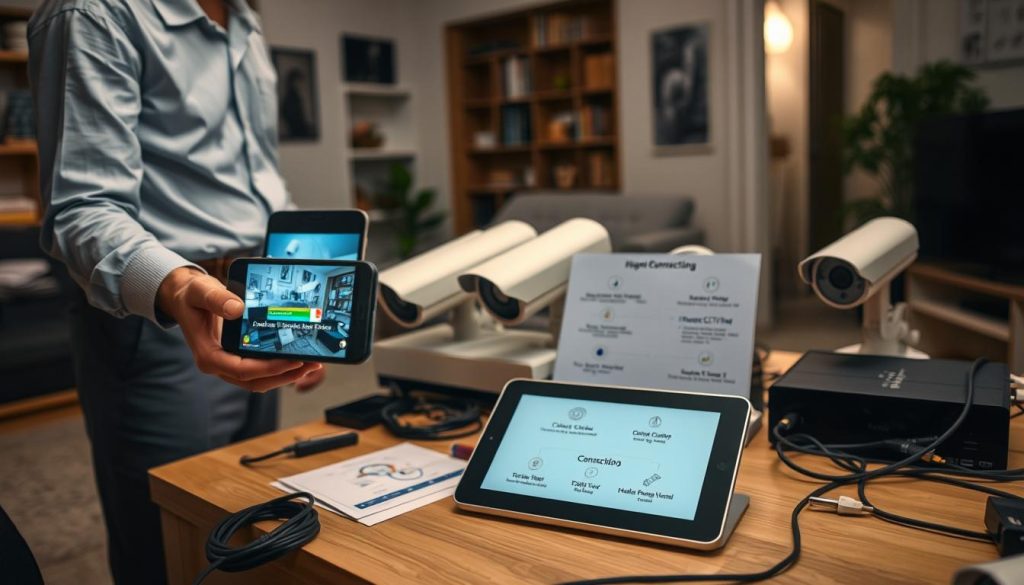
App Cannot Detect Your Camera: Network and Setup Checks
If your mobile app fails to find the camera, start with the basics. First, ensure both your smartphone and the security device are on the same local WiFi network during the initial pairing process.
Verify the camera has power and its status lights are on. Check your router to confirm the camera is listed as a connected device. Sometimes, a simple restart of the camera, router, and phone clears temporary glitches.
For manual setup, double-check the entered IP address and login credentials. A single typo can block the connection. Ensure your app and camera firmware have the latest updates installed for optimal compatibility.
Dealing with Laggy or Delayed Video Streaming
Choppy or delayed streaming is almost always a network bandwidth problem. The primary culprit is a weak WiFi signal at the camera’s location. Physical obstructions like walls can severely degrade signal strength.
Consider moving your router or using a WiFi extender. Reduce the video streaming quality in the camera settings to lower bandwidth demand. This can instantly smooth out the feed.
“A laggy stream is usually a cry for bandwidth. Strengthening your WiFi signal or lowering video quality often provides an immediate fix.”
Also, check for other devices on your internet connection consuming heavy data, like streaming video games. Temporarily pausing them can test if bandwidth contention is the issue.
Fixing Problems with Motion Alerts and Notifications
When motion alerts fail to arrive, check multiple settings layers. First, open your surveillance app and confirm motion detection is enabled for that specific camera.
Next, go into your phone‘s system settings. Find the app’s notification permissions and ensure they are turned on. Alerts cannot be delivered if the app is blocked.
Review the alert schedule within the camera configuration. It might be set to silent during certain hours. Adjust motion sensitivity and activity zones to filter out false triggers like pets or foliage.
Persistent issues with connectivity or notifications may require checking your router’s firewall or port forwarding rules. For most users relying on P2P technology, this is unnecessary. Manufacturer support is the final, reliable resource for unresolved issues.
Security Best Practices for Mobile CCTV Access
Securing your remote CCTV feed is not an optional extra. It is a fundamental requirement for safe and private monitoring. Mobile access opens a digital window into your property. You must ensure that window has strong locks.
This guide outlines actionable steps to fortify your system. It aligns with the savvy, security-conscious mindset essential for users in Singapore. Protecting your footage and connection ensures your convenience never compromises safety.
Protecting Your Feed: Strong Passwords and Encryption
The first line of defense is credential strength. Never use default usernames and passwords provided with your camera or app. These are public knowledge and the first thing hackers try.
Create a strong, unique password for both your camera admin login and your mobile app account. Use a mix of letters, numbers, and symbols. A password manager can help you generate and store these securely.
Enable two-factor authentication (2FA) if your app supports it. This adds a second verification step, like a code sent to your phone. Even if a password is stolen, access is blocked without this second key.
“A strong password is a simple barrier that stops the vast majority of automated attacks. It’s your most basic and effective security tool.”
Encryption is your next critical layer. Ensure your home WiFi network uses WPA2 or WPA3 encryption. This scrambles data between your devices and the router.
Also, choose camera models that offer end-to-end encryption for the video stream. This means your footage is encrypted from the camera all the way to your smartphone. It prevents eavesdropping during transmission.
The Risks of Public WiFi and How to Mitigate Them
Public WiFi networks in cafes, airports, or hotels are convenient but insecure. They are prime targets for “man-in-the-middle” attacks. A hacker on the same network can potentially intercept your data stream.
This includes your camera login credentials and live video footage. Accessing your CCTV feed over public WiFi is a significant security risk you should avoid.
The safest alternative is to use your smartphone‘s mobile data connection. Cellular networks are generally more secure for personal access. If you must use an untrusted WiFi network, employ a reputable Virtual Private Network (VPN).
A VPN creates an encrypted tunnel for all your device‘s internet traffic. It shields your activity from others on the public network. This adds a vital layer of protection for remote viewing on the go.
Keeping Your App and Camera Firmware Updated
Regular software updates are non-negotiable for security. Manufacturers release firmware updates for cameras and app updates to patch vulnerabilities. Hackers actively exploit known weaknesses in outdated software.
Enable automatic updates in your app store settings if available. Periodically check the manufacturer’s website or your app for new firmware for your camera models. Installing these patches is a critical maintenance task.
Review and manage user access regularly. Your app may allow multiple users to view feeds. Only grant access to trusted individuals and remove accounts that are no longer needed.
Finally, be mindful of cloud service settings. If you use cloud storage for alerts and notifications, understand the provider’s data privacy policy. A layered approach combining strong passwords, encryption, safe networks, and current technology creates a robust security posture for your mobile surveillance system.
How to Choose a CCTV System Designed for Mobile Access
Selecting the right surveillance hardware is the foundation for reliable remote monitoring. Your choice dictates daily ease of use and long-term satisfaction. This guide focuses on CCTV systems engineered for excellent smartphone integration from the start.
Look for modern features that prioritize seamless mobile access. A system built with this intent simplifies setup and enhances performance. It turns complex security into a streamlined, user-friendly experience.
Wired vs. Wireless Systems: Evaluating Your Needs
The core decision often comes down to connectivity method. Wired systems use Power over Ethernet (PoE) cables. These provide both power and data through a single connection.
This setup offers superior reliability and constant power. Video streaming is stable with minimal interference. It is ideal for permanent installations where running cables is feasible.
Wireless CCTV cameras connect via your home WiFi network. They allow for easier, more flexible installation. You can place them almost anywhere within your router’s range.
The trade-off involves potential signal interference and battery management. For rental properties or temporary setups, wireless offers clear advantages. Evaluate your property’s layout and your tolerance for maintenance.
“Wired systems are the workhorses of reliability, while wireless solutions champion installation flexibility. Your environment should guide this choice.”
The Advantages of Modern IP Cameras and NVRs
Modern Internet Protocol (IP) cameras are a significant upgrade over older analog models. They connect directly to your data network, enabling native remote access. This is the technological backbone of phone-based monitoring.
These devices capture high-definition video with superior megapixel resolution. You see clearer details, like faces or license plates, even when zooming in. Many support advanced analytics like line crossing or intrusion detection.
The Network Video Recorder (NVR) is the central hub in an IP camera system. It manages recordings, stores footage, and facilitates secure remote access. A quality NVR ensures smooth streaming to your phone from anywhere.
Together, IP cameras and an NVR create a powerful, scalable surveillance ecosystem. They are designed for the digital age and mobile lifestyles.
Key Features for Seamless Smartphone Integration
Prioritize systems with a user-friendly official mobile app. It must be compatible with your smartphone‘s operating system (iOS or Android). Check app store ratings and reviews for real-world performance.
Peer-to-Peer (P2P) cloud connectivity is a major advantage. It allows cameras to connect to your app effortlessly, often via a QR code scan. This avoids complex manual network configuration.
Look for reliable push notification systems with customizable motion zones. This reduces false alarms from pets or passing people. Technical features that enhance mobile viewing are also critical.
- H.265 Video Compression: This technology delivers high quality video while using less bandwidth. It is perfect for efficient streaming on mobile data.
- Wide Dynamic Range (WDR): Ensures clear images in high-contrast lighting, like a bright doorway.
- Weatherproof Rating (IP66 or higher): Essential for Singapore’s tropical climate and outdoor use.
- Night Vision Quality: Evaluate infrared range and clarity for 24/7 monitoring.
Consider future-proofing by choosing CCTV systems with AI-powered features. Person or vehicle detection makes alerts smarter and more actionable. Compatibility with broader smart home ecosystems adds long-term value.
Finally, decide between cloud and local storage based on your budget and privacy needs. A well-chosen system delivers peace of mind today and remains relevant tomorrow.
The Future of Mobile Surveillance: AI and Smart Integration
Artificial intelligence and cloud computing are redefining what mobile CCTV systems can achieve. The next wave of technology moves beyond passive viewing. It creates intelligent, automated ecosystems that anticipate needs.
These advancements make monitoring more proactive and less labor-intensive. They filter out noise to deliver only meaningful information. This evolution is already present in many modern security setups available today.
AI-Powered Features: Person Detection and Smart Alerts
Artificial Intelligence brings a new level of understanding to video feeds. Standard motion detection triggers on any movement, causing false alerts. AI-powered cameras analyze the scene in real-time.
They can distinguish between a person, a vehicle, and a moving tree branch. This technology filters out irrelevant activity. Your smartphone receives notifications only for events that truly matter.
This drastically reduces alert fatigue. You gain confidence that each ping is worth your attention. The system learns to ignore common, harmless triggers like pets or swaying plants.
Advanced models offer even finer details. They can detect specific actions, like a person loitering or a package being delivered. These smart features transform your camera from a recorder into an analytical observer.
The Growing Role of Cloud Analytics and Automation
Cloud services have evolved far beyond simple video storage. Modern cloud platforms provide powerful analytics that identify patterns over time. They can generate heat maps showing high-traffic areas or count the number of people entering a space.
This data offers valuable insights for both home and business security. You understand normal activity patterns, making anomalies stand out. The real power emerges when analytics trigger automation.
“Intelligent automation links your surveillance system to other smart devices, creating a coordinated security response without manual intervention.”
For example, your CCTV camera can activate outdoor lights when it detects a person after dark. It could send a signal to lock a smart door upon an unauthorized entry alert. This automated connectivity creates a dynamic defense system.
Integration with Broader Smart Home Ecosystems
Standalone devices are giving way to integrated ecosystems. Modern CCTV cameras seamlessly connect with popular platforms like Google Home, Amazon Alexa, and Apple HomeKit. This integration centralizes control of your entire property.
You can view camera feeds on a smart display in your kitchen with a voice command. Ask your virtual assistant to show the front door feed while your hands are busy. This seamless interaction enhances daily convenience and situational awareness.
Regular firmware updates from manufacturers continue to expand these capabilities. New features like package detection or customized activity zones are often added via software. This ensures your system’s quality and intelligence improve over time.
These developments are not distant concepts. They are active features in many current mid-to-high-end surveillance systems. Considering them during your next upgrade future-proofs your investment and maximizes mobile monitoring effectiveness.
Empowering Your Security with Mobile Access
Taking control of your property’s safety has never been more direct or empowering. Following this guide, you connect a compatible CCTV system with the official app. This straightforward setup unlocks reliable mobile monitoring.
The benefits are substantial. You achieve real-time surveillance and immediate alerts from any location. Remote access provides constant oversight, whether you’re across Singapore or abroad.
This technology delivers enhanced security and profound peace of mind. It transforms concern into actionable awareness. Consider implementing this connectivity or investing in a modern camera system built for seamless smartphone integration.
In our connected era, mobile access to your security feed is not a luxury. It is a fundamental layer of a responsive security posture.
FAQ
Which mobile application should I use for my security cameras?
Always use the official app from your camera’s manufacturer, like the Hik-Connect app for Hikvision systems. You can find it on the Google Play Store or Apple App Store. These apps are designed for seamless compatibility and secure access to your specific surveillance devices.
Can I view my security footage without an internet connection?
For remote viewing on your smartphone, an active internet connection is required. However, some systems allow local playback directly from a camera’s SD card if you are on the same WiFi network. True remote access from anywhere needs either WiFi or mobile data.
Why is my live video feed lagging or freezing on my phone?
Lagging streams are often due to a slow internet connection. Check your WiFi signal strength or switch to a faster network. Lowering the video quality in your app’s settings can also improve streaming performance on mobile data.
Is it safe to access my cameras over public WiFi?
Accessing your surveillance feed on public networks carries risk. For safety, use a VPN to encrypt your connection. It is best practice to only monitor your property using your secured home network or your smartphone’s trusted cellular data.
How do I receive motion detection alerts on my device?
Enable push notifications within your security app’s settings. You can usually customize alert zones and sensitivity to reduce false alarms. This ensures you get immediate updates about activity around your property directly to your phone’s lock screen.
What should I do if the app cannot find my camera during setup?
First, ensure both your phone and camera are on the same WiFi network. Verify the camera has power and its status lights are on. Restarting your router and the camera often resolves common connectivity issues preventing detection.
Can I watch footage from multiple cameras at once on my smartphone?
Yes, most professional surveillance apps support multi-camera views. You can often see a live grid of all your feeds or use a split-screen feature. This allows for comprehensive monitoring of different areas from a single mobile dashboard.
How important are firmware updates for my security system?
Regularly updating your camera firmware and mobile app is crucial. These updates patch security vulnerabilities, add new features, and improve stability. Enable automatic updates in the app or check the manufacturer’s website periodically for the latest software.


