
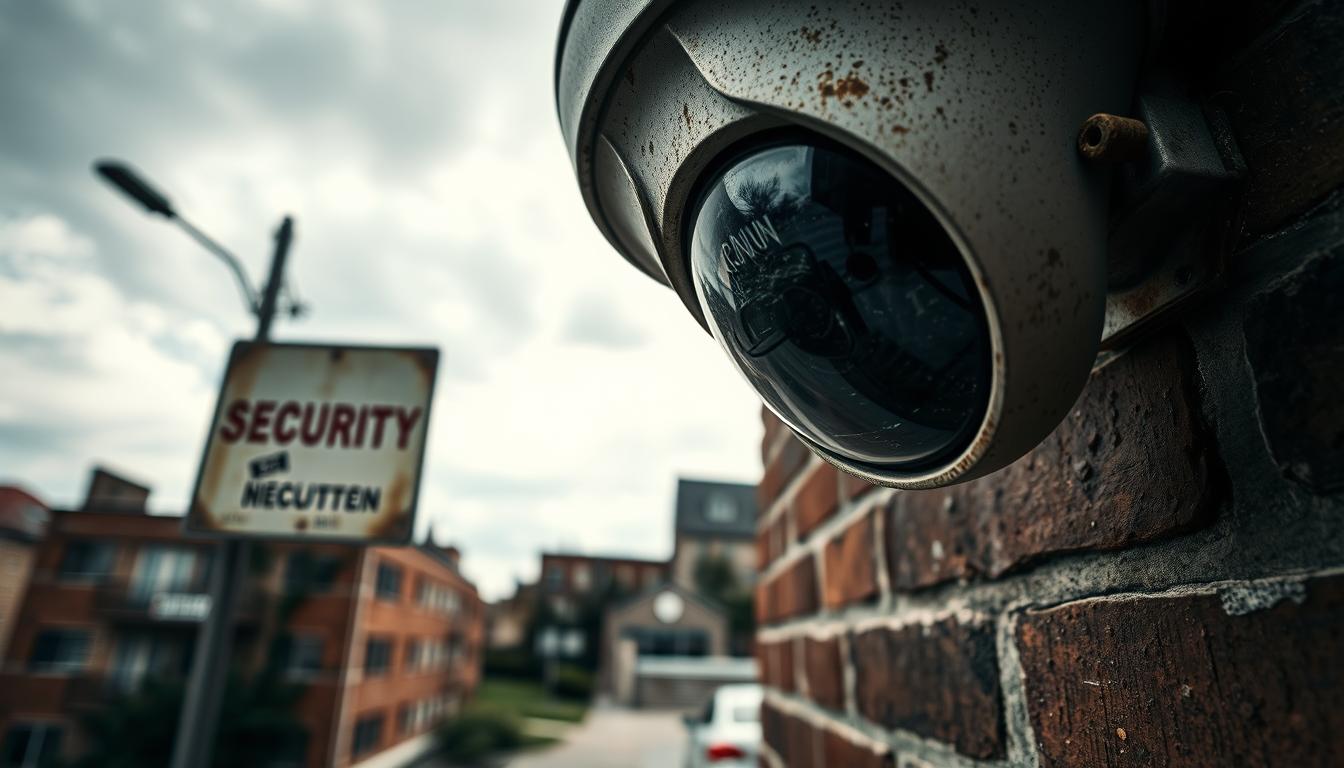
Do Security Cameras Degrade Over Time?
Yes, every surveillance unit experiences a gradual decline in performance. This happens due to physical wear and tear, environmental stress, and eventual technological obsolescence.
A typical lifespan for these devices ranges from five to ten years. With excellent care and high-quality components, some models can even function for up to 25 years. It’s interesting to note that new cables often outlast the equipment they support.
Outdoor models usually face a shorter operational life than indoor ones. Factors like intense sun, rain, and Singapore’s tropical heat and humidity can severely impact performance. Regular upkeep is vital for preserving clear image quality.
Understanding this natural progression is your first step toward prevention. This article serves as a practical guide to proactive care. We’ll show you how to maximize your system’s health and longevity through simple, actionable steps.
Key Takeaways
- All surveillance systems experience performance decline due to wear, environment, and tech advances.
- A standard lifespan is 5-10 years, with high-end models potentially lasting much longer.
- Outdoor units typically degrade faster than indoor ones, especially in challenging climates.
- Proactive and regular maintenance is the most effective way to extend operational life.
- Environmental factors like heat, humidity, and dust are major contributors to wear.
- Proper installation and using quality components from the start can delay degradation.
- Recognizing early signs of wear allows for timely intervention before failure occurs.
Understanding Security Camera Degradation and Lifespan
The operational life of a monitoring system isn’t defined by a sudden stop but by a slow fade. Grasping this concept is crucial for planning and budgeting. It shifts your focus from reactive replacement to proactive care.
Defining “Degradation” in Surveillance Systems
In this context, degradation means a gradual decline in performance. It’s not just about a unit dying completely. The process involves a steady reduction in image sharpness and color accuracy.
Connection stability can also waver before a total failure. You might notice more pixelation or slower live feeds. These are all signs your equipment is aging, not necessarily broken.
Average Lifespan Expectations: From 5 to 25 Years
How long do security cameras last? Under ideal conditions, most cameras last between five and ten years. This is the typical lifespan for reliable, optimal performance.
Different technologies have different timelines. Analog models often serve well for 5-10 years. Modern IP units, with complex electronics, may have a shorter operational life of 3-5 years.
The recording hardware, like NVRs and DVRs, usually matches the 5-10 year range. Outdoor units face more stress, often lasting 4-6 years in challenging climates.
It’s vital to understand this lifespan refers to peak function. After this period, upkeep costs often rise sharply. Maintenance becomes less about preservation and more about costly repair.
High-end, commercial-grade surveillance systems are the exception. Built with superior components, they can operate reliably for over two decades. This highlights the value of initial investment in quality.
Your system’s longevity is not a fixed number. It’s a range heavily shaped by external factors and internal wear. The next section delves into those key determinants.
Key Factors That Determine How Long Your Cameras Last
What determines whether your monitoring equipment serves you for five years or fifteen? The answer lies in three core areas. While all units age, the rate of decline is heavily influenced by elements you can control.
Understanding these factors influencing longevity helps you protect your investment. It guides better purchases and smarter maintenance habits from day one.
Quality of Components and Build Materials
Superior materials form the first line of defense against wear. A housing made of marine-grade aluminum resists corrosion far better than thin plastic.
Inside, a high-grade lens maintains clarity, while robust circuitry handles power surges. Cheap components save money upfront but often lead to premature failure.
This is crucial in challenging conditions. For outdoor use in Singapore’s climate, an IP rating is non-negotiable.
Look for ratings like IP65, IP66, or IP67. These codes guarantee protection against dust and powerful water jets. This specification directly extends the operational life of outdoor units.
Installation Quality and Initial Setup
Even the best equipment can fail early if installed poorly. Correct setup is a foundational quality for long-term performance.
Improper cabling causes signal loss and fuzzy video. Inadequate weatherproofing at connection points invites moisture, leading to internal corrosion.
An incorrect power supply strains the electronics from the start. A professional installation addresses these issues proactively. It ensures your system has a solid foundation to last long.
Operational Hours and Usage Intensity
How you use your system is a major factor. A unit recording continuously 24/7 experiences constant stress.
Its sensor and internal electronics have no rest. This intense usage can shorten its effective service period compared to a motion-activated model.
Think of it like a car engine. High mileage requires more robust parts and more frequent care. The same principle applies to surveillance devices.
By auditing these three factors—component quality, installation, and usage—you identify vulnerabilities. This knowledge helps you make informed choices for a system that delivers value for years.
Recognizing the Early Signs of Camera Deterioration
Early detection of equipment wear is your most powerful tool for preventing a complete failure. Spotting the initial signs allows for simple fixes instead of expensive replacements.
Think of this as a routine health check for your monitoring setup. A quick visual and functional audit can reveal a lot. Catching minor problems early saves money and maintains protection.
Declining Image Quality: Blurriness and Pixelation
The most common warning is a drop in image quality. You might notice a persistent haze or soft focus that cleaning won’t fix. This poor image clarity makes details like faces or license plates hard to see.
Digital feeds may show increased blockiness, known as pixelation. Colors can look washed out or incorrect. Performance in low light often gets worse first.
These image problems usually stem from a few sources. Dust and dirt on the lens are easy to address. An aging image sensor or improper focus settings are more serious issues.
Intermittent Connectivity and Signal Loss
Is your feed dropping out or freezing frequently? Intermittent connections are a major red flag. The unit might disappear from your network entirely for short periods.
Live video can have a long delay, making real-time monitoring difficult. Reviewing stored footage might be choppy or fail to load.
This points to internal component failure, faulty cabling, or an unstable power supply. These electrical issues tend to worsen if ignored.
Physical Warning Signs on Housings and Lenses
Regular physical inspections are crucial. Look for these clear indicators of wear and damage:
- Cracks or gaps in the external housing.
- Cloudy, scratched, or foggy lenses, especially inside dome units.
- Condensation or water droplets on the interior glass.
- Corrosion or rust on metal mounts and connectors.
- Frayed, chewed, or cracked cables and wire insulation.
Foggy lenses often mean internal seals or desiccant packs have failed. This lets humidity reach the critical optics. Corrosion on connectors directly causes signal loss.
Spotting these physical signs early is key. It allows for a simple lens cleaning or cable swap before internal electronics are ruined.
Make these checks part of your regular maintenance schedule. A proactive approach ensures your system provides reliable security for a long time.
How Environmental Conditions Accelerate Wear and Tear
Singapore’s climate presents a unique set of challenges for any electronic device installed outdoors. The local weather acts as a constant, active force against your surveillance equipment.
Unlike internal aging, these external factors are relentless. They work together to dramatically speed up wear tear. Understanding this assault is key to choosing and protecting your gear.
The Impact of Tropical Humidity and Heat in Singapore
Constant high humidity is a silent killer. Moisture seeps into housings, promoting internal condensation on circuit boards.
This damp environment leads to corrosion on delicate electrical contacts. It drastically shortens the component life inside your units.
Combined with persistent heat, it creates a sauna-like effect. This thermal stress weakens materials and accelerates the failure of electronic parts.
Sunlight Exposure and Sensor Damage
Prolonged, direct sunlight is incredibly damaging. Ultraviolet rays bake and degrade plastic housings, making them brittle.
More critically, it overheats the image sensor. This can cause permanent damage known as “burn-in,” where ghost images linger.
Color balance can also shift permanently, rendering footage with a strange tint. This is a primary reason why image quality fades.
Rain, Dust, and Corrosion on Outdoor Units
For outdoor cameras, rain and dust are a corrosive team. Driving rain tests waterproof seals with every storm.
Fine dust, carried by wind, acts as an abrasive. It can scratch external lenses and clog ventilation ports, leading to overheating.
When dust mixes with moisture, it creates a pasty grime. This substance accelerates corrosion on metal mounts and connector points.
This is true harsh weather. Units not built for these conditions will fail quickly. This explains why outdoor cameras often have a shorter 4-6 year lifespan compared to indoor models.
Knowing when this shortened service period is ending is crucial for planning. For more on this timeline, read about the optimal time to replace your CCTV.
You can fight back against these extreme weather conditions. Using a simple sunshade can lower internal temperature by many degrees.
Ensuring all cable entry points are perfectly sealed during installation blocks moisture. Most importantly, select devices with high IP ratings like IP66 or IP67 for full resistance.
A unit mounted in an unshaded, exposed location will deteriorate much faster than one under an eave, even if they are the same model.
This knowledge empowers you. You can now make smarter placement choices and select equipment truly built to last in our local environment.
Technical Wear: Internal Components and Circuit Board Aging
Beyond the visible housing and lens lies the true engine of your surveillance unit: its internal electronics. This inevitable aging of components you never see directly causes the performance drops you experience.
Even with perfect external care, these delicate parts have a finite operational life. Understanding this internal wear tear demystifies why all systems eventually need attention or replacement.
Sensor Performance Decline Over Time
The image sensor is the electronic eye of your device. Over thousands of hours of operation, this critical component slowly loses its sensitivity.
It struggles to capture light effectively, especially in darker conditions. The result is footage that becomes progressively grainier and noisier.
Color accuracy can also drift, giving videos a strange tint. This sensor fatigue is a primary technical reason for the increasing pixelation and poor low-light image quality mentioned in earlier signs of trouble.
Power Supply and Voltage Fluctuation Issues
A stable power source is non-negotiable for healthy electronics. Voltage spikes from storms or local grid fluctuations are a major threat.
These surges can instantly overload and fry delicate circuitry inside your cameras. This kind of damage often leads to a unit that completely fails to power on.
Using a quality surge protector or an Uninterruptible Power Supply (UPS) is a wise investment. It shields your entire security setup from these abrupt electrical problems.
Circuit boards themselves degrade from constant stress. Daily heating and cooling cycles cause materials to expand and contract.
Over years, this thermal cycling can create micro-fractures in tiny solder joints. High humidity accelerates this process, promoting corrosion on the board.
These internal issues may eventually cause recording failures or total malfunction. It highlights why the internal parts of outdoor cameras face a tougher battle.
This knowledge justifies standard lifespan ranges. It also underscores why preventative measures, like surge protection, offer real value for long-term security.
Do Security Cameras Degrade Over Time? The Impact of Technology Obsolescence
Functional obsolescence is a silent form of degradation that often goes unnoticed until it’s too late. Your equipment might work perfectly on a physical level. Yet, it can still fail to meet modern protection needs.
This is about staying relevant in a digital world. New threats and smarter technologies emerge constantly. A unit that can’t adapt becomes a weak link in your security chain.
Outdated Firmware and Software Compatibility
Firmware is the embedded software that controls your device’s basic functions. Manufacturers release periodic updates to patch vulnerabilities and improve performance. Ignoring these leaves your entire network exposed.
Hackers actively exploit known flaws in old software versions. An unpatched device can become an open door to your private feed. It might even serve as a backdoor into your home or business network.
Compatibility is another major issue. Older cameras may not work with newer network video recorder (NVR) software. This can lock you out of useful management features and streamlined monitoring.
Your cctv setup is only as strong as its least secure component. Regular firmware maintenance is non-negotiable for modern security.
Resolution and Feature Gaps Compared to Newer Models
The visual clarity gap between old and new units is staggering. A decade ago, 720p resolution was standard. Today, 2MP, 5MP, and 4K models are common.
This difference is critical for identification. Higher resolution captures fine details like facial features or license plate numbers. Older cameras simply cannot provide this essential evidence.
Modern features create an even wider capability gap. New models offer powerful tools that redefine monitoring.
- AI-powered analytics for smart person or vehicle detection, reducing false alarms.
- Full-color night vision that provides detailed imagery in low light.
- Advanced motion zones and privacy masking for precise control.
- Two-way audio for direct communication through the unit itself.
These are not just luxuries. They represent a fundamental shift in what security cameras can do. An older system lacks these intelligent functions.
Technological obsolescence is a legitimate reason to upgrade your cctv. It’s about maintaining an edge over evolving threats.
A stagnant system loses effectiveness over time, even if the hardware still powers on. Investing in new technology is often smarter than repeatedly repairing outdated gear.
Creating a Proactive Camera Maintenance Schedule
The longevity of your monitoring setup hinges on a simple principle: proactive care trumps reactive repair every time. Knowing why equipment declines is only half the battle. The other half is implementing a disciplined plan to slow that decline.
A structured maintenance schedule transforms a daunting task into a manageable routine. It prevents minor problems from escalating into total failures. This approach saves you significant money and preserves your peace of mind.
We recommend a tiered schedule based on monthly, quarterly, and bi-annual tasks. This framework ensures all critical aspects of your camera system receive timely attention.
Monthly and Quarterly Inspection Checklists
Monthly tasks are quick visual checks to ensure basic functionality. The goal is to catch issues before they impact your view.
Start by looking at the live feed from each unit. Verify the image is clear and unobstructed. Gently clean the external lens with a microfiber cloth to remove dust, pollen, or spider webs.
This simple act of keeping cameras clean is crucial for image clarity. Also, scan for any new obstructions, like growing tree branches.
Quarterly inspections are more thorough. Physically examine each unit’s housing for cracks, gaps, or signs of moisture ingress. Firmly test the mounting bracket to ensure it remains stable and secure.
Check all cable connections at the unit and recorder. Look for fraying, corrosion, or damage to the insulation. Finally, verify the field of view hasn’t been accidentally blocked.
Documenting these regular checks is powerful. Keep a simple log of findings and actions taken. This history helps track your system’s health and spot recurring issues.
Bi-Annual Deep Cleaning and Software Audits
Every six months, dedicate time to a comprehensive service session. This deep cleaning goes beyond the lens. Use appropriate, non-abrasive cleaners for the housing to remove grime and salt buildup.
For internal lenses on dome units, follow manufacturer guidelines to avoid damage. This process restores the unit’s appearance and prevents corrosive materials from causing long-term harm.
Concurrently, perform a full software audit. Check for and install any available firmware updates from the manufacturer. These updates often patch vulnerabilities and can unlock new features.
Review your network settings and storage health. Ensure your network video recorder (NVR) has adequate free space and is functioning correctly. This bi-annual review is a key maintenance habit for modern digital systems.
Consider an annual professional assessment for complex setups. A technician can spot subtle issues you might miss. This layered approach—personal checks and expert review—forms a complete maintenance strategy.
Integrate these tasks with other property care routines. Sync them with air conditioner servicing or gutter cleaning. Making it a consistent habit is the ultimate solution for extending your investment’s useful life.
Step-by-Step Guide to Cleaning Camera Lenses and Housings
This hands-on guide provides the safe methods and materials needed to maintain optimal image quality. Clear visuals are the core purpose of any surveillance system. Regular upkeep prevents grime from causing permanent performance loss.
Dust, salt spray, and spider webs are common culprits. They can quickly obscure your view if left unchecked. Following a proper procedure ensures you clean effectively without harming delicate components.
Safe Materials and Techniques for Lens Cleaning
Using the right tools prevents scratches and other harm. Always gather your supplies before starting the job. This preparation is a key part of successful maintenance.
Here is a list of recommended, safe materials:
- Microfiber cloths: These are soft and lint-free, perfect for optics.
- Isopropyl alcohol (diluted) or a commercial lens cleaning solution.
- Lens pens with a soft brush on one end and a cleaning pad on the other.
- Soft-bristled brushes for removing loose, dry debris.
- Canned air to blow dust from crevices before wiping.
Avoid paper towels, rough fabrics, and standard household cleaners. These can scratch the lens coating or leave a filmy residue. Excessive moisture is also a major risk.
Follow this step-by-step technique for best results. First, use the brush or canned air to remove loose dust and cobwebs. Apply your cleaning solution to the microfiber cloth, never directly onto the lens itself.
Gently wipe the glass in a circular motion, moving from the center outward. This method lifts dirt without smearing it. For stubborn spots, apply very light pressure and repeat.
Preventing Moisture Ingress During Cleaning
Water and electronics are a dangerous mix. The goal is to clean the exterior without letting liquid inside. This is especially critical for dome-style units.
Always inspect the housing seal before you begin. Look for any cracks, gaps, or brittleness in the rubber gasket. If the seal is compromised, cleaning could trap moisture inside and cause internal fogging.
For cleaning the housing, use a damp (not wet) cloth with a mild detergent. Wipe the exterior casing to remove dirt, bird droppings, or salt buildup. Be careful around ventilation ports, cable entries, and microphone openings.
Do not spray water or cleaner directly onto the unit. This can force liquid into protected parts. A common solutions is to apply cleaner to your cloth first.
Check for insect nests or spiders inside housing vents. Use a brush or canned air to clear them out safely. This prevents overheating and keeps the unit’s interior clean.
Proper lens care is the single most effective routine task for preserving image quality. A clear view is the foundation of reliable monitoring.
Remember important safety precautions. If possible, power down the device before cleaning to avoid electrical damage. When dealing with units mounted high up, always use a stable, secure ladder.
Have a spotter assist you for added safety. These simple steps make the process secure and effective. Keeping cameras clean is a fundamental habit for long-term system health.
This routine directly supports your overall security by ensuring your cameras always capture a usable picture. It is a core maintenance practice that protects your investment.
Essential Software and Firmware Maintenance Tasks
A surveillance setup’s effectiveness depends just as much on its software health as on its physical condition. Digital upkeep prevents vulnerabilities and keeps your entire operation running smoothly.
This routine involves two core areas: managing device firmware and optimizing network settings. Both are critical for stable performance and robust protection.
How to Securely Update Camera Firmware
Firmware is the permanent software programmed into your device’s hardware. Manufacturers release firmware updates to fix bugs, patch critical security holes, and occasionally add new features.
Ignoring these updates leaves your system exposed to known exploits. Hackers can target outdated software to gain access to your feed or network.
Follow this secure process for applying updates:
- Back up current settings from your device or NVR interface first.
- Download the firmware file only from the manufacturer’s official support website.
- Update one unit at a time to monitor for any issues or incompatibilities.
- Verify full functionality after the update completes before moving to the next device.
Never use files from third-party or unofficial sources. They may contain malware designed to compromise your cctv.
Checking and Optimizing Network Settings
A stable network is the lifeline for your IP-based system. Simple checks can prevent most connectivity issues.
First, ensure each device has a reserved or static IP address on your local network. This prevents address conflicts that cause units to drop offline.
For wireless models, verify the WiFi signal strength at the camera’s location. A weak signal leads to laggy video and lost footage.
Also, confirm your network bandwidth can handle the total data stream from all cameras. Overloading your router will degrade video quality for everyone.
Your storage setup requires regular attention too. Log into your Network Video Recorder (NVR) or Digital Video Recorder (DVR).
Check the remaining recording capacity and set up overwrite rules. This ensures new footage continuously records without manual intervention.
Monitor the health of your hard drives. Many recorders have a built-in tool for this. Replacing a failing drive before it dies prevents total storage loss.
Finally, address fundamental digital security. Always change the default passwords on every device and your recorder’s admin account.
Enable network encryption (like WPA2/WPA3 for WiFi) and use HTTPS for remote viewing if your cctv system supports it. These steps make unauthorized access much harder.
Digital maintenance ensures your surveillance investment not only records but also reliably stores, transmits, and protects the footage it captures.
Integrating these software checks with your physical cleaning schedule creates a complete maintenance plan. This holistic approach maximizes longevity and keeps your protection effective for a long time.
When to Repair vs. When to Replace a Failing Camera
Deciding whether to fix a malfunctioning unit or invest in a new one is a common dilemma for property owners. This choice impacts your budget and the reliability of your protection.
A logical framework helps you move from guesswork to a confident financial decision. It balances immediate repair costs against the long-term value of a modern replacement.
Assessing the Cost-Effectiveness of Repairs
Start with a simple cost-benefit analysis. A useful rule is to compare the total repair estimate to the price of a new, comparable model.
If the fix exceeds 50-60% of a new unit’s cost, replacement is usually the smarter investment. This is especially true for older equipment.
Repairing a seven-year-old device with outdated tech may not be worthwhile. You’d be extending the life of an obsolete system. Newer models offer better resolution and smarter features.
When repair costs approach half the price of a new camera, investing in modern technology often provides greater long-term value and reliability.
Identifying Point-of-Failure Components
Diagnosing the exact failure is crucial. Some parts are affordable and easy to swap out. Others signal it’s time for a full replacement.
Common, cost-effective fixes include:
- Replacing a dirty or scratched external lens.
- Swapping a faulty power supply or PoE injector.
- Installing a new video or network cable.
These are minor problems with straightforward solutions. They don’t require deep technical skill.
Major internal failures are a different story. A dead image sensor or a fried main circuit board often means the unit is beyond economical repair.
Replacing these core components can cost nearly as much as a new device. Frequent breakdowns also signal that the entire unit is wearing out.
For complex repairs, use manufacturer-authorized service centers. This avoids voiding warranties and prevents further damage. It ensures the job is done correctly.
This logical approach—weighing cost, component failure, and age—helps you manage your investment wisely. It ensures your security cameras continue to perform effectively.
Signs It’s Time for a Full System Upgrade
An aging surveillance setup can reach a tipping point of diminishing returns. Continuing to patch individual units becomes a losing battle. Recognizing the broader signals for a complete refresh is crucial for effective protection.
These indicators suggest your entire network is nearing its functional end. Planning a strategic replacement is smarter than facing an emergency failure.
Persistent Poor Image Quality Despite Maintenance
You clean the lens and check the focus. You even replace a cable or power adapter. Yet the video feed remains hazy, pixelated, or poorly lit.
This stubborn lack of clarity is a core sign of systemic aging. The image sensors and internal processors across multiple units are wearing out together. No amount of peripheral tweaking can restore their original performance.
Limited field of view from older models compounds the problem. You might have blind spots that modern wide-angle devices easily cover. When forensic detail is lost, your entire camera system loses its primary purpose.
Incompatibility with Modern Security Needs
Technology advances quickly. An old setup may physically work but fail to meet today’s security needs. This incompatibility creates dangerous gaps.
Legacy analog units cannot integrate with a new IP-based network video recorder. You might be locked out of remote viewing on your smartphone. Essential modern features are simply absent.
- No smart motion detection to filter out false alarms from animals or shadows.
- Inadequate night vision range or quality, leaving you blind after dark.
- Insufficient storage capacity to retain footage for a useful period.
Manufacturer support often ends for older systems. This means no more firmware updates to patch vulnerabilities. Your network’s safety is compromised.
Frequent Breakdowns and Rising Maintenance Costs
Is one unit fixed just as another fails? The repair cycle accelerates as equipment ages. The cumulative expense throughout a year tells a clear story.
When annual upkeep costs approach half the price of a new, reliable system, replacement is the wiser financial move. You stop pouring money into obsolete technology.
Continuously repairing an outdated network is like constantly bailing water from a sinking boat. Eventually, investing in a new vessel is the only logical solution.
Component failures become more common and severe. A main circuit board dies in one unit. A power supply fails in another. These are not simple fixes.
Planning a phased upgrade gives you control. You can budget for new technology that offers better analytics and resilience. This proactive approach ensures your surveillance investment delivers value for many years.
Recognizing these signs helps you transition smoothly. You move from reactive troubleshooting to confident, modern protection. It’s the final, logical step in managing your property’s safety.
Choosing Future-Proof Cameras for Singapore’s Climate
Future-proofing your surveillance network begins with understanding which specifications matter most in high-humidity regions. The right choices today prevent rapid wear and ensure reliable operation for many years. This guide focuses on the essential features for durable, effective monitoring.
Selecting equipment built for local conditions is a smart investment. It directly enhances system longevity and reduces maintenance headaches. Let’s explore the key criteria for outdoor cameras that thrive here.
Key Specifications for Humidity and Weather Resistance
The Ingress Protection (IP) rating is your first checkpoint. For Singapore’s tropical climate, look for a rating of IP66 or IP67. These codes guarantee protection against powerful water jets and temporary immersion.
This defense is vital against heavy rain and persistent humidity. A high IP rating is a non-negotiable feature for any outdoor cameras you install.
Construction materials are equally important. Choose housings made from marine-grade aluminum or stainless steel with anti-corrosive coatings. Avoid cheap plastics that become brittle under constant sun exposure.
Hardened glass lenses resist scratching from wind-blown sand and debris. Superior build quality directly translates to better long-term performance.

Specific features address local weather challenges. True Wide Dynamic Range (WDR) technology is essential. It balances scenes with bright sunlight and deep shadows, common in our urban environment.
Some high-end models include built-in heaters for internal dehumidification. This feature actively combats lens fogging and internal condensation. These technological solutions are designed for harsh weather.
Prioritizing Scalability and Technology Standards
Your system should grow with your needs. Prioritize units that support open technology standards like ONVIF compliance. This ensures interoperability with different brands of recorders and software.
You avoid being locked into a single manufacturer’s ecosystem. This flexibility protects your investment and simplifies future expansions.
Consider the ease of adding more units to your network. A scalable system allows you to start with a few cameras and add more later. Look for recorders that support additional channels without a complete overhaul.
Integration with other smart systems is another advantage. Future-proof devices can connect with access control or alarm systems. This creates a unified, more intelligent protection network.
Investing in an ONVIF-compliant system today ensures you can mix and match the best hardware tomorrow, safeguarding your budget and options.
Choosing cameras with these standards and scalable designs offers powerful solutions. It prepares your setup for technological advances and changing security requirements.
Spending more on properly specified equipment upfront is a wise strategy. It reduces long-term degradation and the total cost of ownership. Your surveillance system will deliver consistent quality and value, even in extreme weather.
Ensuring Long-Term Security Camera Performance and Value
Your surveillance investment’s true value is realized through consistent care and informed planning. While performance naturally declines, this process is both manageable and predictable.
The core philosophy is straightforward. Combine informed purchasing of quality equipment with proactive maintenance and timely upgrade decisions. This formula maximizes both longevity and performance.
Remember the key lessons. Recognize early warning signs like fading image clarity. Adhere to a regular cleaning and software schedule. Understand how local weather affects your units.
Know when technology becomes obsolete. The goal is not eternal operation, but reliable service throughout the system’s intended lifespan. This provides lasting peace of mind and a strong return.
With this knowledge, you can effectively slow wear. You can also plan for an optimal replacement timeline. Your property will remain securely monitored for many years.
FAQ
What is the typical lifespan for a surveillance system?
A well-made surveillance system can function for many years. On average, you can expect 5 to 10 years of reliable service from most models. High-end professional units from brands like Axis or Hikvision often last 15 years or more with proper care.
What are the first signs my outdoor cameras are failing?
Early warning signs include consistently poor image quality, like blurry or grainy footage. You might also notice intermittent video loss or the device struggling to connect. Physically, look for hazy lenses or cracks in the housing.
How does harsh weather in Singapore affect my equipment?
Tropical heat and high humidity are major factors influencing longevity. Constant exposure can lead to internal corrosion, fogged lenses, and damaged sensors. Choosing outdoor cameras with a high IP rating and regular maintenance are essential defenses.
Can I fix declining video quality without replacing the whole unit?
Often, yes. First, clean the lens and housing with a soft, microfiber cloth. Check for spider webs or dirt buildup. Ensure the storage device isn’t full and review your network settings. If problems persist, the image sensor itself may be wearing out.
Why are regular firmware updates so important?
A: Firmware updates patch security vulnerabilities, fix bugs, and sometimes improve performance. Outdated software can cause compatibility issues with your video management system and leave your network exposed to risks.
When should I consider a full system upgrade instead of repairs?
Consider an upgrade if you face persistent problems across multiple units, repair costs exceed 50% of a new system’s price, or your current footage no longer meets modern security needs, like lacking high-resolution or smart analytics.
Post Tags : CCTV deterioration factors Maintenance tips for security cameras Security camera longevity Security camera maintenance Security camera performance decline Surveillance equipment lifespan Surveillance technology degradation Video monitoring system deterioration Wear and tear on security cameras


