

Connecting CCTV to Mobile: No Internet Required
Many property owners in Singapore ask about viewing their security camera feeds remotely. A stable internet connection is not always available, especially on remote farms, construction sites, or rural properties.
Modern surveillance systems now offer practical solutions for this challenge. Technology like 4G cellular networks and local storage allows for a direct connection between your security equipment and your smartphone.
This setup provides significant benefits. It enhances privacy, reduces risks from online hacking, and grants real-time access to live footage from any location.
This guide explores the available technology methods. You will learn about 4G/LTE cameras and systems using SD cards. We provide clear steps for setup and tips for choosing the right system for your needs in Singapore.
Key Takeaways
- It is entirely possible to monitor surveillance cameras on a mobile phone without using WiFi.
- 4G cellular data networks provide a reliable alternative for remote video access.
- Local storage options, like SD cards, keep your footage secure and offline.
- Offline systems offer enhanced data privacy and lower risk of network-based hacking.
- Real-time monitoring is achievable from any location with cellular signal.
- Different methods exist, including dedicated 4G security cameras and hybrid DVR systems.
- Choosing the right setup depends on your specific location and security requirements in Singapore.
Introduction: Surveillance Freedom Beyond WiFi
The demand for reliable security in areas with poor internet has sparked a new wave of surveillance solutions. Traditional setups often fail where broadband is weak or absent.
This leaves many locations in Singapore vulnerable. Remote farms, construction sites, and rural properties need constant watch.
Offline connectivity breaks this dependency. Modern systems allow cameras to communicate directly with your mobile phone.
This shift to mobile-centric security is transformative. It enables real-time monitoring and instant alerts directly on your device.
“I need to see my site live, regardless of whether the internet is down,” says a project manager overseeing a remote build.
Such immediate access increases responsiveness to any incident. It provides psychological peace of mind for property owners.
You gain confidence knowing your assets are watched, even from a distance. This is the core promise of offline CCTV technology.
By moving beyond WiFi constraints, surveillance becomes truly resilient. The following guide explores the practical methods that make this freedom a reality.
Can We Connect CCTV to Mobile Without Internet? The Direct Answer
Direct mobile viewing of CCTV feeds without broadband is not only possible but increasingly common. This practice is a reliable and established solution for modern security needs.
The core principle involves bypassing traditional WiFi entirely. Systems use alternative data pathways like cellular networks or localized direct connection.
Primary technological enablers make this work. Dedicated 4G/LTE security cameras transmit video over mobile data. Alternatively, Network Video Recorders (NVRs) can be configured for local network access.
Real-world applications prove this is not just theory. Remote construction sites and rural properties in Singapore use these offline methods daily. Consumer-grade equipment designed for this purpose is readily available.
“Our offline-capable cameras provide peace of mind where internet infrastructure is unreliable,” notes a leading security systems provider.
This setup is well within the technical reach of most users. Achieving a stable connection between your camera and phone for live monitoring is a straightforward process.
The following sections detail the significant benefits and practical steps for implementation. You can secure your property with confidence using offline surveillance technology.
Key Benefits of an Offline CCTV-to-Mobile Setup
The core value of a no-internet surveillance setup lies in its robust operational benefits. These advantages directly address the practical needs of property owners across Singapore.
You achieve greater control and peace of mind. The system operates independently from traditional broadband constraints.
This independence unlocks several powerful features. Each one strengthens your overall security posture significantly.
Real-Time Monitoring and Instant Alerts
Live video feeds appear directly on your phone. This allows for immediate verification of any activity on your property.
Witness events as they unfold in real time. You can then take swift action based on what you see.
Modern cameras send push notifications for triggers like motion detection. These instant alerts keep you informed, no matter where you are.
You can distinguish between a false alarm and a genuine incident quickly. This capability is crucial for a prompt response.
Enhanced Privacy and Reduced Hacking Risks
Operating offline removes a major vulnerability. There is no open internet pathway for remote cyber threats.
Your surveillance data stays within a closed loop. This drastically lowers the risk of unauthorized access or interception.
“Eliminating the internet connection point is a fundamental security enhancement for any monitoring system,” a local installer notes.
Footage saved to local storage like SD cards remains under your physical control. This contrasts with cloud storage, where files reside on external servers.
You maintain complete data sovereignty. This is a major advantage for users concerned about digital privacy.
Remote Accessibility from Any Location
Systems using 4G networks provide true location freedom. You can view your camera feed from anywhere with cellular coverage.
This is ideal for monitoring remote sites or while traveling abroad. A stable connection is maintained through the mobile data network.
Your access to live monitoring is not tied to a specific WiFi spot. This flexibility ensures you are never out of the loop.
It empowers property owners with constant visual oversight. You gain confidence knowing you can check in anytime, from any place.
Understanding Your Technology Options
Achieving offline mobile access to camera feeds relies on three primary technological approaches. Each method provides a distinct pathway for surveillance without traditional broadband.
Understanding these options is crucial for selecting the right security solution. Your choice impacts cost, reliability, and how you interact with the system.
4G/LTE Cellular Security Cameras
These standalone devices have a built-in sim card slot. They connect directly to Singapore’s 4G/LTE mobile data networks.
Models like the Arlo Go and Reolink Go function independently. They stream live video and send alerts using cellular data.
Initial costs for such a security camera often exceed $200. You must also purchase a local data plan from providers like Singtel or StarHub.
Plans start around $10 monthly for 1GB of data. Video quality and streaming frequency determine your monthly consumption.
“A 4G camera is ideal for truly remote sites where running cables is impossible,” explains a local installer.
The main benefit is complete location independence. A significant ongoing expense is the subscription fee for mobile data.
Local Network (LAN) Based Systems
This setup uses a local area network (LAN) confined to your property. CCTV cameras connect to a router via Ethernet cable or a dedicated wireless signal.
Your mobile device can only access the live feed when connected to that same local network. There is no external internet uplink involved.
It creates a closed-loop security system. This method is common for systems using a Network Video Recorder (NVR).
Setup requires basic networking knowledge. The major advantage is zero ongoing costs after the initial hardware purchase.
Your access is geographically limited to the property’s vicinity. This is perfect for a site office or a home where you are physically present.
Cameras with Local SD Card Storage
Many modern cameras include a microSD card slot for local recording. Footage saves directly onto the memory card inside the camera.
The Reolink E1 Pro, for example, supports cards up to 256GB. This provides days or weeks of continuous recording.
You retrieve footage by physically removing the card. Some models allow you to view recordings via a mobile app while on the same local WiFi, without internet.
This is a purely offline storage solution. It eliminates any monthly cloud storage fees and keeps data entirely in your possession.
DVR systems from brands like Lorex also use this principle. They record to large internal hard drives, offering extensive storage options.
The limitation is the lack of remote live streaming unless paired with another technology. It excels as a reliable evidence-gathering tool.
Choosing between these technologies involves weighing factors. Consider initial cost, ongoing expenses, desired video quality, and site reliability.
Hybrid systems combine methods for redundancy. A camera might record to an SD card but use a 4G link solely for sending alert notifications.
This layered approach maximizes security coverage. It ensures you are notified of events while maintaining a robust local recording backup.
Primary Methods for Offline Mobile Connectivity
Three primary technological pathways enable live monitoring of your property on a mobile device, independent of broadband. Each method offers a distinct way to establish a connection between your security equipment and your smartphone.
Understanding these options is the first step toward a reliable offline surveillance setup. Your choice depends on location, budget, and desired range of access.
Utilizing a Mobile Data SIM Card
This method uses the cellular network for connectivity. Compatible security cameras feature a built-in slot for a sim card.
You must purchase a data plan from a local provider like Singtel or StarHub. Insert the activated SIM directly into the camera.
Proper configuration is crucial. You will need to enter the correct Access Point Name (APN) settings provided by your carrier into the camera‘s menu.
“Always verify the cellular signal strength at your camera’s exact location before committing to a plan,” advises a Singapore-based installer.
This setup provides wide-area access. You can view the feed from anywhere with mobile data coverage.
Creating a Direct Local Network Connection
This approach builds a private network confined to your property. It does not require an external internet link.
Connect your CCTV cameras or NVR to a local router using an Ethernet cable. This creates a closed-loop system.
Next, ensure your smartphone is connected to the same local Wi-Fi network. Open the manufacturer’s dedicated app on your camera phone.
The app will discover the camera on the local network. This allows you to access the camera feed directly.
Your monitoring range is limited to the router’s signal area. This is perfect for site offices or homes where you are physically present.
Leveraging Bluetooth for Short-Range Access
Bluetooth offers a very short-range connection solution. It is ideal for initial setup and configuration tasks.
You can pair your phone with a compatible camera to adjust settings. Some models allow for live viewing when you are within a few meters.
This technology is also useful for transferring stored footage from an SD card to your device. It provides a direct data transfer connection.
Its major limitation is range. Bluetooth is not suitable for continuous, remote monitoring.
Think of it as a handy tool for setup and close-proximity checks. It complements other connectivity methods.
Choosing the right method involves comparing key factors. Cellular networks offer the widest range but incur ongoing data costs.
A direct local network has zero recurring fees but limits access to the property. Bluetooth serves a specialized, short-range role.
For users in Singapore, a practical tip is to test mobile coverage at your site. Also, select a router known for strong and stable local network performance.
Step-by-Step Guide: Connecting via Local Network
Follow this sequential guide to pair your security cameras with a mobile device using only a local router. This method creates a private surveillance loop on your property.
You will achieve direct access to live footage within your WiFi range. The process involves three clear phases: preparing your equipment, configuring the hardware, and linking with your camera phone.
Equipment and Initial Router Setup
Gather all necessary hardware before starting. You will need your CCTV cameras, an NVR (if your system uses one), Ethernet cables, a router, stable power supplies, and a smartphone.
First, position your router centrally for optimal signal strength. A strong, consistent wireless connection is vital for smooth video streaming.
Secure your local network with a unique password. This prevents unauthorized access to your security feed.
Finally, check for and install any available firmware updates for your router. Updated firmware resolves compatibility issues and improves overall stability.
Configuring Your CCTV Camera and NVR
Begin the physical installation. Mount your cameras in desired locations and connect them to the NVR or router using Ethernet cables for a reliable link.
Power on all devices. Next, you must configure the system settings. This is typically done via a web interface by entering the camera‘s local IP address into a computer browser.
Key configurations include assigning a static local IP address to each camera. This prevents address conflicts on your network. Also, set your preferred recording schedule and enable motion detection alerts.
“A static IP is the anchor for a reliable local connection. Without it, your camera might disappear from the network after a router reboot,” a technician explains.
Double-check that all devices are on the same subnet. An incorrect subnet mask is a common error that blocks connectivity.
Pairing with Your Mobile App on the Same Network
Ensure your smartphone is connected to the exact same local WiFi. Download the manufacturer’s official mobile app from your device’s store.
Launch the app and look for an “Add Device” option. You will usually have two choices: scan a QR code on the camera or NVR, or manually enter its local IP address.
Scanning the code is the fastest method. It automatically inputs all necessary settings to access the camera. After adding the device, the app will typically display a live feed.
Test this functionality by viewing the stream. If the feed fails, check your router’s firewall settings. Sometimes, they must be adjusted to allow the video data stream.
This entire setup grants you robust, offline monitoring. You can now view footage from any camera on your property directly on your phone, with no internet required.
Step-by-Step Guide: Setting Up a 4G Cellular Camera
This detailed tutorial walks you through establishing a standalone cellular security system for your site. A 4G LTE camera transmits footage directly over mobile data networks, bypassing the need for broadband entirely.
You gain true remote monitoring capabilities from any location with a signal. Follow these clear phases to get your system operational.
Choosing a Data Plan and SIM Card in Singapore
Selecting the right mobile data plan is the first critical decision. Major providers in Singapore offer specific options for IoT and security camera usage.
Compare offerings from Singtel, StarHub, and M1. Focus on coverage maps for your property’s location and data allowances suitable for video streaming.
- Singtel offers SIM-only plans with data pools starting from a few gigabytes monthly. Their network coverage is extensive across the island.
- StarHub provides affordable data-only SIM cards. Plans are scalable based on your expected streaming frequency.
- M1 has competitive rates for low-to-moderate data consumption, ideal for motion-triggered recording rather than continuous streaming.
Estimate your needs: continuous streaming consumes 1-4GB per day. Motion-activated monitoring uses significantly less data. Purchase a nano or micro SIM card based on your camera‘s slot requirements.
Installing and Activating the SIM in Your Camera
With an activated SIM card in hand, proceed to physical installation. Locate the camera‘s SIM compartment, usually found on its underside or within a sealed housing.
Power down the camera before insertion. Open the compartment carefully, often using a small screwdriver.
Insert the SIM into the tray with the gold contacts facing down, following the diagram inside. Ensure it clicks into place securely.
Close the compartment tightly to maintain weather resistance. Connect the camera to a stable power source and switch it on.
The device will now attempt to register on the mobile network. Look for indicator lights signaling network detection. This process may take a few minutes.
“Always handle the SIM tray gently. A misaligned card is a common cause of initial connection issues,” advises a technician from a local security firm.
Configuring APN Settings for Mobile Data
The Access Point Name (APN) is the gateway for your camera‘s data connectivity. Incorrect settings here will prevent any connection.
Access your camera‘s configuration menu. This is typically done via a web interface using its IP address or through its dedicated mobile app during initial setup.
Navigate to the network or cellular settings section. You must manually enter the APN details provided by your carrier.
Common APN settings for Singapore providers are:
- Singtel: APN: e-ideas
- StarHub: APN: shwap
- M1: APN: sunsurf
Save the settings and reboot the camera. The device should now establish a stable data link. The next step is linking it to your camera phone.
Open the manufacturer’s app and add the device, usually by scanning a QR code. Set up a strong, unique password and enable encryption for the connection. Configure motion detection alerts and recording schedules to your preference.
If you encounter a weak signal, consider repositioning the camera or using an approved external antenna. For a comprehensive setup reference, consult our detailed step-by-step guide for connecting CCTV to a phone without.
Once configured, your security camera operates independently. You have reliable remote access to live views and recorded footage, ensuring your property is monitored with confidence.
Troubleshooting Common Connection Issues
A troubleshooting guide empowers users to resolve common connectivity problems independently. Even robust offline surveillance setups can face technical issues.
This section provides a systematic manual for diagnosing and fixing these hurdles. You will learn to restore your live feed and maintain reliable monitoring.
Solving Mobile App and Compatibility Problems
Mobile app glitches are a frequent source of frustration. Your camera phone may fail to display the live stream or detect the security camera.
First, ensure your smartphone’s operating system is up to date. An outdated OS can cause compatibility issues with the manufacturer’s app.
If the app crashes or freezes, try a simple reinstall. Delete it from your device and download the latest version from the official store.
Some apps have specific requirements for Android or iOS versions. Check the manufacturer’s website for a list of supported devices.
“Often, a clean reinstall of the mobile application resolves more than half of reported connection failures,” a support technician notes.
For persistent problems, consult our guide on how to detect your CCTV camera with your. It covers advanced discovery steps for local networks.
Addressing Weak Signal and Network Errors
A weak signal is a primary culprit for failed connectivity. This affects both 4G cellular and local WiFi-based systems.
For 4G cameras, check the signal strength indicator in your camera‘s settings menu. Reposition the device to a location with better reception.
Consider using an approved external antenna for a significant boost. For local network errors, reduce wireless interference.
Keep your router away from other electronics like microwaves or cordless phones. Using a WiFi extender can strengthen the signal to remote camera locations on your property.
Always verify that all physical Ethernet cables are securely plugged in. A loose cable can mimic a network error.
Fixing Incorrect Camera Configuration Settings
Incorrect settings will prevent a successful connection. This is true for both local IP configurations and cellular APN data.
For local systems, ensure the camera‘s IP address, subnet mask, and gateway are correct. These must align with your router’s network scheme.
For 4G cameras, double-check the APN, username, and password entered. These details are provided by your Singapore mobile data provider.
Power loss is another common configuration failure. Cameras going offline may simply have a depleted battery or faulty adapter.
Ensure a stable power source. For outdoor security camera installations, consider using a solar panel or a high-capacity power bank.
Use this quick-reference checklist to diagnose your issue:
- Verify Power: Is the camera and router powered on? Check all cables and indicators.
- Check Signal: For cellular, check signal bars. For WiFi, test connectivity with another device.
- Update Software: Update your mobile app, phone OS, and camera firmware.
- Review Settings: Confirm IP addresses, APN, and login credentials are accurate.
- Reduce Interference: Reposition routers and cameras away from other electronics.
- Test Access: Try to access camera footage from a different smartphone or tablet.
Following these steps will help you restore access and maintain a vigilant watch over your property. A reliable connection is the foundation of effective security.
Choosing the Right Offline CCTV System for Your Needs
Your decision on a no-internet CCTV setup should align with specific operational demands and local conditions. Selecting the correct equipment ensures your security investment delivers reliable performance.
This guide helps you evaluate critical technical specifications. You will learn to match features with your property’s unique requirements in Singapore.
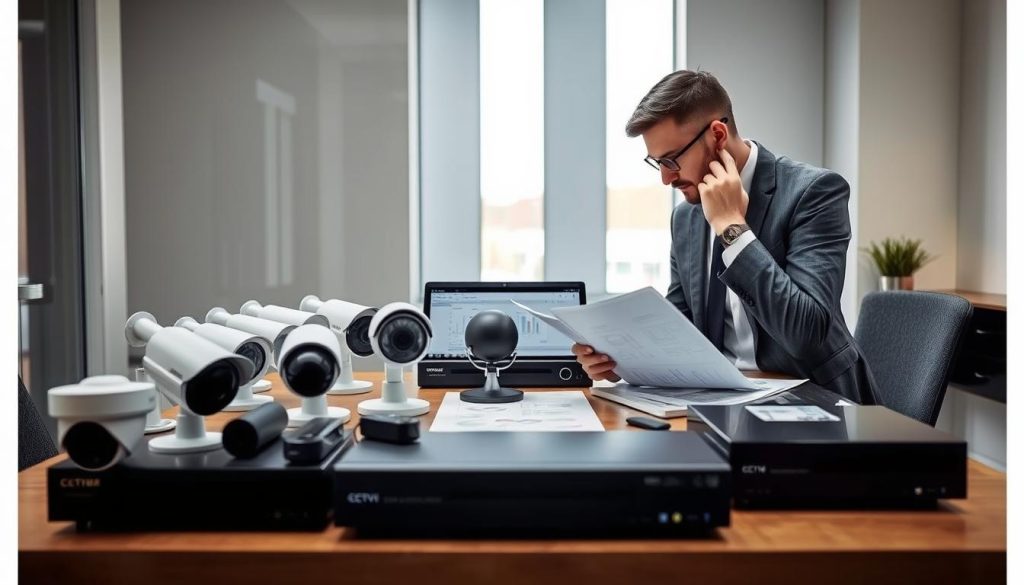
Several core factors determine system effectiveness. These include environmental durability, video clarity, and storage options.
Balancing these elements leads to a robust surveillance solution. Your property remains protected with clear footage and consistent monitoring.
Factors for Singapore Homes and Businesses
Singapore’s tropical climate poses unique challenges for security equipment. High humidity and frequent rain demand cameras with strong weatherproof ratings.
Look for an IP66 or IP67 rating. This ensures resistance against dust and water jets.
Vandal-resistant designs are crucial for public or semi-public areas. A tough housing deters tampering and physical damage.
Local distributor support is another vital consideration. Choosing brands with service centers in Singapore simplifies warranty claims and repairs.
“Equipment longevity here depends heavily on humidity resistance. Always check the IP rating first,” advises a technician from a local security firm.
This local support network provides peace of mind. You gain quick assistance for any technical issues.
Battery Life, Video Quality, and Storage Considerations
For wireless cameras, battery life is a primary concern. High-quality models offer between two to six months per charge.
This duration depends on recording triggers and environmental temperature. Motion-activated recording conserves significant power.
Video quality directly impacts identification clarity. A minimum of 1080p Full HD resolution is recommended for most applications.
4K resolution provides exceptional detail for larger areas. It requires more storage capacity and data if streaming.
Calculating required storage involves a simple formula. Multiply your retention period by the daily recording gigabyte usage.
For example, a 2MP camera recording continuously may use about 15GB daily. A 256GB card would hold roughly two weeks of footage.
Top Features to Look For in a No-Internet Camera
Prioritize features that enhance 24/7 security in local conditions. These capabilities make your system more effective and user-friendly.
- Infrared Night Vision: Essential for clear monitoring after dark. Look for a range of at least 30 feet.
- Wide Dynamic Range (WDR): Handles Singapore’s harsh lighting contrasts. It balances bright sunlight and deep shadows in a single frame.
- Built-in Deterrents: Sirens or spotlights activate upon motion detection. These alerts can scare off intruders immediately.
- Large Capacity Support: Ensure compatibility with high-capacity microSD cards, like 256GB or 512GB. This expands your local storage options.
- Two-Way Audio: Allows communication through the camera using your smartphone. Useful for greeting visitors or issuing warnings.
- Pan-Tilt-Zoom (PTZ): Provides remote control of the viewing angle. It greatly expands coverage from a single device.
Popular models in the Singapore market illustrate these options. The Reolink Go Plus is a 4G, battery-powered camera ideal for remote sites.
It offers excellent mobility but requires a data plan. The Reolink RLK8-800B4 is a wired NVR system for permanent installations.
This setup provides extensive local storage with no ongoing fees. Each solution serves different needs effectively.
Future-proofing your investment is also wise. Consider cameras with 5G readiness for faster future networks.
Optional cloud storage backup adds a layer of redundancy. Your primary footage stays offline, but critical clips can be saved remotely.
Use this checklist to evaluate products during your search. A well-chosen system offers reliability, clarity, and longevity for your property’s protection.
Ideal Use Cases and Locations in Singapore
Singapore’s varied landscape presents unique opportunities for deploying resilient, internet-independent security. Specific environments demand surveillance solutions that operate reliably beyond traditional broadband limits.
These locations often share common challenges. They lack stable WiFi, require flexible installation, and need robust local storage for crucial footage.
Understanding these practical scenarios helps property owners visualize the technology’s application. It transforms a technical concept into a tangible security asset for their specific needs.
Remote Properties and Construction Sites
Remote sites are prime candidates for offline camera systems. Construction zones and rural properties frequently have no internet infrastructure.
These volatile locations face high risks of theft, vandalism, and safety violations. A rugged, self-sufficient security solution is essential.
Battery or solar-powered 4G cameras excel here. They transmit alerts and live video over cellular networks, bypassing the need for site WiFi.
“For our remote farm in Lim Chu Kang, a solar-powered 4G camera was the only viable option. It gives us eyes on the property daily,” shares a local farmer.
This setup allows project managers to monitor progress and equipment security from any location. Holiday bungalows or offshore islands benefit from the same technology.
Constant monitoring deters intruders and provides evidence if an incident occurs. The system operates independently of the property’s utilities.
Farms, Warehouses, and Temporary Setups
Farms and large warehouses require flexible surveillance that can adapt to changing needs. These spaces often cover wide areas with poor WiFi coverage.
Wireless cameras with local SD card storage are ideal. They record activity directly onto the device without needing a continuous data stream.
You can move these cameras as inventory shifts or animal pens change. Temporary setups like pop-up events, boats, or RVs also use this approach.
Key considerations include battery life and power sources. Solar panels can provide continuous power for cameras in open fields.
The primary goal is capturing clear footage of all activity. Local storage ensures evidence is secure and immediately accessible on-site.
Enhancing Security in Areas with Unreliable Internet
Many urban areas in Singapore still struggle with weak or inconsistent internet. Older HDB blocks, basement car parks, and some industrial estates are common examples.
An offline CCTV setup enhances security here by removing this dependency. The system provides consistent local recording and can use cellular for alerts.
Users gain reliable access to live monitoring via their smartphone on a local network. This works even if the building’s main internet connection fails.
Recommended options for these locations include:
- Wired NVR Systems: For permanent installations with local hard drive storage.
- Hybrid 4G/WiFi Cameras: Use local WiFi when available, failover to 4G for connectivity.
- Cameras with Large SD Cards: Ensure weeks of high-quality footage are stored directly on the device.
This approach guarantees your property remains under vigilant watch. It provides peace of mind regardless of local internet reliability.
Securing Your Property with Confidence
Taking control of your property’s safety is achievable through carefully selected offline technology. This guide outlined practical methods like 4G cellular, local networks, and SD card storage. Each provides reliable security monitoring without a broadband link.
The core benefits are significant. You gain real-time access to live footage, enhanced privacy, and remote viewing from any location in Singapore. Your smartphone becomes a direct window to your property.
Successful implementation requires matching technology to your site’s specific needs. Assess signal strength, power options, and recording needs. Follow the setup guides for a stable connection.
Adopting an offline-capable system future-proofs your investment. It ensures continuous surveillance during internet outages. You can watch over your assets with complete confidence.
FAQ
What are the main ways to view security camera footage on a phone when WiFi is unavailable?
The primary methods involve using a camera with a built-in SIM card slot for a data plan or establishing a direct local network connection. 4G LTE cellular security cameras transmit footage directly over a mobile network. Alternatively, systems that store video on a local SD card or NVR can be accessed via a dedicated app when your smartphone is on the same LAN, all without an external internet connection.
Will my current CCTV system work for offline mobile viewing?
Compatibility depends on your system’s features. If your DVR or NVR and cameras support a manufacturer’s mobile application for local network access, it likely will. Many modern systems from brands like Hikvision or Dahua offer this. Older analog systems may require a compatible network video recorder upgrade to enable this connectivity and remote monitoring via an app.
How do I set up a cellular security camera in Singapore?
First, select a camera that supports 4G LTE bands used by local providers like Singtel, StarHub, or M1. Purchase a prepaid or postpaid SIM card with a mobile data plan. Insert the SIM card into the camera, power it on, and configure the APN settings provided by your carrier within the camera’s menu or companion app. Once activated, the device connects directly to the cellular network for remote accessibility.
Can I receive instant alerts on my mobile device without internet?
Yes. Cellular security cameras with a SIM card can send push alerts and notifications directly to your smartphone app over the mobile data network. For local network-based systems, alerts can be sent to your phone as long as it is connected to the same Wi-Fi network as the surveillance system. These instant alerts for motion or sound detection function without traditional broadband internet.
What are the best storage options for offline CCTV systems?
For fully offline operation, local storage is key. High-capacity micro SD cards inside the camera provide direct, on-device recording. Network Video Recorders (NVRs) with built-in hard drives offer centralized storage for multiple cameras. This footage remains on-site, eliminating monthly cloud storage fees and keeping data within your physical control for enhanced privacy.
Where are no-internet camera systems most useful in Singapore?
These setups are ideal for remote properties like construction sites, offshore warehouses, or community gardens where running broadband is impractical. They are perfect for temporary setups at events or pop-up locations. They also provide reliable security for farms or storage units in areas with unstable or unavailable WiFi, ensuring constant monitoring and surveillance.


