

Can CCTV Run Without Internet? A Guide to Offline Surveillance
Recent trends in Singapore highlight a pressing need for reliable surveillance. Official data reveals a concerning rise in incidents like theft, with an increase of over 25% in the first half of 2023 alone. For business owners, particularly in retail, a visible security presence is a powerful deterrent.
Homeowners across Singapore, from HDB flats to condominiums and landed properties, seek peace of mind. Essential sites like remote industrial zones, construction sites, and rural properties also benefit from constant monitoring.
This guide addresses a core question about surveillance systems. Many modern solutions are designed to operate independently from a web connection. Internet access is often an enhancement, not a core requirement for basic function.
Offline surveillance offers critical flexibility. It ensures continuous operation during network outages or in areas with unstable connections. This reliability is vital for gathering uninterrupted evidence.
Key benefits include enhanced data privacy, as footage stays on local storage. Understanding this capability allows residents and business leaders to design tailored, resilient security solutions.
The following sections provide a comprehensive exploration. We will detail the methods, benefits, and practical setup steps for an effective offline security cameras system.
Key Takeaways
- Surveillance systems can operate independently from an internet connection.
- Offline security provides reliable monitoring in areas with poor network coverage.
- Data privacy is enhanced because video footage remains on local storage devices.
- These systems ensure continuous recording, even during internet or power outages.
- They are ideal for diverse locations, from urban homes to remote industrial sites.
- Setup typically involves local recorders like DVRs or NVRs and direct monitoring access.
- Understanding offline options helps in building a resilient and tailored security plan.
The Direct Answer: Yes, CCTV Can Run Without Internet
Modern surveillance technology is fundamentally built to operate independently of online networks. The primary duty of any security camera is to capture and save video. This core function does not require a web connection.
Video capture and storage are local processes. Cameras record directly to an on-site device like a digital video recorder or a memory card. This happens within your property’s physical boundaries.
Internet connectivity is an added feature. It enables convenient remote viewing and smart alerts. These are enhancements, not requirements for basic recording.
A common misconception exists. Many app-controlled and cloud-based models popularize the idea of constant web access. Not all modern systems need it to perform their essential task.
This capability is crucial for reliability. It maintains security during ISP outages, network maintenance, or in off-grid locations. This is relevant across Southeast Asia, including rural parts of Singapore.
Understanding this liberates property owners. You are not tethered to a single point of failure—your internet connection. Your monitoring continues even if the router fails.
You can design a resilient security strategy. It works under virtually any condition. This assurance is vital for protecting homes and businesses.
Specific technologies enable this offline functionality. They provide practical options for every scenario:
- Wired Systems with NVR/DVR: Cameras connect via cable to a local recorder for centralized storage.
- Cameras with Local SD Card Storage: Each unit records onto its own built-in memory card.
- Cellular (4G/LTE) Security Cameras: These use mobile data networks, bypassing traditional broadband entirely.
Each method offers a robust solution for continuous monitoring and data protection. The following sections will explore these in detail.
Understanding CCTV: It’s Designed as a Closed System
The term “closed-circuit” is not just a name; it’s the blueprint for a private security loop. This foundational design is what enables reliable surveillance independent of external networks.
Defining “Closed-Circuit” Television
Closed-Circuit Television describes a private, dedicated pathway for video signals. The signal travels from cameras to specific monitors within a controlled environment.
It does not broadcast publicly like TV or radio. The ‘circuit’ is closed, meaning it forms a self-contained operation.
This architecture ensures all monitoring and data handling happens on-site. It’s the core reason these systems are inherently resilient.
Core Components of an Offline Surveillance System
Every functional offline setup relies on a few essential hardware pieces. Each plays a distinct role in capturing, processing, and storing footage.
Capture Devices: The Eyes
These are the security cameras themselves. Different types exist for various needs.
- Analog cameras connect to a Digital Video Recorder (DVR) using coaxial cables.
- IP cameras link to a Network Video Recorder (NVR) via network cables or wireless signals.
- Hybrid HD-over-coax cctv cameras offer superior image quality using existing cabling.
The Central Brain: The Recorder
The DVR or nvr is the system’s command center. A DVR processes analog signals from older camera models.
An nvr manages digital streams from modern IP cameras. This recorder is where all intelligence and storage management occurs.
Data Retention: Local Storage
Local storage is physical media kept on your property. Hard Disk Drives (HDDs) inside the recorder are common.
Many modern security camera units also support microSD cards. This keeps all recorded video securely within your premises.
Viewing and Connectivity
A monitor provides direct visual access. Cabling, like Ethernet or coaxial, forms the system’s nervous system.
Power over Ethernet (PoE) is a key innovation. It delivers both electrical power and data through a single cable, simplifying installation.
The Critical Distinction: LAN vs. Internet
These components communicate on a private Local Area Network (LAN). This internal network operates completely separately from the public internet.
The entire process—from capture to storage—happens inside this controlled loop. This design guarantees inherent data privacy and allows the system to function without an external connection.
Understanding this closed architecture is the first step to deploying a truly independent security solution.
How Offline CCTV Systems Actually Work: Three Key Methods
Several distinct technological pathways enable security cameras to function autonomously. Each method provides a reliable solution for continuous surveillance. They operate entirely within a private loop or use alternative data networks.
Understanding these architectures helps you choose the right setup. Your choice depends on property layout, installation feasibility, and monitoring needs. The three primary methods are outlined below.
Method 1: NVR and DVR-Based Wired Systems
This approach creates a dedicated, private network using physical cables. Cameras connect directly to a central recorder via Ethernet or coaxial lines. The entire system forms a closed loop independent of your home WiFi.
The network video recorder or Digital Video Recorder is the system’s brain. It manages all internal communication, video compression, and storage. Recording happens continuously to internal hard drives, ensuring 24/7 coverage.
This setup offers exceptional stability for multi-camera installations. The wired connection eliminates interference common in crowded wireless networks. It is a classic and highly reliable solution for offline security.
Method 2: Cameras with Local SD Card Storage
Standalone IP cameras with built-in microSD slots are ideal for single-point monitoring. They are perfect where running cables is impractical. Each unit records footage directly onto its own removable memory card.
These devices often use onboard processing for smart detection. To conserve storage space, they typically save clips only when motion is sensed. This event-based recording optimizes local storage capacity.
Reviewing video requires physically retrieving the memory card. You can then insert it into a computer or smartphone. For a guide on this process, learn how to connect your CCTV to a phone without an internet connection.
Method 3: Cellular (4G/LTE) Security Cameras
Cellular security cameras contain a SIM card slot and operate on mobile data networks. They transmit video over 4G or LTE signals for remote viewing. This provides internet-like features without traditional broadband dependency.
Real-world products like the Arlo Go 2 and Reolink Go Plus are popular examples. The Arlo Go 2 costs around $250 and supports multiple carrier networks. Required data plans typically range from $10 to $40 monthly.
A 1GB data plan allows roughly two hours of continuous HD streaming. The Reolink Go offers a solar panel accessory for endless power. It also includes a microSD slot to avoid cloud storage fees.
Hybrid approaches combine methods for enhanced resilience. A camera might record locally to an SD card while using a cellular link only to send motion alerts. This balances data privacy with remote notifications.
Remember, power considerations are separate from data transmission. Completely wireless installations rely on batteries, solar panels, or adapters. This is a crucial factor for planning any offline security camera system.
Key Benefits of Using CCTV Without an Internet Connection
The decision to deploy security cameras without an internet connection delivers tangible benefits in privacy, reliability, and cost. For property owners across Singapore, these advantages translate into a more controlled and resilient security posture.
From HDB common areas to isolated industrial sites, offline systems provide a robust solution. They address specific vulnerabilities that online-dependent setups cannot.
Understanding these benefits empowers you to make an informed choice. It ensures your surveillance strategy aligns with your real-world needs.
Enhanced Data Privacy and Security
Offline systems keep your video footage entirely within a private loop. This closed-circuit design is a powerful shield against digital intrusion.
Your data never travels over the public web. It remains confined to your local network or physical storage device.
This architecture provides immunity to common WiFi hacking techniques. It significantly shrinks the attack surface for cyber threats.
The most secure data is the data that is never exposed to the internet in the first place.
This is crucial for businesses handling sensitive information. Homeowners prioritizing digital security also gain profound peace of mind.
Reliability in Areas with Unstable or No Internet
Standalone security cameras function independently of broadband infrastructure. This guarantees consistent monitoring where connectivity is poor or nonexistent.
Think of remote construction sites, rural farms, or warehouses on Singapore’s outskirts. These locations often suffer from weak or unreliable internet coverage.
Cellular security cameras leverage the nation’s robust mobile networks. They provide a viable connection where traditional WiFi is impractical.
This reliability ensures your property is watched over without interruption. You are not held hostage by the quality of a local ISP’s service.
Continuous Operation During Network Outages
General network outages or ISP problems do not affect the local link between camera and recorder. The system continues its core task of recording.
When paired with an Uninterruptible Power Supply (UPS) or battery-powered devices, operation persists through storms and power cuts. This dual-layer resilience is a major security advantage.
It contrasts sharply with cloud-reliant setups. Those may stop recording the moment the internet drops, creating dangerous gaps.
Additional financial and operational benefits exist. You eliminate ongoing cloud subscription fees, making this a one-time hardware investment.
Local storage on hard drives or memory cards guarantees uninterrupted 24/7 capture. Every moment is saved for evidentiary purposes.
Collectively, these benefits forge a dependable, cost-effective surveillance strategy. They provide the confidence that your security is always active, private, and under your control.
Understanding the Limitations and Practical Challenges
While standalone systems offer robust security, they come with inherent trade-offs in convenience and access. Opting for an offline arrangement means accepting certain hands-on responsibilities. Acknowledging these constraints upfront helps you build a realistic and effective surveillance plan.
This balanced view ensures your expectations align with the system’s actual capabilities. You gain resilience and privacy but must manage some operational aspects manually.
No Real-Time Remote Access or Push Notifications
The most significant compromise is the loss of instant remote connectivity. You cannot view a live stream on your smartphone while away from the property. Instant push notifications for motion detection will not reach your mobile device.
This limitation affects incident response times dramatically. Monitoring becomes location-dependent. Reviewing recorded material requires your physical presence at the monitoring station or recorder.
For a homeowner at work or a business manager off-site, this means delayed awareness. You might only discover an event hours later when you check the system. This contrasts sharply with connected setups that provide immediate alerts.
Some advanced security cameras with local storage still offer on-device motion detection. They can trigger a recording, but you won’t get a notification. Your access to the footage is always after the fact.
Dependence on Physical Storage and Manual Management
All recorded data is tied directly to hardware reliability. Your video evidence lives on physical media like hard drives or SD cards. A storage device failure can mean complete footage loss.
Managing capacity requires proactive attention. You must configure overwrite cycles or manually archive important clips. There is no automated cloud portal for remote download or backup.
Accessing evidence involves physically retrieving the storage device. For an nvr system, this means accessing the recorder. For cameras with local storage, you must remove each memory card.
This presents a risk of theft or damage to the storage media itself. It also adds steps to any investigation. Regular checks are needed to ensure the system is recording properly and space is available.
Initial setup and ongoing maintenance demand more effort. Wired systems require thorough installation planning. Running cables through walls in Singaporean HDB flats or landed property often benefits from professional help.
Ongoing upkeep involves regular physical checks. You must verify camera functionality, clean lenses, and ensure power supplies are stable. Firmware updates for security patches may require a temporary internet connection.
Scalability can be challenging. A single nvr has physical port limits. Expanding coverage to a separate building or a new wing might require a duplicate system.
This increases complexity and cost for growing businesses. Wireless security cameras with local storage offer more flexibility but have their own range constraints.
Understanding these challenges is crucial for success. It helps set realistic expectations for what offline surveillance can deliver. You can then select a solution aligned with your technical capabilities and security goals.
The hands-on nature ensures you remain in full control of your data. It also builds a deeper understanding of your own monitoring infrastructure.
WiFi vs. Non-WiFi CCTV: Choosing What’s Right for Your Singapore Property
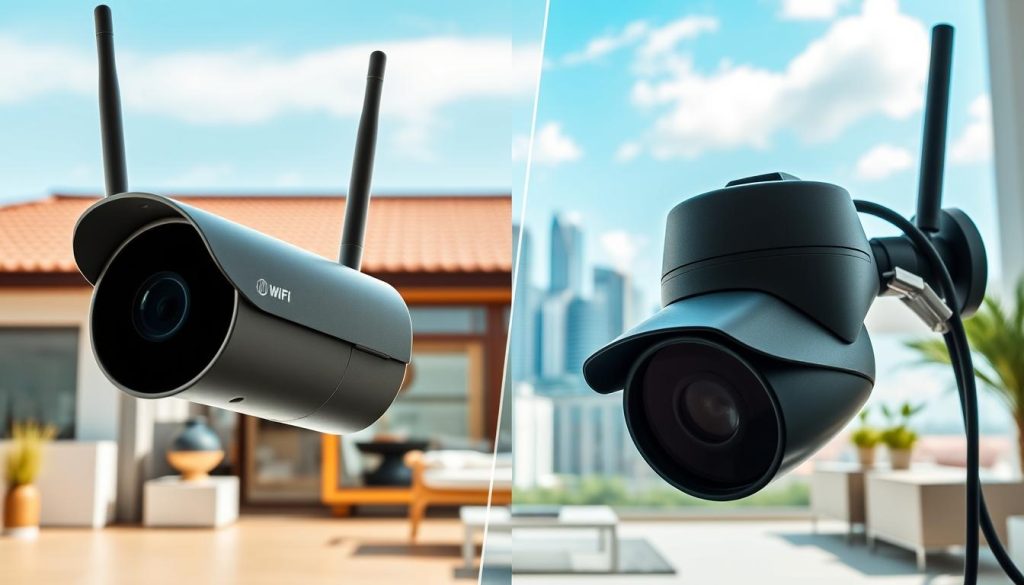
Property owners in Singapore face a critical choice: embrace the convenience of WiFi or prioritize the resilience of offline security. This decision shapes your monitoring capabilities, installation process, and long-term costs.
Each system serves distinct needs based on location, connectivity, and security priorities. Understanding these differences ensures you invest in the right solution.
When a WiFi-Connected System is the Better Choice
WiFi security cameras excel where convenience and remote oversight are top priorities. They are ideal for environments with strong, reliable broadband.
Urban apartments and condominiums are perfect candidates. Residents can check on pets, family, or deliveries from their smartphones instantly.
Installation is typically simpler with fewer cables. Many models offer plug-and-play operation. This makes them suitable for renters who cannot modify property wiring.
These systems provide powerful features when online. You get instant motion alerts sent directly to mobile devices.
Live streaming allows real-time monitoring from anywhere. This is invaluable for temporary needs or quick deployments.
Key advantages of WiFi-connected surveillance:
- Remote Access: View live video and recorded footage from any location with internet access.
- Easy Installation: Minimal cabling required, often just a power adapter.
- Smart Notifications: Receive immediate push notifications for motion detection events.
- Integration: Often works with smart home ecosystems and cloud storage services.
Choose this option if your property has excellent network coverage and remote access is a must-have.
When an Offline or Cellular System is Essential
Standalone or cellular security setups are non-negotiable for locations lacking stable internet. This includes rural farms, construction sites, and remote warehouses.
High-security areas where data privacy is paramount also demand offline operation. Minimizing exposure to cyber threats is a critical benefit.
These systems ensure continuous operation during frequent network outages. They are vital for off-grid locations or sites with unreliable connectivity.
Cellular cameras like the Arlo Go or Reolink Go provide a clever middle ground. They leverage Singapore’s extensive 4G/LTE networks for remote features.
For true independence from infrastructure, a wired offline system with local storage offers the ultimate reliability.
Scenarios demanding an offline or cellular solution:
- Remote Sites: Offshore facilities, rural land, or construction zones with no broadband.
- High Privacy Needs: Sensitive commercial areas where video data must never leave the premises.
- Network Instability: Areas prone to frequent internet or power disruptions.
- Temporary Monitoring: Needing security without installing permanent wiring.
Practical considerations guide the final choice. Assess your property’s internet reliability and your need for remote access.
Consider installation constraints and your security priorities. Wireless security cameras with local storage offer flexibility but require battery management.
Cellular cameras have higher upfront costs and ongoing data plan fees. Offline wired systems offer long-term savings but need professional installation.
Hybrid options provide an excellent balance. Use a camera that records to a local storage card but uses a cellular link only for critical notifications.
This gives you the reliability of local recording with selective remote alerts. It’s a smart solution for many Singaporean properties.
The right choice depends on balancing desired features, environmental constraints, and budget. There is no one-size-fits-all answer for surveillance.
Evaluate your specific situation to select the system that delivers peace of mind and practical security.
How to Set Up Your Offline CCTV System: A Step-by-Step Overview
Deploying a resilient surveillance network involves three critical phases: strategic planning, physical installation, and intelligent configuration. This structured approach transforms hardware into an effective monitoring solution.
Each step builds upon the last to ensure your property receives complete, reliable coverage. Following this guide helps avoid common pitfalls and maximizes your security investment.
Planning Your Camera Placement and Coverage
Begin by evaluating your specific security needs. Walk around your property and scrutinize it for vulnerable areas like gates, windows, and secluded corners.
Identify key zones that demand constant monitoring. These include main entry points, driveways, and areas where valuables are stored.
Consider environmental factors carefully. Lighting conditions affect camera performance at night. Potential blind spots behind large plants or structures must be accounted for.
For those considering cellular security cameras, a coverage check is essential. Ensure your chosen installation site has adequate mobile network signal strength.
This planning phase lays the groundwork for a system that truly sees what matters. It prevents gaps in your surveillance umbrella.
Installation Essentials for Wired vs. Wireless Systems
The installation process differs significantly between wired and standalone options. Your choice impacts time, effort, and final system reliability.
Wired NVR/DVR Systems offer maximum stability. Running Ethernet or coaxial cables through walls can be complex, often requiring professional help.
A recent eight-camera Lorex installation took about six hours total. Using Power over Ethernet (PoE) cameras simplifies this process.
PoE uses a single cable for both power and data. This minimizes clutter and reduces the number of wires needed.
Wireless and Cellular Systems are far quicker to deploy. Models like the Arlo Go 2 or Reolink Go need only mounting and a SIM card insertion.
This simpler setup can take under ten minutes per device. It’s ideal for temporary sites or locations where drilling is not permitted.
Configuring Local Storage and Recording Settings
Once hardware is in place, configure your recording parameters. This determines how video is captured and saved to your local storage.
On an nvr or DVR, choose between continuous and motion-activated recording. Continuous mode saves everything, providing a complete record.
Motion-based recording conserves storage space by only saving clips when activity is detected. This is crucial for managing capacity.
Determine your storage needs based on camera count and resolution. A 2TB hard drive holds roughly 40 days of continuous 1080p footage from a single security camera.
For cameras with SD card storage, configure motion detection zones and sensitivity. This optimizes storage and reduces false alarms from passing cars or animals.
If using a cellular model, insert your SIM and select a suitable data plan. Optimize settings to manage usage, like scheduling recording during specific hours.
Final Testing and Verification
Before considering the job done, test the entire system thoroughly. Verify each camera is capturing clear video and saving to the recorder or memory card.
Check that motion detection triggers recording as expected. Ensure all devices have stable power and connectivity.
This final step confirms your offline surveillance network is operational and reliable. It provides the confidence that your property is securely monitored, independent of any external internet connection.
Maintaining Your Offline System for Optimal Security
To ensure your investment in security delivers lasting protection, regular care is non-negotiable. An offline surveillance setup is a powerful tool, but its effectiveness depends entirely on disciplined upkeep.
Proactive maintenance guarantees your system performs when you need it most. It preserves clear video evidence and protects your data integrity over the long term.
Regular Physical Checks and Lens Cleaning
Schedule monthly visual inspections of all your security cameras. Verify each unit is powered on and its indicator lights are active.
Check for physical obstructions like growing foliage or new structures. Ensure the camera field of view remains aligned with critical areas on your property.
Lens cleaning is vital for outdoor devices. Singapore’s humid climate and frequent rain leave residue that blurs image quality.
Use a soft, microfiber cloth and lens cleaning solution. Gently wipe the dome or housing to remove dust, water spots, and spider webs.
This simple step prevents degraded footage that could compromise identification. Clear visuals are the foundation of reliable monitoring.
Managing Storage Capacity and Footage Retrieval
Your local storage is the heart of the system. Proactively manage the capacity of hard drives or memory cards.
Most nvr or DVR recorders allow you to configure automatic overwrite settings. This ensures continuous recording by deleting the oldest files when full.
For critical event footage, establish a manual backup routine. Many users transfer important clips weekly to an external hard drive.
Key storage management practices:
- Monitor available space through the recorder’s interface monthly.
- Label and date archived video files for easy retrieval.
- Test playback of recorded footage quarterly to verify integrity.
Physically secure your recording devices. Place the nvr in a locked, ventilated cabinet to prevent theft.
If an intruder steals the recorder, you lose all evidence. A hidden, anchored location adds a crucial layer of security.
Occasionally, firmware updates are released to patch vulnerabilities. Applying these updates may require a temporary internet connection.
Connect the recorder to your network briefly, perform the update, and then disconnect. This keeps your system secure while maintaining its offline nature.
Consistent maintenance transforms hardware into a dependable source of security evidence. It ensures your offline cameras remain a vigilant guardian for years.
Securing Your Property with Confidence: The Offline Surveillance Advantage
In summary, a well-planned offline surveillance strategy provides robust protection for any property. These systems are fundamentally designed to operate independently, using local storage or cellular data.
Whether you choose a wired NVR setup, standalone cameras with SD cards, or a cellular model, each offers unique advantages. Key benefits include enhanced data privacy, reliability in areas with poor connectivity, and continuous operation during outages.
While this means forgoing real-time remote access, it grants greater control and resilience. The right solution depends on your specific property needs and security priorities.
By following the setup and maintenance guidance provided, you can ensure effective monitoring. This approach secures strong surveillance coverage, even in locations with unstable or absent internet connections.
FAQ
Do all security cameras require an internet connection to function?
No, many surveillance systems are designed to operate independently. Traditional CCTV cameras connect directly to a Network Video Recorder (NVR) or Digital Video Recorder (DVR) via cables, storing footage locally without ever needing internet access. Some modern wireless models also offer local storage via microSD cards.
How can I view footage from a system that isn’t connected to the internet?
You view recorded video directly on a monitor connected to your NVR or DVR. For cameras with SD card storage, you typically remove the card and insert it into a computer. Physical access to the recorder or storage device is required for footage retrieval on a fully offline setup.
What are the main benefits of a non-internet surveillance system?
The primary advantages are enhanced data privacy, as footage never leaves your local network, and greater reliability. These systems won’t fail due to broadband outages, providing continuous operation and recording to protect your property regardless of internet connection status.
Can I get motion alerts without WiFi?
Standard offline systems cannot send push notifications to your phone. However, cellular security cameras use a SIM card and 4G/LTE networks to transmit alerts and enable remote viewing without a traditional broadband connection, offering a hybrid solution.
What is the difference between cloud and local storage for video?
Cloud storage saves recording data on remote servers via the internet, often for a monthly fee. Local storage keeps all video on physical hardware like an NVR hard drive or camera SD card onsite. Local options avoid ongoing costs and keep data entirely within your control.
Are wireless security cameras always dependent on WiFi?
Not always. While most wireless security cameras use WiFi, some models are designed for cellular connectivity or include a built-in SD card slot for standalone recording. These devices capture and store video independently, though features like live streaming may require a network.
How do I ensure my offline system has enough recording capacity?
Proper planning is key. Determine the number of cameras, video resolution, frame rate, and desired retention period. Choose an NVR with a sufficiently large hard drive or high-capacity storage cards. Regularly check storage status and archive important footage to free up space.
Is professional installation required for a system without internet?
It depends on the system. Wired CCTV cameras often require professional installation for cable routing. Plug-and-play cameras with local SD card storage can be DIY. Cellular camera setup usually involves activating a SIM card and positioning for network coverage, which many users can handle themselves.


