
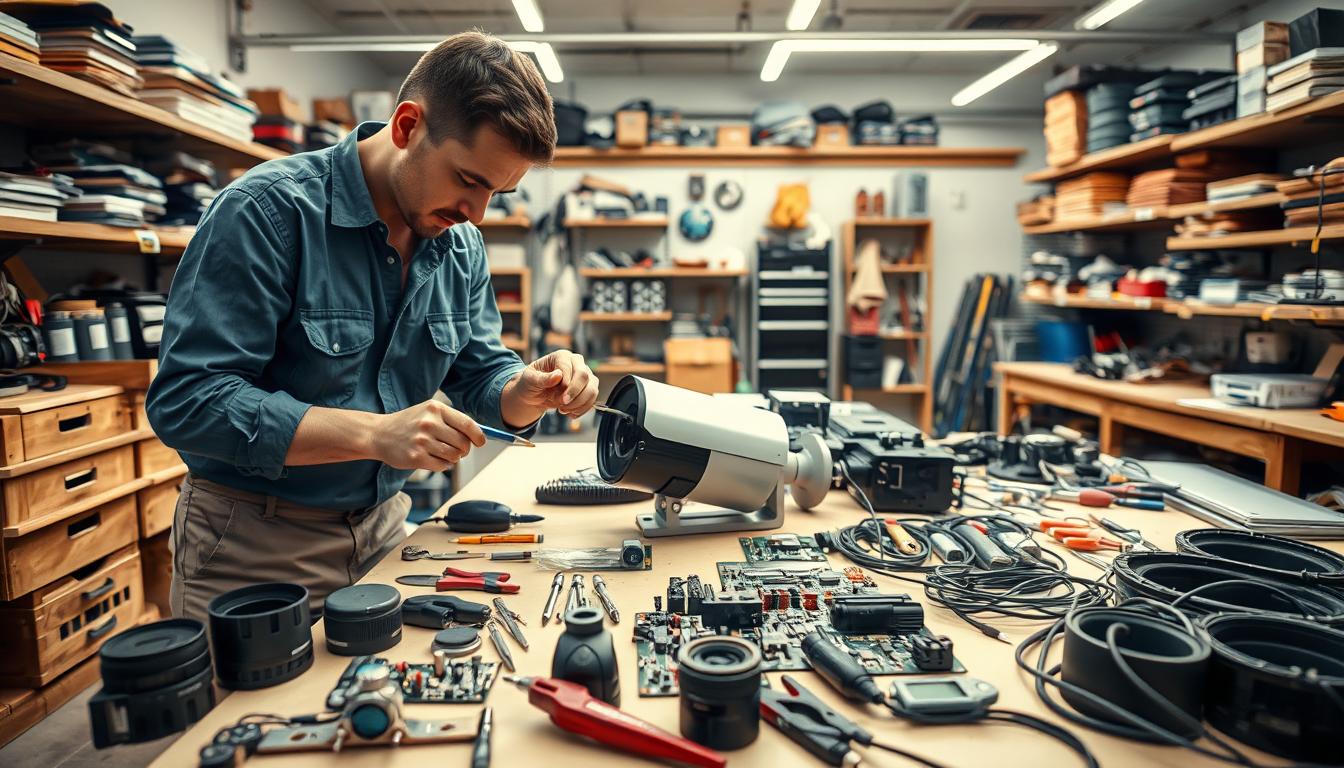
Can a CCTV Camera Be Repaired?
When your security device stops working, it’s a major concern. The good news is that fixing it is not only possible but often the most practical choice. For homeowners and businesses across Singapore, a functioning surveillance system is essential for safety and peace of mind.
Choosing to restore your system is frequently a cost-effective alternative to a full replacement. In the local context, basic fixes for common issues typically range from SGD 50 to 150. More advanced technical problems may require up to SGD 300. You can rely on Singapore’s professional services, known for high response rates and excellent customer satisfaction.
This guide provides clear solutions and actionable steps. We will walk you through initial troubleshooting, explain when to call a technician, and discuss proactive maintenance. Our goal is to help you make an informed decision to get your protection back online quickly and reliably.
Key Takeaways
- Repairing a malfunctioning surveillance unit is a viable and often economical option.
- Basic repair services in Singapore can cost between SGD 50 and SGD 150.
- Complex issues might have a higher service fee, potentially up to SGD 300.
- Local repair experts boast high response rates and strong customer ratings.
- A working security system is crucial for both residential and commercial safety.
- This article will cover self-diagnosis, professional help, and long-term care for your equipment.
Understanding Your CCTV System’s Role in Security
Effective monitoring relies on a network of interconnected devices working in harmony. A complete surveillance system integrates several key components. These include the visual units, a recording device like a DVR or NVR, and a monitor or mobile interface for viewing.
This setup captures and stores visual data, providing a crucial record of events. For any property owner, understanding this basic architecture is the first step toward proper maintenance.
Types of CCTV Cameras: From Analog to IP
Not all visual monitoring units are the same. The technology behind them defines their capabilities and best uses.
Analog cameras are the traditional, reliable workhorses. They transmit video via coaxial cable to a Digital Video Recorder (DVR). While resolution may be lower, their simplicity and proven durability make them a solid choice for many setups.
IP (Internet Protocol) cameras represent the modern standard. They send footage digitally over a network, enabling high-definition clarity. A major advantage is remote access; you can view live or recorded feeds from any internet-connected device.
Smart cameras take functionality further with built-in analytics. Features like advanced motion detection, facial recognition, and line-crossing alerts provide proactive security. They analyze the scene in real-time, reducing false alarms and storage needs.
Choosing the right type depends on your specific needs for image quality, accessibility, and intelligence.
Why a Functioning System is Non-Negotiable in Singapore
In Singapore’s context, an operational visual network is essential. Its role extends far beyond simple recording.
First, it acts as a powerful deterrent. The visible presence of CCTV cameras discourages theft, vandalism, and unauthorized access. This protects both residential properties and commercial establishments.
For any business, maintaining a working security system is often a legal and operational requirement. It ensures safety for employees and customers. It also provides vital evidence for liability cases and internal accountability.
The capability for remote monitoring is a key benefit. Homeowners and managers can check on their premises in real-time from anywhere. This offers unparalleled peace of mind and immediate response capability.
When any part of this critical infrastructure fails, the entire layer of protection is compromised. Therefore, investing in timely repair and consistent upkeep is not an optional expense. It is a fundamental necessity for effective, reliable safety.
Key Signs Your CCTV Camera Needs Attention
Spotting trouble early with your visual monitoring equipment can save you from a major security headache. Your system communicates its health through performance. Recognizing these warning signs is the first step toward a swift resolution.
Persistent glitches in your feed are clear calls for action. They often point to specific common problems that technicians can diagnose. Let’s break down the most frequent visual and operational red flags.
Visual Red Flags: Blurred Images and Flickering Feeds
Clarity is non-negotiable for effective surveillance. When images become persistently blurry or out of focus, identification becomes impossible. This issue often stems from a damaged lens, moisture inside the housing, or a failing image sensor.
Another telltale sign is a flickering or intermittent video feed. The screen may strobe or cut out briefly. This symptom frequently indicates power fluctuations, a faulty connection, or internal hardware problems.
Both of these visual faults compromise the core purpose of your system. They create gaps in your evidential record.
Operational Failures: Loss of Signal and Inconsistent Recording
A complete loss of video signal from one or more units is a critical failure. It creates a blind spot in your coverage. This can be caused by severed cables, power supply failure, or a malfunctioning network switch.
Operational issues also include inconsistent recording. Your system may fail to save footage on its scheduled timeline. Sometimes, it only records sporadically or not at all.
This renders your surveillance useless for reviewing past events. The cause could be faulty storage media, software glitches, or incorrect system settings.
Early detection of these signs prevents a total system collapse. Addressing them promptly often avoids more expensive repairs later. Each symptom provides a clue, guiding the next step toward restoring your full security coverage.
Common CCTV Camera Problems and Their Causes
Many malfunctions in visual monitoring equipment stem from a handful of predictable and often fixable issues. Identifying the root cause is the first step toward a lasting solution. This knowledge helps you communicate effectively with a technician or attempt safe troubleshooting yourself.
Most problems fall into two broad categories. The first involves electrical and data flow, while the second relates to physical wear and environmental stress.
Power and Connectivity Issues: The Usual Suspects
An unstable or absent power supply is a top culprit. Loose power cords, faulty adapters, or dead batteries in wireless units can cause a device to go offline suddenly. These are often the simplest issues to diagnose and fix.
Connectivity failures are equally common. For wireless systems, a weak WiFi signal leads to choppy video or complete signal loss. In wired setups, the network itself is vulnerable.
Damaged, pinched, or degraded cables break the critical link between your camera and recorder. Even a single faulty connection can disrupt an entire system.
Another hidden cause is outdated firmware. Camera software needs occasional updates. An old version can create glitches, cause video loss, or lead to compatibility problems. For more on fixing issues related to sudden failures, professional insight is key.
Environmental Factors and Hardware Wear & Tear
Physical infrastructure faces constant threats. Cables running outdoors can be damaged by weather, pests, or accidental cuts during maintenance. This physical damage directly causes signal loss and is a frequent repair need.
Singapore’s tropical climate presents unique challenges. High humidity can cause lens haze inside the housing. Intense sun creates glare that washes out images. During heavy rain, poor seals may allow water ingress, leading to internal corrosion.
Internal components also degrade over time. The hard drive inside your DVR or NVR has a finite lifespan. A failing drive will cause recording failures, corrupt files, or total system crashes.
Understanding these causes demystifies your security equipment’s behavior. It turns a frustrating malfunction into a solvable equation, guiding you toward the correct repair strategy.
Can a CCTV Camera Be Repaired? Assessing the Feasibility
Assessing if a restoration is worthwhile involves comparing costs, technical complexity, and long-term value. This decision is not always straightforward. A methodical evaluation helps you choose the most practical path forward.
Several factors determine feasibility. You must consider the nature of the malfunction, the age of your equipment, and the availability of parts. The total expense of fixing it versus buying a new unit is often the central question.
When Repair is the Best Option: Cost vs. Replacement
Fixing your security device is frequently the most economical choice. Basic service for common problems in Singapore, like loose wiring or a dirty lens, typically costs between SGD 50 and SGD 150.
This is a fraction of the price for a new, quality surveillance unit. Restoration is strongly advised for minor glitches or when your equipment is relatively new. High-end models with advanced features also justify the investment in professional help.
Replacement becomes a more sensible path under specific conditions. Extensive physical damage, like severe water ingress, often makes a fix impractical. Obsolete technology that lacks modern connectivity is another key reason.
A useful rule is to compare the repair quote to the price of a new device. If the service fee approaches 70-80% of the replacement cost, buying new usually offers better long-term value and updated features.
Professional Repair vs. DIY: Making the Right Call
Knowing when to handle it yourself and when to call an expert is crucial. Simple checks are perfect for a DIY approach. These include reseating loose cables, gently cleaning a smudged lens, or performing a power cycle on the recording system.
For anything beyond these basics, seeking professional help is the wiser course. Complex electrical faults, firmware updates, and internal component replacement require specialized tools and knowledge. A technician provides the correct diagnosis and a lasting fix.
An expert assessment can save you both time and money in the long run. They can identify underlying problems you might miss and ensure your entire CCTV system is reconfigured correctly.
Ask yourself these key questions before deciding:
- What is the exact nature of the malfunction?
- Do I have the technical skill and tools for this specific task?
- Are replacement parts readily available for my model?
- Would a botched DIY attempt void any existing warranty?
Your solutions should be effective and reliable. Choosing the right approach restores your security coverage efficiently.
Navigating CCTV Repair Services in Singapore
Navigating the landscape of professional repair services in Singapore can streamline the restoration of your surveillance. The local market is filled with skilled technicians and established companies. Knowing how to engage them ensures a smooth and effective resolution.
This guide provides practical solutions for connecting with the right help. We will outline the standard service model and what to demand for clarity and value.
What to Expect from Local Professional Technicians
The process typically begins with a detailed phone or online consultation. You describe the symptoms, such as a lost feed or distorted image. A qualified technician will then schedule an onsite visit for a hands-on diagnosis.
Reputable firms offer a comprehensive range of repair services. These include hardware fixes, cable replacement, and DVR or NVR troubleshooting. Software configuration and firmware updates are also standard to ensure compatibility.
Response time is critical for security. Some providers, like Prowler, offer 24-hour emergency support. Others, such as Huntaway, provide structured maintenance plans. This fast response is vital for any business or home that cannot afford extended downtime.
This professional model turns a complex problem into a managed project. You gain access to specialized tools and certified expertise.
Understanding Service Scope and Transparent Pricing
Always request a detailed service scope before work begins. This document should outline every task, from diagnosis to final testing. It must list all parts for replacement and the estimated labor hours.
A clear scope prevents misunderstandings. It sets expectations for both you and the technician. This practice is a hallmark of reliable professional help.
Transparency in pricing is equally important. Insist on an itemized quote that separates part costs from labor fees. This allows you to compare the repair cost against the price of new equipment, as discussed earlier.
Be wary of vague estimates or hidden charges. Reputable companies in Singapore provide fixed-price quotes for common solutions. They explain any potential additional costs upfront.
For long-term reliability, consider an ongoing maintenance contract. These plans often include periodic system checks and priority repair service. They are a proactive help to avoid future failures.
Being an informed consumer protects your investment. It ensures your CCTV system receives quality care. Your security systems deserve nothing less.
A Step-by-Step Guide to Troubleshooting Your CCTV Camera
Before calling for professional assistance, a series of logical checks can identify and fix many common faults. This structured guide provides clear troubleshooting steps anyone can follow safely. We start with the simplest solutions and progress to more involved checks.
Following this sequence saves time and money. It often resolves the problem without a service visit.
Initial Power Supply and Cable Checks
Most failures originate from electrical or physical link issues. Begin your diagnosis here.
- Verify the Power Chain
- Check the wall outlet. Plug in a different device to confirm it works.
- Inspect the power supply adapter. Look for damage and ensure it provides the correct voltage.
- Make sure the cable from the adapter plugs firmly into your security device.
- Inspect All Physical Connections
- Examine every cable for cuts, crimps, or chew marks from pests.
- Check for corrosion on connector ends, especially for outdoor runs.
- Reseat all connections at the camera, recorder, and network switch.
These two steps address the majority of sudden “offline” situations. If the issue persists, move to internal components.
Inspecting Storage Media and System Settings
When power and cables are confirmed good, the fault may lie within the recording system or its software.
- Check Storage Device Health
Access your DVR, NVR, or camera settings menu. Look for storage status.
- A full hard drive or SD card will stop new recordings.
- Listen for unusual clicking sounds from the hard drive—a sign of failure.
- Formatting the storage can sometimes clear errors, but you will lose old footage.
- Perform a Full System Reboot
This clears temporary software glitches. Make sure to power down the recorder and all cameras properly. Wait 60 seconds before restarting the entire CCTV system.
- Review Network and IP Settings (For IP Cameras)
Log into your router or network video recorder software. Confirm each camera has a valid IP address and is online. A simple network conflict can cause a feed to disappear.
- Update Firmware with Caution
Outdated firmware can cause instability. Visit the manufacturer’s website for your model’s latest version.
Important: Follow the update instructions exactly. A power interruption during this process can permanently damage the unit.
If you have methodically completed all these steps and the malfunction remains, the issue is likely complex. It is now the right time to contact a qualified technician for professional help. A specialist can perform advanced diagnostics and implement a permanent fix.
How to Choose a Qualified CCTV Camera Technician
Selecting the right expert for your surveillance equipment is a critical decision. It impacts your long-term security and the performance of your investment. A skilled professional provides reliable solutions and lasting peace of mind.
This process involves more than just finding the nearest service. You must vet potential partners carefully. Focus on their formal qualifications, practical experience, and reputation in the Singapore market.
Essential Credentials and Experience to Look For
Begin your search by verifying formal credentials. Reputable technicians often hold certifications from major manufacturers. These include brands like Axis, Hikvision, or Dahua.
Such training proves they understand specific hardware and software. It also indicates they can access official technical support. This is crucial for complex system diagnostics.
Always confirm the provider has a valid business license. This offers you legal protection and confirms their legitimacy. Ask if they carry professional liability insurance for added security.
Practical experience is equally vital. Inquire about their hands-on work with your specific model. A specialist familiar with your camera type, whether Analog or IP, will diagnose issues faster.
Make sure they have a proven track record with similar setups. This experience translates to efficient, correct repairs the first time.
Evaluating Customer Reviews and Service Guarantees
Online feedback is a powerful tool for assessment. Look beyond star ratings on platforms like Google Reviews or Facebook. Read detailed comments about punctuality, communication, and work quality.
Consistent praise for clear explanations and tidy workmanship is a strong positive sign. Be wary of providers with no digital presence or multiple unresolved complaints.
A confident provider offers a clear service guarantee. This warranty should cover both parts and labor for a reasonable period. It demonstrates they stand behind their help and workmanship.
Transparent, upfront pricing is non-negotiable. Request a detailed, itemized quote before any work begins. This breakdown should list all part costs, labor fees, and any potential extra charges.
Obtaining multiple quotes allows for a smart comparison. You can evaluate not just the total repair cost, but the scope of services offered. This practice ensures you receive fair value for your money.
Following these steps empowers you to choose a qualified technician with confidence. Your security system deserves professional, reliable care from a trusted expert.
The Critical Benefits of Regular CCTV Camera Maintenance
Investing in scheduled upkeep is the smartest strategy for long-term surveillance reliability. Moving from reactive fixes to proactive care transforms your entire security posture. This shift prevents most common failures before they disrupt your coverage.
Consistent maintenance extends the lifespan of your equipment dramatically. It also protects your budget from unexpected, costly emergency interventions. For any property in Singapore, this planned approach is non-negotiable.
Preventive Measures to Avoid Costly Future Repairs
A structured regular maintenance routine includes several key tasks. These simple actions stop minor issues from escalating into major problems.
Start with physical inspections. Clean camera housings and lenses every few months to ensure clear footage. Check all cables and connectors for wear, corrosion, or pest damage.
Internal system checks are equally vital. Verify that recording schedules are active and storage drives have ample space. Test motion detection zones and alarm triggers to confirm they work correctly.
Do not overlook backup power systems. Ensure Uninterruptible Power Supply (UPS) units are functional. This keeps CCTV systems running during brief power outages.
Software and firmware updates are a critical layer of care. They patch security vulnerabilities and improve system running efficiency. Schedule these updates during low-activity periods to avoid downtime.
The financial logic is clear. The modest, planned cost of maintenance is always lower than a major emergency repair. It is the most cost-effective way to safeguard your investment.
Ensuring Legal Compliance and Optimal Performance
In Singapore, operational surveillance system must often meet specific legal standards. Regular maintenance is your tool for continuous compliance.
For commercial entities, regulations may dictate how long footage must be retained. A well-maintained system guarantees this data is stored securely and is retrievable. It also helps manage privacy concerns by ensuring recordings are accurate and systems are not misused.
Technical performance is the other major benefit. A cared-for system delivers high-quality, reliable video evidence exactly when needed. This optimal performance is crucial for investigations or liability cases.
Consistent checks keep all components in sync. This prevents the slow degradation of image quality or recording gaps. Your security coverage remains robust and trustworthy.
Ultimately, a proactive maintenance plan is the foundation of dependable security. It minimizes problems, ensures legal adherence, and delivers peak system running performance. This disciplined approach saves time, money, and provides unwavering peace of mind for homeowners and businesses alike.
Restoring Functionality: Repair and Reset Procedures
Moving from general troubleshooting to specific corrective actions can resolve even stubborn malfunctions. This section provides targeted procedures for common but persistent camera issues. You will learn advanced steps to restore video feeds and optimize your equipment.

These methods address the root causes of operational failures. They range from detailed signal checks to software resets. Always make sure you understand each step before proceeding.
Addressing Specific Issues Like No Video Signal
A “no video signal” error is a frequent and frustrating problem. It requires a methodical approach beyond basic power cycling. Follow this expanded checklist to diagnose the fault.
First, confirm the power supply chain is intact. Check the adapter output with a multimeter if possible. Inspect the cable for hidden damage along its entire length.
Next, examine all physical connections. This includes the BNC or Ethernet plug at both the security camera and recorder. Reseat them firmly to ensure a good contact.
For network-based CCTV systems, verify the network link. Log into your router to see if the device’s IP address is active. An IP conflict with another device can cause the feed to drop.
On your DVR or NVR, access the channel management menu. Confirm the correct video input channel is assigned and enabled. Sometimes a channel corruption causes a false “no signal” alert.
If these checks fail, try a sequential reboot. Power down the recorder, then the cameras, and finally the network switch. Wait two minutes and restart everything in reverse order. This clears deep system caches.
When to Consider a Firmware Update or Full Reset
Software glitches often cause erratic performance. A firmware update can resolve these problems and add new features. This process refreshes the device’s internal operating software.
Always download firmware files only from the manufacturer’s official website. Using files from third-party sources risks bricking your unit. Check your current version in the device’s web interface or menu.
Follow these steps for a safe update:
- Download the correct firmware file for your exact model number.
- Connect a computer directly to the recorder or camera if possible.
- Use the system’s upgrade utility to browse and select the file.
- Initiate the update and make sure power remains stable throughout.
- The device will reboot automatically. Verify the new version is installed.
A factory reset is a more drastic tool. It reverts all settings to their original出厂状态. This wipes custom recording schedules, motion zones, and passwords.
Only perform a full reset if all other repair attempts fail. It should always be a last resort. Before proceeding, note down any critical settings you can still access.
Most units have a recessed reset button. Use a paperclip to hold it for 10-15 seconds until lights flash. The system will then restart in its default state, requiring full reconfiguration.
For physical repair scenarios, some tasks are DIY-friendly. These include replacing a cracked external housing or cleaning dust from internal components with compressed air. Swapping a failed Power over Ethernet (PoE) injector is also straightforward.
However, internal board-level repair is a clear boundary. Complex circuitry requires professional intervention. Attempting it yourself often causes further damage and voids warranties.
These procedures empower you to tackle specific camera issues. They restore functionality for many CCTV systems. Knowing when to stop and call an expert protects your security investment.
Ensuring Your Surveillance System Stays Reliable
The longevity of your security infrastructure is secured through consistent attention and informed action. A well-maintained surveillance setup can operate reliably for over a decade.
This durability stems from a dual-pillar strategy. First, apply the knowledge from this guide. Understand your specific equipment and recognize early warning signs.
Perform basic troubleshooting steps yourself. Second, partner with professionals for scheduled care and complex fixes.
This proactive blend maximizes uptime and protects your safety. It is a smart financial choice for any Singaporean residence or commercial premises.
For tailored solutions and support, contact a specialist like Wen Hong at +65 60135960. Get personalized advice to ensure your surveillance coverage remains strong.
FAQ
What are the most common types of surveillance cameras used in homes and businesses?
The two primary categories are analog and IP cameras. Analog systems transmit video over coaxial cable to a Digital Video Recorder (DVR). IP camera systems send data over a network, often offering higher resolution and features like remote viewing. Brands like Hikvision and Dahua offer robust options in both categories.
How can I tell if my security camera is failing?
Watch for visual red flags like consistently blurred images, flickering video, or strange color distortions. Operational failures are also key signs, including a complete loss of video signal, footage that stops recording randomly, or the inability to access the feed remotely on your phone or computer.
What usually causes a CCTV camera to stop working?
Most problems stem from power and connectivity issues. A faulty power supply, damaged cables, or loose connections are frequent culprits. Environmental factors like water damage from heavy rain or accumulated dirt and hardware wear over time can also lead to failure.
Is it better to repair a faulty camera or just replace it?
Repair is often the best option if the issue is minor, like a bad cable or connector, or if the unit is a high-end model where replacement is costly. For older technology or severe physical/internal damage, investing in a new, updated security camera is usually more cost-effective and improves your surveillance system.
Should I attempt to fix my surveillance system myself?
Basic troubleshooting like checking cable connections or restarting the system is safe. However, for complex electrical work, network configuration, or internal hardware repairs, seeking professional help is strongly advised. Incorrect DIY can void warranties and potentially cause further damage.
What does a professional CCTV technician in Singapore typically do?
A qualified technician will perform a full diagnostic to pinpoint the issue. Their service scope includes repairing or replacing damaged components, cleaning lenses and housings, updating firmware, and ensuring the entire security system is optimized. Reputable providers offer transparent pricing and service guarantees.
What are the first steps I should take if my camera has no picture?
Start with initial power supply and cable checks. Verify the outlet works and the power adapter is plugged in securely. Inspect all video and power cables for visible damage. Then, check your recorder or monitor’s input source settings to ensure it’s on the correct channel.
Why is regular maintenance for my surveillance equipment important?
Regular maintenance prevents costly future repairs by catching small issues early. It ensures optimal performance with clear footage, extends the lifespan of your equipment, and helps maintain legal compliance for businesses that require reliable recorded evidence.
When should I consider resetting or updating my camera’s firmware?
Consider a firmware update if you experience software glitches, connectivity drops, or want to enable new features. A full factory reset is a last-resort step to resolve persistent configuration errors, but it will erase all your custom settings.


