

Best Security Camera for Condo: Top Picks
Living in a condo presents unique safety considerations. Shared spaces and close neighbors create specific challenges for protecting your home.
The right monitoring system provides peace of mind. It can deter potential intruders before they become a problem.
This guide helps you in selecting the ideal device for your space. We focus on features, budget, and your particular needs.
We’ll provide a comprehensive review of top brands. This includes SimpliSafe, Google Nest, Arlo, Ring, and Lorex.
Singapore’s context is especially important. We consider HDB guidelines and typical space constraints in local apartments.
A balance is needed between discreet installation and smart capabilities. Reliable performance is non-negotiable for effective protection.
Key factors include wireless versus wired power sources. Video quality and storage choices also matter greatly.
Expect detailed comparisons and practical advice. Our goal is to help you make an informed choice.
We highlight both premium and budget-friendly models. These suit various condo layouts and renter situations.
Ultimately, we aim for enhanced safety and simplified decision-making. This benefits both condo owners and tenants across Singapore.
Key Takeaways
- Condo living requires tailored safety solutions due to shared spaces and proximity to neighbors.
- The proper monitoring system offers significant peace of mind and acts as a deterrent.
- Selection should be based on a balance of features, budget, and personal requirements.
- Singapore-specific factors like HDB rules and limited space must be considered.
- Discreet installation combined with smart technology ensures both effectiveness and convenience.
- Key decision factors include power source (wireless vs. wired), video resolution, and data storage method.
- Options exist for every price range, accommodating different layouts and whether you own or rent.
Why Condo Security Demands a Smart Approach
Urban apartment living introduces a specific set of vulnerabilities that demand a modern response. The very features that make condominiums appealing—shared amenities, communal hallways, and close proximity to neighbors—also create openings that traditional methods struggle to cover.
These unique challenges include:
- Limited control over main entry points: You cannot secure the building’s lobby or exterior doors.
- High foot traffic in common areas: Distinguishing between residents, guests, and unauthorized individuals is difficult.
- Shared walls and sightlines: Your monitoring must focus inward without infringing on others’ private spaces.
A basic, standalone device often falls short here. It might flood you with alerts every time a neighbor walks down the hall. This is where a smarter, integrated strategy becomes essential.
In Singapore, practical constraints add another layer. Many residents must follow HDB guidelines or landlord rules that prohibit permanent modifications. This makes non-invasive installation a top priority. Wireless, battery-powered models offer the perfect solution, providing flexibility for renters and those who may relocate.
The right features can transform your approach. Advanced motion detection can tell the difference between a person and a passing shadow. Package detection alerts you specifically when a delivery arrives at your door. These intelligent systems filter out routine activity, sending you alerts only when it matters.
Strategic placement is also key. Effective cameras should monitor critical zones like your main entryway, living room, or balcony. The goal is to secure your space while meticulously avoiding angles that peer into adjacent units or common corridors.
Integration elevates your protection further. Modern devices can connect with other smart home components. Imagine your lights turning on automatically when motion is sensed at night, or your smart lock engaging when you leave. This creates a cohesive, automated ecosystem that acts as a powerful deterrent.
Discretion remains vital. The most effective monitoring is often the least noticeable. Choosing models with a subtle design helps maintain your apartment’s aesthetic while providing constant vigilance.
Data handling requires careful thought. In Singapore’s regulated environment, understanding where your footage is stored—be it on a local microSD card or in the cloud—is crucial. You must consider privacy laws and the terms of any subscription plan you choose.
Ultimately, safeguarding your condo isn’t about having the most devices. It’s about choosing the right ones and configuring them intelligently. A tailored, smart approach addresses the unique realities of high-density living, offering true peace of mind without complexity.
Essential Features in a Condo Security Camera
When evaluating protection devices for high-rise apartments, focusing on specific characteristics ensures optimal performance. Not every specification matters equally in compact living environments.
The right combination of functions creates a system that works for you. It should monitor effectively without becoming a burden.
We’ll examine the most important aspects to consider. These elements determine how well your setup performs daily.
Discreet and Non-Damaging Installation
Many Singapore residents rent their apartments or must follow strict building guidelines. This makes installation methods critically important.
Peel-and-stick adhesive mounts offer a perfect solution. They provide firm placement without drilling holes or damaging walls.
Freestanding designs work well on shelves or tables. These options give you complete flexibility to reposition your equipment.
Magnetic bases allow quick removal for charging or cleaning. Such approaches prevent disputes with landlords or management committees.
The goal is robust monitoring that respects your living space. Non-invasive methods achieve this balance effectively.
Wireless vs. Wired Power: Flexibility is Key
Your power source determines where you can place monitoring devices. It also affects how often you need to maintain them.
Battery-operated models provide maximum placement freedom. You can install them anywhere within Wi-Fi range without outlet access.
Solar-powered options extend battery life significantly. They’re ideal for balconies or areas with good sunlight exposure.
Wired connections offer constant reliability. These are better for permanent setups where outlets are readily available.
Many systems now offer dual power options. You can start with batteries and later switch to wired connections if needed.
Video Quality and Night Vision Capabilities
Clear footage helps identify important details when reviewing events. Resolution determines how much information your recordings contain.
1080p HD resolution represents the current standard. It provides sufficient detail for recognizing faces in most situations.
4K UHD models like those from Arlo deliver exceptional clarity. You can read license plates or see small details at greater distances.
Google Nest devices use HDR technology to balance light in challenging conditions. This prevents overexposed or dark areas in your video.
After-dark monitoring requires specialized technology. Standard infrared night vision shows black-and-white images in complete darkness.
Color night vision, available in premium models, uses ambient light. It provides more recognizable details during evening hours.
Some devices include built-in spotlights that activate with motion. These illuminate areas and can deter unwanted activity.
Smart Detection and Alert Systems
Basic motion sensors trigger alerts for any movement. This includes shadows, pets, or passing vehicles, creating notification fatigue.
Advanced systems differentiate between people, animals, and vehicles. This intelligence filters out irrelevant activity.
Package detection specifically notifies you when deliveries arrive at your door. This feature helps prevent theft in shared building corridors.
Facial recognition, like Google Nest’s capability, can identify familiar faces. It can tell you when family members arrive home.
Customizable activity zones let you focus on important areas. You might monitor your entryway while ignoring the busy street view.
Two-way audio allows communication through the device itself. You can speak to delivery personnel or warn someone approaching your apartment.
Storage Options: Cloud vs. Local
How your footage gets saved affects accessibility, cost, and privacy. Each method has distinct advantages for different users.
Cloud storage uploads recordings to remote servers via the internet. Services like Ring or Arlo require monthly subscriptions for extended history.
These plans typically offer features like advanced detection and sharing capabilities. They provide access from anywhere with an internet connection.
Local storage keeps everything on your premises. MicroSD cards, DVRs, or NVRs store footage without ongoing fees.
Lorex systems emphasize this approach with free local storage options. You maintain complete control over your recorded material.
Hybrid systems offer both methods simultaneously. You might use local storage for continuous recording and cloud for important event backups.
Consider Singapore’s humid climate when choosing physical storage media. Ensure devices and cards are rated for local environmental conditions.
Your decision should balance convenience, budget, and privacy concerns. Each household will prioritize these factors differently.
Finding the Best Security Camera for Your Condo
Choosing a surveillance system that fits your high-rise living situation involves more than just comparing technical specifications. It requires a thoughtful evaluation of your unique environment and daily patterns.
Start by assessing your apartment’s specific protection needs. Examine your floor plan to identify critical entry points and vulnerable zones.
Your main door typically demands the highest priority. Secondary access points like windows or balcony doors also need consideration.
Shared building areas present additional concerns. Mailrooms, parking garages, and common corridors often lack proper monitoring.
These spaces may require supplementary devices. A doorbell camera can cover package deliveries in communal hallways.
Evaluate placement options for maximum coverage without blind spots. Think about sightlines from potential mounting positions.
Can one device monitor both your entryway and living space? Would separate units provide better coverage for different zones?
Test visibility by walking through your apartment. Note where you’d want to detect movement or capture clear footage.
Match technical features to your personal lifestyle and routines. Pet owners need systems with animal-friendly motion detection.
These advanced filters distinguish between pets and people. They prevent constant alerts whenever your cat walks through the room.
Frequent travelers require reliable remote access and monitoring. Look for systems with robust mobile apps that work consistently abroad.
Consider how your daily schedule affects monitoring needs. Do you work from home or have irregular hours?
System scalability matters as your needs evolve. Can you easily add more devices to your existing setup?
Some platforms allow seamless integration of additional cameras. Others let you incorporate doorbells, sensors, or smart locks.
This expandability ensures your investment remains relevant. You won’t need to replace everything if your requirements change.
Analyze the trade-offs between DIY and professional installation. Most modern systems designed for apartments emphasize easy self-setup.
Wireless models typically require minimal technical knowledge. You position them, connect to Wi-Fi, and configure through a mobile app.
Complex multi-device arrangements might benefit from professional assistance. This ensures optimal placement and network configuration.
In Singapore, many residents prefer DIY approaches. They avoid permanent modifications that could violate rental agreements.
Mobile app usability significantly impacts daily experience. Test live streaming quality during different times of day.
Can you clearly see details in both bright daylight and low light? How quickly does the feed load when you check remotely?
Alert customization options help manage notification volume. You should adjust sensitivity based on time of day or specific zones.
User-friendly interfaces make regular monitoring effortless. Complicated apps often go unused despite having capable hardware.
Network requirements deserve careful attention. Your Wi-Fi strength directly affects device reliability.
Placement too far from your router can cause connection drops. Bandwidth consumption matters if you have multiple high-resolution units.
Some systems offer mesh network compatibility for better coverage. Others include Ethernet ports for wired connections where possible.
Ensure your home network can handle the additional load. Streaming multiple video feeds simultaneously demands substantial bandwidth.
Explore compatibility with existing smart home ecosystems. Integration creates a cohesive automated living environment.
Check if devices work with Google Home, Amazon Alexa, or Apple HomeKit. This allows voice control and automated routines.
Imagine lights turning on automatically when motion is detected at night. Or your thermostat adjusting when you leave the apartment.
These integrations enhance both convenience and protection. They create a responsive environment that adapts to your presence.
Define your priorities using this practical checklist:
- Budget range: Determine upfront costs and any ongoing subscription fees.
- Must-have features: List non-negotiable elements like two-way audio or specific resolution.
- Preferred storage method: Choose between cloud services, local options, or hybrid approaches.
- Smart home integration level: Decide how deeply you want devices connected to other systems.
- Installation preference: Consider whether you’ll handle setup yourself or prefer professional assistance.
- Mobile app requirements: Note essential app features like user management or sharing capabilities.
The ideal monitoring solution fits seamlessly into your apartment lifestyle. It provides robust protection without complicating daily routines.
Effective systems offer peace of mind through reliable performance. They become a natural part of your living environment rather than an intrusion.
Remember that personal needs differ significantly between households. What works perfectly for your neighbor might not suit your specific situation.
Take time to thoroughly evaluate both your space and your habits. This thoughtful approach leads to selecting devices that truly enhance your safety.
Your final choice should balance technical capabilities with practical usability. The right combination creates a personalized protection system that meets your unique requirements.
SimpliSafe: Best for Emergency Response and Movers
For residents who value immediate emergency response and relocation flexibility, SimpliSafe offers a compelling solution. This system understands the needs of people in rented spaces.
It began with renters in mind. The design philosophy centers on non-invasive installation and easy relocation.
Singapore’s transient population finds particular value here. Those moving between apartments appreciate the system’s adaptability.
Let’s explore what makes this approach stand out for urban living. We’ll examine its strengths and limitations.
Top Advantages for Condo Dwellers
The Intruder Intervention feature represents a major advancement. When an alarm triggers, monitoring agents can speak through your camera.
This live audio intervention can deter unwanted activity immediately. It adds a human element that purely automated systems lack.
Installation requires no drilling or permanent modifications. Peel-and-stick adhesive mounts secure devices firmly to walls.
You can position sensors and cameras without damaging surfaces. This respects landlord agreements and HDB guidelines.
The system grows with your needs. Start with a single camera and add components over time.
Scalability ensures your initial investment remains useful. You won’t need to replace everything as requirements change.
SimpliSafe provides a complimentary Mover’s kit to existing customers. This includes fresh adhesives and relocation support.
Changing apartments becomes straightforward. The entire setup transfers to your new living space easily.
Professional monitoring starts at $22.99 monthly with the Core plan. This includes the Intruder Intervention for indoor devices.
Self-monitoring remains available at no cost. You receive alerts directly on your smartphone.
Potential Drawbacks to Consider
Smart home integration trails behind some competitors. Automation capabilities are more limited compared to Google Nest.
You cannot create complex routines involving multiple smart devices. This might disappoint tech enthusiasts.
Color night vision only works on outdoor models. Indoor units use standard infrared technology.
This means black-and-white footage after dark inside your apartment. Details become harder to distinguish.
The video doorbell requires hardwiring to existing chime power. This complicates installation in many Singapore apartments.
Renters often cannot modify existing doorbell wiring. This limits placement options for this particular device.
Equipment selection lacks some specialized options. You won’t find certain niche models available elsewhere.
The monitoring price increased recently for some customers. This affects long-term cost calculations.
No touch-screen keypad comes with basic packages. You control everything through the mobile app.
Key Specifications at a Glance
SimpliSafe systems offer both professional and DIY installation. Most users complete setup themselves in under an hour.
Wireless indoor and outdoor cameras provide placement freedom. They operate on battery power with long life.
1080p resolution delivers clear video suitable for identification. This standard meets most urban apartment needs.
Person detection filters out irrelevant motion. You receive alerts only for human activity.
Cloud storage requires a subscription for extended history. Event clips save remotely for access anywhere.
Basic free storage retains recent footage briefly. Serious users typically upgrade their plan.
Alexa and Google Assistant compatibility enables voice commands. You can arm or disarm using simple phrases.
Equipment packages begin around $250. This represents reasonable entry-level budget consideration.
The SecureScore rates this system 9.2 out of 10. Independent reviews praise its reliability and response time.
Singapore’s humid climate poses no problem for these devices. They withstand local environmental conditions well.
Discreet design blends into modern apartment decor. White and gray finishes match contemporary interiors.
Minimal wiring creates a clean appearance. No unsightly cables clutter your living space.
Responsive emergency services integration works reliably. Local authorities receive alerts promptly during incidents.
Hands-on testing reveals a user-friendly mobile app. Navigation feels intuitive even for first-time users.
Motion detection proves accurate in typical apartment layouts. False alerts remain minimal with proper calibration.
Active monitoring effectively deters potential intruders. The audible warning and agent intervention create strong psychological barriers.
This solution suits residents prioritizing straightforward protection. It delivers reliable performance without complexity.
Frequent movers gain particular benefit from the relocation support. The system adapts to changing living situations seamlessly.
Consider SimpliSafe if emergency response tops your priority list. The professional intervention provides peace of mind during critical moments.
Google Nest (via ADT or Direct): Best Integrations and AI
For tech-savvy residents seeking deep smart home integration, Google Nest offers unparalleled connectivity and intelligent features. These devices leverage Google’s advanced artificial intelligence to create a monitoring system that thinks for itself.
The approach focuses on proactive awareness rather than passive recording. It learns your household patterns to provide meaningful alerts.
You can purchase Google Nest equipment directly for DIY setup. Alternatively, partner with ADT for professional monitoring services.
This dual-path approach accommodates different user preferences. Both options deliver the same core AI capabilities.
Why Its Smart Features Shine
Google’s Gemini AI powers the recognition engine in these devices. It accurately distinguishes between people, vehicles, animals, and packages.
The Familiar Faces feature represents a breakthrough in personalization. Your system can identify family members and regular visitors.
This creates customized alerts based on who appears at your door. You receive different notifications for strangers versus household members.
Advanced detection filters eliminate false alarms from shadows or moving foliage. The AI analyzes shapes and movement patterns with precision.
Specific package detection notifies you when deliveries arrive. This proves invaluable in shared building corridors where theft occurs.
Google Nest transforms basic motion sensing into intelligent awareness. The system understands context rather than just detecting movement.
Seamless automation through Google Assistant routines enhances convenience. Create custom actions triggered by camera events.
For example, lights can turn on automatically when someone approaches after dark. Your thermostat might adjust when the system detects you’ve left home.
Z-Wave technology enables connectivity with countless third-party devices. This creates a truly integrated smart home ecosystem.
The Google Home app serves as a unified control center. Manage all your connected devices from a single interface.
Limitations for Condo Use
Most Google Nest models require wired power connections. This limits placement options in apartments without conveniently located outlets.
Battery-powered options exist but remain limited in selection. The flagship indoor cameras typically need constant power.
Weather-resistant options for outdoor use are fewer compared to competitors. The floodlight camera represents the primary outdoor solution.
Color night vision only functions on the floodlight model. Other units provide standard infrared vision in black and white.
The system lacks native local storage capability. All footage routes through cloud storage services.
While this enables remote access, it creates dependency on internet connectivity. Singapore’s reliable networks minimize this concern.
Entry pricing begins at $179.99 for basic models. This positions Google Nest in the mid-to-premium budget range.
No 4K resolution options exist within the current lineup. Maximum video quality reaches 2K resolution.
Key Specifications at a Glance
Google Nest cameras achieve a SecureScore of 8.5 out of 10. Independent testing confirms their reliable performance.
Setup proves remarkably simple thanks to magnetic mounting bases. These allow easy positioning and removal for charging.
The field of view extends up to 152 degrees on some models. This wide angle covers more space with fewer devices.
Resolution options include 1080p HD and 2K enhanced clarity. HDR technology balances light in challenging conditions.
Infrared night vision provides clear monitoring after dark. Detection range varies by model but generally exceeds 25 feet.
Three free hours of cloud storage come with every device. This allows review of recent activity without subscription.
Nest Aware subscription plans unlock extended video history and intelligent alerts. These include familiar face recognition capabilities.
Basic plans start affordably while premium tiers offer 30-day video history. Choose based on your monitoring needs and budget.
Two-way audio enables communication through the camera itself. Speak to delivery personnel or deter unwanted visitors remotely.
Wi-Fi connectivity ensures easy integration with home networks. Most Singapore apartments provide sufficient signal strength.
Compatibility with Alexa and Google Home enables voice control. Use simple commands to view feeds or adjust settings.
ADT partnership provides professional monitoring for those who prefer it. This combines Google’s AI with ADT’s response network.
For Singapore condominiums, the discreet design blends seamlessly with modern interiors. The minimalist aesthetic suits contemporary apartment decor.
Powerful AI significantly reduces false alerts in high-traffic buildings. It distinguishes between neighbors and potential threats.
The free cloud storage benefit addresses privacy concerns for some residents. You maintain access to recent events without ongoing fees.
Testing reveals exceptionally accurate detection in urban environments. The system adapts well to apartment living patterns.
Google Nest suits residents invested in the Google ecosystem. It delivers cutting-edge AI for those valuing intelligent automation.
Consider these devices if seamless integration tops your priority list. The smart features transform basic monitoring into contextual awareness.
Arlo Pro Series: Premium Wire-Free Performance
When uncompromising video clarity and installation freedom are top priorities, the Arlo Pro series emerges as a leading contender. These high-end models deliver exceptional performance without permanent wiring constraints.
Arlo earns a SecureScore of 8.2 out of 10 from independent reviewers. The lineup appeals to those seeking top-tier imaging in a completely wire-free package.
This approach combines advanced technology with versatile placement. It suits various apartment layouts and renter situations perfectly.
Superior Image Quality and Flexibility
Arlo’s video capabilities set it apart from many competitors. The Pro 6 model offers stunning 4K resolution with HDR for balanced light.
This creates exceptionally clear footage where details remain visible. You can identify faces or read text at greater distances.
Color night vision represents another significant advantage. Built-in spotlights activate with motion to provide full-color vision after dark.
The 160 to 180-degree field of view covers wide areas. This reduces blind spots in compact living space.
True wire-free operation provides unmatched placement freedom. Battery-powered devices install anywhere within Wi-Fi range.
Magnetic mounts allow quick repositioning without tools. Solar panel options extend battery life for permanent outdoor placement.
This device works equally well indoors or outside your apartment. The weather-resistant design handles Singapore’s humid climate.
The Subscription Consideration
Arlo Secure plans unlock the system’s full potential. Starting around $8 monthly, they provide essential features.
Cloud recording and extended video history require this subscription. Advanced AI detection for people, vehicles, and packages also depends on it.
Activity zones and customized alerts become available with the service. Event captions automatically describe what triggered your door camera.
Without a subscription, basic motion detection and live viewing remain functional. You miss historical footage and intelligent filtering.
Local storage via the Arlo SmartHub offers an alternative option. Connect a USB drive to save recordings without cloud fees.
This appeals to privacy-conscious users in regulated environments. You maintain complete control over your recorded material.
Key Specifications at a Glance
Arlo Pro systems connect via Wi-Fi or Ethernet for reliability. Power options include battery, wired, or Power over Ethernet.
Resolution reaches up to 2160p (4K) on premium models. Both color and infrared night vision ensure 24-hour monitoring.
Two-way audio with noise cancellation enables clear communication. Built-in sirens can deter unwanted activity when triggered.
Alexa and Google Home compatibility enables voice commands. This smart home integration creates automated routines.
The polished mobile app manages all devices from one interface. Scalability lets you expand from a single unit to multiple cameras.
Add doorbells and floodlights to create a comprehensive ecosystem. Everything remains manageable through the same application.
For Singapore apartments, the sleek design blends with modern interiors. Minimal installation impact respects rental agreements.
Excellent video quality provides reliable evidence if needed. Weather-resistant construction performs well in tropical conditions.
Testing reveals impressive battery life with accurate person detection. The wire-free design proves convenient for balconies and entryways.
Mounting hardware receives mixed feedback regarding durability. Some users report flimsy components that may need reinforcement.
Higher-end models command premium pricing compared to basic systems. Consider your budget alongside desired features.
Arlo suits those prioritizing exceptional image quality and placement freedom. It delivers premium performance for discerning apartment residents.
Choose this system if crystal-clear footage and installation flexibility matter most. The investment justifies itself through reliable, high-quality monitoring.
Singapore’s living environments benefit from these discreet, capable devices. They provide peace of mind without compromising aesthetics.
Ring Ecosystem: Versatile and User-Friendly
Homeowners seeking a comprehensive monitoring solution with exceptional flexibility often turn to the Ring ecosystem. This platform delivers an extensive selection of devices that work together seamlessly.
Independent testing awards Ring a SecureScore of 9.2 out of 10. This high rating reflects reliable performance and straightforward operation.
The system excels in urban environments like Singapore apartments. Its design philosophy prioritizes ease of use and broad compatibility.
Massive Product Range for Every Need
Ring offers one of the most extensive catalogs in the home monitoring market. You can find specialized models for virtually any situation.
Indoor cameras provide discreet monitoring of your living space. Outdoor options withstand Singapore’s humid climate for balcony placement.
Video doorbells replace or enhance your existing entrance door hardware. The unique Peephole camera solves a common apartment challenge.
This clever device installs directly into your door’s existing viewfinder. It provides monitoring without external mounting that might violate building rules.
Integrated alarm systems complete the protection package. Battery-powered and wired models accommodate different power options.
The selection includes solar-powered units for sustainable operation. This variety ensures you find the right tool for your specific requirements.
Balancing Cost and Privacy
Ring maintains accessible entry-level pricing alongside premium options. Basic indoor cameras start at very affordable points.
Higher-end models with 4K resolution command prices over $250. This a la carte approach lets you control your budget precisely.
The optional Ring Protect subscription enhances your experience. Plans range from $5 to $20 monthly for extended services.
This plan unlocks cloud recording and professional monitoring features. You gain access to historical video and advanced person detection.
Privacy remains a critical consideration for many users. Ring has implemented significant improvements to address past concerns.
End-to-end encryption now protects your footage from unauthorized access. Users maintain complete control over data sharing settings.
You decide exactly who can view your recordings. This puts privacy management directly in your hands.
Key Specifications at a Glance
Ring devices connect via Wi-Fi or Ethernet for reliable operation. Multiple power methods include battery, wired, PoE, and solar.
Video quality ranges from 1080p HD to stunning 4K resolution. The field of view extends up to 140 degrees for comprehensive coverage.
Infrared night vision ensures clear monitoring after dark. Enhanced two-way audio with noise reduction enables clear communication.
Customizable motion zones focus detection on important areas. This reduces false alerts from passing activity in shared corridors.
Deep Alexa integration creates a cohesive smart home experience. Google Home compatibility extends voice control options.
Testing reveals exceptionally straightforward DIY installation. The intuitive Ring app simplifies setup and daily management.
Sharing access with household members proves effortless. The Ring Neighbors feature fosters community awareness in your building.
For Singapore apartments, the discreet designs blend with modern interiors. Weather-resistant models perform reliably on covered balconies.
Multiple mounting options accommodate various surfaces without damage. This flexibility respects rental agreements and HDB guidelines.
Consider Ring if you value a comprehensive, expandable ecosystem. Its user-friendly approach and flexible pricing suit diverse urban households.
Lorex: Feature-Packed with Local Storage
Lorex distinguishes itself in the crowded monitoring market by focusing on local storage and professional-grade imaging capabilities. This brand appeals to users who want enterprise-level features without ongoing subscription commitments.
Independent testing awards Lorex a SecureScore of 9.2 out of 10. This reflects robust performance and reliable operation in residential settings.
The approach centers on giving users complete control over their recorded material. All footage remains on your premises rather than in remote servers.
Singapore residents concerned about data privacy find particular value here. You maintain sovereignty over your visual records at all times.
Professional-Grade Options for Tech-Savvy Users
Lorex systems deliver imaging quality that rivals commercial installations. The resolution reaches up to stunning 4K clarity on premium models.
This creates exceptionally detailed video where small elements remain visible. You can identify important details at greater distances.
Advanced color night vision represents another significant advantage. Built-in technology provides full-color images after dark using ambient light.
Wide Dynamic Range (WDR) balances brightness in challenging conditions. It prevents overexposed windows or dark shadows in your footage.
The product range includes specialized options for various scenarios. You find devices designed for low-light corridors or wide-angle living rooms.
This extensive selection can feel overwhelming initially. However, it ensures precise solutions for your specific apartment layout.
Robust construction withstands Singapore’s humid tropical climate. These cameras perform reliably in covered balcony areas.
The DIY Monitoring Model
Lorex emphasizes self-monitoring without mandatory monthly fees. The systems use local Network Video Recorders (NVR) or Digital Video Recorders (DVR).
This approach eliminates recurring subscription costs from your budget. Your investment becomes a one-time purchase rather than an ongoing expense.
Local storage capacity reaches up to 8TB on some models. This provides extensive recording history without external dependencies.
Complete data privacy emerges as the primary benefit. Your footage never leaves your apartment, addressing regulatory concerns in Singapore’s environment.
Continuous recording capability ensures no event goes undocumented. Unlike cloud-based systems that only save triggered events, Lorex captures everything.
The trade-off involves installation complexity for some wired options. Running cables through apartments requires more effort than wireless setups.
Wireless models provide easier installation for rental situations. These respect landlord agreements and HDB guidelines regarding modifications.
No professional monitoring service accompanies these devices. You become responsible for reviewing alerts and responding to incidents.
Key Specifications at a Glance
Lorex security cameras offer multiple connectivity methods. Choose between Wi-Fi, Ethernet, or Power over Ethernet (PoE) for clean wiring.
Power options include wired connections, battery operation, or PoE. This flexibility suits different placement scenarios in compact apartments.
The field of view extends up to 180 degrees on certain models. This wide angle reduces blind spots in your living space.
Resolution choices range from standard 1080p HD to exceptional 4K UHD. Higher clarity proves valuable for identification purposes.
Free local storage via DVR, NVR, or microSD cards represents the core advantage. Optional cloud backup remains available for those who want it.
Person detection filters out irrelevant activity. This advanced motion detection reduces false notifications from passing shadows.
Alexa and Google Home compatibility enables voice commands. This smart home integration creates convenient control options.
The smooth mobile app manages all connected devices. User feedback praises its intuitive interface and reliable performance.
For Singapore condominiums, Lorex addresses several important considerations. High-quality video provides clear evidence if needed for building management.
Data residency preferences align perfectly with local storage approach. You keep all recordings within your apartment’s physical boundaries.
Eliminating subscriptions reduces long-term monitoring costs significantly. This appeals to budget-conscious residents planning extended stays.
Consider these security camera options if exceptional image quality tops your priority list. The professional-grade features deliver peace of mind through visual clarity.
Lorex suits tech-savvy users who value control over their monitoring ecosystem. It provides enterprise-level capabilities in residential packages.
Choose this brand when video detail and data sovereignty matter most. The investment justifies itself through reliable, high-resolution protection.
Budget-Friendly and Niche Picks for Condos
Beyond the well-known brands, several affordable devices offer clever solutions tailored to condominium living constraints. These value-oriented picks prove that effective monitoring doesn’t require substantial financial investment.
They address specific challenges faced by apartment residents. Their designs consider rental agreements and limited installation options.
Let’s explore two standout options that deliver impressive functionality. Each solves a particular problem in urban living environments.
Wyze Window Camera: A Renter’s Clever Solution
This innovative device costs approximately $35. It attaches directly to your window using a special adhesive strip.
The design eliminates glare from glass surfaces. This allows clear monitoring of exterior areas like parking spots or entryways.
Renters gain particular benefit from this approach. No permanent mounting violates landlord agreements or HDB guidelines.
The camera provides 1080p resolution for detailed video. Color night vision ensures visibility after dark.
Free object detection identifies people, vehicles, and packages. This intelligent filtering reduces unnecessary alerts.
Local storage via microSD card keeps your footage on-site. This addresses privacy concerns for many Singapore residents.
Google Home and Alexa compatibility enables voice control. The device integrates smoothly into existing smart home setups.
The Wyze Window Camera transforms a common limitation into an advantage. It uses your existing windows as monitoring platforms without external installation.
Performance in Singapore’s climate remains reliable. The adhesive holds firmly despite humidity levels.
Consider this option for monitoring vehicles in shared parking. It also works well for covered balconies or service entry points.
TP-Link Tapo C210: Affordable Indoor Monitoring
Priced under $30, this indoor camera offers remarkable value. Its pan-and-tilt capability covers entire rooms from a single position.
You can remotely control the viewing angle through the mobile app. This provides comprehensive coverage of your living space.
Motion detection and audio sensing trigger alerts for unusual activity. Two-way audio enables communication through the device.
A built-in siren can deter unwanted visitors when activated. This adds an extra layer of protection to your apartment.
The camera delivers 30-foot night vision for after-dark monitoring. Image quality remains clear in low-light conditions.
Choose between local storage via microSD card or cloud backup. An optional plan costs about $3.50 monthly for extended cloud services.
This flexibility suits different user preferences and budget considerations. You maintain control over your storage method.
The compact size fits discreetly in any room. It doesn’t dominate your interior decor or living areas.
Value Comparison and Practical Guidance
These devices trade some advanced features for affordability. They lack the 4K resolution of premium models.
Build quality remains functional rather than luxurious. The AI detection works effectively but with fewer customization options.
Their core functionality delivers reliable basic protection. For many apartment residents, this proves completely sufficient.
Choose these picks for supplemental coverage in specific zones. They work well alongside primary monitoring systems.
Temporary monitoring situations benefit from their low cost. Students or short-term renters find particular value here.
First-time users appreciate the straightforward setup. These devices introduce home monitoring without complexity.
In Singapore condominiums, both options address common concerns. The Wyze solution respects strict rental agreements.
Tapo’s small footprint suits compact apartment layouts. Both provide good basic protection for urban living environments.
Performance testing reveals effective glare reduction on the Wyze camera. Tapo’s pan-tilt motion operates smoothly through the app.
Basic motion detection and alerts perform reliably in daily use. The devices consistently detect important events.
Effective apartment monitoring doesn’t demand huge investment. These budget-friendly picks significantly enhance safety.
They deliver peace of mind through simple, capable operation. Smart shoppers recognize their impressive value proposition.
Side-by-Side Comparison: Top Condo Camera Contenders
This comprehensive comparison table highlights critical differences between popular monitoring options. Seeing specifications side-by-side clarifies which systems suit apartment environments.
We examine five leading brands alongside budget alternatives. Each offers distinct advantages for Singapore’s urban living spaces.
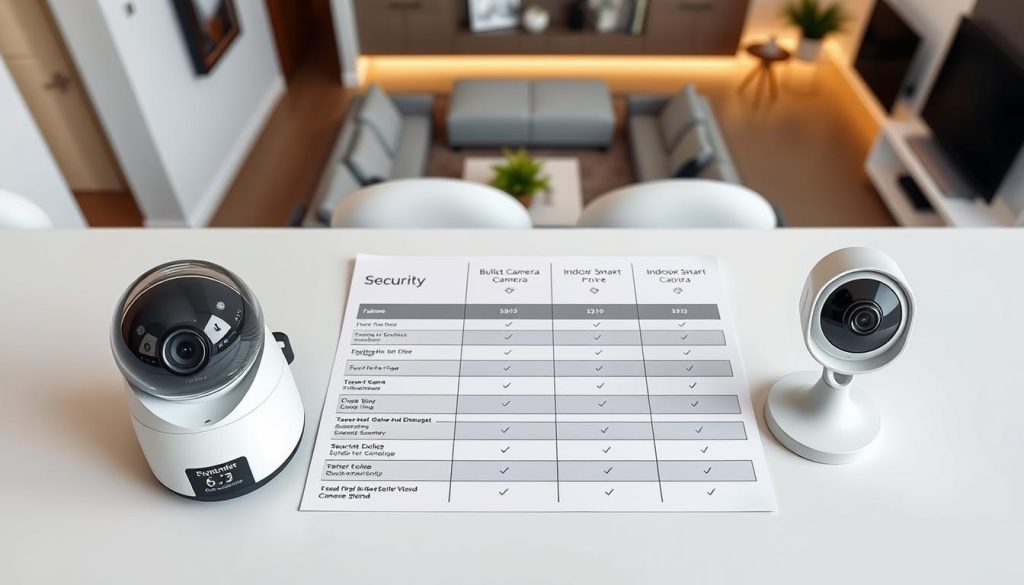
Our analysis focuses on practical considerations for residents. We compare costs, installation methods, and intelligent capabilities.
Key Attributes Comparison
SimpliSafe earns a SecureScore of 9.2/10. Equipment starts around $250 with professional monitoring at $22.99 monthly.
It provides 1080p resolution with standard infrared night vision. Power options include battery and wired connections.
Google Nest via ADT scores 8.5/10. Direct purchase begins at $179.99 per device.
Nest Aware plans start affordably for cloud storage. These devices offer 2K resolution with HDR technology.
Arlo Pro Series achieves 8.2/10. Premium models deliver stunning 4K video quality.
Color night vision works with built-in spotlights. Wire-free operation provides complete placement freedom.
Ring Ecosystem matches SimpliSafe at 9.2/10. Entry-level indoor units have very accessible pricing.
Ring Protect subscriptions range from $5 to $20 monthly. Video resolution reaches 4K on higher-end models.
Lorex Systems also score 9.2/10. These focus on local storage without mandatory subscriptions.
Professional-grade imaging includes 4K resolution. Wide Dynamic Range balances challenging light conditions.
Installation Ease Analysis
SimpliSafe emphasizes renter-friendly setups. Peel-and-stick adhesive mounts require no drilling.
The system includes a complimentary Mover’s kit. This supports relocation between apartments.
Google Nest devices use magnetic mounting bases. Most models need wired power connections.
This limits placement where outlets aren’t available. DIY setup proves straightforward through the Google Home app.
Arlo provides true wire-free installation. Battery-powered units place anywhere within Wi-Fi range.
Magnetic mounts allow quick repositioning. Solar panel options extend battery life significantly.
Ring offers versatile mounting solutions. The Peephole camera installs into existing door viewers.
This addresses strict building guidelines. Weather-resistant models suit covered balcony areas.
Lorex includes both wireless and wired options. PoE connections create clean installations.
Local storage via NVR/DVR requires more setup effort. Wireless models respect rental agreements.
Smart Features Evaluation
SimpliSafe’s Intruder Intervention represents a standout feature. Monitoring agents can speak through cameras during alarms.
Person detection filters out irrelevant motion. Two-way audio enables clear communication.
Google Nest leverages advanced artificial intelligence. Gemini AI distinguishes people, vehicles, and packages.
Familiar Faces recognition personalizes alerts. Z-Wave technology enables extensive smart home integration.
Arlo Secure plans unlock advanced detection capabilities. These identify people, vehicles, and packages specifically.
Activity zones focus on important areas. Customized alerts reduce notification fatigue.
Ring provides comprehensive detection features. Customizable motion zones minimize false alerts.
End-to-end encryption addresses privacy concerns. Users control data sharing settings completely.
Lorex emphasizes local intelligence without cloud dependence. Person detection works effectively on-premises.
Continuous recording ensures no events get missed. This differs from cloud systems saving only triggered events.
Intelligent features transform basic motion sensing into contextual awareness. The right detection capabilities filter routine activity from genuine concerns.
Ecosystem Strength and Scalability
SimpliSafe grows with your needs. Start with a single camera and add components over time.
The platform integrates additional sensors and devices. Smart home compatibility includes Alexa and Google Assistant.
Google Nest creates a deeply integrated environment. The Google Home app manages all connected devices.
Routines automate actions based on camera events. Lights can turn on automatically when motion is detected after dark.
Arlo expands seamlessly from one unit to multiple cameras. Add doorbells and floodlights to the same system.
Everything remains manageable through a single application. The polished mobile app simplifies daily operation.
Ring offers one of the most extensive product ranges. Find specialized models for virtually any situation.
Video doorbells complement indoor monitoring units. Alarm systems complete the protection package.
Lorex provides professional-grade scalability. The system accommodates multiple high-resolution cameras.
Local storage capacity reaches up to 8TB on some models. This supports extensive recording history.
Value for Money Assessment
Total cost of ownership varies significantly between brands. Consider both upfront equipment prices and ongoing subscriptions.
SimpliSafe’s $22.99 monthly plan includes professional monitoring. Over three years, this adds $827.64 to the $250 equipment cost.
Google Nest devices have higher initial prices but flexible subscription options. Nest Aware plans start affordably for basic features.
Arlo requires Secure plans for full functionality. The $8 monthly fee unlocks cloud recording and advanced detection.
Ring Protect subscriptions range from $5 to $20 monthly. Choose based on desired video history length and features.
Lorex eliminates mandatory monthly fees entirely. Local storage via NVR/DVR represents a one-time investment.
Budget options like Wyze and TP-Link offer remarkable value. Their $30-$35 price points provide capable basic monitoring.
These affordable devices work well for supplemental coverage. They introduce home monitoring without substantial financial commitment.
Standout Strengths for Condo Living
Each brand excels in specific areas relevant to apartment residents. Understanding these strengths helps match systems to priorities.
SimpliSafe’s mover-friendly approach suits Singapore’s transient population. The relocation kit supports changing apartments easily.
Google Nest delivers unparalleled artificial intelligence. Its contextual awareness understands household patterns.
Arlo provides premium wire-free performance. Exceptional 4K video quality comes without installation constraints.
Ring offers exceptional versatility through its massive product range. The Peephole camera solves a common apartment challenge.
Lorex focuses on data sovereignty with local storage. This addresses privacy preferences in regulated environments.
Budget picks deliver clever solutions at accessible prices. They respect strict rental agreements through non-invasive installation.
Potential Deal-Breakers to Consider
Mandatory subscriptions represent a significant consideration. Some systems limit advanced features without monthly payments.
SimpliSafe requires professional monitoring for Intruder Intervention. Self-monitoring provides basic alerts only.
Google Nest devices mostly need wired power connections. This restricts placement in apartments without conveniently located outlets.
Arlo’s full potential depends on Secure plan subscriptions. Without these, you miss historical footage and intelligent filtering.
Ring has addressed past privacy concerns through encryption improvements. Some users remain cautious about cloud storage approaches.
Lorex’s wired options require more installation effort. Running cables through apartments challenges rental situations.
Hardwiring requirements may violate HDB guidelines or landlord rules. Always verify building regulations before installation.
Compatibility with Singapore’s Wi-Fi networks generally proves reliable. Ensure your router can handle multiple high-resolution streams.
Quick-Reference Priority Guide
Match your top requirements with these recommendations:
- Best for renters and frequent movers: SimpliSafe with its relocation support and non-invasive installation
- Best video quality and wire-free freedom: Arlo Pro series with 4K resolution and battery operation
- Best artificial intelligence and integration: Google Nest with contextual awareness and smart home routines
- Best versatile ecosystem and product range: Ring with specialized models for every situation
- Best no-subscription option with local storage: Lorex focusing on data sovereignty and one-time investment
- Best budget-friendly solutions: Wyze Window Camera and TP-Link Tapo for affordable basic protection
This guide helps narrow choices based on your primary concerns. Consider which strengths align with your apartment lifestyle.
Making Your Final Decision
The ideal monitoring solution depends entirely on individual needs. No single system excels in every category.
Prioritize features that address your specific living situation. Consider your apartment layout, daily routines, and future plans.
Balance technical capabilities with practical usability. The right combination creates personalized protection.
This comparison provides the factual basis for informed selection. Use these insights to choose equipment that enhances your safety.
Effective monitoring brings peace of mind through reliable performance. Your investment should deliver both protection and convenience.
Installation Tips for Singapore Condos and HDBs
Proper installation of monitoring equipment in Singapore apartments requires careful attention to both regulations and practical considerations. How you position your devices affects their effectiveness and compliance with local policies.
Thoughtful setup transforms basic equipment into reliable protection. It ensures your investment works optimally while respecting housing guidelines.
This guidance covers essential aspects for urban living environments. We focus on practical solutions that work within Singapore’s unique constraints.
Understanding Landlord Rules and HDB Guidelines
Singapore’s housing regulations prioritize structural integrity and neighbor privacy. Before installing any monitoring devices, review your specific situation carefully.
Always seek written permission from your landlord or management committee. This documentation prevents disputes and ensures compliance with building policies.
HDB flats have particular restrictions regarding external modifications. You cannot drill into structural walls or common property without approval.
Non-damaging mounting methods offer the ideal solution. Consider these approaches:
- Peel-and-stick adhesive mounts: These provide firm placement without permanent damage.
- Magnetic bases: Allow quick removal for charging or repositioning.
- Freestanding designs: Work well on shelves, tables, or window sills.
- Command strips: Offer temporary attachment that leaves no residue.
Respect boundaries between private and common areas. Your equipment should monitor only your allocated space.
Review your rental agreement or condo bylaws thoroughly. Some documents explicitly prohibit certain types of installations.
When in doubt, consult your building management office. They can clarify what’s permissible in your specific development.
Strategic Placement for Maximum Coverage
Effective positioning maximizes what your devices can see while minimizing blind spots. Consider your apartment’s layout and daily patterns.
Focus on critical entry points first. Your main door typically deserves highest priority for monitoring.
Secondary access areas like service doors or balcony entries need attention too. These often represent vulnerable points in apartment layouts.
Cover key living spaces where valuable items are kept. Your living and dining areas benefit from discreet observation.
Camera angles require careful consideration. Avoid filming neighbors’ windows or private balconies.
This maintains good relations and complies with Singapore’s privacy expectations. Adjust your device’s field of view to focus inward.
Optimal heights improve identification capability. Follow these recommendations:
- Eye-level placement at doors: Positions around 5-6 feet high capture clear facial images.
- Higher angles for room overviews: Ceiling mounts at 8-9 feet provide wide coverage.
- Out-of-reach positions: Install above 7 feet to prevent tampering or accidental adjustment.
Challenging layouts demand creative solutions. Corner mounts can provide wider views in compact spaces.
Wireless devices avoid cable runs across rooms. This maintains aesthetics while simplifying installation.
Indoor units with window views can monitor external areas. Specialized models reduce glare from glass surfaces.
Wi-Fi network strength directly affects device reliability. Test signal strength at planned installation spots before mounting.
Weak signals cause connection drops and missed recordings. Consider these network solutions:
- Wi-Fi extenders: Boost signal to distant corners of your apartment.
- Mesh networks: Provide consistent coverage throughout larger units.
- Ethernet connections: Use wired connections where possible for maximum stability.
Secure your home network to protect your monitoring system. Change default passwords and enable encryption.
Power source management affects placement options. Battery-operated devices offer maximum flexibility.
Consider recharge schedules for battery-powered models. Some last months while others need weekly attention.
Wired connections provide constant reliability. Use existing outlets strategically to minimize visible cables.
Hide power cords neatly along baseboards or behind furniture. Cable management clips create cleaner installations.
Temporary installations suit rental situations perfectly. These methods allow easy removal when needed:
- Command strips: Hold devices securely without damaging surfaces.
- Freestanding mounts: Position on furniture or shelves.
- Furniture placement: Use bookcases or cabinets as mounting platforms.
- Removable adhesives: Special formulas designed for temporary attachment.
Thoughtful installation balances effectiveness with compliance. The right approach respects regulations while providing reliable monitoring.
Test your setup before finalizing placement. Walk through different scenarios to identify coverage gaps.
Adjust angles based on actual performance rather than theoretical positioning. Live viewing helps optimize each device’s perspective.
Consider lighting conditions throughout the day. Morning sun might create glare that affects afternoon recording quality.
Singapore’s tropical climate requires weather consideration for balcony units. Ensure outdoor-rated devices handle humidity and occasional rain.
Maintain your equipment regularly. Clean lenses monthly and check connections quarterly for optimal performance.
Effective, compliant installation creates hassle-free operation. Your monitoring system should provide peace of mind without complications.
Following these guidelines ensures your devices work reliably within Singapore’s unique housing environment. Proper setup transforms technology into practical protection.
Navigating Data Privacy and Storage in Singapore
The choice between cloud and local storage goes beyond convenience. It touches on privacy, control, and regulatory compliance.
Your recorded video contains sensitive glimpses of daily life. How you manage this data deserves careful thought.
Singapore residents face unique considerations. The Personal Data Protection Act (PDPA) sets clear expectations for handling personal information.
Your monitoring setup must respect these guidelines. It should also align with your comfort level regarding data access.
Cloud storage offers undeniable convenience. Your footage uploads automatically to remote servers.
You can access recordings from anywhere with internet. Automatic backups protect against local device failure.
Subscription plans typically unlock advanced features. These include longer video history and intelligent detection.
However, questions about data residency arise. You should know where providers store your information.
Third-party access remains a concern for some users. Ongoing costs also factor into long-term budgeting.
Local storage provides complete control over your footage. Everything stays within your apartment’s physical boundaries.
MicroSD cards, DVRs, or NVRs save recordings without monthly fees. This approach enhances privacy significantly.
Risks include physical damage or theft of storage devices. Technical failures could lead to lost footage.
You become responsible for maintenance and backups. Regular checks ensure your system remains functional.
Hybrid approaches combine both methods effectively. Use local storage for continuous recording.
Employ cloud backup for important event archives. This creates redundancy while controlling costs.
Remote viewing becomes possible when away from home. Critical moments receive dual protection.
This balanced strategy addresses different needs simultaneously. It provides flexibility for various situations.
Singapore-specific considerations require attention. Understand where cloud servers are physically located.
Review provider privacy policies thoroughly. Look for transparency about data handling practices.
The PDPA governs how organizations collect, use, and disclose personal data. Your monitoring activities should comply with these principles.
Consider whether footage includes common areas or neighbors’ spaces. Adjust angles to focus only on your private areas.
Best practices for securing footage start with strong passwords. Use unique combinations for each account.
Enable two-factor authentication whenever available. This adds an extra layer of protection.
Regularly update your camera firmware. Manufacturers release patches addressing security vulnerabilities.
Secure your home Wi-Fi network with encryption. Change default router passwords immediately.
Data retention policies help manage storage space. Determine how long to keep footage based on needs.
General monitoring might require seven days of history. Incident investigation could need longer preservation.
Automate deletion through system settings. This prevents manual cleanup from being forgotten.
Balance storage capacity with practical requirements. Too little history limits review options.
Effective data management protects both your privacy and your evidence. Thoughtful policies create sustainable monitoring habits.
Sharing footage requires careful consideration. Provide video to authorities only when necessary.
Use secure methods for transferring files. Encrypted links prevent unauthorized access.
Blur unrelated private details when sharing with neighbors. Protect others’ privacy while addressing community concerns.
Document what you share and with whom. Keep records of these interactions.
Different brands offer varying privacy features. Ring provides end-to-end encryption for enhanced protection.
Some newer models process AI locally rather than in the cloud. This keeps detection analysis within your device.
Physical privacy shutters allow complete blocking of lenses. These provide visual assurance when monitoring isn’t needed.
Review each system’s privacy capabilities before purchasing. Match features to your specific concerns.
Empower yourself to make informed storage choices. Consider your comfort level with data handling.
Align decisions with your security needs and Singapore’s context. Your monitoring should provide peace, not additional worries.
The right balance respects privacy while delivering protection. Your apartment deserves both security and discretion.
Integrating Your Camera with a Smart Home Ecosystem
Connecting your monitoring devices to a smart home ecosystem transforms isolated gadgets into a coordinated defense network. This integration creates a living environment that responds intelligently to your presence and patterns.
The benefits extend far beyond basic surveillance. Your entire apartment becomes more secure, convenient, and energy-efficient.
Modern platforms enable seamless operation across different brands. Your monitoring system can communicate with lights, locks, and thermostats.
Platform Compatibility and Voice Control
Major smart home ecosystems offer broad compatibility. This ensures your chosen devices work together smoothly.
Google Assistant provides deep integration with Google Nest products. You can use voice commands to view live video feeds on smart displays.
Amazon Alexa works exceptionally well with Ring and Arlo systems. Announcements can play on Echo speakers when motion detection triggers at your door.
Apple HomeKit supports select models for iOS users. Samsung SmartThings and IFTTT offer additional automation possibilities.
True home intelligence emerges when different technologies communicate. Your monitoring becomes part of a responsive environment rather than a separate tool.
Creating Powerful Automated Routines
Automation transforms reactive monitoring into proactive protection. You set up triggers and actions that work automatically.
Consider these practical routines for apartment living:
- Entryway welcome: Lights turn on when your camera detects someone at the door after sunset.
- Package alerts: Smart speakers announce deliveries when package detection activates.
- Away mode: Thermostats adjust and lights simulate occupancy when everyone leaves.
- Night security: Balcony lights activate on camera motion detection during evening hours.
These automations enhance both safety and daily convenience. They create a home that anticipates your needs.
Connecting with Other Smart Devices
Your monitoring devices gain context when connected to other systems. This creates more intelligent responses to events.
Smart locks can integrate with doorbell cameras. You see who’s visiting before deciding to unlock.
Presence simulation uses lights and blinds when you’re away. This deters potential intruders by making your apartment appear occupied.
Climate control systems can adjust based on occupancy detection. Energy savings become automatic without compromising comfort.
Setup Process and Central Hubs
Most integration begins with a central hub or app. Google Home and Amazon Alexa apps serve as common control centers.
The process typically involves these steps:
- Ensure all devices connect to the same Wi-Fi network
- Add each device to your chosen smart home app
- Create scenes or routines that link triggers with actions
- Test automations to ensure they work as intended
- Refine sensitivity and timing based on actual usage
Many modern systems discover compatible devices automatically. This simplifies the initial configuration process.
Brand Ecosystem Strengths
Different manufacturers excel in specific integration areas. Your existing devices may influence which ecosystem works best.
Google Nest offers native Google Home compatibility. The experience feels seamless for users invested in Google’s ecosystem.
Ring provides deep Alexa connectivity through Amazon’s partnership. Arlo maintains broad compatibility across multiple platforms.
Lorex supports both Alexa and Google Assistant for voice commands. This flexibility accommodates different user preferences.
Potential Challenges and Solutions
Wi-Fi network load increases with multiple connected devices. Streaming video demands significant bandwidth.
Ensure your router can handle the additional traffic. Mesh networks often provide better coverage throughout apartments.
Different communication protocols can cause compatibility issues. Most modern devices use Wi-Fi, Zigbee, or Z-Wave.
Connectivity problems sometimes arise between brands. Stick to recommended device pairings for the most reliable experience.
Condo-Specific Automation Examples
Singapore apartments benefit from tailored automations. These address common urban living scenarios.
Your balcony lights could activate when motion detection triggers after dark. This illuminates the area for safety while conserving energy.
Receive video feeds on your television when the doorbell rings. This lets you see visitors without leaving the couch.
The entire monitoring system can arm automatically when everyone leaves. Disarming happens when recognized faces return home.
Future-Proofing with Emerging Standards
The Matter standard promises easier cross-brand compatibility. This emerging protocol aims to unify smart home technology.
Current support for monitoring devices remains limited. However, future models will likely adopt this standard.
When purchasing new equipment, consider Matter readiness. This ensures longer-term integration possibilities.
Transforming Monitoring into Intelligence
Smart home integration fundamentally changes how monitoring functions. Isolated cameras become intelligent components of a responsive environment.
Your apartment gains contextual awareness that adapts to daily patterns. Protection becomes proactive rather than merely reactive.
This approach creates both enhanced safety and greater living convenience. The technology works quietly in the background, anticipating needs and responding appropriately.
Consider integration capabilities when selecting monitoring options. The right ecosystem transforms basic surveillance into comprehensive home intelligence.
Cost Breakdown: Upfront Price vs. Ongoing Subscriptions
Understanding the true expense of home monitoring requires examining both initial purchase prices and recurring monthly fees. Many shoppers focus only on equipment costs while overlooking subscription plans that significantly impact long-term value.
This financial analysis helps you make informed decisions about protection investments. We’ll compare prices across popular brands and calculate total ownership expenses.
Equipment prices vary dramatically based on capabilities and brand positioning. Entry-level units start under $50 while premium systems exceed $300 per device.
SimpliSafe packages begin around $250 for starter kits. ADT and Google Nest cameras range from $100 to $280 depending on models.
Ring offers one of the widest price spectrums from $60 to $270. Arlo positions itself in the $100 to $300 bracket for its wire-free options.
Lorex spans from budget $50 units to professional $800 systems. This diversity ensures solutions exist for every financial situation.
Subscription services represent the ongoing financial commitment. These monthly fees unlock advanced features and extended storage capabilities.
Ring Protect plans range from $5 to $20 monthly based on desired video history length. Arlo Secure subscriptions start at $8 and reach $25 for premium tiers.
Google Nest Aware services begin at $8 monthly with higher tiers at $30. SimpliSafe professional monitoring requires at least $22.99 per month.
ADT monitoring plans typically exceed $50 monthly when including camera features. These represent significant long-term financial commitments.
Several systems offer free tiers or eliminate mandatory subscriptions entirely. Lorex provides completely free local storage through DVR or NVR systems.
Wyze delivers free basic cloud access with intelligent detection. Google Nest includes three complimentary hours of cloud storage with every device.
These no-fee options appeal to budget-conscious residents. They provide capable monitoring without recurring financial obligations.
Total cost of ownership reveals the complete financial picture. Consider both equipment investment and subscription expenses over time.
For a $250 SimpliSafe system with $22.99 monthly monitoring:
- 1-year total: $525.88
- 2-year total: $801.76
- 3-year total: $1,077.64
A $180 Google Nest device with $8 monthly Nest Aware:
- 1-year total: $276
- 2-year total: $372
- 3-year total: $468
These calculations demonstrate how subscriptions dominate long-term expenses. The right balance depends on your specific needs and financial budget.
Subscription fees purchase specific benefits beyond basic functionality. Understanding these value propositions helps justify ongoing costs.
Extended video history represents the most common subscription benefit. Free tiers typically retain footage for only hours or days.
Advanced AI detection distinguishes between people, vehicles, and packages. This intelligent filtering reduces false alerts significantly.
Professional monitoring services connect your system to response centers. Agents can dispatch emergency services during critical incidents.
Warranty extensions and premium support often accompany subscription plans. These provide peace of mind through guaranteed assistance.
Evaluate whether premium features justify their monthly costs based on your living situation. Urban apartments might benefit more from advanced detection than suburban homes.
Cost versus value assessment requires honest self-evaluation. Determine which capabilities genuinely enhance your protection versus nice-to-have extras.
Facial recognition provides convenience but may not improve security substantially. 4K cloud recording offers exceptional clarity but demands higher bandwidth.
Consider your apartment’s specific risks and monitoring needs. High-traffic buildings might benefit more from person detection than isolated units.
Money-saving strategies help optimize your financial investment. Several approaches reduce expenses without compromising protection.
Opt for systems with free local storage to eliminate monthly fees. Use cameras offering complimentary basic cloud access for essential functions.
Subscribe only during high-risk periods like vacations or extended absences. Many services allow pausing and resuming subscriptions flexibly.
Combine budget devices for coverage of less critical areas. Use premium units only for essential entry points like your main door.
Monitor subscription promotions and bundle discounts carefully. Providers frequently offer reduced rates for annual commitments versus monthly billing.
Compare these expenses to other common apartment costs for perspective. Protection investments typically represent reasonable percentages of overall living expenses.
Monthly subscription fees often equal one restaurant meal or streaming service package. Equipment costs compare to modest furniture purchases or electronic gadgets.
Consider protection as insurance against potential property loss or personal risk. This framing helps justify reasonable financial allocations.
Develop a realistic budget that balances initial affordability with desired capabilities. Start by determining your maximum total investment over three years.
Allocate funds between equipment acquisition and ongoing service plans. Prioritize essential features that address your specific concerns.
Remember that effective monitoring need not be expensive. Many capable options deliver reliable protection at accessible price points.
Your financial planning should reflect both current needs and future scalability. Choose systems that accommodate growth without requiring complete replacement.
The ideal financial approach matches expenditure to actual risk levels. Urban apartments often benefit from moderate investments in reliable monitoring technology.
Final Recommendations for Your Singapore Condo
Singapore condo residents have diverse needs. Fortunately, the market offers tailored solutions for each scenario.
SimpliSafe works well for renters and frequent movers. Its non-invasive installation respects landlord agreements.
Choose Google Nest if you value deep smart home integration. The AI features provide contextual awareness.
Arlo Pro delivers premium wire-free performance. It offers exceptional image quality without installation constraints.
The Ring ecosystem provides versatile, user-friendly systems. Its massive product range suits various situations.
Lorex focuses on local storage and professional-grade features. This appeals to tech-savvy owners wanting data privacy.
Budget picks like Wyze and TP-Link offer clever solutions. They work for supplemental coverage or first-time users.
Always consider Singapore-specific factors. Review HDB guidelines and your building’s rules before installation.
Enhancing your apartment’s protection brings invaluable peace of mind. Your perfect monitoring solution awaits.
FAQ
What makes a condo different from a house for surveillance needs?
Apartments have unique challenges like shared walls, strict building rules, and limited entry points. You need a discreet device that won’t damage walls and offers flexible, wireless power. Smart detection to filter out hallway activity is also crucial to avoid constant alerts.
Is cloud storage necessary, or is local recording enough?
It depends on your needs. Cloud storage offers remote access to footage and usually requires a monthly plan. Local storage on a microSD card keeps your video offline, which can be more private and cost-effective. Many models now offer both options.
How important is smart home integration for a condo system?
Integration is very useful for a streamlined experience. A device that works with Google Assistant or Amazon Alexa lets you use voice commands. You can also create routines, like turning on lights when motion is detected, enhancing your overall living space security.
Can I install these devices without drilling or permanent damage?
Absolutely. Many top picks are designed for renters and owners alike. They use adhesive mounts, sit on shelves, or even mount on window glass. Always check your condo’s guidelines, but wireless, battery-powered models typically offer the most flexible, non-damaging setup.
What should I prioritize if I have a limited budget?
Focus on core features like clear 1080p resolution, reliable motion alerts, and a solid night vision range. Brands like Wyze and TP-Link offer capable indoor monitoring at a low upfront cost. Remember to factor in any potential subscription fees for advanced capabilities.


