
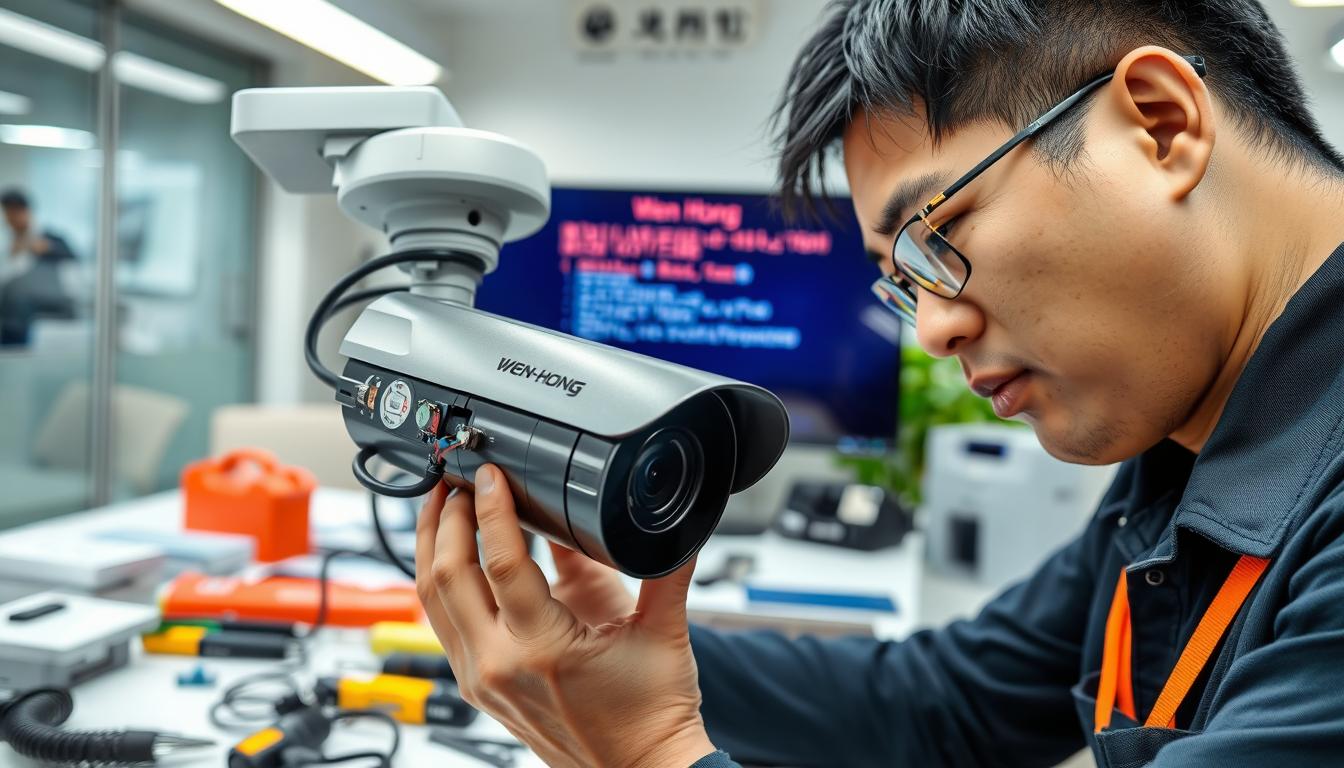
Troubleshooting Why CCTV Camera Suddenly Stopped Working
Ever wondered why your CCTV camera might stop working without warning? This could leave you open to security risks. Many people face issues like cameras not recording or showing a black screen after a power outage. It’s important to know how to fix these problems to keep your space safe.
This guide will help you understand why your CCTV camera might stop working. We’ll cover solutions and maintenance tips. With the right information, you can fix problems quickly and feel secure again.
Key Takeaways
- Common issues include disconnected leads or power loss.
- Proper power supply is key for CCTV cameras.
- Pinging the camera’s IP address can solve network problems.
- Address Resolution Protocol (ARP) tables help find technical issues.
- Keep firmware updated for better performance and security.
- Restore factory settings for ongoing problems.
- Get professional help if issues don’t go away.
For more advanced solutions and the latest CCTV system offers, contact Wen Hong today at +65 60135960.
Understanding Common CCTV Camera Problems
Identifying CCTV camera problems early can save a lot of time. Many users face issues like poor video quality, interference from other electronics, and misaligned cameras. Weather conditions, like poor lighting, can make these problems worse.
Users often deal with issues like cameras not recording, connectivity problems, or night vision issues. These problems can make it hard to keep your security system working well. Knowing about these common problems helps with fixing them.
There are many ways to fix CCTV camera issues. First, check the connections and make sure cables are secure. Also, ensure the power supply is good. Restarting the camera can solve small problems. If not, try resetting it to its factory settings.
Outdated software can also cause problems. Updating to the latest software can help a lot. If you’re not sure what to do, contact the vendor’s technical support for help.
Here’s a quick guide to common CCTV camera problems and how to fix them:
| Common Problems | Troubleshooting Steps |
|---|---|
| Poor video quality | Check camera settings and lighting conditions |
| Failure to record | Inspect storage settings and space |
| Interference from electronics | Relocate cameras away from sources |
| Night vision issues | Ensure adequate infrared lighting |
| Connectivity troubles | Verify wired and wireless connections |
| Camera alignment issues | Adjust camera positioning as necessary |
| Firmware issues | Upgrade to the latest version |
| Electrical issues | Check power sources and connections |
| Ground loops causing distortion | Ensure proper grounding techniques are used |
| Loss of signal | Reboot devices and ensure no IP conflicts exist |
For the best performance, choose high-quality security cameras. Brands like Reolink offer great options, like the Reolink Altas PT Ultra. This means less downtime and fewer problems. If you’re thinking of upgrading, contact Wen Hong today at +65 60135960 to learn about the latest CCTV solutions and offers.
Power Supply Issues
Power supply problems are a common reason why CCTV cameras stop recording. It’s important to have a steady power source for your surveillance system. If your camera isn’t working, check the power supply first for any issues.
Checking the Power Cord and Connections
Don’t skip the power cord and connection check. Look for any damage or wear that could cause power problems. Make sure all connections are tight and not loose. Loose wires or connections can cause your camera to malfunction.
Regular maintenance can help spot these issues early. This way, you can fix them before they cause bigger problems.
Inspecting Battery Health for Wireless Cameras
For wireless cameras, checking the battery is key. Make sure the batteries are charged and working well. Weak batteries can cause video loss.
Also, weak Wi-Fi connections can make battery problems worse. Using an 8 channel CCTV power supply can help manage power better. It ensures your cameras get the right voltage and protects against power surges.
Fixing power supply issues is essential for your CCTV system. If you’re having trouble, getting help from a professional might be a good idea. Want to improve your CCTV system? Contact Wen Hong today at +65 60135960 to learn about new CCTV solutions and offers.
Network Connectivity Troubles
Network connectivity is key for CCTV systems to work well. If your CCTV camera shows a black screen, check its network connection. Issues can come from bad cables, wrong settings, or wireless interference. Keeping connections stable is essential for a working surveillance system.
Testing Wired and Wireless Connections
First, check the wired connections. Make sure all cables are tight and not damaged. Many problems come from bad cables, causing packet drops. Also, check the cable quality, as poor cables can cause issues.
For wireless connections, check the signal strength. Distance and physical barriers can weaken the signal. To improve, try moving your router or using range extenders.
Ping the Camera IP Address
After checking physical connections, ping the camera’s IP address. This test shows if the camera is on the network. If it fails, look for IP address conflicts. These can stop the system from working.
If problems continue, update the camera’s firmware or follow the manufacturer’s guide. If you’re stuck, contact experts for help.
For quick help, call Wen Hong at +65 60135960. Learn about the latest CCTV solutions and offers to boost your security.
Why CCTV camera suddenly stopped working?
It’s important to know why a CCTV camera stops working. Users often wonder why this happens, like when they see video loss or connectivity issues. Things like electrical surges or power outages can cause problems.
Power outages can make CCTV cameras not work, affecting their recording and remote access. If the power is not enough, you might see black screens, flickering video, or the camera won’t work at all. Power spikes, often during bad weather, can also cause cameras to stop working without warning.
Network connectivity is another issue with IP security cameras. A weak WiFi or low bandwidth can cause video loss. This is a big problem for those who need their surveillance systems to work well. Wiring faults or hardware failures can also stop cameras from working.
To avoid these problems, check your power connections and use good surveillance equipment. If your camera keeps having issues, try rebooting it or updating its firmware to fix the problem.
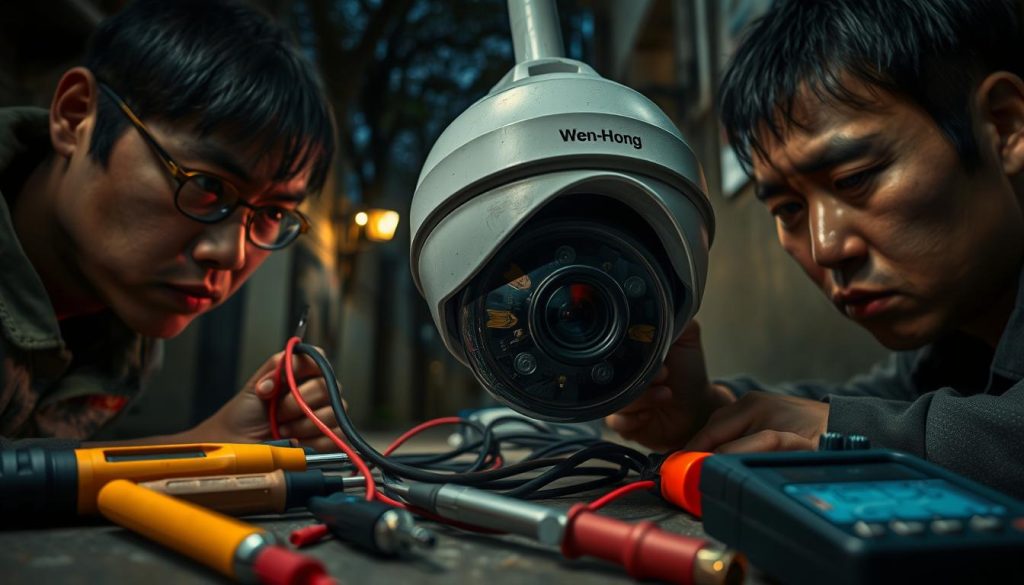
If you want to check out the latest CCTV solutions and offers, feel free to contact Wen Hong today at +65 60135960.
Firmware and Software Updates
Keeping your CCTV system up to date is key. Outdated software can lead to troubleshooting CCTV camera issues. Upgrading firmware boosts performance, fixes security holes, and reduces bugs.
Upgrading Camera Firmware
Upgrading firmware in stages is vital, even with many devices. For example, with two DS-2CD2347G2 cameras and three DS-2CD2085FWD cameras, updates are critical. A 66.67% failure rate in firmware updates shows the need for caution.
Checking for Compatibility Issues
Compatibility is important during upgrades. The DS-7608NI-I2/8P NVR model, with firmware V4.61.020 build 220708, may face issues. After updates, 2 cameras lost their local network connection, a 33.33% problem rate.
Fixes include using a FAT32 formatted SD card or adjusting proxy settings. Manually setting IP addresses and using tools like SADP or IP scanner apps can help find and fix connection problems.
For help with firmware updates and troubleshooting CCTV camera issues, contact Wen Hong at +65 60135960. Get the latest in CCTV solutions and offers to improve your security system.
Physical Inspection of Cables and Components
Checking CCTV camera problems starts with a physical inspection. Look closely at cables and connections to find issues. Loose or damaged cables can cause problems like recording issues or signal loss.
Fixing these problems is important for your system’s reliability. It ensures your CCTV system works well.
Identifying Loose or Damaged Cables
First, check your cables for wear. Over time, cables can fray or break. This can happen due to power surges or environmental changes.
Regularly checking your cables helps catch problems early. This prevents bigger issues later on.
Verifying Connections and Integrity of Components
Next, examine the connections. Make sure all connectors are tight. A loose connection can disrupt data flow and system function.
Keeping cables organized helps with inspections. It also reduces the risk of short circuits from tangled wiring.
For the best performance, regularly check your CCTV system. If you need help, contact Wen Hong at +65 60135960. They offer the latest CCTV solutions and deals. Professional help ensures your security system is strong.
Camera Settings and Configuration
Wrong camera settings can cause CCTV systems to fail. It’s important to check the settings regularly. This can fix problems that make the camera seem broken.
Fixing mistakes in the settings can improve how well the camera records and alerts for motion. It also makes viewing easier. Knowing how to reset settings and turn on features is key for the best performance.
Restoring Default Settings
Resetting your camera to its factory settings is a basic fix. This step can fix errors caused by users. Here’s how to do it:
- Find the reset button, usually on the back of the camera.
- Press and hold the button for about ten seconds.
- Wait for the camera to reboot and go back to its default settings.
This action will change the camera’s settings back to how they were when you first got it. It fixes any mistakes made by accident.
Enabling Required Features
Setting up your CCTV camera right is more than just resetting it. You also need to turn on important features like video playback and night vision. Check these things:
- 24/7 Recording: Make sure this is on for constant watching.
- Motion Detection Alerts: Set up these alerts to get notified when there’s movement.
- Remote Viewing: Check that you can watch the camera from your phone or computer.
Looking at these settings keeps your camera working well. It fixes common problems like not being able to play back video or seeing well at night. If you’re having trouble, call Wen Hong today at +65 60135960. They can help with the latest CCTV solutions and deals.
Rebooting the CCTV System
Rebooting your CCTV system can fix many technical problems. It updates the system and clears cache, making it work better. Here’s how to reboot your CCTV system right.
How to Properly Reboot Your Camera
To reboot your CCTV camera, follow these steps:
- Unplug the camera or turn off the power outlet.
- Wait 30 seconds to clear temporary data.
- Plug in the power supply again.
- Check if the camera feed works.
This is key in CCTV camera troubleshooting. It makes your system more reliable and efficient.
When Rebooting Doesn’t Help
If rebooting doesn’t solve the problem, try other steps:
- Look for power supply issues and check connections.
- Make sure IP addresses don’t conflict.
- Update the camera’s firmware if it’s outdated.
- Check cables and connections for damage.
- If problems persist, call technical support.
These steps help with CCTV camera troubleshooting. They guide you to fix ongoing issues. For new security setups, contact Wen Hong at +65 60135960 for the latest solutions and deals.
Contacting Technical Support
When you’re stuck with CCTV camera problems, getting help from experts might be the best move. Knowing when to ask for technical support can save you a lot of time and effort. Many people face issues like playback not working, can’t see cameras online, or night vision not working right. These problems usually need a pro to fix them properly.
When to Call the Manufacturer
If you’ve tried everything and nothing works, it’s time to call the maker. They offer CCTV camera assistance that fits your model. Look out for these signs to know when to call:
- Video keeps cutting out or recording fails
- Can’t connect to NVR often
- Keep having problems with certain brands like Swann or Lorex
Manufacturers have deep knowledge and tools to fix tough issues. Their support team can help with firmware updates or setting changes. These can really improve how your cameras work.
Utilizing Professional Services
Even with tech support, some problems might not go away. In these cases, getting help from a pro is a smart move. Experts can find and fix complex problems, making sure your CCTV system works great. The benefits of professional help include:
- They can find and fix hard problems
- They offer quick fixes for ongoing issues
- They know a lot about specific brands
Contact Information
If you’re in Singapore and need reliable CCTV help, call Wen Hong at +65 60135960. Learn about the latest CCTV tech and special deals.
| Service Type | Description | When to Use |
|---|---|---|
| Manufacturer Technical Support | Direct support from the product manufacturer for model-specific issues. | Persistent problems after basic troubleshooting. |
| Professional Repair Services | In-depth assessment and repair services offered by skilled technicians. | Complex issues that remain unresolved through manufacturer support. |
Conclusion
Fixing CCTV camera problems needs a careful plan. Using good troubleshooting tips can solve many issues easily. Regular checks of power, cables, and software updates are key to avoid big security risks.
Knowing the value of unique IP addresses and correct camera settings helps avoid network problems. If simple fixes don’t work, getting help from technical support is a good idea.
To keep your surveillance system working well, stay ahead with maintenance and updates. For top-notch CCTV solutions and offers, contact Wen Hong at +65 60135960. Don’t let unexpected issues ruin your security—choose quality and stay safe.
FAQ
Why did my CCTV camera suddenly stop working?
Several reasons can cause your CCTV camera to stop working. These include power supply issues, network problems, or internal errors. It’s key to check these areas carefully to find the main problem.
What should I do if my CCTV camera is not recording?
First, make sure the camera is turned on and all connections are tight. Look at the storage device for any issues, like a full memory or corrupted files. Also, check the camera settings to see if recording is on.
My CCTV camera has a black screen. What causes this issue?
A black screen can be due to power issues, damaged cables, or wrong settings. Check if the camera has power, look for cable damage, and make sure video settings are right.
How can I maintain my CCTV camera’s performance?
Keep your camera working well by updating firmware, checking cables, and setting up correct settings. Also, check the camera’s physical state to avoid hardware problems.
What should I do if my CCTV camera is not working after a power outage?
After a power outage, connect the camera to a stable power source and reset settings. Look for damage from electrical surges and check all connections and cables.
How can I troubleshoot network connectivity issues with my CCTV camera?
First, test both wired and wireless connections. Use a ping test on the camera’s IP address to check connection strength. Make sure there are no network problems and the camera shows up on the network.
What steps should I take to fix firmware or software issues?
Always check for and install firmware updates. Make sure the firmware fits your camera model and read any release notes for known issues or improvements.
When should I contact technical support for my CCTV system?
If you’ve tried all troubleshooting steps and nothing works, contact the manufacturer’s technical support. They can help with complex problems or repairs.
Can I reboot my CCTV camera to resolve issues?
Yes, rebooting can often fix many camera problems. Turn off the power, wait a bit, and then turn it back on. If it doesn’t work, you’ll need to try more troubleshooting.
Source Links
- https://www.caughtoncamera.net/news/common-cctv-problems-fix/
- https://network-data-cabling.co.uk/blog/12-cctv-problems-and-fixes/
- https://www.firstsolution.com.sg/blog/7-common-cctv-cameras-problems-how-to-troubleshoot-and-fix-them/
- https://www.nmcabling.co.uk/2023/02/common-cctv-problems-and-how-to-solve-them/
- https://reolink.com/blog/security-camera-wont-work/?srsltid=AfmBOorUF1wR5ep2Z1NYrtuyhVXQ4my5kiyZyNh3RGVbc3FaiHpR9G6l
- https://www.westerndigital.com/en-in/solutions/cctv/blog/3-reasons-your-cctv-camera-is-broken–and-how-to-fix-it
- https://issuu.com/powerpluscctvpowersupply/docs/8_channel_cctv_power_supply_blog.docx/s/27858135
- https://reolink.com/blog/security-camera-wont-work/?srsltid=AfmBOorX5PES1InBoLl65FDhqzT0szu2CuN8qjo_HtNT9nKe0EkxIBHA
- https://ipvm.com/discussions/technical-issue-assistance-required
- https://reolink.com/blog/security-camera-wont-work/?srsltid=AfmBOorUcRY7mTHivRqTJE0Jd-FnKxCxsPR3_uF_5hNcTHulKT6RBq9l
- https://reolink.com/blog/video-loss-on-security-camera/?srsltid=AfmBOoqkQCJwF8UUzTL8iS3ipRut97Zby4NNdNOFfxzy9WGmNBJjMq-U
- https://montavue.com/blogs/news/common-reasons-for-video-loss-on-security-cameras-how-to-fix-them?srsltid=AfmBOop3kgcYYfGCLncjwrcrULw9bdxUWomjosNgHrMsfHw85x0Q3WVD
- https://www.use-ip.co.uk/forum/threads/hikvision-cameras-offline-after-updating-my-nvrs-firmware.10057/
- https://forums.wyze.com/t/after-firmware-update-cameras-dont-connect-anymore/275045
- https://help.axis.com/en-us/axis-camera-station-troubleshooting-guide
- https://cctvcameravision.com/cctv-camera-power-supply-problem/
- https://mammothsecurity.com/blog/why-security-cameras-not-working
- https://mammothsecurity.com/blog/how-to-clean-security-cameras
- https://reolink.com/blog/security-camera-wont-work/?srsltid=AfmBOorI1faeiiW5HmVXc07MdKSz1hMcnkIz1O8VomIDNG2YWPhlYsuV
- https://houseofit.ph/blog/10-foolproof-ways-to-troubleshoot-a-cctv-camera
- https://mammothsecurity.com/blog/security-camera-fixes-for-video-issues
- https://web.securitysystem.com.sg/cctv-problems-and-fix/
- https://reolink.com/blog/security-camera-wont-work/?srsltid=AfmBOophGFsxyemBYPQcYYdNVe5w9LftEcGj8bF19CGHAnea1zIzG9Ok
- https://reolink.com/blog/video-loss-on-security-camera/?srsltid=AfmBOopQiYLdd4xpVNp5CAkScEjj8WD2d4u7mT-eXwR_K6uIoL2cO5VR
- https://reolink.com/blog/security-camera-wont-work/?srsltid=AfmBOooy0r2eXetEL8ngjs2jsnvX3r_NbIi9QYxIkDB3AEk4sILVJkqM
- https://casasecurity.com.au/troubleshooting-solutions-when-your-security-camera-doesnt-work/
- https://reolink.com/blog/security-camera-wont-work/?srsltid=AfmBOoosFgXjqqPtGed3EXVyzJaNmlPnRSCTXRrjTDcoJL7buDb_HsHf
- https://reolink.com/blog/video-loss-on-security-camera/?srsltid=AfmBOoqy8vRfP1HVK_BLzhRb3AHHgd0F4Edoc0OZaUIZjUsJBsLUXQOl
Post Tags : Camera malfunction solutions CCTV camera not working CCTV camera troubleshooting CCTV camera troubleshooting guide Fixing camera blackout Security camera failure Surveillance equipment problems Surveillance system downtime Surveillance system issues Troubleshooting security camera issues


