
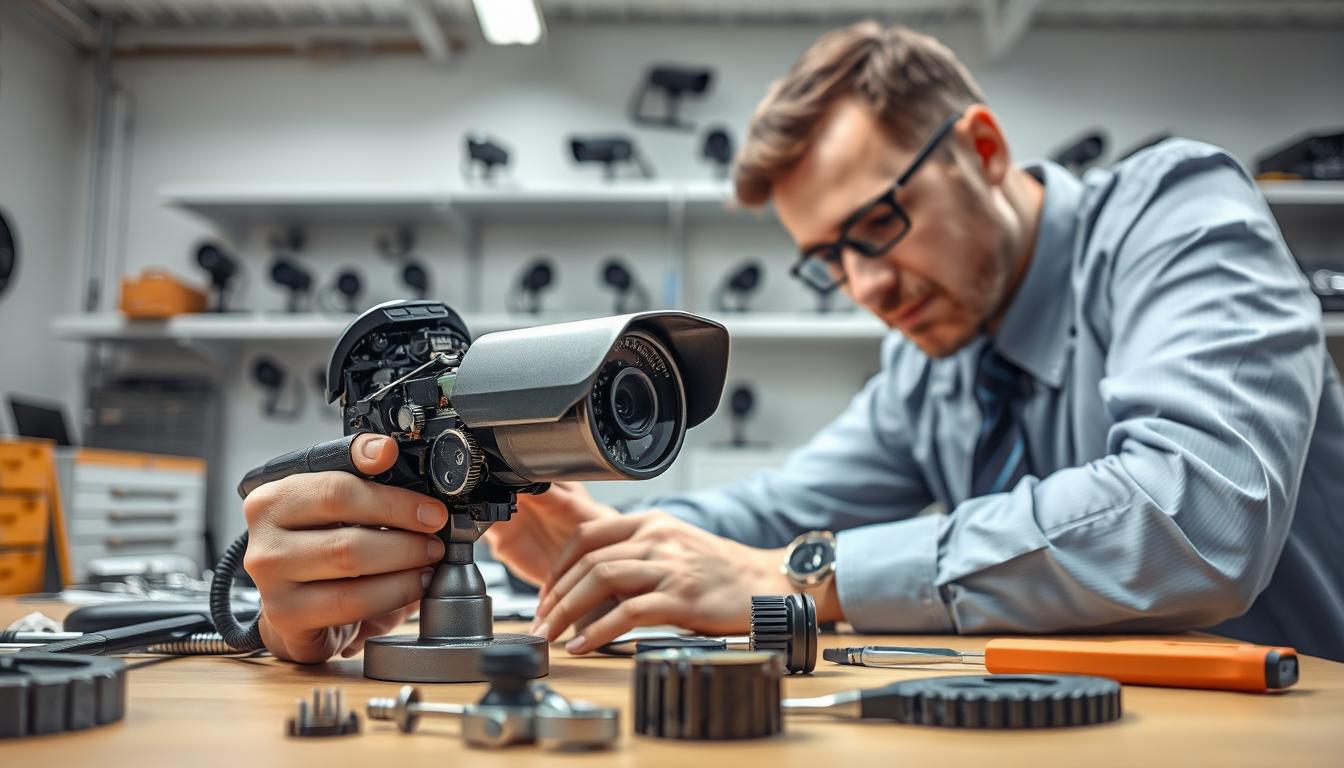
Is CCTV Camera Repair Possible? Find Out Here
When your surveillance equipment stops working, a big question pops up. Should you try to fix it or just buy a new one? For homes and businesses in Singapore, a reliable security system is non-negotiable.
Keeping your surveillance operational protects what matters most. A sudden malfunction can leave you feeling vulnerable and unsure of the next step.
The good news is many common problems with these systems are completely fixable. Issues like bad wiring or power loss often have straightforward solutions. Knowing what went wrong is the first part of the answer.
This guide will walk you through the process. We cover simple diagnostic checks, frequent trouble areas, and when to call a professional. Our goal is to give you the knowledge to make a smart, cost-effective choice.
You can save both time and money with the right approach. For a deeper look at your options, explore our definitive guide to CCTV camera repairs. Let’s get your security back on track.
Key Takeaways
- Many malfunctions in surveillance systems can be repaired, avoiding full replacement.
- Identifying the specific issue is the critical first step toward a solution.
- Common problems often involve simple components like power supplies or cables.
- Understanding repair options can lead to significant savings for property owners.
- This article provides a roadmap from basic troubleshooting to professional service.
- A functional security system is essential for safety in Singaporean homes and businesses.
- Informed decisions balance cost, time, and long-term system reliability.
The Critical Role of CCTV Cameras in Singapore’s Security
Security in Singapore is not just about locks and alarms. It’s increasingly defined by vigilant electronic eyes. A functional visual monitoring network forms the bedrock of safety for both homes and businesses.
In our dense urban landscape, these units are non-negotiable. They provide a constant watch over properties, large and small. This persistent presence is a powerful tool for crime prevention.
The mere sight of a surveillance dome can stop trouble before it starts. It acts as a strong deterrent against vandalism, theft, and unauthorized access. Criminals often seek easier targets without this visible layer of protection.
Modern setups serve a vital dual purpose. First, they allow for real-time monitoring of activities. Second, and just as crucial, they create an indisputable record of events.
This recorded footage has immense value. It provides essential evidence for law enforcement investigations. It also supports insurance claims, ensuring fair and swift resolutions.
Think of physical security as an interconnected ecosystem. Visual monitoring devices work alongside access control points and security personnel. They create a comprehensive shield for buildings, assets, and people.
Technological progress has massively elevated expectations. The shift to high-resolution IP cameras offers stunning clarity. Modern systems deliver detailed images, even in challenging low-light conditions.
This advancement makes surveillance more effective than ever. It turns a simple recording device into an intelligent security partner. The capability for clear identification is a game-changer.
For these reasons, a reliable visual monitoring setup is a cornerstone strategy. It is essential for residential peace of mind and commercial asset protection. Maintaining its operational status is an investment in ongoing safety.
When such a critical component of your security fails, the urgency to restore it is paramount. Understanding your options for restoration becomes an immediate priority. The integrity of your entire protective ecosystem depends on it.
Is CCTV Camera Repairable? The Direct Answer
Determining if a visual monitoring device can be fixed hinges on several key factors. The answer is rarely a simple yes or no.
Most malfunctions in modern surveillance units are indeed restorable. Success depends on the specific nature of the fault and the unit’s condition.
Three primary elements dictate whether a successful restoration is feasible. These are the complexity of the issue, the age and model of the device, and the availability of parts and local expertise.
Simple glitches often have straightforward solutions. A loose cable connection or a minor software setting can usually be mended quickly.
These are considered user-serviceable problems. With basic guidance, many property owners can resolve them.
Major hardware failures present a different challenge. Water damage to an internal circuit board or a shattered image sensor requires professional skill.
Such complex physical damage may not be economically fixable. The cost of specialized parts and labor could approach the price of a new unit.
“The type of damage is a big factor. Small problems, like bad cables or power issues, are easy to fix.”
The age of your security equipment plays a crucial role. Older models may use obsolete components that are no longer manufactured.
Finding replacements for discontinued parts can be difficult or expensive. Newer systems benefit from better support and available spare parts.
Finally, service availability in Singapore affects your options. Access to technicians with the right tools and knowledge is essential for complex jobs.
A robust local support network makes professional restoration a viable path. It ensures your security setup returns to full operation.
In summary, a large percentage of common surveillance issues are completely fixable. A systematic approach to diagnosis is your best first step.
This leads to a critical repair-versus-replace analysis. We will explore this cost-benefit decision in detail later.
Understanding these criteria empowers you to make an informed choice. You can assess your own situation with greater clarity and confidence.
The central thesis is clear: restoration is usually possible. Setting realistic expectations about the process and costs is the key to a smart decision.
First Step: Diagnosing Common CCTV Camera Problems
Many security system failures stem from a handful of predictable and diagnosable issues. A correct diagnosis is the most critical part of the restoration process.
Jumping to conclusions can lead to wasted money on unnecessary parts or service calls. Taking a systematic approach saves both time and frustration.
Think of this section as your diagnostic manual. It helps you identify what is wrong before attempting any fix.
Accurate identification of the fault is often 80% of the solution. Let’s start by learning to recognize the warning signs.
Signs Your Security System Needs Attention
Your surveillance equipment communicates problems through specific symptoms. Recognizing these signs is the first clue.
Complete Video Loss: The feed goes completely black or displays “no signal.” This is a clear red flag.
Intermittent Signal: The picture cuts in and out randomly. It indicates an unstable connection or power flow.
Persistently Blurry or Grainy Images: The footage lacks clarity even after cleaning the lens. This often points to a hardware or focus issue.
Unusual Colored Lines or Distortion: Green, purple, or striped lines across the screen suggest signal or cable problems.
Infrared (Night Vision) Failure: The image is pitch black at night when it should be illuminated. The IR LEDs or sensor may have failed.
The System is Not Recording: Your DVR or NVR shows no recent footage. This could be a storage, setting, or software glitch.
The Most Frequent Culprits Behind CCTV Failure
Each symptom usually links back to a root cause. These culprits fall into four main categories.
1. Power Supply Problems: An insufficient or unstable power source is a top reason for failure. It can cause units to reboot randomly, display no signal, or fail entirely. Check adapters and main power lines first.
2. Network & Connectivity Issues: For IP and wireless cameras, this is a major trouble area. WiFi signal drops, router problems, or IP address conflicts lead to video loss and lag. Network stability is key for wireless models.
3. Faulty Wiring & Cables: Damaged coaxial or Ethernet cables are common in wired setups. Physical wear, rodent damage, or poor connectors cause signal loss, intermittent feeds, and those colored lines on your display.
4. Software & Firmware Glitches: Outdated or corrupted firmware can make a unit behave erratically. Symptoms include login failures, settings that won’t save, or the system not recording properly. Regular updates prevent many of these issues.
“Identifying the specific issue is the critical first step toward a solution.”
By matching the symptom to the likely culprit, you narrow down the fix. This methodical process prevents guesswork.
The following sections will dive deep into each category. You will learn how to tackle power, network, wiring, and software problems step-by-step.
Tackling Power Supply Problems
Power irregularities rank among the top reasons security devices stop functioning correctly. A flickering feed or a completely dead unit often points back to the electrical source.
This category of malfunction is highly fixable with a methodical approach. We will break down the process into two key areas: hardwired connections and battery-operated systems.
Checking Connections and Voltage
Always begin with safety. Disconnect the main power before inspecting any connections or wiring. A visual check is your first and most powerful tool.
Look closely at all plugs, adapters, and terminal blocks. You are searching for looseness, corrosion, or physical damage. A single loose cable can interrupt the entire system.
After a visual inspection, test the voltage. A multimeter is essential for this. For standard 12V DC units, a stable reading between 11.4V and 12.6V is ideal.
Connect the multimeter to the power adapter’s output terminals. Fluctuations or a reading outside this range indicate a faulty power supply. This is a common culprit behind intermittent problems.
For PoE (Power over Ethernet) setups, ensure the injector or switch delivers a steady 48V. An unstable power source can cause random reboots and even permanent damage to your equipment.
Addressing Battery Issues in Wireless Systems
Wireless and battery-powered models introduce a different set of issues. Their operation depends entirely on battery health. A dead battery means a dead camera.
Most modern units allow you to check battery status through a mobile app or software portal. Make sure you know how to access this feature. Regular weekly checks are a smart habit.
Typical battery lifespan for these cameras ranges from six to twelve months. Environmental factors like extreme heat can shorten this period. Proactive replacement is far better than an unexpected failure.
Set a calendar reminder to evaluate all batteries every three months. Replacing them before they fully deplete keeps your surveillance continuous. This simple practice solves the majority of wireless system failures.
Remember, consistent power is non-negotiable for reliable security. Addressing these fundamental problems restores peace of mind and protects your property.
Resolving Network and Connectivity Issues
A stable network connection is the lifeline for modern IP and wireless surveillance units. When this link weakens, your entire security operation can falter.
These issues are distinct from power failures. They involve the digital pathway that carries video data to your recorder or phone.
For contemporary cameras, a strong network is non-negotiable. It ensures live feeds are smooth and recordings are complete.
This section tackles the modern challenges of IP and wireless CCTV systems. We will show you how to diagnose and fix common connectivity hurdles.
Inspecting WiFi Signal Strength and Interference
Wireless cameras depend entirely on radio frequency signals. Distance and physical barriers are their biggest enemies.
Thick walls, metal structures, and even large furniture can block WiFi waves. This leads to a weak signal at the unit’s location.
Make sure you assess your environment. Start by checking the distance between your router and the security device.
Electronic appliances cause interference too. Microwaves, cordless phones, and baby monitors operate on similar frequencies.
They can create noise that disrupts your surveillance feed. Identifying these sources is a key step.
Use a smartphone app or a WiFi analyzer tool. These utilities measure signal strength in decibels (dBm) at the camera’s mount.
A reading below -70 dBm often indicates a poor connection. This can cause video lag or total dropouts.
Solutions for a weak signal are straightforward. Repositioning your router to a central location can help immensely.
Adding a WiFi extender or a mesh network system boosts coverage. These devices relay the signal to hard-to-reach areas.
Another common culprit is IP address conflict. Two devices on the same network can’t share one address.
This confusion causes units to disappear from your system. The fix is to assign a static IP to each camera.
Log into your router’s admin panel to manage addresses. This prevents future drop-offs and keeps everything working right.
Wired vs. Wireless: Stability Considerations
Choosing between wired and wireless setups involves a trade-off. Each has distinct advantages for stability and security.
Ethernet-based connections offer superior reliability. A physical cable delivers data and power without radio interference.
This makes wired systems the gold standard for critical surveillance. They are less prone to the issues that plague wireless models.
Installation is more complex, requiring cable runs through walls. The long-term payoff is a rock-solid, consistent feed.
Wireless connections provide fantastic flexibility and easier setup. They are ideal for rental properties or temporary installations.
Their stability hinges on the quality of your home WiFi network. Signal strength must be consistently high for reliable operation.
For mission-critical monitoring, a wired backbone is often recommended. It eliminates the variables of distance and interference.
Many users opt for a hybrid approach. Key units use Ethernet, while others in less critical areas operate wirelessly.
Understanding this balance helps you design a resilient security system. Your property’s safety depends on dependable video streams.
Identifying and Fixing Faulty Wiring and Cables
Intermittent video loss often traces back to a single, overlooked element: degraded cabling. The physical infrastructure of your security setup is its silent backbone.
When these connections fail, they create elusive problems. A flickering feed or complete signal dropout can usually be fixed.
Spotting Signs of Cable Degradation
Regular visual inspection of your wiring is a key maintenance task. Look closely along the entire cable run for these warning signs.
- Frayed or Exposed Wires: Broken insulation reveals the inner conductors. This invites short circuits and signal loss.
- Cracked or Discolored Insulation: Brittle, melted, or sun-bleached coating no longer protects the wire. It indicates advanced aging.
- Unusual Bends and Kinks: Sharp angles pinch the internal wires. This can partially sever the connection over time.
- Corrosion at Connection Points: Green or white crust on metal contacts, especially on outdoor units. It blocks electrical flow.
- Chew Marks from Pests: Rodents and insects can gnaw through protective sheathing. This causes immediate and total failure.
Environmental factors in Singapore accelerate this damage. Constant sun exposure, high humidity, and temperature swings break down materials.
Link specific cable damage to the symptoms you see. A partially severed wire often causes a flickering image. Corroded contacts lead to a complete “no signal” error.
Steps for Safe Cable Replacement
If you find faulty wiring, replacement is the most reliable fix. This is a straightforward task that requires care.
Make sure you follow this safe process. Always begin by turning off all power to the surveillance system and recording device.
- Label the Old Cables: Use tape and a marker before disconnecting anything. Note which camera each cable serves.
- Select the Correct Replacement: Use Siamese cable for analog systems. Choose Cat5e or Cat6 Ethernet cable for IP units.
- Run the New Cable: Follow the existing path through conduits or along walls. Avoid creating new sharp bends.
- Secure Waterproof Connections: For outdoor runs, use silicone sealant and waterproof junction boxes. This prevents future moisture problems.
- Test Before Finalizing: Restore power and verify a clear video signal. Ensure the feed is stable before securing the cable permanently.
Using the right materials is crucial for a lasting repair. Proactive inspection and timely replacement of cables prevent most intermittent problems.
Your security depends on dependable physical links. Addressing wiring issues restores full protection to your property.
Addressing Firmware and Software Glitches
Beyond cables and power adapters, the unseen software layer is a common source of surveillance headaches. These digital issues aren’t physical, but they can completely cripple your security operation.
Your system relies on two types of code. The main application you interact with is the software. The internal instructions burned into the device’s hardware is the firmware.
When either one has a glitch, performance suffers. Problems range from login failures to total video loss.
The Importance of Regular System Updates
Keeping your CCTV system updated is a cornerstone of digital maintenance. Manufacturers release patches to fix bugs and improve stability.
These updates serve three critical purposes. First, they patch security vulnerabilities that hackers could exploit.
Second, they resolve software bugs that cause crashes or recording errors. Third, they can unlock new features for your existing cameras.
Running outdated code carries significant risk. It can lead to compatibility problems with newer mobile apps.
More seriously, it leaves your network open to cyber threats. A scheduled maintenance check should always include a review of software versions.
“Old firmware can lead to big problems that hurt how well it works. Updates make it better to use and safer.”
How to Safely Perform a Firmware Update
Updating your device’s internal software requires careful preparation. A mistake during this process can cause permanent damage.
Follow this generalized guide to proceed safely. Always start by visiting the manufacturer’s official support website.
Download the correct firmware file for your exact model number. Using the wrong file will render the unit unusable.
Next, log into your security recorder’s settings menu. Perform a full backup of your current configuration and settings.
This backup allows you to restore everything if needed. Make sure your device has a stable power supply throughout the entire update.
A power interruption mid-update can “brick” the hardware. Connect the unit to an uninterruptible power supply (UPS) if possible.
Finally, follow the on-screen instructions from your device precisely. Do not restart or turn off the equipment until the process is fully complete.
For complex DVR or NVR systems, professional assistance is often prudent. A technician ensures the update is done correctly, keeping your security working right.
Solving Video Quality and Image Problems
Blurry or distorted footage can render an otherwise functional surveillance system useless. The unit is powered on and connected, but the visual data it provides is compromised.
This section tackles those frustrating scenarios. We focus on environmental factors and software adjustments that restore a clear, reliable feed.
Environmental Factors Affecting Clarity
Your security device’s lens is its eye to the world. Anything that obstructs or challenges this view will degrade the video.
Common physical obstructions include dust, spider webs, and water droplets. These elements scatter light and hide critical details.
Singapore’s humid climate accelerates this buildup. A regular cleaning schedule is essential for outdoor units.
Lighting conditions present another major hurdle. Direct sunlight causes glare and washes out images.
Deep shadows can hide activity entirely. Rapid transitions from day to night challenge auto-exposure settings.
Weather elements like heavy rain or morning fog act as a natural filter. They diffuse light and reduce overall image quality.
At night, a different issue can occur. Infrared light from the unit’s LEDs can reflect off nearby walls or windows.
This creates “infrared glare,” which washes out the entire scene. The solution is often to reposition the camera slightly.
Practical fixes for these environmental problems are straightforward. Use protective housings with built-in sunshades or wiper blades.
For areas with high contrast, consider cameras with Wide Dynamic Range (WDR) technology. WDR balances bright and dark areas in the same frame.
Adjusting Camera Settings for Optimal Performance
Often, the key to a sharper picture lies in the digital settings menu. Modern CCTV camera systems offer extensive control over image output.
Access these settings through your DVR, NVR, or the unit’s own web portal. The most impactful adjustments involve resolution, bitrate, and frame rate.
Resolution determines the detail in each frame. Higher resolution (like 4K) allows for clearer identification of faces at a distance.
Bitrate controls the amount of data used for each second of video. A higher bitrate preserves more detail but requires more storage space.
Frame rate affects how smooth motion appears. For monitoring a cash register, a higher frame rate (like 30 fps) captures fast hand movements.
Basic image settings also need fine-tuning. Adjust contrast, brightness, and exposure to suit your specific environment.
Correct software configuration turns a generic feed into an intelligent surveillance tool. It maximizes the potential of your existing hardware.
Tailor these settings to your primary monitoring goal. Use a checklist to methodically improve your feed.
- For Identification: Prioritize maximum resolution and ensure adequate lighting on key areas like entrances.
- For Overview: A slightly lower resolution with a wider field of view may be more effective for covering large spaces.
- For Low Light: Enable the unit’s night vision mode and adjust the infrared intensity to avoid overexposure.
Remember, image quality issues are often multifactorial. A combination of lens care, strategic placement, and software tuning delivers the best results.
Your entire security system depends on the clarity of its visual evidence. Taking time to optimize these elements ensures your surveillance investment pays off.
Assessing the Repairability of Your CCTV Camera
The viability of a security device repair is not a simple yes-or-no proposition. It requires a structured evaluation of your specific situation.
This assessment synthesizes all the diagnostic steps from earlier sections. It turns symptoms and culprits into a clear, cost-effective action plan.
Your goal is to make a smart choice for your property’s safety. The right decision balances immediate costs with long-term reliability.
Factors That Influence Repair Viability
Several interconnected elements determine if a fix is practical. Think of them as a checklist for your equipment.
Availability and Cost of Spare Parts: Can you source the specific component that failed? For older models, parts may be discontinued or prohibitively expensive.
Technical Complexity of the Job: Does the damage require micro-soldering or advanced software recovery? Some problems are beyond safe DIY repairs.
Age and Technological Obsolescence: An old analog unit might function after a repair. Yet, upgrading to a modern IP system offers vastly superior features.
Residual Value of the Unit: Investing significant money into a low-value, outdated camera rarely makes financial sense.
Ask yourself these key questions to guide your assessment:
- Is the faulty part still manufactured and available locally?
- Do I, or a trusted technician, possess the skill to perform this specific fix?
- How old is this unit, and does its technology meet my current security needs?
- Would the money spent on this camera repair be better put toward a new device?
This logic leads to the concept of “economic obsolescence.” The repair might be technically possible, but not economically wise.
When Repair Costs Signal It’s Time to Replace
Financial rules of thumb provide clear signals. They help you avoid throwing good money after bad.
A common benchmark is to consider replacement if the repair estimate exceeds 50-60% of a new, comparable model’s price. This includes both parts and labor costs.
Non-financial signals are equally important. Recurring failures on the same unit indicate a deeper, systemic issue.
Incompatibility with modern recording software or mobile apps is a major red flag. An inability to meet current high-resolution standards also suggests replacement.
“If your system is old, getting new cameras might be better. New systems, like IP cameras, save money in the long run because they’re reliable and have cool features.”
The data reinforces this upgrade logic. Modern IP systems offer better reliability, remote access, and sharper video.
They often prove more cost-effective over their lifespan. When fixing a CCTV camera costs almost as much as a new one, replacement becomes the smarter investment.
Your security infrastructure must be future-proof. A consultative assessment ensures your next move protects your property effectively for years to come.
DIY CCTV Camera Repair: What You Can Safely Do
Empowering yourself with basic repair knowledge can save time and money on common surveillance issues. Many malfunctions have simple solutions that don’t require a technician’s visit.
Understanding the safe limits of do-it-yourself work is crucial. It prevents well-intentioned but damaging attempts on your security equipment.
This guide outlines what you can confidently handle. It provides a clear boundary between self-reliance and the need for professional help.
Basic Troubleshooting Steps Anyone Can Try
A systematic approach should always be your first action. These simple steps resolve a significant percentage of perceived failures.
“Basic Troubleshooting Steps for CCTV Cameras: CCTV camera troubleshooting is key for a safe environment. Knowing basic steps helps spot common issues.”
Follow this master checklist of no-risk procedures. Perform them in order before considering more complex DIY fixes.
- Power Cycle the Equipment: Turn off both the surveillance unit and the recorder. Wait 60 seconds, then power them back on. This reboots the system and clears temporary glitches.
- Check and Reseat All Connections: Inspect every cable link from the power adapter to the network port. Unplug and firmly reconnect each one to ensure a secure fit.
- Clean the Lens and Housing: Use a soft, dry microfiber cloth to wipe the dome or bullet casing. Gently remove dust, spider webs, or water spots from the glass.
- Verify Network and Power Cables: Trace the cables from the device to their source. Make sure each one is fully plugged in at both ends and shows no obvious damage.
- Review Software for Error Messages: Log into your DVR, NVR, or mobile app. Look for any system alerts or status indicators that point to a specific problem.
These steps are fundamental camera maintenance. They form the core of any regular checks routine.
Essential Tools for Simple DIY Repairs
Having the right gear makes basic DIY tasks easier and safer. You don’t need a full workshop to fix minor problems.
Start with this toolkit for common visual checks and adjustments. These items help you diagnose issues without opening sensitive electronics.
- Digital Multimeter: Tests voltage from power adapters and checks for electrical continuity in cables.
- Screwdriver Set: Phillips and flathead drivers for opening housing covers or adjusting mounts.
- Compressed Air Duster: Blows dust and debris out of vents and from around lens assemblies safely.
- Lens Cleaning Kit: Isopropyl alcohol and lint-free cloths for removing stubborn smudges without scratching.
- Basic Cable Tester: Verifies if an Ethernet or coaxial cable is properly conducting a signal.
For more involved projects, consider advanced tools. A PoE (Power over Ethernet) tester verifies both data and power delivery.
A network cable crimper allows you to make custom-length Ethernet cables. These are useful for extensive CCTV system modifications.
Remember, successful DIY work means knowing when to stop. If these checks don’t solve the problem, it’s time to call a professional.
Your security is too important for guesswork. A cautious, informed approach keeps your property protected.
Knowing When to Call a Professional Repair Service
Even the most diligent DIY enthusiast will eventually encounter a problem that exceeds their toolkit and know-how. For the security of your Singapore property, recognizing this point is vital.
Professional repair services offer specialized solutions that go beyond basic fixes. They bring guaranteed results and restore full protection to your premises.
Complex Issues That Require Expert Hands
Certain malfunctions demand a level of skill and equipment that typical homeowners lack. Attempting a fix yourself could cause more damage or void warranties.
These are the complex issues where you should get help from a qualified technician:
- Internal Hardware Failure: A burnt-out image sensor or damaged circuit board inside the unit. This requires micro-soldering and component-level diagnostics.
- Significant Water Damage: Flooding or persistent moisture that corrodes internal electronics. Proper drying and component replacement are needed.
- Advanced Firmware Corruption: Software failure that requires a factory reset or specialized recovery tools not available to the public.
- Extensive Cable Replacement: Running new wires through concealed conduits, walls, or ceilings. This needs proper tools and installation know-how.
Businesses have additional reasons to use a professional service. It helps maintain equipment warranties and ensures compliance with security standards.
Skilled technicians know how to handle complex systems. They use advanced tools to find and fix problems.
How to Find a Reliable Technician in Singapore
Selecting the right company for your camera repair ensures a smooth, trustworthy experience. Follow this actionable guide to vet local repair services.
- Verify Credentials: Check for a valid business license and relevant certifications. Look for affiliations with security industry associations.
- Research Reputation: Read online reviews and testimonials from past clients. Pay attention to comments about punctuality, communication, and work quality.
- Ask About Guarantees: Inquire about warranties on both parts and labor. A reliable provider will stand behind their repairs.
- Request a Detailed Quote: Get a written estimate that breaks down costs for parts, labor, and any service call fees. There should be no hidden charges.
- Confirm Specialization: Choose a company that focuses on security systems. They should have experience with major brands like Hikvision, Dahua, and Bosch.
Professional solutions offer peace of mind that the job is done correctly. They get your security system back online quickly and reliably.
For a deeper understanding of what professional camera repair in Singapore entails, explore our guide on CCTV camera repair possibilities. Knowing when to get help is a smart part of protecting your property.
Understanding CCTV Repair and Maintenance Costs in Singapore
The long-term value of your security investment hinges on understanding two key budgets: repairs and upkeep. Smart management of these expenses ensures your surveillance remains reliable without breaking the bank.
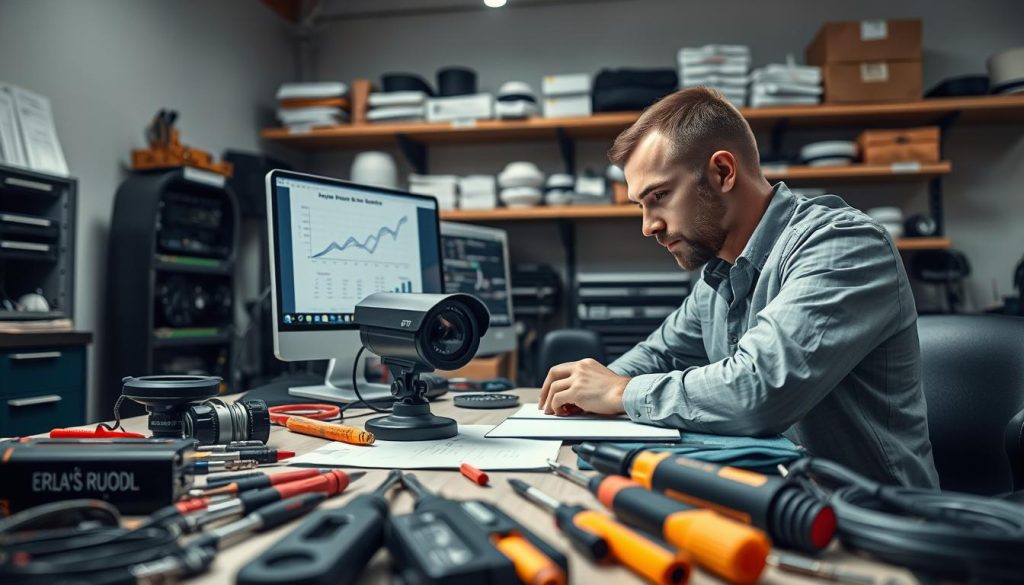
Transparent financial guidance helps property owners plan effectively. You can budget for both reactive fixes and proactive care with confidence.
What Influences the Price of Professional Repair?
Several factors determine your final bill for professional repair services. Knowing these variables helps you interpret quotes and avoid surprises.
The model of your unit and the cost of spare parts are primary drivers. Older or specialized equipment may need discontinued components, raising the price.
Labor complexity is another major factor. A simple cable swap on-site costs far less than a workshop repair requiring micro-soldering.
Technician travel time within Singapore and service timing also affect costs. Emergency calls outside standard business hours typically incur a premium.
Based on local market data, here are common price ranges for repair services:
- Minor fixes (e.g., resetting settings, reseating cables): $50 – $100
- Moderate repairs (e.g., replacing a power adapter, basic cable run): $100 – $180
- Major component replacement (e.g., circuit board, image sensor): $180 – $280+
Always request a detailed written breakdown before authorizing any work. This should list parts, labor, and any call-out fees separately.
Investing in Maintenance to Avoid Costly Repairs
Proactive care is the most financially savvy strategy for any CCTV system. Scheduled maintenance identifies small problems before they escalate.
A professional service contract typically includes bi-annual or annual regular checks. Technicians inspect cables, clean lenses, verify recording functions, and update software.
This predictable maintenance cost is modest. In Singapore, a regular professional visit ranges from $10 to $100.
Compare this to the high, unpredictable costs of emergency repairs and system downtime. A failing hard drive discovered during a check can be replaced for a scheduled fee.
“An ounce of prevention is worth a pound of cure. Regular professional maintenance is a small price to pay for uninterrupted security and major repair avoidance.”
This approach protects your larger investment in the security infrastructure itself. Modern systems are a significant capital outlay.
Protecting that outlay with scheduled camera maintenance is a smart move. It extends equipment lifespan and ensures peak performance.
Explore your solutions for a care plan today. Investing in maintenance now saves substantial money and stress later.
Proactive Practices: Extending the Life of Your CCTV System
Future-proof your surveillance investment by adopting simple, regular habits. Consistent maintenance keeps your equipment in top shape and prevents sudden failures. This proactive approach is the best security strategy for any property.
Schedule regular checks for lens cleaning and cable inspections. Update firmware and ensure proper ventilation for recorders. These checks extend the life of your surveillance system and keep it working right.
Understanding repair options is smart, but combining that knowledge with preventive care is smarter. A well-maintained cctv system is more reliable and cost-effective over time. Quality components during installation also prevent common problems.
Make sure you consult professionals for tailored solutions. For expert advice and service, contact CCTV Maintenance at +65 60135960. Get help to enhance your security posture today.
FAQ
What are the most common signs that my surveillance system needs repair?
Look for a loss of video feed, poor image clarity, flickering screens, or an unresponsive device. Physical signs like a cracked housing or water inside the lens also indicate a problem. Regular checks can help spot these issues early.
How can I troubleshoot a unit that has no power?
First, verify the power adapter is plugged in and the outlet works. Check all wiring for damage and ensure connections are secure. For a wireless model, test or replace its battery. These are basic steps anyone can safely try.
Can bad weather affect my security equipment’s performance?
Yes. Environmental factors like heavy rain, condensation, or extreme heat can cause lens fogging, housing damage, or connection corrosion. Choosing weatherproof models from brands like Hikvision or Dahua and ensuring proper installation helps prevent this.
When should I attempt a fix myself versus calling a professional?
Simple tasks like cleaning a lens, rebooting the recorder, or checking cable connections are fine for DIY. For complex electrical faults, major water damage, or network configuration problems, contact a reliable technician. They have the right tools and expertise.
What factors determine if my device is worth fixing?
Key factors are the age of the equipment, the extent of the damage, and the availability of parts. If repair costs approach 50-60% of a new, modern system’s price, replacement is often the more cost-effective and secure long-term solution.
How does regular maintenance prevent future issues?
Scheduled maintenance includes cleaning lenses, checking for loose cables, updating firmware, and verifying recording functions. This proactive approach keeps your entire setup in top shape, extends its lifespan, and helps avoid unexpected, costly failures.


