

How to Inspect CCTV: Expert Tips and Techniques
Your surveillance system is a silent guardian. For homes and businesses across Singapore, it provides constant watch over your property. Regular maintenance checks are essential for this critical security layer.
A proactive inspection routine is your best defense. It catches small problems before they become big failures. This ensures your investment delivers reliable protection when you need it most.
Clear video footage depends on well-maintained equipment. Dust on a lens or a loose cable can compromise your entire setup. Without consistent checks, you might miss crucial events.
This comprehensive guide provides the knowledge for thorough evaluations. Following expert techniques prevents minor issues from escalating into major vulnerabilities. Let’s explore the steps to keep your cctv system performing at its peak.
Key Takeaways
- Regular CCTV inspection is vital for maintaining reliable security in Singapore.
- A proactive routine prevents minor technical issues from becoming major system failures.
- Clear video footage depends on clean lenses and secure camera connections.
- This guide provides expert techniques for conducting thorough surveillance system evaluations.
- Proper maintenance ensures your security investment protects your property effectively.
- Systematic checks help identify vulnerabilities before they can be exploited.
- Consistent inspection is the foundation of any robust security camera setup.
Why Regular CCTV Inspection is Critical for Security in Singapore
In Singapore’s dense urban environment, a functional CCTV network is a cornerstone of modern property security. Moving beyond installation, a schedule of professional evaluations safeguards your investment. This proactive approach is the difference between having cameras and having reliable protection.
The Rising Need for Proactive Surveillance
Reactive security measures are no longer sufficient. Property crimes and other incidents demand immediate, clear evidence for resolution. A surveillance system that fails during a critical moment offers no value.
Regular checks transform your setup into an active deterrent. Criminals often scout for properties with obvious technical faults, like a camera with a damaged housing or a flickering infrared LED. Consistent maintenance signals that your assets are monitored and protected.
Furthermore, a well-maintained system enables faster incident response. Security personnel or law enforcement can act on clear, uninterrupted footage. This capability is crucial for community safety and asset recovery across Singapore.
Consequences of Neglecting CCTV Maintenance
Ignoring routine care creates multiple vulnerabilities. The most immediate risk is undetected camera failure. A single offline unit can create a blind spot, compromising the entire network’s coverage.
Storage and data integrity often suffer without checks. Corrupted footage or overwritten recordings render a system useless for investigations. This failure provides a false sense of security while offering no real protection.
Common technical issues are preventable. Problems related to camera placement, lens obstructions, and inadequate lighting account for a majority of system failures. Scheduled inspections identify and correct these flaws before they impact performance.
The financial logic is clear. The cost of an annual health check is minimal compared to potential loss from a security breach. Regular maintenance prevents major repairs and ensures your cameras operate as intended, delivering peace of mind and tangible security.
Understanding Your CCTV System: Core Components and Functions
Modern surveillance relies on a trio of critical elements: capture devices, processing units, and data repositories. Knowing what each part does helps you identify potential issues during routine checks. This knowledge forms the foundation for any effective maintenance plan.
Cameras, Recorders, and Storage: The Essential Trio
The camera is your system’s eye. Common types include discreet dome models, visible bullet cameras, and pan-tilt-zoom (PTZ) units for active monitoring. Each serves a distinct purpose in comprehensive property coverage.
Lens specifications determine the field of view and zoom capability. Higher resolutions like 1080p or 4K deliver clearer video but demand more storage space. Night vision technology is vital for round-the-clock security.
The recorder is the system’s brain. Analog setups use a Digital Video Recorder (DVR), while Internet Protocol (IP) networks employ a Network Video Recorder (NVR). These devices process and manage the incoming footage.
Storage solutions preserve the recorded data. Options range from local hard disk drives (HDD) to Network-Attached Storage (NAS) and cloud-based services. Your choice affects accessibility and data retention policies.
Effective monitoring requires proper display placement. Strategically positioned monitors, typically three to five units, allow security personnel to watch all camera feeds simultaneously. This setup ensures no blind spots go unnoticed.
How System Type Impacts Inspection Needs
Different systems have unique vulnerabilities. Traditional wired analog setups offer stable connections but require physical cable checks. Their inspection focuses on hardware integrity and clean power supplies.
Modern IP and wireless systems provide installation flexibility. Their maintenance needs shift toward network stability and signal strength. Regular verification of Wi-Fi connections and bandwidth is crucial.
A hybrid approach often works best. Wired cameras at fixed choke points ensure reliability. Wireless units offer temporary or flexible coverage for specific areas. Your inspection checklist must address both technologies.
Understanding your specific setup allows for tailored maintenance. This proactive approach catches issues unique to your system before they compromise your property’s security.
How Do You Inspect CCTV? The Essential Inspection Practices
Transforming camera feeds into dependable evidence starts with a disciplined, three-part inspection methodology. These core practices form the minimum routine every property owner should perform. They address the majority of common failures, ensuring your security investment remains fully operational.
Follow this structured approach to evaluate your setup’s health. Consistent application prevents minor glitches from escalating into critical blind spots.
Step 1: Visual and Physical Camera Check
Begin with a hands-on assessment of each unit. Look for signs of physical damage, corrosion, or moisture inside the housing. These are primary failure points.
Verify the camera’s positioning has not shifted. Ensure the field of view remains clear of new obstructions like overgrown plants or installed signage. Correct alignment eliminates blind spots.
A thorough lens cleaning is non-negotiable. Use a soft, microfiber cloth to remove dust, spider webs, and grime. Clean the protective housing dome for optimal clarity. This simple act resolves over half of all image quality issues.
Step 2: Verifying Image and Recording Quality
Move to the monitoring station to assess the live feed. Check for crisp focus, accurate color, and proper exposure. Test the camera in both day and simulated night conditions.
Common problems include blurriness, distortion, or poor low-light performance. Adjust focus rings or camera software settings to correct them. Ensure motion detection zones are accurately calibrated and not triggered by false sources like moving foliage.
Critically, you must confirm the recording function. Search for and play back footage from different times to verify it is being saved without gaps. A system that streams but does not record offers no historical evidence.
Step 3: Testing System Connectivity and Power
This final step tackles the infrastructure. Physically trace and inspect all cables and connections between cameras, recorders, and routers. Look for fraying, loose plugs, or chew marks from pests.
For network-based systems, verify stable IP addresses and strong Wi-Fi signal strength. Test the network speed to the camera location to ensure it supports the video stream.
Finally, validate the power supply. Ensure all adapters are plugged in securely and check that any Uninterruptible Power Supply (UPS) units are functional. A steady power source is the backbone of a reliable surveillance system.
These three steps—physical, visual, and infrastructural—create a complete diagnostic picture. Performing them regularly is your strongest defense against unexpected system failure.
Your Comprehensive CCTV Inspection Checklist
A detailed checklist transforms routine surveillance maintenance from a vague task into a precise, actionable protocol. This tool ensures no critical component is overlooked during your evaluation.
Use the following guide as your master reference for a thorough property security audit. It covers every physical and digital element that guarantees reliable operation.
For optimal results, perform these checks at least once every quarter. Immediate inspections are also crucial after any major system updates, severe weather events, or suspected tampering.
Essential Hardware Components to Evaluate
Begin your inspection with a hands-on review of all physical assets. This step identifies wear, environmental damage, and potential failure points.
- Each Camera Unit: Inspect the housing for cracks, water ingress, or corrosion. Clean the lens and protective dome with a microfiber cloth. Verify the mount is secure and the field of view is unobstructed.
- Wiring and Cables: Trace all cables from the camera to the recorder. Look for fraying, chew marks from pests, loose connections, or corrosion on connectors.
- Recorder/DVR/NVR: Check for adequate ventilation to prevent overheating. Listen for unusual hard drive noises that might indicate impending failure.
- Power Supplies: Ensure all adapters and transformers are plugged in firmly and show no signs of damage. Test any backup battery or Uninterruptible Power Supply (UPS) units.
- Monitors: Verify display screens for dead pixels and ensure they are correctly configured to show all camera feeds.
A critical hardware check involves storage device health. Monitor the available capacity on your hard drives or network storage. Running out of space leads to automatic overwriting of old footage, which can cause crucial evidence loss.
Software and Data Integrity Checks
The digital layer of your system requires equal attention. These checks confirm your software is functioning correctly and your data remains accessible.
- Firmware Updates: Verify that all cameras and the recorder are running the latest firmware versions for security patches and performance.
- User Access Logs: Review logs for any unauthorized access attempts or changes to system settings.
- Motion Detection Zones: Recalibrate zones if necessary to avoid false alarms from moving foliage or lighting changes.
- Remote Viewing Test: Access your cctv feed from a mobile device or external network to ensure this feature works reliably.
Most importantly, you must validate data integrity. Perform playback tests on recorded footage from different dates and random times. This confirms the recording function is active and files are not corrupted.
Always check the system‘s time and date stamps for absolute accuracy. Incorrect timestamps can render footage inadmissible for legal or insurance purposes.
Maintaining a detailed log of each inspection is highly recommended. Note any issues found, actions taken, and the date. This history is invaluable for tracking recurring problems and proving due diligence in maintenance. For complex setups, seeking professional advice to create a tailored inspection plan can optimize your security strategy.
Establishing a CCTV Inspection Schedule and Process
Moving beyond initial setup, sustainable protection emerges from establishing a repeatable inspection cadence. This transforms random checks into a structured security protocol. A well-defined process ensures every component receives proper attention.
Consistency is the cornerstone of reliable surveillance. Your maintenance routine should become as predictable as the system it protects. This approach prevents oversight and maintains optimal performance.
Determining the Right Frequency for Your Premises
Standard recommendations suggest evaluations every three to six months. Your specific needs dictate the ideal timeline. Consider environmental conditions and security requirements.
High-risk locations or harsh environments demand monthly checks. Dusty industrial sites or coastal properties face accelerated wear. Outdoor cameras in these areas need frequent attention.
Standard indoor residential systems often follow a quarterly schedule. Add a comprehensive annual audit to this routine. This layered approach catches both immediate and developing issues.
Camera age and historical performance influence your timeline. Older equipment requires more frequent verification. Systems with past problems need closer monitoring.
In Singapore, a solid maintenance schedule supports legal compliance. It demonstrates due diligence for insurance and regulatory purposes. Regular documentation proves your commitment to proper security management.
Step-by-Step Guide to a Thorough Inspection Walkthrough
Begin with a systematic approach to evaluate your entire network. Follow a logical sequence to ensure complete coverage. This method prevents missed components.
Many teams use a camera-by-camera or zone-by-zone strategy. Document each unit’s condition before moving to the next. This creates a comprehensive assessment of your surveillance infrastructure.
Start with physical verification at each camera location. Check mounts, housings, and immediate surroundings. Note any obstructions or environmental changes.
Proceed to the recording and monitoring station. Verify all feeds display correctly on your screens. Test playback functions for different time periods.
Complete the walkthrough with infrastructure checks. Examine cables, connections, and power supplies. Ensure network connectivity remains stable throughout.
This systematic guide ensures no critical element escapes evaluation. Each step builds upon the previous verification. The result is a complete picture of your system’s health.
The Importance of Detailed Record Keeping
Maintaining a comprehensive maintenance log transforms casual checks into professional management. This documentation serves multiple crucial purposes. It becomes your system’s health history.
Each log entry should include specific details. Record the inspection date, findings, and actions taken. Note any parts replaced or adjustments made.
This historical data reveals patterns over time. You can identify recurring issues before they cause failures. Predictive maintenance becomes possible with proper records.
Detailed logs provide evidence of due diligence. Insurance claims and legal matters often require proof of regular maintenance. Your documentation demonstrates responsible security management.
Track performance metrics alongside inspection notes. Monitor recording continuity and image quality trends. This data helps justify upgrades or component replacements.
“The difference between adequate and exceptional security often lies in the documentation. What gets measured and recorded gets maintained properly.”
Consistent scheduling and logging extend equipment lifespan significantly. They reduce costly emergency repairs through proactive intervention. Your investment delivers better long-term value with proper records.
For complex setups, consider digital tools to manage this process. Specialized software can automate reminders and log entries. This ensures your team never misses critical maintenance checks.
CCTV Maintenance: Routine Tasks to Keep Your System Reliable
1. Start the analysis of the new section 7- Plan and then the first sentence
1. 5 VAS
with the instructions and the new
Chosed:
for 7C
Analysis:
1. Provide a plan]
Legal and Compliance Considerations for CCTV in Singapore
With over a million cameras across the island, compliance with Singapore’s surveillance laws is non-negotiable. A technically sound system must also operate within a strict legal framework. This protects both the property owner and the privacy of individuals.
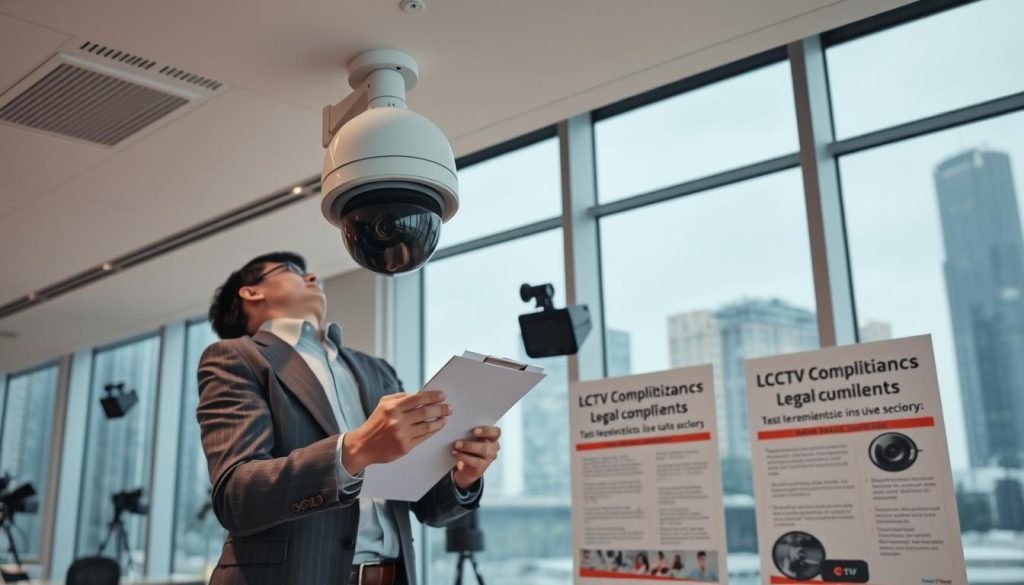
Understanding these rules is a fundamental part of responsible security management. Neglecting them can lead to significant penalties, even if your cameras work perfectly.
Understanding PDPA and Surveillance Regulations
The Personal Data Protection Act (PDPA) is the cornerstone of surveillance law here. It governs how personal data, including footage of identifiable individuals, is collected, used, and disclosed.
Key obligations for cctv operators include:
- Notification: Individuals must be informed they are in a surveilled area. Clear signage is the most common and effective method.
- Purpose Limitation: Cameras should only collect footage for a stated, legitimate purpose, like security or safety.
- Data Protection: Stored recordings must be secured against unauthorized access or leaks.
- Access and Correction: Individuals have the right to request access to data collected about them.
A critical distinction exists between public and private space monitoring. Recording in common areas like building lobbies has different implications than monitoring purely private spaces.
Audio recording is heavily restricted. Capturing conversations without consent can violate the PDPA and other laws. Most systems should have this feature disabled unless a specific, justified need exists.
Guidelines for Residential vs. Commercial Installations
Regulations differ based on property type. Knowing which rules apply to your premises is essential for lawful operation.
For HDB Flats and Condominiums:
- Homeowners typically need written approval from their Town Council or Management Corporation Strata Title (MCST).
- This approval often has conditions, like not pointing cameras at neighbors’ doors or windows.
- Permits are usually valid for a set time, such as six months, and may require renewal.
For Private Landed Property:
While there are fewer formal approvals, privacy laws still apply. Cameras should be positioned to monitor your own property only. Angling them to capture public sidewalks or a neighbor’s home can create legal issues.
For Commercial Establishments:
Businesses have specific obligations. Surveillance in workplaces must balance security needs with employee privacy expectations. Clear internal policies on cctv use are highly recommended.
“A key part of any system maintenance routine is verifying its deployment still complies with current laws. Regulations can and do change.”
Regular legal maintenance is as crucial as technical maintenance. This includes checking signage is still visible and reviewing data retention periods. Staying updated on regulatory changes protects you from liability.
When in doubt, seeking professional legal counsel is the wisest course. This ensures your surveillance systems provide protection without unintended legal exposure.
Leveraging Technology for Smarter CCTV Inspections
Beyond routine physical checks, a new layer of digital intelligence is transforming how we oversee security systems. Modern tools automate tedious tasks and provide deeper insights into your network’s health.
This approach supplements traditional methods, making the entire maintenance regimen more efficient and reliable. It turns inspection from a manual chore into a managed, data-driven process.
Remote Monitoring and IoT Integration
Cloud-based platforms are revolutionizing surveillance management. They allow for real-time system health checks from any location with an internet connection.
You can view live feeds, review recorded footage, and run diagnostics remotely. This capability simplifies routine oversight for property managers and security teams.
Internet of Things (IoT) integration adds another powerful dimension. Smart sensors can monitor a camera’s internal temperature, humidity levels, or physical tampering.
These sensors send immediate alerts if environmental conditions threaten the hardware. This allows for proactive intervention before image quality degrades or a unit fails completely.
Remote firmware updates ensure all cameras and recorders run the latest software. This maintains security patches and optimal performance without onsite visits.
How AI and Analytics Enhance Inspection Efficiency
Artificial intelligence brings predictive capabilities to surveillance maintenance. Advanced analytics software can continuously scan video streams for anomalies.
This technology automatically flags unusual events that indicate a problem. Examples include a camera lens being obstructed, a sudden focus shift, or abnormal color degradation.
Automated camera health reporting is a key feature. The system generates regular summaries on each unit’s performance, signal strength, and storage status.
Virtual guard tours use AI to cycle through camera feeds systematically. This ensures all views are checked according to a schedule, leaving no blind spots unmonitored.
Smart motion detection analytics reduce false alarms. They learn to distinguish between security threats and routine environmental motion like swaying trees.
These tools proactively identify issues like signal loss or poor low-light performance. They transform inspection into a continuous, automated safeguard for your property.
When considering an upgrade, evaluate these smart capabilities. They are powerful supplements that protect your investment and simplify the ongoing task to verify your system is recording properly. Integrating technology addresses modern security needs and boosts overall system performance.
Expert Tips for Effective Inspection and When to Call Professionals
The final layer of protection for any security setup involves implementing advanced care techniques and recognizing professional service thresholds. This section consolidates nuanced advice from industry experts. It helps you optimize routine upkeep and identify when specialist intervention becomes necessary.
Mastering these tips extends equipment lifespan significantly. It also ensures your surveillance investment delivers consistent, high-quality performance. Knowing this division of labor protects your warranty and guarantees optimal results.
Best Practices for Camera Care and Environmental Management
Proper lens maintenance is fundamental to image quality. Use a soft, microfiber cloth designed for optics. Avoid paper towels or harsh chemicals that can scratch delicate coatings.
For dome cameras in humid Singapore, consider anti-fogging treatments. These prevent condensation from obscuring the view. Regularly check housing seals to keep moisture out.
Environmental management protects against heat damage. Install sunshades for cameras facing direct afternoon sun. This prevents overheating and extends electronic component life.
Spider webs are a common nuisance near camera housings. Gently remove them with a soft brush during each inspection. Consider using insect repellent strips placed safely away from the lens.
Cable protection is often overlooked. Use conduit or protective tubing for exposed wiring. This shields against weather, pests, and accidental damage.
Ensure proper ventilation around your recorder or NVR unit. Overheating causes data corruption and hardware failure. Keep the area dust-free and unobstructed.
Signs You Need a Professional CCTV Service
Some issues surpass routine DIY maintenance. Recognizing these signs early prevents costly system failures. It also maintains your security coverage without interruption.
Recurring problems despite your fixes indicate deeper needs. If image distortion or signal loss returns weekly, underlying causes exist. A professional diagnosis finds the root problem.
Major hardware failure demands expert attention. Complete DVR/NVR malfunction or multiple camera failures suggest power or network issues. Technicians have specialized diagnostic tools.
Complex reconfiguration requires professional skills. Expanding coverage areas or integrating new technology involves precise steps. Incorrect installation creates vulnerabilities.
Compliance audits for PDPA or insurance often need certified verification. Professionals provide documentation proving your system meets all legal requirements. This protects against liability.
“An annual professional health check is invaluable. It uncovers latent problems you might miss and optimizes your entire setup for peak performance.”
Vendors typically offer comprehensive service packages. These include firmware updates, alignment checks, and storage optimization. They represent smart preventive maintenance.
For expert advice and tailored solutions, contact Wen Hong at +65 60135960. Get the latest cctv insights and special offers. Professional consultation ensures your system addresses modern security needs effectively.
This guide provides a solid foundation for surveillance stewardship. Combine these practices with timely professional support. Your property remains protected with reliable, high-performance monitoring.
Choosing and Maintaining the Right CCTV Solution for Your Needs
Choosing the right foundation makes all subsequent maintenance simpler and more effective. Your long-term security depends on selecting a system that matches your property’s specific needs.
Prioritize quality features for reliable performance. Look for high-resolution cameras (1080p minimum), effective night vision, and accurate motion detection. Ensure you have adequate storage capacity and robust management software.
Strategic placement during setup prevents future blind spots. Features like Power over Ethernet (PoE) streamline cabling and power verification. This foresight is the first step in a sustainable protection plan.
Combine a well-chosen system with the inspection routines from this guide. This partnership delivers professional-grade surveillance reliability for your Singapore property.
For personalized advice on modern security solutions, contact Wen Hong at +65 60135960. Secure your investment with expert guidance tailored to your premises.
FAQ
What is the most important part of a CCTV inspection?
Verifying image quality and recording integrity is paramount. A clear, high-resolution video feed that is properly saved to storage is the core purpose of any surveillance setup. Regular checks on playback and motion detection settings ensure your footage is usable when needed.
How often should I check my security cameras?
A good schedule includes a quick visual check of cameras and monitoring feeds weekly. A full, detailed inspection of all hardware and software should be performed at least quarterly. High-security areas or systems with many cameras may need monthly reviews.
What are common signs my CCTV system needs maintenance?
Watch for blurry or distorted image quality, failed motion detection alerts, or playback errors. Physical signs like corroded cables, a dirty camera lens, or a camera that has moved position also indicate it’s time for maintenance and potential troubleshooting.
Can I inspect my CCTV system remotely?
A> Yes, modern systems with network capabilities allow for remote monitoring. You can use the software or a mobile app to view live feeds, check recording status, and sometimes review playback from anywhere. However, physical checks for damage or cable integrity still require an on-site visit.
What should I do if my CCTV is not recording properly?
First, check the storage device for sufficient space and proper connections. Verify the recording schedule and motion detection settings in the software. Ensure the camera has power and a stable network link. If issues persist, consult your system’s manual or a professional.
Does weather affect CCTV camera performance?
Absolutely. Environmental factors like heavy rain, extreme heat, or humidity can cause damage and degrade image quality, especially at night. Regular inspections should include checking housings for seals, cleaning lenses, and ensuring cables are protected from the elements.


