
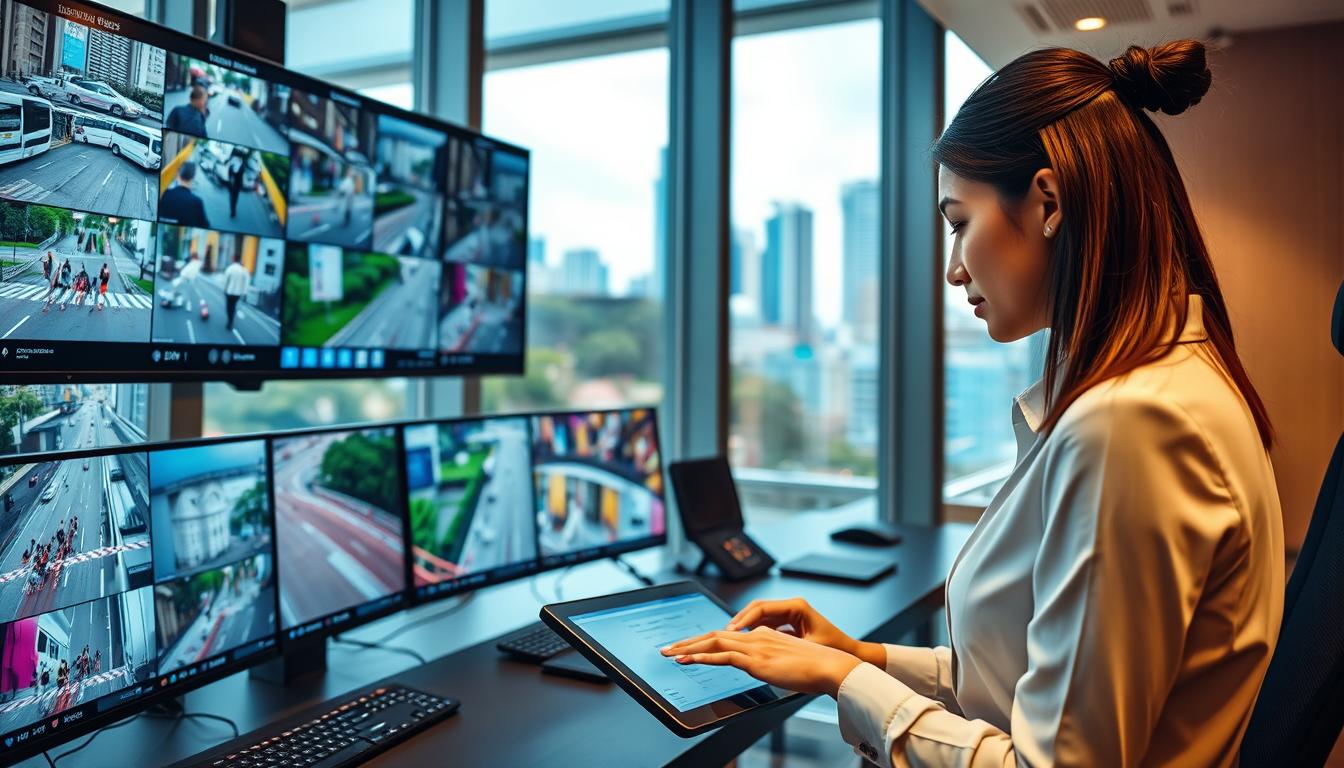
How do I turn off my CCTV camera A Step-by-Step Guide
In Singapore, home security cameras are vital for ensuring safety and peace of mind. These devices help monitor properties and deter unauthorized access. However, there are times when temporarily disabling your surveillance system becomes necessary. This can be due to maintenance, privacy concerns, or simply adjusting settings.
Many homeowners often wonder about the best ways to manage their cameras while balancing security and personal privacy. This guide offers clear, actionable steps to safely disable your CCTV equipment. It covers various methods, from simple physical disconnections to advanced network solutions tailored for local users.
Understanding how to properly deactivate your security system is crucial. It can prevent equipment damage, protect personal data, and ensure compliance with Singapore’s privacy regulations. By the end of this article, you’ll have the knowledge to confidently manage your home surveillance cameras, ensuring privacy and security when needed.
Key Takeaways
- Home security cameras are essential for safety in Singapore.
- Temporarily disabling cameras can address privacy and maintenance needs.
- Proper deactivation methods prevent equipment damage and data breaches.
- Understanding local privacy laws is crucial for responsible camera management.
- This guide provides tailored instructions for various camera setups.
Understanding Your CCTV Camera System
Familiarity with different CCTV camera types enhances your home surveillance strategy. In Singapore, various models cater to diverse security needs. Knowing which type you have is essential before attempting any shutdown procedures.
Types of CCTV Cameras Commonly Used in Singapore
Singaporean households commonly install several types of cameras. Wireless WiFi cameras, like Arlo and Ring, connect through home networks. They simplify setup with app-based controls and eliminate messy cables, making them ideal for renters or quick installations.
Dome security cameras offer discreet home monitoring with vandal-resistant designs. These cameras blend seamlessly into the environment while providing effective surveillance. Additionally, infrared surveillance cameras are designed for low-light conditions, capturing clear footage at night.
How CCTV Systems Operate: Wired, Wireless, and PoE Cameras
Understanding how your specific CCTV cameras function is the first step toward safely disabling them. Wired CCTV systems rely on physical cables for both power and data transmission. Disconnecting the power supply or Ethernet cable is often the most direct way to halt operation.
Wireless cameras depend on WiFi connectivity and battery or AC power. This flexibility allows for various setup options but requires different deactivation methods compared to wired counterparts. Power-over-Ethernet (PoE) cameras represent an efficient middle ground, using a single Ethernet cable to deliver both power and data.
Modern surveillance cameras often include features like motion detection, infrared night vision, and cloud storage integration. Understanding these features is crucial before attempting any shutdown to avoid unintended data loss or system errors.
Home security cameras from brands like Hikvision, Dahua, and Viewtron are widely used across Singapore. Each manufacturer implements slightly different control mechanisms, affecting how users can manage their equipment. The operation of CCTV systems in Singaporean homes frequently involves mobile apps for remote viewing, making software-based deactivation a convenient way to manage surveillance.
Recognizing whether your security cameras store footage locally on an NVR or in the cloud helps determine whether simply cutting power is sufficient. This knowledge ensures that additional steps are taken to protect recorded data.
Why Do You Need to Turn Off Your CCTV Camera?
Turning off your CCTV cameras is not just a technical decision; it involves personal, ethical, and legal considerations. Understanding these motivations can help you manage your home security effectively while respecting privacy.
Protecting Personal Privacy and Respecting Shared Spaces
Protecting personal privacy is a common reason homeowners seek to deactivate their cameras. In compact HDB flats, surveillance equipment may inadvertently capture intimate family moments or private activities in bedrooms and bathrooms.
Singapore’s PDPA guidelines restrict recording in sensitive areas. A 2022 case involving unauthorized home monitoring resulted in significant fines, highlighting the legal importance of knowing when to disable your surveillance system.
Family gatherings, private meetings, or visits from guests can create situations where continuous recording feels intrusive. Temporarily shutting down cameras demonstrates respect for the privacy of household members and visitors alike.
Saving Energy and Reducing Operational Costs
Saving energy is another compelling motivation for turning off cameras. Most surveillance cameras consume between 4 and 6 watts continuously. A typical 4-camera setup can draw approximately 30 kWh monthly, adding S$15-22 to annual electricity bills.
Deactivating unused cameras during low-risk periods—such as when family members are home and awake—can reduce operational costs by 15-20% without compromising overall home security.
Performing Maintenance and System Upgrades
Regular maintenance on your CCTV system requires periodic shutdowns. This allows for cleaning lenses, inspecting cables, updating firmware, and checking for corrosion or loose connections that could lead to unexpected failures.
System upgrades, including firmware updates and hardware replacements, necessitate complete power-downs. This prevents data corruption and ensures that new software installs correctly across all connected cameras.
Preventing Unauthorized Access and Cybersecurity Risks
Preventing unauthorized access is a critical cybersecurity concern. The 2024 SECOM report found that 37% of compromised devices were inactive cameras. Dormant surveillance equipment attracts hackers seeking to exploit default credentials.
Regularly disabling cameras through your system settings when they are not needed reduces the attack surface for cybercriminals. This protects sensitive footage from being leaked or misused.
How do I turn off my CCTV camera? Essential Methods Explained
Understanding the various methods to safely disable your CCTV cameras is essential for effective home security management. This section will cover practical techniques that homeowners in Singapore can easily follow. By knowing these methods, you can ensure your security system is properly managed without risking damage.
Unplugging the Power Supply Safely
The most straightforward way to disable your CCTV camera equipment is by unplugging the power supply directly from the electrical outlet. This action immediately cuts electricity, stopping all recording and live feeds without requiring any technical expertise.
For Power-over-Ethernet (PoE) cameras, simply disconnecting the Ethernet cable achieves the same result. These devices receive both power and data through a single connection, making this an efficient shutdown method for networked surveillance systems.
When handling power cables, safety precautions are essential. Always grip the connector firmly rather than pulling on the wire itself. If any exposed wiring is visible, use insulated pliers to avoid electrical shock.
Using Physical On/Off Switches on Cameras
Many modern cameras feature built-in physical on/off switches. This provides a gentler alternative to abrupt power cuts. For instance, models like the Ezviz C6N hide a toggle inside the base, while the Xiaomi 360° requires a 3-second press of the reset button to power down.
Locating the physical switch on your specific camera model may require consulting the user manual. Manufacturers often place these controls behind discreet panels or near the mounting bracket to maintain a clean aesthetic.
Removing Batteries from Wire-Free Cameras
Wire-free cameras, such as the Arlo Pro 4, rely on removable battery packs. To turn them off, open the weather-sealed back panel, gently slide out the battery, and store it safely. This process helps prevent damage to the waterproofing seals.
It’s important to note that frequent power cycling—repeatedly turning cameras on and off—can degrade DVR and NVR components over time. Therefore, scheduling planned downtime is recommended instead of abrupt shutdowns whenever possible.
After using any physical method to disable your CCTV systems, rebooting the DVR or NVR upon reactivation is advisable. This ensures all camera feeds restore properly and no configuration errors occur.
These essential methods give Singaporean homeowners reliable, immediate control over their home security cameras without requiring internet access, mobile apps, or advanced technical knowledge.
Managing Your CCTV Cameras Through Mobile Applications
Mobile apps are revolutionizing the way homeowners control their CCTV cameras. These applications offer convenience and flexibility, allowing users to manage their surveillance systems from anywhere with an internet connection. With the right app, you can easily monitor your property and adjust settings in real-time.
Popular App Features for Remote Control
Most mobile apps come with essential features that enhance user experience. Common functionalities include:
- Live Streaming: View real-time footage from your cameras.
- Notifications: Receive alerts for motion detection or unusual activity.
- Playback Options: Access recorded footage for review.
- Camera Control: Adjust settings like brightness and resolution.
Step-by-Step Guide for Leading Brands
Here’s how to manage your CCTV cameras using popular mobile applications:
- Dahua DMSS: Tap the camera icon and select the “Disarm” button located in the top-right corner.
- Hikvision iVMS-4500: Long-press the live feed and select “Sleep Mode” to temporarily suspend recording.
- Viewtron AI Suite: Swipe left on the camera card and toggle “Active Monitoring” off. You can also create custom disarm profiles via “Profiles” > “New Disarm Schedule.”
These apps enable users to manage multiple cameras across their property from a single interface, making it easy to turn CCTV systems off in specific zones while maintaining surveillance in others.
Enabling Security Features like Two-Factor Authentication
Security is paramount when using mobile apps for surveillance. A 2023 survey revealed that 62% of breaches occur through compromised mobile credentials. To enhance security:
- Enable Two-Factor Authentication: This adds an extra layer of protection to your account.
- Regular Updates: Keep your apps updated to protect against vulnerabilities.
- Geofencing Technology: Some apps, like AlfredCamera, can automatically disable cameras when you enter a predefined safe zone, helping prevent accidental recordings.
By following these guidelines, users can ensure effective management of their CCTV cameras while prioritizing security. For more detailed instructions on accessing your CCTV system through mobile apps, visit this link.
Advanced Network-Based Methods to Disable Cameras
Exploring advanced network techniques can significantly enhance your control over CCTV systems. These methods allow users to disable cameras without physical interaction, making them perfect for multi-camera setups or hard-to-reach devices.
Blocking Wi-Fi Access via Router Settings
One effective way to disable cameras is by blocking their Wi-Fi access through your router settings. This action severs the connection between the camera and the network, halting live streaming and cloud uploads while keeping the camera powered.
Using Router Admin Tools to Manage Multiple Cameras
Router admin tools can simplify the management of multiple cameras. For instance, the TP-Link Deco X90 shows that 23% of Singaporean users employ MAC filtering to control camera access. This method allows users to block specific cameras by identifying their unique MAC addresses.
To find the MAC address, check the hardware or use network scanning tools like Fing. If you have a dual-band router, remember to disable access on both the 2.4GHz and 5GHz networks separately. Failing to do so may leave your cameras connected through the secondary frequency.
Additionally, router interfaces like ASUSWRT enable device grouping. You can create a “Security Cameras” group to toggle all units off simultaneously during maintenance or privacy-sensitive periods.
Best Practices for Network Security and Avoiding Vulnerabilities
Security is paramount when managing your CCTV system. Avoid using port forwarding for camera access, as it can create vulnerabilities. Instead, opt for VPNs with encrypted tunnels for safer remote viewing.
Monitoring tools like Wireshark can help verify that inactive cameras are not generating unexpected traffic. This provides peace of mind that your disable command has been effective.
In Singapore’s dense urban environment, Wi-Fi interference is common. After making network changes, always test connectivity to ensure that your home security remains intact.
Legal and Ethical Considerations for CCTV Camera Shutdowns in Singapore
Navigating the legal landscape surrounding CCTV usage is essential for homeowners in Singapore. Understanding the rules governing surveillance is crucial for responsible management of these systems. The Personal Data Protection Act (PDPA) outlines specific regulations that affect how and when you can disable your cameras.
Here are some key points regarding Singapore’s laws on CCTV usage:
- Personal Data Protection Act (PDPA): The 2021 amendments establish clear guidelines for camera use in residential and business settings.
- Prohibitions: The PDPA explicitly prohibits recording in private areas, such as bathrooms and domestic helper quarters, necessitating immediate deactivation in these locations.
- Strata Title Board Ruling: A 2023 ruling clarified that corridor cameras in condominiums require consent from affected residents if they face neighboring unit doors.
- Pandan Gardens Case: This case established that common area cameras cannot be disabled without management approval, reinforcing the authority of management bylaws.
- Legal Deactivation Circumstances: Cameras may be legally deactivated during tenant move-in/out inspections, when infrared illumination trespasses into neighboring properties, and for maintenance exceeding four hours.
- Neighbor Disputes: Improper camera placement accounts for 28% of disputes in HDB estates, emphasizing the need for responsible installation.
- Landlord-Tenant Agreements: These often include privacy clauses requiring written notice before camera modifications and shared access to footage during disputes.
- Business Regulations: Retailers must post visible notices when using facial recognition or analytics-enabled surveillance systems under PDPA Section 26B.
- Respecting Privacy: Managing cameras in shared and common areas is a legal obligation, and failure to do so may result in fines or legal action.
Understanding these regulations is vital for maintaining privacy and security in your home. By adhering to the legal framework, homeowners can ensure responsible management of their CCTV systems while respecting the rights of others.
Balancing Security and Privacy: Responsible Camera Management
Balancing the needs of security and privacy is essential for responsible management of home surveillance systems. Homeowners can maintain effective security while respecting personal space through strategic planning. This involves setting appropriate downtime and utilizing alternative security measures.
Setting Appropriate Downtime and Schedules
Responsible camera management involves setting appropriate downtime schedules that align with your household’s daily rhythms. For instance, disabling indoor cameras during family gatherings, meal times, or overnight in private spaces like bedrooms can help maintain privacy.
Creating automated schedules through your camera system’s software allows you to pre-program deactivation periods. This ensures that privacy is consistently protected without requiring manual intervention each time.
Using Motion Sensors and Alternative Security Measures
During periods when cameras are turned off, alternative security measures can provide a layered defense. Options like motion-activated lights, smart door sensors, and window alarms maintain home security without continuous video surveillance.
Additionally, motion sensors integrated into your security system can trigger alerts even when cameras are inactive. This feature notifies you of unexpected activity while still respecting the privacy of household members during downtime.
Singaporean homeowners can enhance their network security during camera downtime by implementing VLAN segmentation. This isolates surveillance devices from other connected equipment, reducing the risk of cross-network breaches. Furthermore, SSL certificates for camera software interfaces add encryption that protects configuration settings and login credentials.
Balancing security and privacy requires an honest assessment of your household’s specific needs. Families with young children or elderly relatives may require different camera schedules than single professionals or couples. Regular review of your camera settings and schedules ensures that your surveillance practices evolve alongside changing household dynamics.
Effective home security does not require 24/7 video recording. Strategic use of downtime combined with complementary measures can provide comprehensive protection while honoring the privacy expectations of everyone in the home.
Maintaining Your CCTV System for Optimal Performance
Regular upkeep of your CCTV system is essential for ensuring its long-term functionality. A well-maintained system not only extends the lifespan of your equipment but also guarantees reliable performance when you need it most. This section will cover the critical aspects of maintenance, including physical inspections, software updates, and the importance of professional support.
Regular Physical Inspections and Cleaning
Conducting quarterly inspections of your cameras is vital. Focus on cleaning lenses to maintain image clarity and checking cables for signs of wear or corrosion. Additionally, ensure that mounting brackets remain secure, especially in Singapore’s humid climate.
Dust accumulation on camera sensors can trigger false motion alerts and degrade image quality over time. Simple cleaning routines are essential for maintaining reliable surveillance operation.
Firmware Updates and Software Maintenance
Firmware updates released by manufacturers address security vulnerabilities and add new features. Neglecting these updates leaves your CCTV systems exposed to exploits that cybercriminals actively target.
Software maintenance extends beyond firmware updates. Regularly review user access permissions, update passwords, and verify that recording schedules and motion detection settings are correctly configured for your current needs.
Professional Support and Audits in Singapore
Professional support from established Singaporean security providers like SECOM and Certis offers specialized expertise for complex setups. These audits identify weaknesses before they can be exploited, ensuring your system remains secure.
Research from NUS has shown that well-configured and properly maintained security cameras reduce break-ins by 67% in Singaporean neighborhoods. This statistic underscores the direct correlation between maintenance and effective crime deterrence.
Professional audits typically cover everything from physical hardware checks to cybersecurity assessments and disaster recovery planning. Homeowners with multi-camera setups or integrated alarm systems benefit particularly from this specialized knowledge.
A well-maintained CCTV system delivers consistent performance and peace of mind. When you need to reactivate your cameras after downtime, you can trust they will function reliably without unexpected failures.

Security Tips When Turning Off Your CCTV Cameras
Ensuring the security of your home while managing CCTV cameras is crucial during downtime. When you deactivate your surveillance system, it’s important to implement measures that prevent unauthorized access. Here are some actionable tips to enhance your security during these periods.
Preventing Unauthorized Access During Downtime
Preventing unauthorized access during camera downtime begins with changing all default passwords immediately upon installation. Default credentials account for 31% of home security breaches in Singapore, according to cybersecurity reports.
Singapore’s Cybersecurity Agency recommends using passwords of at least 12 characters, incorporating mixed symbols, numbers, and both uppercase and lowercase letters. This creates robust barriers against brute-force attacks on admin accounts.
Devices like TP-Link Tapo cameras are particularly vulnerable if left with factory default credentials. Homeowners should prioritize changing these passwords before connecting the equipment to their network.
Changing Default Passwords and Monitoring Access Logs
Monthly permission audits help track which users have access to your surveillance system. This allows you to revoke credentials for former household members, contractors, or anyone who no longer requires monitoring capabilities.
Audit logs in systems like Viewtron timestamp every shutdown event with user identification. This creates accountability and makes it possible to detect unauthorized deactivation attempts by reviewing these records regularly.
Using VPNs and Encrypted Connections for Remote Control
VPNs provide encrypted tunnels for remote camera access that are significantly safer than opening ports on your router. This protects your data from interception when you manage cameras away from home.
During downtime, monitor for signs of tampering, such as unexpected system offline notifications, unrecognized login attempts in audit logs, or configuration changes that occur while cameras are supposed to be inactive.
Setting up alerts for signal loss ensures you are immediately notified if a camera goes offline unexpectedly. This allows for rapid response to potential security breaches or equipment failures.
Additionally, encrypted connections using SSL certificates add an extra layer of protection for all remote control activities. This ensures that commands sent through apps cannot be intercepted or manipulated by malicious actors.
Common Troubleshooting When Disabling Cameras
Troubleshooting common issues when disabling cameras can save time and frustration. Many users face specific challenges that can hinder their ability to effectively manage their surveillance systems. Here are some practical solutions to common problems encountered during this process.
Dealing with App Sync Issues and VPN Conflicts
App sync issues are among the most common frustrations when attempting to disable cameras remotely. These problems often stem from VPN conflicts that interfere with communication between mobile devices and surveillance systems.
When a disarm command fails to execute through a mobile app, disabling any active VPN connection and updating the camera firmware to the latest version frequently resolves the synchronization problem. This can restore proper control and functionality.
Ensuring Complete Disconnection on Dual-Band Routers
Dual-band routers present a unique challenge for complete camera deactivation. Users must separately disable access on both the 2.4GHz and 5GHz frequencies. Failing to address both bands may leave the device connected and recording through the secondary network.
To ensure complete disconnection, verify that no unexpected network traffic is emanating from supposedly inactive devices. This can be checked using router admin panels or network monitoring tools.
How to Avoid Damage from Frequent Power Cycling
Frequent power cycling—repeatedly turning cameras on and off through abrupt electrical disconnection—can damage DVR and NVR components over time. SECOM specifically warns against this practice in favor of scheduled software-based shutdowns.
The safest way to avoid equipment damage during shutdowns is to use manufacturer-recommended procedures. Whether through physical switches, app controls, or scheduled downtime, these methods are designed to protect your system.
By addressing these common troubleshooting issues, users can effectively manage their CCTV systems and ensure smooth operation when disabling cameras.
Expert Recommendations for Effective CCTV System Control
Effective management of CCTV systems requires expert guidance and advanced security solutions. Homeowners in Singapore can greatly benefit from collaborating with trusted security providers. These partnerships offer access to professional expertise in system design, installation, and ongoing management.
One key recommendation is to pair your cameras with motion-activated lights. According to SECOM’s 2023 report, this combination provides comprehensive coverage in HDB flats. It not only enhances visibility but also deters potential intruders more effectively than standalone surveillance equipment.
Research from NUS confirms that well-configured security systems reduce break-ins by 67% in Singaporean neighborhoods. This highlights the importance of professional installation and calibration for optimal performance.
High-risk properties, such as jewelry stores and electronics retailers, benefit significantly from expert setups. These professionals optimize camera placement, eliminate blind spots, and integrate with broader security infrastructure.
Integrating smart security solutions—including smart locks, door and window sensors, and automated lighting—creates a layered defense. This approach provides robust protection even during periods when cameras are temporarily disabled.
Additionally, conducting quarterly professional checks for corrosion, loose connections, and firmware updates is essential. These measures prevent unexpected failures that can leave properties vulnerable at critical moments.
Modern CCTV systems can also be integrated with home automation platforms. This allows seamless control of cameras alongside other smart home features through a single interface tailored to your household’s specific needs.
Expert providers assess each property’s unique layout and security requirements. They recommend specific camera models and placement strategies, ensuring that the surveillance setup addresses actual risks rather than following a generic template.
Investing in professional monitoring services adds another layer of protection. Trained personnel can verify alerts and dispatch assistance when needed, complementing the homeowner’s ability to manage and control their security cameras.
Empowering Users to Take Control of Their CCTV Privacy and Security
Empowering homeowners in Singapore to manage their CCTV systems is essential for balancing security and privacy. Many households rely on these systems for protection, yet there are times when deactivating them is necessary. Whether for energy savings, legal compliance, or ethical reasons, knowing how to properly disable surveillance devices is crucial.
Understanding the range of shutdown methods—from simple physical disconnection to sophisticated app controls—ensures users can find a way to turn CCTV systems off when needed. Responsible camera management is about striking a balance that protects both property and personal privacy.
Singaporean households benefit from clear legal frameworks like the PDPA, guiding acceptable surveillance practices. Informed users can navigate these rules while maintaining effective home security. Regular reviews of camera settings and user permissions keep surveillance practices aligned with evolving household dynamics.
Ultimately, mastering these techniques empowers users to actively manage their surveillance systems. This guide helps homeowners feel confident in turning off CCTV cameras when privacy, maintenance, or legal compliance requires it, while also ensuring seamless reactivation when security needs resume.
For more detailed guidance, visit this link.
FAQ
What are the common reasons for turning off CCTV cameras?
Common reasons include protecting personal privacy, saving energy, performing maintenance, and preventing unauthorized access.
Can I disable my CCTV cameras using a mobile app?
Yes, many CCTV systems allow users to manage their cameras through mobile applications, enabling remote control and adjustments.
What should I do if I encounter issues while disabling my cameras?
Troubleshooting may involve checking app sync issues, ensuring complete disconnection on routers, or consulting the user manual for guidance.
Are there legal considerations when shutting down CCTV cameras?
Yes, it’s important to comply with local laws such as Singapore’s PDPA, which governs surveillance and privacy rights.
How can I ensure my CCTV system remains secure during downtime?
Implementing strong passwords, monitoring access logs, and using VPNs can help maintain security even when cameras are disabled.
What maintenance practices should I follow for my CCTV system?
Regular inspections, firmware updates, and professional audits can ensure optimal performance and security of your CCTV system.
What are the best practices for managing camera downtime?
Setting appropriate schedules, using motion sensors, and considering alternative security measures can help balance security and privacy.


