

How do I know if my CCTV is on or off?
It’s important to know if your CCTV system is working. This ensures your security cameras are recording. This guide will help you check your CCTV status easily.
Key Takeaways
- Check for power indicators and LED lights on your CCTV system.
- Utilize camera software for status verification.
- Conduct visual inspections to identify any signs of malfunction.
- Understand the importance of a stable power supply to the cameras.
- Utilize electronic tools for surveillance detection.
- Regularly maintain your CCTV system for optimal functionality.
Understanding CCTV System Basics
CCTV systems are key in boosting security with surveillance technology. They have cameras, recorders, and monitors. These work together to watch over a certain area. Knowing the CCTV system types helps pick the best gear for your security needs.
There are several types of cameras:
- Dome cameras: Great for inside, these cameras are small and blend in.
- Bullet cameras: Used outside, they stand out with their shape to scare off intruders.
- PTZ cameras: These can move and zoom, perfect for watching over big areas.
Knowing how each camera works helps plan better security. Choose the right cameras for the best coverage and to tackle security issues effectively.
Key Indicators of a Working CCTV Camera
It’s important to know how to tell if a CCTV camera is working right. Watching how pan-tilt cameras move shows if they’re working. Also, seeing the status LEDs light up is a big clue. These lights tell us if the camera is recording or just turned on.
Listening for sounds from the camera’s parts, like motors and fans, helps too. Knowing what the LED lights mean is key. A steady light means everything’s okay. But a blinking light might mean it’s recording or has a problem.
How do I know if my CCTV is on or off?
Figuring out if your CCTV system is working right involves a few steps. Looking at the cameras is key. Many have LED lights that show if they’re on or off. When the camera is on, the light might stay steady or blink, showing it’s recording.
Also, listening for sounds can tell you if the camera is working. Some cameras make a little noise when they move or record. This sound means the camera is active and watching its area.
Getting into the camera’s software is another way to check if it’s working. This software lets you see live feeds and watch recordings. Using it helps make sure your surveillance system is always ready and working well.
Visual Inspection Techniques for CCTV Cameras
Checking your CCTV cameras visually is a key step. It helps you see if they’re working right without using software. Look for LED indicator lights, which show if the camera is on. Many cameras have camera indicators that change color or flash to show different statuses.
Also, check if the camera is steady and in the right spot. If it’s off or dirty, it might not work well. A good visual check can spot problems early, keeping your system running smoothly.
Using LEDs to Determine CCTV Status
LED indicators are key to checking your CCTV camera’s status. They give instant feedback, showing if a camera is working or not. A steady red light means the camera is on and might be recording, giving users peace of mind.
On the other hand, flashing LEDs can point to connection issues or other problems. Keeping an eye on these signals is important to keep your security system running smoothly. Knowing what different LED patterns mean helps spot any issues quickly. This is vital for maintaining effective surveillance, where security is a top priority.
Accessing Security Camera Software for Status Checks
Checking your CCTV system’s status is easy with the security camera software. First, you log in with a username and password. This keeps your surveillance data safe from unwanted access.
Login Procedures for Camera Software
To see the live feed, you need to log in first. Here’s how:
- Open the security camera app or web interface.
- Enter your username and password in the right fields.
- Hit the “Login” button to get into your camera settings.
After logging in, you can use many features to manage your surveillance better.
Live Streaming and Recording Checks
Once logged in, you can watch live video from your cameras. This lets you see if your cameras are working right away. You can also check if recordings are being saved correctly.
Today’s security systems make monitoring easy and worry-free for people in Singapore.
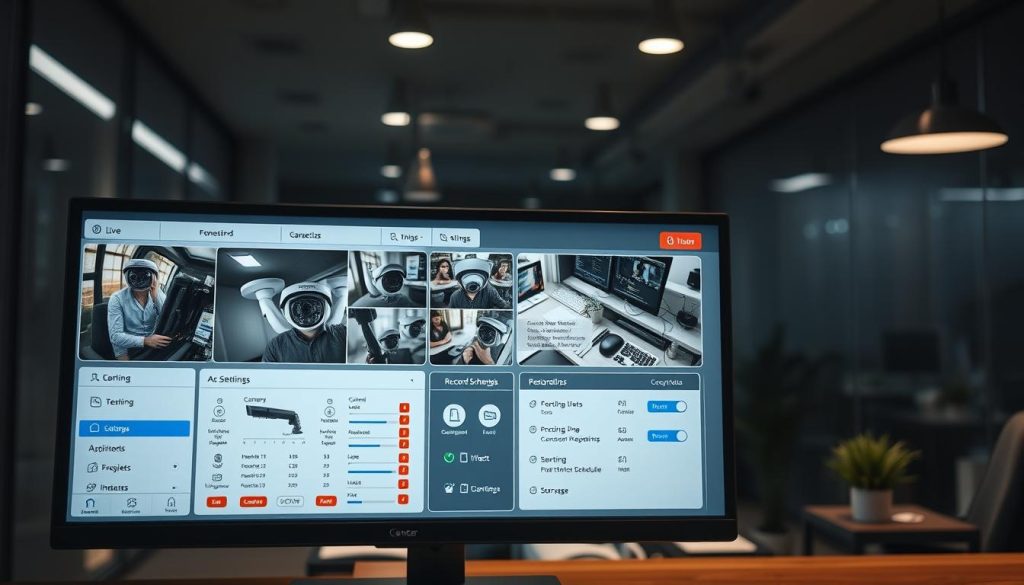
Employing Electronic Surveillance Detection Tools
To check if your CCTV system is working, using electronic surveillance detection tools is helpful. These tools check if your security cameras are working by looking at the radio waves or electrical signals they send out. This method is good for knowing if cameras are active, which helps keep your space safe.
Using these tools helps make sure your surveillance systems are working right. They also protect against someone watching you without permission. If you’re worried about hidden cameras, these tools are very useful.
Power Supply Indicators and Their Importance
Knowing about power indicators for CCTV cameras is key for their best performance. Good indicators let users see if their system is working right without looking at it. By understanding LED colors, you can tell if cameras are on and connected.
Understanding LED Colors and Their Meanings
CCTV cameras use LED lights to show their status. A steady green light means the camera is working fine and has power. But, a flashing red light might mean there’s a problem, like no network or interference. Knowing these LED signals helps fix issues fast and keeps your surveillance system running smoothly.
Checking Connectivity with Wi-Fi Status
Wi-Fi status is critical for wireless CCTV systems to work well. A strong Wi-Fi connection is needed for cameras to send and receive data in real-time. It’s important to check Wi-Fi status often to ensure a good signal, which is key for cloud storage or remote access.
Any Wi-Fi issues can hurt the camera’s performance and the whole system. For example, solar-powered Wi-Fi CCTV cameras can be a good choice. They use the sun for power and keep the connection strong.
Identifying Fake CCTV Cameras
Knowing the difference between real and fake cameras is key to good security. Fake cameras often don’t have wires or work properly. When checking security, look for signs that show a camera is real.
First, see if the camera lights up or makes sounds. Real CCTV systems usually have lights or sounds for alerts. If a camera doesn’t have these, it might be a fake.
Then, check if the camera has any wires or connections. Real CCTV systems have visible wires or connections. If you don’t see these, it could be a fake camera.
Checking if a camera is from a known brand helps too. Brands like Hikvision or Dahua are usually reliable. Knowing this helps keep your place safe.
Troubleshooting Common CCTV Issues
Fixing CCTV problems can seem hard, but following a few steps can help. First, make sure the camera gets enough power. Check all cables for damage or wear. This can affect how well the camera works.
For those using wireless systems, it’s key to keep the network connection strong. This ensures your camera stays online.
What to Do When Your CCTV is Not Working
If your camera isn’t working right, start by checking the connection. For wired systems, make sure cables are securely plugged in. Wireless users should check the signal strength.
If these steps don’t fix the issue, a system reset might be needed. This can help get your camera working again.
Resetting Your CCTV Camera
Resetting your camera can solve many problems. Find the reset button on your camera and press it for a few seconds. This will reboot the camera.
After the reset, you’ll need to set up your camera again. The user manual can help with this. It has specific instructions for your camera model.
Maintaining Your CCTV System for Optimal Functionality
Regular CCTV maintenance is key to keeping your system running smoothly. It’s not just about updating software. You also need to check each camera’s physical condition. Making sure all connections are tight is important to avoid any sudden problems.
Regular inspections help catch issues early. During these checks, test the recording and camera angles. This ensures all important areas are covered. Being proactive in maintenance helps prevent security gaps that could be serious.
If you want even better care, consider professional maintenance. Experts can offer valuable advice and help improve your system’s performance. By keeping up with maintenance, your CCTV system will stay reliable, giving you peace of mind in Singapore.
FAQ
How do I know if my CCTV is on or off?
Check if your CCTV system is working by looking for LED lights on the cameras. A steady light means it’s on. Blinking lights might mean it’s recording.
What are the common types of CCTV cameras?
You’ll find dome, bullet, and PTZ cameras often. Dome cameras work indoors. Bullet cameras are for outside. PTZ cameras can move and zoom for better views.
What key indicators should I look for in a working CCTV camera?
A working CCTV camera shows LED lights that change, makes sounds, and moves smoothly. These signs mean it’s recording or watching.
How can I perform a visual inspection of my CCTV cameras?
Look for steady LED lights, camera movements, and any changes in the camera’s position. These signs show if the camera is working right.
What does a solid red or green LED indicate on my CCTV camera?
A solid red LED means the camera is on and recording. A solid green LED means it’s working fine. Flashing lights might mean there’s a problem.
How can I access security camera software to check status?
Log in with a secure username and password. Then, you can see live feeds, check recordings, and change settings from the interface.
What are electronic surveillance detection tools?
These tools detect radio frequencies or electrical signals from CCTV cameras. They help check if cameras are working and watching effectively.
Why are power supply indicators important for CCTV cameras?
Power indicators, like LED lights, show if CCTV cameras are on or not. Knowing LED colors helps figure out if a camera is working or has issues.
How can I tell if my CCTV cameras are fake?
Check for wiring, working indicators, and do brand research to spot fake CCTV cameras. If it’s missing these, it’s likely not real.
What steps should I take if my CCTV is not working?
First, check power and cables. Then, check network connections. If it’s not working, try resetting it and look in the user manual for help.
How can I maintain my CCTV system for optimal performance?
Keep your CCTV system running well with software updates, camera checks, secure connections, and recording tests. Regular inspections can find problems early.


