
Why Do Security Cameras Stop Working? Troubleshooting Tips
That sudden moment of panic hits when your surveillance feed goes dark. Your peace of mind vanishes, replaced by worry. A non-functional monitoring setup leaves your property vulnerable, which is especially concerning in a place like Singapore where reliability is non-negotiable.
The good news is that most failures have identifiable causes. Issues range from simple power supply hiccups to more complex network glitches. Local factors, like Singapore’s persistent humidity, can also affect electronic components over time.
This guide provides a clear, step-by-step path to diagnose common faults. You’ll learn to check everything from cables and connections to device settings. With the right approach, many problems can be resolved quickly without calling a technician.
We’ll walk you through practical solutions for your cctv or monitoring system. You’ll gain the confidence to restore your security coverage and maintain that crucial sense of safety.
Key Takeaways
- A failed surveillance system creates immediate safety concerns and loss of peace of mind.
- Most malfunctions have logical causes, from simple power issues to complex network faults.
- Environmental conditions, like Singapore’s heat and humidity, can contribute to equipment failure.
- Many common issues can be diagnosed and fixed with basic troubleshooting steps.
- A systematic approach helps identify whether the problem is with power, connections, or settings.
- Understanding these problems empowers you to maintain your cctv system’s reliability.
Introduction: When Your Security System Fails
When visual monitoring ceases, the sense of safety it provides disappears instantly. A blank screen where live footage should appear signals a breakdown in your protective barrier. This immediate video loss creates a vulnerable window that demands attention.
Common symptoms include flickering images or feeds that randomly drop. Your equipment might show a black display or fail to record critical events. These problems disrupt the continuous oversight essential for property protection.
The impact extends beyond mere inconvenience. Missed recordings during a security event can have serious consequences. This vulnerability highlights why prompt diagnosis is crucial for any monitoring setup.
Research indicates approximately 65% of surveillance failures relate to power or network issues. These are often fixable without professional help. Understanding this statistic empowers you to tackle many malfunctions confidently.
Singapore’s tropical climate presents unique challenges for electronic equipment. Persistent humidity and heat can accelerate wear on components. Environmental factors contribute to premature failures in monitoring gear.
Recognizing early warning signs helps prevent complete system collapse. Intermittent video quality degradation often precedes total feed loss. Random reboots of cameras also indicate underlying problems.
This guide adopts a practical, step-by-step troubleshooting approach. You’ll learn to diagnose faults methodically before considering costly technician calls. Systematic checks save both time and money while restoring protection.
Initial diagnostics you perform yourself can resolve most common failures. This self-reliance reduces downtime and maintains your security coverage. The ability to identify basic issues is a valuable skill for any property owner.
Following the structured methods outlined here will help get your system operational again. You’ll gain confidence in maintaining your surveillance equipment’s reliability. Let’s begin restoring that crucial peace of mind.
Why Do Security Cameras Stop Working? The Core Reasons
Diagnosing a faulty surveillance unit starts with understanding three core failure points.
These categories cover the vast majority of technical faults. Understanding them helps you narrow down the likely cause.
Power Supply Disruptions: The Most Common Culprit
Your unit is an electronic device. It needs stable electricity to function. A loose plug or a faulty adapter cuts the lifeline instantly.
Voltage instability damages internal circuits. Local power grids in dense urban areas can experience fluctuations.
A Reolink industry report found a significant link between unit failures and unstable electricity. Loose wiring at connection points is a frequent offender.
In Singapore’s climate, humidity accelerates corrosion on exposed contacts. This increases electrical resistance at the point of connection.
A single corroded terminal can break the circuit. The unit appears dead.
Network Connectivity and Signal Issues
A modern surveillance unit is a network device. It relies on a stable network connection to send its video stream.
Network faults are often invisible. Your router may have rebooted overnight. A neighbor’s new Wi-Fi router could be causing interference.
Urban environments, like Singapore’s dense housing estates, are full of competing wireless signals. This network congestion can weaken the connection.
Wired connections using Ethernet cables are generally more reliable. They avoid the common wireless interference problems.
Signal strength matters for wireless models. Walls and distance from the router reduce performance.
Hardware Malfunctions and Component Failure
Physical parts inside the unit wear out over time. Moving components, like the motor in a PTZ model, have a limited lifespan. The internal circuit board contains hundreds of tiny components.
Each one can fail independently. Research on equipment lifespan suggests many components are rated for a specific number of operating hours.
Environmental stress accelerates this wear. Singapore’s persistent heat and moisture create a harsh operating environment.
This affects outdoor units most severely. Internal condensation can form inside sealed housings.
This moisture leads to short circuits on the main board. Power-over-Ethernet (PoE) systems show a significant advantage in reliability.
They eliminate a common point of failure: the separate power adapter.
Understanding these three core reasons gives you a diagnostic starting point. It guides your checks in the detailed steps that follow.
Diagnosing Power Supply Problems
Nearly half of all surveillance disruptions stem from electricity-related faults. This makes the power supply your primary diagnostic target when feeds go dark.
In Singapore’s humid environment, electrical components face accelerated stress. Moisture promotes corrosion on metal contacts. Loose connections alone cause about 40% of reported issues.
Follow this systematic approach to isolate electrical faults. Begin with simple visual checks before moving to equipment testing.
Checking the Power Cord and Connections
Start with a physical inspection of all cables and adapters. Look for frayed wires, bent pins, or cracked insulation.
Gently wiggle each connection point. A loose plug can cause intermittent blackouts. Tighten any connectors that feel unstable.
Safety first: Always disconnect power before handling cables. This prevents electrical shock.
For a definitive test, use a multimeter. Set it to DC voltage if your unit uses a 12V adapter. Place the probes on the connector’s positive and negative contacts.
The reading should match your adapter’s output rating. A significant drop indicates a faulty cable or adapter. This is the most reliable way to check power delivery.
Inspecting Battery Health for Wireless Cameras
Wireless security cameras like Arlo or Ring rely on batteries. These typically last three to six months with normal use.
Check battery status through your unit’s mobile app. Most apps show remaining percentage and estimated runtime. Replace batteries when runtime drops below 60% of original capacity.
Signs of a failing battery include:
- Frequent low-battery alerts
- Reduced recording duration
- Intermittent operation during motion events
- Failure to charge fully
Make sure you use manufacturer-approved replacements. Third-party batteries may not provide adequate voltage stability.
Dealing with Power Spikes and Surges
Singapore’s frequent thunderstorms create voltage fluctuations. These spikes can instantly damage sensitive electronics.
Install an NEA-compliant surge protector. Quality models block approximately 92% of outage-related failures. They divert excess voltage safely to ground.
For critical monitoring setups, add an Uninterruptible Power Supply (UPS). This provides backup during brief blackouts. It also conditions incoming electricity.
Avoid mounting your camera directly on metal surfaces during installation. Metal can conduct lightning-induced currents. Use a non-conductive barrier like a plastic spacer.
Make sure your entire surveillance system connects through protected outlets. This includes the recorder and network switch.
Regular maintenance prevents most electrical issues. Make sure you inspect connections quarterly in our humid climate. This proactive approach keeps your camera functioning reliably.
Troubleshooting Network Connectivity
Without a solid network connection, even the most advanced security cameras cannot function properly. The data pathway between your equipment and recorder is just as critical as power. When this link breaks, live feeds freeze and recordings halt.
Network instability ranks among the top reasons surveillance feeds fail. In Singapore’s high-density neighborhoods, interference and bandwidth congestion are common challenges. Many residential areas have dozens of competing wireless signals.
Reolink studies show dual-band routers can reduce video dropouts by up to 70%. This technology helps avoid crowded frequency bands. It provides a clearer path for your cctv data stream.
Follow these steps to diagnose and fix common network problems. You’ll verify the physical and digital pathways. This systematic approach restores reliable monitoring coverage.
Testing Wired and Wireless Connections
Begin with a physical inspection of all data cables. For wired security cameras, check each Ethernet line for damage. Look for kinks, cuts, or chew marks from pests.
Ensure every connector clicks firmly into its port. Loose connections cause intermittent signal loss. CAT6 cables maintain signal integrity for distances up to 55 meters.
Wireless systems require different checks. Assess the WiFi signal strength at your camera‘s location. Most mobile apps show this information clearly.
Signal strength below 70% often causes unstable video. Use channel scanning tools to find less congested frequencies. Your router’s admin panel usually has this feature.
Consider adding a WiFi extender for weak coverage areas. Position it halfway between your router and the camera. This boosts the signal without major infrastructure changes.
For persistent wireless issues, temporary wired testing proves valuable. Connect the camera directly with a short Ethernet cable. If the feed stabilizes, your wireless connection is the culprit.
Pinging the Camera IP Address
This diagnostic tool checks basic communication with your cctv equipment. It sends small data packets to the device’s network address. The response confirms the pathway is active.
Find your camera‘s IP address through your NVR menu or mobile app. It typically looks like 192.168.1.XXX. Write this number down for reference.
Open Command Prompt on a Windows computer connected to the same network. Type “ping” followed by a space and the IP address. Press Enter to execute the command.
Watch for one of two key responses. “Reply” messages with time measurements indicate a good connection. “Request timed out” errors mean communication has failed.
Consistent timeouts point to a network issue. The camera might be offline or unreachable. This test helps isolate whether the problem is local or system-wide.
Successful pings with high latency (over 100ms) suggest network congestion. Your video stream may stutter despite the connection being technically alive. This requires bandwidth management solutions.
Resolving IP Address Conflicts
These conflicts occur when two devices on your network share the same IP. Your router cannot distinguish between them properly. Both devices experience communication failures.
Research indicates IP conflicts cause approximately 15% of NVR recognition failures. Your recorder might show “device offline” for a functioning camera. The software receives confused data from duplicate addresses.
The simplest fix is rebooting your router. This refreshes all DHCP leases automatically. Most home networks use DHCP to assign addresses dynamically.
For permanent stability, assign a static IP to each camera. Access your router’s admin interface to configure this. Reserve specific addresses for your surveillance equipment.
Ensure your network bandwidth can handle multiple high-resolution streams. Four 4K cameras need substantial data capacity. Check your router’s Quality of Service (QoS) settings.
QoS prioritizes video traffic over less critical data. This prevents buffering during peak internet usage. Many modern routers include this feature in their software.
For comprehensive guidance on maintaining your system’s network health, explore our detailed troubleshooting tips for a non-working CCTV. This resource covers advanced configuration and preventive measures.
Conducting a Physical Inspection of Cables and Components
A systematic examination of cables and connectors often reveals hidden faults. Physical damage to wiring ranks among the most overlooked causes of surveillance downtime. In Singapore’s humid climate, connections degrade faster than in drier regions.
Research shows 28% of BNC connector failures occur precisely at connection points. Moisture accelerates corrosion on metal contacts. This creates intermittent faults that software resets cannot fix.
Your inspection should cover all physical hardware. Check both power and data transmission lines. Video cables like BNC for analog systems and Ethernet for IP models need equal attention.
Identifying Loose or Damaged Cables
Begin with a visual scan of every cable run. Look for obvious signs of wear or damage. Frayed insulation exposes inner wires to moisture and short circuits.
Check for tight bends that pinch internal conductors. Rodents and pests sometimes chew through outdoor cabling. These chew marks create subtle breaks that disrupt signals.
Corrosion on metal connectors appears as green or white powder. This is especially common in Singapore’s high humidity. The corrosion increases electrical resistance at the connection point.
Use a cable tester for definitive diagnosis. These tools identify breaks with 89% accuracy for physical layer issues. They send signals through the cable and report any interruptions.
For outdoor installations, choose UV-resistant cabling. This specialized wiring lasts approximately three times longer in direct sunlight. It withstands Singapore’s intense tropical UV exposure better than standard options.
Inspect both ends of each cable thoroughly. A problem at the cctv camera end might not be visible at the recorder. Check where cables enter weatherproof housings for moisture ingress.
Verifying Connections and Port Integrity
Ensure every plug sits firmly in its corresponding port. Gently push each connector to confirm full seating. Loose connections cause intermittent video loss that frustrates diagnosis.
Examine the physical ports on your equipment. Look for bent pins inside Ethernet or BNC sockets. Debris like dust or insects can block proper contact.
Signs of water ingress include rust or mineral deposits. These indicate compromised weather sealing. Moisture inside a port leads to gradual corrosion and eventual failure.
Apply dielectric grease to outdoor connection points. This compound blocks moisture without conducting electricity. It creates a protective barrier against Singapore’s persistent humidity.
Use weatherproof junction boxes for all external connections. These enclosures shield connectors from direct rain and sun exposure. They significantly extend the lifespan of your security cameras outdoor components.
Implement a cable labeling system for multi-camera setups. Tag each cable with its corresponding cctv camera number. This simple practice makes future troubleshooting much faster and easier.
Proper cable management prevents many physical issues. Avoid sharp bends and excessive tension on lines. Secure cables away from high-traffic areas where they might get pulled or damaged.
Regular quarterly inspections catch small issues before they become major problems. This proactive approach maintains your surveillance system’s reliability. It ensures your security cameras continue providing uninterrupted coverage.
Addressing Camera Settings and Configuration Errors
>
##
Updating Firmware and Resolving Software Issues
The Proper Way to Reboot Your CCTV System
Sometimes the simplest solution is the most effective one for restoring your surveillance coverage. A well-timed restart clears temporary glitches without technical expertise.
Research indicates approximately 65% of transient faults vanish after proper restart sequences. This classic IT advice works for monitoring equipment too.
Singapore’s high humidity makes scheduled reboots particularly valuable. They prevent memory leaks that accumulate in electronic devices.
Understand the difference between restart types. A soft reboot uses system software menus. A hard reboot physically cuts power to reset hardware.
For thorough error clearing, choose the hard method. This power cycle flushes residual electrical charge from circuits.
Step-by-Step Guide for a Clean Reboot
Follow these steps for a complete system reset. This sequence prevents boot-up conflicts between components.
First, power off the NVR or DVR recorder. Then, disconnect all connected cameras from their electricity source.
For PoE systems, unplug both Ethernet and power cables. This ensures a full discharge of each unit.
Wait at least thirty seconds before reconnecting. This pause clears temporary memory and capacitor charge.
Now, restore power to the recorder alone. Let it boot completely before proceeding to the next step.
Watch for the main menu to appear on your monitor. This confirms the central system is operational.
Finally, reconnect each camera one by one. Allow each unit to initialize before adding the next.
This orderly process lets the system recognize devices properly. It re-establishes connections without confusion.
When a Simple Reboot Isn’t Enough
Persistent failures after a restart indicate deeper flaws. The problem likely isn’t a temporary glitch.
Check equipment log files for repeated error codes. These messages point to specific component malfunctions.
Inspect your UPS battery health if you use one. Voltage fluctuations below 90V can interrupt proper restarts.
Listen for unusual sounds from hard drives. Clicking or grinding noises suggest imminent storage failure.
Feel the recorder’s casing for excessive heat. Overheating components cause unstable operation over time.
Make sure you examine internal connections again. A loose cable inside the NVR might be the culprit.
Consider a factory reset as a last resort. This erases all settings and returns the system to its original state.
Back up your configuration before attempting this. You’ll need to reconfigure each camera afterward.
This troubleshooting step is simple, free, and surprisingly effective. Make sure you try it before assuming hardware failure.
Fixing Night Vision and IR Problems
Nearly 40% of after-dark monitoring failures are traced back to two specific components failing to cooperate. When low-light vision fails, your property becomes invisible at night. This creates a major gap in your protective coverage.
Infrared (IR) technology enables your equipment to see in total darkness. It relies on IR LEDs for invisible light and a mechanical IR cut filter. This filter moves to allow IR light into the sensor when it gets dark.
Singapore’s humid climate accelerates wear on these delicate parts. Moisture can jam the filter mechanism or fog the lens dome. This leads to a complete video loss during critical hours.
Checking IR Cut Filter Functionality
A jammed filter is the leading cause of IR system failure. You can test it with a simple manual check. Cover the camera lens completely with your hand during daylight.
Listen closely near the lens. A properly functioning filter should produce a faint click sound. This click signals the mechanism switching to night vision mode.
No click often means the filter is stuck. This leaves a colored tint over the daytime video. It also blocks IR light from reaching the sensor at night.
For externally housed units, check for spider webs or debris near the filter slot. These can physically block the tiny mechanism’s movement. A gentle blast of compressed air can sometimes clear the obstruction.
Diagnosing and Fixing Faulty IR Illumination
First, verify the IR LEDs are activating. Look at the camera in a dark room. You should see faint red dots around the lens when night vision is active.
No glow indicates a power issue with the LED array. Check the unit’s configuration menu first. A dedicated “IR” or “Night Mode” setting might be disabled.
For units with adjustable intensity, use Pulse Width Modulation (PWM). Set this between 65-75% for Singapore’s urban ambient light. This prevents over-saturation on nearby surfaces.
A common problem is IR bounce-back. Glass surfaces cause 58% of these issues. White walls can also create bright hotspots that blind the sensor.
- Reposition the security cameras away from direct reflection points.
- Angle the unit slightly downward to avoid shining IR light parallel to a wall.
- Clean the external dome regularly to remove dust and moisture haze.
Persistent failure after these checks may point to hardware damage. The IR LED board could have corroded in the humid air. At this point, professional assessment of your security cameras is often required.
Solving Video Loss and Black Screen Issues
A blank monitor where live footage should appear represents one of the most urgent surveillance failures. This complete video loss creates immediate vulnerability. In Singapore’s dense urban areas, these black screen occurrences account for 23% of all service calls.
The symptom has two primary origins. Either the unit receives inadequate electricity, or the signal path breaks completely. Your diagnostic approach depends on which scenario applies.
Check the status indicator lights first. If they’re dark, suspect a severe power deficiency. When lights glow but no picture appears, focus on signal and compatibility problems.
Diagnosing Insufficient Power at the Camera
Modern high-resolution units demand stable, adequate electricity. A 4K cctv camera needs consistent voltage above 44V to function properly. Drops below this threshold cause the sensor to fail.
Power-over-Ethernet (PoE) systems show particular vulnerability. Oscilloscope tests reveal waveform anomalies in 51% of PoE-related failures. These irregularities disrupt the delicate electronics inside your equipment.
Use a multimeter to measure voltage at the unit’s connection point. Compare readings against your adapter’s specified output. A significant drop indicates either a faulty power supply or undersized cabling.
Long cable runs exacerbate voltage drop. For distances over 50 meters, consider using a higher-grade cable or a mid-span PoE injector. This ensures adequate power reaches the remote location.
Make sure your network switch provides sufficient PoE budget. Each high-resolution unit may draw 12-15 watts. Calculate total system requirements before adding new equipment.
Addressing Signal Type and Compatibility Mismatches
Video transmission uses specific protocols. Common standards include TVI, AHD, and CVI for analog HD systems. IP models typically use ONVIF or proprietary protocols.
Mixing incompatible technologies guarantees failure. HD-TVI signals fail on 28% of pre-2015 DVRs due to protocol mismatches. The recorder cannot decode the incoming data stream.
Verify compatibility before purchasing new equipment. Check your recorder’s specifications against the cctv camera‘s output format. Manufacturer databases provide this crucial information.
Counterfeit video processors cause 19% of color distortion cases. These components may claim compatibility they cannot deliver. Always verify chipsets against OEM databases when troubleshooting.
For step-by-step guidance on resolving sudden equipment failures, explore our detailed resource on fixing issues when a CCTV camera suddenly stopped.
Check your NVR or DVR input channel settings. Each port must match the connected unit’s signal type. A configuration mismatch creates a black screen even with perfect physical connections.
Try a different video cable as a simple test. BNC connectors for analog systems and Ethernet for IP models can develop internal breaks. These breaks are often invisible to visual inspection.
Adjust the unit’s output resolution to a compatible level. A modern 4K device connected to an older 1080p recorder may need downscaling. This setting is usually found in the device’s web interface.
Make sure you follow this logical elimination process. Start with power verification, then examine signal pathways. This methodical approach restores your visual oversight efficiently.
Environmental Factors and Hardware Failures
Beyond immediate technical faults, long-term exposure to harsh elements inevitably takes its toll on surveillance systems. The tropical climate here presents unique challenges that accelerate component degradation. Understanding these environmental stressors helps you maintain equipment reliability.
Impact of Singapore’s Climate: Humidity and Heat
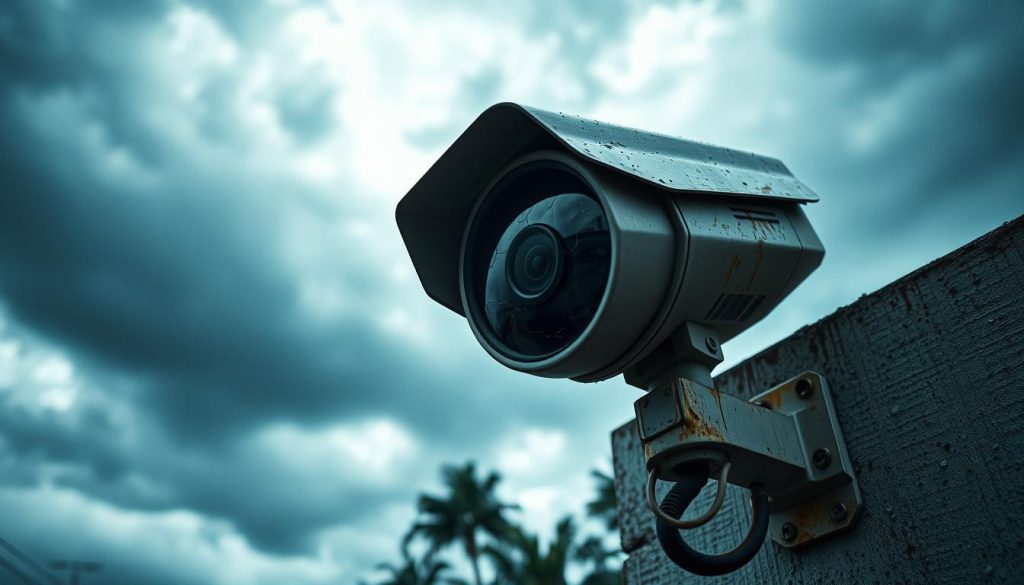
Constant high humidity is the primary adversary. Moisture penetrates even well-sealed housings over time. This leads to condensation forming on internal lenses and circuit boards.
The resulting water droplets create short circuits on sensitive electronics. Metal contacts and connectors develop corrosion much faster here. This green or white powder increases electrical resistance dramatically.
Prolonged heat exposure compounds the problems. Electronic components have rated operating temperatures. Consistent exposure above these limits shortens their functional lifespan.
Thermal expansion and contraction stress solder joints on circuit boards. This can create hairline cracks invisible to the naked eye. The system may work intermittently before failing completely.
Outdoor wiring suffers significantly. Cable insulation becomes brittle under UV exposure. Connectors lose their protective seals, allowing moisture ingress.
“In tropical environments, surveillance equipment requires more frequent maintenance checks. The combination of heat and humidity accelerates wear on all components.”
Recognizing Signs of Irreparable Hardware Damage
Visual inspection reveals when components have reached their limit. Look for condensation inside the lens dome that doesn’t clear. This indicates compromised seals and internal moisture saturation.
Severe corrosion on ports and connectors often signals terminal damage. The metal may be pitted or flaking away. Cleaning won’t restore proper electrical contact at this stage.
Check for burnt components on circuit boards. These appear as blackened areas with a distinctive odor. Physical cracks in lenses or casings from thermal stress are clear indicators.
Differentiate between fixable issues and terminal failures. A dirty lens requires simple cleaning. A waterlogged main board needs complete replacement.
Insect nests inside housings suggest long-term seal failure. Foggy images that persist after cleaning indicate internal moisture damage. These often require professional assessment of your security system.
Preventative measures extend equipment life significantly. Choose units with high IP ratings like IP67 or IP68 for outdoor use. These withstand dust ingress and temporary immersion.
Use proper outdoor housings with adequate ventilation. Ensure all conduits are sealed against moisture. Regular maintenance checks catch small issues before they become major.
All electronics have a finite lifespan. Continued troubleshooting may not be cost-effective after certain damage levels. Replacement often provides better long-term quality and reliability.
Monitor storage device health in your recording equipment. Heat accelerates hard drive degradation. Consider solid-state options for better durability in our climate.
Knowing when to replace rather than repair saves time and resources. It ensures your surveillance coverage remains effective year after year. This proactive approach maintains peace of mind.
Ensuring Long-Term Security Camera Performance
Proactive maintenance transforms your surveillance from reactive problem-solving to reliable protection. Consistent care keeps your security system operational through Singapore’s challenging climate.
Establish a simple schedule. Perform visual checks monthly. Conduct deeper inspections and cleanings every quarter. This way prevents most common problems before they occur.
Make sure you use high-quality components from the start. OEM parts resist humidity better than counterfeit alternatives. Proper solutions include dielectric grease on connectors and regular seal inspections.
The knowledge from this guide provides lasting support. You can now perform basic troubleshooting confidently. This reduces downtime and unnecessary service calls.
A well-maintained setup is an investment in continuous safety. Your security cameras and cctv cameras will deliver peace of mind for years to come.
FAQ
What is the most common reason a CCTV camera goes offline?
The most frequent cause is a disrupted power supply. Check your outlet, power adapter, and all cables. For PoE systems, ensure the network switch is powered on and functioning correctly.
How can I tell if my camera’s network connection is the problem?
Start by testing your internet and router. Then, try to ping the camera’s IP address from a computer on the same network. A failed ping indicates a connectivity issue with the device itself or its network settings.
My camera has a black screen at night. What should I check first?
First, inspect the camera lens for obstructions like spider webs. Then, verify that the night vision or IR settings are enabled in the software. If the issue persists, the infrared LEDs or the IR cut filter inside the unit may have failed.
Can a simple reboot fix my security system problems?
Yes, a proper reboot often resolves temporary glitches. Power down the camera, NVR/DVR, and network equipment completely. Wait 60 seconds before restarting the router and recorder, then the cameras, in sequence.
Why is it important to update my camera’s firmware?
Regular firmware upgrades patch security vulnerabilities, fix bugs, and can improve hardware compatibility. Always download updates from the manufacturer’s official website to ensure stability and avoid bricking your device.
How does Singapore’s climate affect my outdoor security cameras?
High humidity and heat can accelerate wear. Moisture may seep into housings, causing corrosion on connectors and circuit boards. Ensure your outdoor units have a high IP rating and consider protective housings for extended lifespan.
What does "video loss" mean, and how do I fix it?
“Video loss” is an error message indicating the recorder is not receiving a signal. Diagnose by checking the video cable and connections for damage. Also, verify the camera is receiving adequate power, as insufficient voltage is a common culprit.


