
Why Do Security Cameras Go Bad? Fixes & Solutions
Your surveillance equipment provides peace of mind, but unexpected failures can leave you vulnerable. When video feeds drop or quality degrades, it compromises your entire security setup.
Many factors contribute to these issues. Power supply problems often disrupt camera function. Network instability can cause signal loss and connection drops.
Environmental conditions affect outdoor performance. Regular maintenance helps prevent most common failures. Understanding these causes is key to reliable protection.
This guide explores practical solutions for restoring your system. We’ll cover troubleshooting steps for various scenarios. Proper equipment selection also plays a crucial role.
Key Takeaways
- Power supply issues are a leading cause of camera failures
- Network connectivity problems frequently disrupt video feeds
- Environmental factors significantly impact outdoor camera performance
- Regular maintenance prevents most common surveillance issues
- Quality equipment selection reduces long-term problems
- Firmware updates are essential for optimal performance
- Proper installation prevents many connection and wiring issues
Understanding Video Loss: The First Sign of Trouble
When your surveillance feed suddenly drops, it’s more than just a technical glitch. This interruption often serves as the primary indicator of underlying system issues that demand immediate attention.
Recognizing these early warnings can prevent complete system failure. Regular monitoring helps identify patterns before they escalate into major problems.
Common Symptoms of a Failing Camera
Several clear indicators signal potential camera malfunctions. These visual cues help differentiate between minor glitches and serious hardware issues.
- Black screens appearing where live footage should display
- Flickering images that come and go unpredictably
- Complete absence of video feed from one or multiple units
- Intermittent signal loss during specific times or conditions
- Gradual degradation of image quality over time
These symptoms often point to deeper technical problems. They require prompt investigation to determine the root cause.
Why Immediate Attention is Critical
Addressing video loss promptly prevents extended security gaps. Quick response minimizes potential security breaches and system downtime.
Early detection through regular monitoring allows for faster resolution. It also helps identify whether issues affect specific cameras or the entire surveillance system.
Environmental factors like Singapore’s humid climate can worsen these problems. Outdoor installations particularly suffer from weather-related complications.
Documenting symptom patterns assists technicians in efficient diagnosis. Note when issues occur and under what conditions they manifest.
Proper documentation streamlines the troubleshooting process. It helps identify whether problems are camera-specific or system-wide.
Power Supply Problems: The Most Common Culprit
Consistent electrical delivery forms the foundation of reliable surveillance operation. Without stable power, even the most advanced equipment cannot function properly.
Many installation challenges stem from inadequate power distribution. These issues manifest in various ways across your monitoring setup.
Identifying Signs of Insufficient Power
Recognizing power-related symptoms early prevents complete system failure. Look for these telltale indicators of electrical problems.
Random reboots often signal voltage fluctuations. Intermittent operation suggests inconsistent power delivery.
Complete failure to power on indicates severe supply issues. Flickering images point to unstable electrical current.
Loose connections disrupt consistent energy flow. Damaged adapters cannot provide adequate voltage.
Extended cable runs cause significant voltage drops. Overloaded supplies struggle with multiple device demands.
Quick Fixes for Power-Related Failures
Several straightforward solutions address most power distribution problems. These steps help restore normal operation quickly.
Inspect all connections thoroughly. Ensure secure terminations at both ends of each cable.
Switch camera ports on NVRs or PoE switches. This identifies malfunctioning ports quickly.
Use shorter, high-quality cables for better transmission. Reduced resistance improves power efficiency.
Connect devices directly to NVRs via PoE. This eliminates intermediary device complications.
Test with replacement adapters and cables. Isolate faulty components requiring replacement.
Proper power management ensures continuous surveillance operation. Addressing these issues maintains system reliability.
The Impact of Power Spikes and Electrical Interference
Unpredictable power fluctuations pose a constant threat to the longevity of your video surveillance components. These electrical disturbances can silently degrade performance or cause sudden catastrophic failures.
Singapore’s tropical climate introduces additional challenges. Frequent thunderstorms create ideal conditions for damaging electrical events. Proper protection becomes essential for reliable operation.
Common Sources of Damaging Surges
Several environmental factors contribute to electrical interference problems. Understanding these sources helps implement effective preventive measures.
Lightning strikes during storms deliver massive voltage surges. These can instantly destroy camera electronics and connected equipment. Even distant strikes induce damaging currents through wiring.
Nearby electrical equipment generates electromagnetic interference. Industrial machinery and heavy appliances create disruptive fields. This interference distorts video signals and causes performance issues.
Improper grounding creates potential differences in electrical systems. These differences damage sensitive camera components over time. Proper installation prevents this gradual deterioration.
Mounting cameras directly on conductive surfaces increases vulnerability. Metal structures can transmit electrical interference directly to equipment. This compromises the entire surveillance system’s integrity.
Protecting Your System with Surge Protectors and UPS
Several protection methods safeguard your investment from electrical damage. Implementing these solutions ensures continuous reliable operation.
Surge protectors installed at power entry points absorb excess voltage. They divert dangerous spikes away from sensitive equipment. Quality units provide multi-layer protection for complete systems.
Uninterruptible Power Supply units offer dual benefits. They provide backup power during outages and filter electrical noise. This maintains camera operation through various power conditions.
Non-conductive mounting solutions prevent grounding issues. Wooden blocks or specialized brackets isolate cameras from metal surfaces. This simple step significantly reduces interference problems.
Solar-powered options reduce grid dependency risks. Models like Reolink cameras operate independently from main power lines. This eliminates many surge-related vulnerability points.
Regular inspection of electrical connections identifies potential issues. Checking grounding systems and cable integrity prevents future problems. Proactive maintenance extends equipment lifespan significantly.
Network Connectivity and Bandwidth Issues
Reliable network performance forms the backbone of modern surveillance systems. Wireless connections must maintain consistent stability for uninterrupted monitoring.
Many modern installations rely on IP-based technology. These systems demand robust network infrastructure to function properly.
Connectivity problems can disrupt your entire surveillance operation. Identifying these issues quickly restores normal function.
Solving Weak WiFi and Low Bandwidth Problems
Wireless signal strength diminishes with distance from routers. Physical obstructions like walls further reduce transmission quality.
Other networks and electronic devices create interference. This competition for airspace degrades overall performance.
Multiple cameras streaming simultaneously consume significant bandwidth. This can overwhelm your network’s capacity.
Repositioning units closer to access points improves signal strength. WiFi extenders boost coverage across larger properties.
Dual-band systems provide alternative frequency options. These often experience less congestion from other devices.
Regularly inspect all physical connectors and terminations. Loose Ethernet or BNC connections cause intermittent problems.
Resolving IP Address Conflicts
Network conflicts occur when devices share identical addresses. This prevents proper communication with your recording equipment.
Dynamic addressing can sometimes assign duplicate values. This creates accessibility issues across your surveillance setup.
Static IP assignment ensures consistent device identification. This method maintains reliable network accessibility.
Most modern NVR systems manage addresses automatically. Manual configuration provides additional control when needed.
Proper address management prevents connectivity interruptions. This ensures continuous monitoring capability.
Cable and Wiring Faults: Out of Sight, Out of Mind?
Hidden wiring problems create silent threats to your surveillance operation. These unseen issues gradually degrade performance until complete failure occurs.
Many installation challenges stem from inadequate cable management. These hidden faults manifest as various performance issues across your monitoring setup.
How Faulty Wiring Degrades Performance
Damaged insulation exposes conductors to Singapore’s humid climate. Moisture intrusion causes corrosion and signal degradation over time.
Loose connections create intermittent contact at termination points. This results in video dropouts and unstable footage.
Overly tight bends damage internal conductors during installation. This impairs signal transmission and reduces image quality.
Extended cable runs beyond specifications cause signal attenuation. This increases error rates and compromises video clarity.
Rodent damage in attics completely interrupts transmission. These pests chew through cables, requiring immediate replacement.
Step-by-Step Guide to Diagnosing Cable Problems
Begin with visual inspections of all accessible wiring. Look for physical damage, corrosion, or connection issues.
Use cable testers to verify continuity throughout each run. These tools check proper termination and signal strength.
Test connections at both camera and recording equipment ends. Loose terminations often cause the most common problems.
Replace damaged sections with high-quality, appropriately rated cables. This restores optimal performance to your security system.
Implement proper cable management using conduits and strain relief. This prevents future damage and maintains system integrity.
For persistent issues with camera indicators, consult our guide on CCTV camera light problems for specialized solutions.
Hardware Defects and Outdated Firmware
Internal component failures represent some of the most challenging surveillance system issues to diagnose. These problems often develop gradually, making early detection crucial for maintaining reliable protection.
Both physical hardware degradation and outdated software contribute to performance issues. Understanding these factors helps implement effective preventive measures.
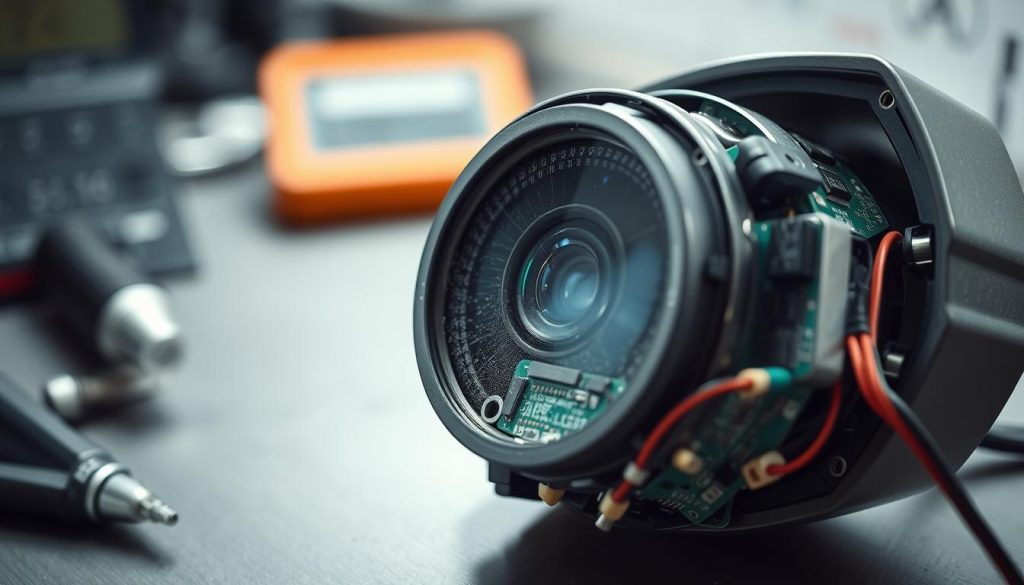
Recognizing the Signs of Hardware Failure
Physical component degradation manifests through specific patterns. These indicators help differentiate between temporary glitches and serious equipment problems.
Frequent system crashes suggest underlying instability. Automatic reboots often point to component failure.
Frozen video feeds indicate processing unit malfunctions. Unresponsive controls signal memory issues within the equipment.
Consistently blurry images despite proper focus suggest sensor problems. Lens assembly issues degrade image quality over time.
Overheating units with excessive housing temperature indicate cooling failures. Power regulation problems contribute to thermal issues.
Unusual mechanical noises point to motor wear in PTZ models. These sounds often precede complete mechanical failure.
The Critical Role of Firmware Updates
Regular software maintenance ensures optimal surveillance performance. These updates address multiple aspects of system operation.
Firmware revisions resolve compatibility problems between components. They fix software bugs that cause unexpected behavior.
Security enhancements protect against emerging vulnerabilities. Regular updates maintain protection against potential exploits.
Video processing algorithms often improve with new versions. These enhancements boost image quality and compression efficiency.
Always create backup configurations before updating software. This allows quick restoration if the process encounters errors.
Manufacturer updates sometimes introduce new features and settings. These additions can enhance your surveillance capabilities.
IR Night Vision and Sensor Malfunctions
Infrared technology enables cameras to see what human eyes cannot detect in darkness. This advanced capability relies on specialized components working in perfect harmony. When these elements malfunction, your after-dark surveillance becomes compromised.
Singapore’s tropical environment presents unique challenges for infrared systems. High humidity and frequent rainfall can affect sensor performance over time. Regular maintenance becomes essential for reliable night operation.
Understanding How IR Sensors Work
Infrared systems operate through a coordinated combination of sensors and illuminators. These components work together to create visible images in complete darkness. The technology converts invisible infrared light into viewable footage.
IR cut filters serve as the transition mechanism between daylight and nighttime modes. These filters automatically engage when light levels drop below specific thresholds. They switch the camera from color daytime vision to monochromatic night vision.
Faulty sensors often fail to detect changing light conditions properly. This prevents the automatic activation of night vision capabilities. The result is completely dark footage when illumination is most needed.
Testing and Restoring Night Vision Capabilities
Proper testing requires simulating complete darkness conditions. Cover the camera or test during nighttime hours to trigger IR mode. Observe whether the infrared illuminators activate automatically.
Check configuration settings through your camera’s interface menu. Ensure night vision features remain enabled and properly calibrated. Sometimes software resets or updates disable these critical functions.
Clean lenses and IR illuminator windows regularly using appropriate materials. Spider webs and dust accumulation significantly reduce effectiveness. Gentle cleaning restores optimal performance without damaging components.
External IR illuminators provide supplemental lighting when built-in systems fail. These units install easily around perimeter areas needing additional coverage. They extend vision range beyond standard camera capabilities.
Component replacement becomes necessary when testing confirms hardware failures. Professional technicians can diagnose specific malfunctioning parts. Timely restoration ensures continuous 24/7 surveillance protection.
Compatibility and Signal Type Complications
Equipment integration challenges create frustrating video loss and performance issues in surveillance setups. These complications often stem from mismatched components that should work together seamlessly.
Modern surveillance technology demands precise coordination between recording equipment and cameras. When components don’t communicate properly, your entire system suffers from degraded functionality.
Avoiding Brand Mismatch and Decoding Errors
Different manufacturers use proprietary protocols for their equipment. These unique communication methods often prevent cross-brand compatibility.
Recording devices might not recognize video streams from other brands. This creates complete video loss or distorted footage in your monitoring system.
Resolution conflicts present another common integration challenge. High-definition cameras connected to basic recorders produce poor quality results.
- Check specification sheets before purchasing new equipment
- Verify supported resolutions and compression formats
- Test equipment compatibility during initial setup phases
- Consult manufacturer compatibility lists for confirmed matches
Protocol mismatches cause decoding failures between devices. These errors prevent proper video transmission and recording functionality.
Analog vs. Digital: Understanding Signal Impact
Traditional analog systems use coaxial cables for signal transmission. These setups provide basic video quality with limited resolution capabilities.
Modern IP cameras utilize network protocols for data transfer. This digital approach supports higher resolutions and advanced features.
Signal type conflicts arise when mixing old and new technologies. Older recording equipment cannot process modern digital formats properly.
Conversion equipment bridges gaps between different signal types. These devices translate analog signals for digital recorders and vice versa.
Matching signal types ensures optimal performance across your surveillance setup. Consistent technology choices prevent integration problems and video loss issues.
Always verify compatibility between cameras and recording equipment. This simple step prevents most integration challenges before they occur.
Proactive Measures: Preventing Failures Before They Start
Strategic prevention measures create surveillance systems that withstand environmental challenges and technical issues. Regular maintenance extends equipment lifespan significantly.
Schedule monthly lens cleaning and housing inspections. This maintains image quality and weather protection. System checks verify recording performance and storage integrity.
Select quality equipment from reputable brands. Proper installation prevents environmental damage. Follow manufacturer guidelines for optimal performance.
Install surge protection devices and UPS units. These safeguard against voltage spikes and power outages. They maintain operation during electrical anomalies.
Update firmware regularly for security and compatibility. Document maintenance activities and configurations. This facilitates troubleshooting and future upgrades.
FAQ
What are the most common signs that a surveillance camera is failing?
Look for video loss, blurry footage, or color distortion. You might also notice poor night vision, frequent disconnections, or flickering images. These issues often point to power supply problems, faulty cables, or aging equipment.
How can I tell if my camera has a power supply issue?
Signs include random reboots, intermittent signal loss, or the camera not turning on. Check connections and test with a known good power adapter. Insufficient power often causes these performance drops.
What steps can I take to protect my CCTV system from electrical interference?
Use surge protectors and Uninterruptible Power Supplies (UPS). Keep wiring away from high-voltage sources. Proper grounding and quality cables also reduce interference risks.
Why does my camera keep disconnecting from the network?
Weak WiFi signals, low bandwidth, or IP address conflicts often cause drops. Check your router settings, reduce network load, or assign static IPs to prevent conflicts.
How do I diagnose and fix cable problems in my security system?
Inspect cables for damage or loose connections. Use a cable tester to check continuity. Replace frayed wires and ensure all terminations are secure to restore signal integrity.
What role does firmware play in camera performance?
Outdated firmware can cause bugs, security flaws, or compatibility issues. Regular updates improve stability, add features, and often resolve existing problems with your equipment.
How can I test and restore my camera’s night vision?
Clean the IR sensor and lens. Check settings to ensure night mode is enabled. Test in a dark room—if issues persist, the IR LEDs or sensor may need replacement.
Are there compatibility issues between different brands of cameras and recorders?
Yes, mixing brands can lead to signal decoding errors or feature limitations. Always verify compatibility between your cameras and NVR/DVR to avoid these complications.
What proactive measures help prevent security camera failures?
Regular maintenance, firmware updates, and using surge protection are key. Also, ensure proper installation, quality cables, and adequate power supply to extend system life.


