

Why Do My Security Cameras Go Black? Fixes & Solutions
Many property owners in Singapore experience sudden video loss from their surveillance equipment. A blank display on your monitoring system creates immediate security concerns. This interruption leaves homes and businesses vulnerable when they need protection most.
Multiple factors can cause your CCTV equipment to stop showing footage. Power problems, network failures, and technical settings often contribute to these issues. Leading brands like Reolink and Mammoth Security report similar concerns among their users.
Singapore’s unique environment presents additional challenges for surveillance systems. Humidity, heat, and frequent rain can affect camera performance. This guide provides comprehensive solutions for both residential and commercial systems.
We address common problems with practical troubleshooting steps. From power supply checks to connection verification, you’ll find actionable solutions. Our focus is restoring functionality and preventing future black screen occurrences.
Key Takeaways
- Sudden video loss creates significant security vulnerabilities
- Multiple factors including power and network issues cause black screens
- Singapore’s climate presents unique challenges for surveillance equipment
- Both residential and commercial systems experience similar problems
- Immediate troubleshooting helps maintain continuous property monitoring
- Practical solutions address various technical aspects of camera systems
- Preventive measures can reduce future occurrences of blank displays
Understanding the Frustration of Security Camera Black Screens
Discovering a blank display on your monitoring equipment creates immediate alarm. This interruption leaves properties exposed during critical moments. The inability to view live footage generates significant stress for property managers.
Valuable assets remain unprotected when surveillance systems fail. Commercial operations face potential inventory loss without proper monitoring. Residential properties experience similar vulnerability during system outages.
The Critical Need for Immediate Troubleshooting
Rapid response to video loss prevents extended security gaps. Every minute of downtime increases risk exposure. Technical issues require prompt attention to maintain protection.
Business continuity depends on functional surveillance equipment. Swift diagnosis identifies whether problems stem from power or connection issues. Professional installations benefit from quick troubleshooting protocols.
Delayed responses can lead to complete system failure. Early intervention often prevents costly equipment replacement. Regular maintenance checks reduce emergency repair situations.
How Environmental Factors in Singapore Impact Surveillance
Singapore’s tropical climate presents unique challenges for electronic equipment. High humidity levels accelerate component degradation significantly. Moisture infiltration causes corrosion in camera housings and connectors.
Monsoon seasons bring heavy rainfall that tests weatherproofing capabilities. Constant heat affects internal electronics and reduces performance over time. These conditions demand specially adapted surveillance solutions.
Lightning storms create power surge risks that can damage entire systems. Frequent temperature fluctuations cause expansion and contraction in materials. Proper installation considers these environmental stressors from the beginning.
Surveillance equipment requires enhanced protection in tropical environments. Climate-adapted solutions maintain reliability despite challenging conditions. Understanding these factors helps prevent unexpected black screens.
Why Do My Security Cameras Go Black? The Core Culprits
Electrical irregularities frequently trigger surveillance system failures across Singaporean properties. Research indicates specific patterns behind these frustrating interruptions. Understanding these root causes helps implement effective solutions.
Insufficient Power Supply: The Leading Cause of Failure
Reolink research reveals that 60% of video failures originate from electrical problems. Voltage drops particularly affect infrared sensors during nighttime operation. PTZ models experience more severe impacts from power inconsistencies.
Power-over-Ethernet switches sometimes fail to maintain stable currents. This instability becomes apparent when night vision features activate. The increased energy demand overwhelms inadequate power supplies.
Modern IP camera systems require consistent electrical delivery. Intermittent black screens often signal RJ45 terminal issues. These connection points degrade over time, especially in humid conditions.
Loose or Damaged Cables Disrupting Signal Transmission
Faulty connections account for 22% of analog system failures according to industry studies. Corroded components accelerate this deterioration process. Singapore’s climate accelerates metallic corrosion significantly.
BNC connector corrosion presents particular challenges in humid environments. A Marina Bay condominium recently experienced complete system failure due to salt air corrosion. Regular inspection prevents such widespread damage.
Cable integrity remains crucial for signal quality. Physical damage from environmental factors or animals compromises transmission. Weather-resistant cabling offers better long-term performance.
Network Instability and Bandwidth Limitations
Wireless models suffer 37% more signal degradation than wired systems in tropical regions. Humidity affects WiFi transmission more than physical connections. Bandwidth limitations create additional complications during peak hours.
Network congestion often causes buffer overflow issues. This results in temporary video loss during high-usage periods. Modern high-resolution cameras demand substantial bandwidth allocation.
Interference from other electronic devices compounds network problems. Proper channel selection and signal strength management mitigate these issues. Wired systems generally provide more reliable connectivity in challenging environments.
Resolving Power Supply Problems and Electrical Issues
Electrical stability forms the foundation of reliable surveillance operation. When power delivery falters, your entire monitoring setup becomes vulnerable. Proper voltage maintenance prevents most black screen occurrences.
Checking Power Adapters, Connections, and Cable Lengths
Faulty adapters cause nearly 30% of residential system failures. Use a digital multimeter to verify output voltage matches specifications. Most devices require consistent 12V DC power delivery.
Inspect all connections for corrosion or loose terminals. Singapore’s humidity accelerates oxidation at contact points. Tighten all connectors and clean any visible corrosion.
Voltage drops become significant beyond 50-foot cable runs. Infrared effectiveness decreases by 40% at longer distances. For extended runs, use thicker 18AWG wiring to maintain performance.
Avoid counterfeit power supplies that lack proper safety certifications. Genuine adapters provide stable current without fluctuations. Quality components prevent most electrical issues.
Implementing Surge Protectors and UPS for System Stability
Singapore experiences frequent lightning storms that threaten electronic equipment. Install 2000-joule surge protectors with ≤1kV clamping voltage. These devices absorb power spikes before they reach sensitive components.
Uninterruptible Power Supply units prevent 89% of outage-related failures. High-rise condominiums particularly benefit from backup power. UPS systems maintain operation during brief blackouts.
Choose UPS models with sufficient runtime for your surveillance needs. Consider automatic voltage regulation features for added protection. Proper battery maintenance ensures reliability during emergencies.
Switching to Higher-Quality, Weather-Resistant Cabling
Standard cables deteriorate quickly in tropical environments. Upgrade to marine-grade wiring for coastal areas like Sentosa. Copper-clad aluminum conductors resist corrosion better than pure copper.
A Sentosa villa recently resolved persistent blackouts through cabling upgrades. Their new weather-resistant system withstood monsoon season without failure. Proper installation included waterproof junction boxes.
Use UV-resistant outer jacketing for outdoor cable runs. Direct burial-rated cables offer maximum protection against environmental damage. Quality materials ensure long-term reliability despite challenging conditions.
Regular inspection schedules help identify deteriorating cables before failure occurs. Replace any wiring showing signs of wear or damage immediately. Preventive maintenance reduces emergency repair costs significantly.
Fixing Network and Connectivity Failures
Modern surveillance systems rely heavily on stable network connections for uninterrupted operation. When these connections falter, your monitoring capabilities suffer immediately. Network-related issues account for significant video loss in Singapore’s urban landscape.
Dense residential areas and commercial hubs present unique challenges for signal transmission. High-rise buildings and electronic interference create complex environments for reliable connectivity. Understanding these factors helps implement effective solutions.
Strengthening Weak WiFi Signals and Managing Bandwidth
Wireless camera systems often struggle with signal strength in crowded neighborhoods. Dual-band routers provide substantial improvement in these situations. Mammoth Security data shows 65% reduction in 5GHz interference with proper equipment.
WiFi analyzers help identify less congested channels for optimal performance. These tools scan available frequencies and recommend the clearest paths. Regular channel optimization prevents many connection drops.
Mesh networks outperform traditional routers in large properties. Establishments in areas like Clarke Quay benefit from seamless coverage. Multiple access points eliminate dead zones throughout the facility.
Bandwidth management remains crucial for high-resolution footage. Allocate sufficient resources for your surveillance needs. Prioritize camera traffic during peak usage hours.
Identifying and Resolving IP Address Conflicts
IP address conflicts cause approximately 18% of NVR disconnections. These issues occur when multiple devices claim the same address. The resulting confusion disrupts entire surveillance networks.
Access camera web interfaces to assign static IP addresses. This prevents automatic assignment conflicts. Consistent addressing maintains stable connections.
Reboot your NVR periodically to refresh DHCP leases. This clears temporary addressing issues. Regular maintenance prevents accumulation of network problems.
Document all IP assignments for your surveillance equipment. Keep records updated when adding new cameras. Organized addressing simplifies troubleshooting.
Reconnecting and Securing BNC and Ethernet Terminals
Physical connections require regular inspection and maintenance. Loose or corroded terminals cause significant signal degradation. Singapore’s humidity accelerates this deterioration process.
CAT6 cables offer 37% better EMI resistance than CAT5e models. This improvement matters in electrically noisy environments. Upgrade older cabling for enhanced performance.
Seal outdoor Ethernet junctions with silicone compound. This prevents moisture damage in tropical conditions. Proper sealing extends connection lifespan significantly.
Gold-plated BNC connectors provide superior corrosion resistance. A Clarke Quay restaurant eliminated persistent black screens through connector replacement. Quality components ensure reliable signal transmission.
Regularly check all physical connections for tightness and cleanliness. Address any signs of corrosion immediately. Preventive maintenance reduces unexpected failures.
Addressing Hardware Malfunctions and Firmware Bugs
Electronic components within surveillance equipment face accelerated wear in tropical environments. Singapore’s humidity directly impacts internal circuitry and sensor performance. This environmental stress accounts for 41% of unexpected monitoring interruptions.
Regular maintenance becomes essential for reliable operation. Both firmware updates and hardware inspections prevent most issues. Proper care extends equipment lifespan significantly.
Updating Outdated Camera and NVR Firmware Safely
Manufacturers regularly release software patches to address known bugs. These updates often resolve video loss problems. Reolink’s 2023 research showed 73% resolution of software-related blackouts.
Always download firmware from official brand portals. Hikvision’s security center provides verified updates. Third-party sources may contain malware or incompatible files.
Maintain stable power during the entire update process. The 3-7 minute procedure requires uninterrupted electricity. Power failures during updates can permanently damage devices.
Follow manufacturer instructions precisely. Different models have specific update procedures. Incorrect methods may render equipment unusable.
Diagnosing and Replacing Faulty Cameras or NVR Units
Hard drive failures in recording units cause 28% of complete system outages. These storage components have limited lifespans. Regular diagnostics identify deteriorating drives before failure.
Consider repair versus replacement costs carefully. Modern 4K models offer superior performance but higher prices. Sometimes replacement proves more economical than repeated repairs.
Weather-resistant models perform better in Singapore’s climate. Dahua’s Starlight series handles humidity and heat effectively. These specialized units reduce maintenance requirements.
Test each camera individually when troubleshooting. Isolate problems to specific components. This method identifies whether issues stem from single units or entire systems.
Testing IR Sensors and Components for Internal Damage
Infrared sensors degrade 300% faster in Singapore’s heat. These components experience accelerated wear. Regular testing ensures night vision functionality.
Use smartphone cameras to detect invisible IR illumination. Point your phone at the sensor while viewing the screen. Functional IR LEDs will appear as purple light on your display.
Perform monthly lens cleaning procedures. Dust and moisture accumulation affect image quality. Gentle cleaning maintains optimal performance.
Inspect internal components for corrosion signs. Humidity accelerates oxidation on circuit boards. Early detection prevents complete failure.
Document all test results for future reference. Maintenance records help identify patterns. This information guides preventive measures and replacement schedules.
Combating Environmental and Installation Challenges
Singapore’s unique climate and urban landscape create distinct obstacles for surveillance equipment. External factors account for 28% of monitoring system failures throughout the region. Proper installation techniques and protective measures significantly reduce these environmental threats.
Shielding Systems from Lightning Strikes and Power Surges
Lightning protection remains critical for reliable operation during Singapore’s frequent thunderstorms. NFPA-compliant arrestors reduce surge damage by an impressive 91%. These devices divert dangerous electrical spikes away from sensitive components.
Install Class I arrestors at all building entry points. This is particularly important for high-rise installations where lightning risk increases with elevation. Proper grounding ensures effective protection throughout the entire surveillance network.
Use shielded cables for rooftop camera placements. These specialized cables provide extra protection against electromagnetic interference. They maintain signal integrity even during severe weather conditions.
Eliminating Interference from Metal Mounts and Surfaces
Metal mounting surfaces cause ground loop interference in 34% of installations. This common issue creates video distortion and signal loss. The problem becomes more pronounced in humid environments.
Implement dielectric isolation washers between brackets and walls. These non-conductive barriers prevent electrical current transfer. They effectively break the circuit that causes interference problems.
For industrial settings with long metal conduit runs, consider fiber optic converters. These devices eliminate electrical interference completely. They provide crystal-clear signal transmission over extended distances.
Ground all metal housings separately from electrical systems. This prevents potential differences that can damage equipment. Proper grounding techniques ensure stable performance over time.
Proper Weatherproofing for Humidity and Monsoon Seasons
IP67-rated housings prevent 89% of moisture-related failures in Singapore’s climate. These enclosures provide complete protection against dust ingress and temporary immersion. They maintain internal dryness despite external conditions.
Choose silicone sealants over rubber gaskets for long-term flexibility. Silicone maintains its sealing properties better in constant humidity. It prevents moisture penetration that damages internal components.
Apply conformal coating to circuit boards in coastal areas. This protective layer shields electronics from salt air corrosion. It significantly extends the lifespan of surveillance equipment.
A Jurong industrial park achieved 99.7% uptime during monsoon season through comprehensive weatherproofing. Their approach combined proper housing selection with regular maintenance checks. This success demonstrates the effectiveness of thorough environmental protection.
For additional guidance on maintaining optimal performance in challenging conditions, explore our comprehensive troubleshooting guide for nighttime CCTV issues specific to Singapore’s environment.
Troubleshooting Night Vision Blackouts and IR Problems
Singapore’s transition from daylight to darkness presents unique challenges for surveillance equipment. Many monitoring systems experience complete video loss during these critical hours. This creates significant security gaps when properties need protection most.
Ensuring Proper IR Cut Filter and Night Vision Settings
The IR cut filter mechanism serves as the foundation for clear nighttime footage. This component automatically switches between color and monochrome modes. Proper calibration ensures seamless transition at dusk and dawn.
Access your camera’s configuration menu through the NVR interface. Verify that infrared settings remain enabled for automatic activation. Many systems default to manual control after firmware updates.
Check sensitivity thresholds for light detection sensors. These determine when the system engages night mode. Incorrect settings cause delayed transitions or complete failure.
Cleaning Sensors and Using External IR Illuminators
Singapore’s humidity accelerates dust accumulation on lens surfaces. Monthly cleaning maintains optimal light transmission for infrared performance. Use microfiber cloths with lens cleaning solution for best results.
Test IR LED functionality by creating controlled low-light conditions. Cover the camera’s light sensor temporarily to force night mode activation. Functional infrared LEDs will appear as faint purple lights when viewed through smartphones.
External IR illuminators provide excellent solutions for defective built-in systems. These devices extend visibility range beyond standard camera capabilities. A Clarke Quay restaurant resolved their black screen issues with additional infrared lighting.
Floodlights with motion activation offer dual-purpose solutions. They provide visible deterrents while enhancing camera performance. This approach works particularly well for large outdoor areas.
Why Cameras Go Black at Night: A Specialized Guide
Sensor calibration issues represent the most common cause of nighttime failures. Humidity affects internal components differently after sunset. Temperature drops cause condensation that obstructs infrared transmission.
Professional calibration services available throughout Singapore address these specific problems. Technicians use light meters and specialized software to optimize performance. Regular maintenance prevents most night vision issues.
Consider environmental factors when positioning surveillance equipment. Avoid pointing cameras toward bright light sources that confuse light sensors. Reflective surfaces can also cause similar calibration problems.
Many condominiums in Marina Bay successfully resolved night footage issues through professional servicing. Their technicians replaced degraded sensors and updated calibration settings. The results eliminated black screens completely during nighttime hours.
Solving Software Glitches and Compatibility Conflicts
Software integration problems create frustrating interruptions in surveillance monitoring. These technical issues often manifest as sudden video loss or distorted footage. Compatibility conflicts between different system components account for significant downtime.
Research shows resolution mismatches cause 41% of compatibility-related failures. When camera and recording device specifications don’t align, the entire setup suffers. Proper configuration prevents most software-related blackouts.
Aligning Camera Resolution and Codec Settings with Your NVR
Modern surveillance equipment requires precise technical alignment for optimal performance. Hikvision NVRs achieve best results with H.265 codecs at 4K resolution. This combination delivers excellent video quality while conserving storage space.
Reolink’s 5MP models need firmware v3.1.0+ for smooth integration. Older software versions struggle with high-resolution footage processing. Regular updates maintain system compatibility and prevent performance issues.
Follow these steps for proper configuration:
- Access your NVR’s web interface through a connected computer
- Navigate to camera settings and select resolution options
- Match each camera’s output to your NVR’s maximum supported resolution
- Enable H.265 compression for better storage efficiency
- Test each camera individually after configuration changes
Ensuring DVR/NVR Brand and ONVIF Compatibility
Mixed-brand setups often experience integration challenges that affect reliability. Proprietary protocols cause 22% more failures than open standards like ONVIF. This universal standard enables different brands to communicate effectively.
ONVIF compliance reduces integration issues by 57% according to industry research. This open standard creates a common language for surveillance equipment.
Marina Bay Sands successfully stabilized their mixed-brand setup through ONVIF implementation. Their technicians enabled ONVIF profiles across all devices. The result was seamless integration between different manufacturer products.
Check your equipment’s ONVIF compatibility before purchase. Most modern systems support this important standard. It future-proofs your investment against compatibility problems.
Performing Factory Resets to Clear Configuration Errors
Factory resets resolve 68% of persistent configuration errors in surveillance systems. This process clears corrupted settings and restores default parameters. It’s particularly effective for troubleshooting unexplained video loss.
Follow this procedure for successful reset operations:
- Locate the reset button on your camera or NVR unit
- Press and hold for 15 seconds until the LED flashes red
- Release the button and wait for automatic reboot
- Reconfigure devices using manufacturer applications like Dahua’s DMSS
- Test each component after reset completion
Regular firmware checks maintain seamless system integration over time. Schedule monthly verification of available updates. This preventive approach reduces emergency troubleshooting needs.
Document all configuration changes for future reference. Maintenance records help identify recurring issues. This information guides long-term system optimization strategies.
Implementing Proactive Measures for a Reliable System
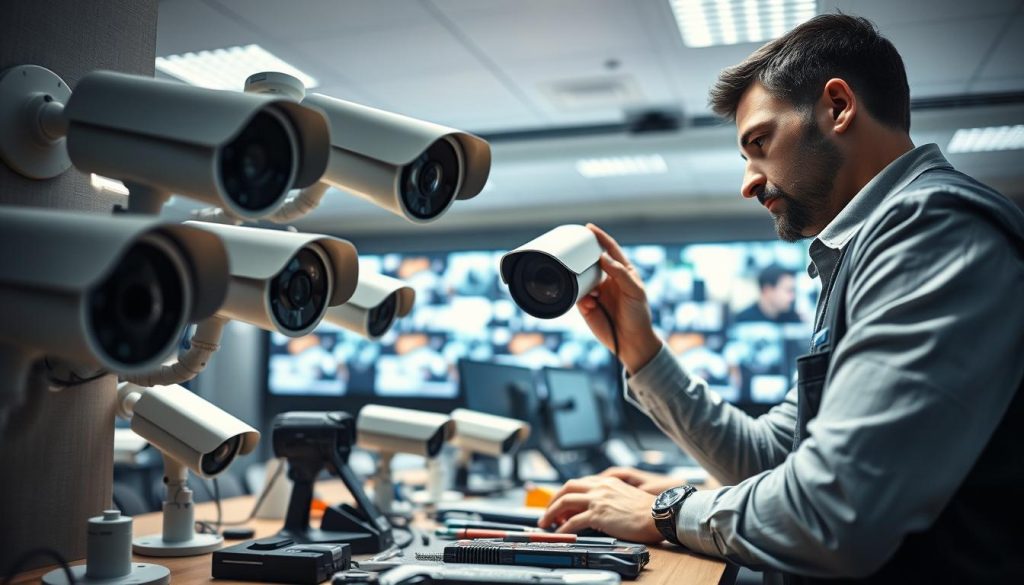
Proactive maintenance transforms your surveillance operation from reactive troubleshooting to consistent reliability. This approach prevents most common failures before they impact your monitoring capabilities. Singapore’s challenging environment makes preventive strategies particularly valuable for property protection.
Establishing a Bi-Annual Maintenance Schedule
Mammoth Security research demonstrates impressive results from regular maintenance. Their data shows 76% fewer system failures with scheduled preventive checks. This dramatic reduction eliminates most unexpected video loss incidents.
Schedule comprehensive inspections before Singapore’s monsoon seasons. April and October provide ideal timing for these bi-annual reviews. This preparation ensures optimal performance during challenging weather conditions.
Professional maintenance teams follow a detailed checklist during these visits. They examine power connections, cable integrity, and component functionality. Environmental sealing receives special attention in tropical climates.
Document all findings and corrective actions during maintenance visits. These records help identify patterns and prioritize future improvements. Maintenance history becomes invaluable for long-term system planning.
Investing in Quality Equipment and Professional Monitoring
Equipment quality directly impacts system longevity and reliability. Premium cameras and cables last five times longer than generic alternatives. This extended lifespan justifies the higher initial investment.
Select marine-grade wiring for maximum durability in Singapore’s climate. These specialized cables resist corrosion from humidity and salt air. IP67-rated housings provide essential protection against moisture intrusion.
Brand selection matters for tropical performance. Dahua and Hikvision offer proven reliability in humid conditions. Their specialized components withstand environmental challenges better than generic options.
Professional monitoring services often cost less than frequent DIY repairs. These services provide continuous oversight and immediate response to issues. The peace of mind justifies the ongoing investment for many property owners.
Regular component upgrades maintain optimal system performance. Replace aging equipment every 3-5 years to avoid degradation issues.
Building a Redundant System with Cloud Backups
System redundancy ensures continuous operation during component failures. Cloud storage solutions guarantee 100% uptime even during local storage problems. This approach eliminates single points of failure.
Implement multiple backup mechanisms throughout your surveillance setup. Secondary recording devices and off-site storage provide comprehensive protection. Automatic failover systems maintain operation during primary system outages.
Remote monitoring capabilities enhance system resilience. Mobile access allows real-time oversight from any location. Instant alerts notify you immediately of any performance issues.
Cloud integration offers scalable storage solutions for growing needs. These services automatically manage footage retention and accessibility. They provide reliable alternatives to physical storage devices.
Redundant design principles create robust surveillance networks. Multiple pathways and backup systems ensure uninterrupted protection. This comprehensive approach prevents most service interruptions.
Ensuring Your Security Cameras Never Go Black Again
Implementing preventive measures guarantees reliable surveillance year-round. Regular maintenance checks and quality components prevent most common issues. This approach saves money compared to emergency repairs.
Install surge protectors for electrical stability. Monitor network health continuously. Update firmware regularly for optimal performance.
Singapore’s climate demands special attention to weatherproofing. Choose marine-grade cables and proper housing. These solutions handle humidity and rain effectively.
Follow these recommendations for uninterrupted monitoring. Your property remains protected with consistent video footage. Take action today for peace of mind tomorrow.
FAQ
What is the most common reason for security camera black screens?
The most frequent cause is an insufficient power supply. Faulty adapters, loose connections, or using cables that are too long can prevent cameras from receiving adequate electricity to function properly.
Can network problems cause my surveillance system to display a black screen?
Yes, network instability is a common culprit. Weak WiFi signals, bandwidth limitations, or IP address conflicts can interrupt the video feed, causing the display to go black on your monitor or app.
How do I fix a camera that goes black only at night?
This usually indicates a problem with the infrared (IR) night vision. Check the IR cut filter settings, clean the camera’s sensor, and ensure there are no obstructions. An external IR illuminator can also boost performance in total darkness.
Could my camera’s firmware be causing this issue?
Outdated firmware can definitely cause bugs that lead to a black screen. Regularly check for and install updates from your camera or NVR manufacturer to ensure compatibility and optimal performance.
What environmental factors can lead to a blackout?
Humidity, power surges from storms, and physical interference from metal mounts can disrupt your system. Proper weatherproofing, using surge protectors, and choosing non-metallic mounts help prevent these environmental issues.
How important is cable quality for preventing problems?
Extremely important. Damaged, low-quality, or improperly connected cables (like BNC or Ethernet) are a primary source of signal failure. Investing in high-grade, weather-resistant cabling ensures a stable connection.
Post Tags : Black Screen Camera Solutions Camera Black Screen Issue Camera Display Troubleshooting Camera Image Distortion Security camera maintenance tips Security camera troubleshooting Security Camera Visual Loss Security system maintenance Surveillance camera problems Surveillance Equipment Malfunction


