
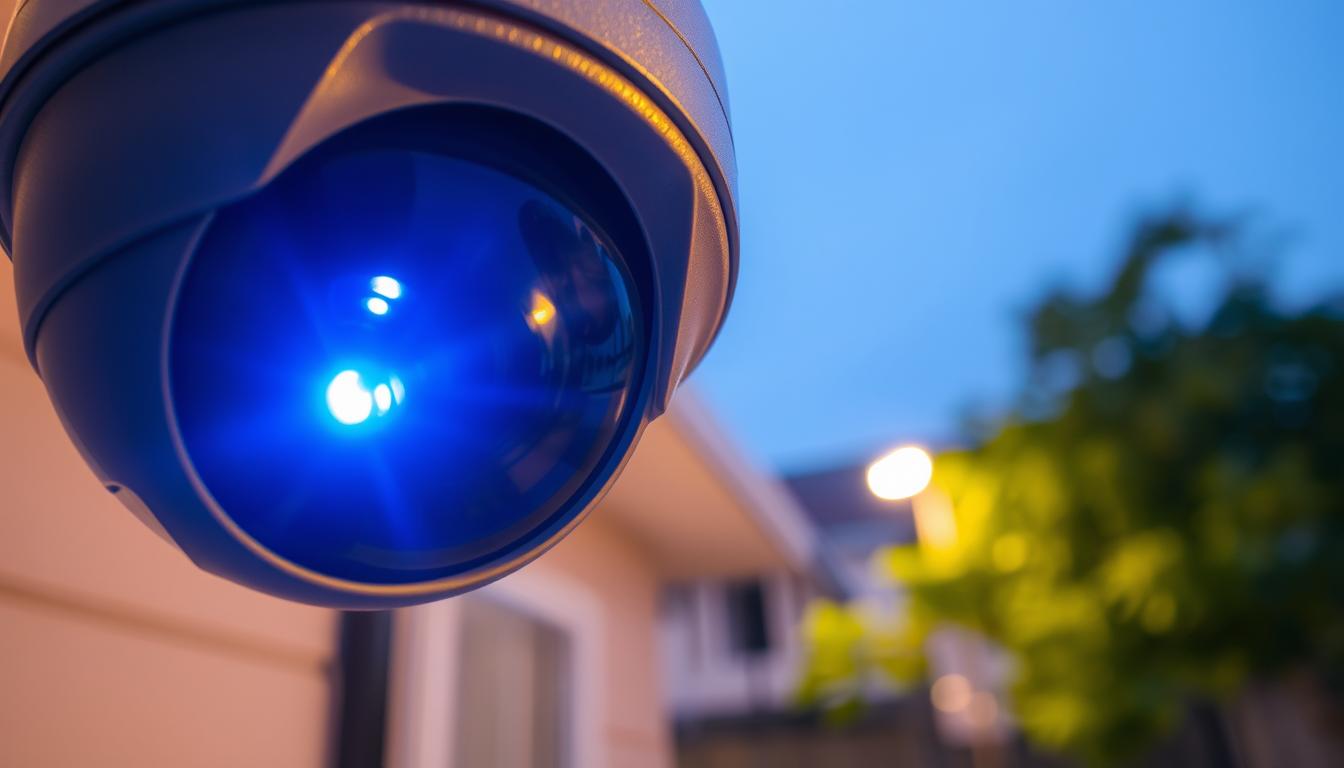
What is the blue light on my CCTV camera? Explained
Many surveillance systems feature small indicator lights that provide crucial information about device status. These visual signals help users quickly assess their security equipment’s operational condition.
The blue illumination on surveillance equipment serves as a status indicator, communicating whether the device functions properly or requires attention. Different manufacturers utilize various color codes to signal different operational states.
Understanding these visual cues is essential for maintaining effective monitoring systems. Proper interpretation helps prevent potential security gaps and ensures continuous protection for both residential and commercial properties.
This comprehensive guide explores the meanings behind these indicator lights across different brands and models. Singaporean users particularly benefit from this knowledge, given the country’s reliance on advanced technological security solutions.
Key Takeaways
- Indicator lights provide immediate visual feedback on camera status
- Blue illumination typically signifies normal operation or specific functions
- Different manufacturers use color codes differently
- Understanding these signals helps maintain security system integrity
- Proper interpretation can prevent security vulnerabilities
- Status lights vary across different models and brands
- Regular monitoring of these indicators ensures optimal system performance
Understanding Your CCTV Camera’s Status Indicator
Modern surveillance devices feature status lights that serve as immediate diagnostic tools. These visual signals provide instant feedback about your equipment’s condition without requiring technical expertise.
These illumination features act as communication bridges between your equipment and you. They convey operational states through color patterns and blinking sequences that users can learn to interpret effectively.
Regular observation of these visual signals helps maintain system health. Consistent monitoring allows for early problem detection before issues escalate into major failures.
Different colors communicate distinct messages about device performance. While blue often indicates normal operation, other hues might signal various conditions or alerts requiring attention.
These indicators reveal both proper functioning and potential concerns. Understanding their meanings enables quick troubleshooting and prevents security gaps in your surveillance setup.
Proper interpretation of these signals contributes to preventive maintenance. This knowledge helps extend equipment lifespan while ensuring optimal performance throughout its operational years.
Recognizing these visual cues offers significant cost-saving benefits. Early problem identification reduces repair costs and minimizes system downtime for both residential and commercial users.
Singaporean security-conscious homeowners particularly benefit from this knowledge. The country’s advanced technological landscape makes understanding equipment signals especially valuable for maintaining robust protection systems.
What is the blue light on my CCTV camera?
Status illumination serves as a primary communication method between security devices and their users. These visual signals convey important information about equipment performance and operational status.
Manufacturers design these indicators to serve multiple purposes across different models. The blue light means various things depending on specific device configurations and brands.
The Role of the Blue Status Light
These visual indicators primarily communicate operational status to users. Most security cameras use this illumination to show normal functioning conditions.
Many devices use blue illumination to indicate active recording sessions. This helps users verify that their monitoring system is capturing footage properly.
Network connectivity status often appears through these chromatic signals. A steady glow typically confirms successful connection to the monitoring network.
Some models display this color during firmware updates or system maintenance. This indicates the device is processing important operational improvements.
Why There’s No Universal Standard
Different manufacturers develop proprietary signaling systems for their equipment. This variation means identical colors can indicate different statuses across brands.
The security industry lacks standardized color coding for status indicators. Each company implements unique visual communication protocols for their products.
This diversity requires users to consult specific device manuals for accurate interpretation. Understanding brand-specific signals ensures proper monitoring of your security setup.
For example, some brands use steady blue for normal operation while others use it for network activity. This variation highlights the importance of manufacturer-specific knowledge.
Singaporean users should particularly note these differences when maintaining their security systems. Professional CCTV maintenance services can help interpret these signals correctly.
Proper understanding of these indicators prevents misinterpretation of device status. This knowledge helps maintain optimal security coverage for your property.
Common Reasons for a Solid Blue Light
Security equipment communicates through visual signals that offer immediate status updates. A persistent glow often brings relief to security-conscious users.
This consistent illumination typically represents optimal device performance. It serves as a silent confirmation that your surveillance system functions as intended.
Indicator of Normal Operation and Recording
A steady blue light frequently indicates proper equipment functioning. This visual signal confirms the device operates within expected parameters.
Many models use this glow to show active recording sessions. The illumination means footage captures proceed without interruption.
Users gain confidence seeing this consistent visual feedback. It provides assurance that monitoring activities continue effectively.
- Continuous illumination confirms system functionality
- Active recording sessions typically trigger this indicator
- Visual confirmation enhances user trust in security coverage
- Proper operation signals prevent unnecessary maintenance checks
Signifying a Stable Network Connection
A persistent glow often confirms successful network connection. This indicates your device maintains proper communication with monitoring systems.
Remote access capabilities rely on this stable link. The indicator enables users to verify connectivity from any location.
Singaporean users particularly benefit from this feature. Stable connections ensure reliable remote monitoring through mobile applications.
“Status lights provide immediate visual confirmation that your security system remains operational and connected.”
This illumination serves as technical verification of system readiness. It indicates all components communicate properly within your security ecosystem.
Practical examples include seeing this glow during:
- Regular surveillance operations
- Live streaming sessions
- Remote access activities
- Scheduled recording periods
Understanding these signals empowers users to maintain robust security systems. Proper interpretation ensures continuous protection for properties and assets.
Interpreting a Blinking Blue Light Signal
Pulsating visual indicators on security devices convey important diagnostic information about system processes. These rhythmic patterns differ significantly from steady illumination and require specific interpretation.
Understanding these flashing blue patterns helps users maintain optimal surveillance performance. Different cadences and sequences communicate distinct messages about device status.
Signals During Startup or Firmware Updates
Many surveillance units display rhythmic illumination during initialization phases. This typically indicates the device is going through its boot-up sequence.
Firmware upgrade procedures often trigger specific blinking patterns. The device communicates update progress through these visual signals.
Different manufacturers use varied sequences for these processes. Some use rapid blinking during updates while others use slower, rhythmic patterns.
These indicators show the device is undergoing important system improvements. Users should avoid interrupting power during these critical procedures.
Indication of Motion Detection or Alerts
Many modern security systems use pulsating illumination for event notifications. A blinking blue pattern often signifies detected movement within the monitoring area.
This visual alert helps users quickly identify active surveillance events. The pattern duration and frequency may indicate alert priority levels.
Some systems combine visual signals with other notification methods. Understanding these patterns enhances overall security monitoring effectiveness.
Different blink sequences can convey various urgency levels. Rapid blinking might indicate immediate attention requirements while slower patterns suggest routine alerts.
Proper interpretation of these visual cues prevents missed security events. Singaporean users benefit from understanding these patterns for comprehensive property protection.
For related information about different indicator colors, explore our guide on blinking red light patterns and their meanings.
Recognizing normal versus problematic blinking patterns is crucial for system maintenance. Regular observation helps identify potential issues before they affect security coverage.
Most devices include specific blink sequence documentation in their manuals. Consulting manufacturer guidelines ensures accurate interpretation of all visual signals.
How Different Brands Use Blue Light Indicators
Major security equipment manufacturers develop unique visual signaling systems for their products. These brand-specific implementations create distinct user experiences across different surveillance setups.
Understanding these variations helps owners interpret their equipment’s status correctly. Each company establishes proprietary communication protocols through illumination patterns.
Blue Light Meanings in Reolink Cameras
Reolink surveillance equipment utilizes specific illumination patterns for network status communication. A steady glow typically indicates successful Wi-Fi connection establishment.
This visual confirmation reassures owners about their equipment’s connectivity status. The persistent illumination means the device maintains proper communication with the network.
Different Reolink models may incorporate additional signaling variations. Some units combine illumination with other status indicators for comprehensive communication.
Interpreting Blue Lights on Ring Cameras
Ring implements distinct visual signaling for its home security products. A solid glow often appears during active recording sessions or initial setup procedures.
This illumination pattern helps users verify proper system operation. The visual feedback confirms that monitoring activities proceed as intended.
Setup processes trigger specific illumination sequences on these devices. Understanding these patterns ensures correct installation and configuration.
Major manufacturers approach status illumination differently:
- Reolink emphasizes network connectivity status
- Ring focuses on operational and setup indications
- Other brands develop proprietary signaling systems
- Variations exist even within same manufacturer’s product lines
These brand-specific implementations affect learning curves for equipment owners. Consistency within product families helps users master interpretation faster.
Consulting the device manual remains essential for accurate signal interpretation. Manufacturer documentation provides definitive guidance for specific models.
Singaporean security system owners should particularly note these brand variations. Professional installation services often provide brand-specific guidance for optimal system management.
Most manufacturers include detailed illumination guides in their support documentation. Online knowledge bases and customer support channels offer additional clarification.
“Understanding brand-specific indicator systems transforms random blinking into meaningful communication about your security equipment’s status.”
This knowledge empowers users to maintain their surveillance systems effectively. Proper interpretation prevents unnecessary service calls and ensures continuous protection.
Frequent Problems a Blue Light Can Reveal
Visual signals on security devices can reveal underlying technical difficulties. These illumination patterns serve as diagnostic tools that alert users to potential system challenges before complete failure occurs.
Understanding these warning signs helps maintain continuous security coverage. Proper interpretation prevents extended downtime and ensures reliable monitoring performance.
Power Supply and Electrical Issues
Many equipment malfunctions relate to inadequate energy delivery. A flickering or irregular glow often indicates unstable power supply conditions.
Weak batteries frequently trigger specific illumination patterns. These visual warnings help users address energy deficiencies before recording interruptions occur.
Different manufacturers use varied signals for power-related problems. Some devices show rapid blinking during low-voltage situations while others display dim illumination.
Common power-related indicators include:
- Intermittent illumination suggesting connection issues
- Dim glow indicating insufficient power delivery
- Irregular patterns signaling voltage fluctuations
- Complete absence during expected operation periods
Network Connectivity and Wi-Fi Problems
Modern surveillance systems rely heavily on stable internet connections. Status lights frequently communicate network connectivity challenges through specific patterns.
Wi-Fi signal strength issues often manifest through particular illumination behaviors. A pulsating glow might indicate intermittent connectivity or failed connection attempts.
These visual signals help users identify communication gaps in their security systems. Understanding these patterns enables quick troubleshooting of network-related blue light issues.
“Status light patterns transform random blinking into meaningful diagnostics about your security system’s network health.”
Differentiation between power and network issues requires pattern recognition. Power problems typically show irregular illumination while network issues often display rhythmic patterns.
Singaporean users should particularly monitor these signals due to the country’s advanced network infrastructure. Prompt attention to these indicators ensures optimal security system performance in both residential and commercial settings.
Addressing these challenges quickly prevents extended security coverage gaps. Regular monitoring of status lights forms an essential part of comprehensive security system maintenance.
A Step-by-Step Guide to Troubleshooting Blue Light Issues
Effective problem-solving requires methodical investigation of potential equipment malfunctions. This systematic approach helps identify root causes quickly and efficiently.
Following a logical sequence prevents overlooking simple solutions. Many apparent issues resolve through basic checks and adjustments.
Step 1: Assessing the Power Supply
Begin your diagnostic process with energy source verification. Ensure all connections remain secure and undamaged.
Test the outlet with another device to confirm functionality. Check adapter specifications match manufacturer requirements.
Common power-related checks include:
- Verifying cable integrity and connection points
- Testing outlet functionality with other devices
- Confirming adapter voltage matches specifications
- Checking for visible damage or wear on components
Step 2: Checking Your Network Connection
Network stability directly affects equipment performance. Verify your device maintains proper communication with the monitoring system.
Position your equipment near the router for optimal signal strength. Reduce physical obstructions between devices for better connectivity.
Wi-Fi optimization techniques include:
- Relocating equipment closer to the access point
- Reducing interference from other electronic devices
- Checking router settings for compatibility issues
- Testing connection speed at the camera location
Step 3: Consulting the Device Manual and Support
Manufacturer documentation provides model-specific guidance. These resources offer precise information about indicator patterns and meanings.
Professional assistance becomes necessary when basic troubleshooting fails. Certified technicians understand brand-specific nuances and solutions.
“Methodical diagnosis prevents unnecessary equipment replacement and ensures accurate problem identification.”
Singaporean users should contact authorized service providers for complex issues. Local expertise ensures proper handling of region-specific configurations.
Preventive measures reduce future problems:
- Regular system maintenance schedules
- Periodic connection quality assessments
- Firmware update compliance
- Professional installation verification
Examples of Cameras with Distinct Blue Indicators
Various surveillance equipment manufacturers implement unique illumination patterns across their product lines. These visual communication systems help users quickly understand their device’s operational status.
https://www.youtube.com/watch?v=VEE27jKnFuA
The Reolink Argus 3 Ultra stands out with its advanced illumination system. This wireless security camera uses precise chromatic signals to indicate recording status and battery levels.
Its high-resolution capabilities complement the visual status indicators perfectly. Users receive clear confirmation when the device actively monitors their property.
Reolink Duo 3 PoE incorporates Power over Ethernet technology with sophisticated signaling. This wired model features distinct patterns that communicate network connectivity and recording status simultaneously.
The illumination system provides real-time feedback about device performance. Users appreciate the immediate visual confirmation of proper operation.
Ring cameras employ specific patterns for different operational modes. Their residential home security products use varied blinking sequences to indicate various status conditions.
Setup processes trigger particular illumination behaviors on these devices. Understanding these patterns ensures correct installation and optimal performance.
Different brands approach status indication with unique technological implementations. Some prioritize network status communication while others focus on recording confirmation.
Advanced surveillance systems incorporate multiple illumination patterns for comprehensive communication. These systems provide detailed feedback through color variations and blinking sequences.
Real-world examples demonstrate how these indicators function during daily operation. A steady glow typically confirms normal functioning while specific blinking patterns may indicate motion detection alerts.
“Distinct indicator systems transform random illumination into meaningful communication about your security equipment’s operational status.”
Singaporean users benefit from understanding these brand-specific implementations. The knowledge helps maintain optimal security system performance across different equipment types.
These advanced signaling systems offer significant user advantages. Quick status recognition enables faster troubleshooting and ensures continuous property protection.
Proper interpretation prevents unnecessary service calls and reduces system downtime. Users gain confidence in their security setup through clear visual communication.
The Blue Light as a Visible Security Deterrent
The glowing illumination on security devices performs a crucial psychological function in property protection. This visible signal creates an immediate barrier against potential intruders before they approach your premises.
Potential trespassers often reconsider their actions when they spot active surveillance indicators. The steady glow communicates that the area undergoes constant observation and recording.
This psychological impact significantly reduces attempted security breaches. Studies show properties with visible monitoring systems experience fewer intrusion attempts.
The perception of active surveillance creates a powerful deterrent effect. Intruders typically seek easier targets without obvious protection systems.
Visible indicators contribute to comprehensive security strategies. They complement technical features by adding psychological protection layers.
Proper placement maximizes this deterrent effect. Positioning illumination where visitors can easily see it enhances preventive capabilities.
Home security benefits particularly from this visible protection method. Residents gain peace of mind knowing their property appears protected.
Community awareness increases when multiple properties use visible security indicators. This creates a neighborhood-wide protection network effect.
“Visible security indicators reduce crime attempts by creating psychological barriers that make properties appear less vulnerable to potential intruders.”
Singaporean users appreciate this dual functionality of status indication and crime prevention. The visible assurance helps maintain safer residential and commercial environments.
Balance between visibility and discreet monitoring depends on specific security needs. Some situations benefit from obvious deterrents while others require subtle observation.
This approach transforms technical indicators into proactive security tools. The visible signal works continuously to prevent incidents before they occur.
Comparing Blue Lights to Other Status Light Colors
Surveillance equipment utilizes a chromatic language through status illumination to communicate device conditions. Different colors convey distinct messages about your security equipment’s performance and needs.
Understanding this color-coded system enhances your ability to monitor equipment effectively. Each hue provides immediate visual feedback about different aspects of your security setup.
Meaning of Red Indicator Lights
Red illumination typically signals attention-required situations within your security setup. This color often indicates technical difficulties that need immediate addressing.
Common red light scenarios include power supply problems or connection failures. The color red serves as a universal warning signal across most security brands.
Urgency levels vary with different red light patterns:
- Steady red often indicates critical failures
- Blinking red may signal attempted tampering
- Rapid flashing can denote connection loss
- Intermittent red might suggest power fluctuations
Singaporean users should treat red indicators as priority alerts. These signals often require prompt investigation to maintain security coverage.
Meaning of Green Status Lights
Green illumination generally represents optimal equipment performance conditions. This color typically confirms proper functioning across all system components.
A steady green glow often indicates successful network connectivity and normal operation. Many systems use this color during active recording sessions.
Green signals provide reassurance about your security system’s health:
- Consistent green means normal operation
- Blinking green can indicate data transmission
- Some systems use green for motion detection alerts
- Power-on sequences often feature green indicators
Multi-color systems combine these visual signals for comprehensive status reporting. Advanced equipment uses color sequences to convey complex information.
“Color-coded indicators transform random illumination into an intuitive communication system that instantly conveys equipment status across language barriers.”
Industry conventions generally follow traffic-light logic for urgency levels. Green indicates go/normal, amber/yellow suggests caution, and red signals stop/attention required.
Response strategies differ by color urgency. Green indicators typically require no action, while red signals demand immediate investigation.
Singaporean security system owners benefit from understanding these universal color codes. This knowledge enables quick assessment of equipment status across different brands and models.
When to Seek Professional Technical Support
Professional assistance becomes essential when persistent technical difficulties resist standard resolution methods. Many security system owners encounter situations where basic interventions prove insufficient for complete problem resolution.
Recognizing these scenarios early prevents extended security coverage gaps. Understanding when to escalate concerns ensures optimal equipment performance.
Several clear indicators signal the need for expert intervention. Persistent illumination patterns that don’t match expected behavior often require professional diagnosis.
Hardware malfunctions typically demand technical expertise. Physical damage, component failures, or internal electrical problems need qualified technicians.
Complex network configuration issues often exceed typical user capabilities. Advanced network settings or integration problems benefit from professional handling.
Determining DIY troubleshooting limits involves assessing several factors. Consider these situations that typically require professional support:
- Repeated system crashes despite multiple reset attempts
- Consistent connectivity problems after network verification
- Physical damage to equipment components or housing
- Firmware update failures that persist through multiple attempts
- Integration problems with other security system components
Preparation streamlines technical support interactions. Gathering specific information before contacting professionals accelerates resolution.
Essential preparation includes documenting:
- Exact model numbers and purchase dates
- Detailed description of current illumination patterns
- Previous troubleshooting steps attempted
- Error messages or unusual behaviors observed
- Network configuration details and setup information
Warranty considerations significantly impact support options. Always check coverage terms before seeking external assistance.
Manufacturer warranties often cover specific repair types within certain timeframes. Understanding these terms helps maximize value from support services.
Effective communication with support teams requires clear problem descriptions. Provide concise, accurate information about your equipment’s behavior.
“Detailed problem documentation transforms frustrating technical issues into solvable challenges for support professionals.”
Replacement decisions involve cost-benefit analysis. Consider repair costs versus new equipment pricing when making these choices.
Singaporean security system owners should consider local service options. Regional expertise ensures compatibility with local network configurations and standards.
Persistent problems despite professional intervention might indicate replacement needs. Technological obsolescence sometimes makes upgrading more practical than repairing.
Regular maintenance contracts can prevent many serious technical issues. Professional monitoring services often include preventive maintenance components.
Knowing when to seek help protects your security investment. Timely professional intervention preserves equipment functionality and extends system lifespan.
Proactive Monitoring for Optimal Camera Performance
Consistent observation of your equipment’s visual signals forms the foundation of reliable protection. Regular checks help identify potential issues before they escalate into serious problems.
Establishing a routine inspection schedule ensures your security setup remains fully operational. Daily visual verification takes only moments but provides significant peace of mind.

- Checking status indicators during morning and evening routines
- Documenting any unusual patterns or changes in illumination
- Verifying proper operation after severe weather conditions
- Testing remote access functionality weekly
Preventive maintenance significantly extends equipment lifespan. Early problem detection reduces repair costs and minimizes system downtime.
Integrating status checks into daily habits creates effortless monitoring. Simple visual confirmation during regular activities ensures continuous protection.
Tracking illumination patterns over time helps establish normal behavior baselines. This knowledge enables quicker identification of abnormal signals requiring attention.
Regular observation prevents major failures by catching small issues early. This approach maintains optimal performance throughout your equipment’s operational life.
“Consistent monitoring transforms reactive problem-solving into proactive system management that prevents security gaps before they occur.”
Singaporean homeowners benefit particularly from this preventive approach. The tropical climate demands regular equipment checks to ensure reliable performance.
Cost savings accumulate through reduced repair needs and extended equipment longevity. Preventive care proves more economical than reactive repairs over time.
Proper power management forms another crucial aspect of maintenance. Regular verification of energy supply connections prevents unexpected shutdowns.
This comprehensive monitoring strategy ensures your protection system operates at peak efficiency. Consistent attention delivers uninterrupted security for your property and family.
Empowering Your Home Security Through Knowledge
Mastering status indicators transforms your approach to property protection. This knowledge turns random blinking into meaningful communication about your equipment’s condition.
Understanding visual signals boosts confidence in your security setup. Users gain the ability to address minor issues before they escalate into major problems.
Share this knowledge with household members for comprehensive coverage. Everyone benefits from recognizing normal versus problematic equipment behavior.
Regular education about security technology ensures ongoing protection. Stay updated through manufacturer resources and professional security blogs.
Proactive monitoring delivers peace of mind and prevents vulnerabilities. Your awareness directly enhances your home’s safety and security effectiveness.
FAQ
What does a solid blue light on my security camera mean?
A solid blue indicator typically signifies normal operation. Your camera is powered on, functioning correctly, and actively recording. For many models, this steady light also confirms a successful and stable network connection to your Wi-Fi router.
Why is my CCTV camera’s blue light blinking?
A blinking blue signal often indicates an active process. This can occur during the device’s initial startup, a firmware update, or when motion detection is triggered, sending an alert to your monitoring system. The specific blink pattern usually denotes the exact activity.
Do all security camera brands use blue lights the same way?
No, there is no universal standard. Brands like Reolink and Ring assign different meanings to their status indicators. For instance, a blinking blue light on a Reolink camera often means it’s ready for Wi-Fi setup, while on a Ring device, it might indicate a firmware update. Always check your specific camera manual.
Could a blue light indicate a problem with my camera?
Yes, in some cases. While usually a sign of normal status, an unexpected solid or flashing blue light can sometimes point to underlying power supply or network connectivity issues, especially if the camera is not performing as expected within your security system.
How do I troubleshoot issues related to the blue status light?
Start by checking the basics. First, verify the power supply and connections. Next, ensure your network connection is stable and the camera is properly linked to your Wi-Fi. Finally, consult your device’s manual for brand-specific guidance or contact technical support for persistent problems.
What is the difference between blue, red, and green status lights?
Colors convey different statuses. Blue commonly indicates normal operation or network activity. A red light often signals a warning, like a failed connection, power problem, or that recording is disabled. Green usually denotes everything is functioning perfectly and a stable connection is established.
When should I call for professional technical support?
Seek professional help if basic troubleshooting fails to resolve issues. This includes persistent connectivity problems, the camera not recording despite a normal blue light, or if you suspect a hardware failure with the power supply or internal components.


