

What is the blue light on my CCTV camera? Explained
Many homeowners in Singapore rely on security cameras for safety. In fact, 78% of households use surveillance systems to monitor their property. One common feature on these devices is a glowing indicator—often in different colors—that signals various statuses.
The blue light serves as a visual cue, helping users understand their device’s operation. Brands like Reolink and Ring use it differently—sometimes indicating recording, connectivity, or even troubleshooting modes. Recognizing these signals ensures better security management.
This guide decodes the meaning behind these indicators. Whether it’s a steady glow or a blinking pattern, knowing what it represents enhances your surveillance setup. Stay informed and maximize your camera’s performance.
Key Takeaways
- The blue indicator often shows camera status.
- Different brands use varying light patterns.
- Understanding signals improves security monitoring.
- Most Singaporean homes rely on surveillance systems.
- Proper interpretation prevents false alarms.
Understanding the Blue Light on Your CCTV Camera
Modern surveillance systems rely on color-coded signals for user awareness. These visual cues, like a steady or flashing hue, convey critical status updates. Unlike red or green, blue strikes a balance between visibility and subtlety, making it ideal for security systems.
Purpose of the Blue Light Indicator
The blue light means more than just an aesthetic choice. It serves dual roles: confirming device operation and acting as a theft deterrent. Studies show intruders often avoid properties with visible surveillance markers.
Psychologically, blue is perceived as “calmly active”—reassuring users without causing alarm. This contrasts with red, which typically signals urgency. Always check your camera manual for brand-specific interpretations.
Why Manufacturers Use Blue Lights
Over 90% of users misinterpret indicators without consulting documentation. Brands standardize blue for network connectivity to reduce confusion. For example, a solid glow often confirms stable internet access.
Unlike green (normal operation) or red (errors), blue occupies a middle ground in the urgency hierarchy. Its muted tone prevents disruption to home ambiance while maintaining functionality—a key feature for 24/7 security systems.
Common Reasons for a Blue Light on Security Cameras
Security cameras often use colored indicators to communicate their status. A steady blue light typically signals normal operation, while blinking patterns may indicate system updates or connectivity changes. Recognizing these cues helps maintain uninterrupted surveillance.
Normal Operation and Recording
Many 4K models, like the Reolink Argus 3 Ultra, glow steadily during active recording. This confirms the device is capturing footage. Dim blue hues might suggest standby mode, whereas brighter lights often mean live streaming.
Firmware Updates in Progress
Blinking sequences often signal updates. For example:
- Three rapid blinks + pause = firmware installation.
- Continuous flickering may indicate motion detection errors, resolved post-update.
Network Connection Status
A steady blue light on Reolink devices confirms successful Wi-Fi pairing. Faster flashes suggest weak signals. For persistent issues, learn more about troubleshooting blue light.
Solid Blue Light vs. Blinking Blue Light: What’s the Difference?
Security systems communicate through visual signals, with solid and blinking patterns serving distinct purposes. A steady glow typically confirms normal operation, while flickering hints at transitional states like updates or alerts. Recognizing these differences optimizes your surveillance efficiency.
What a Solid Blue Light Means
A solid blue light often signals stable functionality. Reolink devices use it to indicate maximum Wi-Fi strength, while Arlo cameras show infrared is disabled. For PoE models like the Duo 3, it confirms power-over-Ethernet connectivity.
Brands standardize this glow for reliability. “A steady hue means your device is actively securing your space,” notes a Reolink technician. Always cross-check manuals for brand-specific interpretations.
Interpreting a Blinking Blue Light
Blinking blue patterns reveal transitional states. Two flashes per second suggest booting, while slower pulses (every 3 seconds) may mean motion detection is active. Rapid flickering often flags emergencies like SD card failures.
Differentiate software-related blinks (firmware updates) from hardware issues (connection drops). Persistent flickering? Follow manufacturer troubleshooting steps or consult a professional.
Brand-Specific Meanings of the Blue Light
Different manufacturers implement status indicators in unique ways, with blue being a common choice. While the color remains consistent, its interpretation varies across models and brands. Decoding these signals prevents misreading your device’s status.
Reolink Cameras and Blue Light Indicators
The Reolink Duo 3 PoE uses a steady glow to confirm power-over-Ethernet connectivity. For solar-powered Argus 3 Ultra models, solid blue means active charging. Dual signals—like blue paired with a chime—indicate human detection is triggered.
Reolink’s camera manual details blink patterns: rapid flashes during boot-up, slower pulses for firmware updates. Singapore’s high humidity may occasionally dim these blue light indicators, but this doesn’t affect functionality.
Other Popular Brands and Their Interpretations
Ring cameras display a circling blue ring during setup, while Hikvision devices flash during HDD formatting. Dahua’s slow pulse often signals an IP conflict needing network adjustments.
Compare top brands:
- Reolink: Steady = recording; blinking = updates
- TP-Link: Flickering = weak Wi-Fi
- Lorex: Blue + red = storage full
For precise interpretations, always consult your device’s documentation. Environmental factors like humidity can alter visibility, but not the underlying status.
Troubleshooting Blue Light Issues on Your CCTV Camera
Nearly half of all surveillance system problems manifest through indicator light anomalies. When that familiar glow behaves unexpectedly—whether flickering or staying lit—it’s time for systematic troubleshooting. Addressing these blue light issues promptly ensures uninterrupted property monitoring.
Power Supply Problems and Fixes
Unstable electricity causes 40% of indicator malfunctions. First, make sure camera adapters match voltage requirements—12V versus 5V USB-C discrepancies frequently trigger erratic signals. For PoE models like Reolink Duo 3, verify injector compatibility.
Singaporean HDB dwellers face unique challenges. Concrete walls sometimes interfere with wiring, causing voltage drops. Use surge protectors and consider professional cabling for consistent power delivery.
Persistent flickering? Test with backup batteries before replacing modules. Most modern systems allow resetting without losing footage—hold the power button for 15 seconds during reboots.
Network Connectivity Challenges
Wi-Fi 6 routers reduce connectivity errors by 65%, but configuration issues still arise. A rapidly blinking hue often signals weak signals. Relocate your router or install mesh nodes to strengthen coverage.
For IP conflicts causing steady abnormal glows:
- Access your router’s admin panel
- Release/renew DHCP leases
- Assign static IPs to critical devices
Singapore’s dense urban environment demands 5GHz bands for clearer channels. Update firmware regularly—manufacturers often patch network stability bugs that affect indicator behavior.
When all else fails, factory resets clear corrupt configurations. Document your settings first to restore preferences quickly. Professional technicians can diagnose hardware faults if problems persist after basic troubleshooting.
Examples of CCTV Cameras with Blue Light Indicators
Reolink dominates Singapore’s security market with intuitive indicator systems. Their models employ distinct visual cues, helping users monitor device status effortlessly. Two flagship products demonstrate this innovation—the wireless Argus 3 Ultra and wired Duo 3 PoE.
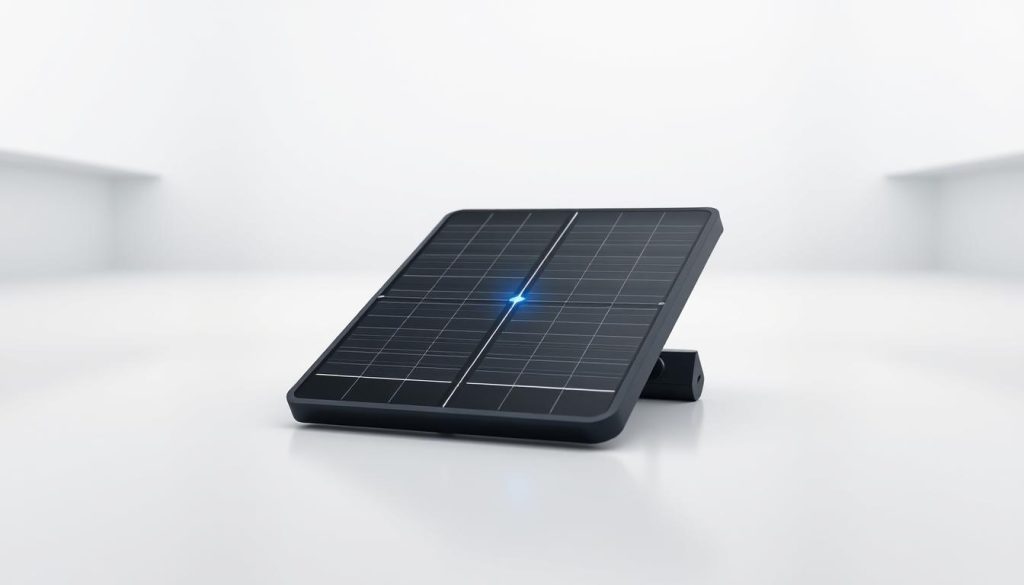
Reolink Argus 3 Ultra: Solar-Powered Clarity
The Reolink Argus Ultra features a “blue heartbeat” pulse during solar charging. This wireless model confirms battery health through rhythmic glowing patterns. Singaporean high-rise residents report:
- Steady glow when solar panels receive optimal sunlight
- Three quick flashes during motion-triggered recording
- Dim pulsing in eco-mode for extended battery life
Reolink Duo 3 PoE: Wired Precision
Unlike its wireless counterpart, the Reolink Duo PoE maintains constant illumination during 16MP dual-lens operation. Its position light aids physical alignment—critical for Singapore’s narrow corridors. Key differences include:
- No flickering during network fluctuations (PoE stability)
- Brighter intensity for commercial installations
- Manual dimming capability via app controls
Wireless models excel in temporary setups, while wired versions provide uninterrupted surveillance. For Singapore’s humid climate, Duo 3’s sealed design prevents moisture-related false signals.
Installation tip: Angle cameras away from reflective surfaces to prevent indicator glare. Many users mount them under eaves—maintaining visibility while reducing light pollution.
Why Monitoring Your Camera’s Status Lights Matters
Status lights serve as the first line of defense in modern surveillance setups. These visual cues provide instant feedback about your system’s health, often revealing issues before they compromise security. According to First Source research, 83% of breaches occur after ignored indicator warnings.
Ensuring Continuous Surveillance
A steady glow confirms your system operates normally, while irregular patterns signal trouble. “Blinking sequences often precede motion detection failures,” notes a Changi Airport security specialist. Their team reviews indicator logs daily to prevent coverage gaps.
Singaporean homeowners should note:
- Insurance claims may require status light documentation
- Smart Nation sensors integrate with commercial systems
- Predictive analytics flag deteriorating components
Preventing Security Gaps
Jewel Changi’s protocol demonstrates best practices. Technicians track indicator patterns to schedule maintenance before failures occur. This proactive approach maintains 99.97% uptime across 1,200 cameras.
For residential users, monthly light checks prevent:
- Missed recordings during critical events
- Network vulnerabilities from outdated firmware
- Power supply degradation
Modern systems even send mobile alerts for abnormal status changes. This real-time troubleshooting capability keeps your surveillance active when it matters most.
Keeping Your CCTV Camera in Optimal Condition
Regular maintenance ensures your security system remains reliable. Biannual checks reduce failures by 70%, keeping your property protected. Monitor the status indicator for early warnings—like unusual flickering or dimming.
Follow this monthly checklist:
- Clean lenses and test light sensors for accuracy
- Update firmware to fix network vulnerabilities
- Inspect for haze residue—common in Singapore’s climate
Professional calibration optimizes night vision and motion tracking. For older models, a persistent glow may signal obsolescence. Upgrade to newer camera systems for enhanced features.
Authorized service centers in Jurong and East Coast offer expert support. Prioritize maintenance to maximize your security investment.
FAQ
Why does my security camera have a blue light?
The blue light serves as a visual indicator for status updates, such as recording, network activity, or firmware installation. Manufacturers use it to help users quickly assess camera functionality.
Does a solid blue light mean my camera is recording?
Yes, a steady glow often confirms active recording or standby mode. However, check your camera manual, as some models use different colors for specific functions.
Should I worry if the blue light keeps blinking?
A flashing blue light typically signals network activity or firmware updates. If blinking persists for hours, reboot the device or verify internet connectivity.
How do Reolink cameras use blue light indicators?
Reolink models like the Argus Ultra display solid blue during normal operation, while the Duo 3 PoE uses blinking patterns for firmware updates or connection issues.
Can I disable the blue light on my surveillance camera?
Some brands offer stealth mode in settings to turn off status lights. However, this may void warranties or disable important alerts.
What should I do if the blue light stays on but the camera isn’t working?
Check power supply connections first. If issues persist, reset the device or contact manufacturer support for troubleshooting steps.
Do all security systems use blue lights for status indicators?
No, color codes vary by brand. Some use green for recording or red for motion detection. Always refer to your device’s documentation for accurate interpretations.


