
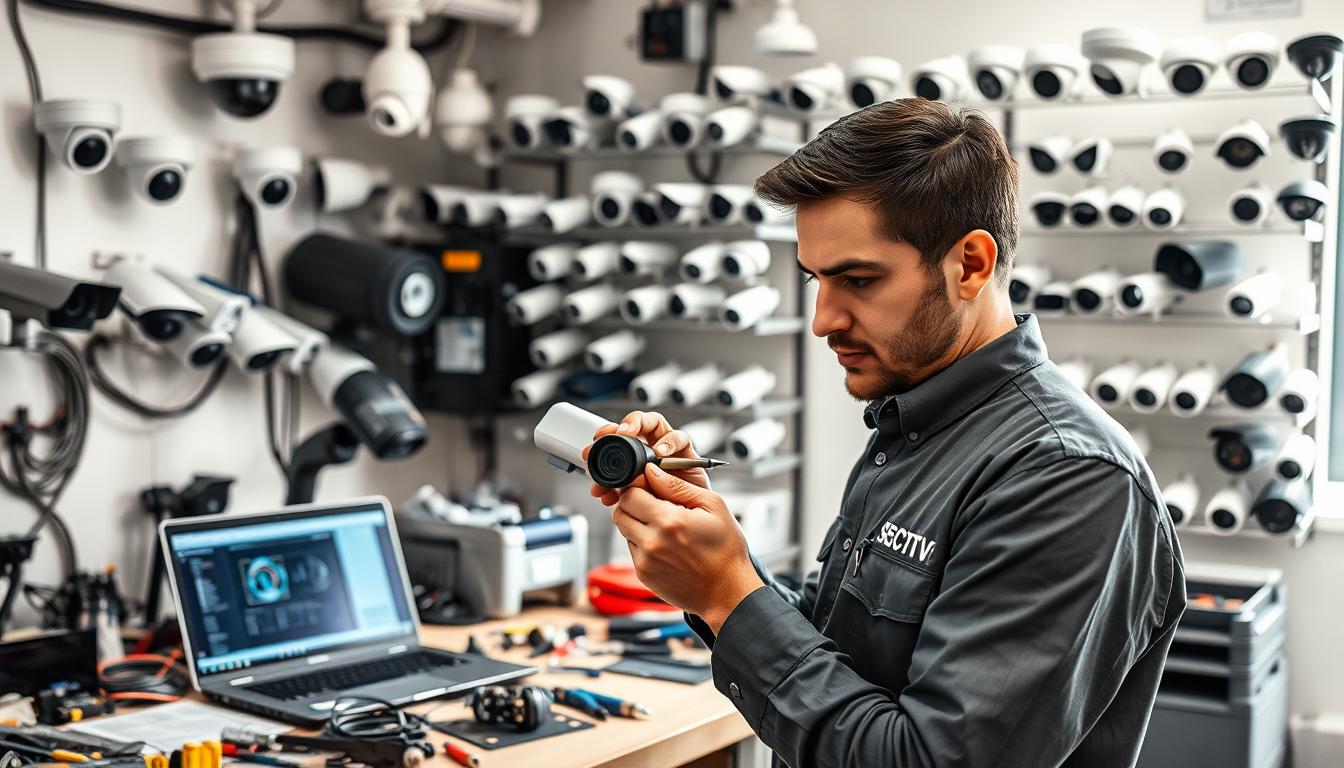
What are the types of maintenance of CCTV? Expert Guide
Your surveillance cameras are only as good as their upkeep. A clear maintenance plan transforms a simple camera setup into a reliable security asset. This is especially true in Singapore’s dynamic environment.
Without regular checks, cameras can fail exactly when you need them most. Blurry footage or a complete blackout creates serious vulnerabilities. Proactive care prevents these costly security gaps.
This expert guide breaks down the essential upkeep strategies. We will explore different maintenance methodologies that keep your entire system operational. From routine cleaning to technical diagnostics, each task plays a vital role.
You will learn how to create a practical schedule that fits your property’s needs. We also cover selecting professional service providers familiar with local conditions. Let’s ensure your investment delivers continuous protection and peace of mind.
Key Takeaways
- Regular maintenance is non-negotiable for effective CCTV security.
- Neglect leads to system failure and increased security risks.
- A structured plan includes both routine and technical checks.
- Proper upkeep ensures clear footage and system reliability.
- Maintenance schedules should be tailored to your specific environment.
- Professional services offer expertise for complex system diagnostics.
- Proactive care protects your investment and provides long-term value.
Why CCTV Maintenance is Non-Negotiable for Security in Singapore
Viewing upkeep as optional for surveillance cameras is a critical mistake in a high-stakes environment like Singapore. Proactive care is not a luxury but a core component of a robust security strategy. It directly impacts three critical areas: risk prevention, regulatory adherence, and financial prudence.
A disciplined approach to cctv maintenance transforms your setup from passive hardware into an active, reliable shield.
The High Cost of Neglect: System Failures and Security Gaps
Ignoring regular checks invites predictable failures. Data shows that consistent upkeep can reduce equipment failures by up to 30%. The inverse is stark: in Singapore, 83% of cctv failures are traced directly to poor maintenance routines.
These aren’t just technical glitches. They create dangerous blind spots. Malfunctioning cameras or complete blackouts leave properties vulnerable. A shocking 87% of security breaches could have been prevented with proper system upkeep.
This neglect turns your security investment into a liability. Blurry footage or a dropped connection during an incident renders the entire setup useless. Proactive maintenance is the only way to ensure continuous, reliable performance.
Compliance and Legal Readiness: Meeting Singapore’s Surveillance Standards
Operating cameras involves more than just installation. Singapore has specific expectations for surveillance operations. A well-maintained system is fundamental to meeting these local standards.
For recorded footage to be admissible for legal or insurance purposes, it must be clear, continuous, and timestamped accurately. Regular checks verify recording functionality and data integrity. This ensures your operations are legally sound.
Maintenance logs also demonstrate due diligence. They show a commitment to operational integrity, which is crucial for compliance reviews. It protects you from liability should your security footage be needed as evidence.
Maximizing Your Investment: Longevity and Cost Savings
Frame maintenance as a powerful cost-saving strategy. It directly protects your capital outlay. Regular care can extend the operational life of your cctv equipment by up to 50% or more.
This prevents the high cost of premature replacements. More importantly, it avoids expensive emergency service calls. A small, scheduled repair is always cheaper than a major reactive fix after a total failure.
Think of it as an insurance policy for your security infrastructure. The modest, planned cost of a maintenance schedule safeguards against massive unplanned expenses and catastrophic security gaps. Your investment delivers peace of mind and long-term value.
What are the types of maintenance of CCTV?
A comprehensive security strategy incorporates multiple maintenance philosophies to ensure continuous protection. Each approach serves a distinct purpose in the lifecycle of your surveillance setup.
Understanding these methodologies helps you allocate resources effectively. The right mix prevents unexpected breakdowns and maximizes your investment.
Three core frameworks dominate modern cctv maintenance practices. These are preventive, corrective, and predictive approaches. Each targets different stages of potential system issues.
Balancing these methods creates a resilient security posture. Let’s explore how each one functions and contributes to overall performance.
Preventive Maintenance: The Proactive Shield
This method operates on a scheduled, proactive basis. Routine tasks are performed at regular intervals to prevent failures before they happen.
Think of it as routine health check-ups for your security infrastructure. Scheduled inspections, cleaning, and software updates form its backbone.
Common preventive actions include lens cleaning, housing checks, and verifying recording functionality. These steps ensure cameras remain unobstructed and operational.
The goal is to identify minor wear before it causes major problems. This approach significantly extends equipment lifespan. It is the foundation of any reliable cctv program.
Corrective Maintenance: The Reactive Fix
Corrective action comes into play after a fault is detected. This reactive process diagnoses and fixes existing problems.
When a camera fails or footage becomes corrupted, corrective maintenance addresses the issue. It often involves component replacements or technical repairs.
While not ideal as a primary strategy, it’s essential for addressing unforeseen failures. A swift response minimizes security gaps during outages.
For complex technical repairs, professional CCTV camera repair services are often required. They restore full system functionality efficiently.
Predictive Maintenance: The Data-Driven Approach
This advanced methodology uses data analytics to forecast potential issues. System monitoring tools analyze performance trends and component health.
Instead of fixed schedules, interventions occur just in time. Alerts trigger maintenance before a component actually fails.
For example, software might detect gradual image quality degradation in a camera. Technicians can then service it during planned downtime.
This approach represents the technological evolution of cctv upkeep. It reduces unnecessary inspections while preventing unexpected breakdowns.
An optimal maintenance plan blends all three types. Preventive care forms the consistent backbone of your schedule.
Corrective actions handle the unavoidable surprises. Predictive techniques add a layer of intelligent foresight for critical equipment.
This balanced strategy ensures your cameras deliver reliable protection. It transforms reactive upkeep into proactive security management.
Building Your CCTV Maintenance Checklist: Essential Components
Systematic inspections require organized documentation to ensure no component is overlooked. A detailed checklist serves as your operational blueprint for consistent cctv maintenance.
This tool transforms vague intentions into specific, repeatable actions. It prevents common oversights that lead to security vulnerabilities.
Three core inspection areas form the foundation of any effective checklist. Each addresses different aspects of system health and performance.
Regular use of this framework catches minor issues before they escalate. Let’s examine each critical component in detail.
Visual and Functional Camera Checks
Begin with the eyes of your security setup. Camera lenses must remain clean and unobstructed for clear image capture.
Inspect each lens for dirt, condensation, or physical damage. Even minor smudges can degrade footage quality significantly.
Verify housing integrity on all outdoor equipment. Check for cracks, moisture ingress, or loose fittings. These problems can lead to internal component failures.
Test mechanical functions on applicable units. Pan-tilt-zoom mechanisms should operate smoothly. Confirm each camera’s field of view remains properly aligned.
This visual cleaning and functional verification forms your first line of defense. Clear images depend on well-maintained optical components.
Wiring, Power, and Connectivity Inspection
Electrical and data pathways require regular scrutiny. Statistics show 72% of downtime incidents trace back to power supply problems.
Verify all power connections are secure and corrosion-free. Loose plugs or frayed wires create intermittent issues that are difficult to diagnose.
Examine cables and conduits for physical wear or animal damage. This category accounts for 65% of typical maintenance costs when neglected.
For network-based systems, test connectivity and data transmission rates. Ensure IP cameras maintain stable connections to your network recorder.
Make sure to document any discovered issues in your maintenance logs. Prompt repairs prevent cascading system failures.
Data Storage and System Software Review
Your surveillance data requires as much attention as the hardware capturing it. Insufficient storage capacity renders even perfect footage useless.
Check hard drive health and available recording space regularly. Most modern systems provide usage statistics and health indicators.
Verify that motion detection zones and recording schedules remain active. Settings can accidentally reset during power cycles or software updates.
Apply the latest firmware and software patches promptly. These updates often address security vulnerabilities and improve system functionality.
Make sure your cctv system runs current versions. Updated software provides enhanced features and better protection against cyber threats.
A comprehensive checklist covering these three areas prevents most common cctv problems. Consistent application ensures your equipment delivers reliable security monitoring.
Creating a Proactive CCTV Maintenance Schedule
Consistency transforms maintenance from a chore into a powerful security advantage. A structured timeline ensures your surveillance setup remains vigilant without overwhelming your resources. This layered approach catches issues at different stages before they escalate.
Think of your maintenance schedule as a tiered defense system. Quick daily glances prevent immediate problems. More thorough monthly reviews address developing issues. Comprehensive annual audits future-proof your entire investment.
Daily and Weekly Quick Checks
These rapid visual verifications take just minutes but provide immense value. Daily tasks focus on confirming basic system operation at a glance. Weekly reviews add slightly more depth without requiring tools.
Each morning, verify that live feeds from all cameras appear on your monitoring screens. Ensure recording indicators show active footage capture. A quick scan confirms your security eyes are open and watching.
Weekly, take a moment to review system logs for any error alerts or warnings. Check that camera angles remain properly aligned to cover intended areas. Verify that timestamps on recorded footage appear accurate and consistent.
These habits build situational awareness of your cctv setup’s health. They help you spot anomalies early, before minor glitches become major problems. Consistent quick checks form the foundation of reliable surveillance.
Monthly and Quarterly Detailed Inspections
Monthly routines involve hands-on attention to critical components. Begin with gentle lens cleaning using appropriate microfiber cloths. Clear optics ensure optimal image quality for identification purposes.
Inspect all visible cables and connections for wear or damage. Test power supplies to ensure stable voltage delivery to each camera unit. Loose connections account for many intermittent system failures.
Quarterly inspections require more comprehensive attention. Perform detailed checks of all hardware, including housings and mounts. Look for corrosion on outdoor equipment, especially in Singapore’s humid climate.
Verify each camera’s positioning still covers its intended surveillance zone. Test motion detection sensitivity and recording triggers. Review storage capacity and recording settings to ensure continuous coverage.
Make sure to document all findings in your maintenance records. In Singapore’s environment, quarterly inspections are particularly advised for business security. This frequency addresses local climate factors effectively.
The Annual Professional Audit
Once yearly, engage certified technicians for a deep diagnostic review. This professional audit goes beyond surface-level maintenance. Experts perform internal cleaning and advanced system diagnostics.
Technicians will thoroughly check NVR or DVR hard drives for health and capacity. They assess overall system performance and identify components nearing end-of-life. This proactive approach prevents unexpected catastrophic failures.
Annual audits include applying the latest firmware updates and security patches. Professionals can recommend upgrades to enhance your cctv system capabilities. They provide insights into evolving surveillance technology.
Make sure your annual service includes a comprehensive report with findings and recommendations. This documentation becomes part of your maintenance history. It demonstrates due diligence for compliance and insurance purposes.
This layered schedule—daily glances, monthly hands-on care, quarterly reviews, and annual audits—creates complete coverage. Each time interval serves a specific purpose in the lifecycle of your cctv investment. Together, they ensure continuous, reliable protection.
CCTV Maintenance Best Practices for Optimal Performance
Moving beyond basic checklists, superior upkeep protocols ensure your security cameras deliver flawless clarity year after year. This approach transforms routine tasks into a strategic advantage.
It builds a culture of meticulous care that protects your investment. Best practices address specific environmental challenges and technical nuances.
These optimized methods guarantee long-term system reliability and superior image quality. Let’s explore the protocols that define expert-level cctv maintenance.
Environmental Protection for Singapore’s Climate
Singapore’s persistent humidity and heavy rain demand a defensive strategy. Environmental protection is your first line of defense against damage.
Always specify IP-rated waterproof housings for outdoor equipment. An IP66 or higher rating is non-negotiable for reliable operation.
Quarterly inspections must include checking housing seal integrity. Look for cracks or worn gaskets that allow moisture ingress.
Make sure enclosures are free of leaves and debris. Trapped organic matter holds moisture and accelerates corrosion.
For connectors and cables, vigilance against corrosion is critical. Use dielectric grease on connections to repel water and prevent problems.
Internal components also need protection. Dust buildup inside a DVR or NVR can cause overheating and system failure.
Schedule internal cleaning during your annual professional audit. This simple step significantly extends equipment life.
The Art of Camera Lens and Housing Care
Optical clarity is the foundation of useful surveillance footage. Proper lens care is both a science and an art.
Clean camera lenses at least every three months. More frequent cleaning may be needed in dusty or coastal areas.
Use only a soft, microfiber cloth designed for optics. Avoid paper towels or clothing that can scratch delicate coatings.
Never spray chemicals directly onto the lens. Apply cleaner to the cloth first to prevent liquid from seeping into the housing.
A smudged lens destroys image quality as effectively as a broken camera.
When checking housings, look for condensation on the inside of the glass. This indicates a failed seal that requires immediate repairs.
Strategic positioning also protects performance. Angle cameras to avoid direct morning or evening sun glare.
Glare washes out image detail and renders footage useless. A small adjustment can dramatically improve identification quality.
Documentation and Logging: Keeping a Maintenance History
A detailed maintenance log is a powerful management tool. It turns isolated actions into a valuable historical data set.
Record every action: dates, findings, actions taken, and parts replaced. This creates a timeline of your system‘s health.
These logs provide objective evidence for budget justifications. They clearly show the functionality preserved and failures prevented.
During troubleshooting, a history log is invaluable. It reveals patterns, like a recurring connectivity issue after heavy rain.
Make sure your documentation is consistent and accessible. A digital logbook or dedicated software simplifies this process.
This disciplined record-keeping streamlines future maintenance and proves due diligence. It is the hallmark of a professional cctv security program.
Adopting these best practices elevates your entire operation. It ensures every component of your cctv system operates at its peak potential.
Understanding Your System: CCTV Types and Their Maintenance Needs
Your maintenance strategy should align precisely with the specific CCTV technology you’ve deployed. A one-size-fits-all approach creates gaps in your security coverage.
Different surveillance architectures have distinct failure points and upkeep priorities. Knowing your system type helps you allocate resources effectively.
This knowledge transforms generic advice into targeted action. You can focus on the components most likely to cause problems in your setup.
Let’s examine the two primary technological divides. Understanding these differences ensures your maintenance efforts deliver maximum protection.
Analog vs. IP-Based Systems: Key Differences
These two technology families demand completely different maintenance focus areas. Your approach must match their unique operational characteristics.
Traditional analog cctv systems rely on coaxial cables and Digital Video Recorders (DVRs). Their maintenance centers on physical infrastructure and signal quality.
Regularly inspect coaxial cable runs for damage or corrosion. Check connectors for tightness and clean contacts to prevent signal degradation. Monitor your DVR’s health indicators and recording functions closely.
Image quality monitoring is crucial for analog setups. Look for increasing graininess, color shifts, or horizontal lines in the footage. These often signal cable or connection issues.
Modern IP-based cctv systems operate over computer networks. Their upkeep involves both physical and digital components.
Network switches and routers require regular checks. Verify PoE (Power over Ethernet) delivery if your cameras use this convenient power supply method.
Software and firmware updates are non-negotiable for IP security. These patches close cybersecurity gaps and often add new features. Schedule updates during planned downtime to avoid system interruptions.
Monitor network bandwidth usage. IP cameras can strain networks if not properly configured. This affects overall system performance and recording reliability.
Wired vs. Wireless: Connection-Specific Considerations
Your connection method dictates another set of maintenance priorities. Each approach offers different advantages and vulnerabilities.
Wired cctv installations, especially those using PoE, provide excellent reliability. A single cable delivers both power and data, simplifying infrastructure.
Routine cable inspections are essential. Look for animal damage, weather wear, or accidental cuts. In Singapore’s climate, check for moisture ingress at connection points.
Test each PoE connection periodically. Ensure the switch delivers adequate power for all connected equipment. Voltage drops can cause intermittent camera reboots.
Wireless surveillance systems offer installation flexibility but need different vigilance. Signal strength monitoring becomes a core maintenance task.
Check Wi-Fi signal levels at each camera location regularly. Interference from new electronic devices can degrade connections over time. Reposition access points if needed.
Battery-powered wireless cameras require diligent power management. Establish a replacement schedule before batteries fail completely. Sudden power loss creates immediate security gaps.
Cybersecurity configurations need regular review for wireless setups. Update encryption protocols and change access credentials periodically. This protects your surveillance network from unauthorized access.
Identifying your specific cctv system combination is the first step. Are you using analog-wired, IP-wired, or wireless technology?
This understanding reveals your unique failure points. You can then create a tailored maintenance plan that addresses your actual risks.
Make sure to communicate your system specifics when engaging service providers. This enables them to bring the right tools and expertise for your equipment.
Targeted upkeep based on your technology stack is far more effective than generic routines. It ensures every component of your security investment receives appropriate care.
Common CCTV Problems and How to Identify Them Early
System failures rarely happen without warning. They often announce themselves through specific, observable signs. Learning to spot these early warnings transforms you from a passive user into an active guardian of your security.
This diagnostic primer covers the most frequent cctv problems. We will detail their symptoms and root causes. Early identification allows for swift repairs, preventing minor issues from becoming major security gaps.
Image Quality Issues: Blurriness, Flickering, and Distortion
Poor video clarity is the most reported complaint, affecting roughly 35% of systems. It directly undermines the cctv system‘s core purpose: providing identifiable images.
Persistent blurriness often points to a dirty lens or a focus mechanism fault. Dust, grease, or condensation on the glass will degrade image quality consistently.
Flickering video, especially at night, frequently links to power irregularities. An unstable power supply causes the camera to struggle, resulting in a strobe-like effect.
Geometric distortion or color shifts suggest potential damage. This could be internal camera component failure or signal problems in the cables.
Inadequate lighting contributes to about 30% of image quality issues. If a camera’s infrared LEDs fail or its field is too dark, footage becomes grainy and useless.
Connectivity and Power Failures
When a camera disappears from your monitor, connectivity or power is usually the culprit. These failures account for a staggering 72% of all unplanned cctv downtime.
The most obvious sign is a camera feed showing “No Signal” or a black screen in your monitoring software. Intermittent feed loss, where the video cuts in and out, is another red flag.
For wired systems, check physical connections first. Loose power plugs, corroded ports, or damaged cables are common causes. Network-based cameras may suffer from router malfunctions or IP address conflicts.
Badly aligned cameras, responsible for 20% of operational problems, can sometimes be mistaken for a failure. The camera is on, but its view is blocked or pointed at a wall.
Storage Malfunctions and Data Loss Warnings
Your security data is only as safe as your storage equipment. Malfunctions here can lead to catastrophic evidence loss without any visible sign on live feeds.
Watch for error messages about full hard drives or failed recordings. Your system may also alert you to disk health problems or recording errors.
Attempting to play back old footage only to find corrupted or missing files is a critical warning. This indicates the storage drive is failing or data was not written properly.
Make sure to review storage capacity regularly. A full drive will stop recording new video, creating a security blind spot in time.
Regularly updating your firmware can prevent some storage-related issues. However, physical hard drive wear is inevitable and requires proactive monitoring for optimal system reliability.
Step-by-Step CCTV Troubleshooting Techniques
A systematic approach to diagnosing issues separates temporary annoyances from serious system failures requiring professional attention. When problems arise, following a logical sequence saves time and prevents unnecessary repairs.
This methodical process empowers you to address common cctv issues confidently. Begin with the simplest solutions before escalating to more complex interventions.
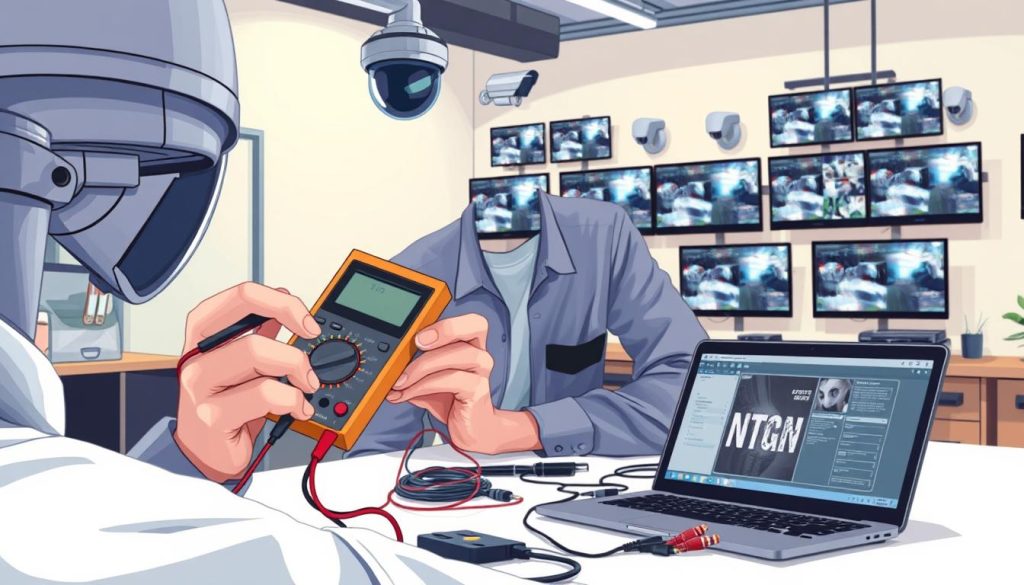
Organized troubleshooting maintains your security coverage with minimal disruption. These tiered techniques restore functionality efficiently.
Diagnosing and Resolving False Alarms
Persistent false notifications undermine trust in your surveillance system. They often stem from overly sensitive settings or environmental factors.
First, review motion detection sensitivity in your software. Reduce the sensitivity level incrementally until alerts correspond to genuine activity.
Next, examine detection zones. Ensure they exclude areas with constant movement like trees or passing traffic. Adjust zone boundaries to focus on critical pathways.
Environmental triggers require different solutions. Position cameras to avoid direct sunlight or headlight glare that changes throughout the day.
For infrared-equipped units, verify that spider webs or insects aren’t triggering the sensors. Regular cleaning of camera lenses and housings prevents this common problem.
Finally, recalibrate sensors according to manufacturer specifications. This resets detection thresholds to optimal factory settings.
Restoring Poor Picture Quality
Blurry or distorted video defeats the purpose of surveillance. Follow this sequence to reclaim clear image quality.
Start with physical cleaning. Use a microfiber cloth to gently remove dust, fingerprints, or condensation from the lens. Check the housing for internal moisture.
Adjust camera alignment and focus manually if possible. Ensure the lens isn’t pointed directly at light sources causing glare or washout.
Evaluate lighting conditions. In low-light areas, verify infrared illuminators are functioning. Look for the characteristic red glow around the lens at night.
If images remain poor, reboot the camera. Power cycling can resolve temporary software glitches affecting image processing.
As a last resort before professional repair, perform a factory reset. This clears all custom settings that might be causing performance issues.
Fixing Network and Connectivity Dropouts
Intermittent camera feeds create dangerous security gaps. Network problems demand systematic investigation.
Confirm physical power first. Check that status LEDs illuminate on each camera and network device. A missing light indicates power supply failures.
For IP cameras, verify network connectivity. Ping the camera’s IP address from a computer on the same network. No response suggests network configuration issues.
Inspect all cables and connections. Look for loose Ethernet plugs, damaged wires, or corroded ports. Test with known-good cables if available.
Check network switch ports for activity lights. Try connecting the camera to a different port to rule out hardware failures.
Review network settings in your cctv management software. Ensure IP addresses haven’t changed and subnet configurations remain correct.
Make sure to document each step in your maintenance logs. This creates a valuable history for future troubleshooting of similar connectivity problems.
These structured approaches transform guesswork into reliable diagnosis. They preserve your security investment through efficient maintenance practices.
When to DIY and When to Call a Professional
Every property manager faces the same dilemma: which maintenance tasks can staff handle, and which demand certified expertise? Drawing this line correctly protects your security investment while controlling costs.
A smart strategy balances routine vigilance with technical intervention. This framework prevents minor issues from escalating into major failures.
Understanding this division of labor is crucial for cctv system longevity. Let’s explore where your team can contribute effectively.
Tasks Suitable for In-House Staff
Several routine checks fall perfectly within staff capabilities. These low-risk tasks maintain daily system awareness without specialized tools.
Basic lens cleaning tops the list. Use a soft microfiber cloth to gently remove dust and smudges from camera optics. Clear glass ensures optimal image capture.
Visual inspections of mounts and housings are also straightforward. Look for obvious obstructions like spider webs or overgrown foliage. Check that outdoor enclosures remain securely fastened.
Verifying live feeds on monitoring displays requires no technical skill. Confirm all cameras show active footage during daily rounds. This simple habit catches problems immediately.
Basic recording status checks are equally manageable. Ensure your system shows active recording indicators. Verify that timestamps appear correct on playback.
These tasks form the eyes and ears of your maintenance program. They provide continuous oversight between professional inspections.
Signs You Need Expert CCTV Servicing in Singapore
Certain situations clearly signal the need for professional intervention. Recognizing these red flags prevents costly mistakes.
Recurring issues after DIY fixes demand expert diagnosis. If a camera repeatedly fails despite your efforts, underlying system problems likely exist.
Any work involving system wiring or network infrastructure requires certification. Tampering with cables can create new failures or violate safety standards.
Major software or firmware upgrades on complex setups need professional handling. Incorrect updates can cripple system functionality completely.
Physical damage to cameras or housings often needs specialized repairs. Internal components require careful handling to restore performance.
System expansion or reconfiguration projects always need expert planning. Adding new equipment requires technical integration for seamless operation.
Attempting complex technical work without proper training often creates more expensive repairs later.
Compliance certifications for insurance or regulatory purposes require professional documentation. In Singapore, certified technicians provide legally recognized service records.
Make sure to engage professionals for your annual maintenance audit. This comprehensive check goes beyond surface-level cleaning.
Experts perform deep hardware diagnostics and system optimization. They identify components nearing end-of-life before they cause unexpected downtime.
A balanced approach maximizes your security coverage. Staff handle daily vigilance tasks that prevent minor issues.
Certified professionals address complex technical problems and compliance requirements. This partnership ensures your cctv investment delivers reliable protection year after year.
Choosing a Professional CCTV Maintenance Provider in Singapore
Selecting the right maintenance partner transforms your CCTV investment from hardware into a guaranteed security solution. The provider you choose determines your system’s long-term health and operational readiness.
This decision requires careful evaluation of technical expertise and service reliability. A qualified partner ensures your surveillance infrastructure receives expert care.
Key Qualifications and Experience to Look For
Technical certifications form the foundation of professional credibility. Look for providers with recognized credentials in security system installation and maintenance.
Experience with your specific cctv technology is crucial. Providers should demonstrate familiarity with both analog and IP-based systems.
Check their track record with major equipment brands like Hikvision, Dahua, or Axis. This ensures they have proper training and access to genuine parts.
In Singapore, regulatory knowledge is non-negotiable. Your provider must understand local surveillance guidelines and privacy regulations.
Essential qualifications include:
- Security industry certifications (e.g., PSP, CPP)
- Manufacturer-specific training programs completed
- Proven experience with similar commercial installations
- Understanding of Singapore’s Personal Data Protection Act (PDPA)
- Valid business license and insurance coverage
Local providers like Wen Hong Engineering bring valuable Singapore-specific experience. They understand the unique climate challenges affecting outdoor equipment.
Evaluating Service Plans and Emergency Support
Service agreements should match your operational needs and risk profile. Most providers offer tiered plans with different inspection frequencies.
Basic annual plans provide fundamental coverage for stable installations. These typically include one comprehensive inspection and system health report.
Quarterly maintenance plans offer better protection for business-critical security. Regular visits prevent minor issues from becoming major failures.
Premium packages often include additional benefits:
- Remote system monitoring and health checks
- Priority emergency response with guaranteed response times
- Detailed digital reporting with trend analysis
- Included minor repairs and component replacements
- Proactive firmware and software updates
Twenty-four-seven emergency support is essential for commercial operations. Security failures don’t respect business hours, and neither should your provider.
Ask potential providers about their average emergency response time. Reputable companies like Huntaway typically guarantee response within specific timeframes.
Always review what is excluded from service contracts. Understanding coverage limits prevents unexpected costs during critical situations.
Request sample service reports during your evaluation. These documents reveal the provider’s attention to detail and reporting standards.
Finally, ask for client references from similar installations. Speaking with current customers provides honest insights into reliability and service quality.
A well-chosen provider becomes an extension of your security team. They ensure your cameras maintain optimal performance through consistent, professional maintenance.
Budgeting for CCTV Maintenance: Cost vs. Value Analysis
A clear budget analysis transforms CCTV maintenance from a cost center into a value-generating security asset. This financial perspective reveals the true return on your surveillance investment.
Proper budgeting ensures your security infrastructure remains reliable without unexpected expenses. It turns upkeep from an unpredictable variable into a planned operational cost.
Understanding both cost drivers and value returns creates a compelling business case. This analysis helps property managers allocate resources effectively for long-term protection.
Factors Influencing Maintenance Costs
Several key variables determine your annual maintenance budget. Recognizing these factors allows for accurate financial planning.
The number and types of cameras directly impact service requirements. Complex systems with pan-tilt-zoom units need more attention than basic fixed models.
System age and complexity also affect costs. Older analog setups may require more frequent repairs than modern IP-based networks.
Installation site accessibility influences service time and labor expenses. Cameras mounted in hard-to-reach locations demand specialized equipment and additional time.
Your chosen service plan frequency creates predictable cost structures. Common options include:
- Basic annual inspections for stable installations
- Quarterly visits for business-critical surveillance
- Premium packages with remote monitoring
In Singapore, annual maintenance for commercial systems typically ranges from £800 to £2,000. This investment protects far more valuable assets.
Calculating the ROI of Regular Maintenance
The return on maintenance investment becomes clear when comparing predictable costs against potential losses. Regular upkeep delivers substantial financial benefits.
Compare the modest annual maintenance fee against emergency repair scenarios. A single major system failure can cost thousands in urgent service calls.
More importantly, consider the value of prevented security incidents. A single burglary or vandalism event often exceeds years of maintenance expenses.
The financial comparison with alternative security measures is striking. A maintained CCTV system can save up to £123,000 annually compared to hiring security guards.
Regular maintenance represents less than 1% of potential loss prevention value for most commercial properties.
Insurance premium reductions provide another financial advantage. Many insurers offer discounts for properties with professionally maintained surveillance equipment.
Extended equipment life creates direct capital savings. Well-maintained cameras and recorders last years longer, delaying replacement costs.
Reliable footage also reduces liability claims. Clear video evidence resolves disputes quickly, avoiding lengthy legal proceedings.
This value analysis frames maintenance as a strategic investment. The predictable cost safeguards against unpredictable, far greater expenses.
Smart budgeting ensures your surveillance system delivers maximum protection with optimal financial efficiency.
Leveraging Technology for Smarter CCTV Maintenance
The integration of IoT and remote monitoring platforms transforms reactive maintenance into proactive system management. Digital tools now provide continuous oversight that manual checks could never achieve.
These innovations deliver real-time visibility into your entire security infrastructure. They turn traditional upkeep into a streamlined, data-driven process.
Modern solutions offer two powerful advantages for property managers. Remote access enables virtual inspections from any location. Automated intelligence provides instant alerts before problems escalate.
This technological evolution represents a fundamental shift in surveillance management. It extends the capabilities of both in-house teams and professional service providers.
Remote Monitoring and Management Tools
Cloud-based platforms revolutionize how you oversee cctv systems. Security managers can now access live feeds, review recordings, and check system status from smartphones or tablets.
These tools provide comprehensive dashboards showing all connected cameras. You can verify functionality without physically visiting each installation site.
Key features of advanced remote software include:
- Real-time viewing of all camera feeds from any internet-connected device
- Storage capacity monitoring and hard drive health indicators
- Network connectivity status for each surveillance device
- Historical data and performance trend analysis
- Remote configuration of camera settings and recording schedules
Virtual inspections become practical with these platforms. You can verify lens clarity, check alignment, and confirm recording activity remotely. This saves significant time for multi-site properties across Singapore.
Supporting technologies like Uninterruptible Power Supplies (UPS) complement remote management. A UPS maintains cctv operation during power fluctuations or outages. This prevents one of the most common causes of system failure.
Automated Alerts and System Health Dashboards
Intelligent monitoring software detects issues before they impact security. These systems analyze equipment performance continuously and send instant notifications.
Automated alerts cover numerous critical events. You receive immediate warnings when specific conditions occur. This enables rapid response to potential problems.
Common automated notifications include:
- Camera offline or network connection lost
- Storage drive reaching capacity threshold
- Motion detection failure or configuration error
- Image quality degradation below acceptable levels
- Power supply irregularities or voltage drops
- Firmware updates available for cctv devices
Comprehensive health dashboards provide at-a-glance status overviews. Color-coded indicators show which components need attention. Green typically means normal operation, while red signals immediate action required.
Automated alerts transform maintenance from scheduled checks to event-driven responses, dramatically reducing system downtime.
These dashboards often include predictive analytics. They analyze historical logs to forecast potential component failures. You receive warnings about cameras or recorders showing early failure signs.
The technology creates detailed maintenance histories automatically. Every alert, response, and resolution gets recorded in digital logs. This documentation proves invaluable for compliance reviews and insurance purposes.
Modern tools represent force multipliers for surveillance management. They extend the effectiveness of limited personnel resources. A single manager can oversee dozens of cctv systems across multiple locations.
Adopting these technologies positions your security operation at the forefront of modern surveillance practice. They deliver smarter, more efficient maintenance that protects your investment continuously.
The Role of Firmware and Software Updates in Security
Your CCTV system’s software forms its intelligence, and firmware acts as its immune system against digital threats. While physical cleaning gets attention, this digital upkeep is equally vital for protection.
Regular updates patch security holes and add new capabilities. They keep your surveillance investment current and resilient. This process is a core component of modern preventive maintenance.
Managing these updates requires a scheduled approach. It should be documented in your maintenance checklist. Professional handling often ensures compatibility and correct procedure.
Closing Vulnerability Gaps
Network-connected cameras and recorders face constant cyber threats. Hackers actively search for unpatched devices on the internet. Each piece of equipment represents a potential entry point.
Manufacturers release firmware updates specifically to fix these security flaws. These patches close backdoors that could allow unauthorized access. Ignoring updates leaves your entire surveillance network exposed.
A single compromised camera can serve as a gateway. Attackers might access your private data or disable the system entirely. Regular updates form your digital frontline defense.
Unpatched surveillance devices are among the most commonly hacked IoT endpoints in commercial networks.
This aspect of maintenance is non-negotiable for modern security. It protects both your physical premises and your digital infrastructure. Schedule these updates during planned downtime to avoid disruptions.
Accessing New Features and Improved Performance
Software and firmware updates deliver free upgrades to your existing CCTV systems. Manufacturers continuously improve their products through code enhancements. Your cameras can gain capabilities long after installation.
Common improvements include better video compression algorithms. These reduce storage needs while maintaining image quality. Smarter analytics for motion detection or object recognition might also be added.
User interfaces often become more intuitive with updates. Integration with other security platforms frequently improves. These enhancements boost overall system functionality without hardware costs.
Performance optimizations are another key benefit. Updates can fix bugs causing failures or instability. They might improve night vision clarity or streaming reliability.
Always review update notes from manufacturers. They detail exactly what improvements each software version provides. This helps you understand the value being added to your surveillance investment.
Modern maintenance balances physical care with digital hygiene. Both are essential for complete protection. A structured update protocol keeps your cctv operation secure and capable.
Ensuring Continuous Protection with a Structured Maintenance Plan
A well-maintained CCTV installation stands as a vigilant guardian, not just hardware. This guide detailed three essential approaches: preventive, corrective, and predictive maintenance.
Blending routine DIY checks with professional expertise creates a resilient security posture. This structured care prevents costly failures and extends your system’s operational life.
The benefits are clear. You ensure legal compliance, achieve maximum reliability, and gain true peace of mind. Your surveillance investment delivers assured protection.
Begin by auditing your current maintenance schedule or consulting a certified provider. Transform your cameras into a continuous security asset for your Singapore property.
FAQ
What are the main types of CCTV system maintenance?
The three primary types are preventive, corrective, and predictive. Preventive maintenance involves scheduled cleaning and checks to avoid issues. Corrective maintenance is the repair work done after a problem occurs, like a faulty camera. Predictive maintenance uses system data and monitoring tools to forecast potential failures before they happen.
How often should I service my security cameras?
A good schedule includes weekly visual checks, monthly inspections of recording functionality, and a full professional audit annually. In Singapore’s humid climate, cleaning camera lenses and housings quarterly is crucial to prevent image quality degradation from dust and moisture.
Can I perform CCTV maintenance myself?
A> Some basic tasks are suitable for in-house staff, like visually checking for physical damage or cleaning accessible camera domes. However, complex issues involving wiring, network connectivity, software configuration, or component repair require a certified professional to ensure system reliability and security compliance.
What are common signs my surveillance system needs servicing?
Watch for warning signs like blurry or flickering video footage, unexpected gaps in recordings, frequent system reboots, or failure of cameras to respond to commands. These often indicate problems with camera lenses, data storage, power supply, or firmware that need immediate attention.
Why is professional maintenance critical for CCTV in Singapore?
Beyond preventing failures, professional servicing ensures your setup meets local regulatory standards for operational performance and data handling. Experts also protect your investment by extending equipment life and applying crucial firmware updates that close security vulnerability gaps.
What should be on a basic CCTV maintenance checklist?
Essential checklist items include verifying all cameras provide a clear image, checking cable connections for damage, ensuring the Network Video Recorder (NVR) has adequate storage space, testing backup power supplies like UPS units, and reviewing system logs for recurring errors.
How does maintenance differ for IP cameras versus analog systems?
IP-based systems require checks on network connectivity, switch ports, and software settings, in addition to standard physical inspections. Analog systems focus more on coaxial cable integrity, DVR performance, and power supply stability. Both types need regular lens cleaning and recording verification.


