
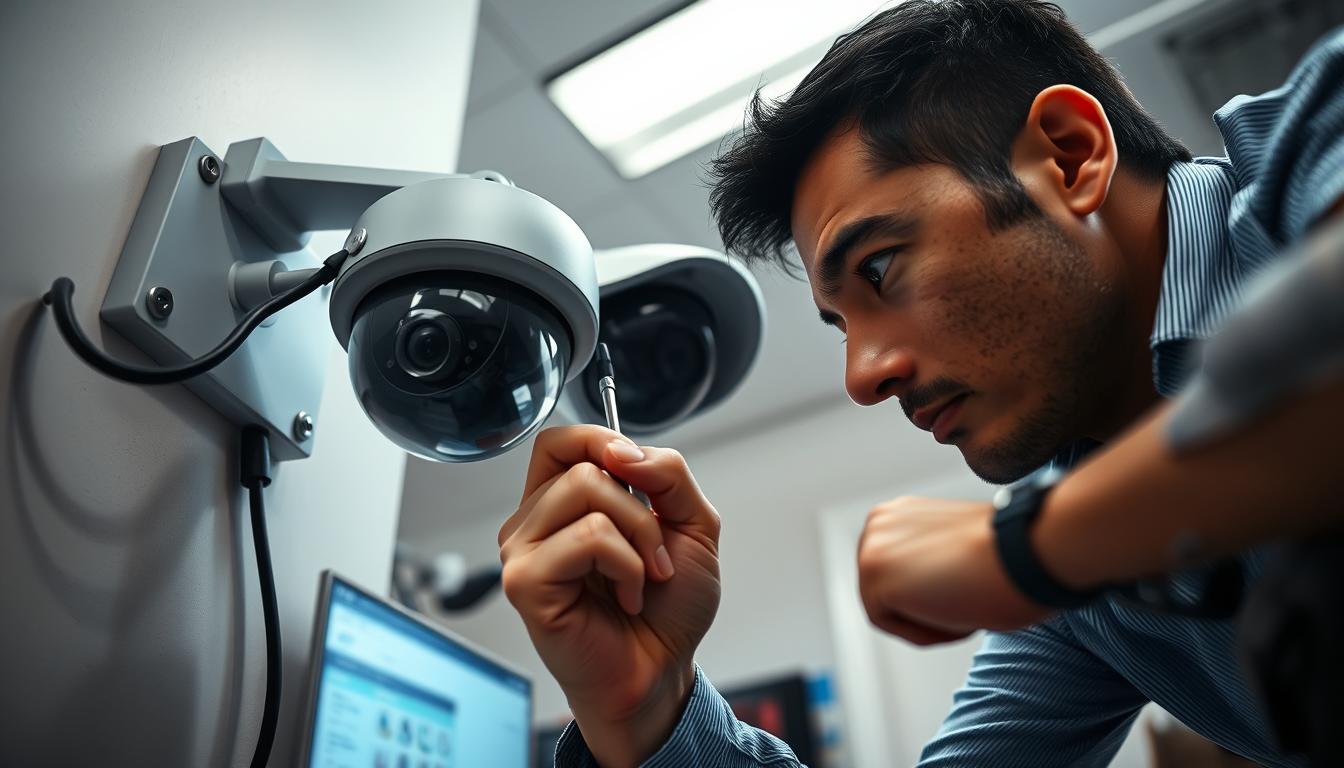
Troubleshooting: Why CCTV camera suddenly stopped working?
Your surveillance equipment provides critical protection for your property. When these devices fail without warning, it creates immediate security concerns.
This comprehensive guide helps you identify and resolve common monitoring system problems. We’ll walk through practical solutions to restore your video coverage quickly.
For Singapore property owners, maintaining functional security systems is particularly important. Prompt troubleshooting prevents vulnerabilities and ensures continuous protection.
We’ll explore various issues including power supply problems, network connectivity, hardware malfunctions, and configuration errors. Most situations have straightforward fixes you can implement yourself.
While many solutions are DIY-friendly, we’ll also indicate when professional assistance from experts at CCTV maintenance specialists becomes necessary for complex technical issues.
Key Takeaways
- Sudden camera failures create immediate security vulnerabilities
- Most common issues have simple DIY solutions
- Power supply problems are among the most frequent causes
- Network connectivity issues can often be resolved quickly
- Singapore properties benefit from prompt troubleshooting
- Some complex problems require professional technical support
- Regular maintenance helps prevent unexpected system failures
Understanding a Sudden CCTV Camera Failure
Security system disruptions often manifest through clear warning signs before complete failure occurs. Recognizing these indicators early helps prevent total security breakdowns and maintains continuous property protection.
Common Symptoms of a Malfunctioning System
Monitoring equipment may display several telltale signs when experiencing problems. Complete black screens represent the most obvious failure symptom. Flickering video or distorted images also indicate underlying issues.
Recording capability loss often accompanies visual problems. Your system might appear operational but fail to capture footage. This creates significant security gaps in your surveillance coverage.
Weather conditions frequently worsen existing equipment problems. Heavy rain can obscure lenses while poor lighting reduces image quality. These environmental factors compound technical failures.
Electronic interference from other devices affects camera performance. Wireless routers, microwaves, and other electronics can disrupt signal transmission. This results in choppy video or complete signal loss.
Night vision failures present particular challenges after dark. Infrared features may malfunction, leaving blind spots during critical hours. Connectivity issues prevent remote monitoring access, limiting your ability to check properties remotely.
The Impact on Your Singapore Property’s Security
Surveillance equipment failures create immediate vulnerabilities for Singapore properties. Extended downtime increases risks of undetected incidents. The consequences can include property damage, theft, or unauthorized access.
Singapore’s urban environment demands reliable security systems. High-density living and commercial spaces require constant monitoring. System-wide problems leave multiple access points unprotected.
Prompt diagnosis maintains continuous security protection. Addressing symptoms early prevents complete system collapse. Regular performance checks help identify issues before they escalate into major failures.
Professional maintenance services provide expert solutions for persistent problems. They ensure your equipment operates at optimal levels. This is particularly valuable for complex security setups in Singapore properties.
Why Did My CCTV Camera Suddenly Stop Working?
Unexpected equipment shutdowns typically stem from three primary categories of issues. Understanding these root causes helps implement effective solutions and prevent future problems.
Singapore’s tropical climate and urban environment create unique challenges for surveillance systems. The combination of weather conditions and technical factors often contributes to equipment failures.
Electrical Surges and Power Interruptions
Power supply problems represent the most common reason for immediate system failure. Electrical surges during thunderstorms can damage sensitive components instantly.
Singapore’s frequent thunderstorms create particular risks for outdoor equipment. These power spikes can electrify camera surfaces and destroy internal circuitry.
Complete power outages affect both recording capabilities and remote access features. Even brief interruptions can cause systems to reboot improperly.
Common power-related issues include:
- Voltage spikes during stormy weather conditions
- Inconsistent power supply from wall outlets
- Faulty power adapters or damaged cables
- Inadequate battery backup systems
Network Connectivity Disruptions
Modern IP-based systems depend heavily on stable network connections. Weak WiFi signals or low bandwidth often cause complete video loss.
Connection problems frequently manifest as intermittent footage or total signal loss. Network interference from other electronic devices compounds these issues.
Singapore’s dense urban environment creates particular challenges for wireless signals. Multiple WiFi networks can interfere with each other, reducing signal strength.
Key network-related problems include:
- Insufficient bandwidth for video transmission
- Router configuration issues
- Physical obstructions blocking wireless signals
- IP address conflicts or configuration errors
Hardware and Internal Component Failures
Physical damage and component degradation cause permanent equipment failures. Internal circuit board issues often develop gradually before causing complete shutdown.
Sensor failures frequently occur in Singapore’s humid environment. Moisture penetration damages sensitive electronic components over time.
Wiring faults and connector damage represent common hardware problems. These physical issues can completely stop camera function without warning.
Typical hardware failures include:
- Circuit board corrosion from humidity
- Sensor malfunction due to environmental exposure
- Cable damage from animals or weather conditions
- Connector port degradation from frequent use
Multiple factors often combine to create complete system failure. Understanding these interrelationships helps develop effective troubleshooting strategies.
Singapore property owners should consider these common reasons when addressing surveillance problems. Appropriate repair approaches depend on accurately identifying the underlying causes.
Initial Assessment and Quick Fixes
When your security system experiences problems, starting with basic checks often reveals simple solutions. These initial steps help identify common issues before moving to advanced troubleshooting methods.
Performing a Visual System Check
Begin with a thorough inspection of your entire security setup. Look for obvious signs of damage or disconnection that might explain the malfunction.
Follow these steps for a comprehensive visual assessment:
- Examine all cables for fraying, cuts, or animal damage
- Verify each connection point is secure and properly seated
- Check power indicators on devices for proper illumination
- Inspect camera housings for weather damage or moisture entry
- Look for obstructions blocking lenses or infrared sensors
Document your findings during this inspection. Note any loose connections, damaged components, or unusual conditions. This record helps track recurring problems and provides valuable information if you need professional assistance later.
Singapore’s humid environment requires extra attention to moisture-related issues. Check for condensation inside housings or corrosion on metal components. These factors commonly contribute to equipment failure in tropical climates.
The First Step: Rebooting Your Equipment
Restarting your security devices resolves many temporary glitches. This simple action clears cached data and resets system functions to their default state.
Follow this reboot process for best results:
- Power down the entire system including recorders and monitors
- Unplug power adapters from electrical outlets
- Wait two minutes to ensure complete discharge
- Reconnect power sources in proper sequence
- Allow system several minutes to fully restart
If basic restart doesn’t resolve the issues, consider a factory reset. This returns all settings to their original configurations. Remember that this action erases custom settings and recorded data.
Check for software updates after rebooting your system. Outdated firmware often causes performance problems and security vulnerabilities. Regular updates maintain optimal functionality and protect against known issues.
These initial assessment steps solve many common security system problems. They require no technical expertise and can be completed quickly. Systematic troubleshooting helps restore protection without unnecessary delays.
Inspecting Your Power Supply
Power-related problems account for nearly half of all security equipment malfunctions. A thorough examination of your electrical setup often reveals simple solutions to complex-seeming issues.
Singapore’s humid climate and frequent thunderstorms create unique challenges for surveillance systems. Regular power inspections help prevent unexpected failures and maintain continuous protection.
Checking Power Cords and Wall Outlets
Begin your inspection with a visual assessment of all electrical components. Look for visible signs of wear, fraying, or animal damage on all cables.
Follow these steps for a comprehensive check:
- Examine each power cord for cracks, cuts, or exposed wiring
- Test wall outlets with a voltage tester to ensure proper function
- Verify all connections are secure and properly seated
- Check for loose wires that might cause intermittent power loss
- Inspect outlet covers for weather damage in outdoor installations
Make sure to test multiple outlets if your equipment experiences frequent shutdowns. Sometimes the issue lies with the electrical source rather than your security devices.
Testing Battery Health in Wireless Cameras
Wireless surveillance equipment depends heavily on battery performance. Weak power sources often cause complete video loss or intermittent operation.
Poor WiFi signals can exacerbate battery problems by forcing devices to work harder. This drains power reserves faster than expected.
Follow this battery maintenance routine:
- Check charge levels regularly through your monitoring app
- Test battery performance under different weather conditions
- Replace batteries according to manufacturer recommendations
- Keep spare batteries available for quick swaps during failures
- Monitor battery drain rates to identify abnormal power consumption
Identifying Issues with Power Adapters and Splitters
Power distribution components often cause system-wide problems when they malfunction. Adapters, splitters, and converters require regular inspection.
An 8-channel CCTV power supply provides better management for multiple devices. This professional solution ensures consistent electricity delivery to all equipment.
Common adapter and splitter issues include:
- Overheating during extended operation periods
- Compatibility problems with newer equipment models
- Voltage output inconsistencies affecting device performance
- Physical damage from environmental exposure
- Inadequate capacity for connected device requirements
Regular maintenance of your power infrastructure prevents most unexpected failures. Early detection of power-related issues saves time and maintains security coverage.
Diagnosing Network and Connectivity Problems
Modern surveillance systems rely heavily on stable internet connections for optimal performance. When these network connections fail, your entire security setup can experience significant disruptions.
Singapore’s dense urban environment presents unique challenges for both wired and wireless setups. Concrete walls and multiple electronic devices can interfere with signal transmission.
Proper diagnosis helps identify whether issues stem from physical cabling, wireless interference, or configuration errors.
Testing Wired Ethernet Connections
Wired systems offer reliability but require thorough cable inspection. Begin by examining all physical connections for damage or looseness.
Follow this methodology for comprehensive testing:
- Inspect Ethernet cables for fraying, cuts, or connector damage
- Verify proper seating at both camera and router connection points
- Test cable quality using network testing tools for packet loss
- Check switch and router ports for physical damage or corrosion
- Replace questionable cables with certified Cat6 or higher alternatives
Poor quality cables often cause data transmission problems. These issues manifest as intermittent video loss or distorted footage.
Troubleshooting Weak WiFi Signals
Wireless systems face particular challenges in Singapore’s built-up areas. Signal strength directly impacts video quality and reliability.
Key factors affecting wireless performance include:
- Distance between access points and security devices
- Physical obstructions like walls and metal fixtures
- Interference from other wireless networks and electronic devices
- Router positioning and antenna orientation
- Bandwidth allocation for video streaming requirements
Optimal router placement often resolves most wireless connectivity issues without additional equipment
Consider using WiFi analyzers to identify signal dead zones. Range extenders or mesh systems can significantly improve coverage in larger Singapore properties.
Pinging Your Camera’s IP Address
Network diagnostics provide concrete evidence of connectivity issues. The ping test offers a simple way to verify communication with your security devices.
Follow these steps for accurate testing:
- Identify your camera’s IP address through system settings
- Open command prompt on your computer
- Type “ping [camera IP address]” and press enter
- Analyze results for packet loss and response times
- Repeat test during different times to identify patterns
Consistent timeouts indicate serious network problems. Packet loss suggests bandwidth or interference issues.
Make sure to check for IP address conflicts within your network. Duplicate addresses can completely disrupt device communication and system performance.
Conducting a Physical Hardware Inspection
A thorough physical examination of your security system components often reveals underlying causes for performance issues. This hands-on approach helps identify visible damage and connection problems that might otherwise go unnoticed.
Singapore’s tropical environment accelerates wear on outdoor equipment. Regular inspections help catch small issues before they become major failures.
https://www.youtube.com/watch?v=oiGbhxLXZKo
Identifying Loose or Damaged Cables
Begin your inspection with a careful examination of all wiring. Look for frayed edges, cuts, or animal damage along the entire cable length.
Follow these steps for comprehensive cable assessment:
- Check each cable for visible wear or insulation damage
- Test flexibility – brittle wiring often indicates aging problems
- Look for discoloration that might suggest overheating issues
- Verify proper cable routing away from sharp edges
- Ensure weatherproofing remains intact on outdoor installations
Organized cable management reduces short circuit risks from tangled wiring. Proper arrangement also simplifies future maintenance and troubleshooting.
Verifying the Integrity of Connectors and Ports
Connection points represent critical junctures in your surveillance setup. Loose connectors disrupt both power delivery and data transmission.
Inspect all ports and connectors for these common issues:
- Corrosion on metal contacts from humidity exposure
- Bent or damaged pins preventing proper connection
- Loose fittings that cause intermittent signal loss
- Dirt or debris blocking proper contact alignment
- Worn locking mechanisms failing to secure connections
Regular cleaning maintains optimal connector performance. Use appropriate tools to remove corrosion and ensure solid contact.
Checking for Environmental or Weather Damage
Singapore’s climate presents unique challenges for security equipment. High humidity and frequent rainfall accelerate hardware deterioration.
Look for these signs of environmental damage:
- Water intrusion in housing units or connection points
- Sun fading or cracking on plastic components
- Rust formation on metal brackets and mounts
- Insect nests or animal interference around equipment
- Vegetation growth obstructing lenses or sensors
Document your findings during each inspection. This record helps track recurring problems and provides valuable information for maintenance planning.
Regular physical inspections help maintain reliable surveillance protection. They catch small issues before they develop into complete system failures.
Reviewing Camera Settings and Configurations
Configuration errors often mimic hardware failures, making proper settings review essential for troubleshooting. Many operational issues stem from incorrect adjustments rather than actual equipment problems.
Regular audits of your surveillance setup prevent performance degradation. This process helps maintain optimal functionality and ensures continuous protection for your property.
Restoring Default Factory Settings
Resetting to factory defaults eliminates configuration errors accumulated over time. This process clears all custom adjustments and returns devices to their original state.
Follow these steps for successful restoration:
- Locate the small reset button on your device
- Press and hold for ten seconds using a paperclip
- Wait for the unit to reboot completely
- Reconfigure basic settings through the interface
- Test basic functionality before advanced adjustments
Document your optimal configuration before resetting. This preparation makes restoration quicker and more accurate.
Ensuring Night Vision and IR Features are Enabled
Low-light performance depends on proper infrared settings. Incorrect configuration can completely disable night vision capabilities.
Verify these critical settings for optimal after-dark operation:
- Infrared mode set to automatic or scheduled activation
- IR intensity adjusted for your specific environment
- Night vision sensitivity matching lighting conditions
- Schedule settings aligned with local sunset times
- Obstruction detection ensuring clear IR illumination
Test these adjustments during actual night conditions. Singapore’s urban lighting requires particular attention to sensitivity settings.
Verifying Recording and Motion Detection Settings
Recording configuration directly impacts security coverage effectiveness. Proper settings ensure complete event capture without unnecessary storage consumption.
Critical recording parameters to review include:
- Continuous versus motion-activated recording modes
- Video quality settings balancing clarity and storage needs
- Motion detection sensitivity and zone configuration
- Schedule settings matching your security requirements
- Remote viewing accessibility and mobile app connectivity
Proper motion zone setup reduces false alerts by 80% while maintaining security coverage
Regular testing under different conditions validates your configuration. Adjust sensitivity based on environmental factors and actual performance.
Maintain a settings log for quick reference during troubleshooting. This documentation helps restore optimal configuration after any reset or update.
Addressing Firmware and Software Issues
Digital surveillance components require regular maintenance beyond physical checks. Your equipment’s internal programming plays a crucial role in reliable operation.
Singapore’s tech-savvy environment demands up-to-date security solutions. Proper software management prevents many common operational challenges.
Checking for and Installing Firmware Updates
Manufacturers regularly release improvements for your security devices. These updates enhance performance and address security vulnerabilities.
Follow this process for safe installation:
- Access your device’s administration interface through a web browser
- Navigate to the system maintenance or update section
- Download the latest firmware version from the manufacturer’s website
- Use a FAT32 formatted SD card for offline updates when needed
- Follow on-screen instructions carefully during the installation process
Always maintain power during updates. Interruptions can cause serious system problems.
Document each update with version numbers and dates. This record helps troubleshoot future issues.
Resolving Software Glitches and Bugs
Occasional software hiccups affect even well-maintained systems. These temporary issues often have straightforward solutions.
Common troubleshooting methods include:
- Restarting the monitoring application or entire system
- Clearing cache files that might cause performance issues
- Checking for conflicting applications on your monitoring devices
- Verifying adequate storage space for proper software operation
Regular software maintenance reduces bug-related problems by maintaining optimal system performance
Manufacturer diagnostic tools help identify underlying software issues. These utilities provide detailed system health reports.
Ensuring NVR/Camera Compatibility
Component mismatches create frustrating operational problems. Verification prevents compatibility issues before they affect your security.
Always check specification requirements when adding new equipment. Older recording systems might not support latest camera features.
Key compatibility factors include:
- Video compression format support between devices
- Maximum resolution capabilities of your recording equipment
- Protocol compatibility for proper communication
- Power requirements matching your system’s capacity
After updates, sometimes devices lose network connections. Manually setting IP addresses resolves many connectivity problems.
Proxy settings might need adjustment following major software changes. These configurations ensure smooth communication between system components.
Regular compatibility checks maintain seamless operation across all your security devices. This proactive approach prevents unexpected performance issues.
When to Contact Technical Support
Some surveillance equipment issues require specialized knowledge beyond basic troubleshooting. Recognizing these situations saves time and prevents further complications with your security setup.
Professional technical help becomes essential when persistent problems resist standard repair attempts. Manufacturer support teams possess deep expertise with specific equipment models.
Recognizing Problems Beyond DIY Repair
Certain symptoms indicate complex underlying issues needing expert attention. Continuous video interruption despite multiple troubleshooting attempts suggests deeper system problems.
Recording failures that persist after checking all settings often indicate hardware malfunctions. Connection problems with network video recorders typically require professional diagnostic tools.
Brand-specific problems frequently need manufacturer expertise. Technical support teams understand unique design features and potential weaknesses in their equipment.
Utilizing Manufacturer Warranties and Support
Most surveillance equipment comes with comprehensive warranty coverage. These protection plans often include free technical support and replacement services.
Effective communication with support teams requires proper preparation. Document all troubleshooting steps attempted before contacting professionals.
Make sure to have this information ready:
- Equipment model numbers and serial numbers
- Detailed description of the malfunction
- Error messages or codes displayed
- Photos or videos showing the problem
- Purchase date and warranty documentation
Support escalation processes exist for complex cases. Initial representatives might transfer you to senior technicians for difficult solutions.
Consider the cost-benefit analysis between continued DIY efforts and professional service. Sometimes expert help proves more economical than repeated unsuccessful repairs.
Proper documentation of troubleshooting attempts accelerates support resolution by 40% on average
Maximize support effectiveness through thorough preparation. Clear communication about your system‘s performance issues helps technicians provide accurate solutions.
This approach ensures your security setup receives appropriate attention. It saves time and restores protection more efficiently than continued guessing.
Seeking Professional CCTV Services in Singapore
Sometimes your monitoring setup needs expert attention beyond basic troubleshooting. Professional technicians bring specialized knowledge that solves persistent problems efficiently.
Singapore’s security landscape demands reliable protection from qualified experts. These specialists understand local conditions and technical requirements.
Benefits of Expert Diagnosis and Repair
Technical professionals offer comprehensive analysis of your security setup. They identify underlying issues that might escape untrained observation.
Advanced diagnostic tools provide deeper insight into system performance. These instruments measure parameters beyond basic functionality checks.
Brand-specific expertise ensures proper handling of your equipment. Manufacturers often authorize certain technicians for their products.
Certified professionals preserve warranty coverage during repairs. Their work maintains manufacturer guarantees and service agreements.
Quick resolution of ongoing issues minimizes security gaps. Experts implement effective solutions that restore protection rapidly.
Considering System Upgrades for Enhanced Reliability
Older equipment might benefit from technological improvements. Modern systems offer better performance and additional features.
Professional assessment determines when upgrades become necessary. Technicians evaluate your current setup against security requirements.
Newer models provide enhanced image quality and connectivity options. They integrate better with modern monitoring solutions.
Sometimes replacement proves more economical than repeated repairs. Ongoing maintenance costs might exceed new equipment investment.
Singapore properties benefit from updated surveillance technology. Advanced systems address unique urban security challenges.
Local service providers like Wen Hong offer reliable technical support. Contact +65 60135960 for professional assistance with your security needs.
They provide information about latest technology and special offers. Their expertise covers various brands and system types.
Regular maintenance services prevent future operational problems. Scheduled checkups maintain optimal equipment performance.
Professional help ensures your surveillance system remains effective. This approach provides peace of mind regarding property protection.
Maintaining a Robust and Reliable Security System
Regular maintenance keeps your surveillance equipment performing optimally. Consistent checks prevent unexpected failures and ensure continuous protection.
Create a simple schedule for inspecting power connections and cables. Update software regularly to maintain system security and performance.
Document all maintenance activities for future reference. This practice helps identify patterns and potential issues early.
For professional assistance with your security setup, contact Wen Hong at +65 60135960. Their expertise ensures your system remains reliable over time.
Proper maintenance provides peace of mind and lasting security solutions for your property.
FAQ
What should I do first if my security camera stops working?
Start by checking the power supply and connections. Ensure cables are secure and outlets are functional. Then, try rebooting the system to resolve temporary glitches.
How can I tell if my camera has a network issue?
Look for symptoms like video loss or lag. Test your internet connection, ping the device’s IP address, and verify WiFi strength or Ethernet links.
Could weather affect my outdoor surveillance equipment?
Yes, moisture, heat, or physical damage can impair performance. Inspect housing for cracks and ensure all seals remain intact to protect internal components.
When should I reset my device to factory settings?
Consider a reset if you experience persistent software issues or misconfigurations. This often resolves unexplained errors and restores normal operation.
How important are firmware updates?
Regular updates fix bugs, enhance features, and improve security. Always keep your system’s firmware current to ensure stability and compatibility.
What indicates I need professional repair services?
If basic troubleshooting fails—or you notice hardware damage, recurring failures, or complex network errors—seek help from a certified technician.
Can power surges damage my surveillance setup?
Absolutely. Electrical spikes can harm sensitive electronics. Using surge protectors or uninterrupted power supplies (UPS) helps prevent such damage.
Why might night vision stop functioning?
Dirty lenses, disabled IR settings, or faulty IR LEDs often cause this. Clean the lens and check configuration settings to restore nighttime visibility.


