
Essential Security Camera Maintenance Tips
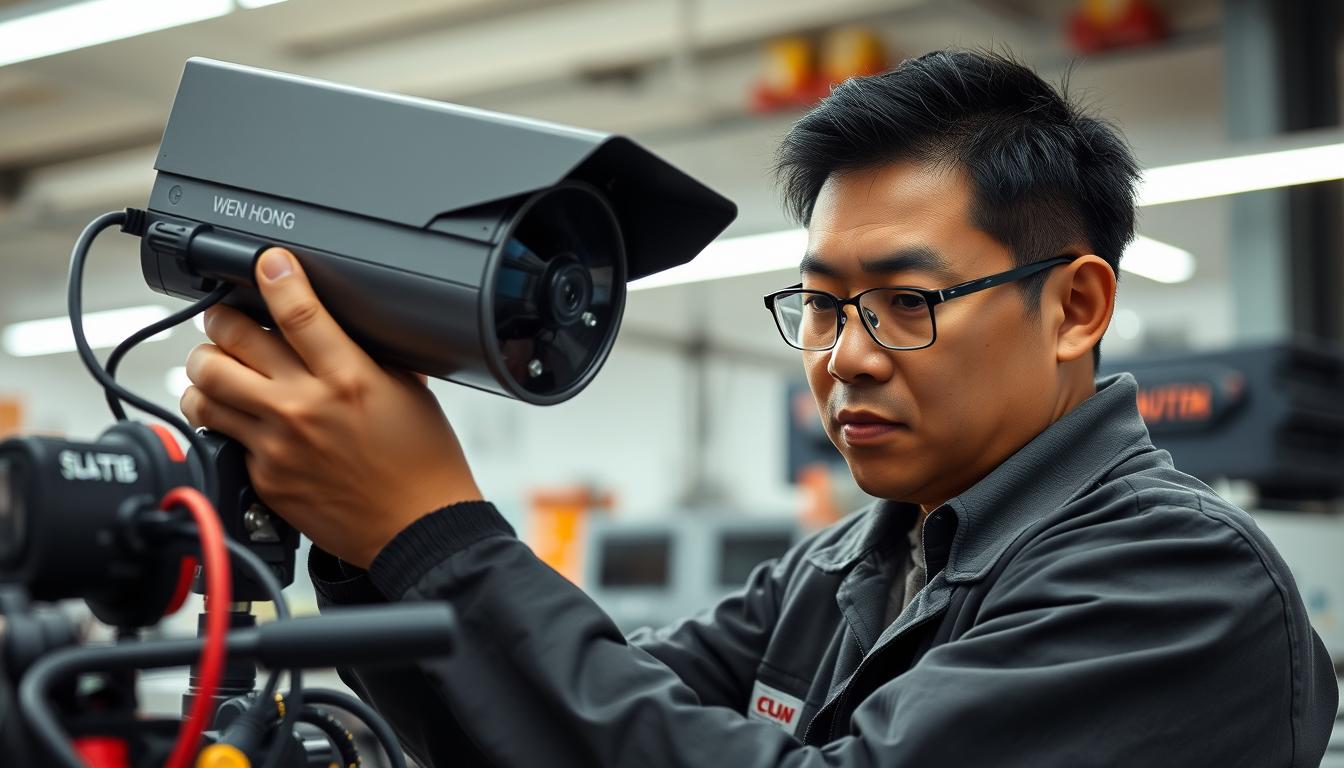
Did you know regular maintenance can cut CCTV system failures by up to 87%? This shows how important it is to keep your security cameras in top shape, even more so in Singapore’s humid climate. Most CCTV problems, about 83%, come from not taking care of them regularly.
So, keeping your cameras well-maintained is not just a good idea, it’s a must. A good maintenance routine can make your surveillance system work better and last longer. Cameras that are well cared for can last 5 to 7 years, while those that are ignored might only last 2 to 3 years.
Learn how these tips can boost your security and save you money on repairs.
Key Takeaways
- Regular maintenance can cut CCTV system failures by up to 87%.
- 83% of issues result from neglected routine checks.
- Well-maintained cameras can last significantly longer than neglected ones.
- Routine lens cleaning improves image quality by up to 20%.
- Implementing a detailed maintenance plan can enhance reliability.
Importance of Regular CCTV Maintenance
Regular CCTV maintenance is key. It ensures your security systems work well and catches problems early. This keeps your security strong.
Enhanced Security
Maintenance boosts enhanced security from CCTV systems. Cleaning lenses and checking power helps get clearer images. It also makes sure no part of your area is missed.
Regular checks can cut down equipment failures by 30%. This makes your surveillance more effective. It also helps with legal issues by keeping DVR/NVR devices accurate.
Cost Efficiency
Regular maintenance saves money. It helps you plan and avoid big repair costs. Fixing small problems early saves a lot in the long run.
Ignoring maintenance can lead to expensive failures. So, keeping up with your systems is smart and cost-effective.
Increasing Longevity
Looking after your security cameras makes them last longer. Regular checks save money and keep them working right. Well-kept systems can last up to seven years, compared to just two for neglected ones.
Having a maintenance plan is a smart move. It keeps your investment running smoothly and efficiently.
What are the Types of Maintenance for CCTV?
Knowing the types of maintenance for CCTV is key to keeping systems running well. Well-maintained cameras offer top-notch surveillance and cut down failure risks.
Preventive Maintenance
Preventive maintenance means regular checks and timely part swaps to stop problems before they start. This approach can cut equipment failure rates by up to 30%. Regular inspections spot wear and tear early, making sure all parts work right. This can extend a CCTV system’s life by up to 50%.
Corrective Maintenance
Corrective maintenance is for when problems show up while the system is running. Fixing these issues fast is key to keeping the system reliable. This maintenance ensures quick repairs, reducing downtime and keeping surveillance going without a hitch.
Routine Inspections
Routine inspections are a big part of a solid maintenance plan. They help catch problems early, like dirt on camera lenses or broken wiring. Companies that do regular checks see up to 40% fewer data loss incidents. This shows how important it is to stay on top of maintenance. For more on keeping systems in check, check out this resource.
| Type of Maintenance | Description | Benefits |
|---|---|---|
| Preventive Maintenance | Regular inspections and replacements to avoid issues. | Reduces failure rates by up to 30% and prolongs lifespan. |
| Corrective Maintenance | Fixes problems as they occur during operation. | Makes timely repairs to maintain reliability. |
| Routine Inspections | Ongoing monitoring of system health. | Early detection of issues reduces data loss incidents. |
Benefits of Regular CCTV Maintenance
Regular CCTV maintenance does more than just keep systems running. It offers strong protection for any facility. By focusing on camera system care, you get better security, manage costs well, and extend system life.
Enhanced Security
Regular upkeep boosts security by keeping systems at top performance. Servicing cameras regularly spots issues early, reducing security risks. This approach ensures clear video and improves incident detection by up to 25%, making surveillance more effective.
Cost Management
Regular checks help manage costs by preventing big repairs. Early maintenance can save up to 70% on repair costs. Also, following standards like NIS Gold avoids fines, which can be from $1,000 to $10,000. This way, businesses can cut security costs by about 30%.
System Longevity
Regular maintenance extends the life of CCTV systems by 20-30%. This means fewer replacements and better value for security tech. Well-maintained systems also fail 50% less often than those not looked after.
| Benefit | Details |
|---|---|
| Enhanced Security | Reduces risk of breaches through proactive maintenance and improved clarity. |
| Cost Management | Saves up to 70% on repairs and avoids costly fines. |
| System Longevity | Extends lifespan by 20-30% and minimizes operational failures. |
Creating a CCTV Maintenance Schedule
Creating a good CCTV maintenance schedule helps your surveillance system work better and last longer. It prevents problems and keeps everything running smoothly. Daily checks, monthly inspections, and quarterly reviews are key to a strong security setup.
Daily Checks
Daily checks are vital to make sure your system works right. You should check:
- That cameras are working well to cover everything.
- Storage space to avoid missing recordings.
- Camera views are clear, without any blockages.
Monthly Inspections
Monthly checks help clean out dust and dirt and test the system fully. You should:
- Clean camera lenses every three months for clear images.
- Check power supplies to save money and avoid big repairs.
- Make sure all cables are secure to prevent power loss.
Quarterly Reviews
Quarterly reviews are a deep dive into your system’s health. This includes:
- Checking camera housings for water damage after bad weather.
- Looking for corroded connectors and replacing them to avoid short circuits.
- Adjusting camera positions and angles for better coverage.

Following a detailed CCTV maintenance schedule makes your system reliable. It reduces security risks and keeps everything running smoothly.
CCTV Maintenance Best Practices
Keeping your CCTV system in top shape is key. Regular care boosts image quality and extends the system’s life. Focus on cleaning cameras and checking connections.
Cleaning Cameras Regularly
Cleaning your security cameras is vital. Dust can lower image quality by up to 70%. Clean them every three months with special lens cleaners.
Also, check the camera housing for water, dirt, and condensation every quarter. This keeps your equipment in good shape.
Inspecting Connections and Cables
Checking connections is essential for your CCTV’s reliability. About 50% of failures come from loose or bad connections. Make sure to inspect all cables, often after bad weather.
Replace corroded connectors right away to avoid power loss. This careful approach ensures your system works well and cuts down on downtime.
CCTV Maintenance Checklist: Essential Components
Having a detailed CCTV maintenance checklist is key to keeping your surveillance system running smoothly. Regular checks on camera function, wiring, and data integrity are vital. These steps help ensure your equipment works well and lasts longer.
By sticking to this checklist, you can boost security, cut down on equipment failures, and extend your system’s life.
Camera Functionality Checks
It’s important to check camera function every day. Make sure all cameras work and that you have enough storage for recordings. Cleaning camera lenses regularly can improve image quality by up to 40%.
Doing this every three months keeps your footage clear and sharp.
Wiring and Connections Assessment
Monthly wiring assessments are a must to catch any problems early. Look for any damage or wear on cables to avoid issues. Keeping connections secure helps keep your CCTV system running without interruptions.
Storage and Data Integrity Review
Checking data integrity regularly is essential for keeping recordings safe. Make sure you have enough space on hard disks for storing footage. An annual check ensures all data, live and recorded, is working right.
Following this CCTV maintenance checklist can cut equipment failures by up to 30%. Regular checks improve reliability and protect against security threats. Proper care builds a strong surveillance system that effectively watches over your premises.
CCTV Troubleshooting Techniques
Fixing CCTV system problems needs good troubleshooting skills. Knowing common issues and using smart methods helps fix things fast. Focus on camera lenses, power supply, and cable connections.
Inspect Camera Lenses
Regularly check camera lenses. Dirt, dust, or damage can ruin video quality. A clean lens means clearer images and better performance. Clean the lenses and look for any distortions that might harm surveillance.
Check Power Supply
Checking the CCTV power supply is key. About 30% of CCTV failures are due to power issues. Make sure power connections are tight and replace batteries when needed, usually every one to three years. Ignoring power supply upkeep can cause system failures.
Examine Cables and Connections
Looking at cables and connections can find problems that hurt surveillance. Loose or damaged cables can cause video issues or system failure. Long cables can also cause interference. Regular checks keep your CCTV system reliable.
| Troubleshooting Technique | Common Issues | Recommended Action |
|---|---|---|
| Inspect Camera Lenses | Dusty or scratched lenses | Clean lenses and replace if damaged |
| Check Power Supply | Fluctuating power or dead batteries | Secure connections; replace batteries |
| Examine Cables and Connections | Loose connections or damaged cables | Reaffix cables; replace damaged parts |
Understanding Different Types of CCTV Systems
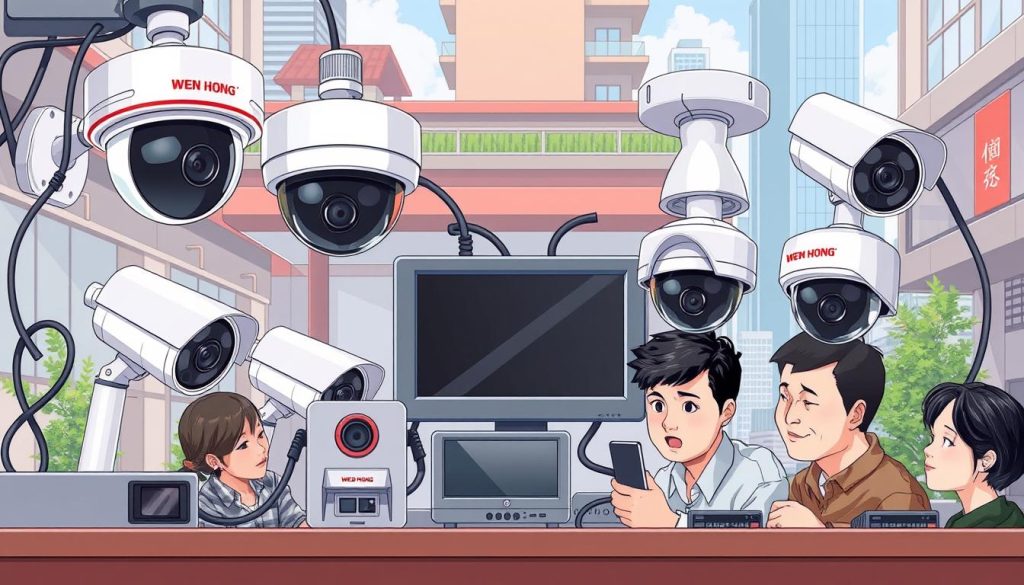
Choosing the right CCTV system is key for security in homes and businesses. Each system has its own features and benefits. Let’s look at the differences between wired and wireless systems and compare IP-based to analog systems.
Wired and Wireless CCTV Systems
Wired CCTV systems use cables for video signals, giving stable performance. They’re great for big places where security matters a lot. Wireless systems, on the other hand, are flexible and easy to set up. They’re perfect for small areas or places hard to wire.
IP-based vs. Analog CCTV Systems
IP-based systems use digital tech for video over the internet. They can send data and power through one Ethernet cable, making setup easier. This is different from analog systems, which need separate cables for power and video. IP cameras offer better quality and features like remote access, improving surveillance.
| Type | Wired CCTV | Wireless CCTV |
|---|---|---|
| Stability | Stable signal, less susceptible to interference | Flexibility in installation but may face signal interference |
| Installation | More complex due to cabling requirements | Simple installation, can be placed in various locations |
| Best Use Cases | Large facilities and high-security environments | Smaller installations or temporary setups |
| Type | IP-based Systems | Analog Systems |
|---|---|---|
| Video Quality | High resolution, better clarity | Limited resolution, often lower quality |
| Integration | Easily integrates with smart technologies | Less compatible with modern technology |
| Accessibility | Remote monitoring capabilities | Typically requires on-site viewing |
When to Seek Professional Help
Keeping your CCTV systems in top shape is key for security. But, some problems are too big for DIY fixes. Issues like software bugs or major hardware failures need expert help. It’s time to seek professional help for CCTV when you face complex issues that can’t be fixed by yourself.
Experts have the knowledge to make your security systems work better. Regular upkeep can prevent big problems, but about 80% of security system failures come from poor maintenance. If your cameras aren’t working well or are damaged, getting them fixed by a pro is important.
Also, things like moisture or chemicals can harm your cameras. If you see signs of wear or haven’t updated your camera’s software, a pro check is a good idea. Keeping your software up to date is vital to protect against cyber threats.
In short, knowing when to call for help can save you money and keep your security systems running smoothly. Regular care can make your systems last 30%-50% longer. It’s a smart move for your safety.
Key Maintenance Practices for Security Cameras
Keeping your security camera upkeep in check is key to effective surveillance. Start with monthly checks to make sure cameras are working right. Outdoor cameras need cleaning every few weeks, while indoor ones can go a few months without it.
It’s also important to update software and firmware regularly. These updates help fix bugs and boost performance. Make it a habit to check for updates every few months to keep your system running smoothly.
Don’t forget to test backup power systems monthly. This ensures they work when you need them most. Also, check your recording equipment, like hard drives, every six months to avoid losing data. These steps can save you up to 30% on maintenance costs.
Security cameras have unique needs that must be met to work well. A proactive approach to security camera upkeep can add 20% to 30% more years to their life. Plus, using an automated backup for your footage makes it safer and easier to access.
By sticking to these maintenance practices, you can greatly improve your surveillance system’s reliability. This, in turn, strengthens your overall security.
| Maintenance Task | Frequency | Purpose |
|---|---|---|
| Camera Inspections | Monthly | Ensure stability and functionality |
| Software Updates | Every Few Months | Enhance performance and security |
| Cleaning Lenses | Every Few Weeks (Outdoor) Every Few Months (Indoor) |
Maintain clarity and prevent obstructions |
| Backup Power Tests | Monthly | Verify functionality during outages |
| Storage Evaluation | Regularly | Avoid system overload and data loss |
Conclusion
Regular maintenance of your security cameras is key. It keeps them working well and prevents problems. In places like Singapore, where dust is common, cleaning them often is essential. This helps keep your surveillance system effective.
Looking after your CCTV systems is very important. It helps avoid issues like connection problems that can lead to security breaches. Also, it makes sure your system works as it should. By taking care of it, you can make it last longer and save money over time.
To make your security better, think about getting new, advanced systems. These can help protect your data and prevent unauthorized access. If you want to learn more about these options, contact Wen Hong at +65 6013 5960 today.
FAQ
How often should I perform security camera maintenance?
Check your cameras every day to make sure they’re working right. Clean and test the power supplies monthly. Do a full check of the camera housing and connections every quarter.
What are the key benefits of regular CCTV maintenance?
Keeping your CCTV system in check boosts security. It also saves money by avoiding costly repairs. Plus, it makes your equipment last longer.
What should I include in a security camera maintenance checklist?
Your checklist should cover camera checks, wiring assessments, and data integrity reviews. This ensures everything is well-maintained.
How can I troubleshoot common issues with my CCTV system?
First, check the camera lenses for dirt or damage. Then, look at the power supply and cables for wear. Regular checks can prevent many problems.
When should I seek professional help for my security cameras?
If you’re dealing with software glitches or hardware failures, get expert help. Professionals can keep your system running smoothly.
Source Links
- https://wenhong.com.sg/security-camera-maintenance-guide-for-singapore/
- https://insights.made-in-china.com/10-Essential-Security-Camera-Maintenance-Tips-to-Meet-Your-Surveillance-Needs_vfaAdjwGbxlW.html
- https://reconeyez.com/us/security-camera-maintenance/
- https://www.spottersecurity.com/blog/regular-maintenance-cctv-systems/
- https://cctvmaintenance.com.sg/types-of-maintenance-of-cctv-in-singapore-explained/
- https://bas-ip.com/articles/cctv-maintenance/
- https://info.verkada.com/surveillance-features/security-camera-maintenance/
- https://clearview-communications.com/insights/how-businesses-benefit-from-cctv-maintenance/
- https://www.nmcabling.co.uk/2023/03/the-importance-of-regular-cctv-maintenance-and-repairs/
- https://www.bluechipgulf.ae/complete-guide-cctv-maintenance-services/
- https://brillianttechnology.com.au/practical-tips-for-maintaining-your-cctv-security-system/?srsltid=AfmBOord59wLHEINj63usGYD_IC7SIyTrADBVEM8W68sEpbN_0SkKD-J
- https://www.surveillancezone.com.sg/cctv-maintenance-and-best-practices-for-security-systems/?srsltid=AfmBOopO9FNyMFj-aIGv7YbN4xfnmIbLwXEtNUYe_2pINk5Fxrq8oB2N
- https://brillianttechnology.com.au/practical-tips-for-maintaining-your-cctv-security-system/?srsltid=AfmBOopxOw9bLHXd2ug8l-OE5NuFcRJZwI8j8N8oC_YJfz5i1FdKqaJq
- https://wenhong.com.sg/what-are-the-types-of-maintenance-of-cctv/
- https://www.faultfixers.com/blog/comprehensive-cctv-system-preventive-maintenance-checklist
- https://www.cctv-camera.com.sg/articles/cctv-maintenance-checklist.html
- https://cctvmaintenance.com.sg/common-cctv-camera-issues-in-singapore-explained/
- https://network-data-cabling.co.uk/blog/12-common-cctv-problems-and-how-to-fix-them/
- https://www.pelco.com/blog/types-of-cctv-cameras
- https://www.avigilon.com/blog/types-of-cctv-cameras
- https://www.edviston.com/what-are-the-types-of-maintenance-of-cctv/
- https://mammothsecurity.com/blog/security-maintenance-tips
- https://www.theasg.com.au/blog/the-importance-of-regular-maintenance-for-security-systems
- https://blusky.com.au/best-practices-for-security-camera-maintenance/
- https://www.fieldex.com/checklist/cctv-cameras-maintenance-checklist
- https://www.arc.net.nz/hamilton-cctv-maintenance-for-beginners/
- https://www.surveillancezone.com.sg/cctv-maintenance-and-best-practices-for-security-systems/?srsltid=AfmBOoqs7zIwAfwVn6_btedjy6tqw6MAO6_4riFpYYc241UTWeVAsBNA
- https://www.linkedin.com/pulse/importance-regular-cctv-camera-maintenance-upgrades-chandan-kumar-mr4yc


