
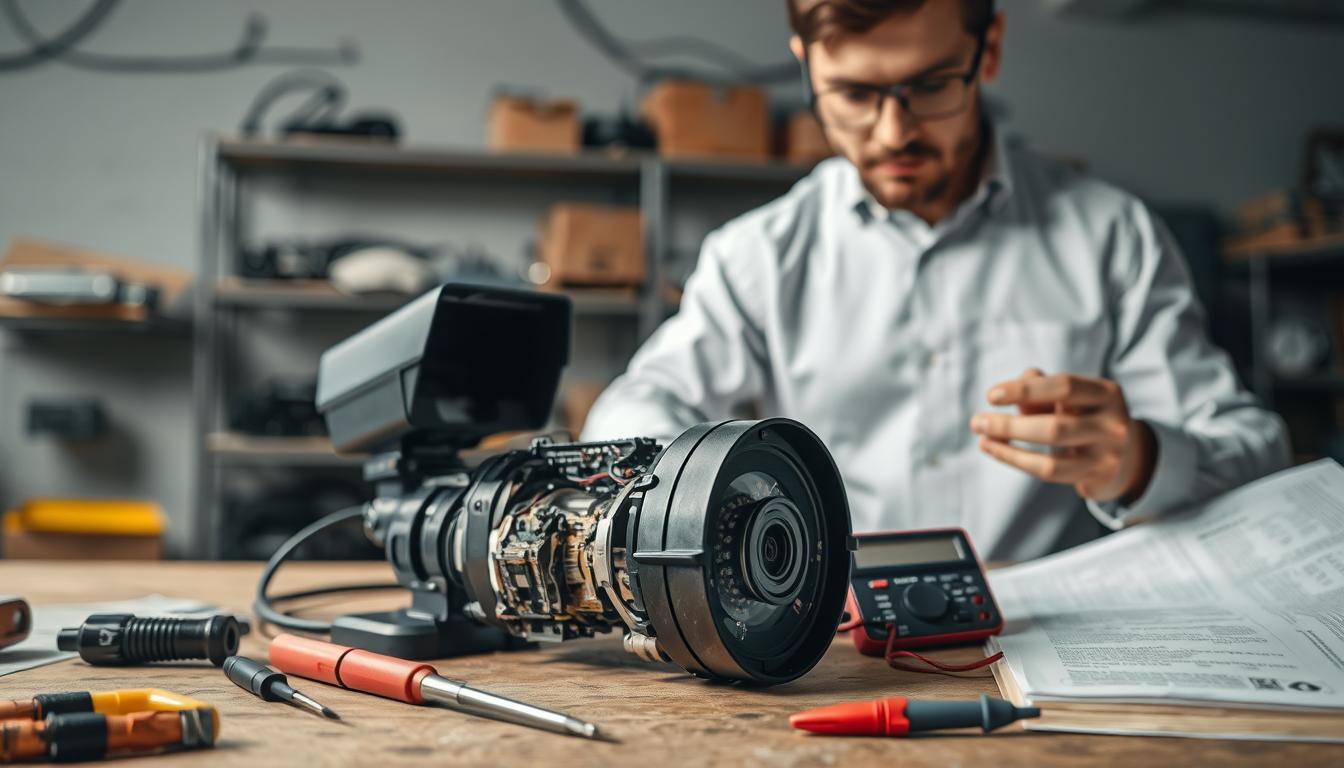
Is CCTV Camera Repairable? Tips for Repairing CCTV
When your surveillance system stops working, you face a critical decision. Should you replace the entire setup or attempt to fix it? This question troubles many homeowners and business operators in Singapore.
Understanding whether your security gear can be restored saves money and reduces electronic waste. Professional service centers play a vital role in this evaluation process. They assess faulty equipment to determine the best course of action.
Fixing malfunctioning devices often costs less than buying new ones. It represents a smart financial move for budget-conscious users. The environmental benefit of avoiding premature disposal is another significant advantage.
The specific problem with your camera dictates what repair options exist. Local expertise and part availability in Singapore influence your choices. This guide explores these factors to help you make informed decisions about your surveillance investment.
Key Takeaways
- Many surveillance system issues can be fixed, extending the equipment’s lifespan.
- Repairing security gear is often more cost-effective than immediate replacement.
- Choosing to fix devices supports environmental sustainability by reducing waste.
- The success of a repair depends on the specific malfunction and component availability.
- Singapore has specialized service centers that can diagnose and resolve common problems.
- Initial troubleshooting can identify simple fixes before seeking professional help.
- Understanding repair options empowers you to make better financial decisions for your security setup.
Understanding Your CCTV System’s Role in Security
Effective monitoring technology serves as the first line of defense for both residential and commercial properties. This security system does more than just record events. It actively deters criminal activity and provides crucial evidence when needed.
Why CCTV is a Cornerstone of Modern Security in Singapore
In Singapore’s urban environment, visual monitoring plays multiple vital roles. It offers real-time observation of premises, helping to prevent incidents before they occur. The presence of these devices alone can significantly reduce unwanted activity.
Recorded footage becomes invaluable evidence for law enforcement. This documentation helps resolve disputes and investigate incidents thoroughly. For business operators and homeowners, this technology delivers essential peace of mind.
“Visible surveillance infrastructure creates a powerful psychological deterrent in public and private spaces.”
Studies consistently show that areas with comprehensive monitoring experience lower crime rates. The surveillance system acts as both witness and guardian. This dual function makes it indispensable for modern property protection.
Core Components: From Lenses and Sensors to DVRs/NVRs
Understanding how your equipment functions begins with knowing its basic parts. Each component plays a specific role in capturing, processing, and storing visual information. These features work together to create a complete monitoring solution.
The lens focuses light onto an image sensor inside the device. This sensor, typically CCD or CMOS technology, converts light into electronic signals. This process creates the raw video data that forms your footage.
Recording devices handle storage and playback functions. Digital Video Recorders (DVRs) work with traditional analog cctv cameras. Network Video Recorders (NVRs) manage IP-based systems with digital connections.
Power supplies and cabling represent other critical things in your setup. Reliable power ensures continuous operation, while proper wiring maintains signal integrity. These elements support the key cameras that monitor your property.
When all components function correctly, you get clear, reliable surveillance coverage. Knowing this basic cctv system anatomy helps identify where problems might originate. This knowledge becomes valuable during troubleshooting and maintenance discussions.
Recognizing When Your CCTV Camera Needs Attention
Spotting the early indicators of trouble in your visual monitoring network is crucial for maintaining uninterrupted protection. These initial signs are often easy to miss but serve as vital warnings. Addressing them promptly can prevent a minor hiccup from becoming a major security gap.
Regular observation of your surveillance feed is the first step in this proactive approach. Look for changes in performance that deviate from normal operation. This vigilance helps preserve your investment and ensures your property remains secure.
Early Warning Signs of a Failing System
Your equipment often whispers before it screams. Intermittent video feeds that cut in and out represent a common early symptom. Occasional pixelation or color distortion in the footage is another red flag.
Listen for unusual humming or buzzing noises from the device housing. These sounds can indicate power supply problems or internal component stress. Physical signs like moisture inside the lens cover or a slightly misaligned mount also warrant investigation.
These minor issues typically point to specific component wear. A flickering infrared LED at night suggests power regulation failures. Slightly grainy images during the day might mean the image sensor is beginning to degrade.
Ignoring these warnings allows the problems to progress. What starts as occasional pixelation can become permanent video loss. A faint buzzing noise may escalate to a complete power outage for that cctv camera.
“The most expensive repair is the one needed during an emergency that could have been prevented by earlier attention.”
The Impact of Neglect on Surveillance Effectiveness
Postponing maintenance creates significant security vulnerabilities. The most immediate risk is blind spots in your coverage. A single malfunctioning unit can leave a critical entrance or valuable asset completely unmonitored.
This gap leads to missed incidents that never get recorded. Even if other devices capture peripheral activity, the evidence may be incomplete or unusable. Corrupted footage from a failing storage device compounds this damage.
Perhaps the most dangerous consequence is the false sense of security. You may believe your property is protected when key areas have no functional surveillance. This illusion can be shattered during a break-in or accident.
Consider a slowly degrading cable connection. It might cause brief “video loss” errors for weeks before failing entirely. During that time, the feed could drop out at the exact moment an incident occurs, leaving no record.
System downtime during critical moments represents the ultimate cost of neglect. Regular checks of video quality and system alerts help avoid this scenario. Proactive care ensures your security setup performs when it matters most.
Common CCTV Camera Malfunctions and Their Symptoms
Diagnosing faults in security equipment begins with recognizing specific symptom patterns linked to common component failures. This section acts as a diagnostic guide, helping you match what you see on screen to likely hardware or software issues. Understanding these correlations is the first step toward an effective solution.
Video Loss or No Signal
A blank screen or “no signal” message is one of the most frequent alarms. This common problem often stems from interrupted power or broken data pathways.
Start by checking the simplest causes. Ensure all cables are firmly seated at both the device and recorder ends. Inspect for visible damage like cuts or crimps in the wire.
For network-based cameras, verify the unit has a valid IP address and can communicate with your router. IP conflicts can knock a device offline. Restarting both the recording system and the affected unit often resolves temporary glitches.
More complex causes include a failed power adapter or internal recorder hardware failure. If a single device loses video while others work, focus on its dedicated connections and power source.
Poor Image Quality: Blurriness, Fog, and Infrared Glare
When footage lacks clarity, the culprit is usually the lens or environmental factors. Blurry images suggest a dirty or misaligned optical element.
Gently clean the exterior dome or lens cover with a microfiber cloth. Avoid abrasive cleaners. Persistent blurriness may indicate internal focus mechanism failure.
Foggy or hazy footage, especially after rain, points to condensation inside the housing. This breaks the weather seal. The unit may need disassembly and drying, followed by resealing.
Infrared glare creates “whiteout” zones at night. This occurs when built-in IR LEDs reflect off nearby surfaces like walls or windows. Repositioning the device or using an external IR illuminator often fixes this quality issue.
Power Supply and Electrical Connection Failures
Inconsistent operation frequently traces back to electrical problems. Faulty adapters, insufficient voltage, or surge damage are top reasons for unit failure.
Use a multimeter to test the adapter’s output. A healthy 12V DC adapter should read between 11.4V and 12.6V. Readings outside this range indicate a bad power supply.
Check for loose terminal connections in junction boxes. Corrosion on wire ends increases resistance and can cause intermittent shutdowns. Ensure all electrical contacts are clean and tight.
Power surges from lightning or grid fluctuations can fry sensitive circuitry. Using a surge protector for your entire surveillance system is a wise preventive measure.
“A multimeter is the most valuable tool for diagnosing power-related failures. It instantly tells you if voltage is present and within specification.”
Network Connectivity and WiFi Issues
Wireless and IP cameras introduce a different set of potential issues. Signal drops and laggy video streams are typical complaints.
Weak WiFi signal strength is the usual suspect. Use your phone or a network analyzer app to check signal levels at the camera’s location. Thick walls or long distances degrade performance.
Router configuration problems can also block access. Ensure your network isn’t overloaded with devices. Bandwidth limitations might throttle the video feed during peak usage times.
For wired IP units, verify Ethernet cables are undamaged and properly connected. A faulty network cable can cause the same “no signal” error as a power failure.
Physical Damage to Housings, Lenses, and Cables
Outdoor installations face constant environmental stress. Weather-related wear, accidental impact, or vandalism can cause visible harm.
Frayed or chewed cables expose wires to moisture and cause short circuits. Inspect cable runs regularly, especially where they enter buildings.
Cracked housings allow water and insects inside, leading to internal corrosion. A bent mount can misalign the unit’s field of view, creating blind spots.
A scratched or broken lens ruins image quality permanently. Physical damage often requires part replacement rather than simple repair.
Regular visual inspections of all external components help catch minor damage before it leads to complete failure. Secure cables and use protective conduits in vulnerable areas.
Is CCTV Camera Repairable? Assessing Your Situation
The feasibility of fixing your monitoring devices hinges on a combination of technical and economic factors. Not every malfunction means you need a brand new unit. A thoughtful evaluation can save significant money and extend your system’s life.
This assessment helps you move from noticing a problem to understanding your options. It provides a clear framework for decision-making. You can determine whether restoration is possible and sensible for your specific case.
Key Factors That Determine Repairability
Several elements influence whether a security device can be successfully restored. The age and technological relevance of your gear come first. Older models may use obsolete parts that are hard to find or too expensive.
Availability of replacement components is another critical factor. Common power supplies and standard lenses are usually easy to source. Proprietary chips or discontinued sensors present much bigger challenges.
The complexity of the fault itself matters greatly. Simple wiring issues or dirty lenses are often straightforward fixes. Internal circuit board damage or water infiltration requires advanced technical skill.
Don’t forget to check for an active manufacturer warranty. This agreement might cover the repair costs completely. It’s always the first thing to verify before spending any money.
Technological obsolescence is a real concern in fast-moving industries. A ten-year-old unit might work, but its resolution could be very low by today’s standards. Investing in camera repair for severely outdated technology is rarely worthwhile.
When Repair is the Most Practical and Cost-Effective Choice
Fixing your equipment is often the smartest financial move. This is especially true for relatively new devices with minor issues. The cost difference between restoration and full replacement can be substantial.
Consider repairs when the estimated service charge is less than 50-60% of a new equivalent unit. A faulty power adapter or loose connection typically falls into this category. These are common problems with simple solutions.
High-end professional gear with valuable lenses and sensors is usually worth fixing. The core imaging components in these models retain their quality and value. Restoring them protects your initial investment.
“A general rule for surveillance systems: if the repair cost is less than half the price of a new, comparable unit, fixing it is usually the economically sound choice.”
Simple physical damage, like a cracked housing from a minor impact, is often repairable. As long as the internal electronics are intact, a new outer shell can restore full functionality. This avoids the need to recalibrate and remount an entirely new device.
Contrast this with situations where restoration is impractical. Widespread water damage to internal circuitry usually means total failure. The failure of a proprietary component no longer in production can also make a fix impossible.
Evaluating these factors gives you power over your security budget. You make informed choices that balance performance, cost, and longevity. This practical approach ensures your surveillance remains effective without unnecessary spending.
Step-by-Step DIY Troubleshooting for Homeowners
Before reaching for the phone to call a technician, try these proven do-it-yourself fixes for your monitoring equipment. Many common problems have simple solutions you can handle yourself. This approach saves time and money while keeping your security operational.
Following a logical sequence helps identify the root cause of most issues. Start with basic checks before moving to more involved procedures. These methods are safe and effective for typical residential setups in Singapore.
Initial Checks: Power, Connections, and Rebooting
Always begin with the fundamentals. Verify that all devices have power by checking indicator lights. A dark LED often points to electrical supply problems.
Examine all physical connections at both ends. Push cables firmly into their ports on the recording unit and each security device. Loose plugs cause most intermittent signal issues.
Perform a complete power cycle to clear software glitches. Unplug your entire surveillance system from the wall for 60 seconds. This reset can resolve temporary communication errors.
These three steps solve many basic functionality problems. They ensure your equipment is working right before you investigate deeper causes.
Cleaning Camera Lenses and Housings for Clarity
Image quality often suffers from accumulated grime. Dust, spider webs, and water spots blur your view. Regular cleaning maintains optimal performance.
Use a soft microfiber cloth for the exterior dome or lens cover. Gently wipe in a circular motion to avoid scratches. For stubborn spots, apply a small amount of lens cleaning fluid to the cloth first.
An air blower removes loose dust from crevices without contact. Pay special attention to the housing edges where insects might build nests. Clean glass surfaces every few months in Singapore’s humid climate.
This simple maintenance greatly improves video clarity. It prevents minor obstructions from becoming major visibility issues.
Resetting Camera and System Settings to Default
Configuration errors sometimes corrupt device operation. A factory reset clears these software problems. First, note your current settings for easy restoration later.
Locate the reset button on your individual security device. Use a paperclip to press it for 10-15 seconds. The unit will reboot with original manufacturer configurations.
For the main recording unit, access the system menu. Find the factory default option in the settings panel. This process resolves connectivity glitches and frozen interfaces.
“Documenting your custom settings before a reset prevents hours of reconfiguration work afterward.”
Resetting often fixes mysterious issues that seem hardware-related. It’s a crucial software troubleshooting step for any modern surveillance system.
Inspecting and Securing Cables and Wiring
Physical infrastructure forms the backbone of reliable monitoring. Regularly examine all cables for damage. Look for fraying, chew marks from pests, or corrosion on connectors.
Check that conduit and mounting clips are intact. Loose wiring vibrates in wind, weakening connections over time. Secure any dangling cables to prevent accidental disconnection.
Test power delivery along cable runs if possible. Use a multimeter to verify voltage reaches each device. Poor electrical flow causes many performance problems.
This inspection routine prevents unexpected failures. It helps make sure your entire setup remains robust through Singapore’s weather variations.
Essential Tools for Basic CCTV Camera Maintenance and Repair
Transforming abstract troubleshooting steps into concrete actions requires a curated collection of specialized tools. The right implements empower homeowners to perform basic upkeep and straightforward fixes. This turns potential frustrations into manageable, money-saving tasks.
A well-organized toolkit makes routine preventive maintenance quicker and more effective. Having these items on hand facilitates timely interventions. It ultimately protects your security investment.
Must-Have Diagnostic Tools: Multimeters and Testers
A digital multimeter stands as the most valuable diagnostic device for any security setup. This tool lets you verify electrical output from adapters with precision. You can check if a 12V DC power supply delivers the correct voltage.
Testing for continuity in wires is another critical function. It helps identify broken conductors inside seemingly intact cables. This simple test saves hours of guesswork when video signals fail.
For network-based systems, a basic network tester can verify cable integrity. It checks if Ethernet connections are properly terminated. These diagnostic solutions provide clear answers about hardware functionality.
Basic Toolkit: Screwdrivers, Cleaning Supplies, and Spare Cables
Precision screwdrivers are non-negotiable for accessing internal components. A set should include Phillips head and flathead types. For certain brands, Japanese Industrial Standard (JIS) drivers prevent screw head damage during disassembly.
An anti-static wrist strap protects sensitive electronics from static discharge. Cable crimpers and connectors allow you to create custom-length wires. Having common spare parts like 12V DC plugs and BNC connectors avoids project delays.
Specialized cleaning supplies maintain optical clarity. A rocket air blower removes dust from crevices without contact. Lens cleaning pens and microfiber cloths keep viewing elements spotless.
Isopropyl alcohol is perfect for cleaning oxidized electrical contacts. It restores conductivity on connector pins. These simple things make a dramatic difference in system reliability.
“Investing in quality tools pays for itself many times over by preventing minor issues from becoming major repair bills.”
Keep a selection of common cables in various lengths ready for quick replacements. This preparedness is key for swift resolutions. Always make sure your toolkit includes these essentials.
For complex cctv camera repair needs, professional repair services offer specialized services. However, basic tool ownership makes you less dependent on external help. It builds confidence in managing your own security infrastructure.
When to Call a Professional CCTV Technician
While DIY approaches solve many issues, certain malfunctions demand the precision of trained professionals. Recognizing this boundary protects your security investment and prevents well-intentioned efforts from causing further harm. Knowing when to step back and call for help is a sign of responsible ownership.
Professional repair services become essential when troubleshooting reaches its natural limits. Complex technical problems or extensive physical damage often fall into this category. A skilled technician brings specialized tools and knowledge that most homeowners lack.
Identifying Problems Beyond DIY Fixes
Specific red-flag scenarios clearly indicate the need for expert intervention. Suspected internal circuit board failure is a prime example. This requires component-level diagnosis and often specialized soldering equipment.
Water ingress into the device housing represents another critical situation. Moisture can corrode delicate electronics over time. Proper drying and resealing demand technical skill to prevent recurrence.
Complex network configuration issues involving routers and firewalls also warrant professional attention. These software and connectivity challenges can frustrate even tech-savvy users. A pro understands how different network components interact.
Problems with the central recording unit’s hard drive or motherboard are particularly serious. These components store all your surveillance footage. Incorrect handling during DIY attempts could lead to permanent data loss.
When advanced features like motion detection or night vision malfunction, proper calibration is key. These systems require precise adjustment to work effectively. Professional technicians have the experience to optimize these settings correctly.
The Value of Expertise for Complex Hardware and Software Issues
A qualified technician offers more than just immediate fixes. They provide comprehensive solutions based on deep system understanding. Their expertise extends across multiple brands and technologies.
These experts possess proprietary diagnostic tools unavailable to the public. They can access manufacturer-specific software for advanced troubleshooting. This specialized equipment helps identify hidden issues before they cause complete failure.
“A professional assessment often reveals underlying problems that DIY diagnostics miss, preventing future breakdowns and optimizing overall system performance.”
Beyond fixing the immediate concern, a thorough professional services visit includes a full health check. The technician examines your entire security system for potential weak points. They test power supplies, inspect cabling, and verify recording integrity.
This comprehensive approach identifies other components nearing the end of their lifespan. The expert can then recommend preventive measures or strategic upgrades. This proactive maintenance extends your equipment’s useful life.
For complex installations or multi-camera setups, professional knowledge is invaluable. Understanding how different components interact within a complete cctv system requires experience. The technician ensures all elements work together seamlessly.
Calling a professional represents a smart, responsible choice rather than an admission of defeat. It protects your security investment and ensures reliable protection for your property. This approach gives you confidence that your surveillance will perform when needed most.
Finding a Qualified CCTV Repair Service in Singapore
With numerous options available, identifying a qualified technician demands attention to specific credentials and reputation. The right choice ensures your security equipment returns to optimal function quickly. This practical guide helps you vet providers in the local market effectively.
What to Look For: Certifications, Reviews, and Brand Experience
Start your search by verifying professional certifications. Look for technicians trained by manufacturers like Hikvision or Dahua. Certifications from the Professional Security Association (PSA) add another layer of credibility.
Online feedback offers real-world insight into service quality. Check Google Reviews and forums like HardwareZone for customer testimonials. Consistent positive feedback indicates reliable repair services.
Brand-specific experience matters for complex diagnostics. A provider familiar with your equipment model understands its unique features. This expertise leads to faster, more accurate solutions.
Navigating Local Service Centers and Authorized Partners
Manufacturer-authorized service centers provide significant advantages. They guarantee the use of genuine replacement parts for your devices. These partners also honor original warranties, protecting your investment.
Their technicians receive direct training from the brand. This ensures they know the latest repair methods and software updates. You get access to specialized tools and proprietary diagnostic services.
“Authorized service centers maintain direct communication channels with manufacturers, enabling them to resolve even rare technical issues efficiently.”
When contacting a provider, describe your problem clearly. Note any error messages or unusual behavior. Ask about estimated turnaround times and warranty coverage on their work.
Don’t overlook your original installation company. They often provide maintenance services or can recommend trusted experts. Reputable local security shops also maintain networks of reliable technicians.
Getting multiple quotes helps you understand fair pricing. Compare what each service includes in their assessment fee. A transparent provider will explain costs before starting any work.
Taking these steps helps you find competent help today. Your surveillance system deserves professional care from qualified pros. This approach restores your peace of mind quickly.
The Financials: Understanding CCTV Camera Repair Costs
The price tag for fixing surveillance gear varies significantly based on multiple economic considerations. Smart budgeting for security maintenance requires clear insight into service charges. This knowledge helps you allocate funds effectively for your protection needs.
Understanding these financial factors prevents unexpected expenses. It transforms guesswork into informed planning for your security infrastructure.
Factors Influencing Repair Costs: Labor, Parts, and Complexity
Several elements combine to determine your final service bill. Labor represents a major portion of the expense. Technician rates differ for workshop service versus on-site visits to your property.
Replacement part pricing creates another variable. A simple power cable might cost under twenty dollars. A specialized lens assembly could run into the hundreds.
The complexity of the malfunction directly affects the time required. Basic cleaning takes under an hour. Diagnosing intermittent electrical problems demands extensive testing.
Many providers charge a separate diagnostic fee. This covers the initial assessment to identify the root cause. Some shops apply this fee toward the total if you proceed with the repair.
Cost Comparison: Repair vs. Replacement in the Current Market
Singapore’s security market offers clear price benchmarks for decision-making. Fixing a mid-range dome unit typically ranges from S$150 to S$300. A comparable new device costs between S$200 and S$400.
This comparison reveals the economic repair threshold. Experts suggest a 60-70% guideline. When restoration exceeds this percentage of replacement value, buying new often makes better financial sense.
Consider the existing installation infrastructure. Your current wiring and mounts already work with the old unit. A new cctv camera might need different connectors or power requirements.
“The smartest financial move considers both immediate service charges and long-term value retention of your security investment.”
Replacement carries hidden expenses many overlook. Reconfiguration time, compatibility checks, and disposal fees add to the total. These costs can make fixing your current equipment more attractive.
For older models, the calculation changes. Finding parts for discontinued devices becomes difficult and expensive. In these cases, the money spent on repairs might exceed a modern unit’s price.
Physical damage assessment follows similar logic. Minor housing cracks are often worth fixing. Extensive internal harm usually justifies replacement.
Making the right choice today protects your budget. It ensures your surveillance remains effective without wasteful spending. Professional camera repair services provide detailed quotes to guide this decision.
Preventive Maintenance to Avoid Costly Repairs
Building a routine maintenance plan is the smartest investment you can make in your surveillance infrastructure. This proactive approach shifts your focus from fixing breakdowns to preventing them. It ensures your security setup remains reliable and effective over many years.
Regular care extends the lifespan of your equipment dramatically. It also protects the clarity and consistency of your video feeds. A well-maintained surveillance system provides peace of mind without unexpected failures.
Creating a Regular CCTV System Checkup Schedule
A structured schedule turns vague intentions into actionable tasks. We recommend quarterly visual inspections for most properties in Singapore. These quick checks catch problems before they escalate.
Bi-annual deep cleanings provide more thorough care. This timing works well with Singapore’s seasonal weather patterns. Your maintenance checklist should include several key tasks.
- Physically clean all device housings and lenses with a microfiber cloth.
- Check cable conduits for integrity and secure mounting.
- Verify that mounting brackets remain tight and properly aligned.
- Test night vision infrared LEDs for consistent performance.
- Inspect power supplies and connections for signs of wear.
This routine addresses the most common failure points. Clean lenses prevent blurry video that obscures important details. Secure connections stop signal loss that creates blind spots.
Document each inspection in a simple log. Note the date, tasks completed, and any observations. This record helps track your system‘s health over time.
It also provides valuable data if you need professional assistance later. A maintenance log shows consistent care, which can affect warranty claims. Make sure your schedule is realistic and sustainable for your property.
The Critical Importance of Firmware and Software Updates
Digital components require different care than physical hardware. Your software and firmware need regular updates to stay secure and functional. Manufacturers release these updates to address specific issues.
Updates patch security vulnerabilities that hackers might exploit. They fix software bugs that cause glitches or crashes. Sometimes they even add new features to older equipment.
Outdated firmware is a common source of network problems. It can cause devices to drop offline unexpectedly. It may also create compatibility issues with newer network equipment.
“An unpatched security system is like leaving your front door unlocked. Updates are the digital locks that keep intruders out of your network.”
Checking for updates is straightforward for most modern cameras. Log into your recorder’s web interface or mobile app. Look for a system settings or maintenance section.
Always back up your configuration before updating. Follow the manufacturer’s instructions carefully. Never interrupt power during a firmware installation.
Schedule updates during low-activity periods. Early morning or weekends work well for most homes and businesses. This minimizes disruption to your monitoring coverage.
The return on investment for this maintenance time is substantial. You’ll experience fewer emergency repairs and service calls. Your video quality remains consistent, and system uptime maximizes.
Proactive care transforms your security from a cost center into a reliable asset. It protects your initial investment and ensures continuous protection. This disciplined approach delivers value for years to come.
Weighing Repair Against Replacement for Your CCTV Camera
Strategic equipment decisions extend beyond simple price comparisons to consider technological relevance and sustainability impacts. This final evaluation determines whether your investment continues to deliver adequate protection. A structured framework helps balance practical needs with financial and ethical concerns.
Evaluating the Age, Technology, and Future-Proofing of Your System
Begin by assessing if your current technology still meets core security requirements. Older analog units with 720p resolution may lack the detail needed for identification. Modern 4K devices provide significantly clearer images for investigating incidents.
Integration capabilities represent another critical factor. Can your existing setup connect with smart home platforms or newer network recorders? Outdated protocols might prevent seamless operation with contemporary surveillance solutions.
The age of your equipment often indicates its remaining reliable service life. Units beyond five years may experience increasing component failures. Repeated malfunctions signal diminishing returns on further repair investments.
Future-proofing considers how well your system adapts to evolving security threats. Newer models offer advanced features like artificial intelligence analytics. These capabilities detect unusual activity more effectively than basic motion sensors.
Consider whether your current cameras support essential modern functions. Enhanced low-light performance ensures clear footage during nighttime hours. Two-way audio and smart alerts provide interactive monitoring options.
“Investing in repeated repairs for obsolete technology often costs more than upgrading to a modern system with longer expected service life.”
Allocate funds wisely between maintaining outdated hardware and adopting improved solutions. A newer setup with better features might offer superior long-term value. This forward-thinking approach protects your property more effectively.
Environmental and Sustainability Considerations
The ecological impact of electronic waste deserves serious attention in decision-making. Discarding functional hardware contributes to Singapore’s growing e-waste challenge. Repairing devices aligns with national sustainability goals and reduces environmental harm.
Manufacturing and shipping new electronics generate substantial carbon emissions. Extending your current system’s lifespan minimizes this ecological footprint. Each repaired unit avoids the resource consumption required for replacement production.
Consider the complete lifecycle of your security equipment. Quality devices often remain technically capable beyond their warranty periods. Responsible maintenance maximizes their useful service while minimizing waste.
Local repair services support circular economy principles within Singapore. They keep materials in use and reduce dependency on new imports. This approach benefits both your budget and the community’s environmental health.
When the core imaging components remain sound, restoration represents the sustainable choice. You preserve functional hardware while avoiding unnecessary manufacturing impacts. This balanced perspective considers both immediate needs and long-term responsibility.
Replacement becomes justified when existing technology cannot provide necessary security detail. Obsolete systems with repeated failures compromise property protection. In these cases, upgrading to capable modern solutions ensures reliable surveillance.
Make your final decision by weighing all these factors together. Technical capability, financial sense, and environmental impact all matter. The right choice delivers effective security while aligning with your values and budget.
Navigating Warranties and Service Agreements in Singapore
Navigating warranty terms and service contracts ensures you maximize value from your surveillance setup over its entire lifespan. These agreements transform unexpected equipment failures from financial burdens into manageable events. Understanding your coverage options is essential for protecting your security investment.
Most major brands offer specific support policies for the South Asia Pacific region. Companies like Hikvision and Axis have dedicated local channels. Their Return Merchandise Authorization (RMA) processes streamline getting help when you need it.
Understanding Manufacturer RMA Policies and Local Support
When your device malfunctions, checking warranty status should be your first step. If covered, professional fixing is usually the best financial choice. Standard coverage typically lasts one to three years for most brands.
Warranty terms generally include both parts and labor for manufacturing defects. However, unauthorized tampering or physical damage often voids this protection. Always consult your documentation before attempting any DIY fixes.
The RMA process begins by contacting the manufacturer or an authorized center. You’ll receive a specific authorization number for tracking. Properly packaging your unit according to their guidelines prevents additional damage during shipping.
Typical turnaround time for warranty service ranges from one to three weeks. This depends on part availability and diagnostic complexity. Local Singapore support centers often provide faster resolutions than overseas facilities.
How Service Contracts Can Simplify Maintenance and Repairs
Paid annual service agreements offer comprehensive support beyond basic warranties. These contracts provide scheduled maintenance visits by qualified technicians. They include discounted labor rates and faster emergency response times.
Many agreements cover minor replacement parts like cables or connectors. This predictable cost structure helps budget for long-term security system care. It ensures professional help is available exactly when needed.
Checking your warranty status is straightforward today. Visit the manufacturer’s website and enter your device’s serial number. This lookup reveals remaining coverage and eligible services.
Registering your products immediately after purchase streamlines future support claims. It creates an official record with the company. This documentation proves essential during the RMA process.
“A comprehensive service contract transforms unpredictable repair expenses into manageable annual costs, ensuring your surveillance system receives professional care throughout its operational life.”
These agreements represent smart solutions for maintaining complex cctv installations. They provide peace of mind knowing experts will handle any issues. This professional support keeps your monitoring system functioning optimally.
Always make sure you understand what your contract includes before signing. Clarify response times, coverage limits, and renewal terms. This knowledge helps you choose the right repair services for your specific needs.
Combining warranty benefits with strategic service contracts creates a robust support framework. Your surveillance equipment remains protected from purchase through its entire service life. This approach delivers maximum value from your security investment.
Making an Informed Decision for Your CCTV System
Armed with comprehensive insights, you can now approach equipment issues with confidence and clarity. This guide provides a clear pathway for resolving surveillance challenges effectively.
Start with systematic DIY checks for common problems. Then assess the situation based on cost, age, and fault complexity. Engage professional expertise when needed for complex repair tasks.
The balanced approach makes financial and environmental sense. Fix your security gear when economically sensible. Consider strategic replacement as a prudent long-term investment.
Your ultimate goal is reliable protection for people and property. With this knowledge, you can make the best choice for your cctv system in Singapore today.
FAQ
What are the most common signs my surveillance system needs service?
Watch for a loss of video signal, blurry or distorted pictures, and unexpected outages. If your infrared night vision creates a white glare or the feed flickers, these are clear indicators your equipment might need professional attention.
Can I fix my security cameras myself, or should I call an expert?
A> You can perform basic maintenance like cleaning the lens, checking cable connections, and rebooting the recorder. For complex electrical failures, network problems, or internal damage, contacting a certified technician is the safest and most effective solution.
How do repair costs compare to buying a new security system?
A> Repair is often more cost-effective for minor issues like a bad cable or a simple reset. If your technology is outdated or the main board is damaged, investing in a modern, higher-quality replacement may offer better long-term value and enhanced features.
What should I look for when choosing a repair service in Singapore?
A> Seek providers with strong brand-specific experience, positive customer reviews, and relevant certifications. Authorized service centers for your product are ideal, as they have direct access to genuine parts and updated technical support.
How can I prevent future failures and extend my system’s lifespan?
A> Implement a regular maintenance schedule. This includes cleaning housings, checking for weather damage, securing all wiring, and consistently updating your device’s firmware. These proactive steps help avoid major problems and ensure reliable performance.


