
How to Know If Are CCTV cameras always recording?
Modern security systems have become essential for both homes and businesses. Many people wonder about their continuous recording capabilities. Understanding how these surveillance systems work is crucial for effective protection.
Surveillance technology has evolved significantly over time. Today’s systems offer various recording modes and features. Knowing your camera’s recording patterns helps optimize security coverage.
This knowledge is particularly valuable in Singapore’s security-conscious environment. Different factors affect recording capabilities, including power sources and settings. We’ll explore how to verify your system’s recording status effectively.
Key Takeaways
- Most security cameras don’t record continuously 24/7
- Recording patterns depend on system settings and features
- Motion detection significantly impacts recording activity
- Power source and storage capacity affect recording duration
- Understanding your specific system’s capabilities is essential
- Proper setup ensures optimal security coverage
- Regular verification maintains system effectiveness
Understanding the Core Function of CCTV Systems
Security monitoring devices operate through interconnected components working together. Each piece plays a vital role in capturing and storing visual information. Modern surveillance technology offers sophisticated features for various security needs.
Proper setup ensures optimal performance for your specific situation. Singapore’s urban environment demands reliable protection solutions. Understanding how these elements interact helps maximize your investment.
Key Components of a Surveillance Setup
Every security monitoring arrangement contains several essential parts. Capture devices serve as the eyes of your operation. They come in different forms with varying capabilities.
Recording equipment processes and stores visual data. Digital Video Recorders handle traditional analog feeds. Network Video Recorders manage internet protocol devices.
Display interfaces allow real-time viewing of monitored areas. Connection methods include wired and wireless configurations. Modern setups often incorporate motion sensing technology.
Infrared capabilities enable nighttime operation. This feature maintains protection during low-light conditions. Storage management becomes more efficient with smart activation.
The Fundamental Principle: Power Equals Operation
Electricity availability directly determines system functionality. Without consistent energy supply, devices cannot perform their duties. This principle applies to all security monitoring equipment.
Different configurations have unique energy requirements. Wired setups typically draw power through cables. Wireless options might use batteries or solar panels.
Power interruptions immediately halt all recording activities. Critical moments might be missed during outages. Backup solutions provide continuity during electrical problems.
Uninterruptible Power Supplies maintain operation during brief disruptions. Generators offer longer-term energy support. Proper power planning ensures consistent surveillance coverage.
Are CCTV Cameras Always Recording? The Central Question Answered
Many security system owners wonder about their equipment’s operational patterns. The truth is that modern surveillance technology offers multiple recording approaches. Each method serves different security needs and environments.
Singapore’s diverse security landscape requires flexible solutions. Understanding these recording modes helps optimize your protection strategy. Let’s examine the two primary operational methods available today.
Continuous 24/7 Recording Mode
Some security systems operate without interruption. These setups capture everything within their view constantly. This approach provides comprehensive coverage without gaps.
High-security environments benefit greatly from this method. Banks, government facilities, and jewelry stores often use it. Nothing escapes documentation with continuous operation.
Complete surveillance coverage remains the biggest advantage. You never miss any activity, day or night. This reliability comes with significant storage demands.
Massive amounts of video data require substantial archiving space. Managing this footage becomes an important consideration. Proper storage solutions ensure smooth operation.
Motion-Activated Recording Mode
Many modern setups use intelligent activation technology. These systems begin capturing footage only when movement occurs. This smart approach conserves valuable resources.
Residential properties and small businesses often prefer this method. It focuses on relevant activity while ignoring empty scenes. Storage requirements drop dramatically with this efficiency.
Motion detection technology has advanced significantly. Modern sensors can distinguish between people, animals, and vehicles. This precision reduces false alarms and wasted storage.
Energy consumption decreases with intermittent operation. Battery-powered devices last much longer this way. Environmental factors like wind or rain rarely trigger modern systems.
“Smart recording features like motion detection allow users to conserve resources and focus on capturing what truly matters.”
Each recording mode serves specific purposes effectively. Continuous operation suits high-risk environments perfectly. Motion-activated systems work best for most residential applications.
Your choice depends on security needs and available resources. Many modern systems offer both options within one setup. This flexibility allows customized protection for any situation.
How Power Source Dictates Recording Capability
Electricity availability directly controls every surveillance operation. Without consistent power, these security tools cannot capture or store visual information. Different energy sources create varying recording patterns and limitations.
Singapore’s tropical climate brings occasional power disruptions. Understanding your system’s energy needs prevents security gaps. Proper power planning ensures reliable protection for your property.
Wired vs. Wireless Camera Power Needs
Hardwired surveillance devices connect directly to electrical systems. They draw constant energy through permanent cabling installations. This setup enables uninterrupted operation without battery concerns.
These security systems typically support longer record time. They handle continuous recording without power anxiety. Installation requires professional expertise for proper setup.
Wireless options offer flexible placement opportunities. They might operate using rechargeable batteries or solar panels. These mobile solutions work well for temporary monitoring needs.
Battery life determines their operational duration. Most devices last several months between charges. Extreme weather conditions can affect battery performance.
The Critical Role of Backup Power Solutions
Power interruptions immediately halt all surveillance activities. Critical moments might escape documentation during outages. Backup systems maintain protection when electricity fails.
Uninterruptible Power Supplies provide immediate energy support. They switch on automatically during electrical disruptions. These units keep security systems running through brief outages.
Generators offer longer-term power solutions. They can maintain surveillance for extended periods. This approach works well for commercial properties.
Rechargeable battery packs serve as portable options. They provide emergency power for wireless devices. Many modern systems incorporate these backups.
“A proper power backup strategy separates effective security from vulnerable surveillance. Every system should have contingency plans for energy disruptions.”
Solar-powered options represent sustainable alternatives. They harness Singapore’s abundant sunlight for operation. These systems reduce electricity costs while maintaining surveillance.
Power management requires careful consideration of your needs. Residential properties might prefer battery backups. Commercial installations often need generator support.
Regular testing ensures backup systems function properly. Scheduled maintenance prevents unexpected failures. This vigilance guarantees continuous security coverage.
A Practical Guide to Verifying Your Camera’s Active Status
Knowing your surveillance equipment’s operational status provides peace of mind. Regular verification ensures your security investment delivers maximum protection. This process involves both physical inspection and digital monitoring methods.
Interpreting Visual Indicators and LED Lights
Most modern surveillance devices feature status lights. These visual cues communicate operational conditions instantly. Green illumination typically indicates normal functioning.
Red lights often signal active monitoring mode. Steady red shows constant operation. Blinking patterns might indicate recording activity or system errors.
Physical movement confirms pan-tilt-zoom functionality. Operational sounds like subtle whirring indicate mechanical activity. These sensory checks provide immediate status confirmation.
Authentic security devices display consistent light patterns. Fake units often feature exaggerated blinking red lights. Professional installations maintain subtle visual indicators.
“Proper status light interpretation separates effective security from mere decoration. Understanding these visual cues ensures real protection.”
Using Monitoring Software and Mobile Apps
Digital platforms offer comprehensive status verification. Modern surveillance systems include dedicated applications. These tools provide real-time operational data.
Mobile apps display connection status instantly. Live feed access confirms proper functioning. Recording indicators show active capture mode.
Dashboard alerts notify about system issues. Connectivity problems trigger immediate warnings. Storage capacity alerts prevent data loss.
Historical logs document all activity periods. Motion detection events appear as time-stamped entries. This digital trail verifies system performance.
Regular software checks maintain system reliability. Weekly verification routines prevent undetected failures. Automated status reports simplify monitoring tasks.
Establishing consistent verification habits ensures continuous protection. Combine visual inspections with digital monitoring for complete confidence. This dual approach guarantees operational security systems.
What Happens The Moment a CCTV Camera Loses Power
Power interruptions create immediate security vulnerabilities in surveillance operations. The instant electricity fails, these monitoring devices cease all functions completely. This sudden shutdown leaves properties exposed to potential security threats.
Instant Cessation of Recording and Data Capture
Recording stops the moment power disappears. Visual documentation halts without any gradual shutdown. This creates gaps in your security coverage instantly.
Data capture terminates simultaneously with power loss. No footage gets saved during electrical interruptions. Critical events might occur during these blackout periods.
Storage systems cannot receive new video information. Existing data remains safe in most modern setups. However, new incidents escape documentation entirely.
How Motion Detection and Other Features Fail
Motion detection capabilities fail immediately without electricity. These smart features require constant power to function properly. Movement monitoring ceases during outages.
Advanced technology like night vision stops working. Infrared illumination requires power to operate. Darkness renders surveillance equipment useless.
Analytical functions shut down completely. Pattern recognition and alert systems become inactive. Smart detection features remain offline until power returns.
System resets can occur after prolonged outages. Some devices lose customized settings during shutdowns. This requires reconfiguration after power restoration.
Different security systems respond uniquely to power loss. Wired setups might have brief backup support. Wireless options often shut down immediately.
Proper system design minimizes these security gaps. Backup power solutions maintain continuous protection. Uninterrupted power supplies prevent most downtime issues.
“Even brief power losses can compromise entire security networks. Strategic backup planning separates effective protection from vulnerable surveillance.”
Practical examples demonstrate these vulnerabilities. Theft incidents often occur during power outages. Storm-related blackouts create extended security gaps.
Singapore’s tropical climate demands reliable power solutions. Frequent thunderstorms can disrupt electrical supply. Proper planning ensures continuous surveillance coverage.
Choosing the Right System and Settings for Your Needs
Selecting optimal surveillance configurations requires careful evaluation of your specific security environment. Different properties demand unique approaches to monitoring and documentation. Singapore’s diverse urban landscape presents various protection challenges that need tailored solutions.
Modern protection technology offers flexible options for every situation. Understanding these choices helps maximize your investment effectiveness. Proper configuration ensures reliable coverage without unnecessary expenses.
Evaluating Continuous vs. Motion-Activated Recording
Continuous operation provides comprehensive documentation without gaps. This method captures everything within the camera’s view constantly. High-risk environments benefit most from this approach.
Financial institutions and jewelry stores often use this mode. Nothing escapes documentation with uninterrupted operation. This reliability comes with significant storage demands.
Motion-activated systems conserve resources intelligently. These setups begin capturing footage only when movement occurs. Residential properties often prefer this efficient method.
Modern sensors can distinguish between people, animals, and vehicles. This precision reduces false alarms dramatically. Storage requirements drop substantially with smart activation.
“The choice between recording modes should reflect your actual security needs rather than hypothetical scenarios. Most businesses find hybrid approaches most effective.”
Assessing Storage Requirements for Each Mode
Continuous documentation demands substantial data space. A single high-definition camera can generate 1TB monthly. Multiple devices require significant storage solutions.
Motion-activated systems reduce storage needs considerably. They might use only 10-20% of continuous capacity. This efficiency lowers overall system costs.
Storage calculation depends on several key factors:
- Number of monitoring devices in your setup
- Video resolution and quality settings
- Required retention period for footage
- Average movement activity in monitored areas
Cloud storage offers flexible expansion options. Local hard drives provide immediate access to footage. Many modern surveillance systems support both storage methods.
Small businesses typically need 2-4TB for basic setups. Larger installations might require 8TB or more. Proper planning prevents storage shortages during critical moments.
Regular storage maintenance ensures optimal performance. Old footage should be archived or deleted systematically. This practice maintains system reliability over time.
Breaking Down the Types of Cameras and Their Features
Surveillance technology offers diverse camera types with unique capabilities for different security needs. Each category serves specific purposes in modern protection setups. Understanding these options helps you choose the right equipment.
Analog Cameras (DVR Systems)
Traditional analog devices connect directly to Digital Video Recorders. These systems typically capture footage continuously without advanced features. They represent the foundation of modern surveillance technology.
DVR setups offer reliable performance for basic monitoring needs. Their straightforward operation makes them accessible for various users. Installation requires coaxial cables for both power and data transmission.
These systems have certain limitations in smart functionality. They lack advanced analytics found in newer options. However, they provide cost-effective solutions for comprehensive coverage.
- Continuous recording capability without interruption
- Lower initial investment compared to advanced systems
- Simple installation with standard cabling requirements
- Limited resolution options compared to digital alternatives
- Basic motion detection through DVR software processing
IP Cameras (NVR Systems) and Cloud Storage
Internet Protocol devices represent the modern standard in surveillance technology. They connect to Network Video Recorders through Ethernet or Wi-Fi. This setup enables advanced features and higher resolution capture.
IP systems offer superior image quality and analytical capabilities. They can distinguish between different movement types intelligently. Many models incorporate sophisticated detection algorithms.
Cloud integration provides flexible storage solutions. Footage remains accessible from anywhere with internet connection. This approach eliminates physical storage limitations effectively.
“Modern IP systems transform basic monitoring into intelligent security solutions with real-time analytics and remote accessibility.”
Key advantages of network-based systems include:
- High-resolution video capture up to 4K quality
- Advanced people and vehicle detection capabilities
- Remote access through mobile applications
- Flexible storage options including cloud solutions
- Easy integration with other smart home devices
Battery-Operated and Solar-Powered Options
Wireless solutions offer maximum installation flexibility for challenging locations. Battery-powered models operate independently from electrical outlets. They maintain functionality during power interruptions effectively.
Modern battery devices can last several months between charges. Advanced power management extends operational duration significantly. Motion activation conserves energy during inactive periods.
Solar-powered options like the Reolink Argus 3 Pro provide sustainable operation. They harness Singapore’s abundant sunlight for continuous protection. These systems reduce electricity costs while maintaining reliability.
Different form factors serve specific monitoring needs:
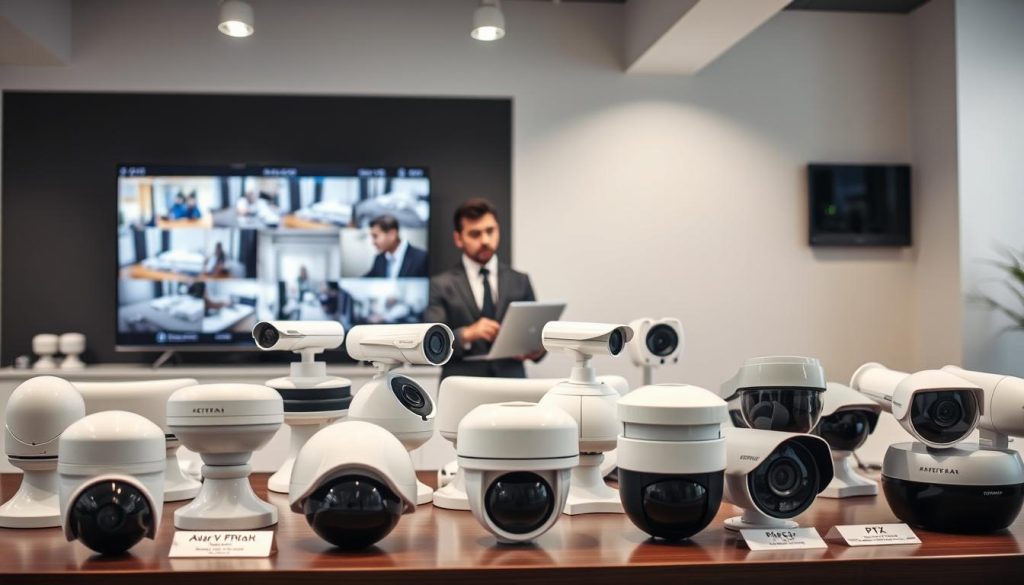
- Dome cameras offer discreet monitoring with wide viewing angles
- Bullet models provide long-distance observation for outdoor areas
- PTZ (Pan-Tilt-Zoom) units enable remote control of viewing direction
- Infrared capabilities ensure nighttime operation clarity
- Thermal imaging detects heat signatures for specialized applications
Choosing the right type depends on your specific environment and requirements. Consider visibility needs, power availability, and installation constraints. Professional advice helps determine the optimal setup for your situation.
Understanding the Financial Investment in CCTV
Budgeting for surveillance requires careful consideration of both upfront and long-term expenses. Different security needs demand varying financial commitments. Smart planning ensures optimal protection without unnecessary spending.
Singapore’s security landscape offers diverse options for every budget. Technology advances have made quality monitoring more accessible. Understanding cost factors helps maximize your investment value.
Initial Purchase and Installation Costs
Basic analog systems represent the most affordable entry point. These traditional setups offer reliable performance at lower prices. Image quality typically matches their budget-friendly nature.
Modern IP cameras provide superior clarity and features. Their advanced technology comes with higher price tags. Network systems offer better value through enhanced capabilities.
Installation expenses vary significantly between approaches. DIY setups save money but require technical confidence. Professional installation ensures optimal performance and reliability.
Camera quantity directly impacts overall system pricing. More devices mean higher equipment and installation costs. Strategic placement maximizes coverage while minimizing expenses.
Ongoing Costs: Storage, Maintenance, and Cloud Fees
Continuous operation demands substantial storage capacity. Local hard drives require larger investments upfront. Cloud solutions offer flexibility through monthly subscriptions.
Motion-activated systems reduce storage needs dramatically. They conserve space by capturing only relevant activity. This efficiency lowers long-term operational expenses.
Regular maintenance ensures system reliability over time. Professional check-ups prevent costly emergency repairs. Software updates maintain security and feature performance.
Technology evolution brings upgrade considerations. New features might justify system enhancements. Planning for future improvements protects your investment.
“Smart budgeting balances initial costs with long-term value. The most expensive system isn’t always the best solution for your specific security needs.”
Different security scenarios demand unique financial approaches. Residential properties often prioritize cost efficiency. Commercial installations might value comprehensive coverage more.
Storage calculations depend on several key factors. Retention periods affect space requirements significantly. Video quality settings impact data consumption rates.
Backup power solutions represent additional investments. They ensure continuous operation during outages. This protection prevents security gaps during critical moments.
Professional monitoring services offer enhanced security. They provide real-time response to detected threats. These services involve monthly subscription fees.
Legal and Compliance Considerations in Singapore
Singapore maintains comprehensive regulations governing surveillance operations. These laws balance security needs with individual privacy rights. Understanding these requirements ensures proper system operation.
Businesses and homeowners must follow specific guidelines. These rules protect both operators and monitored individuals. Compliance prevents legal issues while maintaining effective protection.
Regulations on Surveillance and Public Privacy
Singapore’s Personal Data Protection Act governs video monitoring activities. This legislation sets clear boundaries for data collection. Organizations must justify their surveillance needs.
Public areas require special consideration for privacy expectations. Monitoring common spaces demands proper disclosure practices. Transparency builds trust while maintaining security effectiveness.
Key legal requirements include:
- Clear signage indicating active monitoring areas
- Limited retention periods for captured footage
- Restricted access to authorized personnel only
- Purpose limitation for data collection activities
- Security safeguards for stored video information
“Singapore’s legal framework ensures surveillance serves legitimate purposes without infringing on fundamental privacy rights. Proper compliance demonstrates respect for both security and individual dignity.”
Implications of Disabling Cameras in Regulated Areas
Intentionally turning off monitoring devices creates significant legal risks. This action might violate regulatory requirements for certain facilities. Financial institutions and high-security locations face strict mandates.
System failures carry different consequences than deliberate disabling. Regular maintenance prevents unintentional compliance breaches. Documentation proves good faith efforts during inspections.
Liability issues arise when incidents occur during downtime. Courts examine whether reasonable precautions were taken. Proper backup systems demonstrate responsible operation.
Businesses must maintain accurate activity logs. These records show system performance over time. They provide evidence during compliance investigations.
Different property types face varying requirements:
- Retail spaces need customer area monitoring
- Industrial facilities require safety zone coverage
- Residential buildings must respect private areas
- Transportation hubs demand comprehensive surveillance
Professional legal advice helps navigate complex regulations. Local experts understand Singapore’s unique compliance landscape. This guidance ensures both protection and legal safety.
Maintaining a Reliable and Effective Surveillance System
Consistent upkeep keeps your monitoring equipment performing at its best. Proper maintenance prevents unexpected failures and extends system lifespan. This regular attention ensures your security investment delivers continuous protection.
Routine Checks and Physical Maintenance Steps
Monthly inspections catch problems before they become serious. Start by verifying all connections remain secure and tight. Loose cables can cause intermittent failures in your setup.
Check power supplies for consistent operation. Look for damaged wires or frayed insulation. Environmental factors like weather can degrade components over time.
Clean camera lenses regularly for clear video quality. Dust and dirt accumulation reduces image clarity. Use appropriate cleaning solutions to avoid damaging sensitive surfaces.
Test motion detection functionality monthly. Walk through monitored areas to verify proper activation. Adjust sensitivity settings if needed for optimal performance.
Key maintenance tasks include:
- Visual inspection of all equipment housings
- Verification of mounting stability and alignment
- Testing infrared and night vision capabilities
- Checking storage device health and available space
- Confirming proper weather sealing on outdoor units
“Preventive maintenance reduces emergency repairs by up to 70%. Regular checks ensure systems function when needed most.”
The Importance of Software and Firmware Updates
Regular updates address security vulnerabilities and improve functionality. Manufacturers release patches to fix discovered issues. These updates often enhance detection algorithms and performance.
Schedule updates during low-activity periods to minimize disruption. Always backup configurations before applying major changes. This precaution prevents loss of custom settings.
Modern systems often feature automatic update options. These ensure you receive the latest protection without manual intervention. Review update logs to track improvements and changes.
Firmware updates can add new features to existing hardware. They might improve motion detection accuracy or storage efficiency. These enhancements extend the useful life of your investment.
Update considerations include:
- Checking manufacturer websites monthly for new releases
- Verifying compatibility with existing hardware configurations
- Testing new features before full implementation
- Documenting update dates and version numbers
- Monitoring system performance after updates
Professional maintenance services provide comprehensive support. Companies like SECOM offer scheduled maintenance packages. These services include thorough system evaluations and updates.
DIY approaches work well for basic maintenance tasks. More complex issues might require professional assistance. Choose the approach that matches your technical comfort level.
Document all maintenance activities in a log book. This record helps track system performance over time. It also provides valuable information during troubleshooting situations.
Empowering Your Security Through Knowledge and Action
Understanding how surveillance systems function transforms your protection strategy. This knowledge helps you verify if devices capture footage when needed most. Your awareness ensures reliable monitoring for property safety.
Power availability remains crucial for continuous operation. Backup solutions prevent gaps during outages. Regular checks confirm everything works properly.
Choose systems matching your specific security needs. Professional advice optimizes setup and compliance. Proper configuration brings peace of mind through dependable coverage.
Apply these insights to enhance your current setup. Evaluate recording patterns and power requirements. For complex needs, consider expert guidance from security professionals.
Effective protection combines the right technology with consistent maintenance. Your vigilance ensures lasting security for people and property.
FAQ
Do all security cameras record non-stop?
No, not all systems record continuously. Many modern setups use motion detection to save storage space and power. It depends on your specific configuration and needs.
How can I tell if my surveillance system is actively capturing video?
Look for visual indicators like LED lights on the device. You can also check monitoring software or mobile apps linked to your system for real-time status updates.
What happens if my camera loses power?
Recording stops immediately. Features like motion detection also fail. Without backup power, the system becomes inactive until electricity is restored.
Is cloud storage necessary for my surveillance setup?
Cloud storage offers remote access and backup, but it’s not mandatory. Many systems use local storage like DVRs or NVRs. Your choice depends on budget and accessibility needs.
Are there legal rules for using these systems in Singapore?
Yes. Singapore has regulations protecting public privacy. Cameras in certain areas must remain operational, and disabling them may have legal implications.
How much does it cost to maintain a reliable security system?
Costs include initial purchase, installation, and ongoing expenses like storage upgrades or cloud fees. Regular maintenance and software updates also contribute to long-term reliability.


