
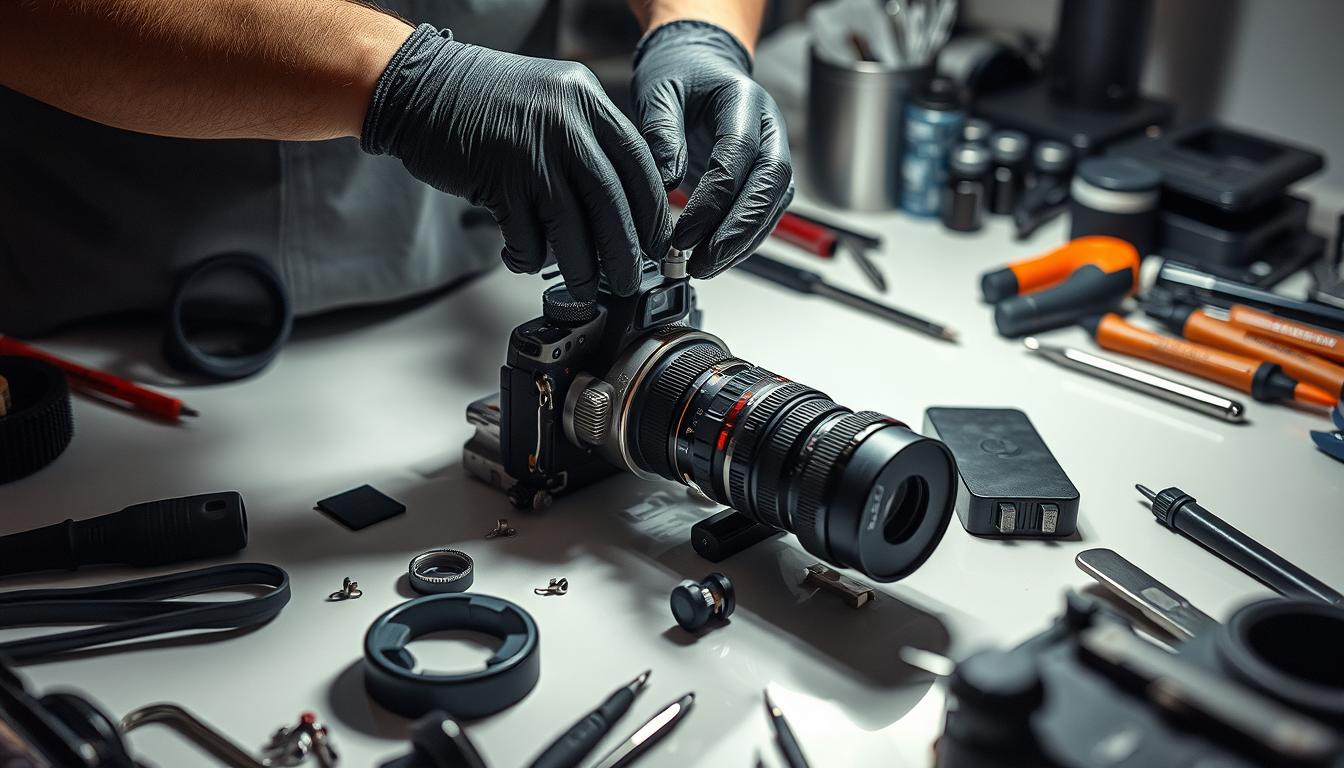
How do you service a camera?
Knowing how to service a camera is key for photographers. It helps keep your equipment in top shape. This ensures your camera works well, capturing amazing photos. If you ignore maintenance, you might face problems that cost a lot to fix.
By taking care of your camera, you avoid these issues. This makes your photography better and more enjoyable.
Key Takeaways
- Regular camera maintenance is essential for peak performance.
- Proper servicing can extend the lifespan of your camera.
- Ignoring minor issues can lead to more significant problems down the line.
- Understanding the process of servicing a camera simplifies maintenance.
- Investing in photography equipment care pays off in the long run.
Importance of Camera Maintenance
Regular camera maintenance is key for photographers who want the best from their gear. It helps keep the camera in top shape and lasts longer. By doing routine checks and cleanings, cameras work better and last longer.
Preserving Quality and Longevity
Good maintenance means better photos. Cleaning and checking the camera often stops dust from ruining pictures. This care keeps your camera in great shape and your photos looking sharp. It makes shooting fun and keeps your camera working well for a long time.
Preventing Major Issues
Ignoring maintenance can cause big problems and expensive fixes. Dust and moisture can damage the camera’s inner parts. But, with regular care, you avoid these issues. This way, your camera stays in top condition, and you can keep shooting without interruptions.
When to Service Your Camera
Knowing when to service your camera is key to keeping it in top shape. Regular check-ups can make your photography better. Experts say to service your camera every year. But, if you notice any issues, you might need to act sooner.
Annual Service Recommendations
Most people should get their camera serviced once a year. This helps catch any problems early. Technicians clean and check your camera during these visits, preventing big issues.
Signs That Indicate You Need Service
There are clear signs your camera might need a check-up. Spotting these signs can help you know when to get your camera serviced:
- Decreased Image Quality: Look for blurriness, dark spots, or other irregularities in your photos.
- Unusual Noises: If you hear strange sounds when using the camera, this could signify mechanical issues.
- Visible Damage: Cracks, dents, or any physical impairment on the camera body or lens should prompt immediate assessment.
- Service Reminders: Keep an eye on reminders and notifications that prompt you to review your camera’s performance.
How do you service a camera?
Knowing how to service a camera is key to keeping it in great shape. The process involves several steps to check and fix different parts of your camera. A detailed camera inspection looks at the body, image sensor, and focusing systems.
Understanding the Service Process
Technicians will give your camera a close look during the service. They do:
- Clean both inside and outside to get rid of dust and dirt.
- Adjust the focusing systems for better image capture.
- Check the image sensor for any problems that might affect picture quality.
A good camera repair service makes sure everything works perfectly. This helps photographers get the best from their gear.
What to Expect After Servicing
When you get your camera back, you can expect a few things. A professional service should make your camera work better. You might see:
- Photos that are sharper and more colorful.
- Your camera working well with all settings and systems.
- More confidence in taking photos of important moments.
By getting regular camera checks and fixing issues quickly, photographers can keep their gear in top condition for a long time.>
Basic Camera Maintenance At Home
Keeping your camera in top shape is key for photographers. Doing DIY camera care boosts performance and stops problems before they start. Here are three easy tasks to do at home.
Using a UV Filter
A UV filter is a simple way to protect your lens. It blocks dust, scratches, and UV light. This keeps your lens clean while you take amazing photos. Choose a good UV filter that matches your lens for the best protection.
Cleaning the Sensor
Dust and dirt on your camera’s sensor can ruin your photos. Cleaning it regularly is essential. Use a sensor cleaning kit made for your camera, following the maker’s guide for safe cleaning.
Calibrating Lenses
Calibrating your lenses is important for at-home camera maintenance. It makes your photos sharper. Use special tools or software to get the best details in your photos.
Common Camera Issues Needing Service
Keeping your camera in good shape is key to avoiding common problems. These issues can really slow down your camera’s performance. By spotting these problems early, you can save a lot of time and money.
Two big issues are slow shutter speeds and dust and debris inside the camera. Fixing these problems quickly helps your camera work better and last longer.
Diagnosing Slow Shutter Speeds
Slow shutter speeds can ruin your photos, making them look bad. Diagnosing shutter speeds means checking how long the shutter stays open. If it’s slow or feels stuck, it needs fixing.
It’s important to fix this problem fast. This stops it from getting worse and causing more trouble.
Dealing with Dust and Debris
Keeping your camera clean is important for clear photos. Dust and debris can get in from the environment. Regular cleaning helps keep the sensor and optics clear.
Using the right tools and methods is key. This keeps your camera free from dust and debris.
Tools for Camera Repairs
Effective camera maintenance and repair need the right tools. Whether you’re a pro or a hobbyist, knowing the different tools is key. This knowledge boosts your DIY repair skills, keeping your gear in top shape.
Basic Tools for Maintenance
Starting with basic maintenance? The right tools make a big difference. You’ll need:
- Micro screwdrivers for small parts.
- Blowers to clean out dust and debris.
- Microfiber cloths to clean lenses safely.
- Cleaning solutions made for camera surfaces.
These basic tools are essential for keeping your camera running smoothly and safely.
Intermediate and Advanced Tools
Ready for more? Intermediate and advanced tools let you tackle tougher repairs. Key tools include:
- Tweezers for handling tiny parts.
- Small pliers for precise gripping.
- Point lubricants for smooth movement.
- A lens spanner for adjusting or removing lenses.
- A soldering iron for electrical fixes.
Having a DIY repair kit with both basic and advanced tools prepares you for any repair. Knowing how to use these tools can stop small problems from becoming big ones.
Professional Camera Servicing
Finding the right camera service is key to keeping your camera in top shape. Many things can affect your choice, like the provider’s experience and what they offer. Knowing about professional camera services can help you make a smart choice.
Choosing the Right Service Provider
Look at the provider’s service history when making your choice. Choose ones with licensed techs who know cameras inside out. Customer feedback can tell you a lot about their reliability and service quality.
Make sure they use top-notch parts and offer repair warranties. This shows they care about keeping your camera working well.
What to Look for in a Camera Service
Good camera services stand out in a few ways. They should be clear about costs and how long repairs take. Knowing this helps you plan your photo shoots better.
Having a clear idea of what to expect during service makes things easier. Services that focus on customer care and quality will make your experience better.
Camera Cleaning Techniques
Keeping your camera in good shape is key for great photos. Using the right cleaning methods helps avoid damage and keeps your camera working well. Learning how to clean your lenses and sensor properly can make a big difference in your photos.
Cleaning Lenses Safely
Looking after your camera lenses is vital for clear photos. Start by using a blower to get rid of dust and dirt. Then, use a soft, microfiber cloth to wipe away smudges. For tough stains, try Zeiss lens wipes. They clean safely without harming your lens.
Cleaning the Body and Sensor
Dirt and oils can build up on your camera’s body, affecting its performance. A soft wipe with a microfiber cloth can remove surface dirt. For cleaning the sensor, use a special kit with the right swabs. Don’t use compressed air, as it can push dirt further into the camera.
The Role of Climate Control
Keeping camera equipment in the best condition is key to its long life. Humidity and temperature greatly affect how well cameras work over time. Knowing about these factors helps in storing cameras properly, keeping them in great shape.
The Impact of Humidity and Temperature
High humidity can cause mold in camera bodies and lenses. Mold harms both the glass parts and the electronics inside. Changes in temperature can make things worse, leading to moisture and possible damage to electronics.
Keeping cameras in a controlled environment helps avoid these problems. This means keeping humidity and temperature levels stable.
Best Storage Practices for Longevity
Good storage practices protect and extend the life of your camera gear. Here are some tips:
- Invest in a dry cabinet to keep humidity low.
- Stay away from direct sunlight to prevent overheating and damage.
- Store cameras in cool, well-ventilated spots for stable temperatures.
- Check humidity and temperature with a hygrometer and thermometer regularly.
By following these climate control tips, you can make your camera equipment last longer. This ensures it’s ready for your next photo shoot.
Long-Term Storage Guidelines for Cameras
Storing a camera for a long time needs careful planning. Good storage preparation helps keep your camera in great shape. It ensures it works well when you use it again.
Preparation Before Storage
Before you store your camera, make sure it’s clean. Clean the body and lenses well to remove dust and dirt. Then, take out the batteries to stop corrosion and leaks.
Store your camera’s accessories like lenses and filters in their own cases. This keeps them safe and organized.
Conditions Ideal for Camera Storage
The best place for camera storage is cool, dry, and dark. Stay away from places with big temperature changes or too much humidity. This prevents mold and damage to electronics.
Use silica gel packs or other products to keep moisture away. Taking good care of your camera while it’s stored helps it stay in top shape for your next photo shoot.
Monitoring Camera Performance After Service
After a camera service, it’s key to watch how it performs. Look for any changes in image quality and sound. Also, check if the camera responds quickly. These steps help you see if the service fixed problems or if more work is needed.
Doing test shots is very helpful after service. It checks if the camera’s parts work well together. Try different shots in different lights to see how the camera does.
Regularly checking your camera’s performance is important. This way, you can spot and fix problems fast. It keeps your camera working well for a long time. This approach makes your photography better and your equipment last longer.
FAQ
How often should I service my camera?
You should service your camera at least once a year. If you use it a lot, like a pro, you might need to do it more often.
What are the signs that my camera needs servicing?
If your camera’s pictures look blurry or have dark spots, it’s time for a check-up. Also, if it makes strange noises or has physical damage, it needs service.
What is included in a typical camera servicing process?
Servicing your camera means a deep clean and check-up. They’ll look at the body, sensor, and focusing systems to make sure everything works right.
How can I maintain my camera at home?
Keep your camera in good shape by using a UV filter and cleaning the sensor. Also, calibrate your lenses to get sharp pictures.
What common issues should I look out for that require servicing?
Watch out for slow shutter speeds and dust getting into your camera. These can mess up your pictures and sensor.
What tools do I need for basic camera maintenance?
For basic care, you’ll need micro screwdrivers, blowers, and microfiber cloths. Use the right cleaning solutions to keep your camera clean.
How do I choose a professional camera servicing provider?
Look for a service provider with good reviews and experience. Make sure they offer clear pricing and warranties.
What are effective camera cleaning techniques?
Use a blower to remove dust, clean gently with solutions, and use microfiber cloths. For lenses, Zeiss wipes are a good choice.
How does climate affect my camera equipment?
High humidity and changing temperatures can cause mold on your camera. Keep it in a cool, dry place to avoid damage.
What steps should I take for long-term camera storage?
Clean your camera well before storing it. Remove batteries to stop corrosion. Use protective cases and keep it in a cool, dry spot.
How can I monitor my camera’s performance after servicing?
After servicing, check your camera’s pictures and sounds. Take test shots to make sure everything works right.


