

How do you know if someone is jamming your camera? Expert Tips
Wireless security cameras offer convenience, but they can be vulnerable to interference. In Singapore, reports from the National Crime Prevention Council highlight rising concerns about signal disruptions. Recognizing unusual behavior in your surveillance system is crucial for maintaining home security.
Sudden signal loss or distorted footage may indicate jamming devices at work. However, technical glitches can mimic these signs. Experts recommend checking for repeated disruptions before assuming malicious intent. PCWorld’s recent study shows that potential threats often involve deliberate interference.
Differentiating between routine issues and intentional jamming requires careful observation. Learning the warning signs helps protect your security camera setup. For deeper insights, explore how jammers operate.
Key Takeaways
- Wireless cameras face growing interference risks.
- Signal loss or distortion may suggest jamming.
- Technical issues can resemble deliberate disruptions.
- Monitoring patterns helps identify real threats.
- Proactive measures enhance security system reliability.
Understanding Security Camera Jamming
Intentional disruption of surveillance cameras is a growing concern for homeowners. Unlike technical glitches, jamming involves deliberate interference with radio frequencies to disable security systems. This tactic exploits vulnerabilities in wireless transmissions, leaving properties unprotected.
What Is Camera Jamming?
Camera jamming occurs when devices emit stronger radio waves to overpower legitimate signals. Most wireless cameras operate on 2.4GHz or 5GHz frequencies, which are prime targets. Attackers use specialized jammers to flood these bands, causing feed drops or distorted footage.
How Jammers Disrupt Wireless Signals
Modern jammers vary in sophistication:
- Basic models block all nearby signals, including Wi-Fi and Bluetooth.
- WiFi-specific jammers target 2.4GHz/5GHz bands, common in security cameras like Reolink.
- Frequency-adaptive devices scan and overpower specific channels dynamically.
According to cybersecurity reports, these devices can render cameras useless within a 100-meter radius. For example, Reolink’s wireless models are particularly vulnerable to sustained interference due to their reliance on unencrypted signals.
How to Know if Someone Is Jamming Your Camera
Security cameras experiencing unexpected disruptions may be victims of deliberate signal blocking. Unlike routine technical glitches, jamming attempts leave distinct traces in your system’s behavior. Observing these signs helps differentiate between malfunctions and intentional interference.
Sudden Loss of Internet Connection
Abrupt internet connection drops could indicate a jammer overpowering your wifi signal. While ISP outages occur, repeated disconnections paired with latency spikes suggest interference. Check router logs for unusual packet loss or bandwidth reduction—common in jamming scenarios.
Black Screens or Distorted Footage
When transmission signals are blocked, cameras may display black screens or pixelated footage. This occurs because jammers flood frequencies, preventing data from reaching your recorder. Test by rebooting the camera—if issues persist, investigate further.
Unusual Interference Patterns
Subtle clues like static, audio echoes, or flickering video often accompany jamming attempts. These patterns emerge when competing wifi signals clash. Advanced jammers dynamically switch channels, creating inconsistent disruptions.
Frequent Connectivity Drops
Cameras cycling offline/online repeatedly may face timed jamming attacks. Overheating routers—detectable with decibel meters—can also signal forced signal amplification. Persistent connection issues warrant a professional frequency scan.
Can Someone Legally Jam Your Camera?
Singapore enforces strict regulations against unauthorized signal interference, including camera jamming. Under the Telecommunications Act, disrupting wireless security systems carries fines up to SGD 100,000 or prison terms. This applies to all devices that manipulate radio frequency bands.
Legality of Jamming Devices in Singapore
The Infocomm Media Development Authority (IMDA) classifies jammers as prohibited technology. Even potential jamming attempts—like testing such devices—are prosecutable. A 2022 PCWorld report documented a case where a retail chain’s cameras were disabled during a burglary, leading to the perpetrators’ arrest under this law.
Risks Posed by Accessible Jamming Technology
Despite bans, SGD 50–200 jamming devices circulate on dark web markets. These tools often bypass customs as “signal testers.” Once deployed, they can cripple security systems within minutes. Corporate espionage in districts like Raffles Place has involved disguised jammers in briefcases.
- Legal surveillance tools (e.g., encrypted Wi-Fi analyzers) differ from jammers—they detect interference without causing it.
- Businesses should audit procurement channels to avoid inadvertently purchasing illegal technology.
Preventing Camera Jamming Attacks
Protecting your security system from interference requires proactive measures. Hybrid setups and encryption can thwart most jamming attacks, ensuring uninterrupted surveillance.
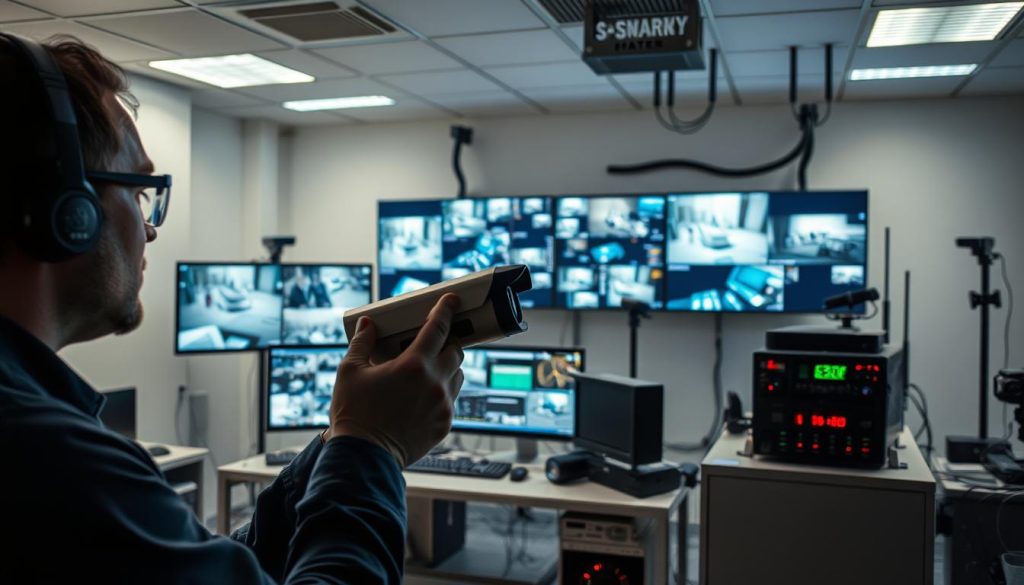
Hybrid Wired and Dual-Band Systems
Wireless cameras on the 2.4 ghz band are vulnerable to interference. Reolink’s dual-band Atlas PT Ultra, for example, switches to 5GHz to resist disruptions. For high-risk areas, combine wired cameras with wireless backups.
Encrypting Your Network
Upgrade your router to WPA3 encryption—studies show it reduces jamming success by 60%. Follow these steps:
- Access your router settings via the admin panel.
- Select WPA3-Personal under wireless security.
- Set a strong password and disable WPS.
Regular Audits and Signal Boosters
Schedule monthly checks for firmware updates and unauthorized connections. Tools like TP-Link AC1750 signal boosters strengthen weak network coverage. Cloud-managed systems (e.g., Reconeyez) add real-time alerts for anomalies.
“A layered defense—encryption, hardware diversity, and monitoring—is critical for modern security systems.”
Responding to a Suspected Jamming Incident
When your surveillance system shows signs of interference, swift action is crucial. Immediate investigation helps confirm whether you’re facing technical glitches or deliberate jamming attempts. Follow these systematic steps to protect your property and gather actionable evidence.
Conducting Physical and Frequency Scans
Begin with a sweep using RF detectors like HackRF One. These devices help identify active signal jammers by detecting abnormal radio frequency spikes. Focus on areas where interference patterns are most severe.
Document all findings with timestamps—Singapore police require this for reports. Look for hidden devices near your router or cameras. Common hiding spots include electrical outlets and ceiling panels.
Alerting Authorities and Documenting Evidence
Contact the SPF Cybercrime Division immediately if interference is confirmed. Provide:
- Exact times of disruptions
- Affected connected devices
- RF detector logs showing frequency anomalies
Maintain video backups of distorted footage as supporting evidence. The Infocomm Media Development Authority (IMDA) may request these during investigations.
Updating Firmware and Diversifying Security
As a preventive step, update all camera and router firmware immediately. Manufacturers often patch vulnerabilities that jammers exploit. For example, Reolink’s latest updates now encrypt signals by default.
Consider adding motion sensors as backup detection. These non-wireless devices create redundancy in your security network. Hybrid systems combining wired and wireless components prove most resilient against interference.
Strengthening Your Surveillance Against Future Threats
Modern security systems must evolve to counter emerging risks. AI-powered surveillance, like Reconeyez’s technology, cuts false alarms by 80%. These systems analyze patterns to detect potential threats before they escalate.
Upgrading hardware is equally vital. Directional antennas block 90% of wifi jammers, while encrypted wireless devices resist interference. Pair these with smart locks for layered protection.
Regular audits by certified professionals ensure your surveillance system stays resilient. Training staff on jamming detection adds another defense layer. Stay ahead—adapt before attackers do.
FAQ
What is security camera jamming?
Camera jamming involves using a signal jammer to disrupt wireless frequencies, preventing security cameras from transmitting footage. These devices interfere with Wi-Fi, Bluetooth, or cellular signals.
How can I detect jamming interference on my security system?
Look for sudden black screens, distorted video, frequent disconnections, or unusual signal disruptions. These signs may indicate jamming attempts.
Are jamming devices legal in Singapore?
No. Using signal jammers is illegal in Singapore under the Telecommunications Act. Unauthorized jamming risks heavy fines or imprisonment.
Can wired cameras prevent jamming attacks?
Yes. Wired surveillance systems are immune to wireless jamming since they transmit data through cables instead of vulnerable radio frequencies.
How do I secure my network against jamming?
Use WPA3 encryption, dual-band routers, and signal boosters. Regular firmware updates and network audits also help strengthen security.
What should I do if I suspect my camera is being jammed?
Document anomalies, scan for nearby jammers, and report to authorities. Switching to a backup connection can restore surveillance temporarily.
Can Wi-Fi jammers affect other smart home devices?
Yes. Jammers targeting 2.4 GHz or 5 GHz frequencies may disrupt smart locks, alarms, and other connected devices relying on wireless signals.


