
How do I turn off my CCTV camera? Simple Instructions
Home surveillance systems provide smart management solutions for recording images and sounds. These security cameras offer convenient monitoring around the clock.
While continuous operation enhances home security, there are valid scenarios where deactivation becomes necessary. Understanding proper shutdown procedures protects your privacy and maintains system integrity.
This guide presents straightforward ways to manage your security system effectively. Following manufacturer guidelines ensures optimal performance and prevents potential damage.
Balancing surveillance with privacy creates a more thoughtful approach to home protection. SECOM’s expertise in cctv systems provides reliable advice for homeowners in Singapore.
Key Takeaways
- Knowing proper shutdown procedures protects your privacy rights
- Continuous camera operation isn’t always necessary for effective security
- Following manufacturer guidelines prevents system damage
- Balancing surveillance and privacy enhances overall home security
- Professional security companies offer reliable deactivation methods
- Improper shutdown can create security vulnerabilities
- Different camera models may require specific shutdown procedures
Understanding Your Home CCTV Camera System
Modern security systems offer diverse options for property protection. Different camera types serve unique purposes in home surveillance.
Choosing the right devices depends on your specific security needs. Each model brings distinct features to enhance your property’s safety.
Wireless WiFi Cameras
These security cameras provide flexible installation without complex wiring. They connect directly to your home network for remote access.
Smart features include two-way audio communication and motion detection alerts. Many models offer 360-degree rotation for complete area coverage.
Wireless systems excel in theft prevention and night surveillance operations. Their user-friendly design makes them popular among homeowners.
Dome Security Cameras
Dome-shaped designs offer discreet monitoring in various environments. Their compact size blends seamlessly into any space.
These cameras provide flexible all-direction observation capabilities. Available in both wired and wireless configurations for different needs.
You can install them indoors or outdoors based on your security requirements. The comprehensive coverage makes them ideal for large areas.
Infrared Surveillance Cameras
Infrared models specialize in outdoor protection against environmental factors. They withstand sun, rain, snow, and dust without compromising performance.
These durable solutions perfect for monitoring front doors and outdoor spaces. Night vision capabilities ensure continuous security coverage.
Their robust construction makes them reliable for long-term outdoor use. Many homeowners choose them for perimeter security applications.
Understanding different camera types helps select the appropriate system. Each model requires specific power management and deactivation methods.
Mobile app compatibility varies significantly between brands and models. Professional security companies like SECOM provide expert guidance for system selection.
Consulting installation experts ensures optimal performance for your home security needs. They help match camera features with your specific protection requirements.
Key Reasons for Turning Off Your CCTV Camera
Strategic camera management involves understanding when to pause surveillance operations. Several compelling factors justify temporary deactivation of monitoring systems.
Protecting Personal and Family Privacy
Home security systems sometimes capture moments meant for private enjoyment. Family gatherings and personal activities deserve protection from unintended recording.
Temporarily disabling cctv cameras ensures intimate moments remain confidential. This practice demonstrates respect for household members’ privacy rights.
Guests appreciate knowing their visit won’t create permanent video documentation. Trust grows when visitors understand your privacy considerations.
Conserving Energy and Reducing Costs
Continuous operation consumes significant electrical power. Modern cctv cameras feature energy-saving modes that reduce consumption.
Strategic shutdown periods lower utility bills substantially. These savings accumulate over time while maintaining security effectiveness.
Reduced operation hours extend device lifespan significantly. Proper maintenance includes periodic rest periods for electronic components.
Preventing Unauthorized Access and Hacking
Network-connected devices face potential cybersecurity threats. Hackers target active surveillance systems to access sensitive footage.
Temporary deactivation creates an additional security layer. This practice prevents unauthorized viewing through compromised systems.
Regular shutdowns disrupt persistent hacking attempts effectively. Combined with strong passwords, this approach enhances overall protection.
Complying with Local Privacy Considerations
Singapore’s privacy laws regulate surveillance in certain environments. These regulations protect citizens from unnecessary monitoring.
Understanding local laws ensures legal compliance for homeowners. Some situations legally require camera deactivation.
Residential cctv installation must respect neighbors’ privacy rights. Proper management demonstrates responsible ownership.
When You Should Turn Off Your Surveillance Camera
Timing your surveillance system’s deactivation requires thoughtful consideration of daily routines and privacy needs. Strategic shutdown moments enhance both home security and personal comfort throughout your living space.
Private moments demand complete confidentiality for household members. Deactivating security cameras during personal activities ensures sensitive moments remain protected.
Bedtime presents another optimal scenario for system shutdown. Many users prefer creating a completely private environment during night hours.
Hosting visitors requires special consideration for guest comfort. Temporary deactivation shows respect for their privacy and prevents potential discomfort.
Family gatherings often involve relaxed, personal interactions. Pausing recording during these events prevents unnecessary documentation of private moments.
High-trust scenarios sometimes allow reduced surveillance without compromising safety. This approach maintains security while respecting personal boundaries.
Aligning shutdown periods with daily routines maximizes privacy benefits. Understanding optimal timing helps balance monitoring needs with personal space requirements.
Different areas of your home may require varied approaches. Bedrooms and bathrooms typically need more frequent privacy protection than entryways.
Modern cctv cameras offer flexible scheduling options for automated management. This feature simplifies maintaining both security and privacy consistently.
Proper timing demonstrates responsible equipment management. This way of operating your system shows consideration for everyone in your household.
Exploring different ways to schedule deactivation periods enhances overall system effectiveness. Smart timing creates optimal balance between protection and personal freedom.
How do I turn off my CCTV camera? Step-by-Step Methods
Multiple approaches exist for temporarily disabling your surveillance equipment. Each technique offers distinct advantages depending on your immediate needs and camera location.
Understanding these procedures ensures proper system management. Selecting the right approach maintains both security and privacy effectively.
https://www.youtube.com/watch?v=limJrwkNHOI
Unplugging the Camera Directly from Power
Physical disconnection provides the most immediate shutdown method. Simply detach the power cable from your electrical outlet or camera unit.
This approach works for all wired security cameras. It guarantees complete cessation of recording and transmission.
Frequent unplugging may cause wear on power connectors. Reserve this method for occasional use to prevent potential damage.
Using the Physical On/Off Switch on the Device
Many modern devices include dedicated power switches. These buttons typically reside on the camera housing or power adapter.
Physical switches offer quick access without cable manipulation. They’re ideal for units mounted within easy reach.
This method preserves power connection integrity. It prevents the wear associated with repeated plug removal.
Deactivating via System Software on a Computer
Computer-based management software provides remote control capabilities. These programs typically come with your security system installation.
Access the software interface through your desktop or laptop. Navigate to camera settings to disable individual units or groups.
Software control allows scheduling shutdown periods in advance. This feature enables automated privacy protection based on your routines.
Using the Manufacturer’s Mobile Application
Mobile apps deliver convenient remote management from smartphones. Brands like Xiaomi and Hikvision offer dedicated applications for their products.
These apps provide intuitive interfaces for quick camera control. Simply select the desired unit and toggle its status to inactive.
Mobile management works from anywhere with internet connectivity. It’s perfect for adjusting settings while away from home.
Each deactivation method suits different situations and camera types. Physical methods work best for immediate local needs.
Software and app solutions offer greater flexibility for remote management. They enable scheduled operations and multi-camera control.
Always consult your specific model’s manual for detailed instructions. Proper procedure varies between manufacturers and system configurations.
Correct deactivation prevents system errors and maintains security integrity. It ensures your equipment functions properly when reactivated.
Configuring Advanced Remote Disarm Features
Advanced surveillance systems offer sophisticated control options beyond basic shutdown methods. These features provide precise management of your security setup.
Modern IP-based security cameras support remote disarm capabilities through centralized interfaces. This approach streamlines management across multiple devices simultaneously.
Master Arm/Disarm Function in System Settings
The master control feature serves as a centralized command center for your entire surveillance network. Viewtron IP camera NVRs include this functionality for comprehensive system management.
Users can activate or deactivate their security system remotely through mobile applications. Physical buttons on the NVR unit also provide immediate access to this feature.
This centralized approach eliminates the need to manage individual cameras separately. It ensures consistent security status across all connected devices.
Customizing Disarm Actions for Cameras and Alerts
Advanced systems allow selective deactivation of specific components rather than the entire network. You can choose which cameras or alarms to include in disarm sequences.
Customization options include disabling video recording, push notifications, or alarm outputs. This flexibility lets users maintain partial surveillance while disabling selected features.
Configuration occurs through the NVR’s AI/Event settings menu. Enable Remote Client access, add preferred devices, and apply your specific preferences.
External switches can connect to the system for physical disarm options. This provides alternative control methods alongside digital interfaces.
“Advanced disarm features transform security management from reactive to proactive control, giving homeowners unprecedented precision in privacy protection.”
This functionality remains exclusive to IP-based systems like Viewtron. Hybrid DVR configurations typically lack these advanced remote management capabilities.
Proper configuration ensures optimal performance while maintaining security integrity. Always consult your manufacturer’s guidelines for specific setup instructions.
These advanced features represent the evolution of modern security systems. They provide homeowners with sophisticated tools for balancing protection and privacy needs.
Essential Security Tips for Camera Management
Proper security camera management extends beyond basic operation. Implementing robust protection measures safeguards your entire surveillance ecosystem.
These practices prevent unauthorized access and maintain system integrity. They ensure your footage remains private and your devices function optimally.
Setting Up Alerts for System Anomalies
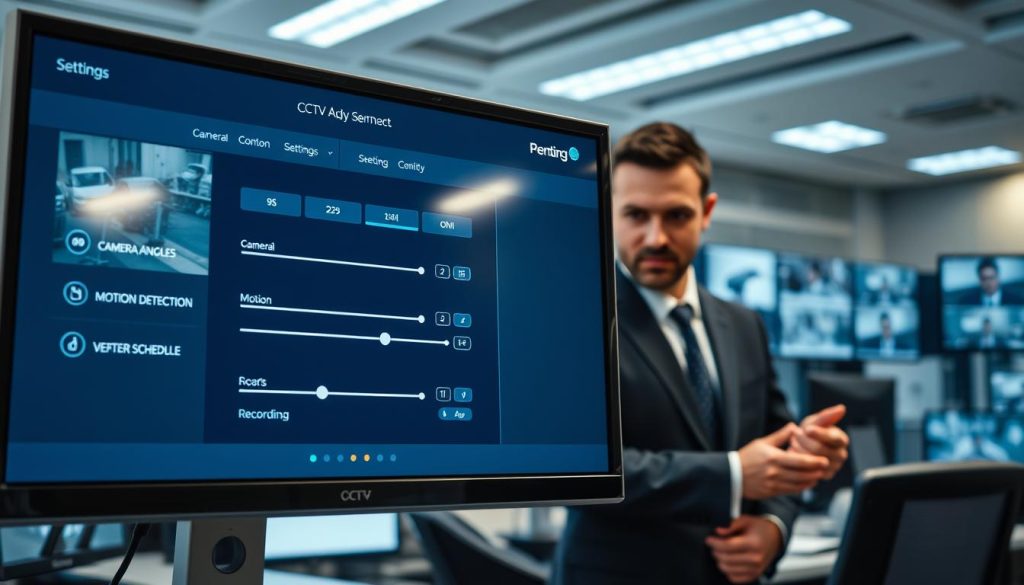
Configure automatic notifications for critical system events. Power loss or signal disruption alerts help detect issues immediately.
Modern security systems offer customizable alert options. You can receive notifications via email, SMS, or mobile app.
Monitoring signal strength helps identify potential interference problems. Early detection prevents complete system failure.
Regularly test your alert system to ensure proper functionality. This verification maintains reliable security monitoring.
Implementing Strong Password Protocols
Always replace default passwords with unique, complex combinations. Use uppercase letters, numbers, and special characters for maximum security.
Never share login credentials with unauthorized individuals. Change passwords periodically to prevent potential breaches.
Consider using password managers for secure credential storage. They generate and remember strong passwords automatically.
Differentiate passwords between various security devices and accounts. This approach limits damage if one password becomes compromised.
Maintaining Software and Firmware Updates
Regular updates patch security vulnerabilities in your surveillance system. Manufacturers release fixes for newly discovered threats.
Enable automatic updates when available for consistent protection. Manual checks ensure you never miss critical security patches.
Firmware updates often improve camera performance and add features. They maintain compatibility with newer devices and software.
Always backup settings before performing major system updates. This precaution prevents configuration loss during the update process.
“Proactive security management transforms cameras from passive observers into intelligent guardians of your privacy and safety.”
Additional security measures enhance overall protection. Use manufacturer-approved software to avoid malware risks.
Isolate camera networks from main WiFi for added security. This separation prevents potential access to other connected devices.
Regular maintenance checks ensure system reliability over time. Professional inspections can identify potential issues early.
Proper data erasure before device disposal prevents information leaks. Format storage devices thoroughly when decommissioning equipment.
For comprehensive guidance on system monitoring, explore our detailed resource on CCTV recording verification.
Expert Recommendations for Optimal CCTV Security
Expert guidance transforms security systems from basic monitoring to comprehensive protection. Professional services like SECOM bring five decades of experience to home security solutions.
Strategic camera placement maximizes coverage in critical areas. Regular system audits identify potential issues before they compromise your security.
Invest in reputable brands for reliable equipment performance. Integrated surveillance systems enhance overall protection through coordinated operation.
Professional installation ensures compliance with local laws and optimal privacy management. Ongoing maintenance services keep your system functioning at peak performance.
Singapore homeowners benefit from local expertise in system design and technical support. For detailed guidance on CCTV camera management, consult security professionals.
FAQ
What is the simplest way to disable a security camera?
Unplugging the device directly from its power source is the most straightforward method. This physically cuts electricity to the equipment, ensuring it is completely off.
Can I turn off my surveillance system remotely?
Yes, many modern systems allow remote deactivation through the manufacturer’s mobile app or software. This feature provides convenient control from anywhere with an internet connection.
Why would someone want to disable their home security cameras?
Common reasons include protecting personal privacy within the home, conserving energy, preventing potential hacking, and complying with specific privacy laws regarding recording in private spaces.
Do all security cameras have a physical power switch?
A> No, not all devices include a physical switch. Many modern wireless WiFi cameras rely on app-based controls or must be unplugged. Always check your specific model’s features.
What should I do if my camera won’t turn off using normal methods?
First, consult your user manual for model-specific instructions. If issues persist, contact the manufacturer’s support, as this could indicate a malfunction needing professional maintenance.
Is it possible to turn off only the recording function but keep the camera active?
Yes, most systems allow you to disable recording or motion alerts while the camera remains powered on. This is typically configured within the device settings or software.
How can I improve my CCTV security to prevent unauthorized access?
Implement strong, unique passwords, enable two-factor authentication, regularly update firmware, and set up alerts for any suspicious system activity to enhance your security.
Are there legal considerations when turning off cameras in certain areas?
Yes, local privacy laws may regulate surveillance in private spaces. Always ensure your actions comply with regional regulations to avoid legal issues.


