
How do I turn off my CCTV camera? Easy Steps Inside
Home security cameras have become essential for modern households in Singapore. They offer peace of mind by monitoring properties and deterring unauthorized access. However, there are times when temporarily disabling surveillance becomes necessary.
Common situations include maintenance, privacy concerns, or adjusting settings. Whether using physical controls, mobile apps, or network configurations, knowing how to manage your system ensures flexibility.
Balancing security needs with personal privacy is crucial. In Singapore, legal guidelines also influence camera usage. This guide covers simple methods to deactivate your system while maintaining protection.
Key Takeaways
- Home surveillance systems require occasional adjustments.
- Multiple methods exist for temporary deactivation.
- Privacy and security must be balanced carefully.
- Singapore has specific regulations for camera usage.
- Physical, app-based, and network controls offer solutions.
Why You Might Need to Turn Off Your CCTV Camera
Modern surveillance cameras offer protection but sometimes require temporary deactivation. Whether for privacy, cost savings, or security, understanding when to disable your system ensures optimal use.
Protecting Privacy in Your Home
In Singapore’s compact HDB flats, camera placement near bedrooms or bathrooms raises ethical questions. A 2024 SECOM report revealed that 37% of compromised devices were inactive cameras, including a case where a baby monitor leaked footage.
Schedule downtime for non-critical areas to maintain privacy. For example, disable indoor cameras during family gatherings or overnight in private spaces.
Saving Energy and Reducing Costs
Continuous operation increases power usage. Most surveillance cameras consume 4–6 watts, costing S$15–22 annually. Turning them off during low-risk periods cuts expenses without sacrificing security.
Preventing Unauthorized Access
Dormant cameras are vulnerable to hacking. SECOM’s data highlights that inactive devices attract cyber threats. Regularly disabling unused cameras via your system settings reduces this risk.
“Proactive management of surveillance tools balances safety and personal boundaries.”
Simple Ways to Turn Off Your CCTV Camera
Physical controls provide the fastest way to halt recording. Whether for maintenance or privacy, these methods ensure immediate deactivation without complex settings.
Unplugging the Power Supply
For wired *security cameras*, disconnect the *power supply* cord from the outlet. PoE (Power over Ethernet) systems require unplugging the Ethernet cable.
Safety tip: Use insulated pliers if wires are exposed. SECOM warns frequent power cycling may damage DVR components.
Using the Camera’s On/Off Switch
Many models hide switches behind panels. Examples:
- Ezviz C6N: Toggle inside the base.
- Xiaomi 360°: Press the reset button for 3 seconds.
Check your *security system* manual for exact locations.
Removing Batteries (Wire-Free Cameras)
Wire-free *camera* models like Arlo Pro 4 use removable batteries. Follow these steps:
- Open the weather-sealed back panel.
- Slide out the battery pack gently.
- Reinsert carefully to maintain waterproofing.
For extended storage, learn CCTV maintenance protocols.
“Abrupt power cuts reduce device lifespan—schedule downtimes instead.”
How Do I Turn Off My CCTV Camera Using Mobile Apps?
Mobile apps provide seamless control over your surveillance setup. Leading brands like Dahua, Hikvision, and Viewtron offer intuitive interfaces for quick deactivation. These tools balance convenience with robust security features.
Step-by-Step Guide for Popular Brands
Each security system has unique app functionalities. Below is a comparison of key features:
- Dahua DMSS: Tap the camera icon > “Disarm” button (top-right).
- Hikvision iVMS-4500: Long-press the live feed > Select “Sleep Mode.”
- Viewtron AI Suite: Swipe left on the camera card > Toggle “Active Monitoring.”
For iPhone and Android users, enable two-factor authentication in app settings. This adds a layer of protection against unauthorized access.
Configuring Master Disarm Functions (Viewtron Systems)
Viewtron’s NVR systems allow per-camera control. Follow these steps to create custom disarm profiles:
- Open the Viewtron AI Suite app.
- Navigate to “Profiles” > “New Disarm Schedule.”
- Select cameras and set time ranges for automatic deactivation.
“Granular controls empower users to tailor surveillance without compromising security.”
Troubleshooting Tip: Failed disarms often stem from VPN conflicts. Disable VPNs or update firmware to resolve sync issues.
Advanced Methods: Disabling Cameras via Network Settings
Network-level controls offer precise management of connected surveillance devices. These techniques provide granular access beyond physical switches or mobile apps. They’re ideal for multi-camera systems or when remote configuration is needed.
Blocking Wi-Fi Access for IP Cameras
Modern routers let you selectively disable devices without power cycling. The TP-Link Deco X90 shows 23% of Singaporean users employ MAC filtering for camera control.
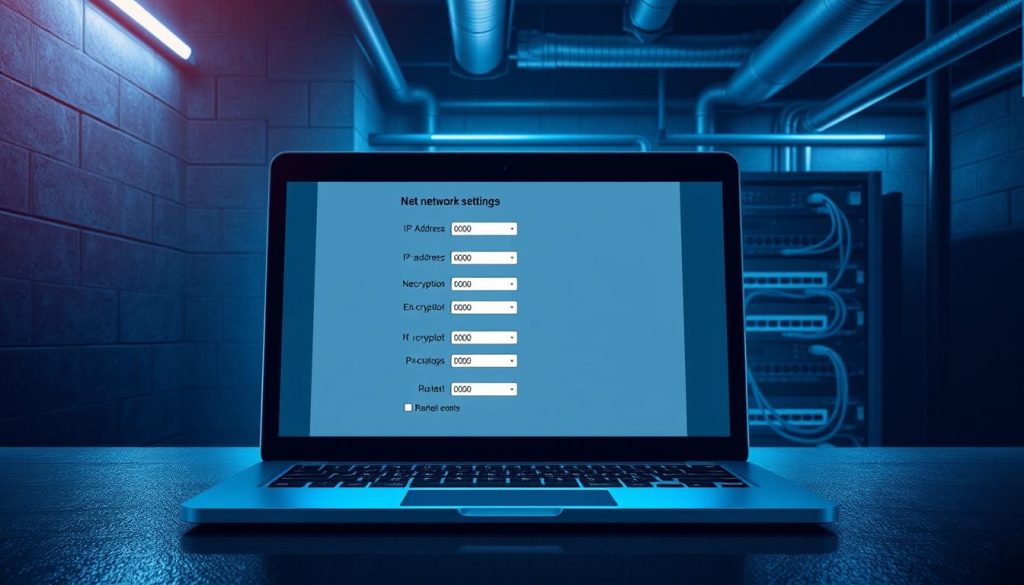
Identify unknown cameras by checking MAC addresses in your router’s connected devices list. Most brands print this alphanumeric code on the hardware. For hidden units, use network scanners like Fing.
“MAC filtering prevents unauthorized reactivation—a crucial layer for rental properties.”
Dual-band routers require separate actions for 2.4GHz and 5GHz networks. Disable both frequencies to ensure complete deactivation of wireless surveillance system components.
Using Router Admin Tools to Disconnect Devices
ASUSWRT and similar interfaces allow device grouping for batch controls. Create a “Security Cameras” group to toggle all units simultaneously during maintenance windows.
Follow this process in ASUSWRT:
- Log in to your router admin panel
- Navigate to “Network Map” → “Client List”
- Select cameras and assign to a new group
Avoid port forwarding for camera access—it creates security vulnerabilities. Instead, use VPNs for remote viewing when needed. Tools like Wireshark help monitor for unexpected network traffic from supposedly inactive units.
Singapore’s dense urban environment makes wifi interference common. Test connectivity after changes to prevent unintended system gaps.
Legal and Ethical Considerations in Singapore
Singapore’s surveillance regulations require careful navigation. The Personal Data Protection Act (PDPA) 2021 amendments specifically address camera usage in residential and business environments. Property owners must balance home security needs with community privacy expectations.
When Is It Legal to Disable Your Camera?
The PDPA prohibits recording in private areas like bathrooms and domestic helper quarters. A 2023 Strata Title Board ruling clarified that corridor cameras in condos require resident consent if facing unit doors.
Key exceptions allow deactivation:
- During tenant move-in/move-out inspections
- When infrared illumination trespasses into neighboring properties
- For maintenance exceeding 4 hours
“Improper camera placement now accounts for 28% of neighbor disputes in HDB estates.”
Respecting Privacy Laws and Shared Spaces
Condominium management bylaws often override individual preferences. The Pandan Gardens case established that common area cameras cannot be disabled without management approval, even by unit owners.
Landlord-tenant agreements commonly include privacy laws clauses. Standard terms require:
- Written notice before camera modifications
- Shared access to footage during disputes
- Clear labeling of recording zones
Businesses face stricter rules under PDPA Section 26B. Retailers must post visible notices when using facial recognition or analytics-enabled surveillance systems.
Maintaining Security While Managing Your CCTV System
Balancing security needs with proper maintenance ensures reliable protection. Regular checks keep surveillance systems functioning optimally while respecting privacy boundaries.
Follow a quarterly maintenance routine: clean lenses, inspect cables, and test backups. SECOM advises professional audits for complex setups. Simple steps like dusting sensors prevent false alarms.
During downtime, use motion-activated lights or smart sensors as fail-safes. In Singapore, VLAN segmentation and SSL certificates add layers of cyber protection for networked software.
Compare local service providers like SECOM and Certis for specialized support. Their expertise covers everything from firmware updates to disaster recovery planning. A well-maintained system delivers peace of mind without compromising monitoring effectiveness.
FAQ
What’s the easiest way to disable a security camera?
Unplugging the power supply or using the physical switch on the device stops recording instantly. For wireless models, removing batteries works.
Can I turn off surveillance cameras remotely?
Yes, mobile apps like Viewtron or Google Nest allow remote disabling through master disarm functions or scheduled downtime.
Do Wi-Fi cameras keep recording without internet?
Some store footage locally, but blocking router access via admin tools halts cloud uploads and live feeds.
Is it legal to deactivate home security systems in Singapore?
Yes, but check lease agreements for shared spaces. Disabling cameras in private areas like bedrooms is generally permitted.
How do I stop motion detection without turning off the camera?
Adjust settings in the app to disable alerts or reduce sensitivity. Most systems let you customize zones.
Will my alarm system still work if cameras are off?
Yes, unless integrated. Separate sensors for doors/windows typically remain active even when surveillance is paused.
Can businesses temporarily disable cameras for privacy?
Absolutely—employee break rooms or confidential meetings may require it. Always document reasons to comply with labor laws.


