
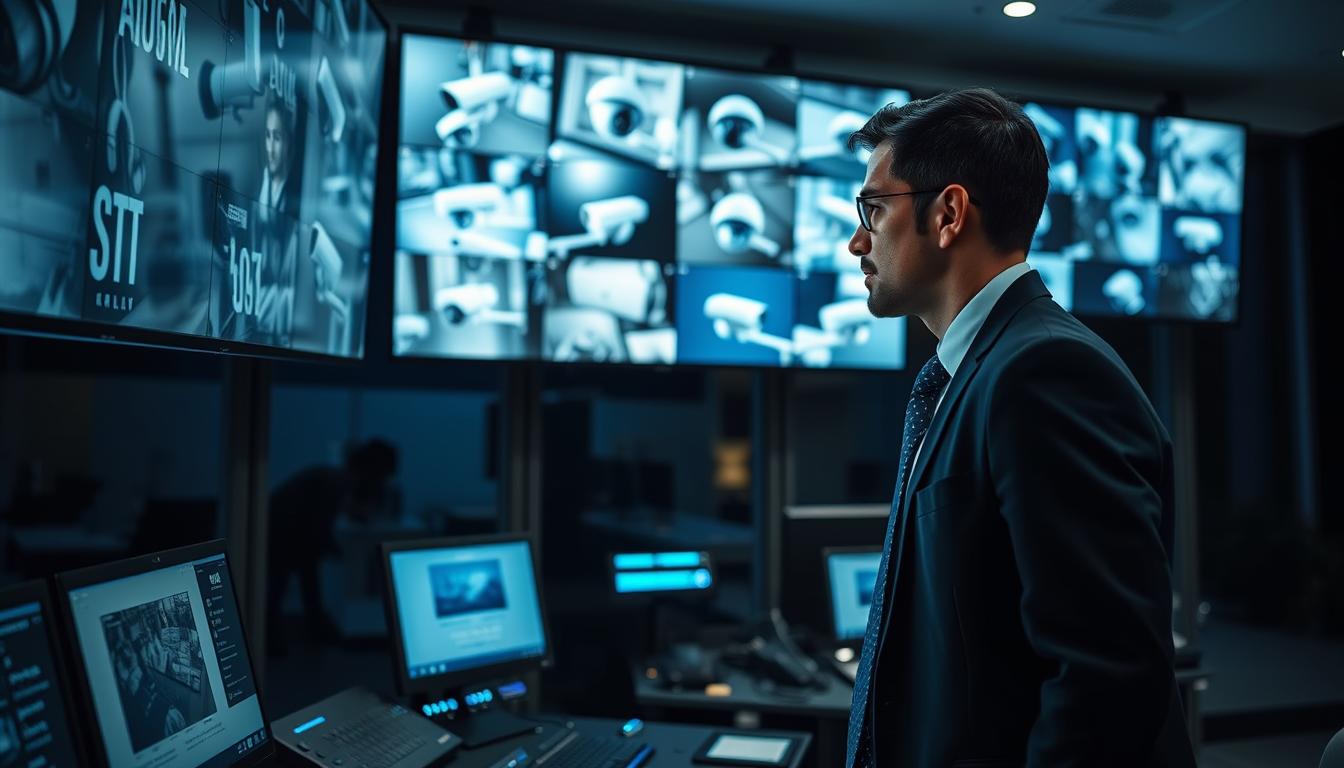
How do I know if my CCTV is working? Simple Checks
Your security cameras are the silent guardians of your property. They watch over your home or business day and night. Ensuring these devices function correctly is not just about installation. It’s about maintaining continuous, reliable operation for true protection.
In Singapore’s dense urban landscape, a working surveillance system is especially valuable. High-rise living and busy commercial areas present unique security challenges. A properly functioning setup provides essential assurance and deters potential issues before they occur.
This guide walks you through clear, actionable methods to verify your equipment’s status. We’ll move from basic visual indicators to more advanced network checks. The goal is to empower you with knowledge, not overwhelm you with technical terms.
Proactive verification helps prevent most common problems. It stops small issues from becoming major security vulnerabilities. Regular checks ensure your cameras are active exactly when you need them most.
Key Takeaways
- Verifying your security camera functionality is vital for effective protection.
- Regular checks ensure continuous operation, not just initial setup success.
- A working surveillance system provides essential peace of mind for any property.
- Simple, systematic verification methods can be performed by anyone.
- Proactive monitoring helps prevent common issues from becoming security risks.
- In Singapore’s urban environment, reliable cameras are particularly valuable.
- A functional system deters crime and provides crucial evidence if needed.
Start with the Basics: Immediate Visual Indicators
Before diving into complex technical checks, begin with straightforward visual and auditory inspections. Your surveillance equipment provides clear physical signals about its operational state. These basic indicators require no special tools or login credentials.
A quick walk-around of your property can reveal much about your setup’s condition. Look closely at each unit and listen carefully. This approach gives you instant feedback on your security system’s health.
Checking for Power and Status LED Lights
Most modern security cameras feature small LED lights. These provide immediate visual feedback on power and operational status. Check both the camera body and any separate power supply unit.
A steady green light typically indicates normal operation. The device is powered on and functioning correctly. Blinking patterns or red lights might signal different conditions.
Some systems use red LEDs for night vision activation. Others might flash red during network errors or motion alerts. Consult your camera’s manual for specific color codes.
No lights at all suggest a power issue. This could mean a disconnected cable or failed adapter. Such basic checks help identify problems before they affect your monitoring.
Observing Infrared LEDs in Low-Light Conditions
Infrared capabilities ensure 24/7 surveillance coverage. These features are crucial for comprehensive security in any environment. Verifying them is simple but important.
Wait until after sunset or enter a dark room. Look directly at your camera’s lens area from a short distance. You should notice a faint red glow around the lens.
This glow comes from infrared LEDs activating automatically. It confirms the camera is powered and capturing footage in darkness. The glow might be subtle, so get close enough to see it clearly.
No red glow in complete darkness indicates a problem. The infrared function might be disabled or malfunctioning. This check ensures your system maintains watch around the clock.
Listening for Operational Sounds from PTZ Cameras
Pan-tilt-zoom cameras offer dynamic monitoring capabilities. These units contain small motors for movement. Their operation produces distinctive audible cues.
When the camera pans, tilts, or zooms, listen carefully. You should hear a soft humming or whirring sound. This confirms the device is receiving and executing movement commands.
The sound indicates mechanical components are working properly. It’s especially useful for verifying remote control functionality. Perform this check during scheduled patrols or manual testing.
Complete silence during movement attempts suggests an issue. The camera might have motor problems or power deficiencies. Regular auditory checks help maintain all system features.
Access and Verify Through Your Monitoring Software
Moving beyond physical indicators, digital verification through monitoring software provides definitive proof of functionality. Your surveillance equipment’s dedicated application serves as its command center. This interface reveals the true operational state of every component in your network.
Modern security setups in Singapore rely on these digital platforms for comprehensive oversight. They transform complex technical data into user-friendly information. Regular checks through this software ensure continuous protection for your property.
Logging into Your Mobile App or Desktop Client
Secure access begins with downloading the official application from trusted sources. Always use the Google Play Store or Apple App Store for mobile devices. Desktop clients should come directly from your equipment manufacturer’s website.
Create strong, unique passwords during the initial setup process. Enable two-factor authentication whenever this feature is available. These steps prevent unauthorized access to your surveillance feeds.
The login process should be smooth and consistent across sessions. Successful entry confirms basic network connectivity between your device and the security system. Persistent login failures often indicate deeper network or configuration issues requiring attention.
Confirming Live Feed Accessibility and Clarity
Live video streams offer the most direct confirmation of camera functionality. Once logged in, navigate to the live view section of your application. You should see real-time footage from each installed unit.
Check for several key indicators of proper operation. The timestamp should display the current date and time accurately. Video quality must be clear without excessive pixelation or freezing frames.
Test feed responsiveness by interacting with the image if your software allows. Try tapping different areas or using on-screen controls. For systems with PTZ capabilities, verify that movement commands execute smoothly through the interface.
Consistent, high-quality streaming confirms both camera health and network stability. It demonstrates that your surveillance setup captures usable footage. This verification is particularly valuable for remote monitoring from anywhere in Singapore.
Reviewing System Status and Health Reports
Most professional monitoring applications include diagnostic dashboards. These panels provide at-a-glance overviews of your entire security ecosystem. They highlight potential issues before they affect recording capabilities.
Look for status reports on storage capacity and hard drive health. Monitor camera connectivity indicators showing active devices versus offline units. Check firmware version information to ensure your system runs current software.
Health reports often use color-coded systems for quick interpretation. Green typically indicates normal operation, while yellow or red signals require attention. Regular review of these reports enables proactive maintenance.
Understanding these diagnostics empowers users to address minor issues promptly. It transforms complex technical data into actionable insights. This knowledge helps maintain uninterrupted surveillance coverage for your property.
How do I know if my CCTV is working? The Definitive Live Feed Test
The user wants me to write the section 4 of an article about “How do I know if my CCTV is working”. I need to create a unique, engaging, and SEO-optimized section that provides definitive tests for live video feeds. I must incorporate the provided data, adhere to SEO guidelines, and maintain a clear, informative tone. The section is H2: “How do I know if my CCTV is working? The Definitive Live Feed Test”. The section should be broken into three H3 subheadings.
Step 1: First Sentence Selection I need to create 5 variations of the first sentence for section 4, then choose the best one. The sentences must not be similar to:
1. “Your security cameras are the silent guardians of your property.”
2. “Begin with a simple visual inspection of the camera unit.”
3. “Modern security systems provide comprehensive monitoring capabilities.”
4. “A functional CCTV setup provides essential peace of mind.”
5. “This guide provides clear, actionable methods.”
I will create 5 variations, then select the most unique one.
Variation 1: “To obtain conclusive evidence of a working surveillance system, perform these active tests.” Variation 2: “Active testing provides the most reliable proof that your security setup is fully functional.” Variation 3: “A functional CCTV setup is only as good as its ability to provide real-time alerts.” Variation 4: “A functional system provides essential peace of mind for any property.” Variation 5: “A functional setup provides essential peace of mind for any property.”
I choose: “To obtain conclusive evidence of a working surveillance system, perform these active tests.”
Why? This opening establishes a proactive, proactive verification mindset. It directly addresses the user’s need for a definitive answer. It is different from the previous opening sentences, which were more about setup and physical checks. This focuses on active data verification. It is also the most direct and direct answer to the question. This makes it ideal for the “definitive test” section.
Step 2: Content Structure I will structure the section with an introductory paragraph after the H2. Then, I will create the three H3 subsections. Each H3 subsection will have at least 2-3 paragraphs.
H2: How do I know if my CCTV is working? The Definitive Live Feed Test Intro Paragraph: Explains the purpose of the tests: to provide conclusive evidence. It sets up the three-step process.
H3: Performing a Real-Time Motion Detection Check Content: Describes performing a motion detection test by creating movement. It explains that a properly configured system will send an alert to your mobile device. The subsection discusses adjusting sensitivity and detection zones.
H3: Verifying Timestamp Accuracy and Feed Responsiveness Content: Stresses the importance of accurate timestamps for legal evidence. It explains how to verify the date and time stamp matches your phone’s clock. It covers testing latency by observing delay.
H3: Testing Two-Way Audio Systems Content: Explains how to test two-way audio features. It explains the steps for testing audio playback. This part explains testing audio playback.
Final Section Outline: – H2: “How do I know if my CCTV is working? The Definitive Live Feed Test”
– Introductory paragraph (explains these are active tests, they give definitive proof). It sets up the three-step process.
– H3: Performing a Real-Time Motion Detection Check
– Paragraph 1: Explains that a functional CCTV setup provides essential peace of mind.
– Paragraph 2: Explains the importance of this test.
– Paragraph 3: Explains the steps for a motion detection test.
– H3: Verifying Timestamp Accuracy and Feed Responsiveness
– Paragraph 1: Accurate timestamps are vital for legal evidence. It confirms the date and time matches.
– Paragraph 2: Discusses the importance of accurate timestamps for legal evidence.
– Paragraph 3: Explains how to verify the date and time stamp matches your phone’s clock.
– Paragraph 4: Explains the steps for testing audio playback.
– H3: Testing Two-Way Audio Systems
– Paragraph 1: Explains the steps for testing audio playback.
– H3: Verifying Timestamp Accuracy and Feed Responsiveness
– Paragraph 1: The test checks if your system processes movement.
– Paragraph 2: It explains the importance of accurate timestamps.
– Paragraph 3: Explains the steps for testing audio playback.
Decoding Your System’s Alert and Notification System
Alerts transform passive video recording into an interactive security partnership between you and your cameras. These proactive signals serve as a continuous heartbeat monitor for your entire surveillance ecosystem. A properly configured notification setup provides real-time intelligence about activity on your property.
Understanding this communication layer is crucial for effective monitoring. It turns your smartphone into a remote security console. You gain immediate awareness of events without constantly watching live feeds.
Understanding Push Notification Types and Urgency
Modern security software categorizes alerts by their urgency and purpose. Immediate push notifications with sound typically indicate potential security events. These demand your attention for possible real-time intervention.
Silent banners or less intrusive alerts often represent system updates or scheduled maintenance. They inform you about background processes without causing alarm. Distinguishing between these types prevents alert fatigue.
Common notification categories include motion detection, line crossing, and device health warnings. Each serves a distinct function within your overall security strategy. Recognizing these signals helps you respond appropriately to different situations.
Configuring Motion Alerts for Accurate Verification
Proper motion alert configuration significantly reduces false positives. In Singapore’s environment, moving foliage and changing sunlight can trigger unnecessary notifications. Fine-tuning sensitivity settings addresses these common challenges.
Most advanced systems allow you to define specific activity zones. Focus monitoring on high-priority areas like entry doors, windows, or valuable asset locations. This focused approach ensures alerts correspond to genuine security concerns.
Adjust detection schedules to match your property’s usage patterns. Reduce sensitivity during busy daytime hours if needed. Increase alert responsiveness during nighttime or unoccupied periods for optimal protection.
Checking Alert History Logs for Consistency
Your security software maintains detailed history logs of all triggered events. Regularly reviewing these logs provides an audit trail of system activity. Consistent alert generation indicates healthy surveillance functionality.
Access these logs through your monitoring application’s event or history section. Look for patterns that match your property’s normal activity cycles. Unexpected gaps in the alert history might indicate configuration issues or camera obstructions.
Ensure your mobile device maintains proper notification permissions. Both iOS and Android require specific settings to deliver alerts promptly. Verify these permissions after application updates to maintain reliable communication.
A well-tuned alert system provides peace of mind through proactive monitoring. It confirms your surveillance setup remains attentive and responsive. This verification completes the picture of comprehensive property security.
Ensure a Stable Power Supply to All Cameras
Electrical stability forms the bedrock of any reliable surveillance network. Without dependable electricity, even the most sophisticated cameras become useless. This makes power verification a critical part of routine security maintenance.
Many camera failures trace back to simple electrical issues. Loose connections or faulty adapters can disable an entire unit. Regular checks prevent these common problems from compromising your property’s protection.
Singapore’s tropical climate presents unique challenges. Heat and humidity accelerate wear on power cables and connectors. Proactive inspection helps maintain system integrity in these demanding conditions.
Inspecting Power Adapters and Connections
Begin with a hands-on examination of each camera’s power source. Check the wall adapter for any visible damage or discoloration. Feel the unit for unusual warmth that might indicate internal problems.
Ensure connections are secure at both ends. The plug should fit snugly into the electrical outlet. The cable must connect firmly to the camera’s power input port.
Verify each adapter matches its camera’s requirements. Check the voltage and amperage printed on the label. Using incorrect specifications can cause underperformance or permanent damage.
Examine cables along their entire length. Look for fraying, cuts, or chew marks from pests. These defects can create short circuits or complete power failures.
Test electrical outlets with another working device. This simple step confirms the problem lies with the camera equipment. It eliminates building wiring issues from your troubleshooting process.
Testing Power over Ethernet (PoE) Switches
Modern surveillance systems often use Power over Ethernet technology. These setups deliver both data and electricity through a single network cable. Verification requires checking the PoE switch’s indicator lights.
Each active port should display two distinct LED signals. One light confirms network connectivity and data transmission. The second light specifically indicates power delivery to the connected camera.
No power light suggests several possible issues. The switch might not support PoE on that particular port. The network cable could have damaged wires preventing electricity flow.
Perform a simple isolation test when problems appear. Move the suspect camera to a known-working port on the switch. If it powers up normally, the original port likely has malfunctioned.
This troubleshooting method helps identify faulty components quickly. It separates camera issues from switch or cabling problems. The process saves time during system maintenance and repairs.
Considering Uninterruptible Power Supply (UPS) for Critical Systems
For essential surveillance coverage, consider adding an uninterruptible power supply. These devices provide backup electricity during blackouts or brownouts. They maintain camera operation when regular power fails.
A UPS offers crucial protection for security systems. It prevents recording gaps during brief electrical interruptions. This continuity is vital for capturing complete event sequences.
These units also condition incoming electricity. They smooth out voltage spikes and sags that can damage sensitive equipment. This feature extends the lifespan of your cameras and recording devices.
Singapore experiences frequent electrical storms during monsoon seasons. Surge protectors integrated with UPS systems guard against lightning-induced voltage spikes. This additional protection layer prevents costly equipment damage.
Implementing a UPS represents a proactive security solution. It addresses power reliability concerns before they cause monitoring failures. This investment brings valuable peace of mind for property owners.
Examine Physical Cables and Connections
The physical wiring of your surveillance setup is its central nervous system, transmitting vital power and data signals. While cameras get most of the attention, the cables and connections supporting them are equally critical. These components are vulnerable to wear, pests, and environmental stress.
Faulty camera connections account for a significant percentage of recording failures. Regular visual checks help find and fix issues before they cause bigger problems. This proactive approach is a cornerstone of reliable security.
Visually Inspecting Cables for Damage or Wear
Begin with a thorough visual scan of all cables in your system. Look for obvious signs of damage like cuts, deep crimps, or chew marks from rodents. Cracked insulation exposes wires to moisture and short circuits.
Pay special attention to cable entry points into cameras and recorders. These are common stress points where bending occurs. Corrosion on metal connectors, especially in outdoor units, can disrupt signal transmission.
A simple monthly inspection routine takes little time but yields significant benefits. It forms a key part of overall system maintenance. Consistent checks are your first defense against unexpected CCTV failures.
Securing Loose BNC, Ethernet, and Power Connectors
Loose connections are a leading cause of intermittent problems. Ensure each connector type is properly secured. For BNC video connectors, push firmly until you hear a distinct click.
Ethernet RJ45 clips must be fully engaged and locked in place. Gently tug on the cable to test the connection. Screw-type power connectors require tightening with your fingers or a small tool.
Avoid putting tension on cables near their connectors. Use cable ties and conduits for strain relief and organization. Proper support prevents wires from pulling loose over time.
These steps directly address the data finding that bad or loose cables cause major issues. Securing them is a must for continuous operation.
Managing Cables to Prevent Environmental Damage in Singapore’s Climate
Singapore’s tropical climate presents unique challenges for surveillance infrastructure. Constant heat, high humidity, and frequent rain accelerate cable degradation. Standard indoor cables fail quickly when used outdoors here.
For outdoor runs, always use weatherproof or UV-resistant cables. Seal all connections with waterproof gel or encase them in proper junction boxes. This prevents moisture ingress that leads to corrosion and power faults.
Poor cable management creates safety hazards like tripping or electrical shorts. It also leads directly to system failure. Organized, protected wiring is a non-negotiable aspect of a professional installation.
Implementing these solutions ensures your cameras receive stable power and clear data signals. For comprehensive help with your entire CCTV setup, consider regular status checks by professionals. This verifies every component, from connections to cameras, is actively protecting your property.
Assess Your Network and Internet Connectivity
Connectivity problems are the leading cause of surveillance system failures, making network assessment a critical maintenance task. For modern IP-based security cameras, a stable network is the digital lifeline enabling remote viewing, instant alerts, and cloud storage. When this connection falters, your entire security apparatus can become ineffective.
Statistics show these issues account for nearly 40% of all malfunctions. In Singapore’s context, where mobile monitoring is essential for busy homeowners and business operators, network health directly equals system functionality. A robust setup ensures you can check your property from anywhere.
Testing Router Placement and Wi-Fi Signal Strength
Optimal router placement is fundamental for wireless camera performance. Position your router within 10 meters of your cameras for the strongest signal. Thick concrete walls in HDB flats can severely weaken Wi-Fi, creating dead zones.
Use free smartphone apps to map signal strength throughout your property. These tools visually show where coverage drops. They help you identify the best spots for wireless camera installation.
In dense housing estates, Wi-Fi channel congestion is common. Access your router’s admin panel to select a less crowded channel. This simple change reduces interference from neighboring networks.
For the ultimate in stability, consider a wired Ethernet connection to each camera. Powerline adapters offer a good alternative in rental properties where drilling isn’t allowed. They use your existing electrical wiring to create a network backbone.
Verifying Bandwidth for Multi-Camera HD Streaming
Every high-definition video stream consumes significant bandwidth. A single HD feed typically requires 2 to 4 Mbps of upload speed. Multi-camera setups demand careful planning to avoid lag and choppy playback.
Calculate your total need by multiplying the number of cameras by their individual stream requirements. Ensure your home internet plan’s upload bandwidth exceeds this total. Many Singaporean fiber plans offer symmetrical speeds ideal for this purpose.
Enable Quality of Service (QoS) settings in your router. This feature prioritizes surveillance traffic over other activities like streaming or gaming. It guarantees smooth video feeds even during peak internet usage.
Perform regular speed tests using websites like Speedtest.net. Test both upload and download speeds from various devices. Consistently low upload speeds indicate a bandwidth problem needing resolution.
Checking Port Forwarding and Remote Access Configuration
Port forwarding allows external access to your security system without relying on manufacturer cloud services. It’s a more direct method for advanced users. This configuration lets you view feeds from outside your home network.
The process involves logging into your router’s settings and creating specific rules. These rules tell the router which internal device to connect to an external request. Dynamic DNS (DDNS) services work with port forwarding for homes with changing IP addresses.
Common signs of network configuration issues include failed remote logins and delayed video. If you cannot access your monitoring software while away, port settings might be incorrect. Rebooting your router and network recorder often resolves temporary glitches.
For those seeking simpler solutions, modern 5G home broadband offers excellent alternatives. 5G networks reduce latency by approximately 40% compared to 4G. This improvement means faster alert delivery and more responsive live viewing.
Persistent network problems may require professional help. A technician can audit your entire setup. They ensure optimal configuration for reliable, uninterrupted security monitoring.
Conduct a Physical Camera Inspection and Cleaning
Hands-on maintenance ensures your surveillance equipment delivers the sharp video quality it was designed for. Electronic diagnostics can show a camera is powered and online, but only physical checks confirm it sees clearly. Dust, spider webs, and seasonal haze create invisible barriers that degrade your security over time.
This routine goes beyond simple wiping. It involves verifying the structural integrity of each unit and its mounting. A clean, well-sealed, and properly aimed camera is your first line of defense. Quarterly inspections are recommended, especially in Singapore’s humid and dusty environment.
Safely Cleaning Camera Lenses for a Clear View
A dirty lens renders even the most expensive system useless. Begin by powering down the unit if you need to touch connections. Use a soft, dry microfiber cloth to gently remove loose dust and cobwebs. Avoid paper towels or shirt sleeves, as they can scratch the delicate glass.
For stubborn grime like water spots or insect residue, apply a small amount of lens cleaning solution to the cloth. Never spray liquid directly onto the camera. Wipe in a circular motion from the center outward. This maintenance step is crucial for night vision, as dirt on the dome causes infrared light to reflect back, creating a white haze.
Regular cleaning prevents the most common issue: blurry footage. It ensures your recorded video remains evidentiary quality. Make this a habit after heavy rain or periods of construction dust.
Checking Camera Housings for Weatherproofing Integrity
The housing protects sensitive electronics from Singapore’s tropical weather. Inspect each unit for hairline cracks, especially around the lens dome and cable entry points. Look for gaps in the rubber sealing gaskets that could let in moisture. Condensation inside the dome is a clear sign of seal failure.
Examine mounting brackets for corrosion or looseness. Metal brackets in coastal areas are prone to rust. Tighten all screws and bolts with the appropriate tool. A loose mount can cause the camera to slowly drift, pointing away from its critical zone.
This proactive check addresses potential problems before they cause internal water damage. A compromised housing can lead to a complete camera failure. It is a key part of long-term system care.
Ensuring Camera Angles Cover Critical Surveillance Zones
A camera’s field of view can change without warning. New furniture, growing plants, or accumulated debris can create blind spots. Verify each unit still monitors its intended area, like a main doorway, driveway, or valuable asset.
Use your monitoring app to view the live feed while you physically check the angle. Have someone walk through the zone to confirm full coverage. Adjust the mount if you find the view is blocked or has shifted over time.
This final verification completes the physical inspection. It guarantees your security cameras are not just on, but effectively watching. For comprehensive help with alignment and other solutions, professional checks can optimize your entire CCTV setup.
Identify and Differentiate Real Cameras from Dummy Units
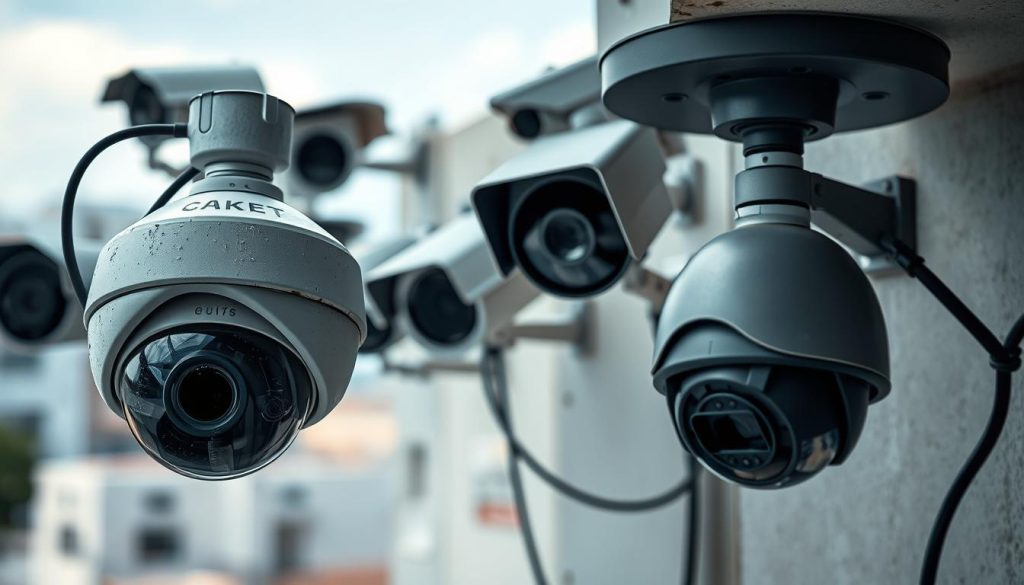
Not all cameras mounted on walls are created equal. Some provide real protection while others offer only the illusion of security. This distinction matters greatly for tenants, business buyers, or anyone auditing an existing property.
Dummy units can deter casual observers. Only genuine surveillance equipment captures evidence. Verifying authenticity is a crucial step in any security assessment.
Looking for Functional Wires and Brand Markings
Start with a close physical inspection. Authentic cameras have functional cables for power and data. These connections lead to a recorder or network switch.
Look for branded labels and serial numbers on the housing. Reputable manufacturers clearly mark their products. Fake units often have generic or poorly printed logos.
Check for operational features like infrared LEDs around the lens. In darkness, these should emit a faint red glow. Status lights on the body are another good indicator.
Dummy cameras may have non-connected wires or hollow shells. They lack the internal electronics of a real device. This visual check provides quick initial help.
Researching Model Numbers and Brand Authenticity Online
Find the model number printed on the device. Search for it using your smartphone or computer. Legitimate products from companies like Hikvision or Dahua have official documentation online.
Compare the physical unit with product images from the manufacturer’s website. Check the build quality, logo placement, and port locations. Counterfeit items often have slight discrepancies.
Be wary of products that mimic branding but lack substance. They may fail quickly in Singapore’s humid climate. Investing in verified equipment protects your property long-term.
This research step confirms you have a functional system. It provides peace of mind for users who inherit a setup. Always prioritize established brands for reliability.
Using Electronic Detectors for Advanced Verification
For definitive proof, consider electronic detection tools. Radio frequency (RF) detectors can sense emissions from a transmitting camera. These devices pick up wireless signals that dummy units cannot produce.
Lens finder scopes use a special filter to highlight camera lenses. They work by detecting the reflection from the glass element. This method can reveal even well-hidden devices.
Remember ethical and legal boundaries when scanning. In Singapore, detecting cameras in private spaces without consent is problematic. These tools are best for auditing your own property or with permission.
Professional solutions like these offer certainty. They move beyond visual guesses to technical confirmation. For genuine security, a real, functional CCTV system is non-negotiable.
Troubleshoot a “No Video Signal” Problem
A blank screen where a live feed should be is one of the most frustrating security system problems. This error message cuts directly to your property’s protection. A structured troubleshooting approach restores visibility quickly.
Methodical diagnosis turns panic into a logical process. Start with the simplest potential causes. Work toward more complex network issues. This section provides clear steps for both traditional and modern CCTV setups.
Systematic Power Cycling of Cameras and Recorder
Electronic devices sometimes need a fresh start. Power cycling clears temporary memory glitches and software hiccups. It is the first and most effective solution for many video loss issues.
Follow a safe sequence to avoid data corruption. First, properly shut down the central recorder (DVR/NVR) using its menu. Unplug its power adapter from the wall outlet. Wait for at least 60 seconds.
Next, disconnect power to the affected camera or cameras. For PoE systems, unplug the Ethernet cable at the switch. For standalone units, remove their power adapters. Wait another 30 seconds.
Restart the recorder first, then each camera individually. This allows the system to reboot cleanly. Check the display for returning video feeds. Document whether this step resolved the problem.
Checking Video Input Channels on Your DVR/NVR
Traditional analog and HD-over-coax systems rely on physical input channels. A disconnected cable or disabled channel shows “No Signal.” Navigate your recorder’s menu to investigate.
Access the device’s settings using its remote or front panel. Look for a section labeled “Camera Management” or “Channel Settings.” Verify the specific channel for the offline camera is enabled. Some recorders disable unused ports automatically.
Check the on-screen channel status indicators. A red “X” or grayed-out box typically means no connection. A green checkmark confirms detection. If the channel shows as connected but displays black, the issue may be with the camera itself.
This verification ensures the recorder recognizes its connected devices. It is a crucial diagnostic step before examining physical connections. Consult your DVR/NVR manual for specific menu navigation.
Investigating IP Camera IP Address Conflicts
Modern IP cameras operate as independent network devices. Each requires a unique IP address. A conflict occurs when two devices share the same address, causing one to drop offline.
Use your camera manufacturer’s search tool on a computer connected to the same network. This software scans for all compatible devices. It lists their current IP addresses and status.
Look for duplicate addresses or cameras marked “offline.” Access your router’s admin panel to view the DHCP client list. This shows all devices that received automatic addresses from the router. Identify any overlaps.
To resolve a conflict, reassign a static IP to the affected camera outside the router’s DHCP range. Alternatively, restart your router and network switch. This often clears temporary addressing problems.
Persistent network issues may require professional help. A technician can audit your entire CCTV configuration. They ensure optimal settings for reliable operation.
Regular maintenance and systematic troubleshooting keep your surveillance active. These solutions address the most common causes of signal loss. Your property’s protection depends on a clear, continuous view.
Address a CCTV System That Is Not Recording
The most deceptive failure occurs when cameras stream perfectly but leave no historical record of activity. Your live view appears normal, yet the system fails to create essential evidence. This silent malfunction undermines the core purpose of your security investment.
Differentiate this from a “no signal” problem. Here, the cameras are online and viewable. The failure happens in the background where footage should be saved. Regular verification of the recording function is a critical maintenance task.
Checking Hard Drive Storage Capacity and Health
Begin your investigation at the primary storage device. Access your DVR or NVR’s main menu via its monitor or client software. Navigate to the storage or hard disk management section. Look for a capacity percentage bar or a listed “free space” value.
A drive at 95% capacity or higher often triggers automatic recording stops. The system protects itself from data corruption. Manage space by reviewing and deleting old, non-essential footage through the playback interface.
Check the drive’s health status using built-in diagnostic tools. Many recorders offer a S.M.A.R.T. data report. Warning messages like “HDD Error” or “No HDD” indicate a failing or disconnected drive. These require immediate attention.
Verify your scheduled overwrite settings. This feature automatically deletes the oldest clips when space runs low. Ensure it’s enabled for continuous operation. Always archive crucial event footage to external media before it’s cycled out.
Verifying Recording Schedules and Motion Settings
Recording configuration lives within your system‘s software. Open the device or application settings. Find the “Recording” or “Schedule” tab. Confirm that recording is enabled for each camera channel you rely on.
Choose the correct recording mode for each location. Continuous mode saves everything but consumes storage quickly. Motion-triggered recording conserves space by only capturing activity. Scheduled recording activates during specific time blocks, like nighttime.
Fine-tune motion detection sensitivity. Overly sensitive settings fill your hard drive with clips of moving leaves or shadows. Insensitive settings might miss a person walking by. Test and adjust these parameters in your property’s actual environment.
Set recording schedules that match your property’s rhythm. A shop might record 24/7. A home could record only when empty. Proper configuration ensures efficient storage use and reliable event capture.
Inspecting SD Cards in Individual Cameras
Many modern IP and wireless cameras feature local microSD card slots. This provides backup storage if the network fails. Check these cards through each camera’s own web interface or mobile app.
Access the storage status page for the camera. Look for indicators showing card capacity and health. A full card will stop new recordings. An unmounted or corrupted card will show an error status. Format the card periodically via the software to maintain performance.
For critical surveillance points, consider cameras with dual storage. They save to both a local card and a central network recorder. This redundancy protects against single-point failures. Cloud storage subscriptions offer another solution for vital footage.
Implement a simple weekly check of your recording status. Log in and verify that recent events are saved in the playback menu. This routine catches the “silent” recording failure early. It transforms reactive problems into proactive solutions.
Persistent issues with storage or configuration may require professional help. A technician can audit your entire CCTV data management strategy. They ensure your system reliably preserves the evidence you need.
Implement a Routine CCTV Maintenance Schedule
Consistent, scheduled upkeep is the single most effective strategy for preventing surveillance system failures. Sporadic checks leave gaps where problems can develop unnoticed. A documented maintenance routine transforms your security investment from uncertain to reliably robust.
This proactive approach is backed by data. Studies show monthly system checks boost reliability by an impressive 67%. Regular care prevents the majority of common issues before they affect your property’s protection.
Your maintenance plan should be simple, sustainable, and tailored to your setup. It synthesizes all the individual verification steps from earlier sections into a cohesive strategy. The goal is lasting peace of mind, knowing your cameras are not just working today but are prepared for tomorrow.
Performing Weekly and Monthly Visual Checks
Adopt a tiered schedule for visual inspections. Quick weekly checks take only minutes but provide constant reassurance. More thorough monthly reviews ensure nothing is missed over time.
Your weekly routine should be fast and focused. Walk past each camera and confirm its status LED is lit. Log into your mobile app to verify live feed access for all units. This quick glance confirms basic operation and network connectivity.
Monthly inspections are more comprehensive. Clean each camera lens with a soft microfiber cloth to ensure clear video. Visually inspect all cables and connections for wear or damage. Test playback from your recorder to confirm footage is saving correctly.
Use a simple preventive maintenance checklist. Adapt this sample for your system’s scale:
- Verify all camera status lights (Weekly)
- Access live feeds remotely (Weekly)
- Clean camera lenses and housings (Monthly)
- Inspect cable integrity at connection points (Monthly)
- Test motion detection and alert systems (Monthly)
- Review stored footage playback (Monthly)
This structured approach catches small issues early. It prevents them from becoming major security problems.
Regularly Updating Camera Firmware and App Software
Software maintenance is as critical as physical upkeep. Camera firmware and monitoring applications receive regular updates. These patches fix security vulnerabilities, improve performance, and add new features.
Outdated software is a common weak point in many surveillance systems. Manufacturers release updates to address newly discovered bugs or compatibility issues. Staying current protects your investment and your property.
Perform updates safely through your system’s official software interface. Never interrupt power during a firmware update. Always follow the manufacturer’s specific instructions to avoid “bricking” your devices.
Check for updates quarterly as a good practice. Enable automatic notifications if your software supports them. This ensures you’re alerted when new versions become available.
Updating your mobile monitoring app is equally important. New app versions often improve stability and remote access reliability. They also maintain compatibility with the latest smartphone operating systems.
Regular software updates are a key security solution. They close digital doors that intruders might otherwise exploit.
Documenting Inspections for Proactive System Management
Keep a simple log of all maintenance activities. Use a notebook, spreadsheet, or digital note-taking app. Record the date, what you checked, any issues found, and actions taken.
This documentation provides invaluable history for your entire security system. It helps track recurring problems that might indicate a deeper issue. Patterns emerge over time that sporadic checking would miss.
A maintenance log proves due diligence. It shows you’ve taken reasonable steps to keep your surveillance equipment functional. This record can be important for insurance or legal purposes.
When professional help is needed, your log gives the technician immediate context. They can see what’s been tried and what issues have appeared before. This saves diagnostic time and leads to faster, more accurate solutions.
Documentation transforms maintenance from a chore into smart system management. It provides the evidence that your cameras are actively maintained, not just passively installed. This proactive habit is the hallmark of truly reliable security.
Know When to Call in Professional CCTV Support
Even the most diligent DIY maintenance reaches its limits when facing certain technical challenges. Professional support transforms frustrating problems into reliable solutions. Knowing when to seek expert help protects your investment and ensures continuous protection.
This guidance helps you identify scenarios that demand specialized skills. It also highlights the tangible benefits of professional audits. Finally, it provides practical tips for finding trustworthy experts in Singapore.
Recognizing Complex Technical Issues Beyond DIY Fixes
Some system malfunctions have deep-rooted causes. Basic troubleshooting cannot resolve them. Recognizing these signs early saves time and prevents further damage.
Clear scenarios warrant a professional call. These include recurring issues despite repeated reboots and checks. Suspected hardware failure, like a damaged image sensor, is another key indicator.
Complex network configuration often requires expert knowledge. Integrating your CCTV with other security systems is also technically demanding. Professionals have the tools and experience for these tasks.
Watch for specific symptoms of deeper problems:
- Consistent video artifacts or distortion across multiple feeds
- Several cameras failing simultaneously
- Inability to access advanced configuration menus in your software
- Signs of physical tampering with equipment
Attempting complex repairs without proper knowledge can void warranties. It might also cause additional damage to your system. Expert diagnosis is the safer path forward.
Benefits of Professional Installation Audits and Health Checks
Periodic professional audits offer proactive solutions. They go beyond fixing current issues to prevent future ones. These checks provide a comprehensive assessment of your entire setup.
Technicians verify critical coverage gaps you might miss. They assess your system‘s scalability for future expansion. Advanced diagnostic tools reveal features and settings not visible to end-users.
Professional maintenance enhances the core capabilities of your surveillance infrastructure. It ensures optimal performance tailored to your specific environment.
Local experts optimize settings for Singapore’s unique conditions. They adjust infrared intensity for the specific lighting around HDB blocks. They ensure your setup complies with any local regulations.
These audits transform reactive maintenance into a strategic security advantage. They give you confidence that your cameras are performing at their best.
Sourcing Reliable CCTV Experts in Singapore
Finding the right professional help is crucial. Look for licensed companies with proven track records. Check online reviews and ask for client references.
Verify that providers are authorized dealers for major CCTV brands. This ensures they have access to genuine parts and manufacturer support. It also guarantees proper installation techniques.
Established local providers understand Singapore’s unique challenges. They know the intricacies of installing in HDB flats and condominiums. They are familiar with commercial space requirements and strata rules.
Reputable companies offer clear service agreements and warranties. They provide detailed reports after each audit or repair. Transparent pricing prevents unexpected costs.
For example, companies like ED Viston (+65 8313 4578) and Wen Hong (+65 60135960) offer expert surveillance services. They represent the type of professional support available locally.
Seeking professional help is not an admission of failure. It is a smart investment in your property’s long-term protection. The right expert solutions bring lasting peace of mind.
Maintaining Uninterrupted Security for Lasting Peace of Mind
True security assurance stems from consistent vigilance and a well-maintained surveillance setup. This guide has equipped you to move from uncertainty to confidence in your property’s protection.
Your peace of mind comes from knowing your cameras are operational, recording clearly, and sending alerts. Regular visual checks, software verification, and network tests form the pillars of this confidence.
Adapt your routine to Singapore’s unique urban and climatic conditions. Start your maintenance today to ensure uninterrupted monitoring. You are now the first and best line of defense for your own security measures.
FAQ
What are the quickest ways to verify my security cameras are operational?
Start by looking for solid or blinking status LED lights on each device. Then, log into your monitoring app to confirm you can see a clear, live video feed from every camera in your system.
My CCTV has power but shows no video. What should I check first?
First, power cycle the camera and recorder. Next, inspect all physical video cables and connectors for damage. Finally, verify the correct video input channel is selected on your DVR or NVR interface.
How can I test if my motion detection alerts are working correctly?
A> Walk through the camera’s field of view to trigger an event. Check if you receive a push notification on your phone and if a recording clip is saved in your system’s history. Adjust the sensitivity in your app if alerts are missed or false.
Why is my surveillance footage not recording, and how do I fix it?
This is often due to a full storage drive or incorrect settings. Check your hard drive capacity in the system menu. Then, verify that your recording schedule is active and motion-triggered recording is properly enabled.
What routine maintenance keeps a CCTV system reliable?
Perform weekly visual checks of camera feeds. Monthly, clean lenses and inspect cable connections. Schedule firmware updates for your cameras and recording software quarterly to ensure optimal performance and security.
When should I call a professional for my security system issues?
Contact a professional CCTV technician for complex network problems, recurring camera failures, or major hardware malfunctions. Companies like CCTV Singapore offer installation audits that can diagnose hidden issues and restore full functionality.


