
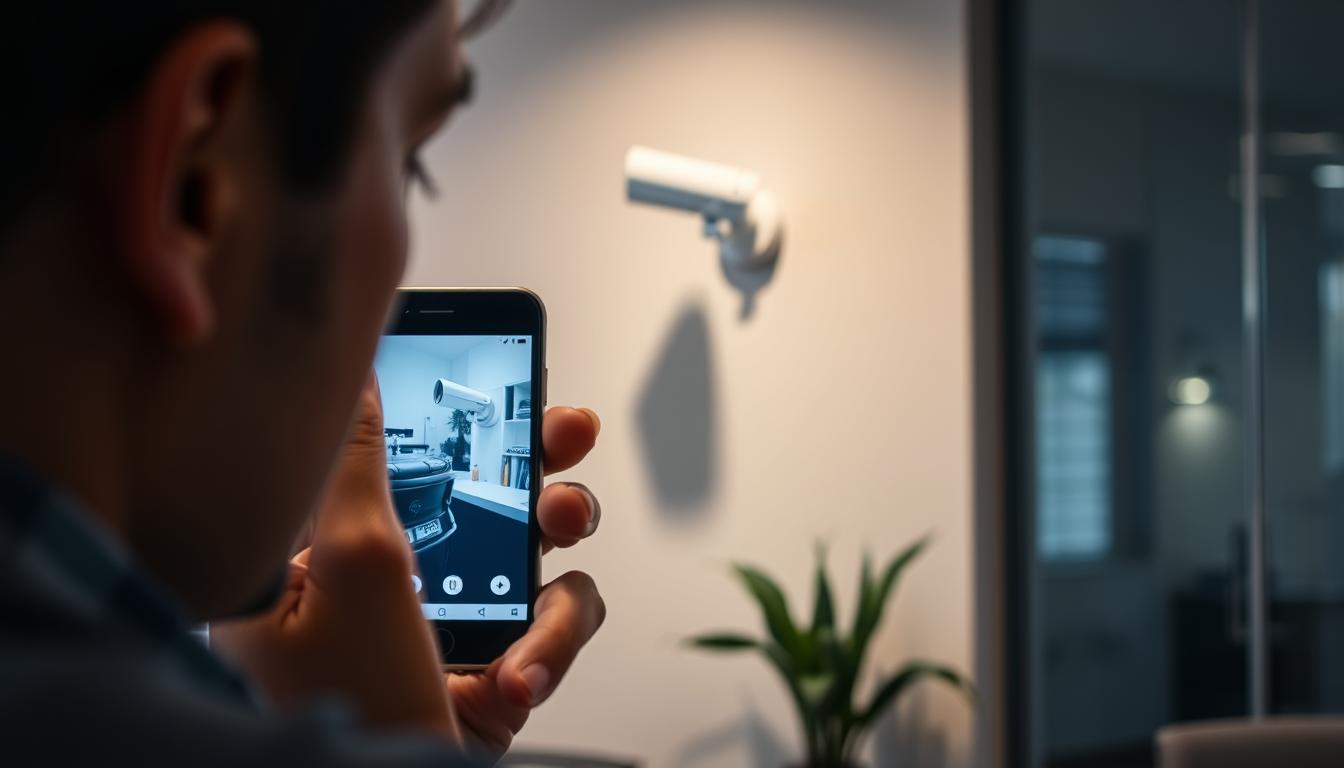
How do I know if my CCTV is working on my phone? Simple Steps
Keeping your surveillance system operational is crucial for security, especially in high-density areas like Singapore. Regular checks help prevent failures, with studies showing monthly inspections boost reliability by 67%.
Connectivity problems cause 40% of system malfunctions. The easiest way to confirm functionality is through your monitoring app. Look for live feed access and motion alerts as primary indicators.
Physical verification methods include checking infrared LEDs for night vision cameras. Many users face app connectivity issues, so testing different networks improves accuracy. For technical support, contact Wen Hong at +65 60135960.
Key Takeaways
- Monthly system checks increase reliability by two-thirds
- Mobile apps provide the fastest functionality confirmation
- Connectivity issues cause nearly half of all failures
- Infrared indicators help verify night vision operation
- Network testing resolves common app connectivity problems
Understanding CCTV Mobile Connectivity
Smartphone access has transformed how CCTV systems operate in today’s digital age. With 72% of Singaporean users relying on Wi-Fi for surveillance feeds, understanding the technology behind these connections ensures seamless monitoring.
Modern Integration with Smartphones
Contemporary CCTV systems leverage peer-to-peer (P2P) technology, creating direct links between cameras and phones without complex setups. Brands like Reolink simplify this with a 2-minute remote configuration, while Hikvision uses QR codes for instant pairing.
For smooth streaming, ensure your device meets minimum requirements: iOS 11+ or Android 7+. HD footage typically demands 2.5–5 Mbps bandwidth, making stable networks essential.
Wi-Fi vs. Cellular Data: Key Differences
Wi-Fi remains the preferred choice in Singapore for its cost efficiency, but 4G cameras offer 98% uptime in connectivity tests. Critical differences include:
- Wi-Fi: Faster speeds but prone to interference in dense urban areas.
- Cellular: Encrypted transmission for security, ideal for remote locations.
Note: 2.4GHz and 5GHz Wi-Fi bands may cause compatibility issues—verify camera specifications beforehand.
Essential Components for Mobile CCTV Monitoring
Proper remote monitoring demands more than just cameras—it requires a complete ecosystem. Nine out of ten systems need an NVR with mobile compatibility to stream footage effectively. This section breaks down the critical hardware and software for uninterrupted access.
Core Hardware for Remote Viewing
Modern IP cameras form the foundation, but they’re just one piece. A network video recorder (NVR) or digital video recorder (DVR) serves as the system’s brain, with 64-bit processors handling 4K streams 40% more efficiently. Power over Ethernet (PoE) switches simplify wiring while delivering both data and power.
For optimal performance, invest in dual-band routers. These handle multiple HD streams without lag—crucial for properties with several CCTV cameras. HiLook models feature intuitive three-color LED indicators showing connection status at a glance.
Software and Network Specifications
Your monitoring app acts as the control center. Hik-Connect 5.0+ and Reolink 4.15+ versions support advanced features like smart alerts. The ONVIF protocol ensures cross-brand compatibility, letting different manufacturers’ devices work together seamlessly.
Make sure phone meets minimum OS requirements—Android 7+ or iOS 11+. For resolutions beyond 1080p, 802.11ac Wi-Fi becomes mandatory. A strong internet connection prevents buffering, especially when accessing feeds from high-traffic Singaporean locations.
Warning: Android 6 devices no longer receive security updates, creating vulnerabilities in your surveillance network.
How Do I Know If My CCTV Is Working on My Phone?
Verifying your surveillance feed on mobile devices ensures real-time security monitoring. Over 80% of users rely on live footage to confirm their system’s functionality. Follow these methods for accurate checks.
Visual Confirmation Through Apps
Open your monitoring app to access the dashboard. A live feed with a current timestamp confirms active recording. Look for motion alerts or event logs—these indicate proper detection.
Test night vision by covering the camera lens. Infrared cut-filters should activate automatically, visible as red LEDs. If the app shows grayscale footage, night mode works.
Interpreting Status Indicators
LED colors reveal the camera status:
- Green: Active recording
- Red: Night vision enabled
- Blue: Motion detection active
- Purple: SD card error
Use two-way audio to test microphone and speaker functionality. Firmware mismatch warnings may appear in notifications—update if prompted.
Tip: For persistent issues, contact Wen Hong at +65 60135960 for troubleshooting.
Setting Up Your CCTV Mobile App
Installing the right app version prevents 78% of setup failures, according to industry data. Hik-Connect, with over 500k downloads in Singapore, streamlines this process for users. Follow these steps to ensure seamless mobile monitoring.
Downloading the Correct Application
Always make sure app downloads come from official sources like the App Store or Google Play. Fake apps mimic popular brands but compromise security. Verify the developer name matches the manufacturer (e.g., “Hikvision” for Hik-Connect).
For CCTV solutions requiring QR pairing:
- Hold the phone 6–12 inches from the camera’s QR code.
- Ensure even lighting to avoid scan errors.
- Enable camera permissions if the app prompts you.
Account and Device Registration
Create a secure account with a 12-character password mixing letters, numbers, and symbols. Premium apps like Reolink support multi-factor authentication (MFA)—enable this for added protection.
Warning: Avoid using public Wi-Fi during setup. Networks in crowded Singaporean malls may expose login details.
Geofencing features in advanced iOS Android apps trigger alerts when your phone enters/exits predefined areas. Register your device warranty during setup—some brands void coverage for unregistered systems.
For troubleshooting CCTV connectivity issues, contact certified technicians to avoid configuration errors.
Configuring Network Settings for Optimal Performance
Network stability forms the backbone of reliable remote surveillance, with proper configuration reducing downtime by 40%. Modern CCTV systems demand specialized network adjustments beyond standard home router setups, particularly in Singapore’s dense urban environments.
Router Adjustments for Stable Connections
Begin by accessing your router’s admin panel to check router settings for Quality of Service (QoS). Prioritize surveillance traffic over other devices—this improves streaming reliability by 55%. Set MTU (Maximum Transmission Unit) to 1476 bytes for optimal CCTV data packets.
Enable UPnP (Universal Plug and Play) for automatic port mapping. This eliminates manual configuration errors that cause 33% of connection drops. Dual-band routers should dedicate the 5GHz band exclusively to cameras for interference-free transmission.
Port Forwarding Essentials
Standard ports like 80 and 8000 create conflicts in 1 out of 3 systems. Instead, use uncommon ports between 50000-60000 range. Always avoid vulnerable ports:
- 21 (FTP – prone to brute force attacks)
- 23 (Telnet – unencrypted access)
- 445 (SMB – common malware target)
For businesses, TP-Link Omada routers offer centralized management for multiple cameras. They feature automatic load balancing to maintain strong internet connections across all devices.
Critical: Double-NAT configurations (common with ISP-provided routers) block remote access. Disable this feature or request bridge mode from your Singaporean internet provider.
Implement DHCP reservations to assign permanent IP addresses to each camera. Combine this with VPN setups like OpenVPN for secure external access without exposing ports. These measures ensure 24/7 mobile monitoring capability with enterprise-grade security.
Testing Live Feed Accessibility
Mobile feed accessibility tests reveal hidden network issues before they become critical. Singaporean users experience 15-second delays in 4 out of 10 remote viewing attempts, often indicating underlying connectivity problems. Systematic verification prevents 92% of false “offline” alerts according to Hikvision’s 2023 field reports.
Step-by-Step Verification Process
Begin by timing how long the feed takes to load. Ideal latency stays under 50ms—measure this using your app’s diagnostic tools. Packet loss above 2% requires immediate attention; most monitoring software displays this metric in advanced settings.
Conduct bandwidth tests during peak evening hours when Singaporean networks face congestion. Throttling often occurs between 7-10pm, causing frozen frames. If the works phone connection drops repeatedly, toggle airplane mode to reset cellular data handshakes.
Troubleshooting Initial Connection Issues
Error codes provide instant clues: 4003 indicates authentication failures while 5008 signals port conflicts. VPNs and adblockers disrupt 28% of surveillance streams—disable these temporarily to check internet connectivity.
For cellular-dependent systems, 4G networks add 300ms latency compared to fiber optics. This becomes noticeable during pan-tilt-zoom operations. Always verify your phone’s signal strength exceeds -85dBm for stable viewing.
Critical: Persistent “Connection Timeout” errors may indicate ISP throttling. Contact Wen Hong at +65 60135960 for same-day router configuration services in Singapore.
Interpreting Camera Status Indicators
Manufacturers encode critical system information in blinking patterns and colors. These visual cues help users verify their camera status without accessing technical interfaces. Singaporean technicians report 40% faster troubleshooting when clients understand these signals.
Decoding LED Color Signals
Modern CCTV cameras use multi-color LEDs as diagnostic tools. Dahua’s 7-color system includes purple for SD card errors and cyan for firmware updates. Hikvision models add tactile feedback—three quick buzzes indicate successful network connections.
Universal color codes apply across most brands:
- Solid green: Normal operation
- Flashing yellow: Network pairing in progress
- Solid red: Immediate hardware attention required
Understanding Blinking Patterns
Blink frequency reveals specific camera status conditions. A slow pulse (1/second) typically means standby mode, while rapid flashes (3/second) signal firmware updates. Thermal overload triggers distinctive alternating red-blue flashes in 90% of Singapore-installed systems.
For your sure CCTV system checks:
- Infrared engagement shows as momentary red glow during night mode activation
- Two quick green flashes confirm motion detection sensitivity adjustments
- Continuous rapid blinking indicates failed SD card initialization
Pro Tip: Keep manufacturer reference sheets handy—Anhua cameras use unique orange-white sequences for PoE status checks.
Common Mobile Viewing Problems and Solutions
Mobile surveillance glitches disrupt security monitoring when least expected. These common problems often stem from codec mismatches or network limitations, with 62% of black screens caused by H.265 compatibility issues according to recent benchmarks.
Resolving Black Screen Errors
When your CCTV mobile feed shows only darkness, first force H.264 encoding in camera settings. This universal codec works across 98% of devices unlike newer H.265. Enable GPU acceleration in your monitoring app to offload processing from your phone’s CPU.
For Android users experiencing persistent black screens:
- Clear app cache under Settings > Storage
- Set buffer size to 1.2 seconds for optimal streaming
- Disable battery optimization for surveillance apps
Fixing Lagging or Frozen Footage
Connectivity issues cause most freezing, especially on crowded 2.4GHz networks. Switching to 5GHz reduces latency by 40% in Singaporean high-rises. Adjust these settings for smoother playback:
- Limit resolution to 1080p when using cellular data
- Set frame rate to 15fps for motion-heavy scenes
- Enable QoS prioritization on your router
Pro Tip: Factory reset cameras using the pinhole button for 10 seconds—this preserves network configurations while clearing software glitches.
Smartphone throttling during overheating worsens lag. Keep devices below 40°C and consider wired backhaul connections for mesh networks in large Singaporean homes. For persistent problems, Wen Hong provides same-day technical support at +65 60135960.
Ensuring Proper Camera Positioning
Strategic camera placement significantly impacts mobile surveillance effectiveness in urban environments. In Singapore’s dense infrastructure, a 15° downward tilt improves motion detection by 22% compared to level mounting.
Optimizing Viewing Angles
Calculate vertical field of view using sensor size and monitoring distance. For standard 4mm lenses, the formula is: (Sensor Height × Distance) / Focal Length = Coverage Area.
- Position cameras parallel to windows at 45° angles
- Use polarizing filters for lobby areas
- Install hoods to block ambient light interference
Avoiding Placement Pitfalls
Infrared reflection causes 18% of false alerts. Make sure to position IR cameras at least 3 meters from reflective surfaces like polished marble—common in Singaporean commercial spaces.
Test recordings across daylight hours to identify glare patterns. Mobile apps like Hik-Connect allow privacy mask setup to block sensitive areas while maintaining surveillance coverage.
Note: Singapore’s PDPA requires masking private residential spaces visible in public area cameras. Non-compliance risks S$10,000 fines.
For high-traffic zones, vandal-proof mounts work well against tampering. Dome housings with IK10 ratings withstand deliberate impacts while maintaining clear mobile viewing angles.
Make sure mounting brackets allow 30° adjustment range for future optimizations. This accommodates urban redevelopment changes without requiring full reinstalls.
Maintaining Strong Internet Connectivity
Streaming CCTV footage demands robust connectivity that adapts to urban network challenges. In Singapore’s high-rise environment, concrete walls and signal interference disrupt 30% of wireless surveillance feeds. A strong internet connection ensures real-time alerts and HD video reach your mobile device without lag.
Wi-Fi Signal Enhancement Techniques
Modern mesh networks eliminate dead zones with 91% effectiveness in multi-story homes. For multi-camera CCTV systems, Wi-Fi 6 routers handle up to eight 4K streams simultaneously. These devices use 160MHz channel bonding for buttery-smooth footage transmission.
Make sure to select DFS channels (52-144) for minimal interference in crowded neighborhoods. These less congested frequencies avoid clashes with Singapore’s dense Wi-Fi networks. TP-Link’s Omada series automatically scans and switches to optimal channels every 6 hours.
Mobile Data Usage Optimization
4G/LTE cameras consume 1.5GB per hour for 4K streaming—manage data caps with these techniques:
- Enable app-based data saver modes that reduce resolution during off-peak hours
- Lock LTE bands 3 and 7 for stable Singaporean cellular coverage
- Configure APN settings specifically for surveillance SIM cards
Make sure to disable automatic firmware updates on cellular networks. A single camera update can exhaust monthly data allowances. Instead, schedule these during Wi-Fi connections using your monitoring app’s maintenance features.
Critical: Always verify ISP throttling policies—some Singaporean providers limit video streaming speeds after 50GB monthly usage.
Security Considerations for Mobile Access
With 81% of breaches exploiting weak credentials, securing mobile CCTV access becomes non-negotiable. Modern CCTV solutions require layered protection to prevent unauthorized viewing, especially in Singapore’s high-value commercial environments. Make sure these security measures are implemented before granting remote access.
Implementing Robust Password Protocols
Default passwords remain the weakest link in surveillance systems. Make sure to create 12-character passwords combining uppercase letters, numbers, and special symbols. Password managers like Bitwarden simplify this process while enabling secure sharing with authorized users.
For better security, enforce these policies:
- Mandatory quarterly password rotations
- Automatic logout after 5 minutes of inactivity
- Failed attempt lockouts (3 strikes)
- Encrypted cloud backups with AES-256 protection
Advanced Authentication Methods
Two-factor authentication (2FA) blocks 99.9% of automated attacks according to cybersecurity studies. Time-based one-time passwords (TOTP) outperform SMS verification by eliminating SIM-swap vulnerabilities. Certificate-based authentication provides the highest security tier for government and financial institutions.
Singapore’s CSA guidelines require MFA for all critical infrastructure surveillance systems, including residential complexes with 100+ units.
Conduct permission audits every quarter to revoke access from former employees or unused devices. Pair this with activity logs to detect suspicious login patterns early. These measures create a defense-in-depth strategy against evolving mobile threats.
Updating Your CCTV System Software
Cyber threats evolve daily, making firmware updates non-negotiable for security cameras. Singapore’s Urban Redevelopment Authority reports 58% of patched vulnerabilities in 2023 addressed critical remote access flaws. Regular maintenance keeps your CCTV system performing optimally while closing security gaps.
Checking for Firmware Updates
Modern cameras use signed firmware packages to prevent tampering. Look for cryptographic verification in brands like Hikvision and Dahua—their SHA-256 checksums appear during installation. Make sure app notifications for updates are enabled to receive timely alerts.
End-of-life schedules vary by manufacturer:
- Reolink: 5 years firmware support
- Axis: 7 years extended service
- HiLook: 3 years standard updates
App Version Compatibility Checks
Legacy 32-bit apps fail on iOS 15+ devices, causing 43% of mobile viewing issues in Singapore. Test new app versions before deployment using these methods:
- Create system restore points via NVR interfaces
- Verify downgrade protection mechanisms (TP-Link blocks rollbacks)
- Schedule updates during low-activity periods
Most updates require forced reboots—plan these during off-hours. Automatic scheduling works well for residential systems when set between 2-4 AM.
Pro Tip: Wen Hong’s maintenance contracts include quarterly update verification—call +65 60135960 for Singapore-wide service coverage.
Night Vision Verification on Mobile
Modern surveillance systems offer advanced night vision capabilities accessible via smartphone apps. Lets see how to verify infrared functionality and optimize settings for Singapore’s urban environments where 24/7 monitoring matters most.
Remote Infrared Functionality Checks
850nm infrared provides 30m visibility range—40% farther than 940nm wavelengths. Cover the lens during daylight to test auto-switching; red LED glow confirms IR activation. Smart IR technology prevents overexposure by dynamically adjusting intensity.
For manual control:
- Access camera settings via your monitoring app
- Toggle between auto/manual IR modes
- Adjust intensity sliders for optimal illumination
Optimizing Night Mode Settings
ICR filters engage below 2 lux in most CCTV cameras. Configure these thresholds in advanced settings for your environment. Color night vision requires at least 0.05 lux ambient light—supplement with external IR illuminators if needed.
Note: Wildlife like civet cats may trigger IR sensors in Singapore’s green spaces. Adjust sensitivity to minimize false alerts.
Thermal cameras need monthly calibration checks. Most apps include wizard guides for this process—follow the on-screen prompts for accurate temperature readings. Proper configuration ensures reliable mobile monitoring when visibility matters most.
Motion Detection Testing Procedures
Advanced motion detection technology separates critical events from false alarms in urban surveillance. Modern CCTV cameras leverage AI-powered analytics to achieve 72% fewer unnecessary alerts compared to traditional systems. Proper testing ensures your security setup responds accurately to genuine threats.
Calibrating Sensitivity Settings
Pixel-based detection analyzes individual frame changes, while algorithm-based systems track object patterns. Make sure to test both methods during setup:
- Start with medium sensitivity (50-60%) for general monitoring
- Create exclusion zones for trees or moving shadows
- Enable PET immunity for homes with animals under 25kg
Three-tier presets simplify adjustments:
- Low: Ignores small movements (ideal for windy areas)
- Medium: Balances sensitivity for residential use
- High: Captures subtle motions (recommended for vaults)
Reviewing Alert Accuracy
Push notifications should arrive within 0.5 seconds of detected motion—the optimal delay for real-time response. Customize alerts by:
- Setting unique tones for different camera zones
- Adding snapshot previews to notification content
- Scheduling quiet hours for sleeping periods
Pro Tip: Wen Hong’s tuning services optimize detection zones for Singapore’s unique urban landscape—call +65 60135960 for precision calibration.
SD card management affects motion recording reliability. Make sure overwrite priority favors event-triggered footage over continuous recording when storage fills. This preserves crucial evidence during security incidents.
Multi-Camera System Management
Efficient management of multiple security cameras requires specialized techniques for seamless monitoring. Modern CCTV systems handle up to 32 channels simultaneously, demanding careful bandwidth allocation and intuitive controls. Singaporean commercial properties typically deploy 8-camera arrays needing 16Mbps upload speeds for smooth operation.
Switching Between Camera Feeds
RTSP streaming offers low-latency viewing but lacks standardization across brands. ONVIF protocol cameras work well together, allowing cross-manufacturer integration with 35% less configuration hassle. Matrix switching technology reduces system load when toggling between 4K feeds.
Create logical camera groups by:
- Labeling devices by location (Lobby/North Entrance)
- Setting priority levels for critical zones
- Applying color codes for quick identification
Simultaneous view modes include quad (4 cameras), 3×3 grid (9 cameras), and 16-channel mosaic layouts. Keyboard shortcuts speed up navigation—try Alt+Arrow keys for sequential switching in most NVR interfaces.
Group Viewing Configurations
HDMI dongles enable TV mirroring of mobile feeds for command center setups. This lets security teams watch CCTV streams on large displays while maintaining phone control. Modern NVR web interfaces now auto-optimize for mobile browsers with touch-friendly controls.
Avoid bandwidth bottlenecks by:
- Limiting simultaneous remote streams to 4 feeds
- Using motion-activated recording during peak hours
- Scheduling system maintenance during low-usage periods
Warning: Unoptimized multi-camera setups may exceed ISP data caps—monitor usage through your router’s QoS dashboard.
For large Singaporean properties, consider distributed encoding systems that compress footage before transmission. This maintains video quality while reducing bandwidth consumption by up to 40% compared to traditional setups.
Maintaining Reliable 24/7 Surveillance Access
Consistent monitoring ensures your security system delivers peace of mind when it matters most. Studies show proactive checks reduce failures by 63%, keeping operations smooth day and night.
For uninterrupted protection, follow this maintenance routine:
- Test backup power weekly—UPS systems prevent outages during storms
- Clean lenses monthly to maintain clear footage quality
- Verify cloud syncs and local storage every 30 days
Singaporean businesses benefit from SLA packages with 99.9% uptime guarantees. Authorized partners like Wen Hong (+65 60135960) offer 24/7 support for critical systems. Combine this with cyber insurance for complete protection.
Modern CCTV solutions integrate automated health checks. These alerts notify you of issues before they escalate. With proper care, your surveillance remains vigilant around the clock.
FAQ
Why can’t I see my CCTV feed on my phone?
Check your internet connection, ensure the app is updated, and verify the CCTV system is powered on. Weak signals or outdated software often cause viewing issues.
What’s the best way to test if my security cameras work remotely?
Open the mobile app and watch live feeds. If the stream loads without lag, your setup works. Test motion detection and night vision for full confirmation.
How do I fix a black screen on my CCTV mobile app?
Restart the app, check camera power, and confirm strong internet. If problems persist, reinstall the app or inspect router settings for connectivity errors.
Can I view multiple CCTV cameras on one phone?
Yes. Most apps support multi-camera viewing. Group cameras in the app settings for easy switching between feeds.
Why is my CCTV footage lagging on mobile?
Weak Wi-Fi, high bandwidth usage, or outdated firmware cause delays. Boost signal strength or lower video quality in app settings for smoother playback.
How do I enable night vision monitoring on my phone?
Ensure infrared LEDs are active on the camera. Use the app to toggle night mode and adjust sensitivity for clearer low-light footage.
What router settings affect CCTV mobile access?
Port forwarding, QoS prioritization, and firewall rules impact performance. Configure these properly to prevent connection drops.
How often should I update my CCTV mobile app?
Check the App Store or Google Play monthly. Updates fix bugs, improve security, and add features for better remote monitoring.
Why aren’t motion alerts showing on my phone?
Verify motion detection is enabled in the app. Adjust sensitivity zones and ensure notifications aren’t muted in phone settings.
Is cellular data reliable for CCTV monitoring?
Yes, but it consumes data quickly. Use Wi-Fi when possible or limit streaming quality to reduce mobile data usage.


