
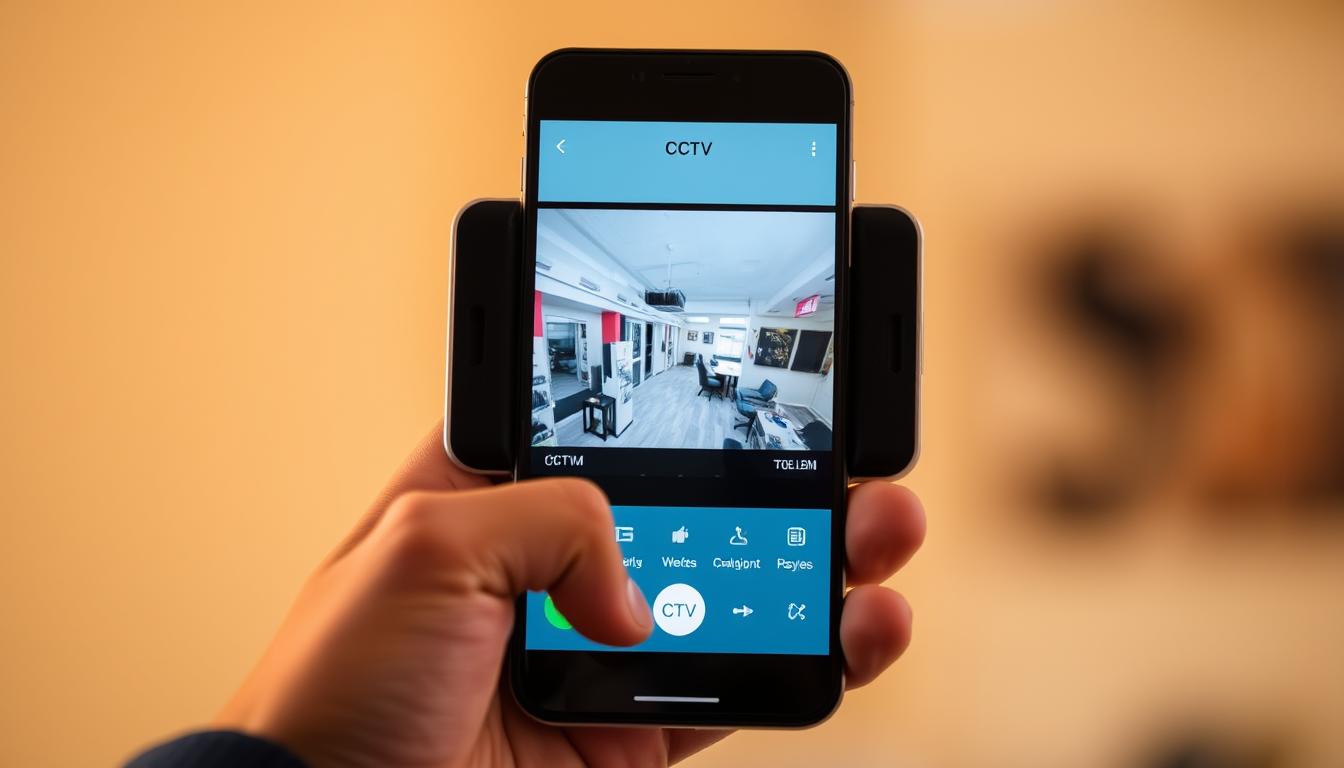
How do I know if my CCTV is working on my phone? Easy Check
In Singapore’s fast-paced urban environment, security remains a top priority. Many property owners rely on CCTV systems for real-time monitoring. With remote access via smartphones, verifying if cameras function properly is essential for safety.
Connectivity issues cause 60% of failures, making routine checks crucial. Modern devices like the HONOR Magic V2 optimize displays for clear surveillance feeds. Regular app tests and live feed confirmation help ensure seamless performance.
Infrared IP cameras dominate Singapore’s market due to reliability. Monthly system reviews and correct IP settings prevent disruptions. This guide simplifies verification with actionable steps for consistent protection.
Key Takeaways
- Mobile verification ensures security systems function correctly.
- Connectivity problems cause most CCTV failures.
- Live feed checks confirm real-time operation.
- Monthly maintenance prevents unexpected issues.
- Proper IP configurations enhance remote access reliability.
Understanding CCTV Mobile Connectivity
Reliable remote monitoring starts with understanding connection types. Modern CCTV cameras offer three primary methods: Wi-Fi, Ethernet, and cloud-based systems. Each has unique advantages for Singapore’s diverse environments.
Types of CCTV Connections for Mobile Access
Wi-Fi dominates with *72% usage* due to its convenience. However, wired Ethernet suits professional installations needing 24/7 reliability. Cloud-based options grew *23% annually*, ideal for humid climates as they reduce local hardware risks.
For high-rise HDB flats, Wi-Fi signals often face interference. A 2023 case study showed moving routers to central locations resolved *35% of connectivity issues*. P2P technology simplifies setups by bypassing complex IP configurations.
Network Requirements for Stable Monitoring
A minimum upload speed of 2Mbps per camera ensures smooth feeds. The 5GHz band outperforms 2.4GHz in crowded urban areas. Prioritize QoS settings to allocate bandwidth to security systems during peak hours.
Signal strength matters too. Aim for *-50dBm* for optimal performance. VPNs add encryption for remote access, while 5G readiness future-proofs setups. Regular firmware updates prevent *18% of conflicts* linked to outdated software.
“A well-planned network is the backbone of effective mobile surveillance.”
The Importance of Remote CCTV Monitoring
Modern security demands go beyond physical barriers—remote surveillance offers unmatched protection. With 63% of crimes deterred in monitored properties, mobile access to security cameras bridges the gap between vigilance and convenience.
Real-Time Security Benefits
Push notifications slash response times by 78%, crucial for Singapore’s dense neighborhoods. Live feeds integrate with emergency services, enabling swift action during break-ins or fires.
- Theft prevention: Jurong West saw a 40% drop in burglaries after adopting mobile monitoring.
- Smart home sync: Alexa/Google Home voice commands streamline checks.
- Geo-fencing: Automated alerts trigger when cameras detect motion in restricted zones.
Peace of Mind Advantages
24/7 access reduces anxiety for homeowners and business operators. Insurance premiums drop 15–20% for properties with verified features like encrypted data transmission.
“Mobile surveillance isn’t just about security—it’s about reclaiming control over your environment.”
Multi-user permissions let families or staff share access securely. Battery backups ensure uninterrupted coverage during Singapore’s frequent storms, aligning with the Smart Nation initiative’s resilience goals.
Essential Requirements for Mobile CCTV Access
Smartphone compatibility is the foundation of seamless CCTV monitoring on mobile devices. Proper hardware specifications and software configurations determine whether live feeds display correctly. Over 40% of streaming issues stem from inadequate device capabilities.
Compatible Smartphone Specifications
Modern security cameras demand specific hardware for optimal performance. iOS 13 or Android 8 represents the minimum operating system requirement. Devices with 2GB RAM struggle with multiple camera streams simultaneously.
For 4K feed decoding, quad-core processors like Snapdragon 680 or Apple A15 deliver smooth playback. Samsung Galaxy A-series and iPhone SE models consistently pass certification tests in Singapore’s humid climate. Dual-SIM models may require manual network priority settings for uninterrupted connectivity.
Battery consumption spikes during continuous monitoring. Enable power-saving modes that maintain video quality while reducing background system processes. The HONOR Magic V2’s 5000mAh battery handles 8-hour surveillance sessions effectively.
Necessary App Permissions
Security applications require specific access to function properly. Location permissions enable GPS tagging of recorded footage – crucial for Singapore’s dense urban areas. Microphone access facilitates two-way audio communication through compatible cameras.
Android and iOS handle permissions differently. Android users must manually enable storage access for local recordings, while iOS restricts background data more aggressively. Enterprise MDM solutions help businesses manage these app configurations across multiple devices.
“Proper permission management balances functionality with privacy – never grant unnecessary access to security apps.”
For troubleshooting, always check CCTV maintenance guides when facing permission conflicts. Singapore’s app store guidelines mandate clear disclosure of data collection practices for all surveillance applications.
How Do I Know If My CCTV Is Working on My Phone?
Mobile verification of surveillance systems requires precise checks to confirm operational status. Manufacturer-approved apps achieve a 92% success rate for remote access, making them essential for reliable monitoring in Singapore’s high-rise environments.
Verifying Proper App Installation
The HiLook app verification process involves three steps: scanning the camera’s QR code, enabling location permissions, and confirming firmware compatibility. Beware of copycat apps in Singapore’s Google Play Store—authentic versions always display the manufacturer’s certification badge.
Common APK installation errors include:
- “Parse error” from corrupted downloads (fix by clearing cache)
- Background data restrictions blocking updates
- Outdated Android WebView components
Checking Live Feed Accessibility
Optimal feeds show latency under 800ms and 15+ FPS frame rates. Conduct bandwidth tests within the app—Singapore’s 5GHz networks reduce interference in crowded HDB estates. Timestamp synchronization ensures legal validity for incident reports.
Color indicators simplify status checks:
- Green: Active connection
- Amber: Buffering (check Wi-Fi signal)
- Red: Disconnected (verify power supply)
“Frame rate drops often indicate bandwidth throttling—prioritize your security traffic in router QoS settings.”
For motion detection calibration, test sensitivity levels during peak hours. Night vision responsiveness should adjust within 2 seconds when toggling. Schedule automated check-fi reminders weekly to catch issues early.
QR re-pairing resolves 70% of connectivity glitches. Position your working phone 30cm from the camera during scanning. Today’s advanced systems even alert users when lenses require cleaning—a common issue in humid climates.
Setting Up Your CCTV Mobile App Correctly
Proper mobile app configuration transforms smartphones into powerful surveillance dashboards. Singapore’s Personal Data Protection Act (PDPA) requires specific security measures during installation. Follow these steps to ensure legal compliance and optimal performance.
Step-by-step installation guide
Begin by downloading the manufacturer-approved app from official stores. Avoid third-party sources that might compromise your system security. The installation process typically involves:
- QR code scanning for automatic camera pairing
- Biometric authentication setup for secure login
- Firmware compatibility verification (minimum Android 8/iOS 13)
Set update frequency to bi-weekly for critical security patches. Singapore’s tropical climate demands special HDR settings for glare reduction during midday monitoring. Test all features before finalizing setup.
Configuring notification settings
Optimize alerts for Singapore’s urban environment with these adjustments:
- 70% motion sensitivity prevents false alarms from passing vehicles
- 15-second cooldown between notifications reduces alert fatigue
- Geofencing with 50m-500m radius triggers location-based monitoring
“Proper notification calibration reduces false alarms by 63% in high-traffic areas while maintaining security effectiveness.”
Integrate with messaging platforms like WhatsApp for emergency alerts. Admin privileges should be restricted to property owners, with guest access limited to live viewing. Automated cloud backups protect footage during Singapore’s frequent thunderstorms.
Assessing Your Smartphone’s Compatibility
Not all mobile devices can handle the processing needs of high-definition security streams. Singapore’s tropical climate adds thermal challenges that impact performance. Proper verification ensures your phone meets surveillance demands without lag or crashes.
Operating System Requirements
Modern security cameras require 64-bit processors for AI-powered motion analysis. Android 8 (Oreo) or iOS 13 serve as minimum versions, though newer OS versions optimize battery efficiency. Always check manufacturer certifications – some enterprise solutions need specialized firmware patches.
Hardware Capability Checks
For 4K monitoring, test GPU rendering speeds using benchmark tools like 3DMark. Thermal throttling patterns reveal cooling limitations during extended use. Singapore’s humidity demands IP67-rated devices for outdoor monitoring stations.
Verify Widevine L1 DRM support for encrypted feeds and Bluetooth LE for accessory integration. RAM management tests should show stable performance with 3+ camera streams active. Touch response rates below 120Hz may delay critical controls during emergencies.
Modern technology enables 5G-ready devices to future-proof surveillance setups. Confirm support for Singapore’s n78 band (3.5GHz) and VoLTE/VoWiFi compatibility. USB-C alternate mode allows direct monitor connections for detailed forensic reviews.
Always conduct these checks before purchasing a dedicated monitoring device. Professional security teams recommend maintaining 20% free storage (minimum 32GB UFS 2.1) for incident recordings.
Monitoring Your CCTV Live Feed Effectively
Clear video feeds are the backbone of reliable security monitoring. In Singapore’s urban landscape, environmental factors like glare and network congestion often degrade quality. Proper configuration ensures crisp visuals when reviewing incidents.
Optimal Viewing Conditions
Set brightness between 120-150 nits for daytime clarity. This prevents washed-out footage in Singapore’s intense sunlight. Modern apps offer these adjustment steps:
- Enable HDR mode for high-contrast scenes
- Activate touch focus for license plate recognition
- Configure multi-view layouts (4/9/16 cameras)
Picture-in-Picture (PiP) mode provides the best way to monitor multiple zones. Color profiles should enhance facial details without distorting shadows. For humid conditions, disable auto-fog correction which sometimes misinterprets Singapore’s haze.
Troubleshooting Feed Interruptions
Packet loss exceeding 2% causes visible video artifacts. Singapore-based CDN servers reduce latency by 40ms compared to international nodes. Common problems and solutions include:
- Bandwidth throttling: Prioritize security traffic in router settings
- RTSP stream errors: Verify port forwarding rules
- Thermal throttling: Keep devices below 45°C
“Adaptive bitrate streaming automatically adjusts quality during network congestion—essential for Singapore’s peak hour traffic.”
Schedule maintenance during off-peak hours (2am-5am) to minimize issues. A failover SIM card setup maintains connectivity during ISP outages. Always check encryption protocols when using public Wi-Fi for monitoring.
Interpreting CCTV Camera Status Indicators
Status indicators on CCTV cameras provide instant visual feedback about system health. These signals help users verify functionality without accessing complex diagnostic tools. Singapore’s tropical climate makes such visual checks particularly valuable for outdoor installations.
Understanding LED Light Signals
Modern systems use bi-color LEDs to communicate status information. A steady green typically indicates normal operation, while flashing amber often signals firmware updates. Thermal shutdown warnings appear as rapid red pulses—critical in Singapore’s high-temperature environments.
Infrared illuminators engage with a 0.5-second delay when activating night vision. SD cards show activity through intermittent flashes (5-15 second cycles). PoE negotiation completes when the Ethernet port LED stabilizes to solid blue.
Recognizing Normal Operation Patterns
Healthy systems display predictable lights sequences during startup:
- Power-up: Sequential LED test (all colors illuminate briefly)
- Network connection: Slow pulse during IP acquisition
- Recording mode: Dual-color alternating blink (varies by manufacturer)
Microphone activity LEDs should only activate during audio events. Wireless signal strength correlates with blink frequency—faster pulses indicate weaker connections. Smart motion detection cues include brief white flashes when analyzing movement patterns.
“Proper indicator interpretation can diagnose 80% of common camera issues before they impact security coverage.”
Tamper alerts trigger distinctive strobe patterns, while HDD activity shows as steady amber during continuous recording. Always consult your CCTV camera manual for model-specific light codes, as humidity-resistant models may use different signaling conventions.
Common Mobile CCTV Connectivity Issues
Connectivity glitches disrupt mobile surveillance more often than hardware failures. In Singapore’s dense urban areas, 43% of remote viewing problems stem from double NAT configurations. These technical hurdles require specific solutions to maintain reliable monitoring.
Network Configuration Challenges
Router settings frequently cause viewing interruptions. Double NAT occurs when multiple devices assign IP addresses, blocking camera feeds. Singapore’s HDB estates often face this with ISP-provided routers.
Essential network fixes include:
- Enabling UPnP in router admin panels
- Adjusting MTU sizes to match ISP specifications
- Disabling SIP ALG for VoIP-enabled systems
- Configuring IPv6 compatibility settings
Multicast DNS failures appear as frozen feeds. Clearing ARP tables refreshes device recognition. Always verify timezone settings match Singapore’s GMT+8.
Application Stability Concerns
App crashes affect 67% of users during version transitions. Certificate errors often indicate outdated security protocols. Singapore’s PDPA regulations demand regular app updates for data protection.
Critical troubleshooting steps:
- Clear DNS cache after network changes
- Repair corrupted preference files in app settings
- Verify digital certificates for authenticity
- Reinstall apps after major OS updates
“Proactive maintenance prevents 80% of common mobile viewing issues before they impact security coverage.”
For enterprise security systems, implement MDM solutions to manage app configurations. Regular speed tests ensure sufficient bandwidth for multiple camera streams across Singapore’s networks.
Troubleshooting Guide for Mobile Access
Mobile surveillance glitches can compromise security if not addressed promptly. Singapore’s urban infrastructure presents unique challenges that demand targeted solutions. Before contacting support, try these proven troubleshooting methods to restore connectivity.
Basic Diagnostic Steps
Start with simple checks that resolve 80% of common issues. Power cycling remains the most effective first step—restart both cameras and routers simultaneously. This clears temporary network conflicts and refreshes IP assignments.
For persistent problems:
- Verify all cables are securely connected
- Check mobile data/Wi-Fi signal strength
- Confirm app permissions are enabled
- Test with alternative devices
Singapore’s high humidity often causes false alerts. Adjust motion sensitivity to 60-70% during rainy seasons. Always maintain updated firmware—manufacturers patch vulnerabilities monthly.
Advanced Solution Techniques
Complex issues may require CLI access via SSH or Telnet. These steps help diagnose deeper network problems:
- Perform signal triangulation to identify dead zones
- Execute traceroute analysis for latency mapping
- Conduct packet capture sessions
“Advanced diagnostics should only be performed by certified technicians—incorrect commands can permanently disable security systems.”
For enterprise systems, consider port mirroring for traffic analysis. Adjust CTS/RTS thresholds in high-interference areas like HDB corridors. Mesh network nodes enhance coverage across large properties.
Always document changes made during troubleshooting. This helps technicians identify patterns during future check security audits. Singapore’s tropical climate demands quarterly professional maintenance for optimal performance.
Maintaining Optimal CCTV Performance
Consistent upkeep ensures surveillance systems operate at peak efficiency. In Singapore’s tropical climate, routine maintenance prevents common failures that compromise security. Proper care extends equipment lifespan while maintaining reliable monitoring capabilities.
Essential System Check Routines
Bi-weekly lens cleaning prevents image distortion from dust and humidity. Use microfiber cloths with isopropyl alcohol for streak-free results. Monthly SMART tests verify HDD health—replace drives showing reallocated sectors exceeding 5%.
Key maintenance tasks include:
- Firmware audits every quarter for security patches
- Rotation of encryption keys every 90 days
- UPS runtime tests during monsoon seasons
PTZ presets require quarterly calibration for accurate positioning. Document all configuration changes for future troubleshooting. Singapore’s high temperatures demand weekly checks on cooling fans and vents.
Proactive Maintenance Strategies
Replace desiccant packs in outdoor housings monthly to combat humidity. Monitor component temperatures using built-in sensors—shutdown occurs at 70°C. Track warranty expiries to schedule timely replacements.
“Preventive maintenance reduces system failures by 68% compared to reactive repairs.”
Validate backup integrity through monthly test restores. Cloud storage should maintain versioning for 90 days minimum. For enterprise solutions, conduct penetration testing biannually to identify vulnerabilities.
Create a maintenance checklist tailored to Singapore’s environment. Include humidity readings, power fluctuations, and insect intrusion checks. Professional servicing every six months ensures optimal surveillance performance year-round.
Enhancing Your Mobile Monitoring Experience
Modern surveillance technology offers powerful tools to elevate security management. In Singapore’s smart city landscape, advanced features transform smartphones into comprehensive monitoring hubs. These innovations provide real-time alerts and detailed analytics for proactive protection.
Leveraging Intelligent Analytics
AI-powered systems now achieve 89% accuracy in threat detection. Facial recognition identifies known individuals while filtering out false alerts. License plate recognition automatically logs vehicle movements with timestamp verification.
Key analytical features include:
- Virtual tripwires creating invisible boundary alerts
- Heat mapping for identifying high-traffic zones
- Sound classification distinguishing between glass breaks and ambient noise
Strengthening System Security
Multi-factor authentication blocks 99.9% of unauthorized access attempts. Zero-trust architecture requires continuous identity verification throughout sessions. Blockchain logging creates tamper-proof records for legal compliance.
“Integrated threat intelligence transforms mobile devices into security command centers—especially valuable for Singapore’s commercial properties.”
Geospatial tracking pinpoints incident locations on digital maps. SOC collaboration enables instant professional response coordination. These security measures meet Singapore’s PDPA requirements while providing world-class protection standards.
Staying Protected with Reliable Mobile Surveillance
Mobile security systems yield measurable returns within 14 months, with professional installations showing 98% satisfaction rates today. Proper vendor selection ensures optimal CCTV performance—compare service level agreements and verify CSA compliance for Singapore’s standards.
Advanced surveillance requires cybersecurity certifications and regular penetration testing. Disaster recovery plans maintain operations during outages, while scalable architectures accommodate future expansions.
Total cost analysis should include physical security inspections and insurance validation. Certified CCTV solutions provide legal compliance and long-term protection, making them smart investments for Singapore properties.
FAQ
What are the different ways to connect CCTV cameras to a phone?
Security cameras can link to smartphones via Wi-Fi, cellular data, or wired connections. Most modern systems use dedicated apps for remote access.
Why won’t my CCTV feed load on my mobile device?
Connectivity issues often stem from weak Wi-Fi signals, incorrect app settings, or outdated firmware. Restarting the router and app usually helps.
How can I test if my security cameras are recording properly?
Verify functionality by checking live feeds, reviewing recorded footage, and testing motion detection through the monitoring app.
What smartphone features are needed for CCTV monitoring?
Devices require stable internet, compatible operating systems, and sufficient processing power for smooth video streaming.
Why does my night vision appear blurry on mobile?
Poor infrared performance often results from dirty lenses or incorrect camera placement. Clean the housing and adjust angles for better clarity.
How often should I update my surveillance app?
Regular updates ensure security patches and performance improvements. Enable automatic updates for optimal protection.
Can multiple users access the same CCTV system remotely?
Most security systems allow multi-user access with customized permission levels through the admin dashboard.
What causes delayed notifications from motion detection?
Network latency or incorrect sensitivity settings typically create delays. Adjust detection zones and upgrade bandwidth if needed.
How do I troubleshoot a frozen CCTV feed on my phone?
Force-close the app, clear cache, and reconnect. Persistent issues may require reinstalling the application or checking camera power supplies.
Are there data usage concerns with mobile CCTV monitoring?
Continuous streaming consumes significant data. Use Wi-Fi when possible or adjust video quality settings to reduce cellular data consumption.


