
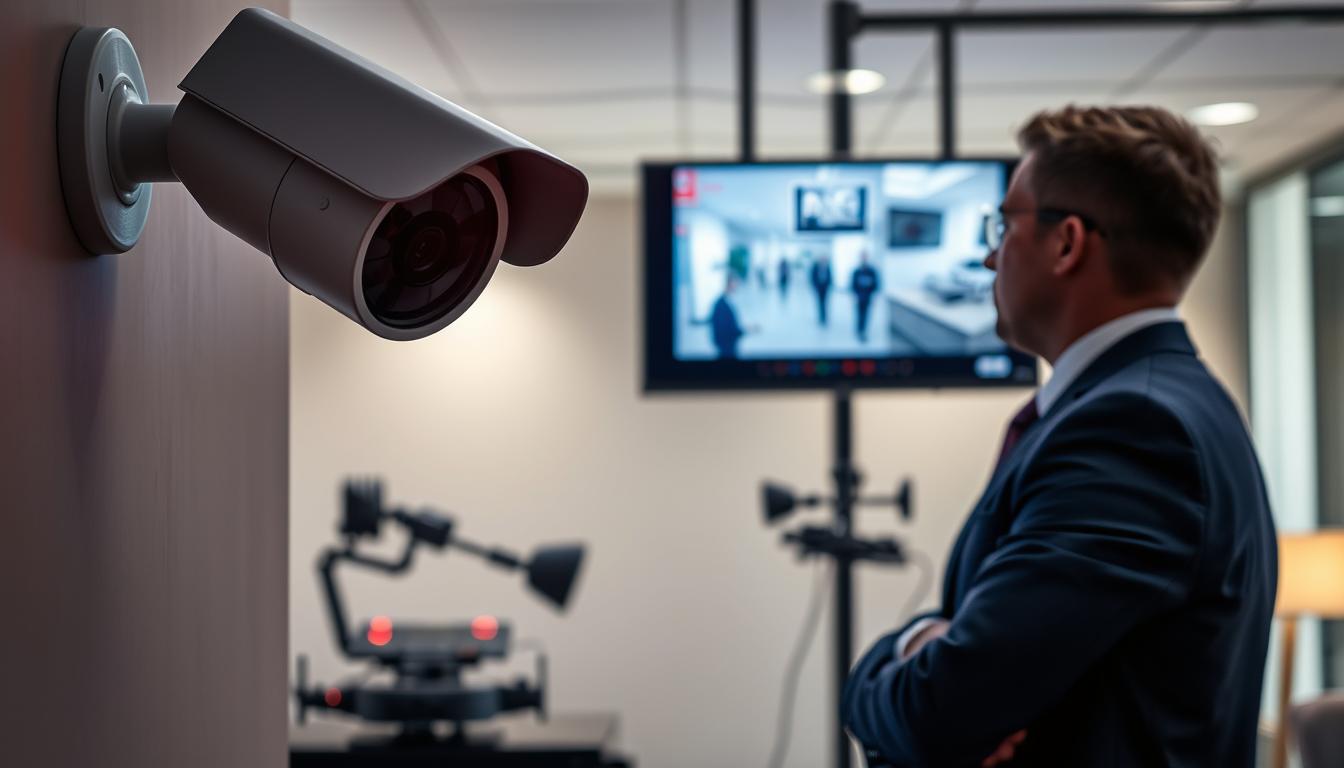
How do I know if my CCTV is recording? Easy Checks
Your security system is your first line of defense. For Singaporean homeowners and business operators, ensuring those cameras are actively capturing footage is non-negotiable. A non-recording surveillance camera offers a false sense of safety.
This comprehensive guide provides clear, actionable ways to verify your setup. We cover everything from simple visual checks to more advanced technical methods. You will gain the confidence to confirm your property protection is working.
Regular verification brings invaluable peace of mind. It confirms your investment in security is functional. This process helps you spot potential issues before they become real vulnerabilities.
We structured this article to progress from basic understanding to hands-on troubleshooting. It applies to all common system types, including both wired and wireless security cameras. Following these steps can prevent security breaches.
Discovering your camera’s status is straightforward with the right knowledge. Let’s begin with the fundamental checks anyone can perform.
Key Takeaways
- Verifying your surveillance system’s recording status is critical for actual security.
- Regular checks provide peace of mind and confirm your property protection is active.
- Multiple verification methods exist, from visual indicators to software checks.
- This guide covers techniques for all common camera types used in Singapore.
- Understanding these methods helps distinguish functional systems from potential vulnerabilities.
- Proactive verification can prevent security breaches caused by non-recording cameras.
The Critical Importance of Verifying Your CCTV is Recording
The true value of any surveillance setup lies not in its presence but in its proven ability to capture events. For Singapore’s dense urban landscape, this verification becomes non-negotiable. High population density and valuable property demand comprehensive security that actually works.
Active camera recording serves multiple critical functions beyond simple monitoring. It creates admissible evidence that can resolve disputes and support insurance claims. Many policies now require verifiable footage for incident validation.
Without confirmed recording, your surveillance investment provides only illusionary protection.
Dummy cameras or malfunctioning systems create dangerous false confidence. Properties become vulnerable when owners assume protection exists. This gap between appearance and reality represents a significant security risk.
Regular verification prevents missed documentation of critical events. It ensures evidence remains available when authorities require it. This is particularly important for Singapore’s efficient law enforcement ecosystem.
Knowing your surveillance system operates 24/7 delivers genuine peace of mind. You can trust your property protection remains active continuously. This confidence transforms security from concern to assurance.
Consistent status checks represent proactive security management. They move you beyond reactive problem-solving after incidents occur. This approach identifies issues before they become vulnerabilities.
In Singapore’s context, reliable CCTV footage actively assists police investigations. It supports community safety initiatives and crime prevention efforts. Functional systems contribute to broader urban security frameworks.
Verification optimizes your security investments by confirming equipment functions as intended. It ensures you receive full value from your surveillance expenditure. This practice transforms hardware purchases into operational protection.
Businesses carry additional responsibilities for premises monitoring and asset protection. Commercial establishments require reliable surveillance for liability management. Regular checks fulfill these operational obligations effectively.
Verification should become routine maintenance rather than occasional concern. Schedule regular assessments alongside other security protocols. This habit ensures continuous protection without security gaps.
Understanding why active recording matters helps prioritize these checks. It moves the question from “How do I know if my CCTV is recording?” to “How do I maintain consistent verification?” This mindset shift enhances overall security posture significantly.
Understanding Your CCTV System’s Basic Operation
A functional surveillance network relies on coordinated components operating in harmony. This coordination transforms individual devices into a reliable monitoring solution. Understanding this interplay is crucial for verifying your setup works correctly.
Modern security systems capture visual information for property protection. They monitor sensitive areas and provide valuable video evidence. Each part of the system has a specific role in this process.
Core Components: Cameras, Recorders, and Software
Every surveillance setup contains three essential elements working together. Cameras act as the eyes, capturing visual data from their environment. Recorders serve as the memory, storing this information securely.
Monitoring software functions as the brain, managing the entire operation. This software provides the interface for viewing live feeds and archived footage. It also handles critical settings and configuration options.
Different camera types offer various capabilities for Singaporean properties. Dome cameras provide discreet monitoring with wide viewing angles. Bullet cameras offer longer range vision for perimeter security.
PTZ (Pan-Tilt-Zoom) units allow remote control of the viewing direction. Each camera type affects how video data gets captured and stored. Your choice should match your specific security requirements.
Storage devices preserve the captured video for future review. DVR (Digital Video Recorder) systems work with analog cameras. NVR (Network Video Recorder) systems connect with IP cameras over networks.
Many modern setups also use cloud services for off-site backup. Local storage options include SD cards within individual cameras. Singaporean users often combine multiple storage methods for redundancy.
Continuous Recording vs. Motion-Activated Modes
Surveillance systems typically offer two primary recording approaches. Continuous mode captures footage twenty-four hours a day. This method ensures no event goes undocumented, regardless of activity levels.
Motion-activated recording conserves storage space significantly. It only saves video when sensors detect movement in the frame. This approach makes reviewing important events much more efficient.
Continuous recording provides complete documentation for high-security locations. Banks, jewelry stores, and government facilities often use this mode. The main drawback is substantial storage consumption and higher electricity costs.
Motion-based recording suits residential properties perfectly. Homes, apartments, and small businesses benefit from its efficiency. Storage requirements drop dramatically during inactive periods.
Hybrid systems combine both approaches for optimized coverage. They might record continuously during business hours. The same system switches to motion detection during closed periods.
Singapore’s context presents unique considerations for recording mode selection. Urban density means more potential activity in camera views. Electricity costs influence decisions about 24/7 operation.
Storage needs vary based on video quality and retention periods. Higher resolution footage consumes more space quickly. Longer retention policies require larger capacity solutions.
System configuration directly impacts recording reliability. Incorrect settings might prevent proper video capture. Users should understand their schedule configurations and sensitivity adjustments.
Motion detection sensitivity requires careful calibration. Too sensitive creates excessive false recordings from pets or foliage. Insufficient sensitivity misses important events and movements.
Choosing the right mode depends on your security priorities. Continuous recording offers peace of mind through complete coverage. Motion-activated recording provides efficiency and easier event location.
Evaluate your property’s characteristics before deciding. High-traffic commercial spaces often need continuous documentation. Residential properties usually benefit from motion-triggered capture.
Modern systems allow flexible adjustment of these features. You can test different configurations to find the optimal balance. Regular verification ensures your chosen settings perform as intended.
The Quick Visual and Audio Check: Your First Indicators
Before diving into technical software checks, a quick visual and audio inspection can provide immediate clues about your surveillance system’s status. These physical indicators offer instant feedback without needing to access any apps or interfaces. They serve as your first line of verification for property protection.
Learning to read these signals transforms you from a passive user to an informed operator. You can spot potential issues during routine walks around your premises. This proactive approach enhances your overall security posture significantly.
Interpreting LED Light Status and Colors
Most modern surveillance devices feature small LED indicators that communicate their operational mode. These lights provide immediate visual confirmation of camera activity. Understanding their language is a straightforward way to verify system function.
A steady red light typically indicates active recording. The device is capturing and storing footage continuously. This is the most reassuring signal for continuous property monitoring.
Blinking patterns often signify different operational states. A blinking red light usually means motion detection is active. The system is armed and ready to capture events when movement occurs.
Other common color patterns include:
- Solid green: The device is powered on but may be in standby mode.
- Infrared glow: Night vision is active, often visible as faint red dots around the lens in darkness.
- Alternating colors: May indicate network connectivity processes or system errors.
Important note: LED meanings can vary between manufacturers. Brands commonly found in Singapore like Hikvision, Dahua, and Lorex each have their own conventions. A blinking pattern on one model might mean something different on another.
For accurate interpretation, always consult your device’s manual. Manufacturer documentation provides the definitive guide for your specific hardware. This ensures you don’t misinterpret a warning signal as normal operation.
Environmental factors in Singapore can affect indicator visibility. Bright tropical sunlight might wash out LED lights during daytime. Camera placement under eaves or in shaded areas helps maintain visibility.
At night, the same indicators become more noticeable. This daily variation is normal but worth considering during checks. Position yourself at different angles if an indicator seems absent.
Listening for Operational Sounds and Camera Movement
Your surveillance equipment often produces characteristic sounds during normal operation. These auditory cues provide additional confirmation of system activity. Learning to recognize them adds another layer to your verification process.
Pan-tilt-zoom (PTZ) cameras create distinct buzzing when rotating. Servo motors engage to change the viewing angle or zoom level. This mechanical sound clearly indicates the camera is responding to commands.
Other common operational noises include:
- Clicking relays: Often heard when recording starts or stops
- Cooling fan hum: Indicates internal electronics are active and ventilated
- Focus adjustments: Subtle whirring as lenses auto-focus
The absence of expected sounds can be as telling as their presence. Silent equipment might indicate power issues or mechanical failures needing attention.
Camera movement itself serves as a clear visual indicator. Automatic panning sequences in programmed tours show system engagement. Even slight tilting adjustments demonstrate the device is active and responsive.
Fixed cameras might show less obvious movement. Look for subtle infrared filter clicks when transitioning between day and night modes. These small actions confirm the system is processing environmental changes.
When visual and audio indicators don’t match expected status, troubleshooting begins. First, verify power connections are secure and uninterrupted. Check that cables haven’t been damaged by weather or pests.
Next, consider whether settings might have changed inadvertently. Someone may have adjusted sensitivity or disabled certain features. A quick review of basic configurations often resolves discrepancies.
For persistent issues, a system reboot can clear temporary glitches. Power cycle both the camera and recording device if possible. This simple step resolves many minor operational hiccups.
Remember that these physical checks complement rather than replace software verification. They provide immediate situational awareness during routine inspections. For definitive proof, you’ll still want to access recorded footage directly.
Regularly practicing these quick checks builds confidence in your security investment. You develop an intuitive sense of your system’s normal operation patterns. This awareness helps you spot anomalies before they become serious vulnerabilities.
How Do I Know If My CCTV Is Recording? Using Your Software or App for Definitive Proof
For definitive verification of your surveillance system’s operation, the software interface provides the most reliable confirmation. This digital dashboard transforms uncertainty into actionable information about your property protection. It delivers concrete evidence that every component functions as intended.
Modern security platforms offer comprehensive visibility into camera activity and data storage. They serve as command centers for monitoring, configuration, and verification tasks. Accessing this interface represents the most authoritative method for status confirmation.
Accessing the Live Feed for Real-Time Confirmation
Begin by launching your surveillance software on a desktop computer or mobile device. Popular applications in Singapore include iVMS-4200 for Hikvision systems and DMSS for Dahua equipment. These platforms provide secure access to your entire security network.
Locate the live view section within the application’s main menu. This area displays real-time video streams from all connected cameras simultaneously. Seeing current footage confirms each device captures visual data properly.
Observe the video quality and frame rate during live monitoring. Smooth, clear images indicate optimal camera performance and network stability. Check different camera angles to verify complete coverage of monitored areas.
Mobile apps enable remote verification from anywhere with internet connectivity. Singaporean users can check their premises while traveling or at work. This flexibility enhances peace of mind through constant accessibility.
The live feed doesn’t just show what cameras see—it proves they’re actively capturing footage for your security.
Checking Recording Schedules and Status Indicators in the Interface
Your software dashboard contains multiple visual cues about system health. Recording status icons typically appear as red dots or camera symbols with activity indicators. These provide immediate confirmation that video capture occurs.
Connection status lights show green for online devices and red for disconnected units. Storage capacity meters display how much recording space remains available. System health monitors alert you to potential technical issues.
Navigate to recording schedule settings to verify configurations. Ensure continuous or motion-activated modes align with your security requirements. Singaporean homes often use motion detection during daytime with continuous recording at night.
Review recording history logs for consistency. These logs show timestamps for all saved footage without gaps. Regular patterns indicate reliable operation over extended periods.
Configure push notification settings for immediate alerts. Modern systems can send messages about motion events, recording status changes, or system errors. These notifications keep you informed without constant manual checking.
Brand-specific features offer advanced verification options. Hikvision’s iVMS-4200 includes detailed event logs and system diagnostics. Dahua’s DMSS provides smart search functions for reviewing recorded data efficiently.
Regular software updates maintain optimal performance and security. Check for firmware updates monthly to access the latest features and bug fixes. Updated systems demonstrate improved reliability and functionality.
Troubleshoot common software issues promptly. Login problems often result from incorrect credentials or network settings. Interface freezing might indicate insufficient device resources or compatibility problems.
Incorrect status displays sometimes occur after power interruptions. Restart both the software and recording devices to synchronize information properly. Persistent issues may require technical support from your system provider.
Document your verification process for future reference. Note any irregularities in status indicators or recording logs. This documentation helps identify patterns and prevent recurring problems.
Your software interface serves as the ultimate truth-teller for surveillance operations. It provides unambiguous evidence of recording activity and system health. Regular engagement with these digital tools ensures continuous property protection.
Conducting a Hands-On Physical Inspection of Your System
Direct examination of surveillance components confirms their resilience against Singapore’s challenging climate. Software indicators can show normal operation while physical issues develop unnoticed. A thorough tactile check identifies wear before it causes recording failures.
This process requires basic tools like a flashlight and gloves. You should inspect all accessible devices in your security network. Regular physical verification prevents small problems from becoming major vulnerabilities.
Checking Power Connections and Cable Integrity
Begin with the power source for each surveillance unit. Verify that all plugs are firmly seated in electrical outlets. Loose connections are a common cause of intermittent recording failures.
Follow each cable from the camera to its termination point. Look for fraying, cuts, or chew marks from pests. Singapore’s tropical environment accelerates cable deterioration through humidity and heat.
Check weatherproofing at outdoor connection points. Moisture ingress can corrode contacts and disrupt power flow. Ensure waterproof seals remain intact and flexible.
Inspect cable management along the entire run. Poorly secured cables can sag and strain connectors. Tighten any loose cable ties and replace missing clips.
Test backup power systems if your setup includes them. Uninterruptible power supplies should show adequate charge levels. These backups maintain recording during electrical outages.
Never handle exposed wires or connections during rain. Wait for dry conditions to prevent electrical hazards during inspection.
Document any discovered damage for repair planning. Note locations where cables need replacement or additional protection. This creates a maintenance roadmap for your security infrastructure.
Inspecting the Camera Lens and Housing for Obstructions
Clean lens surfaces with appropriate microfiber cloths. Dust and insect debris accumulate quickly in Singapore’s environment. Even thin layers can significantly reduce night vision effectiveness.
Check for spider webs around the housing perimeter. These often form overnight and block portions of the view. Regular removal maintains unobstructed recording angles.
Examine housing seals for weatherproofing integrity. Look for cracks in plastic casings or separated seams. Water condensation inside the dome indicates failed seals.
Test infrared LED functionality after dark. Use your phone’s camera to view the infrared glow. Non-working LEDs disable night vision without obvious daytime signs.
Verify mounting bracket stability by applying gentle pressure. Loose mounts gradually shift camera angles over time. This reduces coverage of intended monitoring areas.
Assess environmental impact on each camera position. Direct sunlight exposure accelerates plastic degradation. Adjust shades or reposition devices if necessary.
Singapore-specific factors require special attention:
- High humidity promotes condensation inside poorly sealed housings
- Frequent rainfall tests waterproofing claims of outdoor units
- Tropical heat weakens adhesives and plastic components over time
- Urban wildlife may nest near or chew on equipment
Create a maintenance schedule based on installation location. Indoor cameras need monthly visual checks. Outdoor units require bi-weekly inspections during rainy seasons.
Reference your equipment manual for specific maintenance guidelines. Different security cameras have unique cleaning requirements. Following manufacturer instructions prevents accidental damage.
Make sure your inspection covers all cctv components systematically. Start from power sources and work toward individual cameras. This method ensures no part of the system gets overlooked.
Physical verification provides confidence that your cctv infrastructure remains robust. It complements digital checks for comprehensive security assurance. Regular hands-on inspection is essential for uninterrupted surveillance.
The Ultimate Test: Accessing and Reviewing Stored Footage
Nothing proves your surveillance investment works like watching the actual recorded events unfold. This hands-on verification method delivers absolute certainty about your property protection measures. Reviewing archived video provides irrefutable evidence that your monitoring setup functions correctly.
Modern security platforms store content in multiple ways for redundancy. Singaporean properties often use hybrid approaches combining local and cloud solutions. Understanding these storage methods helps you access your valuable footage efficiently.
How to Locate and Play Back Recent Recorded Clips
Your system likely uses one or more storage technologies. DVR/NVR hard drives offer local archiving with direct access. Network-attached storage devices provide centralized data management for multiple cameras.
Many modern security camera models include built-in SD card slots. These offer backup storage directly within the device itself. Cloud services like Google Drive or manufacturer-specific platforms provide off-site protection.
Accessing stored footage follows a consistent process across platforms. First, log into your surveillance software or mobile app. Navigate to the playback or archive section of the interface.
Use the calendar and timeline tools to select your desired date and time. Most interfaces display recorded periods in blue or green bars. Blank sections indicate times when no recording occurred.
Select a recent event to test playback functionality. Look for smooth video without stuttering or artifacts. Verify that image quality allows clear identification of subjects and details.
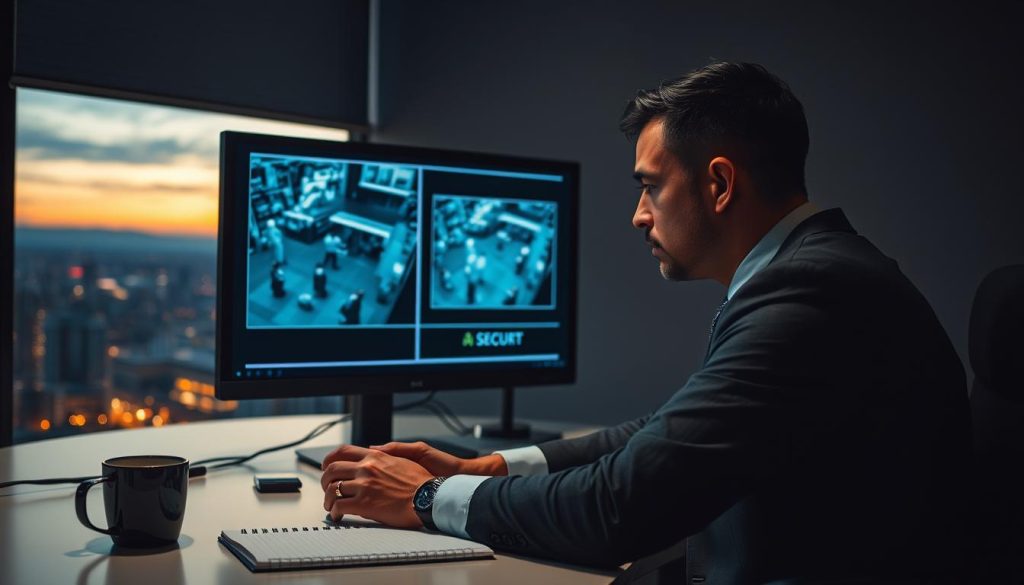
Export sample clips to confirm recording quality meets requirements. Most software includes export functions in the playback menu. Save short segments covering different lighting conditions.
Regular review of stored footage not only verifies system operation but also familiarizes you with normal activity patterns around your property.
Manage storage capacity to prevent automatic overwriting of important data. Set retention periods based on your security needs and legal requirements. Many Singaporean businesses maintain 30-90 days of archived video.
Check cloud storage synchronization regularly if using hybrid systems. Verify that footage uploads complete successfully. Monitor storage quotas to avoid service interruptions.
For comprehensive guidance on maintaining optimal surveillance performance, consider professional CCTV maintenance services in Singapore.
Verifying Time Stamps and Recording Continuity
Accurate time documentation transforms video into admissible evidence. Incorrect timestamps undermine the legal value of your surveillance footage. They often indicate underlying system issues needing attention.
Check timestamp accuracy against trusted time sources. Compare your camera display with Singapore Standard Time. Discrepancies of even a few minutes can create confusion during investigations.
Calibrate your system time through the device settings menu. Enable automatic network time protocol synchronization when available. This ensures all cameras maintain consistent timing.
Examine recording timelines for gaps indicating camera recording failures. Continuous bars should show no interruptions during active periods. Missing segments suggest power issues or configuration problems.
Review continuity across multiple security camera angles simultaneously. Ensure overlapping coverage maintains seamless documentation. Gaps in one view should be covered by adjacent units.
Document any irregularities discovered during footage review. Note timestamps where problems occur and their frequency. This information helps technicians diagnose intermittent issues.
Use playback review to identify subtle system degradation before complete failure occurs. Look for gradually decreasing image quality or increasing video artifacts. These often precede more serious equipment malfunctions.
Regular data verification creates a proactive maintenance culture. It moves security management from reactive troubleshooting to preventive care. This approach maximizes your surveillance investment’s effectiveness.
Identifying and Fixing Common CCTV Recording Problems
When surveillance equipment stops functioning properly, a methodical approach to diagnosis and repair restores protection. Many recording problems stem from simple, correctable issues. Following a logical troubleshooting sequence saves time and prevents frustration.
Begin with the most basic checks before exploring complex solutions. Verify power sources and physical connections first. This eliminates obvious causes before investigating technical problems.
Singaporean users benefit from this structured methodology. The tropical climate creates unique environmental challenges for security equipment. Understanding local factors helps pinpoint specific issues.
Troubleshooting Software Glitches and Connectivity Issues
Software malfunctions often disrupt normal surveillance operations. Outdated firmware represents a frequent culprit behind malfunctioning systems. Regular updates maintain compatibility and patch security vulnerabilities.
Corrupted configuration files can disable recording functions entirely. These settings control when and how cameras capture footage. Restoring default parameters often resolves these issues.
Application synchronization problems affect mobile access to your security feed. Smartphone apps may fail to display live views or archived clips. Reinstalling the application typically fixes these synchronization issues.
Operating system conflicts emerge after device updates. New software versions sometimes interfere with surveillance applications. Checking compatibility lists prevents these problems before installation.
Connectivity issues severely impact remote monitoring capabilities. WiFi signal interference plagues many Singaporean installations. Dense urban environments create radio frequency congestion.
Network configuration errors prevent proper data transmission. Incorrect IP addresses or subnet masks block communication. Verifying network settings restores connectivity between devices.
Router malfunctions disrupt the entire surveillance system. Overloaded hardware cannot handle continuous video streaming. Rebooting network equipment clears temporary glitches.
Internet service disruptions affect cloud-based storage solutions. Local recording continues during outages, but remote access disappears. Understanding your system’s offline capabilities is crucial.
Systematic troubleshooting begins with software checks before hardware inspection. This logical progression identifies the simplest solutions first.
Advanced network problems require technical knowledge for resolution. IP address conflicts occur when multiple devices share identical identifiers. Manual assignment prevents these clashes.
Port forwarding issues block external access to your surveillance feed. Correct router configuration enables secure remote viewing. Professional technicians often handle these complex settings.
Bandwidth limitations affect video quality and reliability. Multiple high-resolution cameras can overwhelm network capacity. Adjusting stream quality balances performance with available resources.
Addressing Hardware Malfunctions and Power Failures
Physical component failures require hands-on intervention. Failed security cameras stop capturing footage entirely. Visual inspection reveals obvious damage or wear.
Damaged sensors cannot detect motion for triggered recording. Infrared detectors for night vision often degrade first. Testing sensor functionality confirms their operational status.
Storage device failures create immediate recording stoppages. Hard drives in DVR/NVR units have limited lifespans. Regular backups protect against sudden data loss.
Power supply problems represent common hardware issues. Inadequate voltage prevents proper camera operation. Testing with multimeters identifies weak power sources.
Basic repair procedures resolve many hardware problems. System reboots clear temporary electronic glitches. This simple step fixes numerous unexplained malfunctions.
Factory resets restore original configurations after failed updates. This erases custom settings but often revives non-functional equipment. Document your configurations before attempting this procedure.
Cable reseating reestablishes loose physical connections. Vibration and thermal expansion gradually loosen plugs and ports. Securing all connections prevents intermittent failures.
Power cycling completely discharges electrical components. Turn off devices, wait two minutes, then restore electricity. This clears capacitor charges that might cause abnormal behavior.
Singapore’s environment creates specific hardware challenges. Power surges from frequent thunderstorms damage sensitive electronics. Surge protectors are essential for all security installations.
High humidity accelerates corrosion on exposed metal contacts. Regular cleaning prevents conductive surface degradation. Sealed connectors offer better protection in tropical conditions.
Insect infestations inside equipment housings cause short circuits. Ants and cockroaches seek warm electronics for nesting. Periodic inspection and pest control prevent these intrusions.
Make sure you distinguish between DIY repairs and professional interventions. Basic cable maintenance and cleaning are safe for most users. Electrical work and component replacement require certified technicians.
Backup solutions maintain surveillance during system downtime. Temporary battery-powered cameras provide interim coverage. These prevent security gaps during repair periods.
Preventive measures reduce future problems significantly. Proper installation following manufacturer guidelines extends equipment lifespan. Regular maintenance schedules catch issues before they cause failures.
Environmental protection safeguards your investment. Weatherproof enclosures shield outdoor devices from tropical elements. Correct placement minimizes exposure to direct sunlight and rainfall.
A comprehensive approach to cctv maintenance ensures continuous protection. Combining software updates with hardware checks creates robust surveillance. This proactive strategy maximizes your security investment’s effectiveness.
Advanced Verification and Security Considerations
Advanced security verification employs specialized tools to confirm system functionality beyond surface-level indicators. These methods provide definitive proof of operational status for comprehensive property protection. They address both your own equipment verification and potential unauthorized surveillance concerns.
Singaporean users benefit from these sophisticated approaches in dense urban environments. Multi-unit buildings and shared spaces create complex security landscapes. Technical verification ensures your investment delivers actual monitoring capabilities.
Using Electronic Bug Detectors for Signal Confirmation
Electronic bug detectors identify active surveillance equipment through radio frequency scanning. These specialized tools detect transmissions from operational security systems. They provide concrete evidence of camera activity beyond visual indicators.
Affordable detection devices are available in Singapore’s electronics markets. Popular shopping centers like Sim Lim Square offer various models. Prices range from basic handheld units to professional-grade equipment.
These detectors work by scanning for RF signals emitted by wireless security cameras. Even hidden units produce detectable transmissions during operation. The devices alert users through audible tones or visual displays.
Interpret detector readings carefully to distinguish between authorized and unauthorized equipment. Your legitimate cctv system will produce known signal patterns. Unfamiliar transmissions might indicate hidden surveillance devices.
Privacy considerations are crucial when using detection equipment in shared spaces. Singapore’s multi-tenant buildings require respectful verification practices. Always respect legal boundaries while protecting your security interests.
Professional verification services in Singapore offer comprehensive signal analysis for high-security installations.
Advanced features in modern detectors include frequency spectrum analysis. These tools can differentiate between various types of electronic devices. They help identify specific camera models based on transmission characteristics.
Regular scanning maintains awareness of your electromagnetic environment. Schedule monthly checks in sensitive areas of your property. This proactive approach prevents unauthorized monitoring attempts.
Distinguishing Between Functional and Dummy Cameras
Genuine security cameras possess distinct physical and operational characteristics. Dummy units lack essential features needed for actual surveillance. Careful inspection reveals these differences through multiple verification methods.
Begin with physical examination of the cctv camera housing. Real units contain proper wiring for power and data transmission. Look for cables entering the housing through sealed grommets.
Check for weight discrepancies between functional and dummy models. Authentic security cameras contain circuit boards, lenses, and sensors. They feel substantially heavier than hollow plastic replicas.
Examine lens quality under different lighting conditions. Genuine lenses show multi-layer anti-reflective coatings. They produce clear reflections without distortion when viewed from angles.
Infrared LED arrays surround authentic night vision cameras. These small red lights become visible in darkness or through smartphone cameras. Dummy units typically have painted dots instead of functional LEDs.
Cooling vents indicate internal electronics generating heat during operation. Real devices require ventilation for continuous recording. Look for small slots or mesh areas on the housing.
Advanced status indicators extend beyond basic led lights. Network activity lights flash during data transmission. Diagnostic port outputs provide technical information about camera operation.
Verify camera functionality in complex systems with multiple recording modes. Scheduled operations should trigger consistent status changes. Motion detection features activate specific response patterns.
Technical verification methods suit business security audits in Singapore. Professional assessments include thermal imaging to detect operational electronics. Signal analysis confirms data transmission during scheduled recording periods.
Listen for operational sounds during different modes. Genuine security cameras produce subtle sound from focus mechanisms. Cooling fans create consistent humming during extended operation.
Check for the characteristic red light of infrared illumination after dark. This indicator confirms night vision capabilities are functional. Dummy units cannot produce this specific visual signature.
Professional verification services in Singapore offer comprehensive assessment packages. They combine physical inspection with technical analysis for definitive results. These services provide documentation for insurance or compliance requirements.
Best Practices for Uninterrupted CCTV Surveillance
Proactive maintenance transforms your surveillance investment from hardware into reliable protection. Regular checks prevent recording gaps and storage issues before they affect security.
Establish a monthly schedule for physical inspections and software updates. These updates provide new features and critical security patches for your system.
Backup power solutions maintain camera activity during electrical problems. Redundant storage protects important video footage from accidental overwriting.
Document all maintenance and system status changes. This record supports warranty claims and security audits for your property.
Seasonal adjustments account for Singapore’s changing weather conditions. Proper waterproofing and sun protection extend your devices’ lifespan significantly.
Consistent attention delivers genuine peace of mind. You can trust your security cameras to provide continuous monitoring and protection.
FAQ
What are the easiest ways to confirm my security camera is active?
The simplest methods involve a quick visual and audio inspection. Look for a solid or blinking LED light on the camera housing, which often indicates power and activity. Listen for faint operational sounds, like a slight hum or the movement of a motorized lens. For definitive proof, always log into your system’s mobile app or software to view the live feed and check the recording status icon.
Why is it so important to regularly verify my surveillance system’s recording status?
A> Regularly checking your system ensures your property protection is never compromised. A camera that appears operational but isn’t saving footage provides a false sense of security. Routine verification helps you catch issues like full storage, software glitches, or power disconnections before an incident occurs, guaranteeing your video evidence is there when you need it.
How can I tell if my camera is set to record all the time or only when it detects motion?
A> You must check the settings within your specific DVR, NVR, or security app. Look for a “Recording Mode” or “Schedule” section. Continuous recording is usually labeled “24/7” or “Always,” while motion-activated modes may be called “Event,” “Motion,” or “Alarm” recording. The interface often shows a visual timeline, with different colors indicating continuous versus event-based data capture.
What should I do if the software shows a live feed but I can’t find any saved footage?
A> This common problem typically points to a configuration or storage issue. First, verify that a recording schedule is enabled and applied to the correct cameras. Next, check your hard drive’s available capacity in the system menu; it may be full. Ensure the device is properly formatted for your DVR or NVR. Also, confirm motion detection zones are set correctly if not using 24/7 recording.
Can a camera have power and lights on but still not be recording video?
A> Yes, this is a frequent scenario. A camera receiving power will often illuminate its status LED, but the recording function is managed separately by the recorder or software. Issues like a faulty network cable, incorrect IP address, a disabled recording schedule, or a full hard drive on the recorder can all prevent footage from being saved, even though the camera itself appears online.
What are the best practices to maintain uninterrupted surveillance?
A> Implement a routine maintenance schedule. Weekly, check live feeds and status lights. Monthly, review playback of recent footage to confirm quality and continuity, and clear old video data as needed. Ensure your system’s firmware is updated, and use high-quality, managed power supplies and cables. For critical areas, consider systems with redundant storage or cloud backup to prevent total data loss.


