

Checking CCTV Status: Is it On or Off?
Ever thought about what happens if your CCTV system fails when you need it most? Knowing how to check your CCTV status is key to keeping your home safe. Cameras that aren’t working can leave you open to danger, making it vital to know if they’re on.
In this guide, we’ll show you how to check your CCTV status. This will help Singapore homeowners keep their homes secure. We’ll cover different ways to check if your system is working right.
Key Takeaways
- Monitoring CCTV systems is essential for effective home security.
- There are multiple methods to determine if your CCTV is on or off.
- Learn to identify real and fake security cameras to avoid security risks.
- Understanding state laws is key for any audio recording with security cameras.
- Reputable companies often provide warranties, bolstering confidence in security solutions.
If you need help, don’t wait. Contact Wen Hong today at +65 60135960. Find out about the latest CCTV solutions and offers.
Understanding CCTV Functionality
Closed-Circuit Television, or CCTV, is key in today’s security systems. It uses cameras to watch over different spots, helping many industries stay safe. In Singapore, CCTV is more important than ever for homes and businesses.
What is CCTV?
CCTV systems have cameras, recorders, and monitors. They can be wired or wireless, making them easy to set up. People like the 4K UHD Continuous Recording from Reolink Altas PT Ultra for clear footage.
This clear video helps spot activities, which is vital in busy cities. Here, security is a big concern.
How CCTV Systems Operate
To get CCTV, you need to know how it works. Cameras use LED lights to show if they’re on. For example, IP cameras have power lights.
It’s important for CCTV cameras to have steady power. Without it, they can’t record. A study found 70% of working CCTV cameras might have hidden problems.
CCTV watches over many places, like shops, parking lots, and homes. It helps cut crime by 52%. For better security, using bug detectors or infrared LEDs can check if cameras are working.
For top-notch security, talking to experts is a good idea. For the latest in CCTV, call Wen Hong at +65 60135960.
Indicators of CCTV Status
Knowing how to check if your CCTV system is working is key for homeowners in Singapore. There are clear signs that show if your cameras are up and running. Spotting these signs can help you figure out if everything is okay without needing to be a tech expert.
Visual Signs of Operation
Each CCTV model has its own way of showing it’s working. For example, the Reolink Altas PT Ultra records in 4K UHD. Look for LED lights, which often show if a camera is recording. A blue light usually means it’s active, but this isn’t true for all cameras.
Many cameras use infrared (IR) lighting for night vision. This causes a faint red glow when it’s on.
- Active cameras have sharp lenses, while inactive ones look dull or hazy.
- PTZ cameras move when they’re working, unlike fixed models.
- Some cameras don’t have visible indicators, so you need to check the user manual.
Using LED Indicators for Status Check
LED lights are very important for checking if your CCTV system is working. Many security cameras have these lights that turn on when they’re recording. Knowing what these lights mean can tell you if your cameras are working right.
Some dummy cameras have blinking red lights to look like they’re working. Real cameras might not have these lights. It’s important to make sure your cameras have power, or they won’t record anything.
Using tools like electronic bug detectors or network scanners can help keep an eye on your CCTV system. These tools make sure your cameras are connected and working right in your security setup.
For more information on the latest CCTV solutions and deals, call Wen Hong today at +65 60135960.
How do I know if my CCTV is on or off?
It’s important to know if your CCTV is working. This helps keep your space safe. You can check by looking at live streams or by physically inspecting the unit.
Checking Live Streaming via CCTV Apps
Using CCTV apps on your phone or tablet is easy. Most cameras let you watch live feeds remotely. Open the app, go to live streaming, and see if you can view the camera’s feed. If you see it, your system is working.
Physical Inspection of CCTV Unit
Checking the camera physically is also good. Look for LED lights on the camera. A steady red light means it’s on. Blinking lights might mean something else.
For infrared cameras, red lights around the lens mean night vision is on. If it’s dark, turn off lights to see these lights. If there are no lights and the camera won’t turn on, check the app or storage.
Keep your CCTV system working well for security. In Singapore, contact Wen Hong at +65 60135960 for the latest CCTV solutions and deals.
Using Technology to Determine CCTV Status
Modern technology gives homeowners ways to check their CCTV systems. Electronic bug detectors are key in this process. They find signals from cameras, showing if they’re working right.
Electronic Bug Detectors
Electronic bug detectors are vital for checking your surveillance system. They help find signals that show if a camera is sending images. If you think there’s interference or wiring issues, these detectors can solve your problems fast.
Wi-Fi Signal Strength Monitor
Keeping an eye on Wi-Fi signal strength is also important. It tells you if your wireless cameras are connected well. A strong signal means your camera is talking to your network, so you get video feed. Homeowners should check their Wi-Fi often to keep their CCTV systems working.
Use these tech tools to stay safe from security threats. For specific CCTV needs and help, call Wen Hong at +65 60135960. Learn about the latest CCTV solutions and deals.
Checking CCTV Connection
Starting with the basics is key to a working CCTV system. You need to check cables and power to make sure everything is okay. Regular checks can stop problems before they start.
Inspecting Cables and Connections
Look at the cables that connect your cameras to the network or power. Over time, cables can get damaged or worn out. Using good cables like Cat 5 or Cat 6 helps keep your cameras working well. Always check for:
- Frayed or exposed wires
- Disconnected cables
- Corroded or loose connections
Keeping cables in good shape helps avoid connection problems. Regular checks can spot issues early, keeping your cameras running smoothly.
Testing Power Supply for Functionality
The power supply is critical for your CCTV system’s performance. To see if your cameras are working, check the power lights. A steady red light means they’re on, but blinking lights might mean trouble. Make sure:
- Each camera gets the right amount of power, even for advanced models.
- Cameras have unique IP addresses to avoid conflicts.
- Firmware is updated regularly for the best performance.
Checking the power supply often can stop big problems. If you’re unsure, getting help from a pro is a good idea.
For more info on CCTV solutions and deals, call Wen Hong at +65 60135960.
Monitor CCTV Camera Status Remotely
Remote monitoring is a big plus for those who want to keep their places safe. With mobile apps, you can check on CCTV cameras from anywhere with internet. This makes surveillance systems work better.
Mobile Applications for Remote Monitoring
Many CCTV systems have apps for smartphones. These apps let you see live video feeds. They also have features like UID for easy setup and P2P for remote access.
- Convenient Access: View live feeds and recorded footage from any location.
- Control Features: Adjust camera settings and positions remotely.
- User-Friendly Interfaces: Many apps are designed to be intuitive, making them easy to navigate.
Accessing DVR/NVR Systems
Getting into DVR and NVR systems is key for good security. Port forwarding and Dynamic DNS make it easy to access cameras. This way, you don’t have to remember hard-to-remember IP addresses.
Tools like Blue Iris and iSpy let you control cameras from different devices. This is great for homes and businesses. It helps keep places safe by monitoring CCTV camera status all the time.
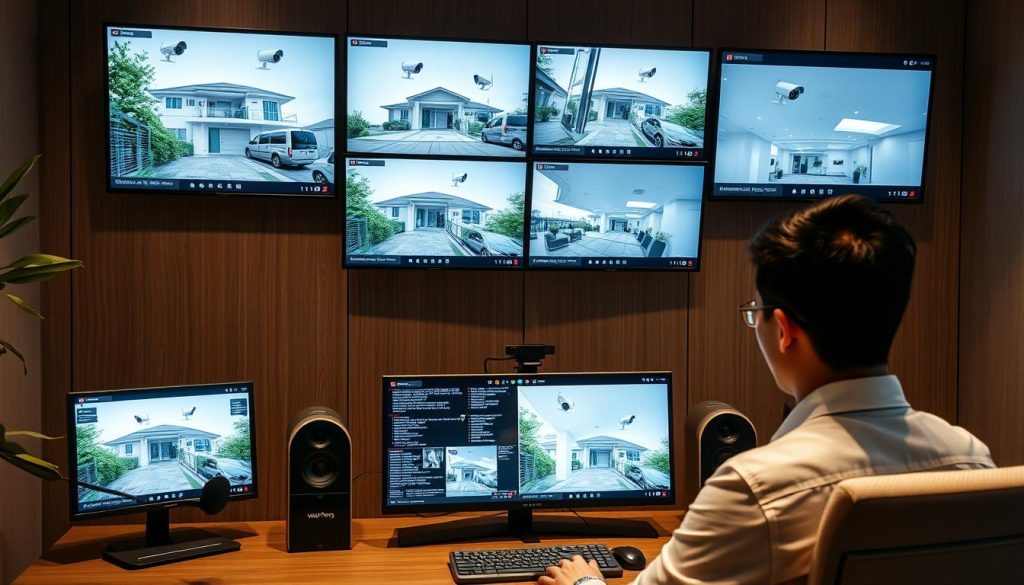
For the latest in CCTV solutions and deals, contact Wen Hong at +65 60135960. Making security management easy has never been simpler.
Verify CCTV Power Supply
Having a reliable power supply is key for CCTV systems to work well. Finding power problems can really hurt surveillance quality. Knowing the voltage, amperage, and power type helps avoid issues and makes your gear last longer. There are many power setups, like 12 Volts DC, 24 Volts AC, and Power over Ethernet (PoE).
Identifying Power Issues
Spotting power problems needs a careful plan. First, check your CCTV camera specs to make sure you’re using the right power. Using the wrong power source can damage your camera for good. Also, keep an eye on your power cables and connections for signs of wear.
Remember, batteries usually last one to three years. Keep an eye on them so you can replace them when needed.
Power Source Variations for Different Environments
Power needs change a lot depending on where you install your CCTV. For example, PoE lets you send both data and power through one cable. This is great for big setups with lots of cameras.
It’s smart to use only 80% of your power supply to avoid overloading. This way, features like IR LEDs work well. Make sure each camera’s power needs don’t add up too much.
In Singapore, following these tips makes your surveillance better and saves you money on repairs. If you need help with power or CCTV, call Wen Hong at +65 60135960. They have the latest offers and solutions for you.
Troubleshooting CCTV Camera Status
Keeping your CCTV system in top shape is key for security. If you see ghost images or poor picture quality, knowing how to fix it is vital. Learning about common issues and solutions can make your system better and protect your property.
Common Problems and Solutions
Many people run into problems with their CCTV cameras. Here are some common issues and how to fix them:
- Image Quality Issues: Dirty lenses can really hurt image quality. Cleaning the lens can fix this.
- Power Supply Problems: Loose connections are a big problem. Make sure all connections are tight.
- Signal Loss: Use good cables to avoid problems from long lengths or bad materials.
- Monitor Display Errors: Check that your monitor is set to the right input. Adjusting brightness, contrast, or resolution can help.
- Intermittent Functionality: Unstable power can cause problems. Try using a surge protector to keep the power steady.
When to Call for Professional Help
While you can solve many problems yourself, some need a pro. If the camera is damaged or keeps having issues after you try to fix it, get help. Also, if you’re always having trouble, an expert can make your system work better.
For more help, call Wen Hong at +65 60135960. They can tell you about the latest CCTV solutions and offers.

Conclusion
Checking if your CCTV systems are working is key for home security in Singapore. Regular checks make sure your security is up to date. This helps keep your property safe from threats.
Practices like checking LED lights, using apps for remote access, and regular checks boost your CCTV’s performance. These steps are important for a strong security system.
Today, 78% of CCTV systems can be accessed remotely, and 65% send alerts when they detect motion. This makes it easier to stay alert. Also, 55% of problems come from power issues, so a reliable power source is critical.
Keeping your CCTV systems in good shape is essential for peace of mind. This is even more important in areas with high crime rates.
For the latest in CCTV solutions and special deals, contact Wen Hong at +65 60135960. A solid security system protects your assets and gives you peace of mind. It lets you focus on what’s important in your life.
FAQ
How do I know if my CCTV is on or off?
Check if your CCTV is on by looking for LED lights or using mobile apps. If the camera shows movement or makes sound, it’s working.
What are the visual signs that confirm my CCTV camera is operational?
Look for LED lights, camera movement, or sounds. A red LED means it’s recording.
How can I check my CCTV camera’s connection?
Inspect cables for damage and check all connections. Make sure the power supply is strong enough.
Can I monitor my CCTV system remotely?
Yes, modern systems let you watch live feeds remotely. Use mobile apps over Wi-Fi or cellular.
What technology can help me determine if my CCTV camera is working?
Use electronic bug detectors to find active signals. Also, check Wi-Fi strength to see if wireless cameras are connected.
How can I verify the power supply of my CCTV system?
Look for lit LEDs and intact cables. Check for power source issues and troubleshoot them.
What are common problems I might encounter with my CCTV cameras?
Issues include ghost images, poor quality, and hardware problems. If problems persist, get professional help.
Why is it important to check if my CCTV is operational?
It’s key for home security. Unchecked cameras can leave your home open to threats. Regular checks keep your system working well.
Source Links
- https://blog.zositech.com/how-to-tell-if-a-security-camera-is-on/
- https://reolink.com/blog/how-to-tell-if-a-security-camera-is-on/?srsltid=AfmBOoqC7PcahD9RIVMTTRr_7FzchhznNbI9iYoWRoDvr73pzf9nGWQ4
- https://reolink.com/blog/how-to-tell-if-a-security-camera-is-on/?srsltid=AfmBOoqYzRApGYwX1M-3itSooQUvanlC3LlkT64JJ67Wt_nghBdrGE0t
- https://www.precisionsecurity.com.au/how-to-know-if-cctv-is-working
- https://sirixmonitoring.com/blog/what-is-cctv-monitoring-and-how-does-it-work/
- https://reolink.com/blog/how-to-tell-if-a-security-camera-is-on/?srsltid=AfmBOooOhQma4ut2ykI1cHF3xJyZFBAhfUrzIw18A0PPpnvbgOBf9E8o
- https://livepatrol.com/how-to-tell-if-a-surveillance-camera-is-on/
- https://reolink.com/blog/how-to-tell-if-a-security-camera-is-on/?srsltid=AfmBOooHi7fkhquFFT4jRp4PXeFDcmHd-q11QqV-nVmJyZsA0gJ-mvX_
- https://alfred.camera/blog/how-to-tell-if-a-security-camera-is-on/
- https://reolink.com/blog/how-to-tell-if-a-security-camera-is-on/?srsltid=AfmBOoo0Jvd7Xs1iPaL-pHo-k9VtmJb_X_r2PbV8Hd06OBPK2Ua2ALGP
- https://www.chrislewis.co.uk/blog/cctv-video-analytics-everything-you-need-to-know
- https://reolink.com/blog/how-to-tell-if-a-security-camera-is-on/?srsltid=AfmBOorG50arrcmbqqHZEpaUuEQnVm2CRZNFwUcMnRFEjIWjc353mUno
- https://www.caughtoncamera.net/news/common-cctv-problems-fix/
- https://network-data-cabling.co.uk/blog/12-cctv-problems-and-fixes/
- https://reolink.com/blog/how-to-set-up-ip-camera-remote-viewing/?srsltid=AfmBOor8tQ928NymshohudtGNOHvclPb9OsIfm8oHxH63IhlwDAsCNmg
- https://clearview-communications.com/insights/cctv-monitoring-systems-explained/
- https://www.cctvcameraworld.com/remotely-viewing-your-security-camera-or-dvr/
- https://www.clintonelectronics.com/cctv-101-camera-power-explained/
- https://web.securitysystem.com.sg/cctv-problems-and-fix/
- https://reolink.com/blog/how-to-tell-if-a-security-camera-is-on/?srsltid=AfmBOopYieIV52p3KI_OLsjlCsFekqDBEfUwzuNMJE_983Wv22I7sbiD
- https://cctvcameravision.com/10-steps-to-check-if-your-cctv-camera-is-working/
- https://reolink.com/blog/how-to-tell-if-a-security-camera-is-on/?srsltid=AfmBOoo_yi8k7U8vtQzkBCrz0pDEOP8XQqbGLcqJIjcu5q_FaOGKveFL
- https://danielsalvatore.hashnode.dev/how-do-i-know-if-my-cctv-is-on-or-off
- https://www.cctv-camera.com.sg/articles/what-are-the-features-of-cctv.html


