
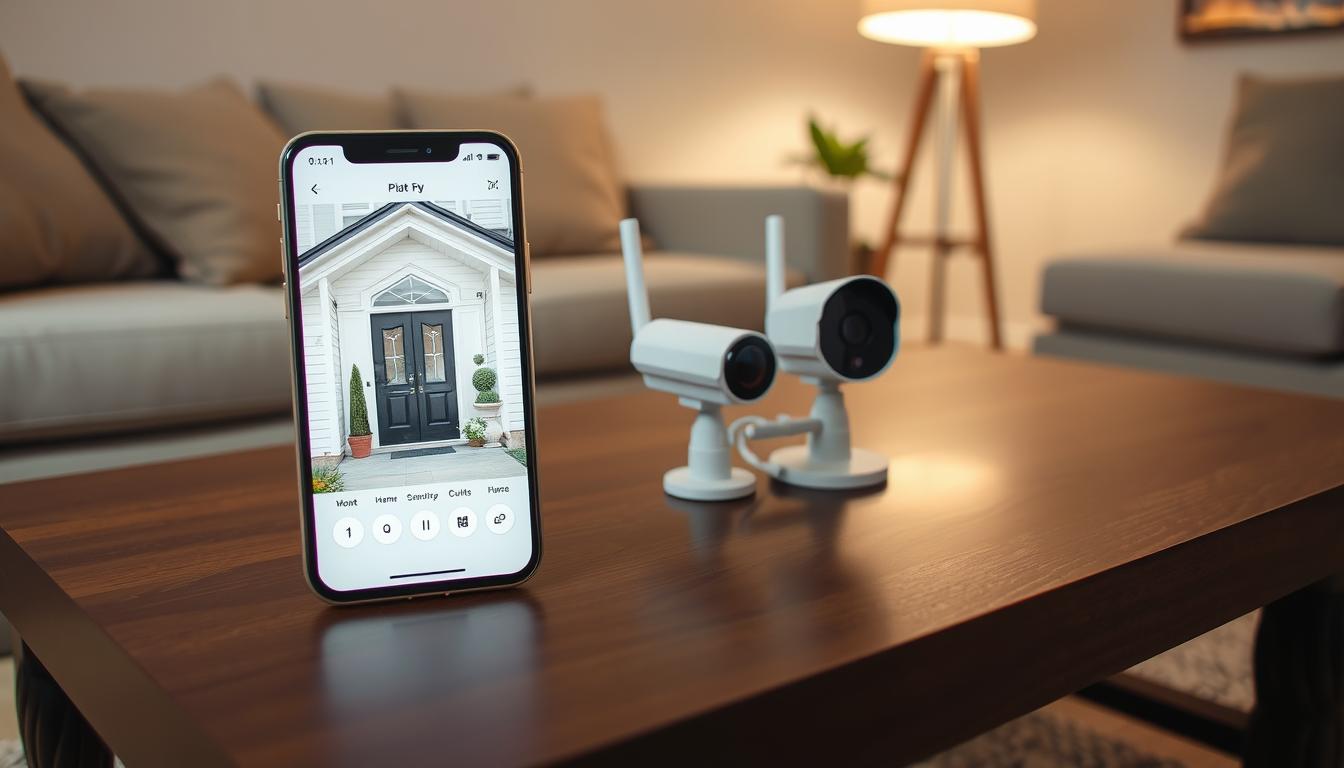
How can I watch my CCTV on my phone? Easy Steps
Modern security systems offer incredible flexibility for property monitoring. With today’s technology, viewing your surveillance feed from anywhere is straightforward. This guide provides simple steps to connect your system to a mobile device.
Both homes and businesses in Singapore benefit from remote security access. Real-time alerts and high-resolution footage keep you informed. Most contemporary cameras support smartphone connectivity through dedicated apps.
You can achieve this connection via Wi-Fi or mobile data networks. The process typically involves configuring your camera’s settings and installing the right application. This approach ensures constant access to your property’s security feed.
Key Takeaways
- Modern CCTV systems support mobile viewing through dedicated applications
- Connection works through both Wi-Fi and mobile data networks
- Real-time alerts keep you informed about security events
- High-resolution footage ensures clear viewing on smartphones
- Setup typically requires camera configuration and app installation
- Remote monitoring benefits both residential and commercial properties
- Most contemporary security cameras offer mobile connectivity features
Introduction to Mobile CCTV Monitoring
Smartphone integration has revolutionized how we approach property surveillance systems. This technology delivers live views to mobile devices anywhere, enhancing security responsiveness. Modern monitoring solutions keep properties protected through constant access.
Traditional security systems evolved into mobile-friendly platforms with advanced features. Today’s surveillance cameras connect seamlessly to smartphones through dedicated applications. Cloud storage services enable remote management of recorded footage.
Statistics show 86% of users utilize cloud services for their security systems. This approach allows convenient review of historical recordings. Mobile network connectivity provides additional monitoring options when Wi-Fi isn’t available.
Key components make mobile monitoring possible:
- Dedicated mobile applications for camera management
- Cloud storage services for recording access
- Stable network connectivity through Wi-Fi or mobile data
- Real-time alert systems for immediate notifications
These systems offer significant benefits for Singapore properties. Remote access provides convenience for homeowners and business operators. Instant alerts enable quick response to security events.
Some challenges may occur during mobile monitoring. Network instability can occasionally affect connection quality. Application malfunctions might require troubleshooting steps.
Modern devices like the HONOR Magic V2 enhance the viewing experience. Their high-resolution displays show clear surveillance footage. User-friendly interfaces make these systems accessible to all technical levels.
Mobile surveillance technology continues advancing with new features. These developments make property security more effective and convenient. The following sections explore specific aspects of mobile monitoring systems.
Benefits of Watching CCTV on Your Phone
Mobile connectivity transforms security systems into powerful protection tools. Smartphone integration delivers significant advantages for property owners. These benefits make modern surveillance more effective and convenient.
Singapore residents gain peace of mind through advanced security features. Property monitoring becomes accessible regardless of location. High-quality displays ensure clear viewing of all activities.
Real-Time Monitoring and Quick Response
Live video feeds enable immediate action during security events. This real-time monitoring capability prevents potential issues from escalating. Quick response times minimize damage and loss.
Modern systems stream high-definition footage directly to mobile devices. The HONOR Magic V2’s vibrant display shows crisp details. You can assess situations accurately before taking action.
“Instant visibility enables proactive security management rather than reactive responses.”
Remote Access from Anywhere
Geographical limitations disappear with mobile surveillance systems. Remote access allows checking properties from any location with internet connectivity. This flexibility benefits frequent travelers and busy professionals.
Cloud integration ensures seamless access to recorded footage. Singapore’s excellent network infrastructure supports reliable connections. Both Wi-Fi and mobile data provide consistent monitoring capabilities.
Business owners appreciate checking multiple locations simultaneously. Homeowners enjoy verifying property status while away. This remote access feature brings unparalleled convenience.
Instant Alerts for Enhanced Security
Push notifications deliver immediate warnings about suspicious activities. These instant alerts cover motion detection and unauthorized access attempts. Smart systems can distinguish between normal movement and potential threats.
Customizable alert settings ensure relevant notifications only. You receive alerts for important events while filtering out false triggers. This precision enhances overall security effectiveness.
Advanced systems integrate with other smart home devices. This creates a comprehensive security ecosystem. Instant alerts become part of a larger protective network.
Mobile surveillance transforms passive recording into active protection. These benefits work together to create robust security solutions. Singapore properties gain superior protection through smartphone integration.
Understanding CCTV Technology and Camera Types
Modern surveillance systems have evolved significantly from basic analog setups. Today’s cctv technology offers sophisticated features for comprehensive property protection. Understanding different camera types helps users select the best solution for their specific needs.
Digital surveillance provides superior image quality compared to older analog systems. Smart compression technology ensures efficient storage without sacrificing clarity. These advancements make modern security systems more reliable and effective.
Various recording options exist for different surveillance requirements. Digital Video Recorders (DVRs) work with analog cameras. Network Video Recorders (NVRs) connect with IP cameras for enhanced functionality.
Wired vs. Wireless CCTV Systems
Wired systems provide extremely stable connections for continuous monitoring. These setups use physical cables to transmit video and power. They offer reliable performance with minimal interference issues.
Installation requires professional expertise due to cable routing needs. The process involves drilling and concealing wires throughout the property. This complexity makes wired solutions better for new constructions.
Wireless systems offer flexible installation without extensive cabling. These setups connect through Wi-Fi networks for easy placement options. They’re ideal for rental properties or temporary surveillance needs.
Modern wireless technology provides strong signal stability across distances. Advanced encryption protects video transmission from unauthorized access. These systems continue working during power outages with battery backups.
IP Cameras and Their Advantages
IP cameras represent the latest advancement in surveillance technology. These digital devices connect directly to computer networks. They offer numerous advantages over traditional analog cameras.
High-definition video quality ensures crystal-clear footage capture. Resolution options range from 1080p to 4K for detailed monitoring. This clarity helps identify important details during security reviews.
“IP camera technology transforms basic surveillance into intelligent security solutions with smart connectivity features.”
Smart home integration allows seamless connection with other devices. Users can create automated security scenarios based on camera triggers. This interoperability enhances overall property protection.
Cloud storage support enables remote access to recorded footage. Singapore’s excellent internet infrastructure ensures smooth streaming quality. Mobile applications provide convenient control from anywhere.
Network requirements include stable broadband connections for optimal performance. Most modern routers support multiple IP cameras simultaneously. Bandwidth management features prevent network congestion issues.
Understanding these technical aspects helps select appropriate surveillance solutions. Different environments benefit from specific camera types and configurations. This knowledge ensures effective security implementation for any property.
How can I watch my CCTV on my phone?
Connecting surveillance cameras to smartphones involves checking device compatibility and selecting appropriate applications. This process ensures seamless remote monitoring from any location. Proper setup guarantees reliable security system performance.
Compatibility Check with Your Smartphone
Device compatibility forms the foundation of successful mobile monitoring. Different camera models work with specific operating systems. Always verify your smartphone’s OS matches your security camera requirements.
Most modern cameras support both iOS and Android platforms. Check manufacturer specifications before purchasing any equipment. This prevents frustrating connectivity issues later.
Network settings significantly impact viewing quality. Ensure your router supports the necessary bandwidth requirements. Stable internet connections provide smooth streaming experiences.
Consider these essential compatibility factors:
- Operating system version requirements
- Camera manufacturer specifications
- Network bandwidth capabilities
- Mobile data compatibility for remote access
Testing compatibility before final purchase avoids mismatched systems. Many retailers offer demonstration units for verification. This ensures your investment delivers expected performance.
Selecting the Right CCTV Camera App
Choosing appropriate monitoring software enhances your security experience. Manufacturer applications typically offer optimal performance with their equipment. These apps undergo rigorous testing for specific camera models.
Third-party applications provide alternative solutions for mixed systems. Popular options like AlfredCamera support various security camera brands. Always download from official app stores for security.
Essential features distinguish superior monitoring applications:
- Real-time streaming capabilities
- Customizable notification alerts
- Cloud storage integration
- User-friendly interface design
- High-resolution display support
“Manufacturer-developed applications typically deliver the most reliable performance with seamless integration.”
Application reviews offer valuable insights into real-world performance. Regular updates indicate active developer support. This ensures ongoing compatibility with new smartphone versions.
Network configuration settings within apps affect remote access quality. Proper setup enables smooth viewing from any location. Testing functionality after installation confirms successful implementation.
Following these guidelines ensures successful mobile surveillance setup. Compatibility verification and appropriate application selection create reliable monitoring systems. This approach delivers peace of mind through constant property access.
Connecting Your CCTV Camera via WiFi
Wireless technology dominates modern security installations with remarkable adoption rates. Statistics show 94% of contemporary surveillance cameras include WiFi capability. This method offers the most straightforward approach for mobile monitoring.
Singapore homeowners benefit from reliable wireless networks throughout the island. The process involves three key components: your camera, smartphone application, and home network. Proper configuration ensures seamless remote access to your security feed.
Step-by-Step WiFi Setup Process
Begin by downloading the manufacturer’s application onto your smartphone. Popular brands like Nest and Reolink provide dedicated apps for their equipment. These applications guide users through the entire setup process.
Power on your camera and access its network settings. Most devices enter pairing mode automatically when first activated. The application will detect nearby cameras ready for configuration.
Select your home network from the available WiFi list. Enter your password carefully to avoid connection issues. The camera establishes its network connection within moments.
Complete the pairing process through the application interface. The app confirms successful connection with visual indicators. You can now view live footage through your mobile device.
“Proper WiFi configuration forms the foundation of reliable remote monitoring systems.”
Ensuring Stable Network Connectivity
Maintaining consistent video streaming requires optimal network performance. Router placement significantly impacts signal strength throughout your property. Central positioning ensures even coverage across all areas.
Reduce interference by keeping cameras away from electronic devices. Microwaves and cordless phones can disrupt wireless signals. Physical obstructions like walls may weaken connection quality.
Regular application updates maintain compatibility with network standards. Developers release patches to address connectivity issues and security vulnerabilities. Enable automatic updates for continuous performance optimization.
Singapore’s advanced infrastructure supports high-quality streaming experiences. Most residential connections provide sufficient bandwidth for multiple cameras. Consider upgrading your plan if experiencing consistent buffering.
For additional guidance on maintaining your surveillance system, visit our comprehensive guide on CCTV phone connectivity verification.
Common issues include incorrect password entry and signal interference. Double-check credentials during initial setup. Relocate your router if experiencing persistent dropout problems.
WiFi remains the preferred choice for 65% of users due to its reliability. This method eliminates mobile data costs while providing stable connectivity. Proper implementation ensures peace of mind through constant property access.
Connecting Your CCTV Camera via Mobile Data
Mobile networks provide reliable surveillance connectivity where Wi-Fi coverage ends. This alternative approach ensures continuous property monitoring in remote locations. Many modern security cameras support direct cellular connection capabilities.
Singapore’s excellent cellular infrastructure makes this method particularly effective. Outdoor properties and construction sites benefit greatly from this technology. You maintain complete visibility regardless of internet availability.
https://www.youtube.com/watch?v=S0n6Y45g18A
Using SIM Cards for Remote Access
Compatible security cameras feature dedicated slots for sim cards. Insert a card with an active data plan into your camera’s compartment. Ensure proper orientation following manufacturer guidelines.
Configuration requires accessing your camera’s settings through its application. Enter the correct APN details provided by your mobile carrier. This establishes the necessary network connection for data transmission.
Cameras like the Reolink Go PT Ultra demonstrate excellent cellular compatibility. These devices automatically connect to available mobile networks. Their rugged design withstands various outdoor conditions.
“Cellular-enabled cameras provide security solutions for locations beyond traditional network coverage.”
Network stability remains crucial for uninterrupted streaming. Position cameras where they receive strong signal strength. Regular signal checks ensure consistent performance.
Managing Data Usage and Costs
Video surveillance consumes significant mobile data during operation. High-definition streaming requires substantial bandwidth allocation. Understanding your data usage patterns helps control expenses.
Implement these strategies to optimize consumption:
- Adjust video quality settings based on monitoring needs
- Schedule recording during specific hours only
- Enable motion-activated recording to conserve data
- Use local storage options when available
Singapore offers various affordable data plans for surveillance purposes. Compare packages from different providers to find optimal costs. Some carriers specialize in IoT and security device connectivity.
Monitor your data consumption through carrier applications regularly. Set usage alerts to prevent unexpected overage charges. This proactive approach maintains budget control.
Mobile data provides flexible remote access when traditional networks fail. This reliability ensures constant property protection. Proper management creates cost-effective surveillance solutions.
Setting Up Your CCTV Mobile App
Proper application configuration transforms smartphones into powerful security monitoring centers. The right mobile app delivers seamless access to your surveillance feed. This process involves two critical phases: installation and customization.
Downloading and Installing the App
Begin by locating the official application for your security system. Visit either the App Store or Google Play store on your device. Search using your camera manufacturer’s name for accurate results.
Verify the developer information matches your equipment brand. Official applications undergo rigorous testing for compatibility. They ensure stable performance with specific camera models.
The downloading app process follows standard smartphone procedures. Tap install and wait for completion. Most applications range from 50-200MB depending on features.
Installing app components automatically configures necessary permissions. Grant access to camera, notifications, and network connections. These permissions enable full functionality for monitoring purposes.
Configuring Camera Settings for Optimal Performance
After installation, launch the application and create your account. Use strong credentials to protect your security feed. Many apps support QR code scanning for quick camera addition.
Access the settings menu to customize your monitoring experience. Adjust motion sensitivity based on your environment. Higher sensitivity works for low-traffic areas while lower settings suit busy locations.
Notification preferences determine alert types and frequency. Choose between push notifications, emails, or SMS alerts. Customize schedules to receive alerts only during specific hours.
Video quality settings impact both clarity and data usage. Higher resolution provides better detail identification. Balance this with storage and bandwidth considerations.
“Proper configuration transforms basic monitoring into intelligent security management with personalized protection.”
Explore advanced features like geofencing and multi-camera views. These options enhance your overall security coverage. Test each function after configuration to ensure proper operation.
Regular updates maintain application security and performance. Enable automatic updates in your smartphone settings. This ensures access to the latest features and protection against vulnerabilities.
Singapore users benefit from applications optimized for local networks. These versions account for regional infrastructure differences. They provide smoother performance and faster support response.
Troubleshoot common issues by checking login credentials first. Verify camera power and network connections if experiencing problems. Most applications include help sections for additional guidance.
Troubleshooting Common Connection Issues
Even the most reliable surveillance systems occasionally experience technical difficulties. These connection issues can disrupt your monitoring capabilities and compromise security. Understanding common problems helps maintain consistent access to your property feed.
Statistics reveal that 24% of network failures result from simple password mistakes. Another 18% stem from outdated applications. These issues often have straightforward solutions when approached systematically.
Resolving Network Connectivity Problems
Wireless network connectivity forms the backbone of mobile monitoring systems. Weak signals frequently cause intermittent streaming or complete disconnections. Physical obstructions and electronic interference contribute to these problems.
Begin troubleshooting by checking your router’s placement. Central locations provide better coverage throughout Singapore properties. Ensure your camera sits within optimal range for strong signal reception.
Common network issues and their solutions:
- Reset your router to clear temporary glitches
- Verify WiFi passwords match exactly
- Relocate cameras away from interfering devices
- Check for bandwidth congestion from other users
- Update router firmware to latest version
“Most connectivity problems resolve through simple router restarts and signal optimization.”
Singapore’s humid climate sometimes affects outdoor equipment performance. Weatherproof cameras maintain better connections during seasonal changes. Regular maintenance prevents environmental-related connection issues.
Addressing App Compatibility and Update Issues
Application problems often stem from version mismatches or device incompatibility. These update issues prevent proper communication between your phone and security system. Regular maintenance ensures smooth operation.
Check your smartphone’s operating system meets minimum requirements. Many app compatibility problems arise from outdated iOS or Android versions. Manufacturers frequently update requirements with new features.
Effective update management strategies:
- Enable automatic updates in application settings
- Verify compatibility before installing new OS versions
- Clear application cache regularly to prevent glitches
- Reinstall applications if persistent errors occur
- Check manufacturer websites for known compatibility issues
Camera firmware updates sometimes affect mobile application performance. Synchronize updates across all system components. This prevents conflicts between different software versions.
When troubleshooting fails, contact your camera manufacturer’s support team. They provide specific guidance for your equipment model. Professional technicians can resolve complex connection issues remotely.
Preventive measures reduce future problems significantly. Schedule monthly system checks and updates. This proactive approach maintains reliable mobile monitoring capabilities.
Ensuring Security When Streaming CCTV on Mobile
Mobile surveillance brings convenience but requires robust security measures to protect against digital threats. Singapore users must address potential vulnerabilities in their monitoring system. Proper safeguards ensure your property remains protected without compromising privacy.
Several critical aspects demand attention for comprehensive protection. These include network security, access controls, and physical safeguards. Each element contributes to overall system integrity.
Protecting Against Cybersecurity Risks
Cybersecurity risks present significant challenges for mobile surveillance users. Hackers often target unsecured cameras and monitoring applications. These threats can lead to unauthorized access and data breaches.
Public WiFi networks pose particular dangers for mobile streaming. These open connections lack proper encryption and security protocols. Avoid checking your feed on unsecured public networks whenever possible.
Modern cameras incorporate advanced protection features against digital threats. Enable these settings during initial configuration and regular maintenance. They provide essential defense layers against evolving cybersecurity risks.
“Proactive security measures transform mobile monitoring from vulnerability into strength against digital threats.”
Regular software updates address newly discovered vulnerabilities. Manufacturers release patches to counter emerging cybersecurity risks. Enable automatic updates for continuous protection.
Implementing Strong Passwords and Encryption
Strong passwords form the first defense line for your surveillance system. Create unique credentials combining letters, numbers and special characters. Avoid predictable patterns or personal information.
Password managers help generate and store complex credentials securely. These tools eliminate the temptation to reuse passwords across different systems. They provide convenient access while maintaining security.
Encryption technology protects data during transmission and storage. Modern cameras use advanced encryption protocols for secure streaming. Verify these features are enabled in your device settings.
Implement these essential security practices:
- Change passwords every 90 days
- Enable two-factor authentication
- Use WPA3 encryption for wireless networks
- Disable remote access when not required
- Monitor access logs for unusual activity
Camera placement contributes to physical security against tampering. Install devices out of easy reach to prevent physical manipulation. This complements digital protections for comprehensive safety.
Cloud storage services require additional privacy considerations. Review provider policies regarding data retention and access rights. Ensure they employ robust encryption for stored footage.
These measures create multiple protection layers for your mobile access points. They work together to prevent unauthorized viewing of your surveillance feed. Regular reviews maintain ongoing security against evolving threats.
Improving User Experience with Smart Notifications
Advanced notification systems transform mobile security monitoring into a personalized protection experience. These intelligent features deliver timely information while reducing unnecessary distractions. Singapore users gain enhanced control over their property surveillance through customizable alerts.
Modern security applications offer sophisticated notification management tools. These options create a tailored security environment matching individual lifestyles. The right configuration prevents alert fatigue while maintaining comprehensive coverage.
Customizing Alert Settings for Motion Detection
Motion detection technology forms the core of intelligent notification systems. Proper calibration ensures accurate event recognition without false triggers. Most applications provide sensitivity sliders for fine-tuning detection ranges.
Singapore’s urban environment presents unique challenges for motion sensing. Adjust settings to ignore common movements like passing vehicles or swaying trees. Focus detection on specific areas where suspicious activity might occur.
Schedule notifications to match your daily routine through time-based settings. Receive alerts only during hours when the property should be unoccupied. This approach maintains security while respecting your personal time.
“Precision motion detection settings transform random alerts into meaningful security intelligence.”
Different alert types cater to various notification preferences. Choose between push notifications, email alerts, or SMS messages based on importance. Critical events might warrant multiple notification methods for guaranteed awareness.
Test your configuration by walking through monitored areas during setup. Verify the system triggers alerts appropriately without excessive notifications. Fine-tune settings until achieving the perfect balance for your environment.
Integrating with Smart Home Devices
Integrating security cameras with other smart home devices creates a unified protection ecosystem. This connectivity enables automated responses to security events beyond simple notifications. Singapore homes benefit from comprehensive smart home security solutions.
Popular platforms like Amazon Alexa and Google Home support security camera integration. Voice commands provide convenient access to live feeds on compatible displays. These systems work seamlessly with modern smart home hubs.
Create automation routines that trigger based on camera detection. Motion alerts can activate lights or sound alarms to deter potential intruders. This proactive approach enhances overall property security significantly.
Ensure compatibility between your security system and existing smart devices. Check manufacturer specifications for supported integration platforms. Most modern systems maintain updated compatibility lists online.
Setup typically involves linking accounts through dedicated applications. Authorization processes ensure secure connections between different systems. Follow step-by-step guides provided by device manufacturers.
Regular updates expand integration capabilities with new devices and features. Maintain current software versions across all connected systems. This ensures optimal performance and access to latest functionality.
Smart notifications elevate mobile security monitoring beyond basic surveillance. These advanced features deliver personalized protection matching modern lifestyles. Proper implementation creates an efficient, responsive security environment for any property.
Enhancing Your Security with Mobile CCTV Monitoring
Embracing mobile monitoring transforms how we approach property security in the digital age. This technology delivers constant connectivity and immediate response capabilities. Singapore properties gain superior protection through smartphone integration.
Real-time visibility and remote access keep you informed anywhere. Instant alerts provide timely warnings about security events. These features work together to create robust protection systems.
Combine advanced technology with security best practices. Use strong passwords and regular system updates. Professional consultation optimizes performance for specific needs.
Modern surveillance solutions offer peace of mind through reliable monitoring. Stay proactive about your property’s security with mobile access. Explore comprehensive setup guides at our mobile monitoring resource for additional assistance.
FAQ
What equipment do I need to view CCTV footage on my smartphone?
You need a compatible security camera system, a stable internet connection (WiFi or mobile data), and the manufacturer’s dedicated mobile app installed on your device.
Can I access my security cameras when I’m away from home?
Yes. With remote access enabled through your camera’s app and a proper internet connection, you can view live footage and receive alerts from anywhere using your phone.
Do all CCTV systems work with both iPhone and Android phones?
Most modern IP cameras and security systems offer apps for both iOS and Android platforms. Always check the camera’s specifications for smartphone compatibility before purchasing.
Why can’t I connect to my camera on my phone using mobile data?
This often occurs if remote access isn’t properly configured in your camera settings or if your mobile network has strict firewall policies. Ensure your camera system supports external network connections.
How can I reduce mobile data usage while viewing CCTV footage remotely?
Adjust your camera app’s settings to lower the stream quality or set it to display footage only when motion detection alerts are triggered, significantly saving data.
Is it secure to view my CCTV cameras over public WiFi networks?
Public networks pose security risks. For safer monitoring, use a VPN or stick to trusted private networks. Ensure your camera system uses strong encryption protocols.
What should I do if my CCTV app crashes or fails to load footage?
First, try restarting the app and your phone. If issues persist, check for app updates, ensure your phone’s operating system is current, and verify your network connection stability.


