
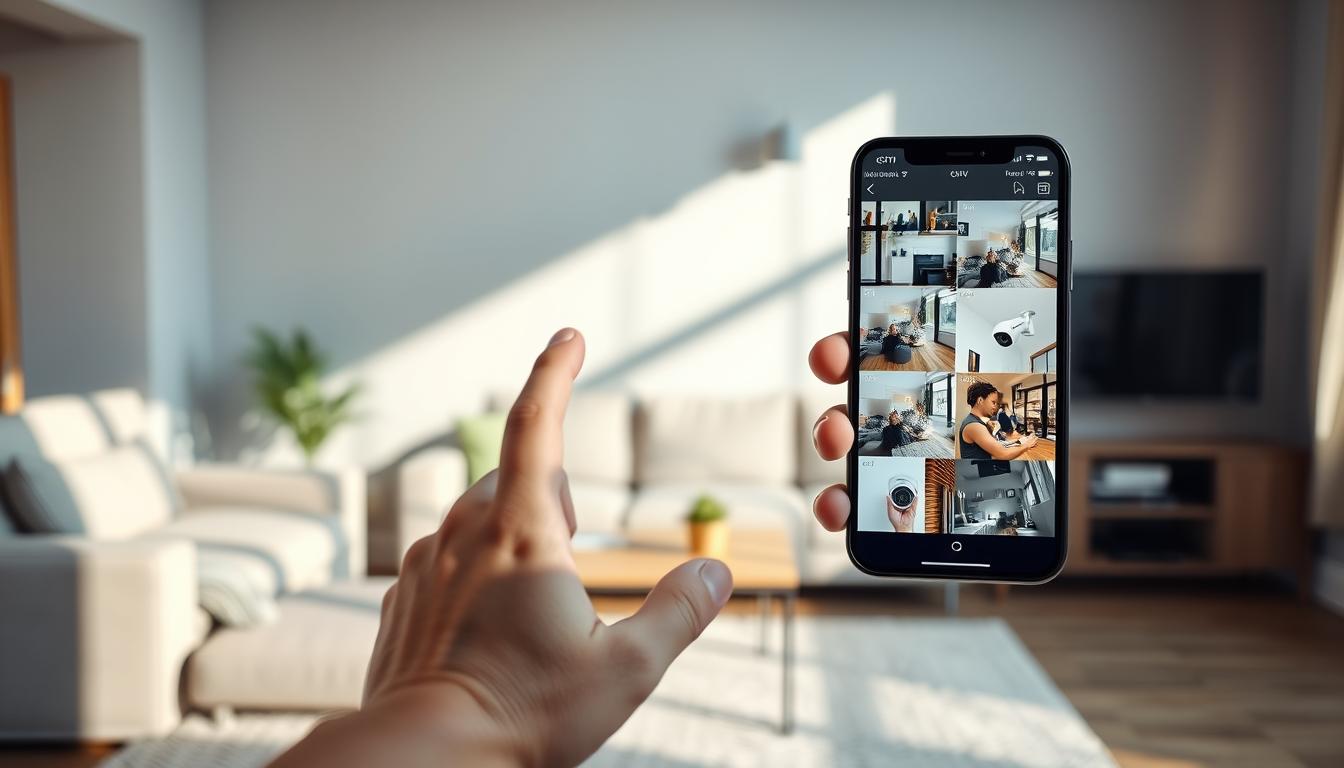
How can I watch my CCTV on my phone? Easy Guide
Keeping an eye on your property has never been simpler. Modern technology lets you view your security cameras from anywhere using your mobile device. This brings peace of mind to homeowners and business operators across Singapore.
Remote monitoring transforms how we think about safety. You can check live feeds while at work or traveling. Instant alerts notify you of any unusual activity immediately.
This comprehensive guide walks you through the entire process. We cover everything from setting up your system to choosing the right app. You’ll learn about different connection methods and essential security tips.
Proper setup ensures reliable security coverage. Whether for a family home or commercial space, mobile access is a game-changer. It provides constant vigilance without being physically present.
For detailed professional assistance with your setup, visit our complete CCTV mobile access guide.
Key Takeaways
- Mobile monitoring provides real-time access to your security feeds from anywhere.
- Proper setup is essential for reliable remote surveillance system performance.
- Choosing the right application enhances your viewing experience and security.
- Instant alert systems notify you immediately of any detected activity.
- Regular maintenance ensures your mobile connection remains stable and secure.
- Different camera systems may require specific apps for optimal functionality.
- Security best practices protect your footage and privacy during remote access.
Introduction to Mobile CCTV Monitoring
Modern security solutions have broken free from physical constraints through mobile monitoring technology. This advancement transforms property protection into a dynamic, always-accessible system.
Traditional surveillance required being on-site to review footage. Today’s systems deliver live video streams directly to smartphones. This shift represents a fundamental change in how we approach property safety.
The evolution began with bulky DVR-based recorders. These have been replaced by sleek IP cameras and intuitive applications. This progression makes advanced security accessible to everyone.
Real-time viewing operates through internet connectivity. Your cameras connect via WiFi or mobile data networks. Dedicated apps then bridge the gap between the camera and your device.
Manufacturers design these applications for simplicity. Even non-technical users can set up their systems quickly. This accessibility removes barriers to implementing robust security measures.
Cloud storage plays a crucial role in modern surveillance. It offers convenient remote access to recorded footage. Your data remains safe in secure off-site servers.
Some cameras feature built-in cellular connectivity. These devices operate independently of local WiFi networks. They provide reliable monitoring in areas with unstable internet connections.
This technology serves as an essential security layer. Both homeowners and business operators benefit from constant vigilance. Mobile access ensures you’re always connected to your property.
In Singapore’s fast-paced environment, this capability is invaluable. It provides peace of mind whether you’re at work or traveling abroad. Your security system travels with you on your personal device.
The integration of mobile technology with traditional surveillance creates a powerful combination. It represents the next generation of property protection solutions. This approach makes comprehensive security more practical than ever before.
Key Benefits of Watching CCTV on Your Phone
The true power of modern surveillance emerges when you link cameras directly to your mobile device. This integration delivers tangible advantages that enhance property protection significantly.
Real-time monitoring stands as the most immediate benefit. You witness events as they unfold, not hours later. This capability enables swift action during deliveries or potential security breaches.
Immediate visual verification transforms response times. Authorities can be alerted with actual footage evidence. Homeowners gain confidence knowing they can check situations instantly.
Remote access provides unparalleled convenience for Singapore residents. View your property from the office, while traveling, or during family outings. Geographic barriers disappear with reliable internet connectivity.
This constant visual connection offers genuine peace of mind. Business operators maintain oversight across multiple locations simultaneously. The system works seamlessly whether you’re across town or overseas.
Smart notification systems create an active security layer. Motion detection triggers instant push alerts to your smartphone. These alerts transform passive recording into interactive protection.
Customizable notifications filter routine movements from genuine concerns. Receive updates only for relevant activity around your premises. This smart filtering prevents alert fatigue while maintaining vigilance.
User-friendly applications make system management straightforward. Intuitive interfaces require minimal technical knowledge for daily operation. Most platforms offer clear menus and simple control options.
Modern smartphones enhance the viewing experience dramatically. High-resolution displays, like the HONOR Magic V2, present crystal-clear footage. Every detail becomes visible, from license plates to facial features.
Cloud services provide secure, convenient storage solutions. Recorded footage remains accessible from any location with internet. These services add an extra security layer through encrypted data protection.
Historical review becomes simple with organized cloud archives. Retrieve specific time periods without complex technical processes. Your evidence remains safely stored off-site.
These interconnected features create a comprehensive security ecosystem. Each element supports the others, forming a robust protective network. The combined effect surpasses traditional surveillance limitations.
Mobile connectivity turns security cameras into proactive tools. They become extensions of your awareness rather than mere recording devices. This evolution represents a fundamental shift in property protection methodology.
The practical benefits extend beyond basic surveillance functions. You gain control, responsiveness, and constant connectivity. These advantages make mobile integration essential for modern security systems.
What You Need to Get Started
Before accessing live feeds on your mobile device, several essential components must be in place. Proper preparation ensures a smooth setup process for remote viewing. Gathering these items beforehand prevents frustration during installation.
Modern security systems rely on specific hardware and software. Each element plays a crucial role in the monitoring chain. Missing one component can break the entire connection.
The first requirement is compatible CCTV cameras. Look for IP-based models with built-in WiFi capability. These devices connect directly to your home network without complex wiring.
Some advanced cameras support 4G or 5G mobile data. This feature provides backup connectivity if WiFi fails. It’s particularly useful for locations with unreliable internet service.
Your smartphone serves as the viewing portal. Both iOS and Android devices work with most surveillance applications. Ensure your phone has updated operating software for optimal performance.
The manufacturer’s official mobile app is essential. Avoid generic third-party applications that may lack full functionality. Download this software from official app stores like Google Play or Apple’s App Store.
A stable internet connection forms the system’s backbone. Your home WiFi network must provide consistent upload speeds. This ensures video streams reach your phone without interruption.
Consider these additional items for complete setup:
- A reliable router to manage network traffic
- Proper power adapters for all cameras
- Login credentials (username and password)
- Camera mounting hardware if needed
Following these preparation steps creates a solid foundation. You’ll need to adjust camera settings for remote access later. This typically involves enabling mobile viewing options in the device configuration.
Proper CCTV cameras selection affects overall system reliability. Research models with good reviews in Singapore’s climate conditions. Humidity and temperature resistance are important factors here.
The right mobile app transforms complex surveillance into simple taps. Manufacturer-designed software integrates seamlessly with their hardware. This compatibility ensures all features work as intended.
Once you gather these components, you’re ready for connection. The next section details the actual setup process. You’ll learn to link your equipment for remote monitoring success.
How Can I Watch My CCTV on My Phone? Step-by-Step Connection
Establishing a remote surveillance link transforms your smartphone into a powerful security command center. The actual setup process follows logical, sequential procedures. Two primary methods enable this mobile access: WiFi-based connections and cellular data pathways.
Each approach suits different environments and user needs. WiFi connections work best for properties with stable internet service. Mobile data options provide flexibility for locations without fixed-line access.
Following the correct sequence ensures reliable performance. These instructions apply to most modern security systems available in Singapore. Always refer to your specific manufacturer’s documentation for exact details.
Method 1: Connecting Your CCTV via WiFi
WiFi remains the most common method for residential surveillance systems. This approach leverages your existing home internet infrastructure. It provides stable streaming when properly configured.
Begin by verifying your camera’s wireless capabilities. Most modern IP cameras include built-in WiFi support. Ensure your router broadcasts a strong signal in the camera’s location.
Follow these numbered steps for successful setup:
- Power your equipment. Connect the security camera to its power adapter. Ensure your WiFi router is operational and broadcasting.
- Install the manufacturer’s application. Download the official app from Google Play or Apple’s App Store. Popular options include AlfredCamera, Nest, or Wyze.
- Launch the setup wizard. Open the application and select “Add New Device.” Create an account if this is your first use.
- Connect to camera network. The app will prompt you to connect your phone to the camera’s temporary WiFi signal. This appears in your phone’s network list.
- Configure permanent WiFi settings. Select your home network from the list within the app. Enter your WiFi password carefully to establish the final link.
- Confirm and position. The application will test the connection. Once confirmed, mount your camera with a clear view. Ensure it remains within your router’s effective range.
Optimize your setup with these additional tips. Place your camera and router to minimize physical obstructions. Thick walls or metal objects can weaken wireless signals significantly.
Verify both devices operate on the same network frequency. Many modern routers broadcast both 2.4GHz and 5GHz bands. Most security cameras use the longer-range 2.4GHz frequency for better penetration.
Method 2: Using Mobile Data for Remote Access
Cellular connectivity offers independence from fixed internet lines. This method suits construction sites, rural properties, or temporary locations. It requires a camera with SIM card capability and an active data plan.
Singapore’s excellent mobile coverage makes this option highly reliable. Purchase a data SIM from local providers like Singtel, StarHub, or M1. Choose a plan with sufficient monthly data for continuous streaming.
Execute these steps for mobile data configuration:
- Insert the SIM card. Power off the camera before opening the SIM slot. Place the nano-SIM correctly, following the diagram in the manual. Secure the cover and power the device on.
- Access configuration settings. Use the camera’s web interface or mobile application. Navigate to the network or cellular settings menu. This is often labeled “Mobile Settings” or “4G/5G Configuration.”
- Input APN details. Enter the Access Point Name provided by your Singapore mobile carrier. These settings differ between providers. Incorrect APN information will prevent internet access.
- Establish the connection. Save your settings and allow the camera to register on the mobile network. Indicator lights typically show successful registration. The app should now display the live feed remotely.
- Monitor data usage. Check your carrier’s account portal regularly. Continuous video streaming consumes significant data. Adjust streaming quality in the app settings to manage consumption.
Network stability remains crucial for consistent monitoring. Mobile signals can fluctuate with weather or location. Consider a camera with dual-SIM capability for backup network redundancy.
Regular application updates maintain compatibility with mobile networks. Developers release patches for new network technologies. Enable automatic updates in your app store settings for best performance.
This method provides true location independence. Your surveillance system travels wherever mobile coverage exists. It represents the ultimate flexible security solution for dynamic needs.
Choosing and Setting Up the Right Mobile App
Selecting the optimal mobile application determines the effectiveness of your remote surveillance experience. The right software transforms your smartphone into a powerful monitoring command center. It bridges the gap between physical cameras and convenient access.
Always prioritize the official application from your camera manufacturer. Brands like Reolink, Hikvision, and Dahua design specific software for their hardware. This ensures full compatibility with all system features.
Third-party apps may lack critical functionality or cause stability issues. Manufacturer software receives direct support and regular updates. It integrates seamlessly with your specific cctv system model.
Essential features define a quality surveillance mobile app. Look for these capabilities during your evaluation process. They significantly enhance your monitoring effectiveness.
- Intuitive Dashboard: Clear layout with quick access to live feeds and recordings
- Smooth Live Streaming: Minimal lag during remote viewing sessions
- Custom Motion Detection: Adjustable zones to focus on important areas
- Smart Alert Scheduling: Control when you receive activity notifications
- Cloud Integration: Easy access to stored footage from any location
- Multi-Camera Support: Manage several feeds within one interface
The initial setup process within your chosen mobile app requires careful attention. Begin by downloading from official stores like Google Play or Apple’s App Store. Create a strong account with unique login credentials immediately.
Critical configuration settings optimize your experience. Enable push notifications for instant motion alerts. Adjust video quality based on your available bandwidth in Singapore.
Activity zones reduce false alarms from routine movements. Draw these areas around doors, windows, or valuable property sections. Your cctv system will then focus monitoring on these specific locations.
Bandwidth management preserves your data allowance while maintaining clarity. Lower streaming resolution when using mobile data networks. Increase quality when connected to reliable WiFi for detailed viewing.
Regular application updates maintain performance and security. Developers release patches for vulnerabilities and add new capabilities. Enable automatic updates in your device’s app store settings.
For iPhone users, applications like iDVR-PRO Viewer demonstrate manufacturer-specific solutions. These apps leverage iOS capabilities for enhanced display and notification systems. They represent the tailored approach needed for different platforms.
Your chosen software becomes the interface for your entire security systems. Invest time in proper configuration during initial setup. This foundation ensures reliable long-term performance across Singapore’s networks.
Troubleshooting Common Connection Problems
When the live feed on your phone goes blank, a systematic approach can restore it quickly. Most disruptions stem from a few typical issues with your network, app, or camera settings. Identifying the root cause is the first step to a stable connection.
This guide provides practical solutions for when your remote monitoring doesn’t go as planned. We’ll walk through checks for each critical component of your system.
Fixing Network Connectivity Issues
Network problems are a leading cause of failed connections. A weak WiFi signal at the camera‘s location is a common culprit. Physical obstructions like walls can significantly reduce signal strength.
Incorrect passwords cause nearly a quarter of all setup failures. Always double-check your WiFi credentials during configuration. A simple typo can prevent your cameras from joining the network.
Follow these steps to resolve network issues:
- Verify signal strength. Use your phone to check the WiFi bars at the camera‘s mounting point. If it’s weak, consider moving your router or using a signal extender.
- Restart your equipment. Power cycle your router and the affected security camera. This clears temporary glitches and refreshes the connection.
- Check for interference. Other electronic devices like microwaves or cordless phones can disrupt WiFi. Try to minimize such interference near your cameras.
- Confirm IP address settings. Ensure your camera has a valid, unique IP on your local network. Conflicts with other devices will cause failures.
Resolving App Compatibility and Update Problems
Your mobile app is the gateway to your feeds. An outdated app version often contains bugs that break the link to your cameras. Regular updates are essential for stability and security.
First, check your phone’s operating system version against the app‘s requirements. An incompatible OS will prevent the software from functioning correctly. Singapore’s humid climate can sometimes affect older devices.
If the app is crashing or freezing, try these solutions:
- Force-close and restart the application. This clears the app from your phone’s memory.
- Clear the app’s cache data through your phone’s settings menu. This removes temporary files that may be corrupted.
- Check for pending updates in the Google Play Store or Apple App Store. Install any available updates immediately.
- As a last resort, uninstall and reinstall the app. This gives you a fresh installation with default settings.
Checking Camera Configuration Settings
Incorrect camera settings can completely block remote access. A wrong IP address or misconfigured port forwarding will stop the video stream from reaching your phone.
Begin by verifying the camera‘s network mode. Ensure it is set correctly to WiFi or mobile data, depending on your setup. Then, log into the camera‘s web interface using its local IP address.
Review these critical configuration areas:
- Network Settings: Confirm the IP address, subnet mask, and gateway match your home network.
- Port Forwarding: If required by your app, ensure the necessary ports (like HTTP port 80) are open on your router.
- Firmware Version: Check for and install any available firmware updates for your camera. This fixes known issues.
If problems persist, consider resetting the camera to its factory default settings. You can then reconfigure it from scratch, following the initial setup guide carefully.
Critical Security Measures for Mobile Access
Cybersecurity forms the essential foundation for reliable remote surveillance system operation. The convenience of mobile monitoring introduces specific vulnerabilities that require proactive management. Your security approach must evolve alongside your technological capabilities.
Streaming video online exposes your feeds to potential unauthorized access. Privacy breaches can occur if proper safeguards are not implemented. This section outlines essential protective measures for your surveillance systems.
Every connection represents a potential entry point for intruders. Implementing robust protocols prevents unwanted viewing of your footage. These practices ensure your peace of mind remains intact.
Implementing Strong Passwords and Encryption
Password protection serves as your first defense layer against unauthorized access. Default credentials provided with cameras are widely known and easily exploited. Creating unique, complex passwords immediately after setup is non-negotiable.
Apply different passwords for each component of your security ecosystem. The camera’s admin interface, mobile application account, and home network each require distinct credentials. This approach limits damage if one password becomes compromised.
Modern surveillance systems incorporate built-in encryption to protect data transmission. Enable these features within your camera’s configuration settings. Encryption scrambles video feeds during transfer, making them unreadable to interceptors.
Look for WPA2 or WPA3 protocols for your WiFi network security. These standards provide strong encryption for wireless communications. Transport Layer Security (TLS) should protect data between your app and cameras.
Regular password updates maintain your defensive posture. Change credentials every three to six months as a best practice. Avoid reusing passwords across different devices or services.
Securing Your Network and Avoiding Public WiFi
Your home network serves as the gateway to your surveillance systems. Begin by securing your router with a strong administrator password. Update the router’s firmware regularly to patch known vulnerabilities.
Public WiFi networks present significant dangers for surveillance security. Cafes, airports, and hotels offer convenient internet access but lack proper protection. These environments are hunting grounds for data interception.
Avoid checking your CCTV feeds when connected to public internet options. Hackers can easily monitor traffic on unsecured networks. Your login credentials and video streams become vulnerable to capture.
Instead, use your personal mobile data connection for remote viewing. Singapore’s extensive cellular coverage provides reliable alternatives. This creates a direct, encrypted link between your phone and cameras.
For advanced security, consider implementing a Virtual Private Network (VPN). A VPN creates an encrypted tunnel for all your internet traffic. This adds an extra protection layer when accessing your home network remotely.
Monitor connected devices regularly through your router’s administration panel. Unrecognized equipment could indicate unauthorized access attempts. Immediate investigation preserves your system’s integrity.
These measures transform potential vulnerabilities into fortified defenses. Your surveillance systems deserve the same protection they provide. Implement these practices to maintain complete control over your visual data.
Enhancing Your Experience with Smart Features
Advanced surveillance technology transforms basic monitoring into intelligent property protection. Modern systems offer sophisticated features that actively safeguard your premises.
Fine-tune motion detection sensitivity to receive relevant alerts. Define specific activity zones to minimize false notifications from passing traffic or pets.
Integrate cameras with other smart home devices for comprehensive coverage. Alerts can trigger lights or appear on displays. Two-way audio enables direct communication through the app.
High video quality ensures clear identification during viewing sessions. Scheduled recording conserves storage while maintaining security.
Explore your application’s settings to customize the experience. This guide helps maximize your property protection. Proper configuration turns basic surveillance into smart technology.
FAQ
What equipment do I need to view my security cameras on a smartphone?
You’ll need a few key components. First, ensure your CCTV system supports remote viewing, often called P2P or cloud connectivity. An internet connection with a router is essential. Finally, you must download the correct mobile application provided by your security camera manufacturer, like the Reolink or Hik-Connect app.
Is it safe to access my surveillance system from my mobile device?
Security is paramount. Reputable brands build strong encryption into their apps. You must also create a unique, complex password for your account and camera system. Avoid using public WiFi networks for monitoring; a secure home network or your phone’s private mobile data is much safer for protecting your footage.
Why can’t I connect to my cameras remotely on my phone?
Connection failures often stem from network issues. Verify your cameras and router have power and a stable internet link. Double-check the login credentials in your mobile app. Sometimes, a simple restart of your router, security system, and smartphone can resolve temporary glitches and restore access.
Can I watch live footage without paying for a monthly subscription?
A> Yes, many systems offer free basic remote viewing. Brands like Reolink, Eufy, and TP-Link Tapo typically provide free app access for live streaming and playback from microSD card storage. Subscription plans usually add features like longer cloud video history or advanced AI person detection, but are not required for core monitoring.
What smart features should I look for in a CCTV mobile app?
Modern apps offer powerful tools. Push notifications with motion alerts are crucial. Look for two-way audio to speak through the camera, custom activity zones to reduce false alarms, and the ability to view multiple cameras on one screen. Night vision quality and easy sharing of video clips are also valuable features for comprehensive property monitoring.


