
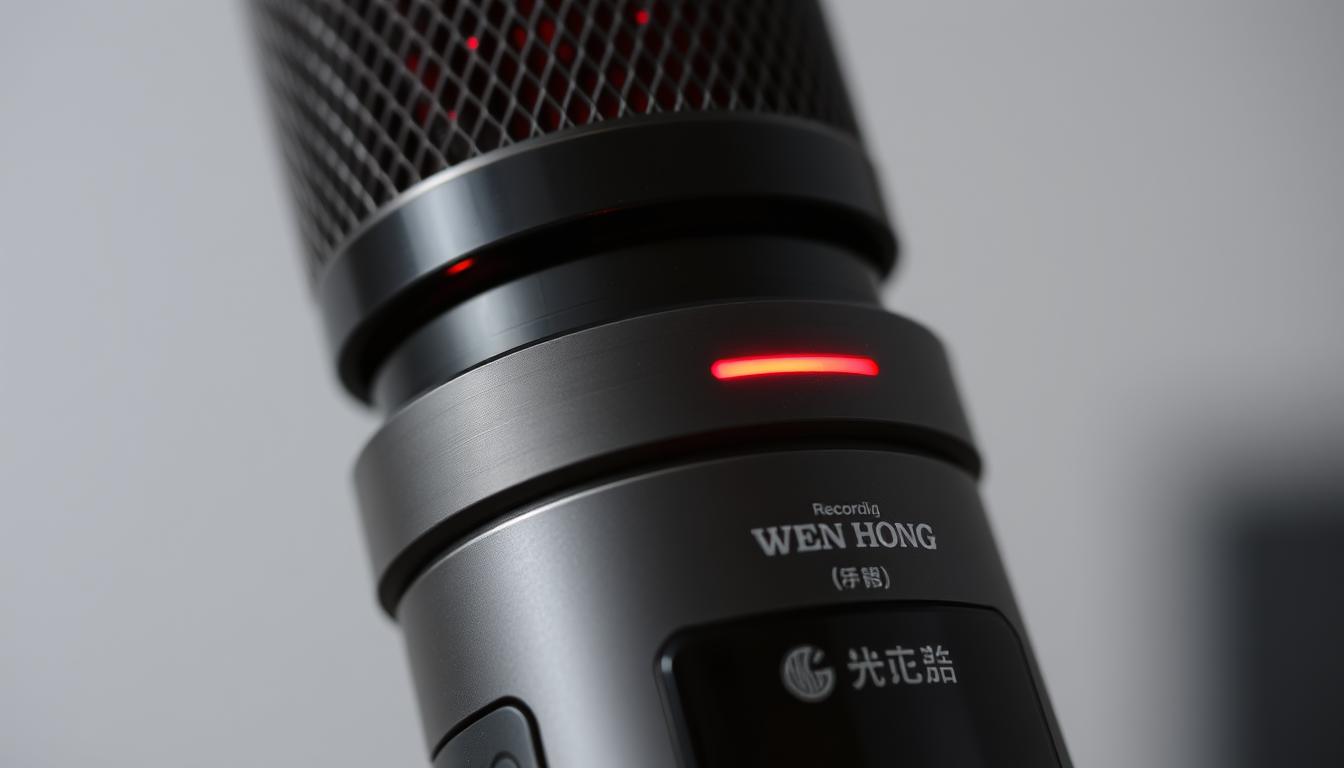
Red Light On Devices: Does It Signal Recording?
Technology keeps getting better, and the red light indicator meaning is more than just a warning. You might ask, does red light mean recording? This simple question opens up a world of complexity, mainly in security and surveillance. With more cameras around, from home security like Reolink Altas PT Ultra to simple webcams, it’s key to know if that red light means recording or just shows a status.
In today’s world, knowing how devices work is more important than ever for our privacy and security. Let’s explore what those red lights really mean.
Key Takeaways
- Red lights on devices often indicate specific functionalities, but their meanings can vary.
- Not all security cameras utilize red lights as recording indicators.
- Understanding the role of red lights can enhance awareness of surveillance capabilities.
- Real security cameras typically don’t blink but have steady red indicators for recording.
- Choosing the right camera involves understanding the technology behind light indicators.
- Inquiries about CCTV solutions? Contact Wen Hong today at +65 60135960.
The Significance of Red Light Indicators
Red light indicators are key for showing if devices are working or not. They tell us if a device is on or off. For example, a red light indicator meaning often means a security camera is ready to go, giving us a quick visual clue.
The red light is often used to show if a security camera is recording. When it’s recording, a red dot or ‘rec’ symbol shows up. This makes it easy to see if the camera is capturing footage.
Knowing about these device signals helps us keep our devices running smoothly. It’s important to check camera settings and make sure the indicators match the recording schedule. For IP cameras, watching network activity can also tell us if it’s recording, as active signals mean it’s capturing footage.
- Common devices using red light indicators include:
- Security Cameras
- Smart Home Devices
- Computers and Laptops
- Key benefits of understanding red light indicators:
- Ensures accurate interpretation of device status.
- Helps manage user expectations about privacy and security.
- Facilitates routine maintenance and troubleshooting.
For more info on improving your security setup, contact Wen Hong today at +65 60135960. Learn about the latest CCTV solutions and offers.
Understanding Device Indicators
Device indicators are key signals that tell us how our tech is doing. The recording indicator light is well-known, as it often means a device is recording. But, its meaning can change depending on the device type.
In IP cameras, a steady light means it’s connected. No blinking red lights usually means it’s working well. Some cameras use blue for activation, but this isn’t the same for all brands. Knowing what a red light means involves understanding the device’s features and context.
CCTV cameras use device alert signals in different ways. Not all use red lights to show activity. Some use other signs. These lights can show if something was recorded, uploaded, or if there’s another alert.
Security laws also play a part. Some laws require telling people when audio and video are recorded. Choosing a good security camera company means looking at warranties and customer feedback. This ensures you get a quality product.
If you’re looking into advanced CCTV solutions, contact Wen Hong today at +65 60135960. They can tell you about the latest options and deals.
Does Red Light Mean Recording?
Many people wonder if a red light means a camera is recording. This question comes up often when talking about different devices. Knowing if a red light on a camera means it’s recording is key to using monitoring tech well. Devices often use red lights to show if they’re working, so it’s important to understand what they mean.
Common Devices That Use Red Light Indicators
Red light indicators are common in the surveillance world. For example:
- The Reolink Altas PT Ultra camera features 4K UHD continuous recording.
- Infrared IP security cameras often include small red lights around the lens.
- A solid red light on a security camera in low-lit environments typically signifies active operation.
- CCTV cameras produce balancing signals when functioning, and their operational status can be inferred from the indicator lights.
- Some IP cameras employ a status LED to confirm WiFi connectivity.
While a red light might suggest recording or activity, variations exist. For example, not all CCTV systems consistently exhibit this indicator, as models differ in their display of red light on camera meaning.
Comparison with Other Indicator Colors
Understanding colors like blue or green is also important. A blue light on cameras might indicate activity, while green often signifies standby mode or charging. Here is a brief comparison:
| Indicator Color | Typical Meaning |
|---|---|
| Red | Recording or active monitoring (varies by device) |
| Blue | Activity recording or steady operation |
| Green | Standby mode or charging |
Confusions often arise in high-stakes situations, as varying signals can lead to privacy concerns and misunderstandings about whether a device is recording. Remaining vigilant and understanding these common device indicators proves essential for effective use.
If you seek reliable CCTV solutions or have questions regarding the latest offers, reach out to Wen Hong at +65 60135960 today.
History of Red Lights in Recording
The history of red lights in recording shows a big change in their use. In studios, red lights meant “Do Not Disturb” during important recording times. This helped keep the creative work uninterrupted, giving artists the freedom they needed.
Traditional Use in Studios
At the start of recording, studios used red lights to keep things private. These lights told everyone that recording was happening and they should be quiet. It made the studio a place of professionalism and respect for the work being done.
Evolution to Modern Devices
Red lights have moved beyond studios with the growth of technology. Now, they’re on cameras, smart home gadgets, and more. Today, red lights mean a device is active, showing it’s recording, in use, or secure. This change shows how old signals are used in new tech.
If you want to improve your recording or security, check out the latest CCTV options. Contact Wen Hong at +65 60135960 to learn more about the latest deals and tech.
Red Light Camera Recording
Red light cameras are key in keeping traffic safe. They snap photos of cars that run red lights. The function of red light cameras is to use sensors to catch violators. They record clear video, along with the time and car details, helping police.
How Red Light Cameras Function
As a car gets close to a red light, sensors in the camera turn on. If a car goes through the red light, the camera starts recording. Studies show all red light incidents are caused by cars running the light. Sometimes, the camera flashes twice to confirm a violation, which can be very serious.
Legal Implications of Red Light Cameras
Being caught by a red light camera can lead to big fines and points on your license. Some people use dashcam footage to fight their tickets. In Singapore, they’re planning to add speed cameras to red lights to make roads safer.
For more info on CCTV solutions and deals, call Wen Hong at +65 60135960.
Red Light On Camera Meaning
The meaning of a red light on cameras changes with the device and brand. Knowing the red light on camera meaning helps avoid mistakes. These mistakes happen because different brands use indicators in different ways.
A steady red light usually means the camera is working. But, a blinking light can mean something else, depending on the camera.
Device-Specific Interpretations
Each camera model has its own way of signaling. Wired security cameras often have a solid red light to show they’re ready. But, wireless cameras might use blue to mean recording.
Some cameras, like the Reolink Altas PT Ultra, focus on high-quality recording. They don’t just rely on light signals. Always check the user manual for the exact camera signal interpretation.
Misconceptions About Camera Indicators
Many people think any light means the camera is recording. But, this isn’t always true. Real security cameras usually don’t blink red.
Dummy cameras, meant to look like real ones, often blink red. This can lead to privacy issues. Knowing how a camera is meant to be used can help avoid these problems.
For more info on CCTV solutions, contact Wen Hong at +65 60135960. Discover the latest offers today.
Decoding the Flashing Red Light
Understanding the difference between flashing and steady lights on devices is key. A steady red light means recording is happening. On the other hand, a flashing red light usually shows standby or processing. Knowing these differences is important, as it helps with using sensitive equipment right.
Flashing vs. Steady Lights
It’s important to know how to tell these light patterns apart. This way, users can see if their devices are working right. Here’s a quick guide on what each light means:
| Light Indicator | Meaning |
|---|---|
| Steady Red Light | Device is actively recording. |
| Flashing Red Light | Device is in standby or processing mode. |
Implications of Flashing Lights on Devices
The meaning of a flashing red light changes with each device. In many cameras, a slow flash means it’s connected to the network. But, a quick flash might show an error. Knowing this helps users fix problems and keep devices working well.
If you’re looking for top-notch CCTV solutions, knowing about device indicators is key. Contact Wen Hong today at +65 60135960 to find out about the latest deals.
Red Light Blinking Recording Signal
Understanding the red light blinking recording signal helps us know how devices are working. Different blink patterns on devices mean different things, like recording or getting alerts. Knowing these signals is key for using devices well.
Understanding Blink Patterns
Red LED lights are common in many security cameras. For example, the Reolink Atlas PT Ultra records in 4K UHD all the time. The Blink Outdoor 4 camera shows a red light when it’s setting up or changing systems.
The Blink Mini flashes red if it can’t connect. These lights mean different things for each camera, based on its design and use.
Signal Variations Across Devices
Each device has its own way of showing its status through lights. The Blink XT2 and XT cameras flash red every three seconds if they’re not online. This means you need to fix the problem.
Not all real security cameras show lights. Fake ones might just have a steady red light. It’s important to know what your device’s lights mean, as they can vary a lot.
If you have questions about your CCTV system, or want to see the latest deals, call Wen Hong at +65 60135960.
Privacy Concerns Related to Red Lights
The rise of smart devices with red light indicators has raised many privacy concerns. Users share their worries, feeling like they’re being watched. A big number of people in forums say they feel spied on because of these lights. In fact, 85% are worried about devices showing they’re recording or live viewing.
Feeling Spied On: User Experiences
Users talk about the anxiety caused by red light indicators. For example, Wyze cameras have color lights that change with subscription levels. This can confuse people about if the camera is recording or not.
There are also worries about camera malfunctions. Users fear unauthorized access could cause red lights to turn on unexpectedly. About 60% suggest changing passwords, using two-factor authentication, and contacting support to feel safer. They also ask for logs to be sent to support to build trust.
Best Practices to Ensure Privacy
To tackle privacy worries, users can follow some key steps. These steps help reduce fears and boost security:
- Change default passwords right after setting up.
- Use two-factor authentication for extra security.
- Learn about your device’s indicator functions, like recording or live monitoring.
- Use electronic bug detectors to find hidden cameras if you’re really worried.
- Choose well-known brands with warranties to show they’re reliable.

By following these best practices for privacy, users can understand their devices better and lower risks. For dependable CCTV solutions, reach out to Wen Hong at +65 60135960 to check out the latest deals!
Additional Functions of Red Lights
Red lights do more than just show when something is recording. They have extra uses that help us understand them better. This can make us worry less about what they mean.
Usage Beyond Recording Signals
Red lights are used for many things, like alerting us to problems or showing when batteries are low. For example, IP cameras have a red light to show if they’re working or connected to Wi-Fi. Old wireless security cameras use red lights for troubleshooting because they need cables for power.
Traffic cameras on top of lights watch for cars, not just record them. They help manage traffic and don’t record personal actions. Systems for emergency vehicles use the same tech to move traffic fast when it’s urgent.
Potential Errors and Faults of Red Light Indicators
Red lights can also mean there’s a problem with the indicator. Old fake security cameras flash red, but real ones don’t. Getting these signals wrong can lead to confusion about the device’s status.
Adding artificial intelligence to traffic systems makes things more complex. Devices like pedestrian sensors can sometimes give false signals if they’re not checked often. Knowing about these issues can make us trust our devices more.
For more info on CCTV solutions and deals, call Wen Hong at +65 60135960.
Interpreting Red Light Signals
Understanding red light signals is key for device users. Misunderstandings can cause worry or wrong beliefs about how devices work. This part talks about common alert misunderstandings and when to get technical help.
Common Misunderstandings
Many users get confused by red light alerts. A red light might mean recording in one case, but just being on in another. It’s important to know that red lights mean different things on different devices.
For example, a flashing red light could mean an error, while a steady light might show everything’s working fine.
When to Seek Technical Support
Knowing when to ask for technical help can make things better. If you’re unsure about red light signals, it’s time to get help. Tech support can explain how devices work and fix problems.
For detailed questions, contacting a professional is best. They make sure your devices work right.
Modern Implications of Red Lights in Smart Devices
Technology keeps changing, affecting what red lights mean on smart devices. As gadgets get smarter, these lights take on new roles. They show how we use devices and interact with them.
How Smart Devices are Altering Indicator Meanings
Red light meanings have changed with smart devices. They used to just record or alert us. Now, they do more, thanks to advanced sensors and features.
For example, heart rate monitors in wearables use red light technology. This technology looks deeper into our bodies. It gives insights into our health in ways we never thought possible.
The Role of Software Updates
Software updates are key in changing what red lights mean on devices. These updates add new features or change old ones. Keeping up with updates helps us understand red lights better.
As we rely more on our devices, knowing about signal changes is vital. It keeps us safe and makes our devices work better.

To learn more about CCTV solutions and offers, contact Wen Hong today at +65 60135960.
Conclusion
Red light indicators play key roles in many devices, like recording technology. Knowing what these lights mean can help you tell real recording signals from just decorations. Many beginners might feel nervous, or have what’s called Red Light Fever, when recording.
This feeling often comes from being new to the equipment or feeling unsure around others. Learning about these red lights can make you feel more confident when recording.
It’s also important to keep your devices private, like IP security cameras. These cameras show their status with red light from infrared LEDs in dark places. Knowing the difference between real and fake cameras helps you make better choices for your safety and recording needs.
As technology changes, it’s key to stay up-to-date on how devices work. If you want to improve your security, check out the latest CCTV options. Call Wen Hong today at +65 60135960 to find out how to protect your space with the best technology.
FAQ
Does a red light mean recording is in progress?
A steady red light usually means a device is recording. But, it’s key to check your device’s specific settings. Different devices and brands might use red lights for other things.
What does a flashing red light signify?
A flashing red light can mean different things. It might show your device is in standby, processing, or uploading data. It’s important to know what it means for your device.
Are red light cameras used solely for recording traffic violations?
Yes, red light cameras are for catching vehicles that run red lights. They also issue tickets and watch traffic behavior.
How can I distinguish between different indicator light colors?
Each color has its own meaning. Red often means recording, but green might show standby or charge. Knowing your device’s manual can help you understand these signals.
Do all devices use red lights the same way?
No, red lights are used differently by various manufacturers and devices. Some devices use red lights for alerts like low battery or troubleshooting, not just recording.
What steps should I take if I’m concerned about privacy due to red lights?
If you’re worried about privacy, check your device settings. Turn off any recording features you don’t need. Knowing your device’s functions can help avoid privacy issues with red lights.
How have red light indicators evolved over time?
Red lights started in recording studios to mean “Do Not Disturb.” Now, they’re used in smart devices and cameras in new ways.
What are common misconceptions about red light signals?
Many think any red light means recording is happening. But, red lights can also signal alerts or errors on different devices. It’s not always true.
Source Links
- https://reolink.com/blog/how-to-tell-if-a-security-camera-is-on/?srsltid=AfmBOoq12J5Y1jhfEO0xuuwsPt2OW_hX4Eu7vtKi11RRMiLmjdjciOJ7
- https://nessecurity.co.uk/why-do-cctv-cameras-have-red-lights/
- https://www.production-expert.com/production-expert-1/we-still-need-a-red-light-in-our-studios
- https://edgebusinesssecuritycameras.com/how-to-tell-if-a-security-camera-is-recording
- https://callawaysecurity.com/how-to-tell-if-a-security-camera-is-recording/
- https://support.surecam.com/hc/en-us/articles/360057820634-LED-Light-Guide-What-does-it-all-mean
- https://reolink.com/blog/how-to-tell-if-a-security-camera-is-on/?srsltid=AfmBOoqn6ROWrOgKladoEfeNDU7lNStK45zDES1Yrm66WvaelL_cTNyK
- https://forums.wyze.com/t/red-light-comes-on-at-random/236728
- https://reolink.com/blog/how-to-tell-if-a-security-camera-is-on/?srsltid=AfmBOorTx91GFqIzT8MzF8YuAzI3xVcG2-mRx7n8rZaDjZxNglrtTYbP
- https://forums.wyze.com/t/red-light-spying-on-me/308766
- https://en.wikipedia.org/wiki/Red_light_camera
- https://rosap.ntl.bts.gov/view/dot/6280/dot_6280_DS1.pdf
- https://attorneyguss.com/blog/do-traffic-cameras-record-footage/
- https://forums.hardwarezone.com.sg/threads/red-light-camera.6507172/
- https://www.todayonline.com/singapore/traffic-police-red-light-cameras-activated-detect-speeding-2368226
- https://reolink.com/blog/how-to-tell-if-a-security-camera-is-on/?srsltid=AfmBOooYrE8xfdcczLkyvihDMMSPXDxGbcytbKQpivRDm_D3iU9cCpK3
- https://alfred.camera/blog/how-to-tell-if-a-security-camera-is-on/
- https://network-data-cabling.co.uk/blog/12-cctv-problems-and-fixes/
- https://reolink.com/blog/how-to-tell-if-a-security-camera-is-on/?srsltid=AfmBOoqNW-RxUEf5CANoIxslqt9iH6_2iN8-68zNt4wHxcAY6JnzAUvn
- https://support.blinkforhome.com/issues-with-your-camera/red-light-on-a-camera
- https://forums.wyze.com/t/red-light-for-camera-came-on-when-not-being-viewed/231246
- https://reolink.com/blog/how-to-tell-if-a-security-camera-is-on/?srsltid=AfmBOor4S2cK__V4-sejjxXSetpKaKj9TYvUBx-Xa3C4dM0Np4NCBZ0C
- https://reolink.com/blog/how-to-tell-if-a-security-camera-is-on/?srsltid=AfmBOoq-nuTktf3MkmkoJRV654kQQcSV07QUsbDZMM8MDpjPtl6nM1wX
- https://lyt.ai/blog/on-the-road/how-it-works-what-sits-on-a-traffic-light/
- https://www.roadangelgroup.com/blogs/news/guardians-of-the-intersection-your-red-light-camera-guide?srsltid=AfmBOoqjJ4_BVadY9hm-oLTtDNdxfrHDAHjYuLn2T0qirhesjzfBimQX
- https://reolink.com/blog/how-to-tell-if-a-security-camera-is-on/?srsltid=AfmBOoqvsIFvqfeTO_eKk_I5JFfkpXQoaD96GQbIOUZy3hKLBAh_S01k
- http://www.siliconimaging.com/red_light_cameras.htm
- https://medium.com/bsxtechnologies/red-light-versus-green-light-74fdd5fe7027
- https://intellias.com/smart-traffic-signals/
- https://www.mixinglessons.com/5-steps-to-overcome-red-light-fever/
- https://reolink.com/blog/how-to-tell-if-a-security-camera-is-on/?srsltid=AfmBOop9MRnhRWYfVdwOtpgxzFQYzOyMEUtN0IpKTk1ZNyq3qFhXGa1Z


