

Can someone turn off my camera? Prevention Tips Inside
Your smartphone’s camera is a powerful tool, but it can also be a gateway for intruders. The unsettling truth is that unauthorized remote control of your device’s lens is a real threat in today’s digital world.
Cybercriminals use sophisticated methods like spyware and Remote Access Trojans (RATs) to hijack device functions. This practice, known as “camfecting,” allows hackers to activate or deactivate cameras silently.
In Singapore, where smartphone use is ubiquitous, this risk is amplified. Our reliance on public Wi-Fi networks in malls and cafes creates unique vulnerabilities that hackers can exploit.
While modern phones have built-in security features, determined attackers find workarounds. This guide provides actionable tips and detection methods for Singaporean users. We will help you understand the threat, spot signs of compromise, and implement strong countermeasures to reclaim your digital privacy.
Key Takeaways
- Remote camera hacking, or “camfecting,” is a genuine cyber threat enabled by malware.
- Hackers primarily use spyware and Remote Access Trojans (RATs) to gain control.
- High smartphone usage and public Wi-Fi in Singapore increase local vulnerability.
- Built-in device security is helpful but not foolproof against determined attacks.
- Proactive measures and awareness are essential for protecting your camera and personal data.
- For related security on other devices, learn how to properly manage your CCTV.
The Digital Reality: Yes, Camera Hacking Is a Real Threat
Digital privacy faces a concrete threat from remote camera manipulation by cybercriminals. This intrusion, often called camfecting, transforms personal devices into surveillance tools. Attackers employ malicious software to gain unauthorized access.
The methods are sophisticated and constantly evolving. Understanding these threats is the first step toward effective protection. Your awareness builds the foundation for digital security.
How Spyware and Remote Access Trojans (RATs) Work
Spyware operates with disturbing stealth on compromised devices. It runs silently in the background without visible signs. This malicious program transmits live camera footage directly to attackers.
Remote Access Trojans provide even greater control. A RAT gives hackers complete command over infected devices. They can activate, deactivate, or record from cameras at will.
Both threats share common delivery methods. Phishing emails often contain malicious attachments. Fake app downloads from unofficial stores are another frequent source.
Compromised websites can also deploy this malware. Once installed, the software hides within system processes. Users typically notice nothing unusual during operation.
Common Entry Points for Hackers in Singapore’s Connected Landscape
Singapore’s digital environment presents unique vulnerabilities. Extremely high smartphone adoption rates create a large target surface. Extensive public Wi-Fi networks in malls and cafes are often exploited.
Hackers leverage these networks to deploy their attacks. Outdated software and unpatched firmware are major weaknesses. The Pegasus spyware famously infiltrates systems through such gaps.
Singapore experienced a 42% spike in IoT-related cybercrime last year. This statistic highlights the growing threat to connected cameras. No brand is completely immune from these risks.
Real incidents demonstrate this vulnerability clearly. Reolink camera breaches showed even reputable security brands can be compromised. Proper configuration and updates are essential for protection.
Default passwords on devices serve as low-hanging fruit. Brands like Foscam or TPLink have faced issues here. Automated attacks systematically scan for these easy access points.
Built-in device security provides helpful layers of defense. Determined attackers continuously develop new workarounds and exploits. A proactive approach is necessary for true safety.
Every downloaded app requires careful vetting. Third-party sources often bypass official store reviews. This creates opportunities for malicious code insertion.
Camera hacking represents a severe intrusion into personal life. It violates the fundamental right to privacy in your own space. This threat makes digital vigilance non-negotiable.
Strong passwords and regular updates form critical barriers. They close the most common entry points used by intruders. Your daily habits directly impact your digital security posture.
Can Someone Turn Off My Camera? Understanding the Methods
Multiple attack vectors converge to create opportunities for unauthorized camera manipulation. Intruders follow specific digital pathways to compromise your privacy. Understanding these methods reveals how remote control becomes possible.
Each technique exploits different weaknesses in your digital defenses. Social engineering, malicious applications, and poor authentication all play roles. These vulnerabilities allow outsiders to command your device’s functions.
From Phishing Links to Fake Apps: The Infection Process
Social engineering initiates most camera compromises. Phishing emails and SMS messages mimic legitimate communications. They create urgency to click malicious links or download attachments.
Singapore users frequently encounter fake Lazada order confirmations. These messages contain links to spyware-laden websites. One click can begin the infection process without your knowledge.
Fake applications represent another common threat vector. These programs promise enhanced camera features or free services. Instead, they install hidden surveillance software on your device.
Third-party app stores often bypass security reviews. This creates opportunities for malicious code insertion. Popular camera utility apps are frequent targets for imitation.
The infection typically follows a step-by-step process:
- Social engineering convinces you to interact with malicious content
- Malware downloads and installs silently in the background
- The program gains elevated permissions through system exploits
- Camera and microphone access gets granted to the intruder
- Remote control capabilities become fully operational
Exploiting Weak Passwords and Outdated Software
Authentication failures provide easy entry points for intruders. Default or simple passwords on devices invite brute force attacks. Hackers use automated tools to test thousands of common credentials.
Compromised password databases from other breaches accelerate this process. Many people reuse passwords across multiple accounts. This practice creates a domino effect when one service gets breached.
Unpatched software represents perhaps the most critical vulnerability. Operating system updates contain essential security patches. Camera applications also require regular maintenance.
Known vulnerabilities in popular brands create predictable targets. Models with poor security track records receive particular attention. Automated scans constantly search for these unprotected devices.
Singapore’s 2023 Norton study revealed crucial data. Enabling two-factor authentication reduced successful attacks by 87%. This simple settings adjustment proves remarkably effective.
Advanced threats like Pegasus spyware utilize “zero-click” exploitation. These attacks require no user interaction whatsoever. They target unpatched vulnerabilities in messaging applications.
Once established, intruders maintain persistence through various ways. Rootkits hide malicious processes deep within system files. Background services reactivate surveillance capabilities after reboots.
Basic security measures create substantial barriers against intrusion. Regular updates and strong authentication disrupt most attack attempts. Proactive habits transform vulnerable devices into fortified assets.
Each vulnerability ultimately enables the same outcome. Remote manipulation of camera functions becomes possible. Understanding these methods empowers you to implement effective countermeasures.
Key Signs Your Camera Might Be Compromised
Recognizing the indicators of a camera hack empowers you to act swiftly and shut down a surveillance operation. Your device communicates its status through physical quirks and performance issues. Learning these signs is your first line of defense.
Unusual Camera Behavior: Activation, Movement, and Lights
One of the clearest signs is unexpected camera activation. The lens may engage when your phone is idle or the webcam light flashes during a video call you didn’t start. This points to remote control.
The LED indicator light is a critical privacy feature. If it illuminates without your command, it strongly signals unauthorized access. Be aware that sophisticated intruders can sometimes disable this light.
Motorized cameras with pan, tilt, and zoom features reveal compromise through movement. If your security camera or smart device lens moves on its own, it’s a major red flag. In 2023, Reolink PT Ultra models were exploited this way.
Strange Noises During Calls or Unexplained Battery Drain
Audio anomalies often accompany visual breaches. Listen for unexplained static, echoes, or faint voices during calls. These noises suggest your microphone is also hijacked.
Performance issues are strong clues. Spyware runs constantly, consuming power. Rapid battery depletion and a warm device when not in heavy use are telltale symptoms.
Singapore’s Cyber Security Agency advises checking for suspicious background processes. Look for unfamiliar names like “winlogon.exe” in your Task Manager. These can be malware markers.
The Cyber Security Agency of Singapore recommends regular checks for unfamiliar processes running in the background as a key step in identifying potential spyware.
Monitor your data usage. A spike exceeding 20% of your normal pattern could mean stolen footage or audio is being transmitted to a remote server.
Check your storage for anomalies. Unexpected photos or video files in your gallery, or sudden “low storage” warnings with minimal activity, are serious concerns.
Network-related clues include unusual outgoing connection alerts from your firewall. Pay attention if these alerts are tied to your camera applications.
Catching these signals early prevents prolonged privacy violations. It stops potential data theft before more damage occurs.
Step 1: Conduct a Thorough App and Permission Audit
Your first line of defense against unauthorized surveillance begins with a systematic review of your device’s digital gatekeepers. Every application installed represents a potential entry point for intruders. Regular permission audits form the foundation of robust digital security.
This process reveals which programs can activate your hardware without consent. It identifies hidden threats before they compromise your personal space. Singaporean users benefit greatly from this proactive approach.
Reviewing Camera and Microphone Access on iOS and Android
Both major mobile platforms provide clear pathways to manage sensor permissions. Android users should navigate to Settings > Apps > Permissions. This menu displays all applications requesting camera and microphone access.
iOS device owners find similar controls under Privacy > Camera and Privacy > Microphone. These sections list every app with permission to use these sensitive features. Review each entry carefully.
Microphone permissions deserve equal scrutiny during your audit. Surveillance attacks often compromise both audio and visual sensors simultaneously. Revoke microphone access for any questionable applications.
Singapore-specific app stores require extra attention during this review. Regional applications sometimes bypass standard security vetting processes. Check permissions for locally popular shopping, banking, and transportation apps.
Evaluate whether each permission request makes logical sense for the application’s function. A simple flashlight app should not require microphone access. A weather application has no legitimate need for camera permissions.
Examine the developer information for unfamiliar applications. Legitimate companies provide clear contact details and privacy policies. Unknown developers represent potential security risks.
Revoke permissions immediately for any application you no longer use or recognize. This action closes potential backdoors into your device’s sensors. It reduces your digital attack surface significantly.
Identifying and Removing Suspicious Background Processes
Malicious software often operates invisibly within your device’s system. These hidden processes maintain persistent access to your camera and microphone. Detecting them requires examining what runs in the background.
Android devices allow you to check active processes through Developer Options or third-party task managers. iOS users can monitor background activity in the Battery section of Settings. Look for unfamiliar applications consuming resources.
Norton’s 2023 cybersecurity report revealed a critical finding. Approximately 61% of modern spyware disguises itself within photo or video files. This makes media-related applications particularly suspicious.
Scrutinize any application that handles images, videos, or camera functions. Check if these programs request unnecessary additional permissions. Photo editors shouldn’t need constant microphone access.
Regular permission audits should become a monthly security habit. This routine identifies new threats before they establish deep access to your device.
When removing questionable applications, follow a thorough procedure. First, clear the application’s cache and data through your device settings. Then uninstall the program completely.
After removal, perform a comprehensive malware scan using reputable security software. This detects any residual files that might remain. It ensures complete elimination of the threat.
Monitor your device’s behavior following application removal. Improved battery life and cooler operation indicate successful threat elimination. Continued issues may suggest deeper system compromise.
This audit process represents your most effective initial countermeasure. It addresses the primary method intruders use to gain unauthorized access. Controlling your app permissions directly protects your personal privacy.
Step 2: Monitor Your Device’s Physical and Performance Clues
Your device‘s physical condition and performance metrics offer a silent, real-time report on its security health. Intruders leave footprints beyond digital logs. These tangible signs provide early warnings of compromise.
Vigilant observation forms your second critical line of defense. It complements your software audits with hardware awareness.
The Crucial Role of the Camera LED Indicator Light
The LED indicator light is a fundamental privacy feature. Its behavior reveals crucial information about your camera‘s status. Understanding its operation is essential.
Hardware-controlled lights, like those in Reolink models, provide stronger protection. These LEDs activate directly through the camera‘s circuit. They illuminate whenever the sensor is active, regardless of software commands.
Software-controlled indicators carry more risk. Their function depends on the operating system. Skilled intruders can potentially disable this visual alert, hiding their access.
You should test your indicator light regularly. Open your native camera application and observe the LED. If it fails to activate, your visual warning system may be compromised.
An unexpected glow is a major red flag. If the light activates while your device is idle, it strongly suggests unauthorized remote control. Treat this as a serious security event.
Diagnosing Overheating and Rapid Battery Depletion
Performance anomalies are reliable signs of hidden spyware. Malicious processes consume substantial system resources. This increased workload generates excess heat and drains power.
Norton’s research validates this connection. Their study found 43% of compromised devices exhibited abnormal battery performance. This statistic highlights the diagnostic value of monitoring your device‘s energy use.
Establish a baseline for normal battery life during typical use. Note how long your device lasts on a full charge with your regular routine. A sudden drop of 20-30% without changed habits warrants investigation.
Distinguish between normal and suspicious warmth. Your gadget may get warm during charging or intensive gaming. Concerning overheating occurs during light use or when completely idle.
Use built-in diagnostics to investigate. Both iOS and Android provide battery health sections in Settings. Check for applications consuming disproportionate power in the background.
Monitor your data usage alongside battery metrics. Unexplained upload spikes could indicate transmitted footage. Set monthly limits and review which apps are using your connection.
Watch for these physical symptoms:
- Unexpected fan activation in laptops during simple tasks
- A smartphone that remains warm long after charging completes
- Rapid power loss overnight while in standby mode
These performance clues often appear before more obvious breaches. They provide a way to detect intrusions in their early stages. Consistent monitoring transforms your device into its own diagnostic tool.
Step 3: Run Specialized Security Scans
Specialized security tools provide the definitive verification needed to confirm your device’s integrity. Audits and physical checks offer valuable insights, but systematic scanning delivers conclusive evidence. This step identifies hidden threats that evade manual detection.
Professional security software employs sophisticated detection algorithms. These programs scan every file and process on your system. They compare findings against massive databases of known threats.
Regular scanning should become a core component of your digital hygiene. It complements other protective measures with objective verification. Singaporean users benefit from tools designed for local infrastructure.
Choosing Reliable Antivirus and Anti-Spyware Tools
Market-leading solutions offer distinct advantages for comprehensive protection. Norton 360 Deluxe demonstrates exceptional performance in independent testing. It detects approximately 4.5 million threats daily through real-time scanning.
This software integrates seamlessly with Singapore’s Smart Nation platforms. It offers better local compatibility than alternatives like McAfee or Avast. The program includes specialized camera protection modules.
Evaluate security tools using these critical criteria:
- Detection rates against current malware and spyware variants
- System impact on device performance and battery life
- Additional features like firewall controls and privacy monitors
- Compliance with Singapore’s PDPA requirements for data handling
- Integration capabilities with local platforms like Singpass
Consider using multiple scanning tools for thorough verification. Different security programs often detect distinct threats. A secondary scan with Malwarebytes or Bitdefender provides valuable confirmation.
Configure real-time protection to monitor camera and microphone access attempts. Modern security suites include specific modules for this purpose. They alert you when applications request sensor permissions.
Keep your security software updated automatically. New spyware variants emerge constantly, requiring fresh detection databases. Daily definition updates ensure maximum effectiveness.
How to Perform a Deep Malware Scan on Your Device
Begin by scheduling regular deep scans during low-usage periods. Set weekly scans for Sunday nights or early mornings. This minimizes disruption to your daily activities.
Follow this systematic process for comprehensive scanning:
- Close all unnecessary applications and background processes
- Ensure your device is connected to a power source
- Update your security software to the latest definitions
- Initiate a full system scan with maximum sensitivity settings
- Allow the scan to complete without interruption
- Review and address all detected threats systematically
For persistent infections, employ advanced scanning techniques. Boot-time scans run before your operating system loads completely. They detect rootkits and other deep-seated malware.
Windows users can access Safe Mode by holding Shift during restart. This minimal environment prevents most malware from activating. Perform your malware scan in this protected state.
Interpret scan results with careful attention. Distinguish between false positives and legitimate threats. Security software sometimes flags legitimate programs incorrectly.
Weekly deep scans during off-peak hours provide the most thorough detection without disrupting normal device use. This routine catches threats before they establish persistent access.
Potentially unwanted programs (PUPs) require individual evaluation. These applications may not be malicious but often compromise privacy. Remove any program you didn’t intentionally install.
After completing a malware scan, review which threats were quarantined or removed. Note any patterns in detection locations. Repeated infections in specific folders indicate compromised system areas.
Singapore residents should verify that their security tools respect local regulations. Ensure the software doesn’t transmit sensitive data outside approved jurisdictions. Look for PDPA compliance statements.
Configure your security app to perform automatic updates and scans. This maintains continuous protection without requiring manual intervention. Regular scanning provides essential verification of your device’s security status.
Fortifying Your Defenses: Essential Prevention Strategies
Fortifying your digital life against camera hacking hinges on two core disciplines: rigorous software maintenance and robust credential management. These foundational security practices create multiple defensive layers. They address the most common vulnerabilities exploited by intruders.
Consistent application of these measures transforms your devices from targets into fortified assets. This approach is far more effective than reacting to a breach. Let’s build your proactive protection plan.
Mandatory Software Updates and Patch Management
Timely updates are your first and most critical shield. Software patches fix specific security flaws that hackers actively exploit. Delaying an update leaves a known door unlocked for digital intruders.
Cybercriminals scan for devices running outdated firmware or operating systems. These vulnerabilities provide direct pathways for spyware like Remote Access Trojans. A patched system closes these doors before an attack can begin.
Enable automatic updates on every device to ensure consistent protection.
- iOS/Android: Navigate to Settings > System > Software Update and enable automatic installation.
- Windows/Mac: In system settings, select the option to “Install updates automatically.”
- IoT & Security Cameras: Check the manufacturer’s app for firmware update settings and enable them.
This strategy extends beyond your phone and computer. Your router’s firmware, smart home hubs, and even connected cameras require regular patching. Many modern breaches start by compromising these less-obvious network components.
Set a monthly reminder to manually check for updates on devices that lack auto-update features. Proactive management is a simple habit with enormous security returns.
Creating and Managing Strong, Unique Passwords
Powerful credentials act as a digital deadbolt for your accounts and devices. Weak or reused passwords are among the top entry points for attackers. Singapore’s Infocomm Media Development Authority (IMDA) provides clear guidelines for creating resilient credentials.
Follow these standards for optimal protection:
- Length & Complexity: Use strong passwords with at least 12 characters. Mix uppercase, lowercase, numbers, and symbols.
- Uniqueness: Never reuse a password across different accounts or services.
- Rotation: Change critical passwords, like those for your main email or camera apps, every 90-180 days.
Avoid predictable patterns like “Password123” or using personal information. Instead, create a memorable passphrase. For example, combine three random words with numbers and symbols: “MangoTelephone$Garden7”.
Managing dozens of complex passwords is impractical without help. A reputable password manager like Bitwarden or LastPass is essential. These tools generate, store, and auto-fill unique credentials for every site.
They encrypt your data with a single master password—the only one you need to remember. This eliminates the dangerous habit of password reuse, a primary cause of credential stuffing attacks.
Norton’s research demonstrates that implementing two-factor authentication (2FA) blocks approximately 99% of automated cyber breaches.
This brings us to the ultimate credential safeguard: two-factor authentication (2FA). This authentication method adds a second verification step beyond your password. Even if a password is stolen, an attacker cannot gain access without the second factor.
Enable 2FA on every service that offers it, especially for email, cloud storage, and security camera accounts. Use an authenticator app (like Google Authenticator or Authy) instead of SMS codes when possible. For maximum security, consider a physical hardware token for your most sensitive accounts.
Together, automatic updates, strong unique passwords, and 2FA form an impregnable triad. They address the primary techniques hackers use to gain remote control. This multi-layered approach is your most effective strategy for safeguarding your privacy.
Securing Your Home Network Against Intrusions
Most remote camera intrusions exploit weaknesses in network infrastructure, not flaws in the camera hardware. Your router acts as the front door to your digital home. Fortifying this entry point is essential for comprehensive protection.
Effective security involves a layered approach. You must upgrade core protocols, configure advanced settings, and shield your data on public networks. These measures create a resilient digital environment.
Upgrading Router Security with WPA3 and Firewalls
Wi-Fi security has evolved significantly. The WPA3 protocol represents a major leap over the older WPA2 standard. It provides stronger encryption that protects connected cameras from interception.
WPA3 uses Simultaneous Authentication of Equals. This technology makes brute-force attacks against your network password far more difficult. It is a critical upgrade for any modern smart home.
Begin by accessing your router’s admin panel. Check if a firmware update enables WPA3. If your hardware is older, consider an upgrade.
Singapore’s Infocomm Media Development Authority (IMDA) recommends routers with robust built-in security features. Models like the ASUS RT-AX86U are noted for their performance and local compatibility.
- SSID Hiding: Stop broadcasting your network name. This makes it less visible to casual scanners.
- MAC Address Filtering: Allow only your known devices to connect to the main network.
- Guest Network Creation: Isolate IoT devices, like cameras, on a separate network. This limits breach propagation if one device is compromised.
Your operating system‘s firewall is another vital layer. Enable the Windows Defender Firewall for basic coverage. Configure rules to block unnecessary inbound connections to camera software.
For advanced protection, consider network segmentation. Creating separate Virtual Local Area Networks (VLANs) for your security cameras contains any potential intrusion. It prevents a camera breach from spreading to computers or phones on your main network.
The Protective Role of VPNs on Public Wi-Fi
Singapore’s landscape of public hotspots in malls, airports, and cafes presents unique risks. Open networks allow potential interception of your transmitted data. A Virtual Private Network (VPN) is your essential shield.
A VPN creates an encrypted tunnel for all your internet traffic. It masks your real IP address and location. This prevents eavesdroppers on the same public network from seeing your activity.
This encryption is crucial for camera data. If you check your home security feed on public Wi-Fi, a VPN ensures the video stream cannot be intercepted. It uses military-grade 256-bit encryption for this protection.
Several reliable VPN options serve Singaporean users effectively:
- Integrated Security Suites: Norton 360 Deluxe combines antivirus, a VPN with local servers, and dark web monitoring in one package.
- Standalone Services: ExpressVPN and NordVPN offer high-speed connections and strong privacy policies tailored for regional use.
Monitoring your home network traffic can reveal early signs of compromise. Check your router logs for unusual outgoing connections from camera IP addresses. Sudden spikes in data uploads may indicate stolen footage being transmitted.
Remember, your network’s health is inseparable from your camera’s safety. Intruders rarely attack a well-configured device directly. They target the broader digital system it connects to.
By implementing WPA3, configuring firewalls, and using a VPN, you build a formidable barrier. These measures address the primary network vulnerabilities that spyware and hackers exploit for unauthorized access.
Smart Habits for Ongoing Camera Privacy
True digital safety extends beyond software settings. It lives in your daily routines and physical choices. Building smart habits creates a sustainable shield for your personal space.
These practices form your final, personal layer of defense. They work alongside technical measures to provide complete protection.
Using Physical Camera Covers and Sliders
A physical cover offers absolute visual privacy. It blocks 100% of lens access with a simple slide or snap. This is the most reliable way to protect privacy when your device is idle.
Choose the right type for your needs. Slider mechanisms are perfect for laptops and tablets used daily. You can open them quickly for video calls and close them just as fast.
Adhesive covers work well for secondary devices. Think of smart displays or dedicated monitoring cameras in your home. They provide a permanent, low-profile solution.
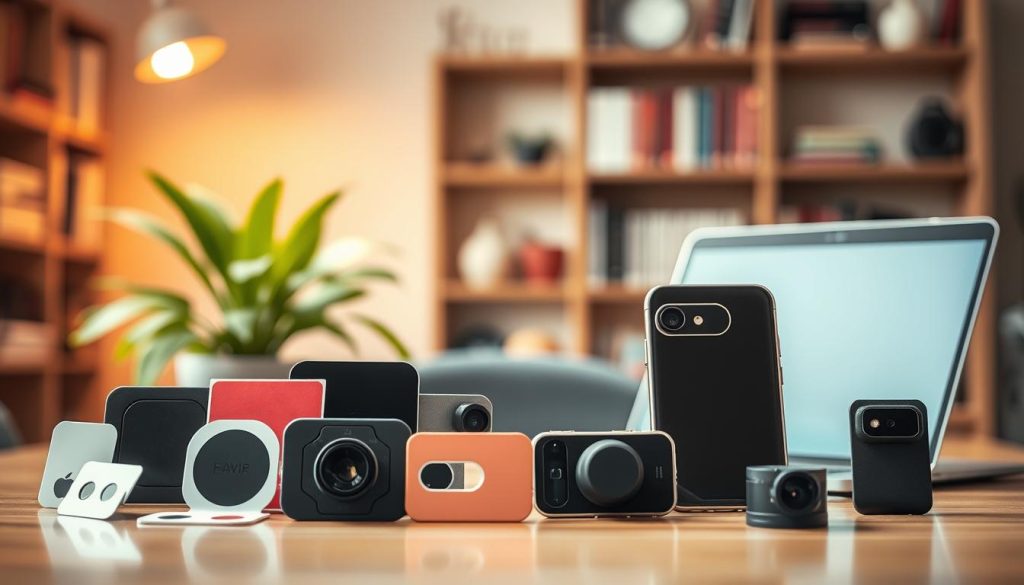
Remember their important limitation. A cover stops video surveillance but not audio capture. It also doesn’t prevent the device itself from being compromised.
Use covers as part of a broader strategy. Combine them with microphone blocking for full sensor security. This approach gives you peace of mind in private spaces.
Vetting Third-Party Apps and Avoiding Suspicious Links
Your app choices directly impact your security. Norton’s research reveals a critical fact. Approximately 78% of data breaches originate from third-party applications.
Develop a strict vetting process before any download. Always check the developer’s credentials first. Legitimate brands provide clear contact information and privacy policies.
Read user reviews with a critical eye. Look for patterns of complaints about permissions or battery drain. Singapore’s Cyber Security Agency (CSA) maintains a helpful whitelist of vetted apps.
Scrutinize permission requests carefully. A simple flashlight app should not need microphone access. Question any requirement that seems excessive for the app’s function.
Phishing attempts are a constant threat. The CSA documented a major 2023 case study. Fake Lazada order confirmation links stole credentials from over 1,200 Singaporean users.
Learn to spot these dangerous links. Always check the URL’s authenticity before clicking. Look for the secure “https://” prefix and a valid SSL certificate.
Verify the sender of any unexpected message. Do not trust urgent requests for personal information. When in doubt, contact the company directly through official channels.
Official app stores and direct vendor websites are your safest download sources. They have review processes that third-party stores often lack. This simple habit drastically reduces your risk.
Adjust your general browsing behavior. Avoid clicking promotional links in unsolicited emails. Be wary of too-good-to-be-true offers on social media platforms.
These consistent habits build lasting security and privacy. They transform cautious behavior into automatic protection. Your daily choices become your strongest digital armor.
Immediate Actions to Take If You Suspect a Breach
Suspected unauthorized access to your device requires a clear emergency procedure to minimize damage. A structured response limits data exposure and preserves evidence for investigation. These steps form a critical protocol for regaining control.
Disconnecting, Scanning, and Resetting Your Device
Your first action must be immediate network disconnection. Turn off Wi-Fi and mobile data on your smartphone or tablet. For computers, physically unplug the Ethernet cable or disable wireless connections.
This halts any ongoing remote control or data exfiltration. It isolates the compromised device from the attacker’s command server. This simple measure provides crucial breathing space.
Begin evidence preservation before taking further action. Document everything with screenshots showing suspicious activity. Note exact timestamps and any unusual app behavior.
Access and extract system logs for investigation. On Windows, use Event Viewer to export security logs. Mac users can check Console.app for relevant entries.
iOS and Android devices require different approaches. Connect your phone to a computer and use official tools. iTunes or Finder can help extract diagnostic data from iOS.
Android Debug Bridge (ADB) commands pull valuable logcat information. This preserved evidence becomes essential for professional analysis. It also supports any legal reporting requirements.
Run an emergency malware scan using advanced removal tools. Norton 360 Deluxe’s Power Eraser proves remarkably effective. Independent testing shows it eliminates approximately 98% of Remote Access Trojans.
This specialized tool detects deeply embedded spyware that standard scans miss. It operates before your operating system fully loads. This prevents malware from hiding during detection.
For persistent threats, a factory reset becomes necessary. Complete these steps in precise order:
- Back up essential files to an external drive or cloud service
- Verify backups are clean using your security software
- Note all installed applications for later reinstallation
- Perform the factory reset through your device’s recovery menu
- Restore only verified, essential files from your backup
Identify which accounts may be compromised during this process. Check email and messaging apps for unusual sent items. Review social media for unauthorized posts or messages.
Change passwords across all potentially affected services immediately. Begin with primary email accounts and financial services. Use a password manager to generate and store new, unique credentials.
Singapore’s Computer Misuse Act mandates reporting certain breaches to the Cyber Security Agency within 24 hours of discovery. Timely reporting supports investigation and helps protect other potential victims.
Determine when professional help becomes necessary. Involve cybersecurity services if you find evidence of financial data theft. Also seek help if the intrusion persists after factory reset.
Other indicators requiring professional intervention include ransomware demands. Strange messages requesting payment signal serious compromise. Professional firms have tools for advanced threat removal.
Reporting the Incident to Authorities in Singapore
Singapore’s legal framework requires specific reporting actions. The Computer Misuse Act outlines clear obligations for breach victims. Understanding these requirements ensures proper compliance.
You must report the incident to the Cyber Security Agency (CSA) within 24 hours. This timeline begins when you reasonably suspect unauthorized access. Delayed reporting may complicate investigation efforts.
Prepare your report with comprehensive supporting evidence. Include all preserved device logs and screenshot documentation. Provide exact timestamps of suspicious activity observations.
Detail the technical indicators you noticed during the breach. Describe unexpected camera activation or unusual network traffic. Note any unfamiliar applications running in background processes.
The CSA’s online reporting portal accepts digital submissions efficiently. You can also contact their 24/7 hotline for urgent guidance. They provide specific instructions for evidence preservation.
Post-incident recovery follows a careful restoration process. Reinstall applications only from official sources like Apple App Store or Google Play. Avoid third-party stores that lack proper security vetting.
Implement enhanced security measures during this restoration phase. Enable two-factor authentication on every supported account. Configure stricter privacy settings on all reinstalled applications.
Monitor your device closely for several weeks after the incident. Watch for any recurrence of previous symptoms. Continued unusual behavior may indicate incomplete threat removal.
This incident response protocol reduces long-term damage significantly. Proper handling contains the breach and prevents further data loss. It also informs future security improvements for your digital life.
Each breach provides valuable lessons about vulnerability points. Document what you learned about your previous security posture. Use these insights to strengthen your ongoing protection strategy.
Staying Proactive in a Connected World
In today’s hyper-connected Singapore, camera security demands constant vigilance rather than occasional concern. With 63% of residents facing digital threats last year, proactive measures are essential for visual privacy.
Emerging AI-powered deepfakes could exploit compromised footage. Comprehensive tools like Norton 360 Deluxe block thousands of monthly intrusion attempts. Singapore’s CyberSafeSG initiative provides practical tips for local users.
A layered protection approach works best. Combine physical covers, two-factor authentication, and regular updates. Quarterly security audits check app permissions and software integrity.
Stay informed about vulnerabilities in specific camera models. Balance robust security measures with daily convenience. Protecting personal data remains an ongoing commitment in our digital world.
FAQ
What are the first signs my camera has been hacked?
Watch for unusual behavior. This includes the camera light turning on unexpectedly, strange noises during calls, or your device overheating and draining battery quickly without use. These are common indicators of unauthorized access.
How can I prevent unauthorized access to my webcam?
Use a combination of physical and digital security measures. Always install a physical cover or slider. Digitally, enable two-factor authentication, use strong, unique passwords for all accounts, and keep your operating system and apps updated with the latest security patches.
Are certain brands of security cameras more vulnerable?
Vulnerability often depends on user settings and software, not just the brand. However, devices from manufacturers with a poor track record of issuing timely security updates, or those using default passwords, pose a higher risk. Research brands like Google Nest or Amazon Ring for their update policies.
What should I do immediately if I suspect a breach?
Disconnect the device from the internet immediately. Run a deep malware scan using reputable security software like Malwarebytes or Bitdefender. Then, change all your passwords, starting with your email and router admin credentials. Consider a factory reset as a last resort.
How do hackers typically gain access to cameras?
The most common methods involve exploiting weak security. Hackers use phishing emails with malicious links, trick users into downloading fake apps laden with spyware, or exploit default or easy-to-guess passwords on devices and home networks.
Can a VPN protect my camera from being hacked?
A Virtual Private Network (VPN) encrypts your internet traffic, which is crucial for protection on public Wi-Fi. However, it does not directly shield individual devices from malware or password theft. A VPN is a strong layer of network security but should be paired with other measures like firewalls and antivirus software.
Is it necessary to review app permissions regularly?
A> Yes, it is a critical habit. Both iOS and Android allow you to check which apps have permission to use your camera and microphone. Regularly audit this list and revoke access for any app that doesn’t absolutely need it to function, as some apps may misuse these permissions to collect video or audio data.


