
Can I use my old smartphone as a security camera? Easy Steps
Turning an unused device into a home security tool is both practical and eco-friendly. Instead of letting it gather dust, a spare phone can serve as a budget-friendly monitoring solution. Free apps like Alfred transform it into a fully functional security camera, eliminating the need for expensive equipment.
This approach cuts costs while reducing electronic waste. Whether keeping an eye on deliveries or checking in on pets, the setup requires minimal effort. The process involves installing an app, positioning the device, and connecting it to Wi-Fi.
Singapore homeowners benefit from this adaptable method, especially in compact living spaces. For a detailed guide, explore our step-by-step tutorial.
Key Takeaways
- Old devices can function as effective surveillance tools.
- Free apps simplify the setup process without extra costs.
- Repurposing reduces e-waste and supports sustainability.
- Works well for monitoring packages, pets, or entryways.
- Requires only Wi-Fi and a stable mounting position.
Why Repurpose Your Old Smartphone as a Security Camera?
Breathing new life into retired devices creates smart home security solutions. Instead of buying expensive equipment, repurposing an old phone offers a budget-friendly way to monitor your space. This approach saves money while keeping functional tech out of landfills.
Cost-Effective Alternative to Traditional Systems
Professional setups often cost $300+, but apps like Alfred Camera deliver similar features for free.
“Users save $200–500 compared to branded systems,”
making it ideal for Singapore’s cost-conscious homeowners. Even older models with 1080p cameras provide crisp footage.
Reduces E-Waste and Maximizes Device Utility
With 151 million phones discarded annually in the U.S. alone, repurposing cuts global e-waste (53M metric tons in 2023). Key advantages:
- Extended lifespan: Adds 2–3 years of use to outdated devices.
- Multi-device monitoring: Free apps sync across tablets and current phones.
- Eco-friendly: Turn old tech into sustainable protection tools.
Essential Tools and Preparations
Transforming outdated gadgets into surveillance tools requires minimal investment but delivers robust security. Start by selecting compatible hardware and accessories to ensure seamless operation. Proper preparation eliminates common pitfalls when repurposing retired electronics.
Selecting the Right Device
Choose a phone with at least 2GB RAM and 32GB storage for smooth performance. Older devices running Android 8+ or iOS 12+ often meet these requirements. Verify the camera works properly—scratches or focus issues degrade footage quality.
Must-Have Accessories
Flexible mounts (under $15) position the phone at optimal angles, while 10ft USB-C cables provide extended reach. For uninterrupted power, use 10W+ chargers. Outdoor setups benefit from DIY silicone sleeves to shield against humidity—a common challenge in Singapore’s climate.
- Wi-Fi stability: Dual-band 5GHz networks reduce lag during live streaming.
- Battery health: Maintain 80%+ capacity for backup during outages.
- Storage: Clear space or use cloud backups to save recordings.
How to Use Your Old Smartphone as a Security Camera
With the right app, your outdated phone becomes a powerful security asset in minutes. This section breaks down the setup into three straightforward steps, leveraging free tools trusted by millions.
Step 1: Selecting a Security Camera App
Choose an app that matches your needs. Alfred Camera leads with 45M+ users, offering free cloud storage and live streaming. Alternatives like Faceter add AI motion detection, while AtHome saves footage locally. Verify compatibility with your device’s OS version.
Step 2: Installing and Configuring the App
Download the app on both your old phone (camera) and current device (viewer). Enable key features during setup:
- 1080p streaming for clearer footage
- Motion zones to reduce false alerts
- Night mode for low-light monitoring
Step 3: Pairing Your Devices
Link both devices via QR scan (takes ~18 seconds) or Google Auth. For smoother sync:
“Schedule recordings during high-risk hours (e.g., 9 PM–6 AM) and adjust sensitivity to avoid unnecessary alerts.”
If pairing fails, clear the app cache or check for OS updates.
Optimizing Camera Placement for Maximum Coverage
Strategic placement transforms any space into a monitored zone. Proper positioning ensures critical areas receive clear coverage while minimizing blind spots. Consider room layouts and high-traffic zones when setting up your security system.
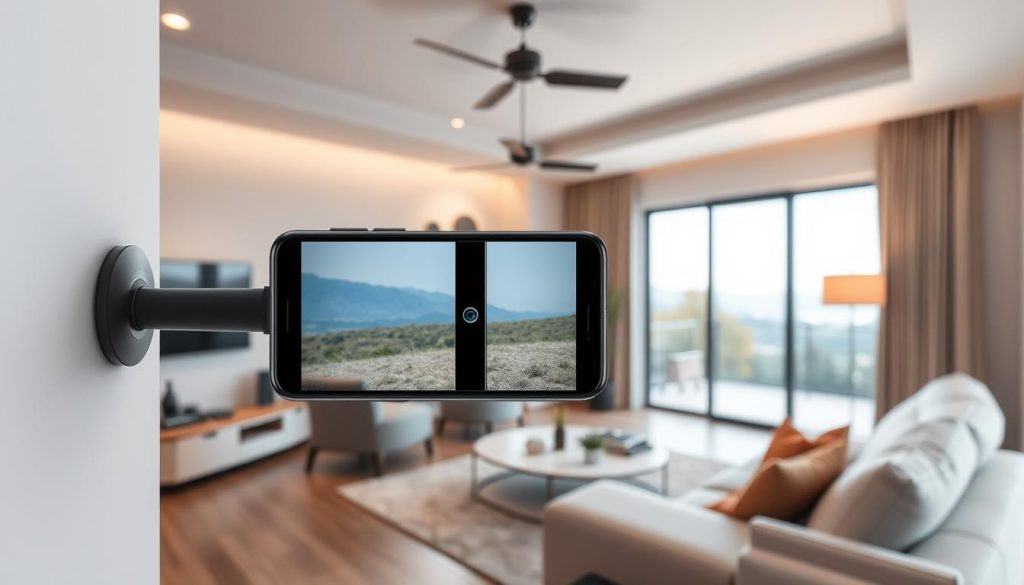
Indoor versus outdoor positioning
Indoor setups thrive at 7-8ft elevations with a 30° downward tilt. Face entry points like doors or hallways for optimal camera effectiveness. Avoid reflective surfaces that cause glare in Singapore’s bright interiors.
Outdoor placements demand weather-resistant positioning. Use shaded areas to prevent overheating while maintaining a 130° field of view. Test angles during different daylight hours for consistent performance.
Managing power and connectivity
Stable Wi-Fi (-50dBm minimum) ensures uninterrupted streaming. Use analyzer apps to identify dead zones before mounting. For power management:
- Hidden routing: Conceal cables along walls or furniture
- Smart plugs: Schedule charging cycles to preserve battery health
- Mesh networks: Extend signal range for multi-story home setups
Multi-camera systems should overlap 15% of viewing areas. This eliminates gaps while providing redundant angles for critical zones. Test each position with trial recordings before finalizing placements.
Key Features to Enable for Effective Monitoring
Customizable features elevate repurposed devices to professional-grade monitoring tools. Modern security apps provide settings that compensate for hardware limitations, delivering reliable surveillance without expensive upgrades.
Motion Detection and Alert Settings
Advanced motion detection reduces false alarms by 70% in apps like Alfred. Configure these features for precise monitoring:
- Activity zones: Exclude areas with pets under 25lbs by drawing custom boundaries
- Trigger thresholds: Set minimum 2-second movement duration to filter brief disturbances
- Schedule scans: Activate alerts only during vulnerable hours like overnight
Low-Light Mode and Audio Recording
Night vision automatically engages when ambient light drops below 10 lux. Pair this with audio enhancements for complete coverage:
“940nm infrared cutoffs in premium apps maintain clear night footage without visible red glow.”
- Noise filters: Isolate voices from background sounds in busy households
- Encryption: End-to-end data protection prevents unauthorized access to recordings
- Auto-switching: Seamless transitions between day/night modes maintain consistent security
These configurations transform basic cameras into intelligent systems. Regular app updates further refine detection algorithms for Singapore’s unique urban environments.
Overcoming Common Challenges
Several challenges can affect the reliability of repurposed monitoring devices. While cost-effective, these DIY setups require specific adjustments to maintain consistent performance. Addressing power management and connectivity issues ensures your system remains operational when needed most.
Extending Battery Life and Preventing Overheating
Continuous recording drains power at approximately 20% per hour. A simple way to conserve battery includes disabling background apps and enabling dark mode in camera interfaces. For devices left plugged in, smart plugs can regulate charging cycles to prevent degradation.
Thermal pads reduce internal temperatures by 14°F during extended use. Affordable cooling solutions like $8 USB fans or aluminum heat sinks help maintain optimal performance. These measures are particularly valuable in Singapore’s humid climate where heat buildup accelerates.
Maintaining Stable Network Connections
Wi-Fi stability directly impacts security feed quality. Configure router QoS settings to prioritize camera traffic, preventing bandwidth throttling during peak usage time. Signal boosters or mesh networks combat dead zones in larger homes.
- Power optimization: Reduce screen brightness to 30% and disable vibration alerts
- Network redundancy: Set automatic reboots at 3AM to refresh connections
- Device maintenance: Manual APK updates keep unsupported phone models secure
These solutions transform potential weaknesses into a robust monitoring system. Regular checks ensure your repurposed device delivers professional-grade security without costly upgrades.
Professional Alternatives to DIY Phone Cameras
Professional surveillance systems offer capabilities beyond DIY phone setups. While repurposed devices work for basic monitoring, dedicated security cameras deliver higher resolution, weatherproofing, and smart integrations. For Singapore homes requiring robust protection, commercial options fill critical gaps.
Comparing Dedicated and DIY Solutions
The eufyCam S340 outperforms phone-based systems with 4K resolution and 8x zoom. Its IP67 rating withstands heavy rain—a key advantage in tropical climates. Unlike cloud-dependent apps, its local AI processes footage offline, ensuring privacy.
“Branded systems reduce false alerts by 40% through advanced motion tracking, ideal for high-risk areas.”
- 24/7 recording: Continuous capture vs. motion-triggered clips on phones
- Smart integrations: Alexa/Google Home compatibility for voice controls
- Hybrid setups: Use phone cams as secondary sensors for cost efficiency
When to Upgrade Your System
Consider professional cameras if your home faces vandalism risks or insurance requirements. The $299 eufyCam pays for itself over 3 years with fewer maintenance needs than DIY setups. Key upgrade triggers include:
- Needing facial recognition or license plate capture
- Expanding coverage beyond Wi-Fi range
- Requiring encrypted local storage for sensitive footage
For most Singapore households, a mix of both solutions balances affordability and advanced features. Start with phone cams for low-risk areas, then scale up as needs evolve.
Maximizing Your DIY Security Camera’s Potential
Unlock advanced capabilities by integrating smart features with your DIY setup. Over 80% of users pair their security systems with automated lights or IFTTT recipes. Sync motion alerts with porch lighting for added deterrence—ideal for Singapore’s urban homes.
Boost reliability with simple routines. Clean lenses weekly to prevent blurry footage. Monthly storage checks ensure recordings aren’t lost. Join forums like Alfred’s 1.2M-member community for troubleshooting tips.
Future-proof your investment. Migrate gradually to ONVIF-compatible cameras while using current smartphones as backups. This way, you balance affordability with scalability as needs evolve.
FAQ
What apps work best for turning an old phone into a security camera?
Popular options include Alfred, Faceter, and Manything. These apps offer features like motion detection, cloud storage, and remote viewing.
Does the old phone need Wi-Fi to function as a security camera?
Yes, a stable Wi-Fi connection is essential for live streaming and remote monitoring. Some apps support local storage if cloud backup isn’t available.
How can I power the old phone continuously?
Keep it plugged into a charger or power bank. Enable battery-saving modes in the camera app to reduce overheating risks.
Can I use the phone outdoors as a security camera?
Only if it’s weatherproofed. Use a protective case and ensure the device stays dry. Indoor placement is safer for long-term use.
How do I access the footage recorded on the old phone?
Most apps store clips in the cloud or on the device. Pair it with a viewer phone or computer to review recordings anytime.
Will motion detection drain the battery quickly?
Yes, but adjusting sensitivity and enabling alerts only for significant movement helps conserve power.
Can multiple old phones be linked for whole-home coverage?
Absolutely. Install the same app on each device and sync them to a single account for centralized monitoring.
Are DIY phone cameras as reliable as dedicated security systems?
They’re great for basic monitoring but lack advanced features like 4K resolution or professional-grade night vision found in brands like eufyCam.


