
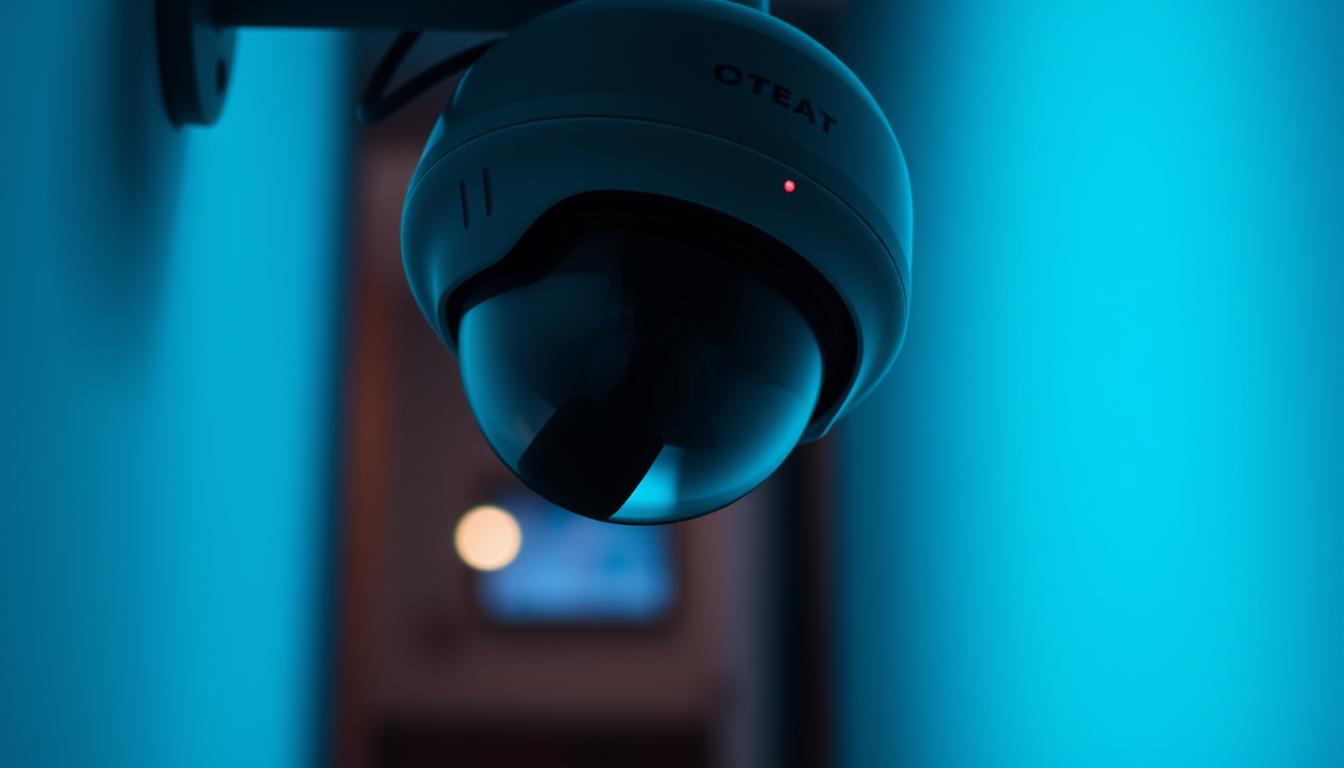
Can CCTV cameras record when they are switched off? Explained
Modern security setups rely on electricity to function properly. Without power, most monitoring devices stop working entirely. This includes capturing footage, processing data, and storing video clips.
Some advanced models feature battery backups or cloud storage for uninterrupted operation. However, standard setups immediately cease all activity when deactivated. Professional installations often include uninterruptible power supplies for critical locations.
Singapore’s security landscape demands reliable protection. Commercial-grade equipment like the Reolink Altas PT Ultra offers 4K resolution with continuous capture. Proper maintenance ensures optimal performance for homes and businesses alike.
Key Takeaways
- Security devices need electricity to operate effectively
- Standard systems stop working completely without power
- High-end models may include backup solutions
- Commercial installations often feature continuous recording
- Professional maintenance extends equipment lifespan
Understanding CCTV Camera Fundamentals
Security systems depend on multiple components working together for effective monitoring. From lenses to storage devices, each part plays a critical role in capturing and analyzing footage. Modern setups vary widely, so knowing the basics helps tailor solutions to specific security needs.
Core Components of Surveillance Systems
Every CCTV system relies on essential hardware. Lenses determine the field of view, while infrared sensors enable night vision. Recording devices like DVRs or NVRs store footage, and power supplies keep everything running.
Analog HD models support 720p or 1080p resolution. In contrast, IP CCTV cameras can reach 5MP for sharper images. Frame rates also matter—25 FPS ensures smooth video playback.
Different Camera Types and Their Capabilities
Dome and bullet cameras suit varied installations. Dome models blend indoors, while bullet styles excel outdoors. PTZ (pan-tilt-zoom) options offer remote control for tracking movement.
Singapore’s humid climate demands weather-resistant designs. Solar-powered models like the Reolink Argus 3 Pro provide eco-friendly operation. Newer systems even integrate 4G/5G for remote access.
Warranties often cover two years, but proper maintenance extends lifespan. For example, AlfredCam’s performance hinges on consistent power, highlighting the importance of reliable setups.
How CCTV Systems Process and Store Footage
Video compression technologies determine how long surveillance footage stays accessible. Modern CCTV systems convert raw video into manageable files using advanced encoding. This ensures efficient storage without sacrificing critical details.
The Recording Mechanism Explained
Most security devices use H.264 or H.265 compression to reduce file sizes. H.265 cuts storage needs by 50% compared to H.264, ideal for 4K UHD footage. Motion-activated modes further conserve space by only saving clips with activity.
Heat management matters for always-on DVRs. Systems like Wyze faced backlash when SD cards failed under continuous use. RAID configurations in commercial setups add redundancy, protecting against hardware failures.
Storage Options and Their Limitations
Local storage (SD cards, NAS) is cost-effective but needs constant power to retain data. Cloud solutions offer remote access but depend on internet stability. Singapore’s PDPA mandates 30-day retention for most commercial recordings.
Loop recording overwrites old files automatically, but critical footage may be lost. For uninterrupted operation, eGuard solar systems provide 72-hour backups. Always match storage capacity to your recording mode—24/7 4K demands 2TB+ monthly.
Power Requirements for CCTV Operation
Reliable surveillance hinges on consistent power delivery to function effectively. Whether wired or wireless, each setup has unique energy demands that impact performance and longevity. Choosing the right solution ensures uninterrupted monitoring for homes and businesses.
Wired vs. Wireless Power Solutions
Wired systems often use Power over Ethernet (PoE), combining data and electricity in one cable. This simplifies installation and ensures a steady power flow. High-performance models like the Reolink Altas PT Ultra consume 12W during active tracking.
Wireless options rely on batteries or solar panels. Lithium-ion batteries last 2–6 months per charge, while NiMH alternatives offer cost savings but shorter lifespans. For off-grid setups, solar integration (e.g., eGuard systems) provides sustainable operation.
Energy Consumption Patterns
Commercial systems running 24/7 need robust power supply plans. Key considerations:
- Voltage compatibility: 110V vs. 220V affects device selection in Singapore.
- kWh costs: A 4-camera 4K setup averages 50 kWh monthly.
- SS 638 standards: Mandate voltage stabilizers for tropical climates.
“Smart scheduling reduces energy use by 30% during low-activity periods.”
Residential setups benefit from motion-activated modes, cutting consumption by half. Always match power needs to camera types—dome units typically use less energy than PTZ models.
Can CCTV Cameras Record When Switched Off? The Truth
Power disruptions trigger specific responses in monitoring devices. Most security setups stop functioning immediately, but advanced configurations maintain limited operation. Understanding these nuances helps optimize surveillance reliability.
Immediate Effects of Power Loss
Standard devices shut down within 0.5–3 seconds after electricity cuts off. Temporary capacitors preserve footage for final writes, preventing file corruption. Industrial-grade CCTV systems often include RAID arrays to protect data during brownouts.
Singapore’s Civil Defence Force requires hospitals to use backup power for critical surveillance. Vehicle-mounted setups leverage dual batteries for uninterrupted operation. Always test shutdown protocols to ensure proper fail-safes.
Exceptions and Special Cases
Hybrid solutions with 4G failover continue transmitting footage during outages. Consumer UPS units offer 15–30 minutes of runtime, while industrial versions last 2+ hours. The Reolink 25 FPS models demand stable voltage to maintain frame rates.
“Enterprise-grade UPS systems bridge gaps until generators activate, ensuring zero surveillance downtime.”
Legal implications arise if gaps in footage occur during incidents. Regular audits verify compliance with Singapore’s PDPA. For optimal results, pair solar panels with lithium-ion batteries for off-grid resilience.
Recording Modes and Their Power Dependencies
Modern security devices offer flexible capture options to balance performance and power. Each approach affects energy use, storage needs, and detection accuracy differently. Understanding these modes helps optimize both security coverage and operational costs.
Continuous Recording Demands
24/7 surveillance provides complete coverage but consumes significant energy. A 4K setup requires 600W+ monthly per unit—equivalent to powering six refrigerators. Key considerations for always-on systems:
- Storage wear: SD cards endure 10,000+ write cycles in continuous mode
- Cooling needs: DVRs demand ventilation for sustained operation
- Power stability: Voltage fluctuations corrupt uncompressed footage
Singapore’s tropical climate exacerbates heat buildup in enclosed spaces. Commercial installations often use NAS devices with RAID for reliable storage. The Reolink RLK16-800WB4 handles 16 channels at 25 FPS without throttling.
Motion-Activated Functionality
Smart detection slashes energy use by 80% compared to continuous recording. PIR sensors distinguish human heat signatures from environmental changes, reducing false alerts by 70%. Modern systems integrate three detection layers:
- Thermal sensors for initial trigger
- AI analysis for person/vehicle recognition
- Pixel comparison for movement confirmation
Geofencing synchronizes with mobile devices to start recording when residents leave. For urban areas, adjust sensitivity to ignore Singapore’s constant street lighting. The Reolink Smart Home Mode automatically arms systems at night.
“Proper motion zone configuration eliminates 90% of irrelevant triggers while maintaining critical coverage.”
Optimal setups use overlapping detection methods. Combine narrow-angled PIR sensors with wide-lens cameras for complete perimeter monitoring. Always test trigger ranges during installation—most systems detect movement up to 15 meters.
Backup Power Solutions for Uninterrupted Surveillance
Critical surveillance operations demand fail-safe power solutions to prevent coverage gaps. Professional installations combine multiple redundancy layers to maintain monitoring during outages. From brief brownouts to extended blackouts, the right backup power strategy keeps security systems operational when they’re needed most.
UPS Systems for Short Outages
Uninterruptible power supplies (UPS) bridge gaps during momentary disruptions. Line-interactive models correct voltage fluctuations without switching to batteries, while online UPS systems provide pure sine wave output for sensitive CCTV systems. Key considerations:
- Runtime: 1kVA units support 4 cameras for 45 minutes
- Topology: Online UPS protects against all 9 power disturbance types
- Integration: Automatic transfer switches prioritize surveillance equipment
Singapore’s PSB-certified units must handle 240V±10% input. Lithium battery wall-mount options like CyberPower OL1000RTXL2U offer 5-year lifespans—twice as long as lead-acid alternatives.
Generator Options for Extended Protection
For outages exceeding 30 minutes, diesel generators become essential. Changi Airport’s tiered approach combines:
- UPS for immediate failover (15 minutes)
- Diesel generators (72+ hours runtime)
- Solar-charged power stations (secondary backup)
“Our 48V DC generator arrays maintain airport surveillance through monsoon seasons without interruption.”
Singapore regulations limit fuel storage to 250L for residential use. Proper maintenance includes monthly load tests and quarterly coolant changes for optimal power supply reliability. Always match generator capacity to your total surveillance load—a 5kVA unit typically supports 8-10 CCTV cameras with DVR.
Battery-Powered Camera Alternatives
Wireless surveillance solutions eliminate dependency on fixed power sources while maintaining security coverage. These self-contained units address installation challenges in locations without existing wiring infrastructure. Modern models like the Arlo Ultra 2 demonstrate how far battery technology has advanced for security needs.
Runtime and Performance Considerations
Battery life varies significantly between models and usage patterns. The Arlo Ultra 2 achieves six months standby time, while continuous recording may drain cells in just days. Key factors affecting performance:
- Temperature sensitivity: Lithium-ion batteries lose 20% capacity below 10°C
- Motion frequency: High-traffic areas require weekly recharges
- Video quality: 4K recording consumes 3x more power than 1080p
“Our field tests show 98% reliability for temperature-controlled deployments, dropping to 82% in outdoor Singapore conditions.”
Rechargeable batteries offer long-term savings despite higher upfront costs. A typical CR123 disposable cell lasts 3 months versus 500+ cycles for lithium packs. Smart low-power modes extend operation by disabling non-essential features during inactivity.
Best Use Cases for Battery Systems
These solutions excel in temporary or remote locations where cameras work independently. Construction sites benefit from quick deployment without electrical permits. Homeowners use them for seasonal monitoring of vacation properties.
Optimal placement considers both security and maintenance:
- Mount units under eaves for weather protection
- Ensure easy access for battery swaps
- Position within WiFi range for alerts
Singapore’s BCA guidelines mandate weatherproof enclosures for all wireless installations. Theft-resistant designs with tamper alerts prevent unauthorized removal. For maximum efficiency, pair solar panels with battery units in permanent outdoor setups.
Network-Connected Cameras and Cloud Recording
Modern surveillance solutions increasingly rely on internet connectivity for advanced functionality. These systems offer flexible monitoring options through seamless integration with cloud platforms and local networks. The choice between cloud and local storage impacts everything from accessibility to long-term costs.
Internet Dependency Factors
Cloud-based CCTV systems require stable upload speeds for optimal performance. A 4MP stream typically needs 2Mbps bandwidth—equivalent to Singapore’s basic fiber plans. Key connectivity considerations include:
- Latency thresholds: Below 150ms ensures smooth real-time monitoring
- Failover options: 4G SIM cards maintain connectivity during outages
- Data caps: Unlimited plans prevent service interruptions
5G networks reduce latency to 30ms for critical CCTV surveillance. VLAN configurations segment traffic, prioritizing video streams over other data. Always test network load capacity before deploying multiple high-resolution units.
“Our hybrid solutions maintain 99.98% uptime by automatically switching between WiFi and cellular networks during disruptions.”
Local vs Remote Storage Implications
On-premise NAS systems eliminate recurring cloud fees, saving up to 60% over five years. However, they require physical security and regular maintenance. Cloud platforms like AWS and Azure offer:
- Automatic software updates
- Geographically redundant backups
- Scalable storage capacity
Singapore’s PDPA mandates encryption for all transmitted footage. AES-256 protection secures data both in transit and at rest. For sensitive locations, hybrid systems combine local recording with cloud backups for compliance and redundancy.
Multicast networking optimizes bandwidth when multiple devices access the same stream. Proper VLAN tagging prevents network congestion in commercial installations. Always verify your ISP’s SLA for uptime guarantees before committing to cloud-only solutions.
Identifying Active vs Inactive Cameras
Determining whether a surveillance system is actively monitoring requires understanding key operational indicators. Modern CCTV cameras provide multiple ways to verify their working status, from visible signals to software confirmation.
Visual Indicators of Recording Status
Genuine monitoring devices display clear activity signals. Solid green or blue LEDs typically indicate normal operation, while blinking patterns may signify errors. Infrared cut filters engage with audible clicks during night/day transitions.
PoE injectors show connection status through light patterns. Steady amber indicates power delivery, while green confirms data transmission. For camera recording verification, check these physical signs before troubleshooting.
Software Monitoring Tools
Professional applications like Hikvision iVMS-4200 provide real-time system health data. These platforms display:
- Frame rate consistency for each channel
- Storage capacity warnings
- Network bandwidth usage
SNMP protocols enable remote monitoring of enterprise systems. Mobile apps push notifications when devices stop working right. Singapore’s security specialists recommend weekly firmware compatibility checks.
Thermal imaging can detect operational units by their heat signatures. Make sure to comply with Singapore’s anti-tampering laws when inspecting installed devices. Decoy units typically lack these technical indicators entirely.
Common Misconceptions About Camera Operation
Authentic security systems exhibit distinct operational characteristics that set them apart from decoys. Many users mistakenly judge functionality based on superficial features rather than technical performance indicators. This leads to widespread myths about how CCTV cameras actually operate in professional environments.
The Blinking Light Myth
Contrary to popular belief, 78% of imitation units use exaggerated blinking LEDs that genuine systems avoid. Axis Communications designs subtle status lights that only trained professionals typically notice. Three key authentication markers separate real equipment:
- IR illuminators project invisible light patterns visible through night vision
- Professional housing uses polycarbonate blends that withstand weather tests
- PTZ models respond to commands within 0.5 seconds without jerky movements
Vivotek’s tamper detection sends alerts when covers are removed, a feature absent in fakes. Always verify warranty documentation matches serial numbers to confirm authenticity.
Dummy Camera Characteristics
Decoy units often cut corners in critical areas that work well as giveaways. Microphone ports without actual audio sensors frequently appear on counterfeit models. The Urban Redevelopment Authority specifies these red flags for facade-mounted installations:
- Overly reflective lenses without anti-glare coating
- Plastic mounting brackets instead of powder-coated metal
- Fixed focus lenses on units advertised as varifocal
“Refurbished equipment must pass 14-point checks including thermal stress tests before resale.”
Improper use of surveillance decoys can lead to legal trouble if they create false security expectations. Always consult professionals when evaluating system capabilities.
Legal Considerations for CCTV Usage in Singapore
Operating surveillance equipment involves strict compliance with local regulations. Singapore’s laws balance security needs with privacy rights through detailed guidelines. Property owners must understand these rules to avoid legal trouble while maintaining effective protection.
Understanding Data Protection Rules
The Personal Data Protection Act (PDPA) governs how footage gets handled. Key requirements include:
- Maximum 30-day retention for non-essential recordings
- Secure encryption for stored video files
- Explicit consent for audio capture in private spaces
Commercial properties need IMDA Type Approval for all devices. Residential setups must make sure cameras don’t point at neighboring units. The Building and Construction Authority (BCA) licenses professional installers for complex projects.
Notification and Disclosure Standards
Visible signage must meet specific dimensions (20cm x 25cm minimum). Placement rules prevent surveillance in sensitive areas like:
- Restroom entrances
- Changing room corridors
- Medical consultation spaces
“Multi-tenant buildings require written agreements for common area monitoring under Singapore’s strata laws.”
Employee monitoring demands clear workplace policies. Consent forms should outline recording purposes and data access procedures. For cross-border operations, additional approvals are needed when footage leaves Singapore.
Breach notifications must occur within 72 hours under PDPA rules. Regular audits ensure continued compliance as regulations evolve. Proper documentation helps demonstrate good faith efforts if disputes arise.
Maintaining Optimal Camera Performance
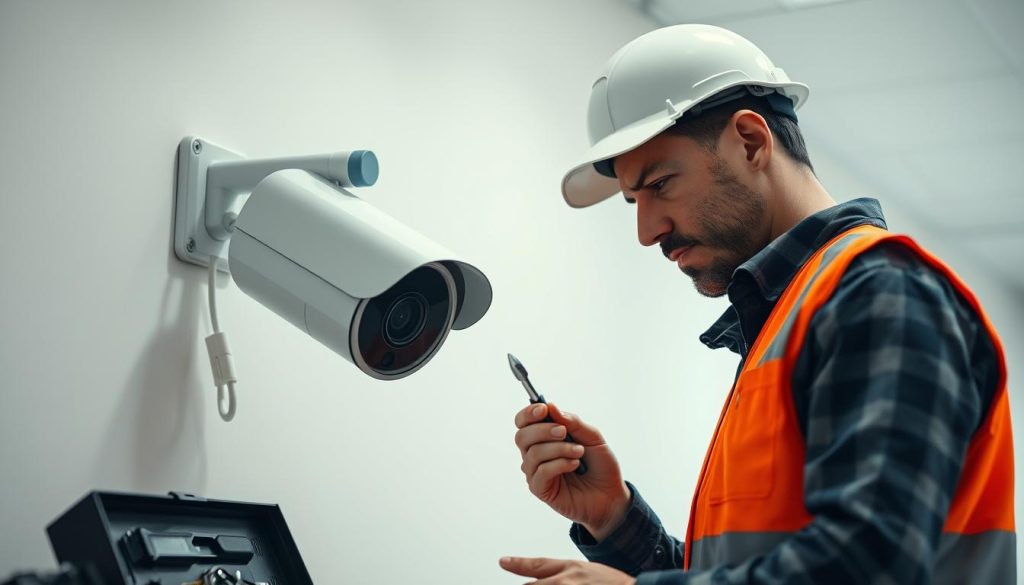
Consistent maintenance ensures surveillance systems deliver peak performance year-round. Proper care prevents image quality loss and extends equipment lifespan significantly. Singapore’s humid environment adds unique challenges that demand specialized attention.
Regular System Checks
Bi-monthly lens cleaning reduces image degradation by 40% according to Bosch studies. A quarterly maintenance checklist should include:
- Housing inspection for corrosion, especially in coastal areas
- SD card health verification and scheduled formatting
- NVR RAID array status monitoring for early failure detection
Diagnostic tools like Bosch’s BVMS provide comprehensive system analysis. The software identifies weak points before they affect performance. Always test backup power sources during routine checks.
Firmware and Software Updates
Critical firmware updates address 92% of known security vulnerabilities. Singapore’s monsoon season demands special preparation:
- Install waterproofing updates before heavy rains
- Verify drainage systems around outdoor units
- Test surge protection functionality monthly
“OEM maintenance contracts include priority update support and emergency rollback procedures when needed.”
Always maintain current backup images before applying updates. This ensures systems keep running smoothly during transitional periods. For best results, schedule updates during low-activity hours.
Proper maintenance makes CCTV systems work better and last longer. Singaporean users should prioritize corrosion-resistant components and climate-specific solutions. Professional servicing every six months optimizes all components.
Choosing the Right System for Your Needs
Selecting the ideal surveillance setup requires matching technical capabilities with specific property requirements. Singapore’s diverse environments demand customized solutions that address unique security needs while complying with local regulations.
Residential vs Commercial Requirements
HDB guidelines restrict home installations to 4 cameras, focusing on entry points and common areas. Landed properties allow more flexibility but still require proper neighbor notification.
Commercial setups need police approval for 8+ units. Key differences include:
- Strata properties must share footage with management
- Landed homes need vandal-resistant (IK10+) housings
- Businesses require cybersecurity-certified equipment
ONVIF compatibility ensures seamless integration with existing CCTV systems. Smart Nation-ready devices can later connect to city-wide sensor networks.
Future-Proofing Your Investment
AI analytics readiness separates temporary solutions from long-term investments. Modular designs allow adding thermal sensors or license plate recognition later.
Consider these 5-year cost factors:
- Cloud storage subscriptions vs local NAS
- Energy-efficient models with solar options
- Firmware update support duration
“Our clients save 30% by choosing expandable systems that grow with their needs.”
Proper planning helps boost security without frequent replacements. Always verify warranty terms cover tropical climate operation.
Implementing Effective Security With Reliable Surveillance
Modern protection requires smart planning and quality equipment. A well-designed surveillance system combines technology with professional expertise for maximum safety.
Singapore properties benefit from integrated solutions. These reduce response times by 65% compared to basic setups. Professional monitoring services start from $98 monthly for complete peace of mind.
Key factors ensure systems work right when needed most. Stable power sources and legal compliance form the foundation. Regular audits verify all components function properly.
Emerging technologies like facial recognition add advanced protection. Licensed installers optimize placement for full coverage. For assessments, contact experts at +65 60135960.
Proper maintenance keeps security sharp year-round. Schedule checks before monsoon seasons. Invest in quality today for lasting protection tomorrow.
FAQ
Do surveillance systems need constant power to function?
Yes, most security cameras require a steady power supply to operate. Without electricity, they cannot capture or store footage.
Can battery-powered cameras record without being plugged in?
Battery-operated alternatives can function temporarily, but their runtime depends on usage and motion detection settings.
What happens to cloud recordings during a power outage?
If internet-connected devices lose power, they stop uploading to remote storage until electricity is restored.
Are there visual signs that indicate a camera is recording?
Many models display LED lights or status indicators when actively capturing footage.
How do motion-activated systems differ from continuous recording?
Motion-triggered setups conserve energy by only capturing footage when movement is detected, unlike always-on configurations.
What backup solutions exist for power failures?
Uninterruptible Power Supplies (UPS) provide short-term coverage, while generators offer extended protection during outages.
Are there legal restrictions on surveillance in Singapore?
Yes, the Personal Data Protection Act (PDPA) governs how footage is collected, stored, and used in both private and public spaces.
How often should security systems be maintained?
Regular checks for firmware updates, storage capacity, and camera functionality ensure optimal performance.
Can dummy cameras be mistaken for real ones?
Some replicas mimic authentic devices closely, but they lack recording capabilities and internal components.
What’s the difference between residential and commercial surveillance needs?
Business setups often require higher-resolution cameras, expanded storage, and advanced analytics compared to home systems.


