

Discover What happens to old security camera footage?
In our surveillance-dependent world, knowing where recorded video goes is crucial for safety and compliance. This knowledge directly impacts how well protective systems work.
In tech-savvy Singapore, managing these recordings affects legal adherence and evidence preservation. A startling local statistic highlights the risk.
75% of surveillance video loss happens due to automatic overwriting. This common process can erase vital evidence without warning.
Retention periods vary widely across sectors. Residential setups typically store recordings for just 7 to 14 days. Financial institutions like banks must keep them for six months or longer.
The Personal Data Protection Act (PDPA) sets strict guidelines for handling this sensitive information. All entities must follow these rules in Singapore.
Proactive management prevents the loss of critical evidence. It also enhances overall protective measures for homes and companies.
This article serves as a comprehensive how-to guide. We will explore storage systems, retention factors, legal rules, and recovery methods.
Our goal is to provide actionable strategies for Singaporean homeowners and businesses. Remember, timely action is vital. Delays in data recovery significantly reduce success rates.
Key Takeaways
- Most surveillance video loss (75%) in Singapore occurs from automatic overwriting.
- Residential systems typically store recordings for 7-14 days only.
- Banks and financial institutions must keep footage for six months or more.
- The PDPA provides the legal framework for handling surveillance recordings.
- Proactive management prevents critical evidence from being lost.
- This guide covers storage, retention rules, legal compliance, and recovery options.
- Acting quickly improves the chance of successful data retrieval.
Understanding the Lifecycle of CCTV Footage
The management of recorded video is not a single event but a continuous cycle with distinct phases. This footage lifecycle governs everything from the initial recording to its final, secure deletion. Grasping this process is fundamental for any effective security strategy.
It begins the instant a camera captures an event. The raw video data is then written to a storage medium. This is the creation phase of your recordings.
Next, the data enters a controlled retention period. This is where a clear video retention policy becomes essential. The policy dictates how long you keep footage based on needs and rules.
For businesses in Singapore, aligning this policy with the PDPA is non-negotiable. It ensures sensitive information is protected and privacy risks are minimized. A defined policy turns random storage into a compliant system.
The final stage is secure deletion. Old footage must be permanently erased to free up capacity and maintain compliance. This completes the cycle, making room for new recordings.
Understanding each stage is the foundation for smart decisions. It informs your choice of storage solutions, retention periods, and recovery plans. Each phase presents specific challenges and optimization opportunities.
With the CCTV market expanding, the volume of footage grows daily. Systematic lifecycle management is now more critical than ever. A proactive approach prevents data loss and ensures you can use recorded evidence effectively.
This structured management is key for audits or investigations. It transforms a simple recording system into a reliable security asset. Proper lifecycle control is the backbone of trustworthy surveillance systems in Singapore.
How Security Camera Systems Store Your Video
Behind every clear video clip is a complex system designed to capture and hold vast amounts of data. Your choice of storage architecture directly impacts how long you can keep footage and how reliably you can access it.
From the recorder at the core to the drives holding the data, each component plays a vital role. Understanding these elements is the first step to building a robust security system.
DVRs, NVRs, and the Heart of Your System
The recorder is the central brain of any surveillance setup. The two main types are DVRs (Digital Video Recorders) and NVRs (Network Video Recorders).
DVR systems are built for analog cameras. They use coaxial cables to transmit video signals. The DVR box then converts this analog signal into a digital format for storage.
NVR systems work with modern IP cameras. These cameras send digitally encoded video over an Ethernet network. This method allows for much higher video quality and resolution from the start.
NVRs generally support superior image clarity compared to traditional DVRs. They also offer easier remote access. You can view live feeds and playback from anywhere with an internet connection.
Internal Drives vs. External Storage Solutions
Where the video data physically resides is critical. Internal storage options are built into the device itself.
Many standalone cameras use microSD cards. These are simple but have limited capacity. Internal hard drives are common in DVR and NVR units. They provide more space for continuous recording.
For greater scalability, external solutions are key. Dedicated surveillance-grade hard drives, like the Western Digital Purple series, are popular in Singapore.
These hard drives are engineered for 24/7 operation. They handle the constant writing of data from multiple cameras. Their design is resilient in humid environments.
Network Attached Storage (NAS) devices offer another powerful external option. A NAS is a dedicated storage server on your network. It can scale to hold petabytes of CCTV footage for large deployments.
The Growing Role of Cloud Storage
Cloud storage is revolutionizing video management. Instead of local drives, your recordings are securely uploaded to remote data centers.
This approach offers significant benefits for Singaporean homes and businesses. It provides automatic off-site backup, protecting against local hardware failure. You gain flexible, remote access to your video from any device.
Leading services like AWS have regions in Singapore. This ensures low latency and high durability for your data. Scalability is a major advantage. You pay for the storage space you use, and can increase it instantly.
However, cloud uploads depend on your internet bandwidth. A 40-camera setup generating vast data requires a robust connection. This is a key planning consideration.
Planning your storage capacity requires math. A single 2-megapixel camera recording continuously can use about 10.5 terabytes per year.
A medium-sized business with 40 such cameras needs approximately 420TB of space. This highlights the need for significant planning in large deployments.
The most resilient approach often combines local and cloud storage. This hybrid model keeps recent footage quickly accessible on a local NAS or drive. It also syncs critical recordings to the cloud for safe backups.
Choose your architecture based on camera count, required retention time, and budget. A clear plan turns raw video into a reliable security asset.
Key Factors That Determine How Long Footage Is Kept
Determining how long you can archive video is not random. It results from deliberate system configuration and practical needs. A handful of critical elements define the retention window for your evidence.
These factors work together to set a clear timeline. They balance technical limits with operational and legal requirements. Understanding them allows for precise planning of your surveillance strategy.
Storage Capacity and Loop Recording
The physical space available is the ultimate boundary. Your storage capacity, whether on local hard drives, a NAS, or a cloud plan, dictates the maximum possible retention period.
Most modern systems use a loop recording process. When the designated storage becomes full, the system automatically overwrites the oldest recordings.
This creates a continuous cycle of new data replacing the old. The configured capacity directly controls how far back your archive reaches before this overwrite occurs.
Video Resolution and Frame Rate Impact
Image quality has a massive effect on storage consumption. Higher resolutions like 4K or 1080p capture more detail but create much larger files.
The frame rate is equally important. A camera recording at 30 frames per second uses about 25% more space than one at 24fps.
This exponential increase in file size directly shortens how long you can keep footage. Optimizing these settings is crucial for balancing clarity with retention needs.
Business Needs vs. Residential Requirements
Retention periods vary dramatically by setting. A home security setup might only need to archive recordings for 7 to 14 days.
Commercial entities face different pressures. Retail stores often require 30 to 90 days of CCTV footage for loss prevention and incident review.
High-security sectors like banking must follow strict mandates. They are often required to retain evidence for six months or more due to compliance rules.
Business needs extend beyond security. They include liability concerns, operational audits, and industry-specific regulations. These demands justify longer retention periods and more robust storage solutions.
The intended use of the video also matters. Is it for real-time monitoring or for detailed forensic analysis? Evidence-grade material needs to be kept accessible for longer time frames.
In Singapore’s humid climate, environmental factors can indirectly shorten retention. Hardware lifespan may be reduced, risking data loss if drives fail prematurely. A proactive maintenance schedule is essential.
A smart strategy involves tiered storage. Critical event footage can be moved to long-term backup archives or the cloud. This preserves vital evidence without overloading primary storage.
You can estimate your own retention with a simple framework:
- Count your cameras and note their resolution and frame rate settings.
- Determine your total available storage space in terabytes.
- Factor in your recording schedule (24/7 or motion-only).
- Use an online calculator to model the resulting retention period.
This calculation empowers you to align your system’s capabilities with your actual needs. It turns guesswork into a managed, reliable process for safeguarding video evidence.
What Happens to Old Security Camera Footage?
Proactive control over your video archive begins by knowing the common paths it takes after recording. The most frequent outcome is automatic erasure to free up space.
This process is governed by a First-In-First-Out (FIFO) algorithm. When your storage capacity is full, the system deletes the oldest files to make room for new recordings.
This loop is essential for continuous operation. However, it poses a major evidence loss risk if an incident review is delayed.
In Singapore, a significant 75% of CCTV footage loss is traced to this automatic cycle. Vital evidence can vanish before you even know you need it.
Manual deletion is another common fate. Users may accidentally erase clips or configure settings incorrectly.
A formal data purge policy also leads to manual removal. This ensures compliance after a mandated retention period ends.
Not all recordings meet this immediate fate. Critical clips are often preserved through manual saves or scheduled backups.
A legal hold can suspend automatic deletion for investigations. This protects relevant data from being overwritten.
Even preserved footage has a finite lifespan. Physical drives and CCTV equipment can fail, especially in humid climates.
Digital formats may become obsolete, making files unreadable. Eventually, a final retention rule may require its permanent deletion after years.
Cloud storage solutions often change this dynamic. They can offer longer, more flexible archival periods compared to local hardware.
This provides better options to keep footage accessible for extended time frames. It’s a key advantage for growing businesses.
It’s crucial to understand that “deleted” files are not always gone forever. There is often a recovery window before the storage space is permanently overwritten.
This highlights the importance of acting quickly if you suspect a loss. Immediate steps can significantly improve recovery chances.
The ultimate fate of your recordings is not left to chance. It is determined by your system’s configuration and your management policies.
Implementing a clear retention schedule and robust backup procedures is the answer. This proactive approach gives you control over your security evidence.
For companies in Singapore, this means aligning policies with PDPA rules. Regular audits of storage systems and backups are non-negotiable for reliable security.
Navigating Legal Retention Rules in Singapore
Singapore’s regulatory landscape provides specific guidelines that dictate the management of video evidence from collection to deletion. Understanding these rules is essential for any organization operating surveillance systems.
Compliance transforms your security setup into a legally accountable asset. It protects both your interests and the privacy rights of individuals.
Complying with the PDPA and Data Protection
The Personal Data Protection Act (PDPA) is the cornerstone of surveillance regulation. It applies to all CCTV footage captured in Singapore.
Organizations must display clear signage at surveillance points. This notice should state the purpose of collection.
You must specify why you are gathering recordings. Common purposes include security monitoring and loss prevention.
Individuals have the right to request access to data featuring them. The PDPA mandates a response within 30 days.
Businesses processing information from over 1,000 people need a Data Protection Officer. This DPO ensures ongoing compliance with the law.
Non-compliance carries severe penalties. Fines can reach up to S$1 million for serious breaches.
Industry-Specific Retention Mandates
Certain sectors face stricter requirements beyond the PDPA baseline. These mandates extend how long you must keep footage.
Financial institutions like banks typically need 180 days of retention. This six-month period supports fraud investigations.
Healthcare facilities follow their own guidelines for patient privacy. Retail chains may set internal policies for theft review.
The Singapore Police Force provides guidelines for evidence preservation. Recordings relevant to criminal probes must be secured immediately.
For court admissibility under the Evidence Act, metadata must remain completely unaltered. Any editing can render the video useless as legal proof.
This requirement emphasizes the need for intact systems. Proper chain-of-custody documentation is equally vital.
Access Rights and Privacy Considerations
Privacy safeguards create important boundaries for surveillance operations. Audio recording without consent is generally prohibited.
Filming in truly private areas like restrooms is illegal. Cameras should focus only on spaces with legitimate security needs.
Where possible, consider anonymizing recordings. This reduces privacy risks while maintaining security value.
The concept of a legal hold is critical during disputes. It suspends automatic deletion for relevant material.
This ensures potential evidence isn’t lost to routine storage cycles. Implement this process immediately when notified.
Regular audits help maintain compliance. Follow these practical steps:
- Review all camera placements against PDPA signage requirements
- Document your stated purposes for data collection
- Verify your retention periods match industry standards
- Test your response procedure for access requests
- Ensure backup procedures preserve metadata integrity
Create clear written procedures for three key areas. These cover access authorization, secure deletion, and official requests.
Such documentation proves your commitment to lawful security management. It also streamlines operations during urgent situations.
Proper legal navigation protects your organization from substantial fines. More importantly, it builds trust with customers and the public.
A compliant system delivers reliable evidence when needed most. This makes your investment in surveillance technology truly worthwhile.
Common Reasons Why Important Footage Gets Lost
The disappearance of vital video evidence often stems from predictable, preventable technical and human factors. Identifying these vulnerabilities is essential for protecting your visual records.
Most losses occur through routine system behaviors rather than malicious attacks. Understanding these common failure points helps build more resilient security archives.
Automatic Overwriting and Full Storage
Loop recording is the default mode for most surveillance setups. When allocated space fills up, the system automatically deletes the oldest files.
This continuous cycle ensures uninterrupted operation but poses a major evidence risk. Critical clips can vanish before you realize they’re needed.
Default retention settings often prioritize capacity over preservation. Many systems come configured with minimal archive periods.
Without adjustment, these settings may only keep recordings for a few days. This timeframe is insufficient for many investigative needs.
The trigger for overwriting is simply a full hard drive or cloud quota. Once reached, the deletion process begins immediately.
No warning alerts are typically provided before this automatic purge. This silent erasure accounts for most surveillance data loss incidents.
Hardware Failures and System Corruption
Physical storage devices have finite lifespans under constant use. Hard drives in continuous operation face significant wear.
Backblaze data reveals an annual failure rate of approximately 4.92% for HDDs. These mechanical components are prone to breakdown.
Singapore’s tropical climate exacerbates these reliability issues. Humidity increases drive failure rates by an estimated 38%.
Moisture accelerates corrosion of sensitive electronic components. This environmental factor shortens equipment longevity.
Improper system shutdowns create another major risk. Power interruptions during write operations can corrupt entire file systems.
This corruption may render weeks of recordings completely unreadable. Recovery from such damage requires specialized tools.
Codec incompatibility presents a subtler technical challenge. Older compression formats may become unsupported by modern playback software.
Files that appear intact might be impossible to view. This digital obsolescence silently destroys access to archived material.
System updates and migrations introduce additional hazards. Improperly executed upgrades can overwrite or damage existing data structures.
Human Error and Accidental Deletion
Authorized users inadvertently cause nearly 10% of losses in small businesses. Simple mistakes during routine management have serious consequences.
Accidental deletion during clip export or review is common. A single misclick can erase critical evidence permanently.
Misconfiguration of retention settings amplifies this risk. Incorrect values may shorten archive periods dramatically.
Without proper training, staff may not understand system capabilities. This knowledge gap leads to operational errors.
Environmental threats unique to Singapore compound these issues. Power surges during thunderstorms damage approximately one in seven systems yearly.
These electrical spikes can fry storage controllers and corrupt data. Voltage fluctuations are particularly destructive to always-on equipment.
Managing large, complex surveillance networks introduces further complexity. Locating specific clips across multiple servers increases handling errors.
The sheer volume of material makes manual management prone to mistakes. Without automated tools, important segments get overlooked or deleted.
These factors connect directly to the broader lifecycle management discussion. Each vulnerability represents a phase where control can be strengthened.
A multi-layered prevention strategy addresses all these points simultaneously. Combining technical safeguards with procedural controls offers the best protection.
Regular system audits, staff training, and environmental hardening work together. This comprehensive approach minimizes the risk of losing crucial visual evidence.
Best Practices for Managing and Preserving Footage
Transforming video data into a dependable security asset requires moving from passive recording to active management. This shift is built on a framework of documented procedures, intelligent technology choices, and vigilant oversight.
Implementing these practices ensures your system delivers reliable evidence. It also optimizes your investment in surveillance infrastructure.
Establishing a Clear Retention and Backup Policy
The cornerstone of any management plan is a formal, written retention policy. This document defines precisely what recordings are kept, for how long, and the protocol for secure deletion.
For businesses in Singapore, this policy must align with PDPA rules and any industry-specific mandates. It balances legal needs with practical storage costs.
A robust backup strategy is equally critical. The industry-standard 3-2-1 backup rule provides an excellent framework.
Maintain three total copies of your important footage. Store them on two different types of media, with at least one copy kept off-site.
This could mean keeping the primary copy on a local hard drive, a second on a Network Attached Storage (NAS) device, and a third in a secure cloud storage service. This approach guards against hardware failure, theft, and site-wide disasters.
Regularly test your backups by performing practice restores. This verifies the data is truly recoverable. Implement strict access controls and audit logs to track who views, exports, or deletes material.
Choosing the Right Storage for Your Needs
Selecting appropriate storage solutions is a strategic decision. The goal is to match technology to your specific operational needs.
For continuous, reliable local recording, invest in surveillance-optimized hard drives. Brands like Western Digital Purple are engineered for 24/7 operation. They handle the constant write cycles from multiple security cameras.
Network Attached Storage (NAS) devices offer superior scalability for growing operations. They allow you to easily add drives to increase capacity.
Cloud storage services provide essential off-site protection and flexible remote access. They are ideal for preserving critical event clips for extended periods.
A hybrid model often works best. It combines the fast, local access of on-premises drives with the safety and scalability of the cloud. This tiered approach ensures you can keep footage efficiently based on its importance and age.
Conducting Regular System Health Checks
Proactive maintenance prevents catastrophic data loss. Schedule regular, automated checks of your entire security ecosystem.
Monitor storage capacity to receive alerts before space runs out. Check the SMART status of hard drives to predict potential failures.
Verify the integrity of ongoing recordings to ensure all cameras are capturing usable video. In Singapore’s climate, environmental controls are vital.
Monitor temperature and humidity around CCTV equipment racks. Excessive heat and moisture drastically shorten hardware lifespans.
Keep all system firmware and software updated. Patches often fix stability issues and compression bugs. Use automated tools to generate reports on recording uptime and storage health.
Periodically review your entire retention policy against evolving legal requirements and business operations. What was sufficient last year may not meet today’s needs.
These best practices form an ongoing cycle of improvement, not a one-time setup. Consistent management is the true key to long-term CCTV footage preservation and operational reliability.
How to Extend Your Footage’s Lifespan
Maximizing the longevity of your surveillance archive requires strategic configuration rather than simply adding more hardware. Intelligent adjustments to your setup can dramatically increase retention periods without expanding your budget.
These techniques focus on optimizing how your system captures and stores visual information. They transform existing infrastructure into a more efficient evidence preservation tool.
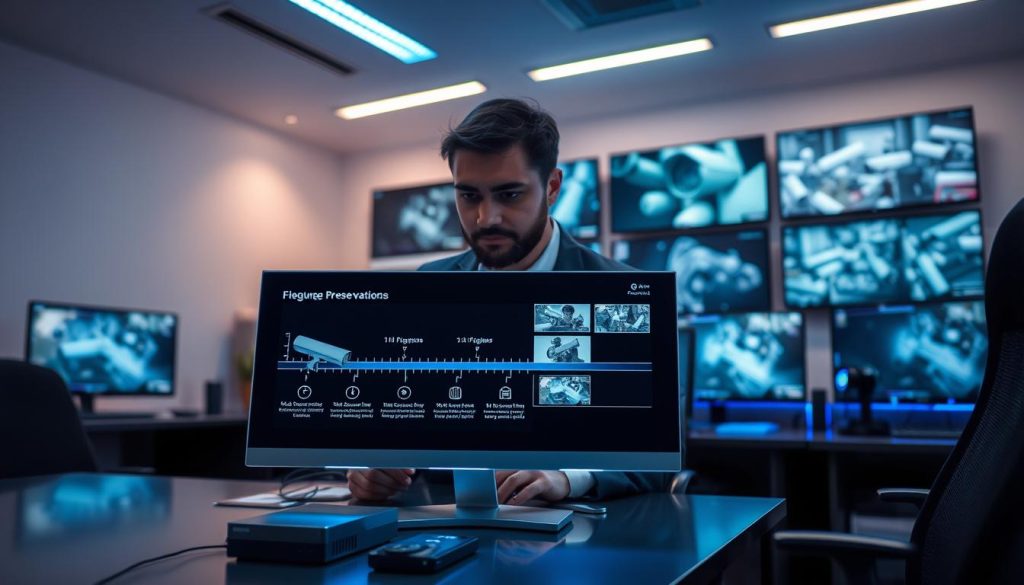
Optimizing Motion Detection Settings
Continuous recording generates massive amounts of unnecessary data. Switching to motion-activated capture addresses this inefficiency directly.
In areas with low activity, this change can reduce storage consumption by up to 80%. The saved space automatically extends how long you can keep footage.
Fine-tuning sensitivity prevents false triggers from shadows or weather. Defining specific detection zones focuses recording on critical areas like entrances.
Modern security cameras offer advanced analytics. Features like person detection or loitering alerts trigger high-quality recording only for relevant events.
This smart filtering ensures you capture important activity while ignoring irrelevant motion. It’s a powerful way to preserve capacity for meaningful evidence.
Adjusting Resolution for Storage Efficiency
Image quality settings have an exponential impact on file sizes. Finding the right balance between clarity and storage needs is crucial.
Dropping from 4K to 1080p resolution can cut storage requirements by approximately 75%. This single change can triple your archive’s time span.
Frame rate adjustments offer additional savings. Reducing from 30 to 15 frames per second cuts file sizes significantly while maintaining usable video.
Consider implementing scheduled quality profiles. Use higher resolution during business hours and lower settings at night.
Advanced compression standards like H.265 (HEVC) provide major advantages. They maintain visual quality at about 50% smaller file sizes compared to older H.264 codecs.
Implementing H.265 compression across a 40-camera system could save over 200TB of annual storage capacity, effectively doubling retention periods without hardware upgrades.
These technical optimizations require no additional investment. They simply make better use of your existing infrastructure.
Implementing Tiered or Hybrid Storage
A single storage tier cannot efficiently meet all needs. Tiered architectures match data importance with appropriate storage solutions.
Keep the most recent 7 days of recordings on fast, local solid-state drives. This ensures quick access for daily review and incident response.
Archive material from 8 to 30 days ago on high-capacity hard disk drives. These cheaper drives provide economical bulk storage.
For long-term preservation, use cloud cold storage or tape backups. These options secure critical evidence for months or years at minimal cost.
Hybrid models combine local and cloud storage benefits. They maintain immediate access to recent CCTV footage while providing off-site safety.
Cloud services offer automatic scalability and geographic redundancy. Your evidence remains protected even if local hardware fails.
Calculate your potential savings with this simple framework:
- Motion activation: Up to 80% reduction in low-traffic zones
- Resolution adjustment: Approximately 75% savings from 4K to 1080p
- Advanced compression: Around 50% smaller files with H.265
- Tiered storage: Optimal use of fast and economical media
Prioritize changes based on your specific security requirements and businesses operations. Each optimization extends your evidence timeline.
These strategies demonstrate that extending lifespan is about intelligent configuration. They maximize the value of every terabyte in your surveillance infrastructure.
Step-by-Step Guide to Recovering Deleted Footage
The loss of recorded evidence doesn’t have to be permanent if you follow a clear, step-by-step recovery process. This guide provides actionable steps for retrieving missing clips from various storage solutions.
Immediate action is your most powerful tool. The moment you suspect a loss, you must stop all recording to the affected device.
Continuing to use the hard drive or memory card risks overwriting the deleted data. This first response preserves the golden time window for recovery.
Using Data Recovery Software Effectively
Specialized software can scan drives for traces of deleted files. Tools like EaseUS Data Recovery Wizard, Stellar Data Recovery, and Disk Drill are popular choices.
These programs feature “deep scan” modes. They search for fragmented video file patterns that standard deletion misses.
Follow this process for the best results:
- Create a disk image of the affected drive as a safety precaution.
- Run the software’s deep scan on the image or the original drive.
- Preview the found files to identify the correct CCTV footage.
- Save the recovered recordings to a different drive to avoid overwriting.
For proprietary DVR or NVR systems, check the manufacturer’s website. They may offer specific recovery utilities designed for their unique file format.
Accessing Backups from External Drives and NAS
If you have a backup strategy, this is your primary recovery path. Locate your external USB drives or Network Attached Storage (NAS) device.
Use admin credentials to access the backup location. Navigate to the folder containing archived recordings from the relevant date and time.
Tools like R-Studio can assist with file carving on NAS systems if the backup itself is corrupted. Always verify file integrity after restoration by playing a segment.
Check timestamps and metadata to ensure the clip is complete and unaltered. This verification step is crucial for any potential legal use.
Retrieving Recordings from Cloud Services
Cloud storage providers offer robust recovery options. Log into your account console for services like AWS, Google Cloud, or Azure.
Navigate to the bucket or container holding your surveillance data. Use the provider’s restore function or API to retrieve files from archive tiers.
Acting within the first 72 hours significantly increases success rates for any recovery method. This golden window is critical before system cycles overwrite the space.
Be aware of potential egress fees when pulling large video files from cloud archives. Knowing your archive tier (like AWS Glacier) helps manage costs and retrieval time.
For physical drives with suspected damage, professionals use hardware write-blockers. These devices prevent accidental modifications during the recovery attempt.
Remember, successful recovery hinges on a calm, methodical approach. While software can often retrieve camera footage, the process is a last resort.
A robust backup strategy with multiple backups is always the superior choice for security. It ensures you can keep footage safe without relying on complex retrieval.
For businesses in Singapore facing complex failures, professional services like Ever Higher Pte Ltd report high success rates. They handle physically damaged drives and forensic-grade recovery.
When to Call Professional Data Recovery Services
Certain catastrophic failures demand the expertise of trained technicians with specialized tools to salvage critical video archives. When DIY software cannot retrieve your missing clips, professional intervention becomes essential.
These experts handle complex cases beyond typical software solutions. They work with physically damaged media and corrupted file systems.
Knowing when to escalate can save your evidence. It also prevents further damage to your storage devices.
Assessing Physical Damage and Complex Failures
Several clear signs indicate you need professional help. Audible clicking or grinding noises from a hard drive signal a head crash.
Water or fire damage requires immediate specialist attention. Moisture corrodes delicate internal components rapidly.
Failed RAID arrays present another complex challenge. Rebuilding these systems needs specific technical knowledge.
Severe logical corruption often defeats consumer software. Professionals use advanced hardware tools to read directly from platters.
They work in ISO 14644-1 certified cleanrooms. These controlled environments prevent dust contamination during drive disassembly.
Singapore’s humid climate accelerates hardware degradation. Local recovery labs understand these environmental factors well.
Finding Reliable and Compliant Services in Singapore
Selecting the right provider ensures successful retrieval. Look for SAC-SINGLAS accredited facilities with proven track records.
Experience with surveillance system formats is crucial. Different DVR and NVR manufacturers use proprietary file structures.
Ask potential providers about their success rates. Request clear time estimates and transparent pricing structures.
Costs typically range from $500 to $3000 per case. Complexity and required turnaround time affect final quotes.
Companies like Ever Higher Pte Ltd offer forensic recovery with proper chain-of-custody documentation. This meticulous approach preserves metadata integrity for legal proceedings.
Verify their experience with Singapore’s PDPA compliance requirements. Data handling must follow local privacy rules.
Check if they provide detailed evaluation reports. These documents outline recovery possibilities before work begins.
Legal and Forensic Recovery Considerations
Forensic processes differ from standard data retrieval. They meticulously preserve all original metadata and timestamps.
Every step gets documented in a verifiable chain of custody. This documentation is essential for court-admissible evidence.
Professional services become mandatory for insurance claims. They also support internal investigations requiring undisputed proof.
The typical workflow follows a structured pattern. It starts with an initial evaluation and detailed quote.
Next comes the recovery attempt in a controlled lab environment. Finally, retrieved data gets delivered on secure media.
Never attempt DIY recovery on physically damaged drives. Improper handling can permanently destroy your evidence.
Consider professional recovery as specialized insurance. It protects your most critical visual records when all else fails.
For businesses in Singapore, this investment safeguards vital security assets. It ensures you can preserve essential recordings for required periods.
The Impact of Modern Technology on Footage Management
Modern advancements in computing are revolutionizing the approach to video surveillance data handling. New tools transform passive recording into intelligent, actionable security assets.
These innovations address core challenges like review time and storage limits. They provide smarter ways to manage visual information.
Artificial intelligence and better compression work together. Integrated platforms create cohesive systems for today’s needs.
Adopting these technologies is no longer optional for effective operations. They represent the future of reliable evidence preservation.
AI and Smart Analytics for Efficient Review
Artificial Intelligence changes how we examine recorded material. Machine learning algorithms automatically identify people, vehicles, and unusual behaviors.
This technology scans weeks of archives in mere minutes. It highlights only relevant events for human review.
Manual review time drops from hours to seconds. Staff can focus on genuine threats instead of endless playback.
Advanced analytics flag specific activities like intrusion or loitering. They reduce false alarms and improve response accuracy.
Edge computing takes this further. Cameras with onboard processors analyze video at the source.
This approach cuts bandwidth and storage needs significantly. Only metadata or alert clips travel across the network.
For compliance, AI enables smart retention policies. Systems can keep all “alert” material for 90 days while archiving other content for 30 days.
During recovery, artificial intelligence helps locate specific events in backups. It makes the retrieval process faster and more precise.
Advanced Compression for Longer Retention
Video compression technology has evolved dramatically. Each new generation delivers better efficiency without sacrificing quality.
The move from H.264 to H.265/HEVC roughly doubles storage efficiency. Files become about 50% smaller with comparable clarity.
Upcoming codecs like AV1 promise even greater gains. They enable longer retention on the same hardware.
Implementing H.265 compression across a 40-camera setup could save over 200TB of annual storage capacity, effectively doubling retention periods without hardware upgrades.
Modern compression works alongside resolution and frame rate adjustments. Together they optimize every terabyte of available space.
This technical evolution directly addresses growing data volumes. It allows organizations to keep essential evidence for required timeframes.
The impact on recovery workflows is positive. Smaller file sizes mean faster backup and restore operations.
Cloud storage services benefit greatly from efficient compression. Reduced data transfer lowers costs and improves sync speeds.
Integrated and Scalable Security Platforms
Today’s solutions unify multiple functions into single interfaces. Video management, access control, and analytics combine seamlessly.
These integrated platforms eliminate isolated systems. They provide a holistic view of security operations.
Cloud connectivity is a standard feature. It enables remote management and automatic off-site backups.
Scalability becomes straightforward with modern architectures. Businesses can easily add cameras or storage as needs evolve.
Hybrid models offer the best of both worlds. They combine local performance with cloud flexibility.
For Singaporean organizations, these platforms simplify PDPA compliance. Centralized tools manage retention policies and access logs efficiently.
The future points toward even greater integration. Predictive analytics may soon anticipate incidents before they occur.
Adopting modern technology is key to managing increasing video volumes effectively. It transforms raw recordings into valuable security intelligence.
Proactive Strategies for Future-Proof Security
Future-proofing your security infrastructure demands strategic planning that anticipates technological evolution and growing data needs. A resilient system is built on scalable storage solutions and open standards, avoiding vendor lock-in.
Establish an annual review cycle to assess performance and update policies. Integrate redundancy for power and network paths, and enforce cybersecurity best practices.
Continuous staff training and partnering with reputable local integrators ensure your security systems adapt. This proactive management approach is more effective and cost-efficient than reacting to crises.
Ultimately, controlling the lifecycle of your visual evidence, including retrieving older recordings, is the cornerstone of reliable, modern security in Singapore. Plan with the future in mind.
FAQ
How long do most security systems keep recordings?
Retention periods vary widely. For homes, video is often kept for a week to a month. Businesses typically retain CCTV footage for 30 to 90 days due to larger storage and compliance needs. The exact duration depends on your system’s hard drive space, recording quality, and settings.
Does old footage get deleted automatically?
Yes, most systems use loop recording. When the storage drives are full, the system automatically overwrites the oldest video files to make space for new recordings. This ensures continuous operation without manual intervention to delete data.
What is the difference between DVR and NVR storage?
A DVR processes video at the recorder itself, typically using coaxial cables. An NVR works with digital IP cameras that process video internally, sending data over a network. NVRs often support higher resolutions and more flexible storage solutions, including network-attached storage (NAS).
Can I recover video that has been overwritten?
A> Generally, no. Once video data is overwritten by new recordings on a hard drive, it is typically unrecoverable through standard means. This is why establishing a formal backup policy for critical clips is essential before they are cycled out.
How does cloud storage work for surveillance?
Cloud services for security cameras upload recordings over the internet to remote servers. This provides an off-site backup, protecting video from local hardware failure or theft. Providers like Google Nest or Arlo offer subscription plans with defined retention periods.
Are there legal requirements for keeping CCTV footage in Singapore?
Yes. Organizations must comply with the Personal Data Protection Act (PDPA). This law requires a legitimate purpose for collection and limits retention to what is necessary. Specific sectors, like finance, may have additional mandates from authorities like the Monetary Authority of Singapore.
What are the biggest risks to losing important video evidence?
The primary risks are storage drive failures, accidental deletion by users, and system corruption. Without proper backups, these events can permanently erase critical recordings. Regular system health checks and redundant storage mitigate these risks.
How can I make my footage last longer without buying more hard drives?
Adjust your camera settings. Use motion-activated recording instead of continuous capture. Lowering the resolution or frame rate can also drastically reduce file sizes. Implementing smart video compression like H.265 can double effective storage capacity.
When should I consider professional data recovery services?
Contact professionals if a hard drive fails physically, makes unusual sounds, or if software recovery tools fail. For legal cases, a forensic service ensures a proper chain of custody. In Singapore, choose a provider experienced with surveillance media and compliance.
How is AI changing video management?
Artificial intelligence and smart analytics filter useless footage. Systems can identify specific events—like a person loitering or a vehicle entering—and save only those relevant clips. This reduces storage waste and makes reviewing archives much faster and more efficient.


