
Can a CCTV Camera Work Without Red Light? Explained
Many modern surveillance systems feature a small, glowing indicator. This visible signal often shows active recording status. Yet technology has evolved to offer more discreet options for monitoring.
Advanced security equipment now operates with hidden status lights. Some models use infrared illumination instead. These features maintain full functionality while blending into various environments.
In Singapore’s urban landscape, both security effectiveness and aesthetics matter. High-resolution devices capture clear footage regardless of lighting conditions. Infrared technology enables night vision without obvious visual cues.
This exploration examines how surveillance technology functions without visible indicators. We’ll discuss components, purposes of status lights, and troubleshooting techniques for unexpected behavior.
Key Takeaways
- Modern surveillance systems can operate with hidden status indicators.
- Infrared illumination provides night vision without visible glow.
- Advanced designs maintain functionality while offering discretion.
- Singapore’s urban spaces benefit from aesthetically subtle security solutions.
- High-resolution devices capture quality footage in various lighting.
- Understanding system components helps identify normal operation.
- Professional guidance assists with troubleshooting unexpected indicator behavior.
Understanding the CCTV Camera’s Red Light: More Than Just a Glow
Manufacturers incorporate luminous signals into monitoring devices for both functional and psychological reasons. These visual cues transform complex electronic operations into simple, immediate understanding. They bridge the gap between sophisticated technology and user awareness.
The Primary Purpose of Status Indicator Lights
Status indicators serve as a direct communication channel. They provide at-a-glance verification that your surveillance system is active and functioning. This immediate feedback is crucial for both installation verification and ongoing monitoring.
Beyond simple operation confirmation, these visual signals perform a deterrent function. A visible camera red light announces the presence of active recording. This psychological element can discourage unauthorized activity before it occurs.
Professional systems use specific illumination patterns to convey detailed information. A steady glow typically confirms normal operation and active recording. Flashing or blinking sequences often signal specific events or system states requiring attention.
Different Light Colors and Their Meanings
Modern security equipment employs color-coded diagnostics through LED indicators. Each hue communicates distinct operational statuses to users and technicians. Understanding this color language helps in quick system assessment.
A steady red light most commonly indicates active recording or power-on status. Some models use this color exclusively during night vision mode when infrared illuminators engage. It’s the universal signal that the device is capturing footage.
Industry leaders like Axis Communications implement sophisticated multi-color systems. Green LEDs usually signify normal network operation and proper connectivity. Amber or yellow lights often denote alerts, setup modes, or firmware updates in progress.
Research indicates visible security indicators reduce perimeter breaches by approximately 47%. The psychological presence of monitoring acts as a powerful deterrent alongside physical barriers.
Blinking patterns add another layer of communication. Rapid flashes might indicate network connectivity problems or data transmission issues. Slow, rhythmic blinking could mean the device is in setup mode or functioning as a dummy unit.
This color-coded visual language allows for rapid diagnostics. It helps users distinguish between normal operation and situations requiring intervention. Proper interpretation ensures your surveillance system maintains optimal performance.
Core Components of a Modern CCTV System
The foundation of any reliable monitoring setup lies in its interconnected physical components. Contemporary surveillance equipment integrates specialized hardware for seamless operation. Each element plays a distinct role in capturing, processing, and transmitting visual information.
Modern security systems depend on this synergy between parts. From lens to processor, every component affects final video quality. Understanding these elements helps optimize your monitoring arrangement’s performance.
The Lens, Sensor, and Image Processor
A surveillance device’s lens determines what the system sees. Different specifications control the field of view and image coverage. Common sizes include 1/2-inch or 1/4-inch CCD formats.
Larger lenses typically capture wider areas with more detail. The aperture setting regulates how much light enters the device. This directly impacts performance in various lighting conditions.
Behind the lens sits the image sensor. This crucial component converts light into electronic signals. Sensor quality directly determines footage clarity and resolution.
Two main sensor types dominate modern CCTV systems. CMOS sensors offer lower power consumption and cost. CCD sensors generally provide superior image quality with less noise.
The image processor acts as the device’s brain. It enhances raw data from the sensor using sophisticated algorithms. Noise reduction, contrast adjustment, and edge sharpening occur here.
Advanced processors enable features like digital zoom and wide dynamic range. They prepare the visual data for transmission and storage. This processing stage significantly affects the final video output.
The Role of the Power Supply and Cabling
Stable electricity is vital for consistent surveillance operation. The power supply unit must deliver correct voltage to all components. In Singapore, 230V AC is the standard residential voltage.
Voltage fluctuations can damage sensitive electronics. Quality power adapters include surge protection for safety. Uninterrupted power ensures your security system remains active.
Proper cabling forms the nervous system of any monitoring network. Cables transmit both electrical power and data signals. Different wire types serve specific functions within the setup.
Ethernet cables often carry video data and power simultaneously. This Power over Ethernet (PoE) technology simplifies installation. It reduces the number of required connections.
Coaxial cables still feature in analog CCTV systems for video transmission. These require separate power lines for device operation. Hybrid systems might use multiple cable types.
Singapore’s humid climate presents unique challenges for cabling infrastructure. Moisture can corrode exposed connectors and terminals. Proper weatherproofing maintains reliable connections.
Regular inspection prevents degradation from environmental factors. Secure physical connections ensure uninterrupted data flow. This vigilance preserves your surveillance equipment’s longevity.
How Infrared Technology Enables Night Vision
The secret to clear nighttime footage lies in wavelengths invisible to human vision. Infrared illumination operates beyond the visible spectrum our eyes detect. This technology allows monitoring systems to capture detailed images in complete darkness.
Specialized components emit light at 850nm or 940nm wavelengths. These ranges remain undetectable to people while providing illumination for sensors. The result is discreet surveillance capability without compromising image quality.
IR LEDs vs. Visible Status Lights: Knowing the Difference
Infrared LEDs serve a completely different function from status indicators. These tiny components project illumination for the sensor to utilize. They activate automatically when ambient light drops below a certain threshold.
Visible status lights communicate operational information to users. Infrared LEDs provide the actual illumination needed for night vision recording. Confusing these two functions leads to misunderstandings about system operation.
Many people mistake the soft glow of active IR LEDs for a status indicator. In reality, this faint red hue comes from LEDs operating at 850nm. Higher 940nm wavelength LEDs produce no visible glow whatsoever.
The IR Cut Filter and Day/Night Mode Switching
An intelligent mechanical filter optimizes image quality around the clock. This component sits between the lens and the image sensor. It automatically adjusts based on available lighting conditions.
During daylight hours, the filter blocks infrared wavelengths. This allows the sensor to capture accurate, vibrant colors. When darkness falls, the filter slides away to permit full infrared sensitivity.
The system then switches to monochrome mode for optimal performance. This automatic transition ensures crisp video regardless of lighting changes. Modern systems make this switch seamlessly without user intervention.
Infrared illumination extends effective monitoring range up to 30 meters in pitch darkness. Advanced systems with EXIR 2.0 technology achieve even greater distances with optimized light distribution patterns.
Innovations like ColorX technology enhance low-light capabilities further. These systems intelligently adjust IR intensity based on scene analysis. The result is better detail preservation in challenging lighting situations.
In Singapore’s tropical climate, infrared components face unique challenges. High humidity can affect LED lifespan and filter mechanism reliability. Most IR LEDs maintain optimal performance for three to five years locally.
Regular testing ensures your infrared system functions correctly. A simple smartphone method reveals active IR illumination. Point your phone’s camera at the surveillance unit in darkness to check for purple glow.
Environmental factors like heavy rain or dense foliage impact infrared effectiveness. Positioning considerations account for these local conditions. Proper installation maximizes your system’s night vision capabilities year-round.
When a Red Light is Standard: Common Camera Behaviors
Understanding standard illumination behaviors helps distinguish normal operation from potential issues. Security devices use specific visual patterns to communicate their operational state. These signals provide immediate feedback without accessing complex menus.
Professional installations rely on consistent indicator protocols. Manufacturers design these visual cues for quick interpretation. Users benefit from recognizing expected illumination patterns.
Steady Light During Active Recording or Power-On
A constant glow typically confirms normal surveillance operation. This red light means the device is powered and capturing footage. Most professional systems maintain this illumination during active monitoring.
The steady camera red light serves dual purposes. It verifies system functionality to users. Simultaneously, it acts as a visible deterrent to unauthorized activity.
In Singapore, commercial security setups often feature this constant indicator. Building managers appreciate the immediate verification it provides. The visible signal confirms the camera recording status at all times.
Different brands implement slightly varied protocols. Some models use a solid red lights pattern exclusively during night vision. Others maintain illumination throughout all operating modes.
Blinking or Flashing Patterns and What They Signal
Flashing indicators convey specific system information through their rhythm. Rapid blinking often suggests network connectivity problems. This pattern alerts users to potential data transmission issues.
Slow, rhythmic flashes might indicate initialization processes. Some systems use this pattern during startup sequences. Other devices flash when entering setup or configuration modes.
Irregular blinking could signal system errors requiring attention. Manufacturers code these patterns for quick diagnostics. Understanding what each light means helps troubleshoot efficiently.
Certain models use flashing to indicate dummy unit operation. These non-recording devices mimic active surveillance through visual cues. The blinking pattern distinguishes them from functional equipment.
Singaporean installations sometimes customize these settings. Commercial properties balance visibility with discretion through adjustable LED controls. This flexibility accommodates different security requirements across various environments.
Interpreting these visual cues provides quick camera status assessment. Users can verify functionality without technical expertise. Proper understanding ensures appropriate response to different indicator behaviors.
Can a CCTV Camera Work Without a Red Light? The Detailed Answer
Advanced security technology often prioritizes discreet operation over visible confirmation. Many monitoring devices maintain full functionality while showing no external indicators. This capability addresses diverse security requirements across different environments.
Professional installations balance visibility with operational subtlety. The absence of a glowing signal doesn’t necessarily indicate equipment malfunction. Modern surveillance systems offer multiple operational modes for various applications.
Legitimate Scenarios Where No Light is Perfectly Normal
Several common situations explain missing status illumination. These represent normal equipment behavior rather than technical faults. Understanding these scenarios prevents unnecessary concern.
- Daytime operation with adequate lighting: Infrared features remain inactive when natural illumination suffices. The system conserves energy and extends component lifespan. No visible glow appears during daylight recording.
- Activated stealth monitoring mode: Professional configurations intentionally disable all external indicators. This maintains surveillance discretion in sensitive locations. Recording continues uninterrupted despite the absence of visual cues.
- Network connectivity issues without recording interruption: Some devices experience data transmission problems while continuing local storage. The status light might deactivate while the unit still captures footage. This represents a partial rather than complete system failure.
- Custom configuration disabling visible alerts: Installers often customize settings to match specific security requirements. Visible indicators might be turned off through system menus. The equipment operates normally according to these programmed parameters.
- Infrared overload protection mechanisms: Safety features automatically deactivate LEDs during extended use. This prevents overheating and component damage. The system resumes normal operation after cooling periods.
Technical Reasons the Light Might Be Disabled or Invisible
Various engineering factors explain absent or undetectable status illumination. These design elements represent intentional manufacturer choices. They enhance equipment performance and adaptability.
Specific infrared wavelengths remain invisible to human vision. 940nm LEDs produce no detectable glow during operation. These components provide night vision capability without visual announcement.
Manufacturer-specific features automatically adjust indicator behavior. Panasonic’s commercial models implement intelligent LED management systems. These systems deactivate visible signals during discreet monitoring operations.
Professional security assessments indicate that discreet surveillance prevents pattern recognition by subjects. This maintains monitoring effectiveness over extended periods without behavioral adaptation.
Automatic mode switching affects indicator visibility. Some units disable lights during certain environmental conditions. This includes extreme temperatures or specific lighting situations.
Professional-grade systems emphasize subtle operation over visible reassurance. Commercial installations prioritize uninterrupted monitoring capability. Consumer models often emphasize user reassurance through constant status confirmation.
Singaporean applications frequently utilize these discreet features. Urban environments benefit from unobtrusive security solutions. Commercial properties maintain effective surveillance without visual intrusion.
Advanced diagnostics replace traditional status indicators. Modern systems use network alerts and software notifications. These provide detailed operational information beyond simple visual cues.
Identifying a Malfunction: Signs Beyond the Missing Light
Title: Section 7
Step-by-Step Troubleshooting: Diagnosing the Problem
Effective troubleshooting begins with isolating variables to pinpoint the exact source of security equipment problems. A methodical approach saves time and prevents unnecessary component replacement. Following logical steps helps identify whether malfunctions originate from the unit itself or supporting infrastructure.
Singaporean homeowners and technicians benefit from this systematic methodology. Local environmental factors like humidity require specific consideration during diagnostics. Proper isolation techniques distinguish between equipment failure and installation issues.
Initial Checks: Power, Connections, and Basic Settings
Begin diagnostics with the most fundamental elements. Verify electricity reaches your surveillance device first. Check the power supply adapter for proper LED indicators.
Inspect all physical connections for security and integrity. Loose cables cause intermittent operation problems. Examine ports for corrosion or debris accumulation.
Review basic configuration settings through your monitoring software. Confirm recording schedules match your expectations. Ensure stealth modes haven’t been accidentally activated.
Make sure voltage levels align with Singapore’s 230V standard. Use a multimeter to test outlet functionality. Improper electricity causes numerous operational issues.
Document each verification step for reference. This creates a troubleshooting trail. Systematic documentation helps identify recurring problems.
Using a Test Monitor or Secondary Camera for Isolation
Equipment substitution provides definitive answers about malfunction sources. Connect a known functional unit to existing infrastructure. This tests cables, power sources, and recording systems.
If the replacement device operates correctly, the original likely has internal issues. When problems persist with different equipment, investigate supporting components. This isolation technique identifies whether faults are device-specific.
A portable test monitor serves as another valuable diagnostic tool. Connect it directly to suspect surveillance equipment. This confirms whether video signals transmit properly.
Professional installers report that 60% of perceived equipment failures stem from power or connection problems rather than device malfunctions. Systematic isolation prevents unnecessary hardware replacement.
Test monitors display raw footage without processing delays. They reveal signal quality issues immediately. This helps diagnose problems before they reach recording systems.
Singapore’s technical community utilizes these methods extensively. Local service providers maintain test equipment for rapid diagnostics. Homeowners can apply similar principles with available resources.
Interpret results to determine appropriate next actions. Functional replacement units indicate device-specific failures. Persistent issues suggest infrastructure problems requiring different solutions.
Power Supply Issues: The Most Common Culprit
Unreliable power delivery causes more security system failures than any other single factor. Electrical stability forms the backbone of continuous surveillance operation. When voltage fluctuates, monitoring equipment behaves unpredictably or stops functioning entirely.
Singapore’s urban landscape presents unique challenges for consistent electricity supply. Research indicates power fluctuations account for 56% of residential security failures locally. Proper voltage delivery ensures uninterrupted monitoring regardless of indicator visibility.
Testing Voltage Levels and Adapter Functionality
Begin diagnostics by verifying your equipment receives stable 12V power. Use a digital multimeter to test voltage at the device’s connection point. This simple tool provides accurate readings of electrical delivery.
Check the power adapter for proper functionality. Look for indicator lights on the transformer unit. Listen for humming sounds that might suggest internal component issues.
Different surveillance models have specific current requirements. PTZ units typically need 2A current for motorized operation. Fixed position devices usually operate on 1A power supplies.
Make sure your multimeter shows consistent voltage readings. Fluctuations indicate potential transformer problems. Replace adapters showing more than 10% variance from specified voltage.
Professional technicians report that undersized transformers account for 34% of power-related surveillance failures. Overheating in enclosed spaces reduces component lifespan by approximately 40%.
Test both the outlet and the adapter separately. This isolates where electrical problems originate. Document all readings for comparison during future diagnostics.
Common Power-Related Problems in Singapore
Singapore’s tropical climate creates distinctive challenges for surveillance infrastructure. High humidity accelerates corrosion on exposed electrical connectors. Monsoon rains test weatherproofing integrity repeatedly.
Three frequent issues affect local installations significantly. Each requires specific prevention strategies for reliable operation.
- Undersized transformers overheating: Many residential setups use inadequate power supplies. These units struggle in Singapore’s consistently warm environment. Enclosed spaces without ventilation accelerate component failure.
- Grid fluctuations during afternoon thunderstorms: Singapore’s electrical infrastructure faces seasonal stress. Lightning strikes and heavy rainfall cause brief power interruptions. These moments disrupt surveillance recording without warning.
- Rodent damage to outdoor cabling: Urban wildlife seeks nesting materials in protected areas. Exposed cables provide tempting targets for chewing. This damage creates intermittent connection problems.
Practical solutions address these persistent challenges effectively. Voltage stabilizers smooth out minor grid fluctuations. Uninterruptible power supply (UPS) units provide temporary backup during outages.
Surge protectors with proper ratings prevent damage from electrical spikes. Singapore-specific installation considers proper weatherproofing for all connections. Transformer sizing accounts for tropical operating conditions.
Regular inspection identifies developing problems before complete failure occurs. Monthly checks of power connections maintain system reliability. Professional maintenance addresses complex electrical issues safely.
Inspecting Wiring, Cables, and Physical Connections
We are 10
11: Analyze any tags for your 10
Your SEO Optimization process-9. Wait
Configuration and Software Settings to Verify
The digital settings within your security management platform govern indicator visibility and patterns. Modern surveillance interfaces provide detailed control over every aspect of monitoring equipment behavior. Users can customize visual feedback through intuitive software menus.
Configuration options determine whether devices display operational signals. These settings affect both status indicators and infrared illumination. Proper adjustment ensures your security setup meets specific environmental requirements.
Stealth Mode and LED Disable Functions in Camera Menus
Most video management systems include options for discreet operation. These features intentionally deactivate visible status confirmation. The equipment continues recording without visual announcement.
Dahua’s SmartPSS platform allows complete LED deactivation with three simple steps. Navigate to “Device Management” then select “Video” settings. Choose “LED Control” and toggle the option to “Off.”
Hik-Connect provides similar functionality under “Device Settings > LED Control.” Users can schedule indicator activation based on time periods. Event-triggered patterns alert users to specific situations.
Professional installations often utilize these stealth capabilities. Commercial properties maintain effective surveillance without visual intrusion. Residential applications benefit from reduced light pollution at night.
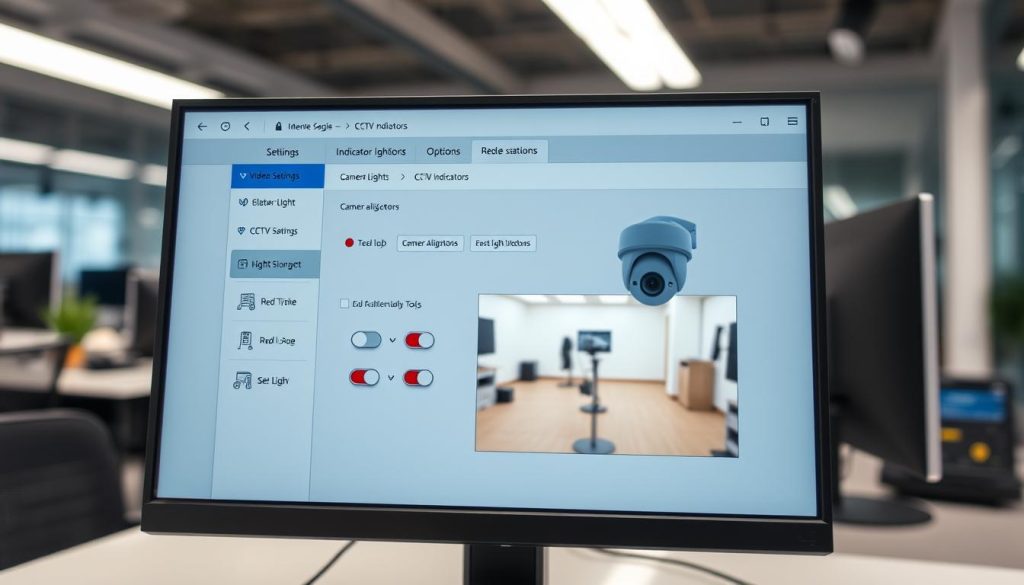
Different brands implement varied approaches to indicator management. Some systems offer granular control over individual LED groups. Others provide simple on/off toggles for all visual signals.
Schedule-based activation conserves energy and extends component lifespan. Indicators activate only during specified monitoring periods. This approach balances visibility with operational efficiency.
Make sure to document any configuration changes. Record previous settings before modification. This allows easy restoration if adjustments cause unexpected behavior.
The Importance of Firmware Updates
Manufacturer software patches resolve numerous operational issues. These updates address bugs affecting indicator functionality. Regular maintenance ensures optimal equipment performance.
The 2023 firmware patches resolved 14 LED-related bugs across major brands. These fixes addressed erratic blinking patterns and incorrect status displays. Updated software improves overall system reliability.
Always verify update authenticity through manufacturer portals. Download files only from official sources. This prevents malware installation and equipment damage.
Professional technicians report that 23% of indicator malfunctions stem from outdated firmware. Regular updates prevent compatibility issues between components and management software.
Update precautions include several important steps. Create complete system backups before installation begins. Use uninterruptible power supply units during firmware flashes.
Check compatibility with existing hardware configurations. Verify that new versions support all connected devices. Incompatible updates can cause partial functionality loss.
Singaporean users should consider local environmental factors. Tropical humidity affects electronic components differently. Manufacturer updates sometimes include region-specific optimizations.
Version control maintains consistency across multiple devices. Install identical firmware on all units within a surveillance network. This prevents communication errors between equipment.
Hidden menu options sometimes affect indicator operation. Advanced settings may include diagnostic modes with unique visual patterns. Professional installers access these features during complex troubleshooting.
Practical examples illustrate normal software-controlled behaviors. A missing red light might indicate activated stealth mode rather than malfunction. Understanding configuration possibilities prevents unnecessary service calls.
Regular software maintenance complements physical equipment checks. Schedule firmware reviews during quarterly inspections. This proactive approach maintains surveillance effectiveness year-round.
Diagnosing Infrared System Specifics
Specialized testing methods reveal the operational status of invisible infrared illumination systems. Accurate assessment requires understanding both technical specifications and environmental influences. This diagnostic approach ensures your night vision capabilities function optimally in Singapore’s unique conditions.
How to Test if IR LEDs are Functioning (The Smartphone Trick)
Modern smartphone cameras detect wavelengths invisible to human eyes. This capability provides a simple diagnostic tool for homeowners. You can verify infrared emitter functionality without professional equipment.
Perform this test in complete darkness for accurate results. Point your device’s lens directly at the surveillance unit. Active infrared components will appear as glowing purple spots on your screen.
This visual confirmation indicates properly working illumination systems. Different smartphone models show varying intensity levels. Newer devices typically display brighter purple hues from active emitters.
Document your findings for future reference. Note any uneven illumination patterns across the field of view. Partial failure often appears as dark spots within the purple glow.
Professional technicians use more advanced diagnostic tools. Thermal imaging cameras analyze heat signatures from infrared components. Lux meters measure actual illumination intensity at various distances.
Environmental Factors Affecting IR Performance
Singapore’s tropical climate presents distinctive challenges for infrared monitoring. Heavy rainfall reduces effectiveness by approximately 40% locally. Water droplets refract and scatter infrared illumination before it reaches targets.
High humidity causes persistent lens condensation issues. Moisture accumulation creates blurry footage during night operations. Regular housing inspections prevent this common problem.
Urban environments introduce additional complications. Glass reflections from high-rise buildings create false hotspots. Dense vegetation absorbs infrared illumination, creating shadowed areas.
Dust accumulation on emitter surfaces diminishes output over time. Monthly cleaning maintains optimal performance. Use soft microfiber cloths to avoid scratching delicate components.
Infrared LEDs typically maintain functionality for three to five years in Singapore’s humidity. Gradual output reduction begins around the third year. Complete failure often follows six months of noticeable degradation.
Different infrared wavelengths offer various visibility trade-offs. 850nm emitters provide stronger illumination but produce faint red glow. 940nm components remain completely invisible while offering slightly reduced range.
Partial system failure represents a common infrared issue. Some LEDs may fail while others continue operating. This creates uneven illumination patterns across monitored areas.
Interference problems occur with multiple infrared systems. Adjacent units can create overlapping hot zones. Proper positioning minimizes this surveillance challenge.
Singapore’s unique urban landscape requires specific considerations. Narrow alleyways between buildings create infrared echo effects. Strategic placement avoids these acoustic-like visual phenomena.
Regular testing ensures consistent night vision capability. Schedule quarterly infrared diagnostics using smartphone methods. Professional assessments every two years identify degradation before complete failure.
When to Attempt a DIY Fix vs. Calling a Professional
5
0>
Preventative Maintenance for Reliable Camera Performance
Singapore’s tropical climate demands specialized care for electronic surveillance components. Proactive upkeep transforms monitoring equipment into durable security assets. Consistent routines prevent minor issues from escalating into system failures.
Regular maintenance extends equipment lifespan significantly. It ensures uninterrupted coverage across all monitored areas. This approach saves money by avoiding costly emergency repairs.
Monthly and Quarterly Inspection Checklists
Create systematic verification protocols for your surveillance network. Monthly checks address immediate operational concerns. Quarterly assessments evaluate long-term system health.
Your monthly checklist should include several critical verifications. Confirm recording continuity across all monitoring points. Test infrared illumination using smartphone camera methods.
Inspect housing seals for cracks or moisture entry points. Check cable connections for corrosion or physical damage. Verify mounting stability against Singapore’s occasional strong winds.
Quarterly procedures address deeper system aspects. Review firmware updates from equipment manufacturers. Perform comprehensive storage health checks on recording devices.
Test overall system performance under various conditions. Document any gradual degradation in image quality. Update maintenance records with all findings and actions taken.
Non-abrasive lens cleaning boosts image clarity by approximately 40%. Proper housing maintenance prevents 67% of weather-related failures in tropical environments.
Cleaning Procedures for Lenses and Housings
Optical surfaces require careful handling during cleaning routines. Use microfiber cloths designed for delicate electronics. Apply isopropyl alcohol sparingly to avoid residue buildup.
Begin by removing loose dust with compressed air. Gently wipe lenses in circular motions from center outward. Avoid excessive pressure that might scratch coated surfaces.
Housing exteriors need different cleaning approaches. Use mild soap solutions for plastic and metal surfaces. Rinse thoroughly to prevent soap film accumulation.
Pay special attention to ventilation openings and seals. Ensure no debris blocks essential airflow channels. Check weatherproofing integrity around cable entry points.
Singapore’s dusty environment requires more frequent cleaning. Urban construction adds particulate matter to the air. Monthly exterior wiping maintains optimal appearance and function.
Develop seasonal maintenance considerations for local weather patterns. Prepare equipment for monsoon season with enhanced moisture checks. Adjust cleaning frequency during dry periods with increased dust.
Establish practical scheduling frameworks for consistency. Assign specific maintenance days each month. Create reminder systems that fit into existing routines.
Documentation practices track system health effectively. Record cleaning dates and any observations. This history helps identify recurring issues before failures occur.
Environmental protection measures suit tropical conditions. Install sun shades for units in direct sunlight. Use silica gel packets within housing for humidity control.
Pest prevention techniques protect outdoor components. Apply non-toxic repellents around mounting areas. Regularly inspect for insect nests or rodent activity.
Selecting the Right CCTV Camera for Your Needs in Singapore
The right surveillance setup addresses both deterrence objectives and recording reliability. Singapore’s unique environment demands specialized equipment for consistent performance. You must consider technical specifications alongside practical installation challenges.
Modern security cameras offer diverse features for different applications. Residential properties need different solutions than commercial buildings. High-rise installations present distinct challenges from ground-level monitoring.
This guide helps you navigate available cctv options. We focus on equipment engineered for equatorial conditions. The goal is reliable protection year-round.
Essential Weather-Resistant and Durability Features
Singapore’s tropical climate tests electronic components severely. Monsoon rains and constant humidity threaten equipment longevity. Proper protection ratings ensure your investment survives local conditions.
IP68-rated housings provide complete waterproof sealing. This certification means devices withstand immersion beyond one meter depth. Dust cannot penetrate these sealed enclosures either.
High-rise installations require additional protective measures. Consider these essential features for elevated positions:
- Corrosion-resistant stainless steel mounts: Withstand salty sea air and urban pollution.
- UV-stabilized polycarbonate housings: Prevent sun damage and material degradation.
- Heated lenses for condensation prevention: Maintain clear vision during temperature shifts.
- Vandal-proof IK10-rated exteriors: Resist impacts from deliberate tampering attempts.
Panasonic’s Jovian series demonstrates exceptional equatorial performance. Their patented hydrophobic coatings shed water forty percent faster than standard models. This technology prevents water spots from distorting recorded footage.
Regular maintenance extends these protective features. Monthly cleaning prevents salt buildup on exterior surfaces. Quarterly seal inspections maintain waterproof integrity.
Balancing Discreet Operation with Visible Deterrence
Security objectives determine indicator visibility preferences. Some situations benefit from obvious monitoring presence. Other scenarios require subtle observation without announcement.
Overt deterrence uses prominent status signals effectively. A visible camera red light announces active recording clearly. This psychological element discourages unauthorized activity before it occurs.
Commercial properties often prefer this approach. Retail stores and office lobbies benefit from visible security presence. The red light serves as constant reminder of monitoring.
Research shows visible security indicators reduce perimeter breaches by approximately 47%. The psychological presence of monitoring acts as powerful deterrent alongside physical barriers.
Discreet operation maintains surveillance effectiveness secretly. Hidden indicators prevent subjects from adapting their behavior. This approach suits sensitive monitoring situations perfectly.
Modern cctv solutions offers both operational modes within single devices. Users can toggle between visible and stealth configurations easily. Scheduling features automate these transitions based on time periods.
Consider these factors when choosing your approach:
- Location sensitivity: Private areas may require discreet monitoring.
- Legal compliance requirements: Singapore has specific regulations about surveillance notification.
- Aesthetic considerations: Residential properties often prefer minimal visual intrusion.
- Behavioral observation needs: Unaware subjects provide more natural footage.
The latest cctv solutions provide flexible indicator controls. Advanced models feature programmable LED patterns. These visual signals can communicate specific system statuses intelligently.
Future-proof your selection with scalable systems. Choose equipment that integrates with expanding security networks easily. Consider storage capacity and resolution requirements for coming years.
Professional installation ensures optimal performance. Certified technicians understand Singapore’s unique challenges thoroughly. They position equipment for maximum effectiveness in local conditions.
The Future of Camera Indicators: Smart and Subtle Technologies
1.
Ensuring Your Security System Works as Intended
Proactive maintenance transforms electronic surveillance into a durable security asset. Understanding indicator behavior helps distinguish normal operation from genuine issues.
Regular verification extends beyond checking lights. Review footage, test connectivity, and monitor performance consistently. This comprehensive approach ensures reliable protection.
When troubleshooting fails, professional assistance becomes valuable. Experts assess equipment authenticity and update configurations properly. Your safety remains the priority.
For latest cctv solutions and expert guidance, contact professionals at +65 60135960. Their cctv solutions offers modern technology tailored to Singapore’s environment. Make sure your monitoring setup delivers peace of mind year-round.
FAQ
What does a steady red light on my security camera mean?
A steady red light typically indicates the unit is powered on and functioning correctly. For many models, this shows the device is actively recording or is in a ready state. It’s a normal status indicator confirming the security system is operational.
My camera has no visible light at all. Is it broken?
Not necessarily. Many modern surveillance system models have a “stealth mode” or LED disable function in their settings. This feature turns off all visible indicators for discreet monitoring. Check your device’s configuration menu or mobile app first.
How can I tell if the infrared night vision is working without the red glow?
Use your smartphone’s camera. Point it at the security camera in complete darkness. If you see a faint purple or white glow on your phone screen, the IR LEDs are active. This light is invisible to the human eye but detectable by most phone sensors.
Could a missing light signal a power issue?
Yes. A complete lack of any status indicator often points to power issues. Check the power supply, adapter, and all connections. In Singapore, humidity can cause corrosion in cabling, leading to intermittent or lost power.
What should I do if the light is blinking erratically?
A blinking or flashing pattern usually signals an error. Consult your device’s manual, as patterns can mean network problems, failed recording, or internal faults. This often requires checking firmware or rebooting the cctv system.
Are there cameras designed without any visible lights?
Absolutely. Many professional and discreet cctv options are built without visible lights. They rely on other methods, like app notifications, for status updates. Brands like Hikvision and Dahua offer such models for covert surveillance.
How does Singapore’s weather affect my camera’s indicators?
The local humid climate can lead to moisture ingress and corrosion in housings and wire terminals. This can disrupt the circuit powering the LED, causing it to fail even if the camera still works. Regular maintenance and weatherproof seals are crucial.


