
What is the red light on my CCTV camera? Explained
Noticing a glowing indicator on your surveillance device can spark questions. Many homeowners and business operators in Singapore encounter this situation. Understanding these visual signals is crucial for maintaining effective protection.
Across Singapore, security systems provide peace of mind. Visible indicators serve as a primary communication method between the device and its user. They convey essential information about operational status.
A steady or blinking LED often means the unit has power. It typically shows recording activity is active. This is a reassuring sign your surveillance investment is functioning.
However, these glowing signs are not the only verification method. Different models and brands use varied indicator patterns. Learning to interpret them ensures you get the most from your security setup.
Key Takeaways
- Status lights on surveillance devices communicate vital operational information.
- A glowing indicator usually confirms power and active recording functions.
- Different manufacturers may use unique patterns for their visual signals.
- Understanding these cues enhances your security system’s effectiveness.
- Regular verification of device functionality maintains protection.
- Visible indicators offer quick, at-a-glance status checks.
- Proper interpretation prevents unnecessary concern about device operation.
Decoding the Red Light: Your CCTV’s Primary Status Indicator
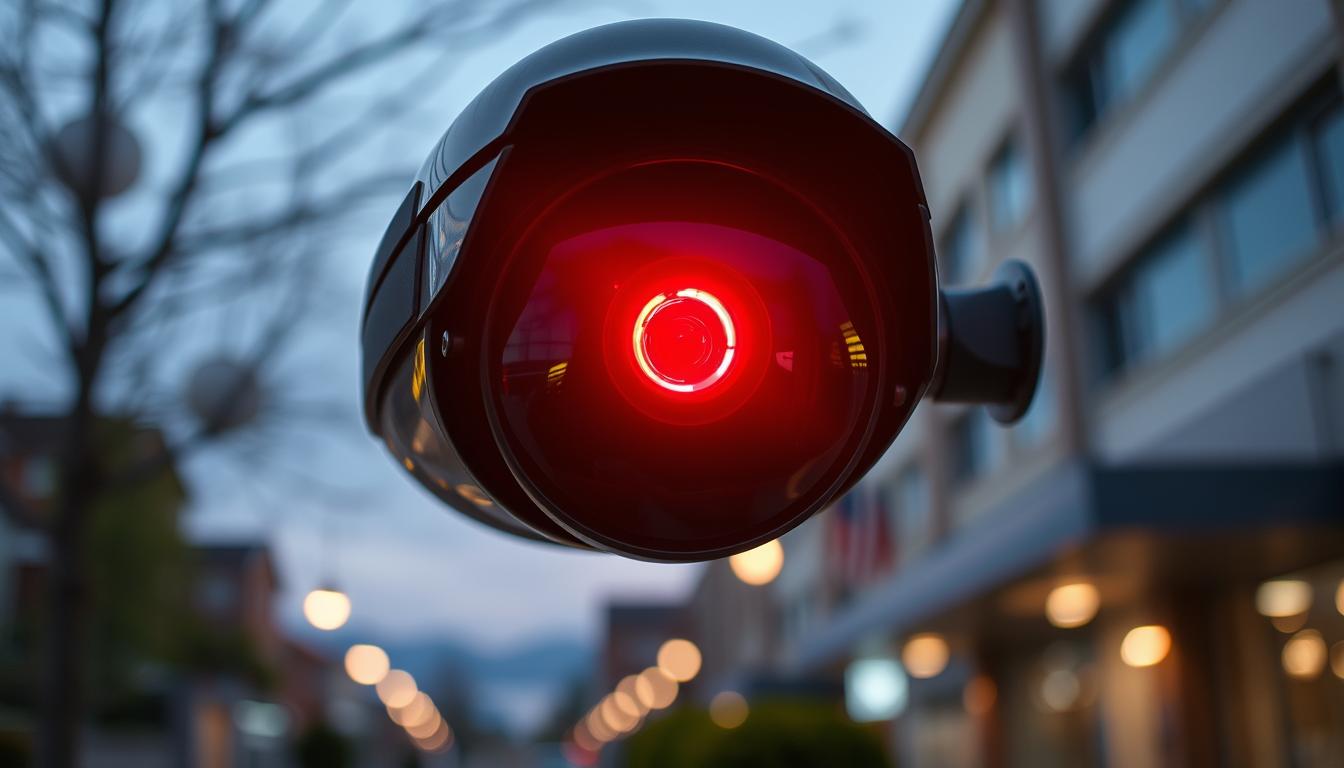
A tiny LED on the housing communicates vital operational details about the unit. This glowing sign is your surveillance device’s main status indicator. Correct interpretation depends on the context and its behavior.
Observing whether it’s solid or flashing provides the first clue. The surrounding lighting conditions offer another key piece of information. Together, they help you understand what your equipment is doing.
The Most Common Meaning: Power and Readiness
A solid, non-blinking glow typically serves as a simple power indicator. It confirms the device is receiving electricity and is operational. The unit is in a state of readiness, though not necessarily saving video at that exact moment.
This steady signal is the most frequent interpretation across many models. It’s a basic yet essential confirmation that your security investment is online. You can usually spot this during both day and night hours.
Recording Signal: When Red Means “Capturing Footage”
On certain models, a flashing pattern can signify active recording. This blinking alert means the camera is capturing and saving video footage to its storage. It’s a direct visual cue that surveillance activity is happening.
Here’s a crucial distinction for users in Singapore: genuine, professional security cameras usually have a steady glow. Dummy or decoy units often use a blinking pattern to simulate activity. Always check your specific model’s manual for accurate signals.
Infrared Illumination in Low-Light Conditions
In dark environments, that familiar red glow often has a different source. It usually comes from infrared (IR) LEDs activating around the lens. These LEDs illuminate the scene for the camera’s sensor, enabling clear night vision.
Modern IP security cameras commonly feature this functionality. The small red light you see in the dark means the night vision system is engaged. This is a standard feature for round-the-clock protection in Singapore’s urban landscape.
Remember to consider your specific camera brand and model. Manufacturer implementations for these visual signals can vary. When in doubt, consult your user guide for definitive answers about your system’s indicators.
Understanding How Your CCTV Camera Functions
At the heart of every monitoring solution lies a process that converts visual information into stored data. Modern security systems work as integrated networks rather than standalone devices. Each component plays a specific role in capturing and preserving footage.
Knowing how these parts interact helps users troubleshoot issues effectively. It also clarifies where visible indicators fit within the operational chain. This knowledge builds confidence in operating surveillance equipment.
Core Components: From Lens to Recorder
Every security camera begins with its lens gathering ambient light. This light passes through to an image sensor behind the glass. Common sensor sizes include 1/2-inch or 1/4-inch chips affecting overall quality.
The sensor converts light patterns into electronic signals for processing. These signals become digital video data through internal circuitry. Higher resolution sensors, from 720p HD to 5 Megapixels, deliver clearer images.
Processors handle compression and initial analysis of the video stream. They prepare footage for transmission to the recording unit. This happens almost instantly within modern surveillance devices.
Network Video Recorders (NVRs) or Digital Video Recorders (DVRs) store the final footage. They manage large amounts of data from multiple camera feeds. Storage capacity and management software determine how long recordings are kept.
Sensor size directly impacts performance in varied lighting, common in Singapore’s urban environment. Larger sensors generally perform better during dawn, dusk, or at night. This technical detail influences your system’s reliability.
The Role of LED Indicators in System Communication
Small lights on security cameras serve as a direct user interface. They are not decorative features but essential communication tools. These visible indicators provide immediate status updates without accessing software.
LEDs can convey multiple operational states through their behavior. A steady glow often confirms the device has electrical power. Different colors or blinking patterns communicate distinct messages.
Common statuses include network connectivity confirmation, especially for Wi-Fi models. Some lights activate only during active recording sessions. Others might signal system errors requiring attention.
Infrared mode activation is another frequent function of these indicators. When night vision engages, LEDs often emit a soft glow. This confirms the camera has switched to low-light operation.
“Indicator lights translate technical operations into simple visual cues anyone can understand.”
Understanding this visual language makes users more effective operators. You can quickly verify if equipment functions normally. This knowledge helps distinguish between real security cameras and non-functional units.
Always check your specific model’s manual for exact indicator meanings. Manufacturers sometimes use unique sequences for their devices. This ensures you interpret the signals correctly for your security system.
Does a Red Light Always Mean the CCTV is On and Recording?
Interpreting status indicators requires understanding their nuanced meanings beyond basic assumptions. Many security system owners glance at a glowing LED and presume their device is actively saving video. This common belief needs careful examination for proper system management.
A visible indicator offers valuable clues about device operation. However, it doesn’t always provide definitive proof of recording activity. Different manufacturers implement these visual signals in unique ways across their product lines.
Interpreting Steady vs. Blinking Red Lights
Observing the behavior of that small LED provides your first interpretive clue. A solid, non-blinking glow typically confirms electrical power is reaching the unit. The device is online and in a ready state, awaiting commands or triggers.
Blinking red lights often signal active recording sessions are happening right now. Each flash can correspond to data being written to storage. This pattern is a more direct visual cue of ongoing surveillance activity.
Remember this important distinction: some decoy units use blinking patterns to mimic real security cameras. Professional-grade equipment may use either steady or flashing indicators based on design. Always reference your specific device documentation for accurate interpretation.
Variations Across Different Brands and Models
No universal standard governs how manufacturers use these visual signals. One company might program a solid glow to mean infrared night vision is active. Another brand could use the same steady light to indicate network connectivity status.
High-end surveillance equipment sometimes features no visible indicator at all. Covert installations prioritize discretion over user feedback. These professional systems rely entirely on software interfaces for status confirmation.
Popular consumer security camera brands each establish their own signaling conventions. What means “recording” on one model might mean “motion detected” on another. This variation underscores why consulting your user manual remains essential.
How to Verify Active Recording Beyond the Light
Relying solely on visual indicators can lead to false assumptions about system performance. Implement these practical methods to gain certainty about your surveillance setup.
First, access the dedicated mobile application or desktop software for your system. Viewing a live feed provides immediate confirmation that the camera is operational. This method offers the most reliable real-time status check available.
Next, review stored footage on your network video recorder or digital video recorder. Locate recent video files with timestamps matching current time. Seeing fresh recordings confirms the device is capturing and saving events.
Finally, check system logs within your management software for activity records. These logs document connection status, motion events, and recording triggers. They provide a comprehensive audit trail beyond simple visual cues.
“The most dependable verification comes from interacting with your system’s software, not just observing its lights.”
Regular verification ensures your security investment delivers intended protection. Combine indicator observation with software checks for complete confidence. This approach eliminates uncertainty about whether your cameras are truly working.
A Guide to Common Security Camera LED Light Colors
Learning your camera’s visual language involves understanding its full spectrum of indicator colors. These visible indicators provide instant status updates for your entire security setup.
Different colors communicate distinct operational states. This knowledge helps users quickly assess their system health.
Green Light: Typically Signifies “On” or “Standby”
A steady green light usually means your camera is powered on and healthy. It often indicates a standby or ready state.
The device has electrical power and is functioning correctly. It may not be in an active recording mode at that moment.
This is a common signal for many CCTV cameras. It confirms the unit is online within your security systems.
Blue Light: Often Indicates Wi-Fi Connection or Activity
Modern security cameras frequently use blue lights for network status. A solid blue glow typically shows a stable connection to your Wi-Fi router or NVR.
Blinking blue lights signal data transfer or connection attempts. This activity means the device is transmitting footage or establishing a link.
These signals are key for wireless devices. They help verify your network is working properly.
Amber/Orange Lights: What They Could Signal
Amber or orange indicators often represent transitional or warning states. A solid amber light can mean the camera is booting up.
It may also signal a firmware update is in progress. A blinking pattern could indicate a weak network connection or storage issue.
These colors prompt users to check their system. A unit stuck in this state might need troubleshooting.
Quick Reference for Common LED Colors:
- Solid Green: On / Standby / Healthy Power
- Solid Blue: Stable Network Connection
- Blinking Blue: Network Data Activity
- Solid Amber/Orange: Booting Up or Updating
Understanding these colors makes managing surveillance equipment intuitive. You can diagnose issues faster by interpreting the indicators.
This visual language is essential for maintaining reliable CCTV operation. Always confirm meanings in your specific model’s manual for accuracy.
Step-by-Step: How to Check If Your CCTV Camera is Recording
Follow these straightforward methods to check your equipment’s functionality at any time. You do not need to be a technical expert. These steps build confidence in your surveillance investment.
Regular verification is part of good security system maintenance. It ensures your devices are capturing events as intended. Let’s walk through three reliable verification techniques.
Method 1: Visual Inspection of LED Indicators
Start with a simple look at the device itself. Many units have a small LED on the housing. This light provides a quick status check.
Observe its color and behavior. A solid glow often means the camera has power. Blinking red lights or a flashing blue indicator may signal active camera recording.
Remember the limitation: brands use different signals. A blinking light might mean recording on one model but network activity on another. Use this method as a first clue, not final proof.
Method 2: Accessing Live Feeds via Mobile or Desktop App
This is the most definitive way to confirm operation. Open the dedicated application for your security cameras. Brands like Hikvision, Dahua, or Reolink have their own apps.
Log in with your credentials. Select the camera you want to check from the device list. If a live video stream loads, your camera is on and transmitting.
Seeing real-time activity confirms the lens, sensor, and network link are working. This method gives you immediate, visual proof your system is active.
Method 3: Reviewing Stored Footage on Your Recorder
For concrete evidence of recording, check the stored video. Access your Network Video Recorder (NVR) or Digital Video Recorder (DVR). You can do this via a connected monitor or through network software.
Navigate to the playback or archive section. Search for footage from the specific camera by date and time. Finding recent files with today’s timestamp is solid proof.
This check verifies the entire chain is working: capture, transmission, and storage. It is the ultimate confirmation your surveillance is preserving events. For a detailed guide, you can learn more about how to verify recording status.
Make these checks part of your routine. A quick monthly verification ensures continuous protection. It provides peace of mind that your security cameras are always camera working.
Identifying Real vs. Fake Security Cameras in Singapore
Consumers seeking genuine protection must learn to spot the differences between functional security systems and decorative replicas. The market offers both operational devices and convincing decoys. Understanding these distinctions ensures your investment delivers actual surveillance.
This knowledge is particularly valuable for Singapore residents auditing existing equipment. It also helps when purchasing new security cameras. Proper identification prevents wasted spending on non-functional units.
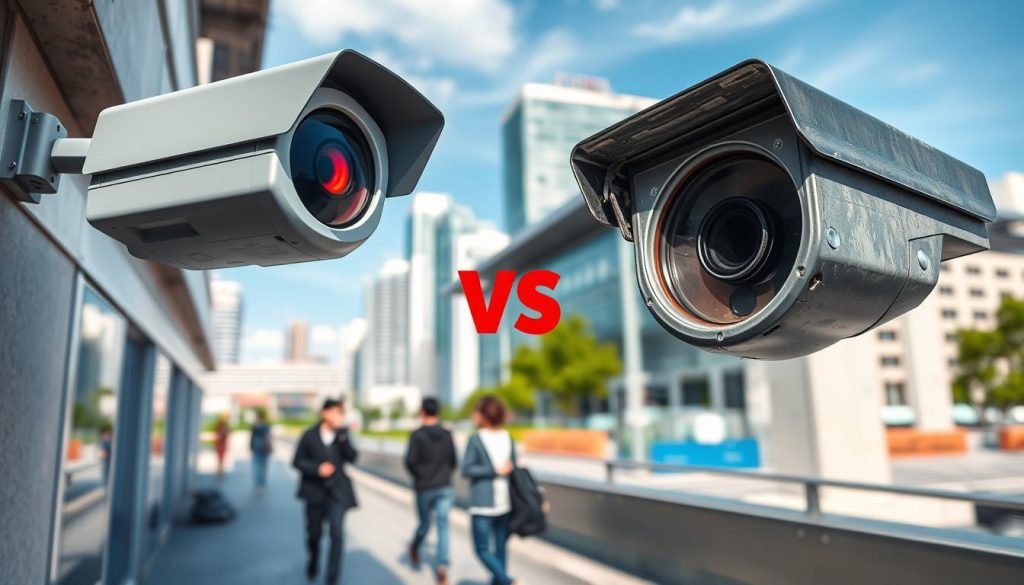
Telltale Signs of a Dummy or Decoy Camera
Fake security devices often display obvious visual clues upon close inspection. These signs reveal their decorative nature immediately. Careful observation saves you from counterfeit purchases.
Conspicuous blinking red lights represent a major giveaway. Authentic CCTV cameras typically use subtle status indicators. Dummy units exaggerate this feature to mimic activity.
Lightweight, flimsy construction using cheap plastic is another red flag. Imperfect seams and visible screws on dome housings suggest poor quality. These manufacturing flaws rarely appear on professional-grade equipment.
Examine cabling carefully during installation audits. Many decoys lack cables entirely or feature unrealistic fake wires. Authentic systems require proper connections for power and data transmission.
Branding details offer crucial identification clues. Generic logos, misspelled names, or absent manufacturer markings indicate counterfeit products. Legitimate security companies proudly display their authentic branding.
Characteristics of a Functional, Professional System
Genuine surveillance equipment exhibits several hallmarks of quality craftsmanship. These features ensure reliable operation and long-term durability. They distinguish real security cameras from imitation models.
Sturdy housing made from metal or high-grade plastic provides physical protection. Professional installation includes proper cabling concealed within walls or conduits. This attention to detail reflects serious security implementation.
Minimal visible indicators characterize most professional CCTV cameras. A steady status light usually confirms normal operation without excessive blinking. These subtle signals prioritize discretion over showy displays.
Authentic brand names and model numbers appear clearly on legitimate devices. Reputable manufacturers include certification marks and warranty information. These details validate the equipment’s origins and quality standards.
The presence of a legitimate recorder unit completes a functional system. Network Video Recorders (NVRs) or Digital Video Recorders (DVRs) manage storage and access. This backend equipment is essential for reviewing captured footage.
Perform a simple infrared detection test using your smartphone camera. Point your phone’s camera at the surveillance device in low light. Functional infrared LEDs will show a faint purple or white glow through your phone’s display.
This quick verification method confirms night vision capability. Most dummy cameras completely lack this essential feature. It provides immediate proof of technical functionality.
“While dummy cameras offer visual deterrence, they provide zero actual security evidence when incidents occur.”
Decorative units cannot capture video footage for investigation purposes. They offer no recording capability during critical moments. This limitation makes them inadequate for genuine protection needs.
Singapore consumers should purchase from reputable local security providers. Established companies offer certifications, installation services, and reliable warranties. These assurances guarantee functional equipment and professional support.
Make informed decisions by examining physical build quality and technical features. Verify infrared capabilities using the smartphone test method. Ensure your security investment delivers both deterrence and actual surveillance.
The Critical Role of Motion Detection in Modern CCTV
Rather than continuously capturing footage, contemporary security cameras can now intelligently decide when to record. This smart functionality transforms how surveillance systems operate in homes and businesses across Singapore. Motion detection represents a fundamental upgrade from basic, always-on recording.
Advanced algorithms analyze the video stream in real-time. They distinguish between important movements and irrelevant changes in the scene. This intelligence makes modern CCTV setups significantly more efficient and manageable.
How Motion-Activated Recording Conserves Storage
Continuous recording fills hard drives rapidly, requiring frequent maintenance or expensive high-capacity units. Motion-activated recording solves this by saving clips only when changes are detected. This approach can reduce storage usage by 70% or more in many environments.
The camera’s processor constantly compares frames. When it identifies significant differences, it triggers the recording function. A brief buffer ensures the system captures the moment movement began.
This method makes reviewing footage much faster. Instead of scanning hours of uneventful video, users jump directly to recorded events. It streamlines investigations and daily monitoring for Singapore property owners.
Storage conservation directly impacts system longevity and cost. Smaller hard drives can store weeks of event-based footage rather than days of continuous video. This efficiency is crucial for reliable long-term surveillance.
Optimizing Sensitivity Settings for Your Property
Every location has unique surveillance needs. A busy shopfront requires different settings than a quiet backyard. Proper configuration minimizes false alerts while ensuring critical events are captured.
Access motion settings through your camera’s dedicated software or mobile app. The sensitivity slider controls how much pixel change triggers a recording. Lower settings ignore minor movements like swaying plants or small animals.
Higher sensitivity ensures even subtle motion is detected. This is ideal for monitoring entry points or valuable assets. Finding the right balance prevents notification fatigue from constant false alarms.
Setting up detection zones focuses the system on important areas. Draw boxes around doors, windows, or gates within the software interface. The camera will ignore activity in other parts of its view, like a public sidewalk.
Schedule different sensitivity levels for various times of day. Night settings might be higher to compensate for lower light conditions. Daytime settings can be adjusted to filter out routine pedestrian traffic.
Modern systems can link motion events to other actions. Configure push notifications to your smartphone when movement is detected. Some setups can trigger external lights or audible alarms as deterrents.
“Properly configured motion detection transforms a passive recording device into an active security partner.”
Regularly review motion-triggered clips to fine-tune your settings. If you’re missing important events, increase sensitivity slightly. Reduce it if you’re receiving too many irrelevant alerts.
This optimization process ensures your CCTV system works smarter, not harder. It delivers reliable protection without overwhelming storage or creating unnecessary work for users.
Exploring Different CCTV Recording Modes
Tailoring recording behavior to specific scenarios optimizes both protection and resource usage. Modern surveillance equipment offers several operational strategies. Each mode serves distinct security needs and practical constraints.
Choosing the right approach balances comprehensive coverage with storage management. Understanding these options helps users configure their systems effectively. This knowledge ensures your investment delivers appropriate monitoring.
24/7 Continuous Recording for Maximum Coverage
This mode captures every moment without interruption. It provides a complete historical record of all activity. No event goes unrecorded with this comprehensive approach.
Continuous operation demands significant storage capacity. Large hard drives are essential for retaining footage over time. The constant write cycles can also impact hardware longevity.
Critical locations benefit most from this thorough coverage. Bank teller stations and retail cash registers often use it. High-security areas where every second matters require this method.
Singapore businesses handling valuable assets frequently choose this option. It guarantees evidence availability for any incident review. The trade-off involves higher equipment costs and maintenance.
Scheduled Recording for Efficiency
This pragmatic solution follows predictable patterns. Users program their systems to record during specific hours. It balances surveillance needs with resource conservation.
Offices might set recording for non-business hours only. Homes could activate systems when residents are away. This targeted approach saves substantial storage space.
Configuration happens through your camera’s management software. Set start and end times for recording periods. Many systems allow different schedules for weekdays and weekends.
Power consumption drops during inactive periods. Storage devices experience less wear over time. This mode suits environments with regular, predictable routines.
Motion-Triggered Recording: The Smart Choice
Intelligent detection forms the modern default for most applications. Sensors identify movement within the camera’s field of view. Recording activates only when genuine activity occurs.
Storage efficiency improves dramatically with this method. Hard drives might retain weeks instead of days of footage. System longevity increases while maintenance decreases.
Reviewing captured events becomes faster and simpler. Skip hours of uneventful video to find relevant clips. This streamlined approach saves considerable time during investigations.
Most residential and commercial installations now use this smart technology. It represents the standard for contemporary security cameras. The previous section detailed its configuration and benefits.
Advanced systems sometimes combine multiple recording strategies. One critical camera might run continuously while others use motion activation. This hybrid approach prioritizes key areas without overwhelming resources.
Your choice directly determines how long historical footage remains available. More efficient modes extend retention periods significantly. Consider both security requirements and practical limitations when deciding.
Proper configuration tailors your surveillance to specific needs. Each mode offers distinct advantages for different situations. Understanding these options ensures your system works optimally for your property.
Essential Maintenance for Reliable CCTV Performance
Consistent upkeep transforms surveillance equipment from a simple purchase into a lasting security asset. Like any electronic device, your monitoring setup requires regular attention. This routine care ensures clear footage and uninterrupted protection.
Singapore’s humid climate and urban environment present unique challenges. Dust, moisture, and temperature fluctuations affect equipment longevity. A structured maintenance schedule counters these factors effectively.
Proactive checks prevent most common system failures. They also extend the operational life of your investment. This section outlines three critical maintenance areas every user should address.
Regular Cleaning of Lenses and Housings
Dirty lenses compromise video quality significantly. Dust, water spots, and spider webs create blurry or obscured footage. Schedule cleaning every three months for optimal clarity.
Use a soft microfiber cloth for the lens surface. Avoid abrasive materials that could scratch the glass. For stubborn grime, apply a small amount of lens cleaner designed for optics.
Inspect dome housings for condensation or fogging. This common issue in Singapore’s humidity reduces visibility. Wipe the exterior dome with a damp cloth to remove dust buildup.
Check for spider webs around the housing, especially in corners. These pests frequently build nests near warm electronic devices. Their webs can trigger false motion alerts in your system.
Clear lenses ensure your security camera captures crucial details during incidents. This simple task maintains the evidentiary value of recorded video. It’s a fundamental aspect of camera working properly.
Checking and Securing Power Connections
Stable electricity keeps your surveillance devices operational. Loose or corroded connections cause intermittent failures. These issues often go unnoticed until footage review reveals gaps.
Visually inspect all power adapters and cables quarterly. Look for frayed wires, bent connectors, or corrosion on metal contacts. Singapore’s occasional heavy rains can accelerate wear on outdoor connections.
For Power over Ethernet (PoE) systems, check Ethernet cable connections at both ends. Ensure they snap securely into their ports. Loose network cables disrupt both power and data transmission.
Examine any junction boxes or weatherproof enclosures. Confirm seals remain intact to prevent water intrusion. Moisture damage is a leading cause of premature system failure.
After severe weather events, perform an additional connection check. Storms can loosen fittings and compromise protective housings. This extra step prevents unexpected downtime.
Make sure to power down equipment before inspecting connections. Safety should always come first during maintenance procedures. Proper handling protects both the user and the devices.
Verifying System Health and Storage Capacity
Internal diagnostics provide insights beyond visible inspection. Monthly software checks confirm all components function correctly. This routine takes just minutes but offers significant peace of mind.
Log into your NVR, DVR, or mobile application first. Verify each camera appears online in the device list. Missing units indicate connection or power issues needing attention.
Review a recent recording clip from every camera. Confirm video quality meets expectations and timestamps are accurate. Legal validity of footage depends on correct time and date settings.
Check hard drive status through your system’s management interface. Note the percentage of used versus available storage space. Most systems alert users when capacity reaches critical levels.
Schedule automatic overwrite settings according to your retention needs. Ensure older footage cycles out properly to make room for new recordings. This prevents the storage from filling completely.
A full hard drive is among the most common reasons recordings stop unexpectedly. Proactive monitoring avoids this frustrating scenario. It keeps your security systems capturing events continuously.
“Routine maintenance is the difference between a camera that works and a camera that works when you need it most.”
Establish a quarterly maintenance calendar for your entire setup. Combine lens cleaning, connection checks, and software verification. Consistent care maximizes reliability and extends equipment lifespan.
Well-maintained surveillance equipment delivers better return on investment. It also reduces emergency repair costs and service calls. This disciplined approach ensures your protection remains active year-round.
Singapore property owners benefit from this proactive strategy. Your security cameras will perform reliably through various weather conditions. They’ll capture clear footage whenever necessary.
Ensuring Your Surveillance System Provides Peace of Mind
True security confidence comes from understanding both the signals and the substance of your system. Visual indicators offer quick status checks, but software verification confirms actual recording activity.
Knowing how to spot real security cameras versus decoys is crucial for effective protection in Singapore. This knowledge ensures your investment delivers genuine surveillance.
Modern features like motion detection create efficient, reliable systems. Consistent maintenance keeps your camera working properly for long-term reliability.
This combination transforms CCTV equipment into a trusted tool. You gain documented protection and lasting peace of mind for your property.
FAQ
Does a steady red indicator always mean my camera is recording?
Not always. A solid red light often signals the device has power and is active, but it may be in a standby or ready state. Many models use a blinking red LED to confirm video is actively being saved to the recorder or cloud. Check your user manual for your specific brand’s signaling.
What does a blinking red light on my security camera mean?
A flashing red indicator typically shows the unit is actively capturing and storing footage. This is common during motion-triggered events or continuous recording. It’s a clear, visual sign that your surveillance system is working and saving video data for later review.
Can I turn off the red light on my CCTV camera?
Sometimes. Many professional systems from brands like Hikvision or Dahua allow you to disable the status LED through the settings menu in the software or mobile app. This is useful for discreet placement. However, the infrared illuminators for night vision often cannot be turned off without affecting performance.
What do other LED colors like green or blue mean on my system?
Different colors communicate various statuses. A green LED usually means the device is powered on and functioning normally. A blue light often indicates a successful Wi-Fi or network connection. Amber or orange lights can signal boot-up, a firmware update, or a connection problem.
How can I be sure my CCTV is recording, beyond looking at the light?
The most reliable method is to log into your system. Use the NVR/DVR interface or the official mobile app, like Guarding Vision or iVMS-4500, to view live feeds. Also, try to access stored footage from earlier in the day to confirm video is being saved properly to the hard drive.
Are cameras with a red light always real and functional?
Not necessarily. Some convincing dummy units have a blinking red LED to mimic a real device. A genuine, professional system will have other signs, like visible cabling for power and data, a branded housing, and the ability to access a live feed through associated software.


