
Do CCTV cameras need maintenance? Essential Tips
Your surveillance equipment is a critical investment for protection. Many owners wonder if regular upkeep is truly necessary. The answer is a definitive yes.
In Singapore’s urban landscape, these systems face unique challenges. High humidity, frequent rain, and urban pollution can degrade components quickly. Without proper care, you risk system failures at crucial moments.
Regular checks ensure your security setup captures clear footage when it matters most. This isn’t just about fixing problems. It’s about preventing them before they compromise your safety.
Proactive maintenance extends equipment lifespan significantly. It also helps meet local regulatory standards for operational security systems. The cost of routine care is far lower than emergency repairs after an incident.
Whether for a home or business, a well-maintained monitoring setup provides peace of mind. For a complete guide on keeping your equipment reliable, explore our detailed security camera maintenance resource.
Key Takeaways
- Regular upkeep is essential for reliable surveillance system performance.
- Singapore’s tropical climate makes maintenance particularly important for longevity.
- Proactive care prevents costly failures and security blind spots.
- Well-maintained equipment ensures high-quality video evidence when needed.
- Routine checks help comply with local security standards and regulations.
- Maintenance protects your investment and maximizes the lifespan of your system.
- Preventive measures are more cost-effective than reactive repairs after incidents.
Why Regular CCTV Maintenance is Non-Negotiable
Skipping routine checks on your surveillance setup invites preventable risks that compromise your entire security posture. This isn’t about optional enhancements. It’s about ensuring core functionality when you need it most.
Proper upkeep transforms your monitoring network from a passive installation into an active shield. The stakes involve more than just hardware. They encompass legal compliance, financial protection, and continuous peace of mind.
Ensuring Uninterrupted Security and Peace of Mind
A single point of failure can leave a property completely exposed. Imagine a critical recorder crashing during a break-in attempt. Or lenses so clouded they render identification impossible.
Regular servicing prevents these scenarios. It systematically eliminates the common faults that create security blind spots. Your monitoring remains operational around the clock.
This reliability provides tangible peace of mind. Homeowners and business managers can trust their infrastructure fully. They know their premises are monitored by equipment performing at its peak.
Complying with Singapore’s Surveillance Guidelines
Singapore’s regulatory framework, including the Personal Data Protection Act (PDPA), sets clear standards. These rules govern footage quality, retention periods, and overall system reliability.
Blurry or missing video due to poor upkeep can lead to non-compliance. Maintenance ensures your recorded evidence meets the required clarity and duration. It upholds the integrity of your entire surveillance operation.
Proactive care is your best defense against regulatory shortfalls. It demonstrates due diligence in operating a lawful and effective monitoring setup.
Protecting Your Investment from Costly Failures
Consider the cost-benefit analysis. Scheduled, minor servicing costs are predictable and manageable. Emergency repairs after a total system failure are not.
Industry data shows proactive care can eliminate up to 70% of potential breakdowns. Finding a frayed cable or a failing power supply early prevents a catastrophic outage later.
This approach directly extends the operational lifespan of your equipment. It protects the capital spent on your initial installation. In essence, consistent upkeep is the most cost-effective strategy for long-term security.
Do CCTV Cameras Need Maintenance? The Direct Answer
Absolutely. Consistent servicing is not optional for reliable operation. This commitment transforms hardware from a simple recording device into a trustworthy security asset.
Proper care ensures your investment delivers continuous protection. It addresses both immediate performance and long-term reliability concerns.
The Consequences of Neglecting Your Surveillance System
Ignoring routine checks starts a chain reaction of deterioration. Image clarity suffers first, with pixelation and color distortion making identification difficult.
Outdoor units face additional challenges. Automatic iris mechanisms can malfunction when dirt accumulates. This leads to overexposed or darkened footage during critical moments.
Recording integrity becomes compromised next. Gaps in surveillance logs or corrupted video files render evidence useless. Such failures undermine the entire purpose of monitoring.
Complete hardware breakdown represents the final stage. Power supplies fail, and storage devices become damaged beyond recovery. When an incident occurs, the system provides no protection at all.
How Proactive Care Extends Camera Lifespan
Regular servicing acts as preventative medicine for security equipment. Cleaning lenses prevents fungus growth and maintains optimal light transmission. This simple action preserves image quality year after year.
Inspecting cables and connections stops minor issues from becoming major failures. Preventing short circuits protects sensitive electronic components from sudden damage.
Software updates are equally crucial. They patch cybersecurity vulnerabilities and add functionality. This keeps your setup current with evolving technology standards.
The typical operational life for surveillance units ranges from five to ten years. Diligent upkeep pushes systems toward the maximum end of this spectrum. Some well-maintained installations continue functioning reliably beyond expected timelines.
Compare the predictable expense of scheduled servicing against emergency repair costs. Budgeting for routine care avoids unexpected financial burdens from premature replacements.
The real question involves implementation strategy, not necessity. Systematic performance monitoring safeguards your premises effectively. It ensures your visual monitoring remains a dependable shield against threats.
Understanding the Three Core Types of CCTV Maintenance
A strategic upkeep framework organizes surveillance care into three distinct methodologies. This structure helps property owners plan comprehensive protection for their premises.
Each approach serves a different purpose in the lifecycle of your security installation. Knowing when to apply each method maximizes reliability and cost-effectiveness.
Preventive Maintenance: Stopping Problems Before They Start
Preventive upkeep involves scheduled, routine tasks designed to avoid failures. Think of it as regular health check-ups for your surveillance equipment.
Common examples include quarterly lens cleaning and bi-annual cable inspections. These actions maintain optimal performance and image clarity.
This proactive approach identifies minor issues before they escalate. It significantly reduces unexpected downtime and emergency repair costs.
For most homeowners and businesses, preventive care forms the foundation of reliable security. It’s the most accessible and cost-effective strategy for long-term system health.
Corrective Maintenance: Fixing Issues After They Occur
Corrective servicing addresses faults once they’re detected. This reactive method includes repairs and replacements for malfunctioning components.
Examples include replacing a vandalized unit or a faulty hard drive. While necessary, this approach can be more expensive and disruptive.
The goal of any good upkeep plan is to minimize corrective actions. Effective preventive measures dramatically reduce how often reactive fixes are required.
Shifting from a break-fix mindset to preventive thinking saves both time and money. It also ensures continuous protection for your property.
Predictive Maintenance: Using Data to Forecast Needs
Predictive care represents an advanced, data-driven methodology. It uses system health analytics and performance metrics to forecast component failures.
Monitoring hard drive health scores or network error logs allows just-in-time replacement. This maximizes resource efficiency and minimizes operational disruption.
This approach is particularly valuable for large-scale or mission-critical commercial installations. It represents the pinnacle of modern surveillance management.
By analyzing real-time data, predictive strategies extend equipment lifespan. They also optimize the entire upkeep schedule for peak efficiency.
Your Essential CCTV Maintenance Checklist
Moving from concepts to concrete actions is the final step in securing your property. A systematic approach prevents minor issues from becoming major security failures. This list is your practical guide to system reliability. It covers the physical components and the digital components that keep your monitoring setup functional.
Implementing these steps monthly forms the core of a proactive strategy. This transforms hardware from a static installation into an active, reliable asset.
This plan acts as your primary defense. It provides a clear, actionable guide for reliable operation. It guides homeowners and facility managers in performing core tasks.
Visual Inspection: Lenses, Housings, and Mounts
Begin with a physical inspection of all security components. Clean the camera lenses with a soft, dry cloth. Wipe the glass gently to remove dust.
Look for physical damage to the system components. Ensure all housings are sealed. This prevents water and dust from getting inside.
In Singapore, humidity can cause condensation inside housings. Check for water droplets or fog on the inside of the housing glass. Tighten any loose screws on the mounting brackets. A sturdy installation is your first line of defense.
Perform this inspection monthly. A clean system is a reliable one. This routine is the cornerstone of a solid security posture.
Verifying Cable and Connection Integrity
Your network’s performance relies on solid physical links. Loose or corroded connections are a common source of problems. They cause video loss and signal degradation. A thorough check ensures the entire network path is intact.
Loose wires are a safety risk. They can cause electrical shorts. Tighten all terminal connections firmly. Look for any greenish discoloration on metal connectors. This signals corrosion from Singapore’s tropical climate. Check for any exposed or damaged cable sheaths.
Moisture and heat accelerate wear. This step is crucial for reliability. A monthly check of all connections ensures your equipment functions as designed.
Power Supply and Storage Health Verification
Check the power supply is stable and provides the correct voltage. A flickering power light or a drop in voltage can cause the entire monitoring setup to fail.
Inspect your storage drives monthly. Ensure the recording device has sufficient free space. Full storage units prevent data loss. A storage check is a key part of any good plan.
Check your recording equipment’s power indicator lights. Confirm the battery backup system functions. This step ensures your surveillance setup remains reliable. A stable power supply is a fundamental component. It prevents sudden failures that compromise the entire property.
Consistent monitoring transforms hardware from a liability into a reliable asset. It provides a clear, actionable guide for reliable operation. It guides homeowners and facility managers in performing core tasks. This list is your essential security checklist. It provides a clear, actionable guide for reliable operation.
How Often Should You Service Your CCTV System?
There is no universal calendar for servicing your monitoring equipment. The right schedule depends entirely on your property type, environment, and security needs.
A tailored approach prevents both wasteful over-servicing and dangerous neglect. It aligns your upkeep efforts with real-world risks.
This section provides clear guidelines for different settings. Use them to build a proactive plan that fits your situation perfectly.
Recommended Service Intervals for Homes and Businesses
Your required service level scales with complexity and risk. Here is a straightforward guide based on common Singaporean premises.
For HDB Flats & Condominiums (Residential):
- User Checks: Perform a basic visual inspection monthly. Look for obvious issues like dirty lenses or loose mounts.
- Professional Service: Schedule a comprehensive inspection every 6 to 12 months. This ensures all system components are functioning optimally.
For Retail Shops, Offices & SMEs (Commercial):
- User Checks: Conduct visual checks every month. Verify all cameras are online and recording.
- Professional Service: Arrange for detailed maintenance quarterly. This frequency addresses higher usage and business-critical surveillance needs.
For Warehouses, Factories & High-Security Sites (Industrial):
- User Checks: Implement a weekly walkthrough. Spot problems like physical damage or cable issues early.
- Professional Service: Commit to monthly professional services. The harsh environments and critical nature of these areas demand rigorous care.
Factors That Increase Maintenance Frequency in Singapore
Local conditions heavily influence how often your equipment needs attention. Singapore’s climate and urban setting create unique challenges.
High Humidity & Salt Air: Coastal areas and general humidity accelerate corrosion on metal connectors and housings. This demands more frequent checks of cables and seals.
Frequent Rain: Consistent downpours test the weatherproofing of outdoor units. Regular inspections make sure seals remain intact to prevent water damage.
Urban Pollution: Dust and grime accumulate on camera lenses rapidly. Outdoor units in busy locations may require cleaning every few weeks to maintain clear footage.
Other key factors include:
- Camera Placement: Outdoor cameras always need more frequent checks than indoor ones.
- System Age: Older installations often have components nearing end-of-life, requiring closer monitoring.
- Criticality of Area: A cctv system covering a main entrance or cashier point is mission-critical. It should be on a more stringent service schedule than one monitoring a stockroom.
By understanding these intervals and local factors, you can schedule preventive maintenance effectively. This turns your cctv cameras into a consistently reliable shield for your property.
Recognizing the Signs Your CCTV System Needs Attention
Proactive monitoring involves more than just watching the feed; it means watching the system itself for clues. Your surveillance equipment will broadcast clear signs of distress long before a total breakdown. Learning to spot these warnings turns you from a passive user into an active guardian of your security.
These red flags fall into two main categories. You can see some with your own eyes. Others reveal themselves through the performance of your setup.
Physical and Visual Warning Indicators
Regular visual checks can catch many problems early. Walk around your property and look closely at each unit.
- Condensation Inside the Dome: Moisture fogging the interior glass is a major red flag. In Singapore’s humidity, this often means a broken seal. It will severely distort your images, especially at night.
- Visible Corrosion: Look for green or white crust on metal connectors and brackets. Salt air accelerates this damage. It weakens connections and can lead to signal loss.
- Cracked or Discolored Housing: Sun exposure and physical impacts can crack plastic casings. A yellowed housing might suggest overheating. Both issues compromise weather protection.
- Loose or Dangling Cables: Wires that are not secured invite problems. They are a tripping hazard and vulnerable to pests or weather, causing intermittent video loss.
- Blocked Field of View: Fast-growing plants, new construction, or accumulated dust and cobwebs can obscure the lens. This creates a blind spot in your security system.
Any visible defect on the housing or lens is a direct threat to image quality and should be addressed immediately.
Performance Issues and System Alerts
Operational symptoms are often the first signs users notice. Don’t ignore strange behavior; diagnose it.
- Persistently Grainy or Blurry Footage: If the image remains unclear after cleaning the camera lenses, the sensor or internal focus may be failing.
- Infrared (IR) Failure at Night: The scene should be clear in monochrome at night. A completely black video feed or one with a bright white haze indicates failed IR LEDs or internal reflection from dirt.
- Delayed or Missing Motion Alerts: When alerts arrive minutes late or not at all, it could be a sensitivity setting, a software bug, or a processing overload in the recorder.
- Audible Error Beeps from the DVR/NVR: Consistent beeping is a hardware alert. It often points to a failing hard drive, power supply failures, or overheating.
- Mobile App Connectivity Problems: If you cannot access the live view remotely, the issue could be local network related, a password error, or a firmware incompatibility.
For example, a white haze in night vision is frequently caused by IR light reflecting off dust inside the dome. A simple internal cleaning can solve it.
Treat any one of these signs as a call to action. Some, like cleaning a lens or trimming a bush, are simple DIY fixes. Others, like internal condensation or hardware error codes, demand a professional’s checks. Recognizing the difference is key to maintaining reliable security and preventing recording gaps.
Maintenance Considerations for Different CCTV Systems
Common CCTV Maintenance Issues and How to Address Them
Even the most robust surveillance setup will eventually encounter operational hiccups. Knowing how to diagnose and fix these common problems saves time and restores your security quickly.
This guide breaks down three frequent complaints. For each, we provide a clear diagnostic path and actionable solutions.
Blurry Footage and Camera Lens Problems
Poor image quality is the most reported issue. It has several potential causes, from simple to complex.
First, rule out the easy fix. Gently clean the external lens with a microfiber cloth. Dust, pollen, and spider webs are common culprits.
If cleaning doesn’t work, the problem may be internal. Condensation inside the housing creates a permanent haze. This often requires professional repairs to reseal the unit.
A mis-focused lens or a failing image sensor can also cause blurry images. Try adjusting the focus ring if accessible. Persistent issues likely mean the camera needs replacement.
Always check the simplest solution first: a clean lens solves more problems than you might think.
Wiring Failures and Signal Loss
Intermittent or lost video feeds usually point to wiring issues. The diagnostic flow is straightforward.
Step 1: Check Power. Verify the unit’s LED light is on. No light means a power supply or adapter failures.
Step 2: Inspect Connections. Loose or corroded cables are a prime cause. Tighten BNC or network connectors. Look for green corrosion on metal parts.
Step 3: Examine the Cable Run. Look for visible damage like cuts, chew marks, or severe kinks. For long runs, signal degradation may require an amplifier.
Simple re-termination of a connector is a DIY task. Replacing a cable run inside a wall, however, needs a technician. For complex signal loss, consider professional camera repair services.
Storage Overload and Recording Gaps
Missing footage creates dangerous security blind spots. This is often a storage or configuration problem.
First, check your recorder’s storage status. Is the hard drive full? Modern systems should overwrite old data automatically. If not, review your recording schedule and loop settings.
Gaps in the recording timeline can signal a failing hard drive. Many DVRs/NVRs have S.M.A.R.T. diagnostics. Check for warning alerts in the system menu.
Upgrading your storage capacity is a common solution. Replacing a faulty drive is another. Always ensure new drives are compatible with your equipment.
Regular checks of your footage archives are crucial. Make sure your upkeep routine includes verifying that recording is continuous and complete.
Creating a Proactive CCTV Maintenance Schedule
Building a maintenance routine transforms your security investment from passive hardware to active defense. A structured calendar prevents oversights and ensures consistent protection for your property.
This approach moves beyond random checks. It creates predictable intervals for both simple user tasks and professional services.
The best strategy combines do-it-yourself monitoring with expert annual reviews. This hybrid model maximizes reliability while controlling costs.
Weekly and Monthly DIY Checkpoints
Regular user checks form the foundation of any good upkeep plan. These simple tasks catch issues early before they escalate.
Weekly Monitoring Tasks:
- Verify all units show a live feed on your monitor or mobile app
- Check that motion detection alerts function correctly
- Confirm recording date and time stamps are accurate
- Look for any new obstructions blocking camera views
Monthly Inspection Checklist:
- Physically clean external lenses with a microfiber cloth
- Remove cobwebs, dust, and debris from housings
- Check for signs of physical damage or tampering
- Review stored footage to ensure continuous recording
- Test playback functionality for different time periods
These routine checks take minimal time but provide maximum peace of mind. They keep your surveillance equipment performing at its best.
The Role of Annual Professional Servicing
Annual professional services deliver a comprehensive technical audit. Certified technicians perform tasks beyond typical user capabilities.
A thorough annual inspection includes:
- Testing each unit’s resolution and light sensitivity
- Checking the integrity of all wiring and connections
- Verifying backup power systems function correctly
- Updating all firmware and security patches
- Cleaning internal DVR/NVR components
- Providing a detailed health report with recommendations
This professional review identifies hidden problems before they cause failures. It also provides expert advice on potential upgrades.
Consider a sample 12-month calendar that spreads tasks throughout the year. Schedule quarterly visual checks, bi-annual deep cleaning, and one comprehensive professional service.
A maintenance log tracks all services performed and any recurring issues. This documentation proves valuable for warranty claims and future troubleshooting.
The benefits of this scheduled approach are clear. Budget predictability improves with planned rather than emergency repairs.
System disruption minimizes when issues are caught early. Most importantly, reliability and lifespan maximize through consistent, professional care.
CCTV Maintenance Best Practices for Longevity
Expert-level care transcends basic cleaning. It involves strategic protection and organization of every component. Implementing these methods maximizes durability and performance.
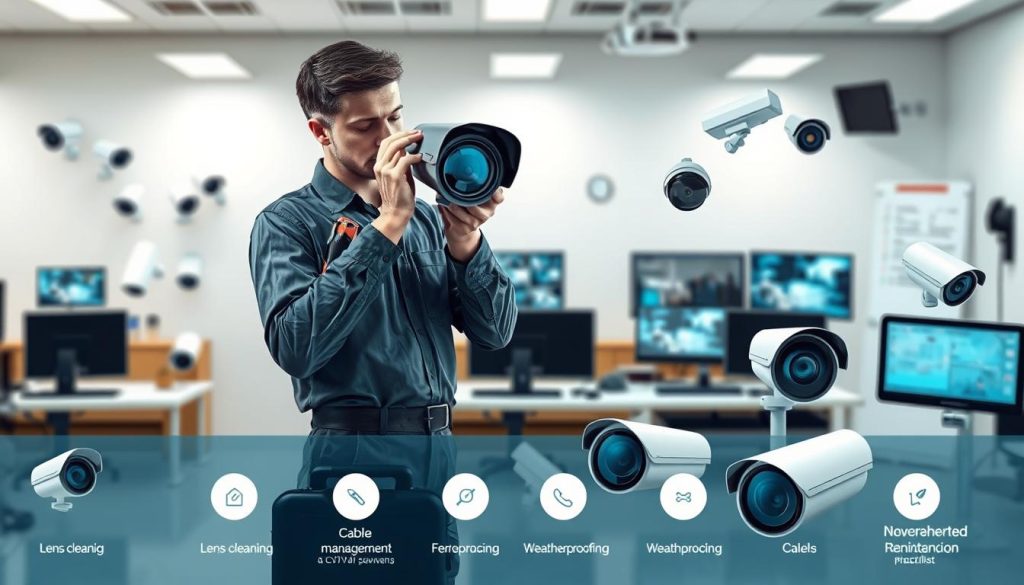
This approach is about environmental hardening. You fortify your setup against local climate challenges. The goal is fewer repairs and clearer video over many years.
Proper Cleaning Techniques for Camera Lenses
Correct cleaning preserves image quality. Never use window cleaner or abrasive cloths on the lens. These can strip coatings and cause permanent scratches.
Use a dedicated lens cleaner and a microfiber cloth. Gently wipe in a circular motion from the center outward. For stubborn dirt on housings, a soft-bristle brush works well.
Schedule this task for early morning. This avoids heat stress on the equipment. Always blow dust from housing vents first to prevent pushing debris inside.
Treat your surveillance camera lenses with the same care as eyeglasses or a camera lens—gentle and precise.
Environmental Protection for Outdoor Cameras
Singapore’s climate demands specific defenses. Start with the right IP (Ingress Protection) and IK (Impact Protection) ratings for the location. A rating of IP66 or higher is ideal for heavy rain.
Use protective housings or sunshades to shield units from direct, harsh sunlight. This prevents overheating and housing discoloration.
Make sure all conduits and cable entry points are sealed with waterproof gel. This blocks rain and insects. Apply dielectric grease to metal connections.
This grease prevents corrosion from humidity and salt air. It is a simple, highly effective step for security systems in coastal areas.
Securing and Organizing System Components
Physical organization prevents damage and simplifies future checks. Use cable clips and conduits to manage all wires neatly. This eliminates trip hazards and protects cables from wear.
Secure your recorder in a locked, ventilated cabinet. Good airflow prevents overheating, a common cause of storage drive failures. Label both ends of every cable for easy identification.
This labeling is a lifesaver during troubleshooting. A tidy setup is a reliable one. It allows for quick visual inspections and safe access.
These best practices form a comprehensive checklist for advanced upkeep. They directly reduce the frequency and severity of common problems. Your investment remains protected, delivering high-quality footage and reliable recording for its full operational life.
Choosing a Professional CCTV Servicing Provider in Singapore
Your choice of service provider determines whether your security system remains a robust shield or becomes a liability. Outsourcing this critical function requires careful vetting. The right partner brings expertise that protects your investment and ensures compliance.
In Singapore’s competitive market, not all service companies offer equal value. Selecting wisely means looking beyond basic advertisements. You need a provider who understands both technology and local regulations.
What to Look for in a Reliable Service Partner
Start your search by verifying professional credentials. Look for certifications from recognized bodies like the Security Systems Association (SSA) or the Polytechnic Singapore Alumni (PSA). These indicate formal training and industry recognition.
Experience matters significantly. Ask how long the company has operated locally. A provider with five or more years in Singapore’s market understands our unique climate challenges and regulatory landscape.
Technical familiarity is equally important. Ensure the technicians know major brands like Hikvision, Dahua, and Axis. They should carry common spare parts for quick repairs during service visits.
Check online reviews across multiple platforms. Look for consistent praise about reliability, punctuality, and clear communication. Negative feedback about hidden costs or poor workmanship are red flags.
Ask potential providers specific questions during consultations:
- Do you provide a detailed checklist before starting work?
- What spare parts do you typically carry on service vehicles?
- Can you share sample service reports from previous clients?
- How do you handle diagnosing intermittent faults?
- Are firmware updates included in your standard services?
Clear communication about processes sets professional companies apart. They should explain their methodology in simple terms you can understand.
Understanding Service Agreements and What to Expect
Service models vary significantly in scope and cost. The most common options include ad-hoc, annual contracts, and comprehensive SLAs. Each serves different needs and budgets.
Ad-hoc services involve paying for individual visits when problems arise. This works for minor, infrequent issues but offers no preventive care. Response times may be slower during peak periods.
Annual maintenance contracts provide scheduled visits throughout the year. These typically include basic cleaning, performance checks, and minor adjustments. They offer better value through regular preventive upkeep.
Comprehensive Service Level Agreements (SLAs) represent the highest tier. These guarantee specific response times, often within 4-24 hours for critical failures. Coverage usually includes labor, travel, and sometimes replacement parts.
When reviewing agreements, pay close attention to:
- Response time guarantees for different priority levels
- What components are covered (labor, parts, travel)
- Exclusions and limitations in the fine print
- Renewal terms and price escalation clauses
- Procedures for emergency after-hours services
Singapore’s Personal Data Protection Act (PDPA) adds another layer of consideration. Your provider should demonstrate clear understanding of compliance requirements for surveillance systems. They must ensure your setup meets legal standards for footage quality and data handling.
Always request references from similar installations. A shopping mall reference holds different value than a residential condominium example. Choose references that match your property type and security needs.
Finally, obtain multiple written quotes before deciding. Compare not just prices but the scope of work detailed in each proposal. Ensure every task and component is clearly defined. This prevents misunderstandings about what maintenance includes.
The right agreement extends your equipment’s operational life. It transforms reactive fixing into proactive protection. Your surveillance infrastructure deserves nothing less than expert, reliable care.
Securing Your Premises with a Well-Maintained System
The reliability of your surveillance infrastructure hinges directly on consistent care. A robust security system is only as dependable as its upkeep regimen. This transforms hardware from a passive installation into an active, trusted shield.
We’ve explored the necessity of regular maintenance, a structured approach with checklists and schedules, and the value of professional partnership. Each pillar strengthens your property’s protection. Together, they ensure optimal performance and equipment life.
Diligent upkeep delivers core security outcomes: deterrence, detection, and clear evidence collection. In Singapore’s unique environment, this proactive stance is non-negotiable. It safeguards people, property, and peace of mind.
Begin your routine today. Your commitment to system care is the ultimate investment in lasting security and quality surveillance.
FAQ
What are the risks of not maintaining my security cameras?
Neglecting upkeep can lead to system failure just when you need it most. You risk losing critical video evidence due to corrupted storage, blurry images from dirty lenses, or total power loss. This leaves your property vulnerable and can void warranties on your equipment.
How often should I check my surveillance equipment?
For optimal performance, conduct a basic visual check every month. A full professional inspection is recommended at least once a year. In harsh environments or for business-critical security, more frequent servicing may be necessary to prevent issues.
Can I perform any maintenance tasks myself?
A> Yes, several simple tasks are perfect for DIY. Regularly clean camera lenses with a soft, microfiber cloth. Check for obvious physical damage or obstructions. Ensure cables are secure and verify that recording is active. Always leave complex electrical or software repairs to certified technicians.
What is included in a professional servicing package?
A comprehensive service from a provider like Avonics or similar includes physical cleaning, cable and connection integrity tests, storage health diagnostics, firmware updates, and image quality calibration. They will also provide a detailed report on your system’s health and any required repairs.
What causes fuzzy or poor-quality video footage?
Blurry images are often caused by dust, spider webs, or moisture on the lens. It can also signal a failing camera sensor, incorrect focus, or insufficient lighting. Regular cleaning and proper positioning during installation are key to maintaining clear video.
Does weather affect my outdoor security units?
Absolutely. Singapore’s humidity and rain can damage housings and lenses. Ensure your outdoor cameras have an appropriate IP rating (like IP66 or IP67) for weather resistance. Regular checks for water ingress or corrosion are vital parts of a maintenance checklist.


